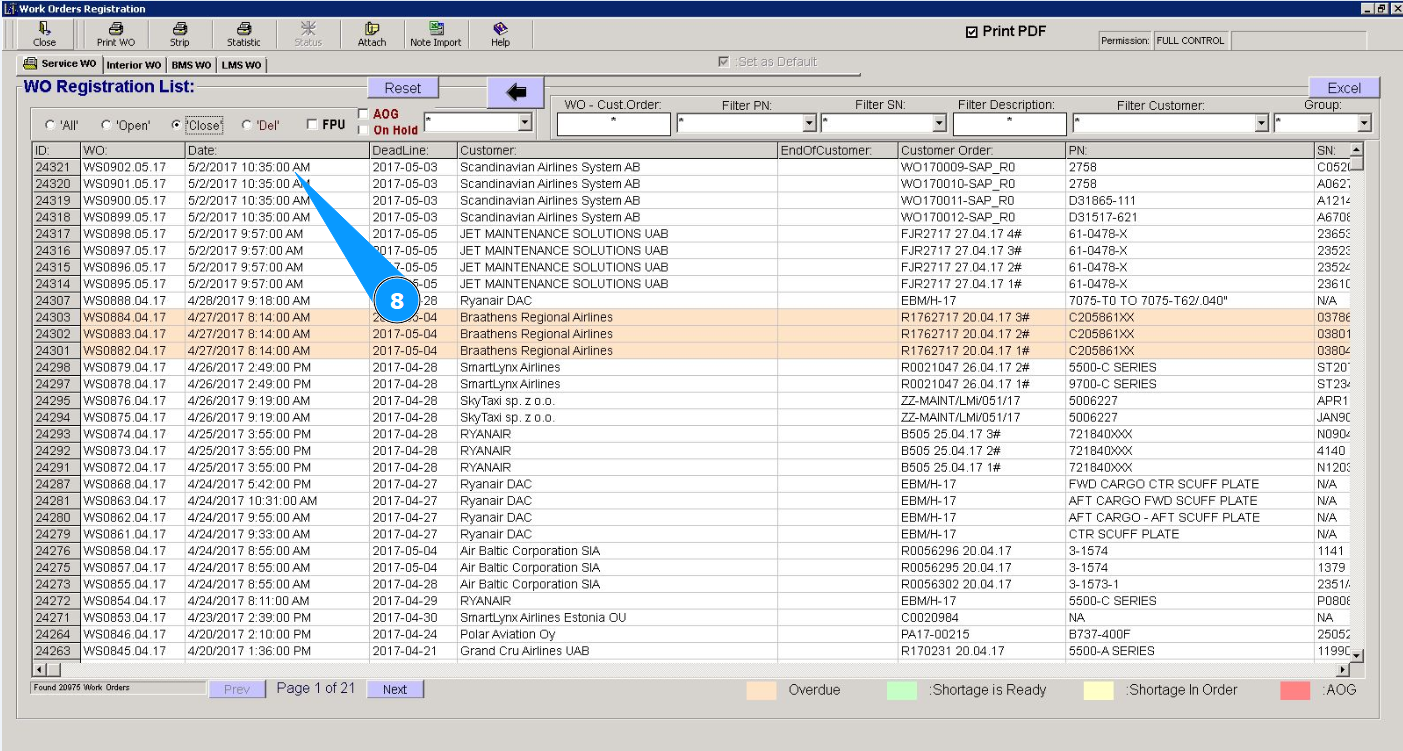
How to reopen a closed work order
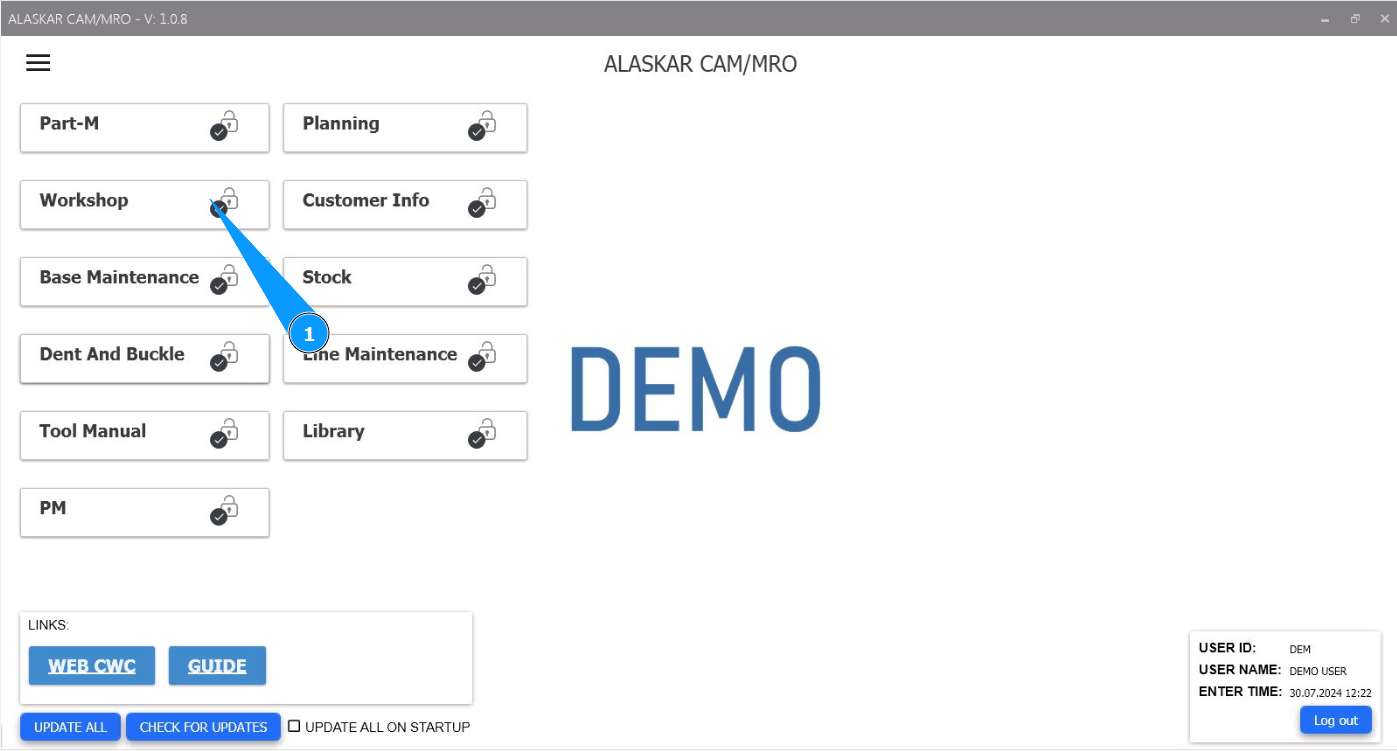
1. In order to reopen a closed work order, go to the module "Workshop".
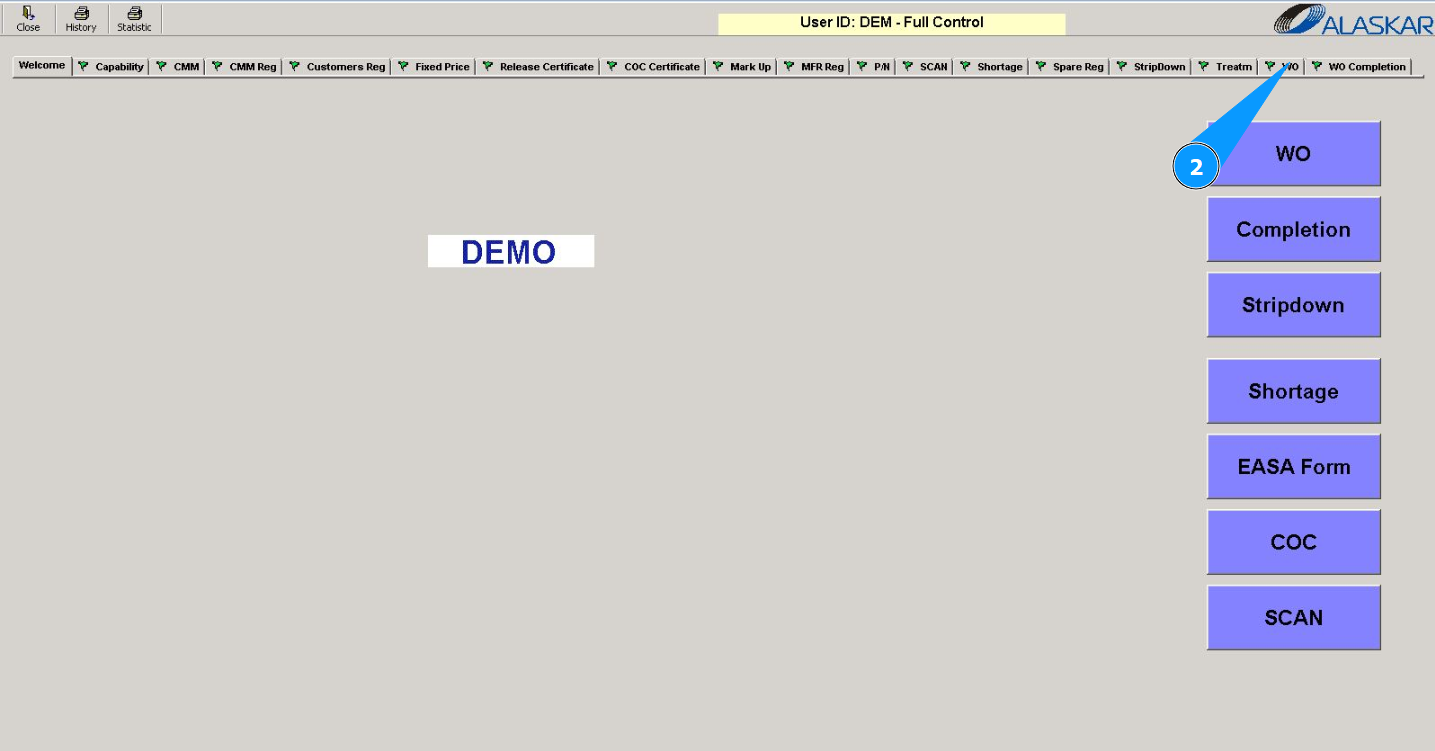
2. Then go to the tab "WO".
3. Then go to the tab "Interior WO" or tab "Service WO".
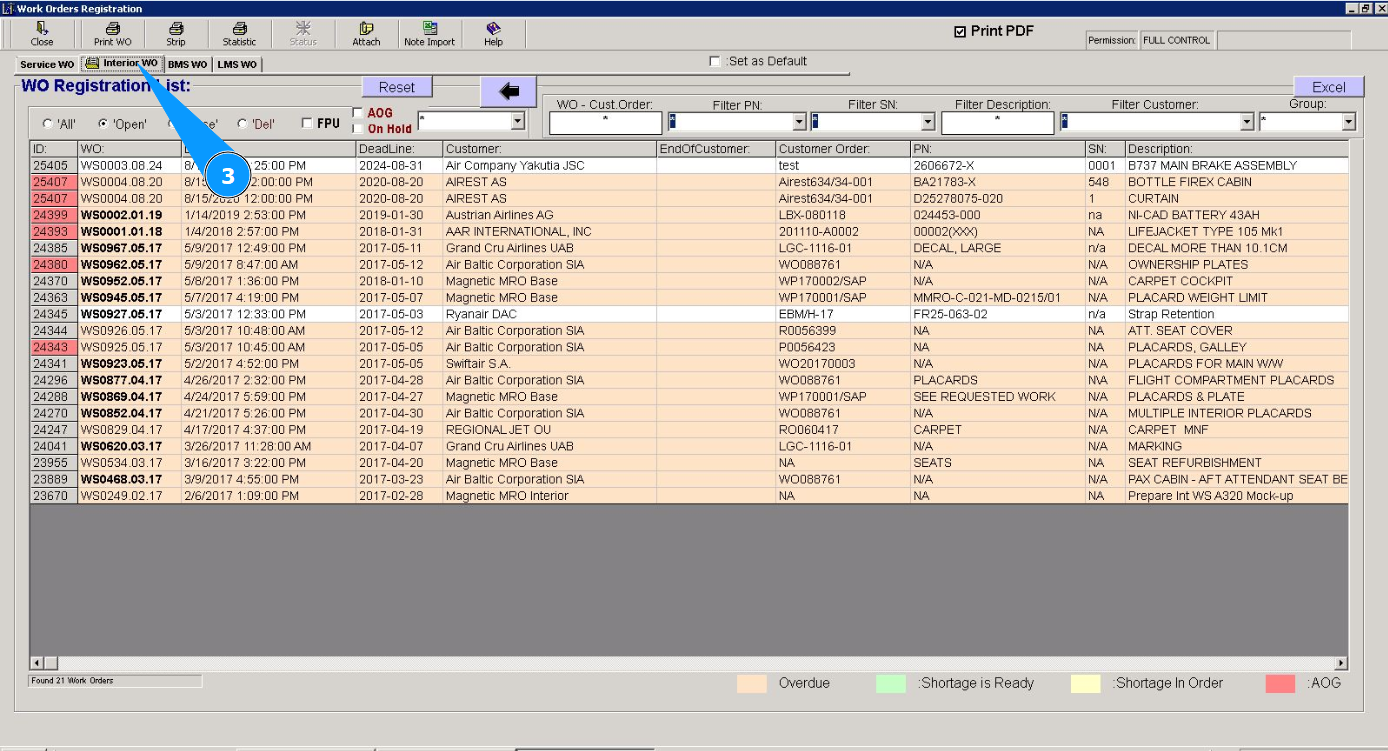
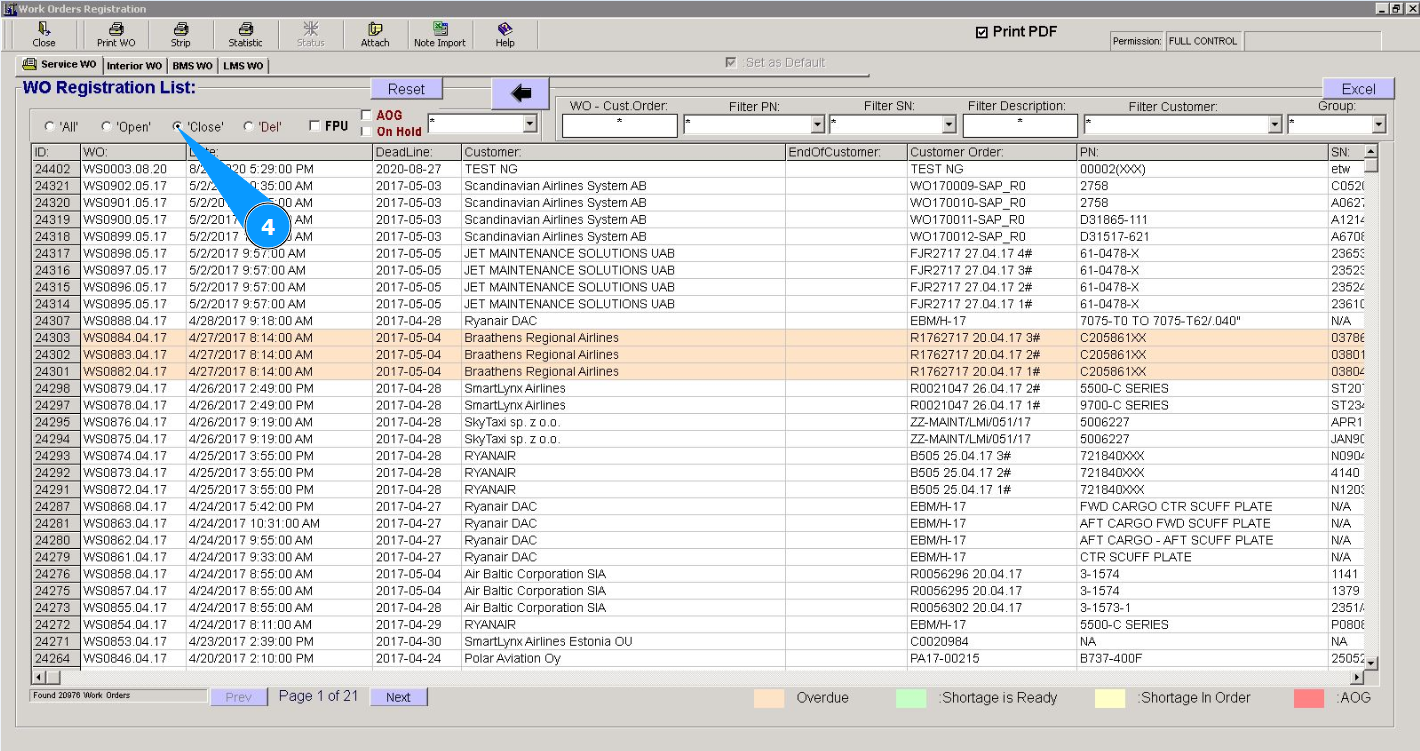
4. Filter the list of work orders by “closed”. Tick in the window "Close".
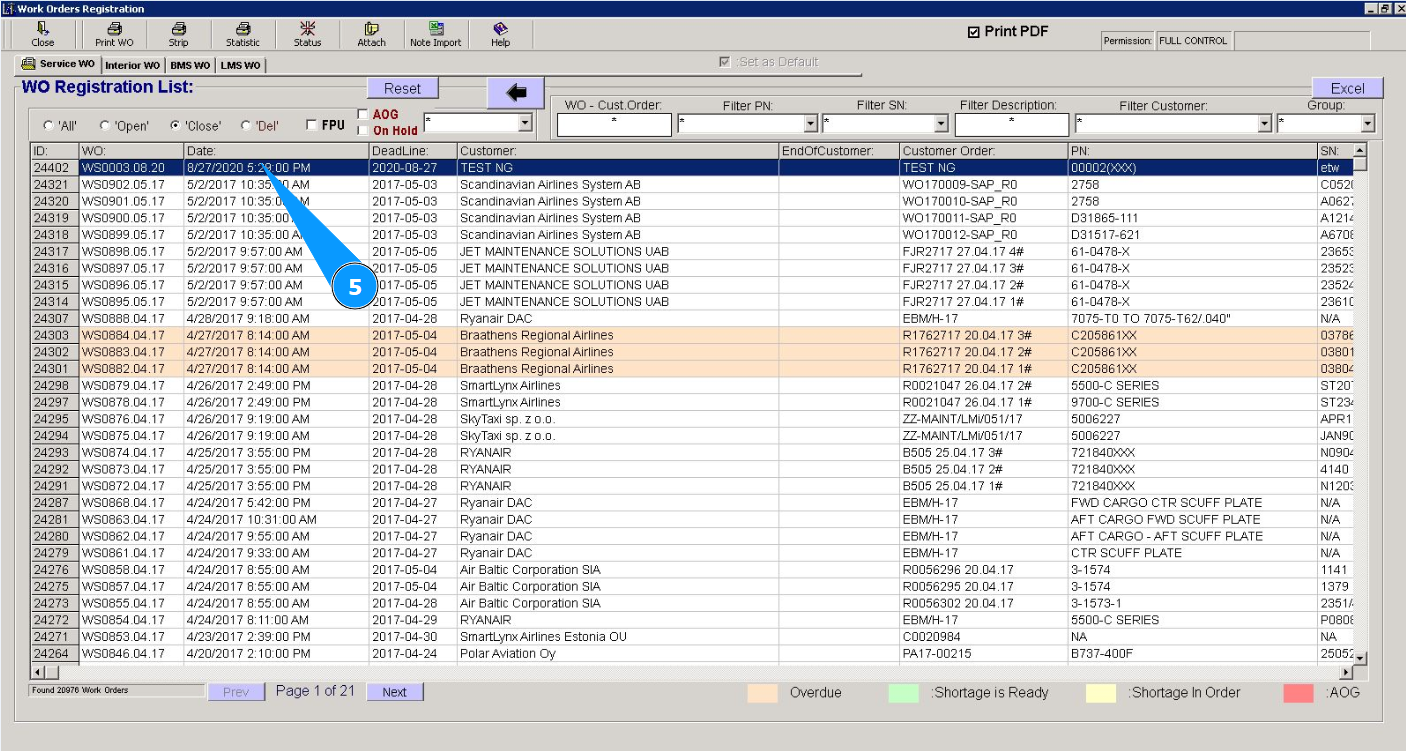
5. Select the required work order from the list to open in the window "WO Registration List". Click on the corresponding line. Note: Use the available filters if necessary.
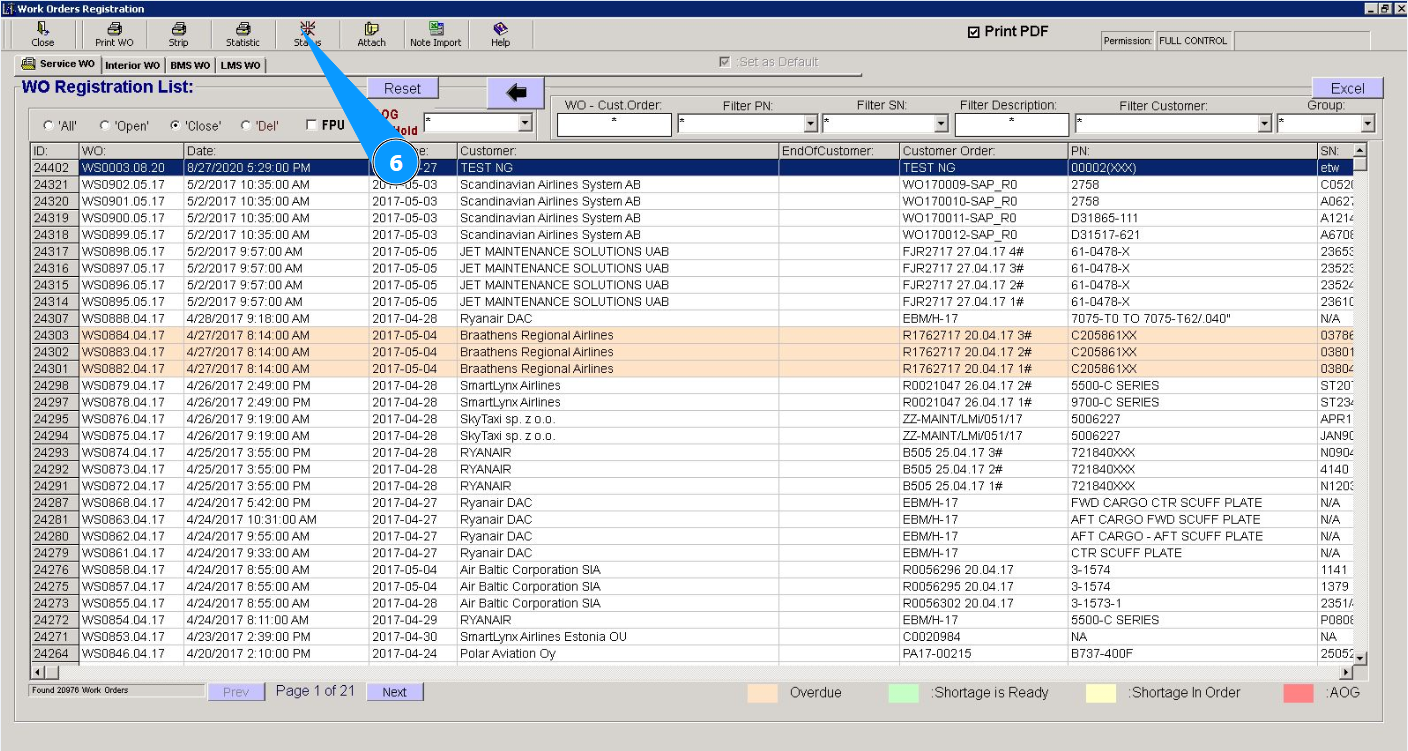
6. Click on the button "Status" to change the status of the work order.
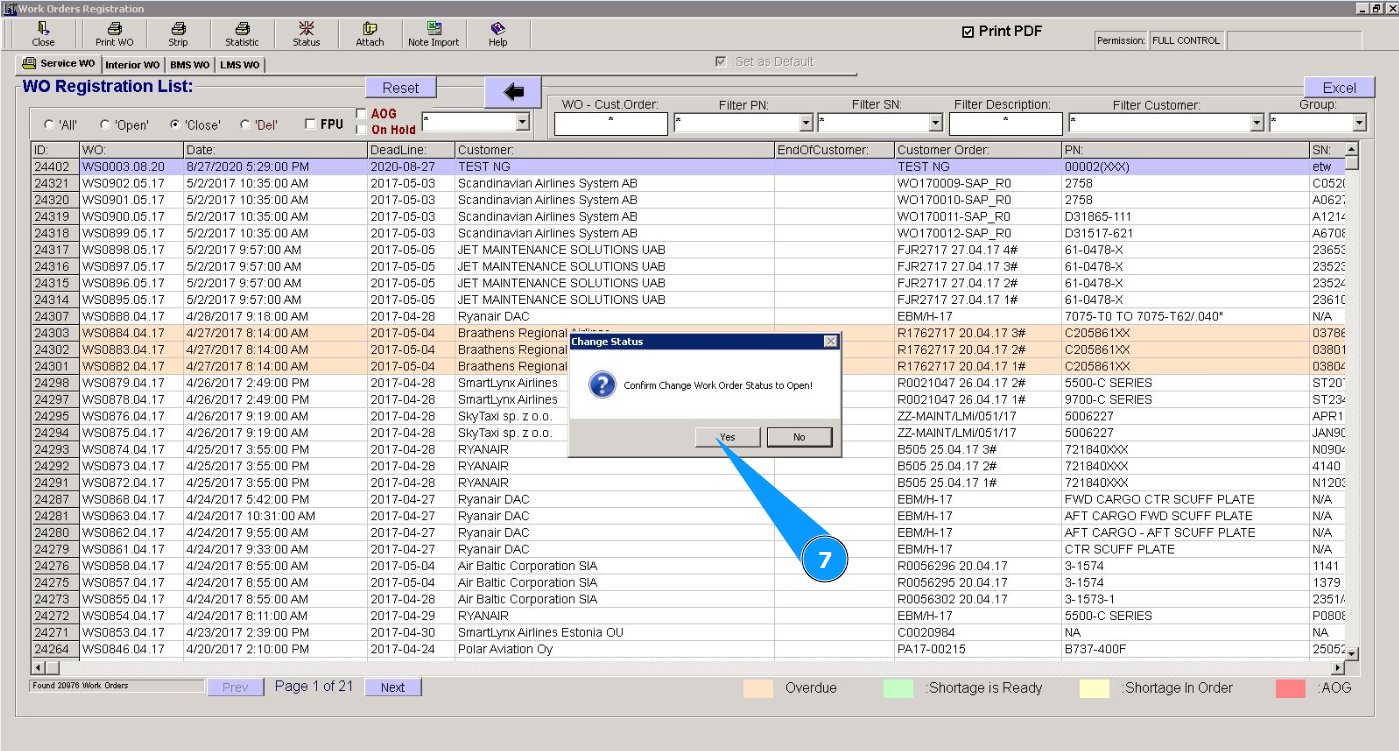
7. Click on the button "Yes" to confirm opening the work order.
8. Check that the work order has disappeared from the list of closed orders in the window "WO Registration List".