How to add a new type of treatment
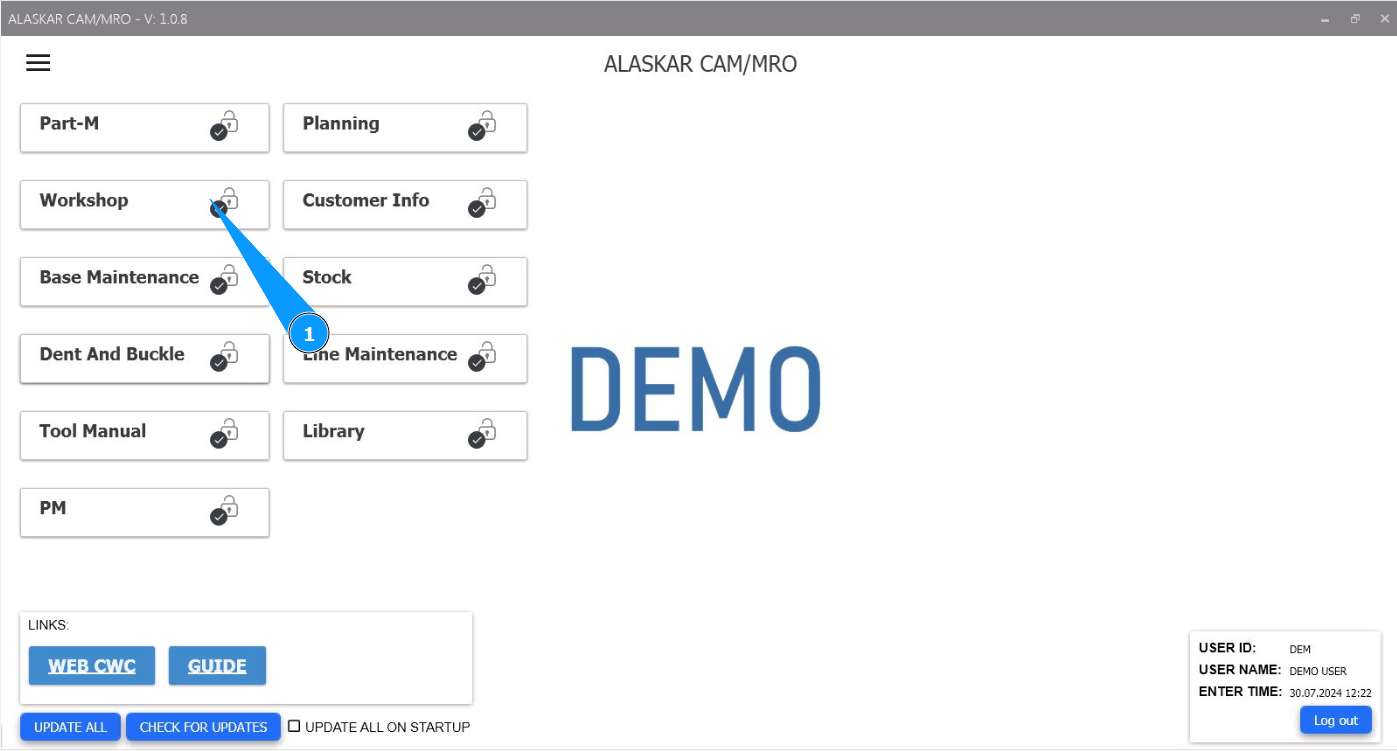
1. In order to add a new type of treatment, go to the module "Workshop".
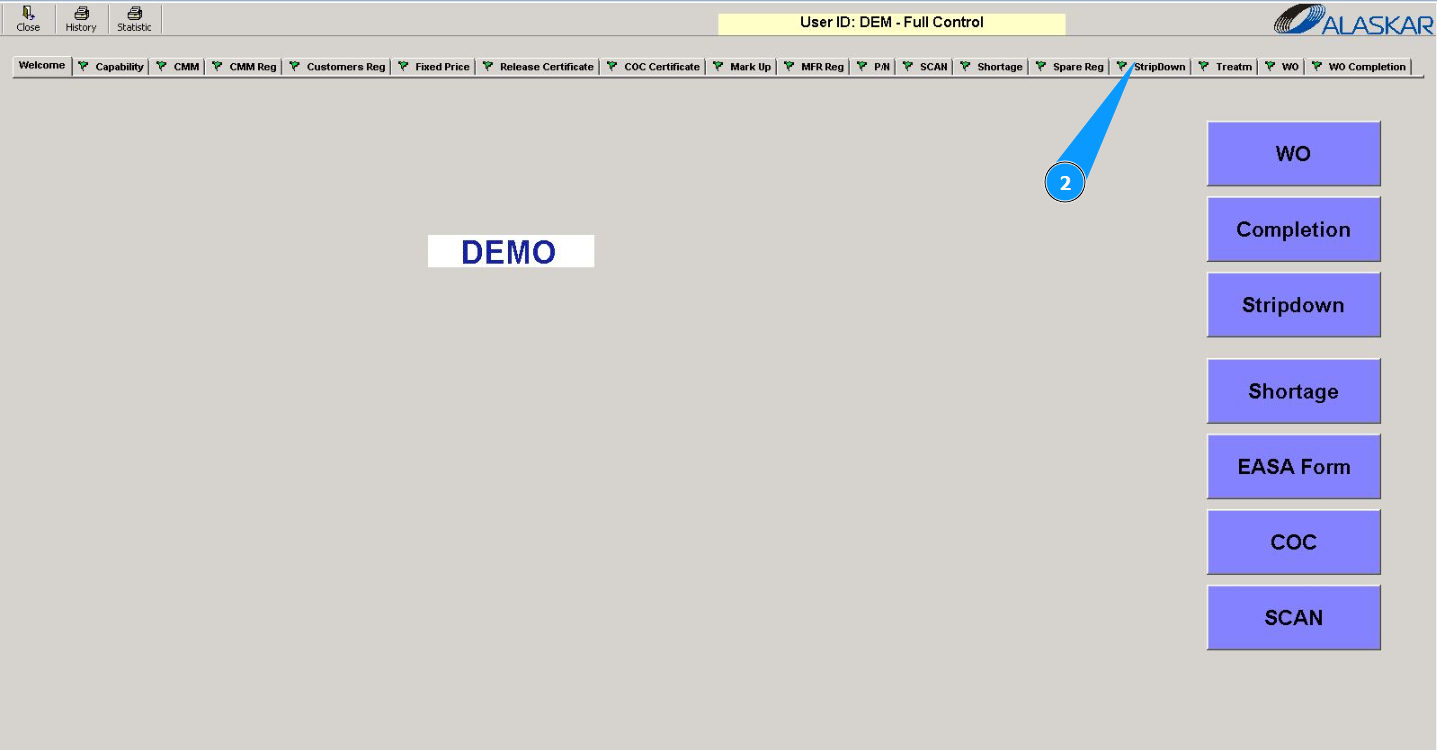
2. Then go to the tab "StripDown"
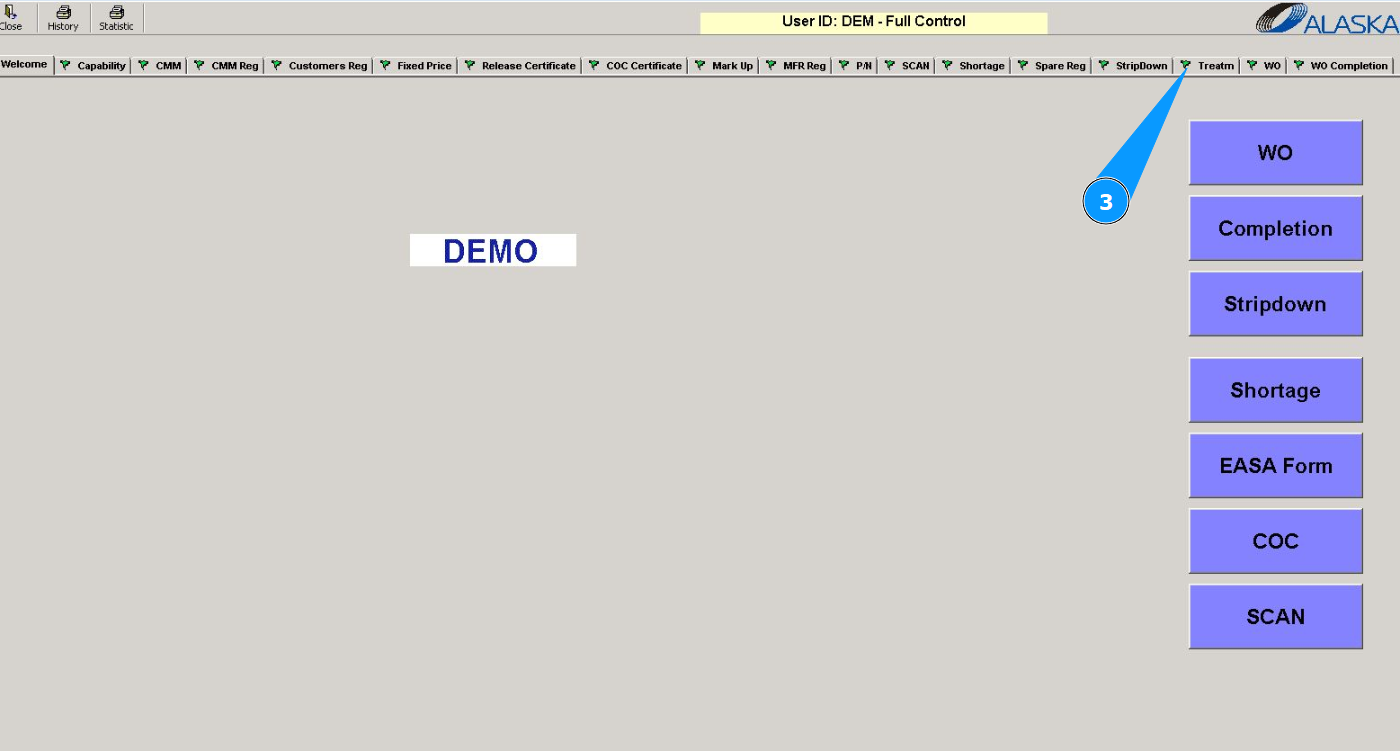
3. Then go to the tab "Treatm".
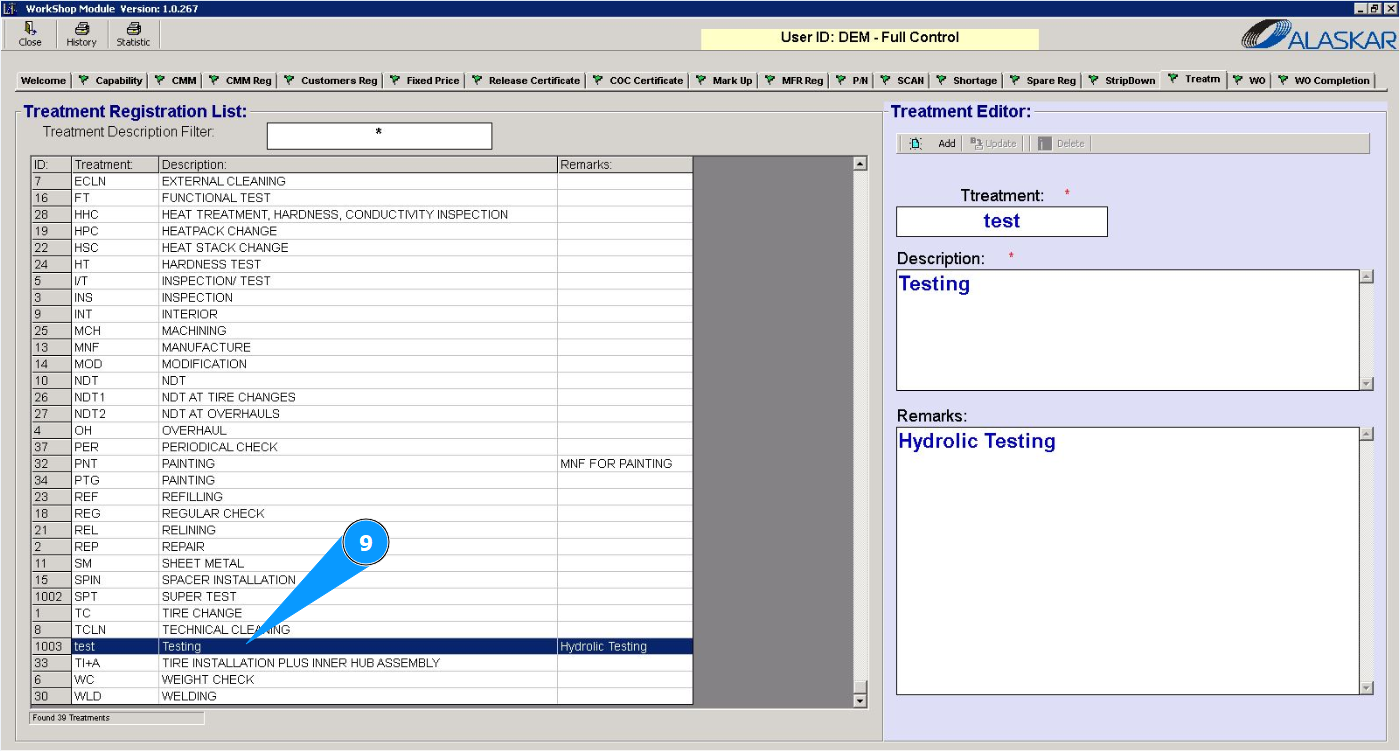
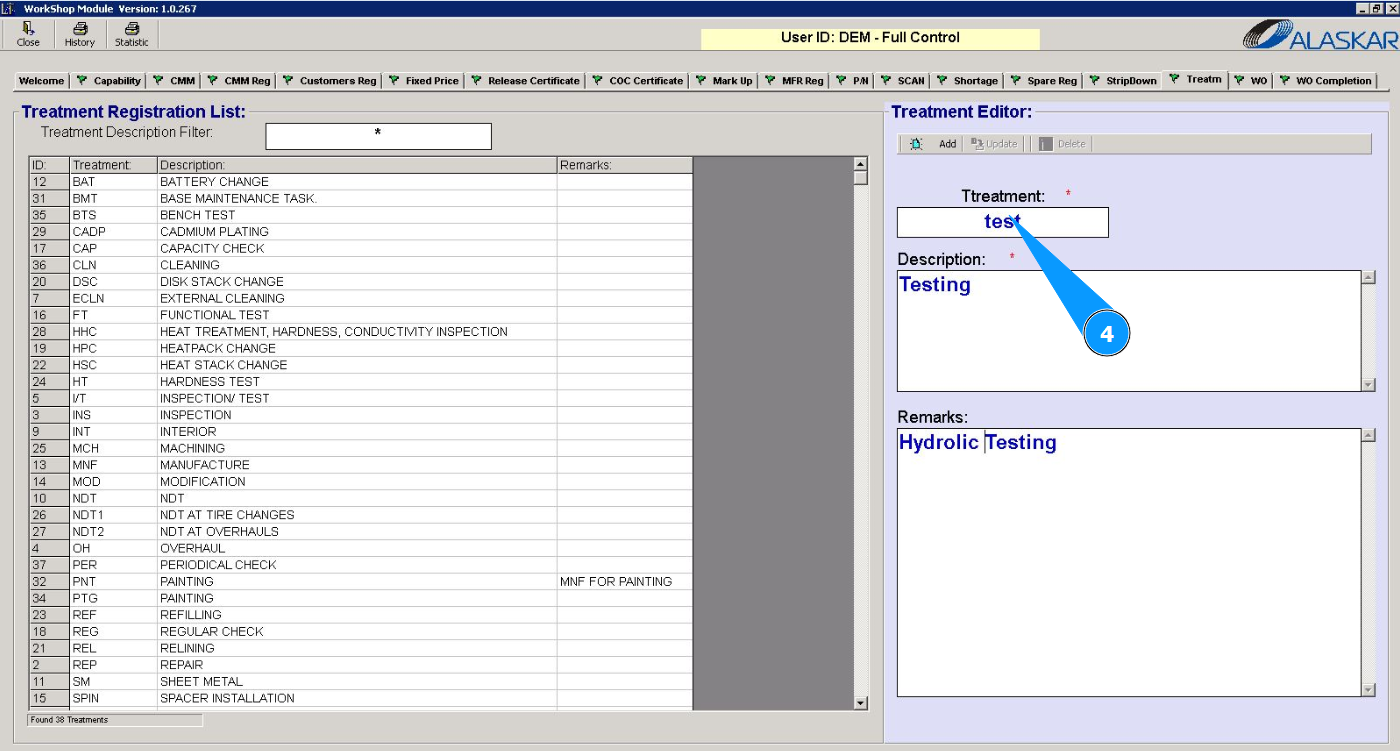
4. Enter a short name for the treatment in the field "Treatment".
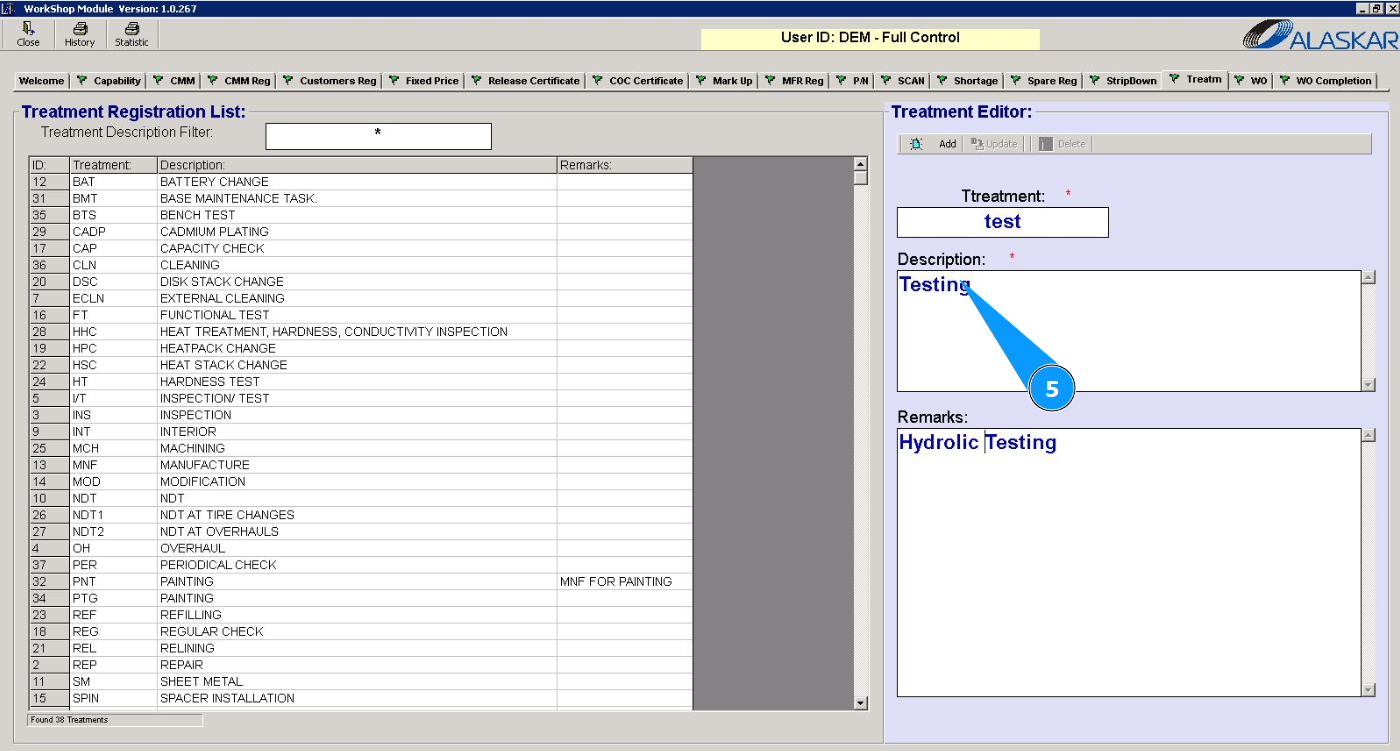
5. Enter a description of the treatment in the field "Description".
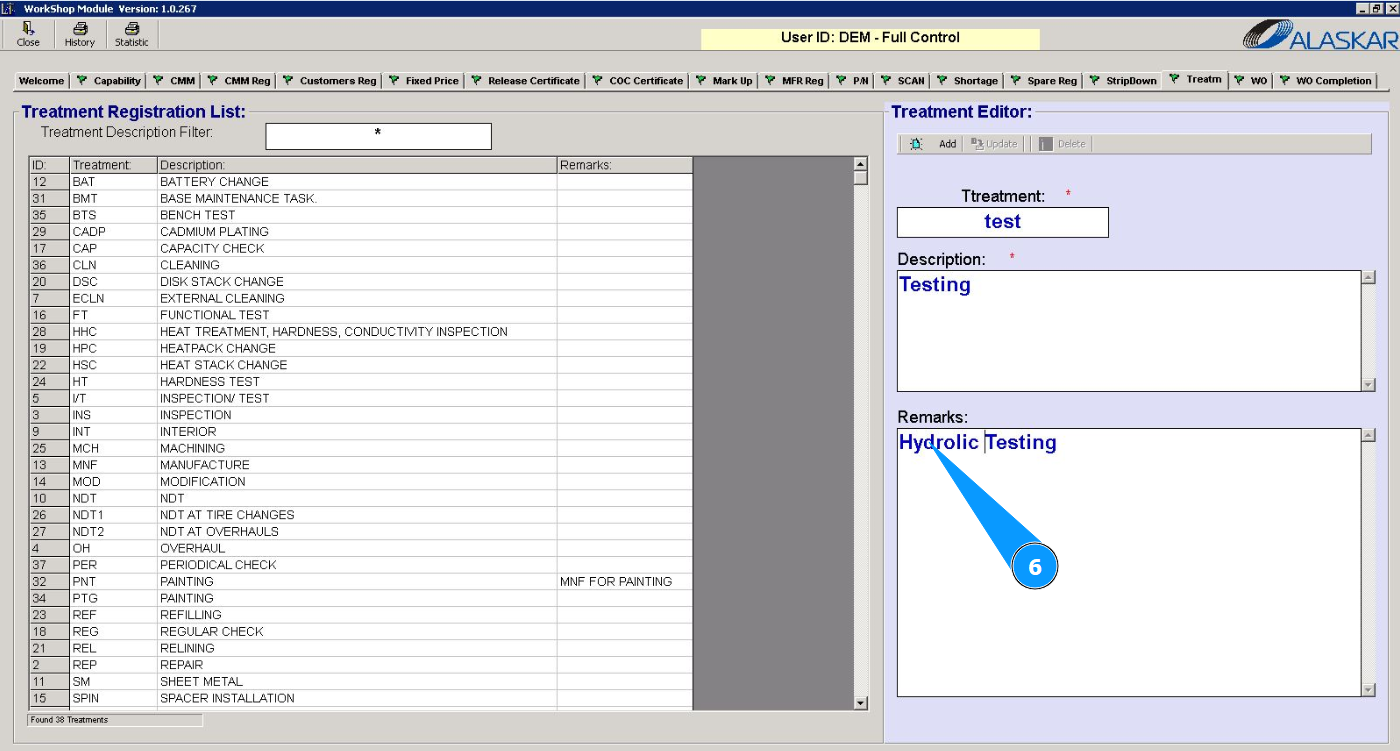
6. If necessary, enter the required comments on the treatment in the field "Remarks".
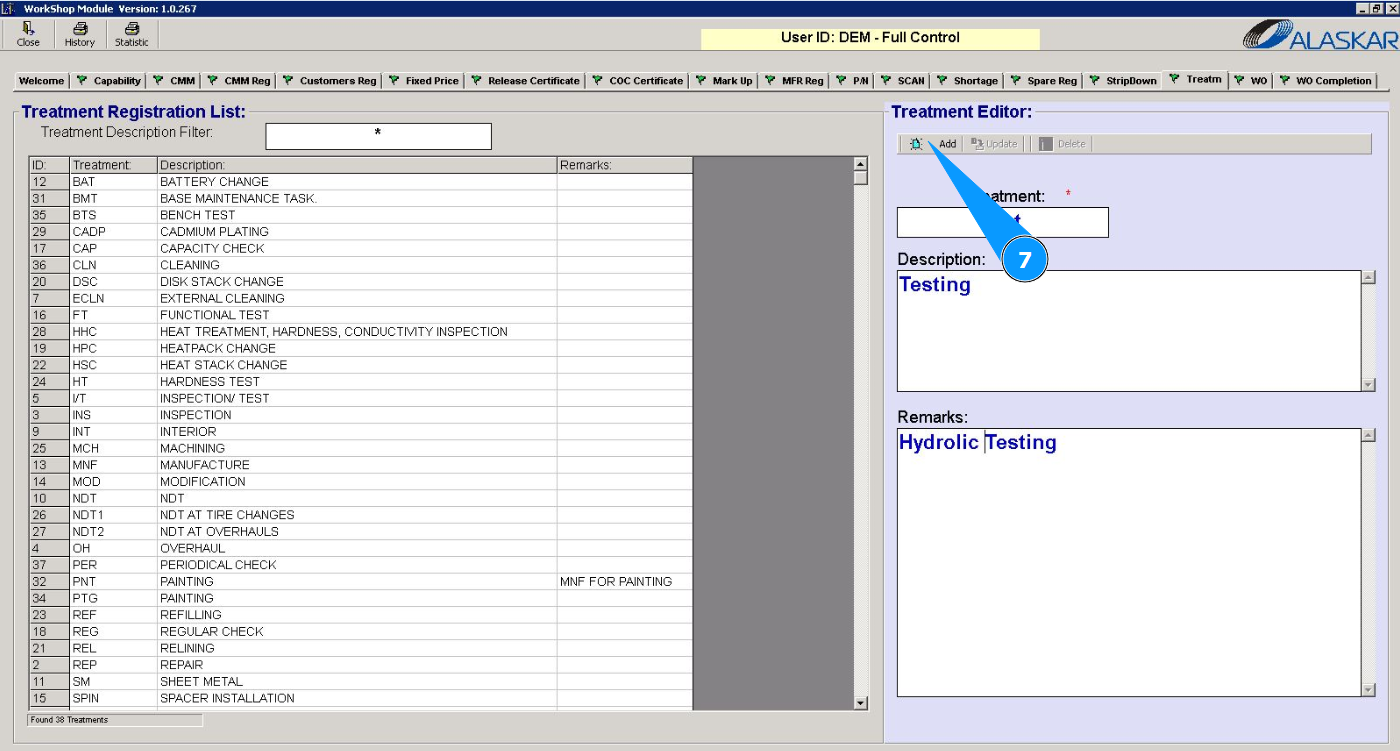
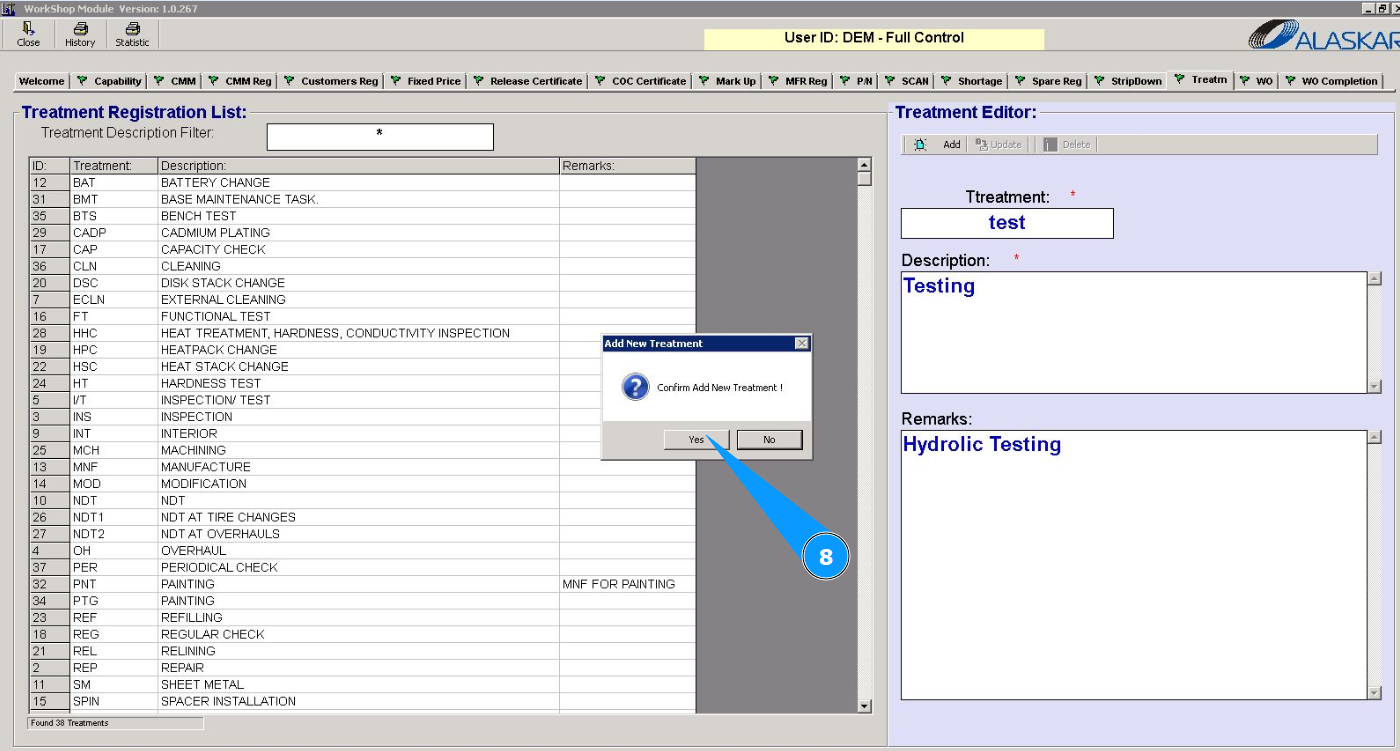
7. Click on the button "Add" to add treatment data to the program.
8. Click on the button "Yes" to confirm adding data to the program.
9. Make sure that the new treatment is displayed in the window "Treatment Registration List".