How to check the statistics of Workshop activities
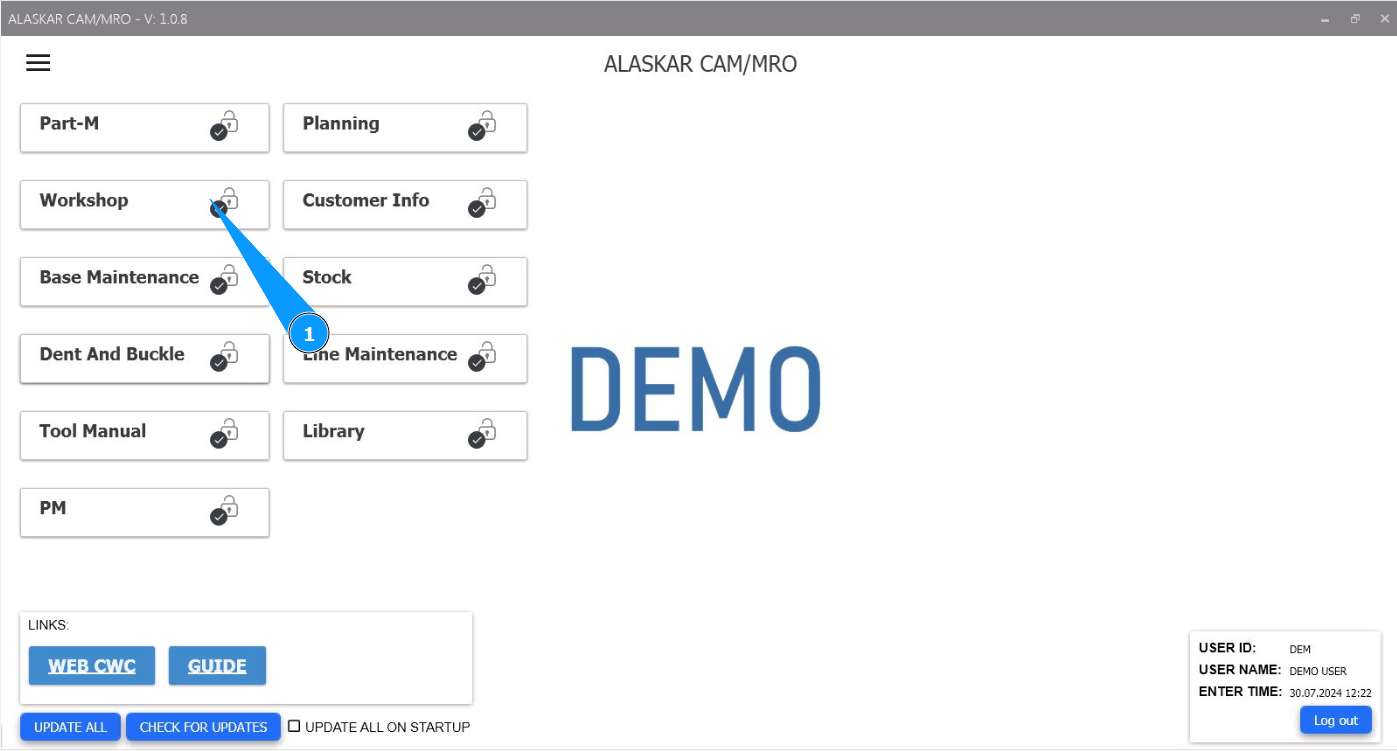
1. In order to check the statistics of Workshop activities, go to the module "Workshop".
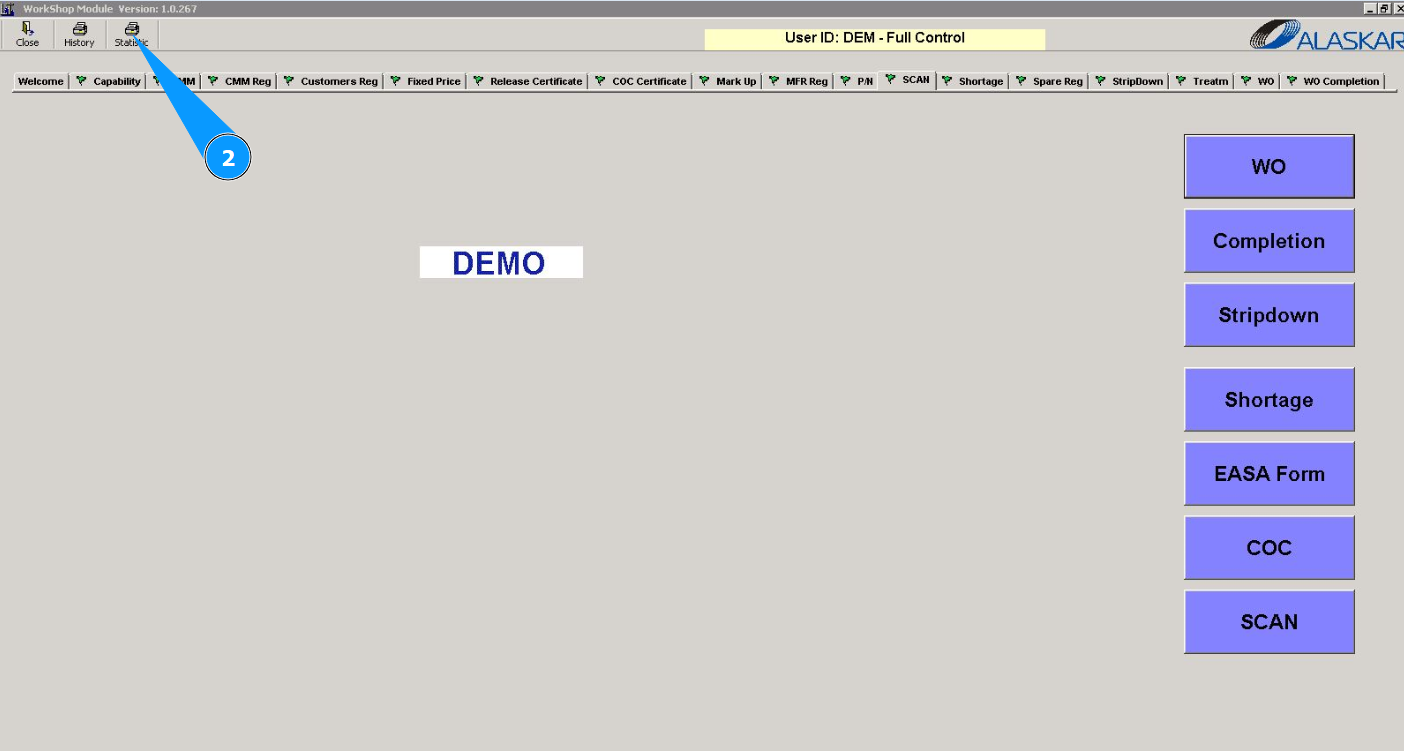
2. Click on the button "Statistic" to check the statistics.
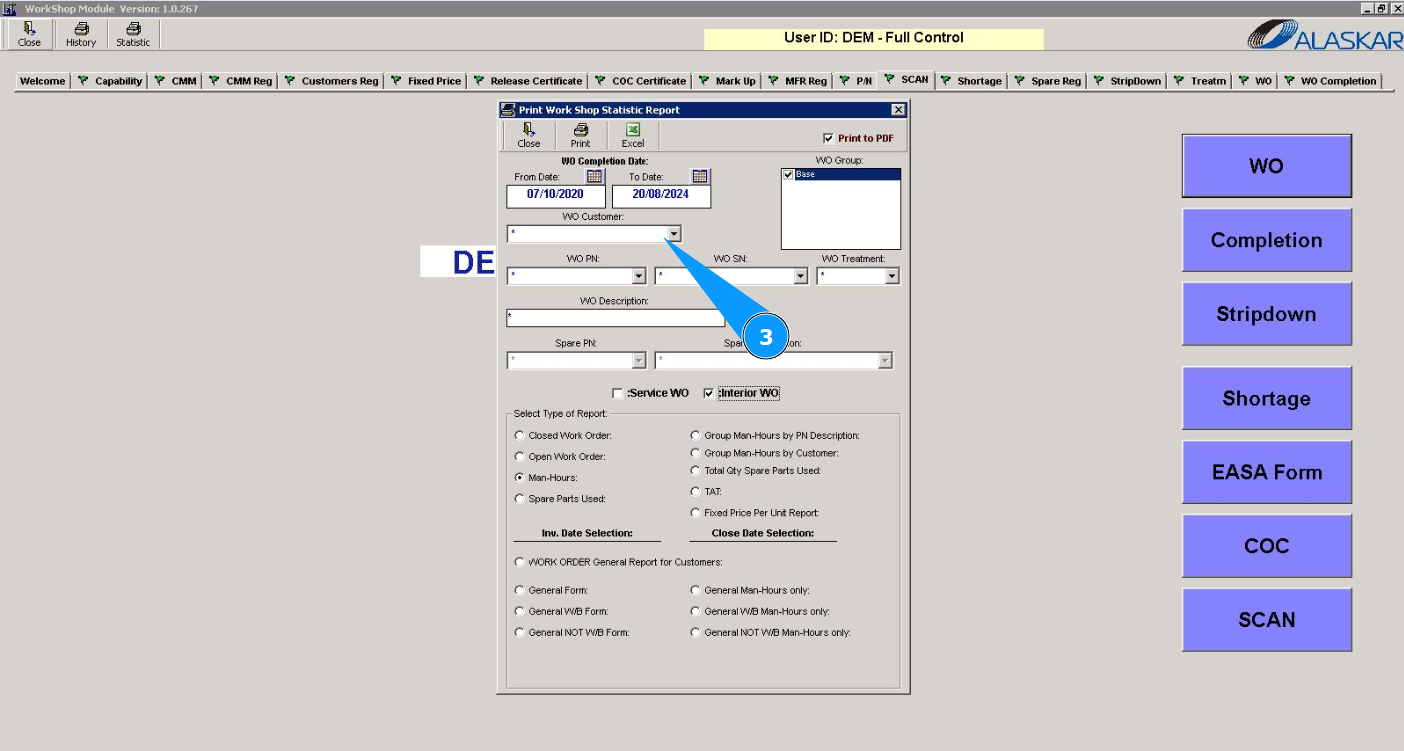
3. Select the required statistics criteria for checking in the window "Print Work Shop Statistic Report".
4. Click on the button "Print" to display the statistics report on the screen.
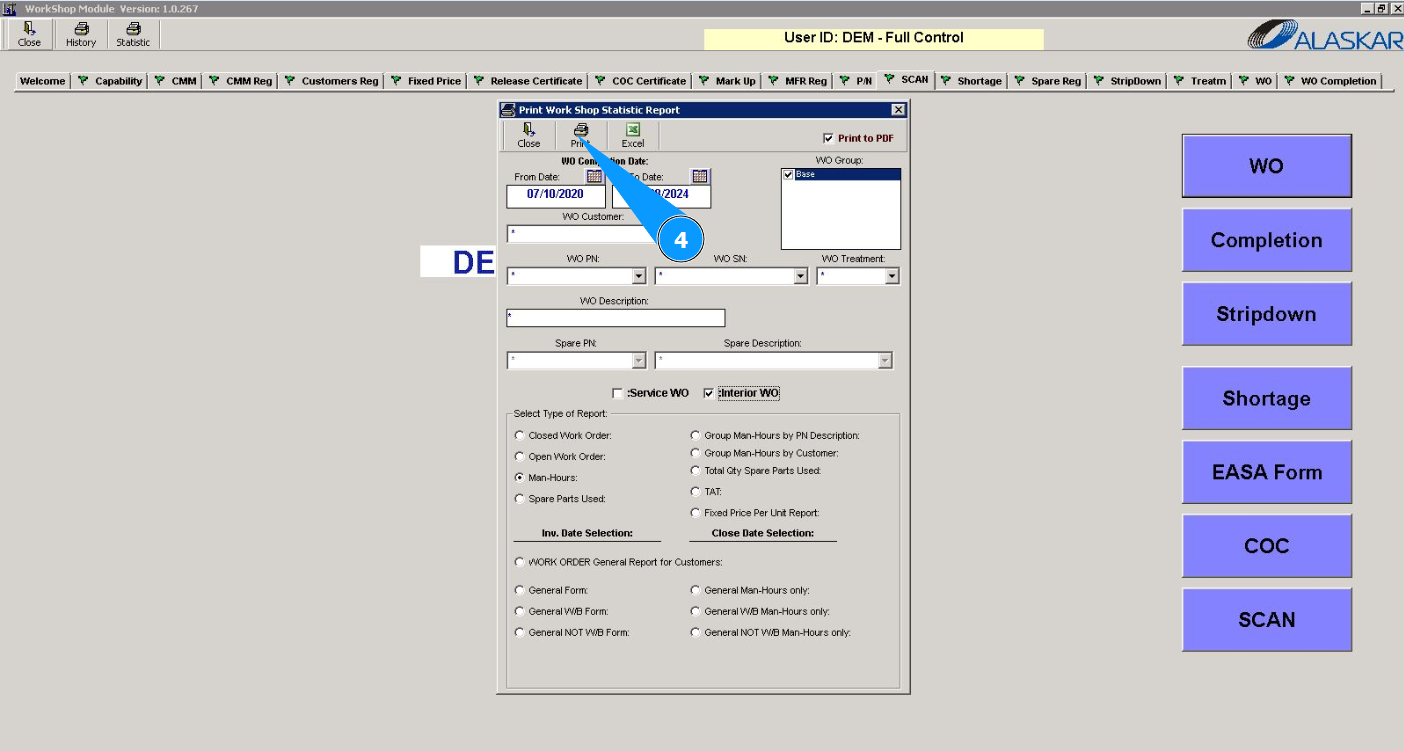
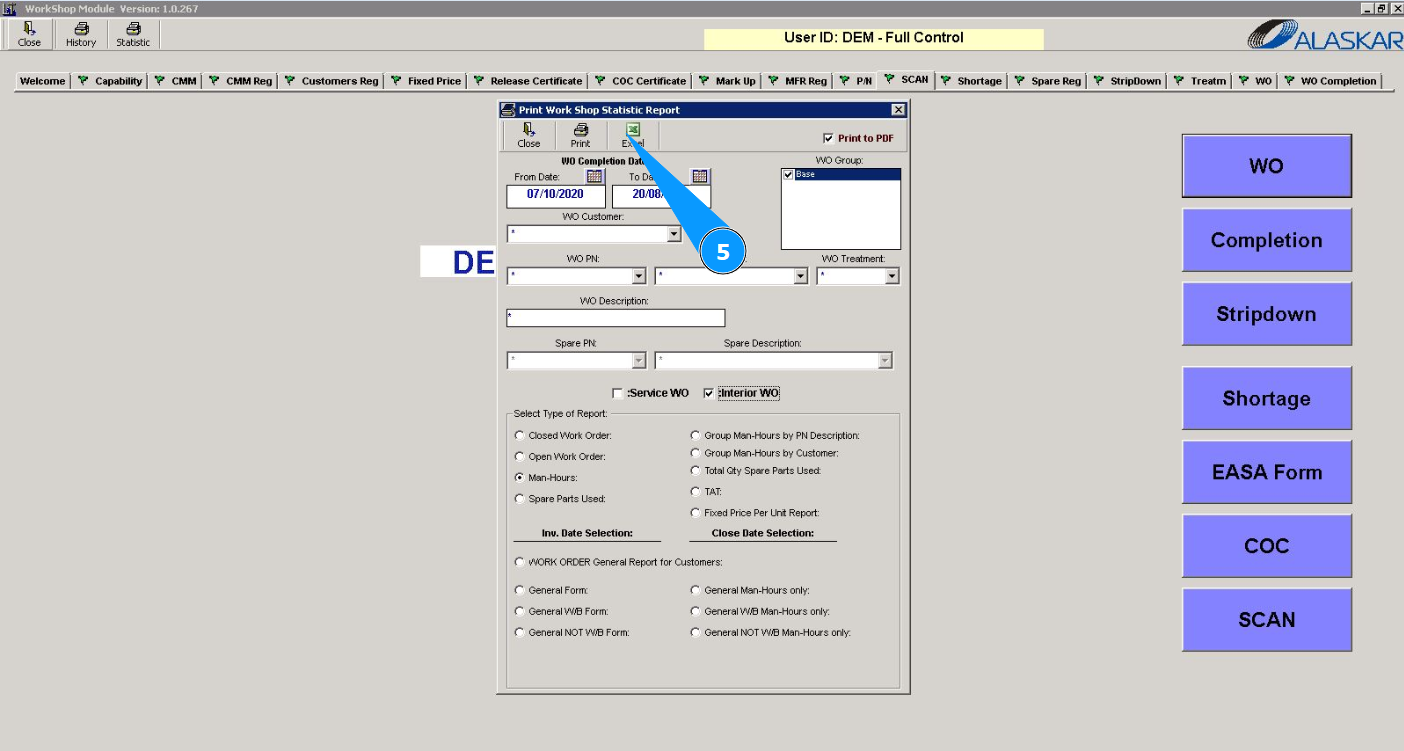
5. If necessary, you can display statistical data in Excel format. Click on the button "Excel".