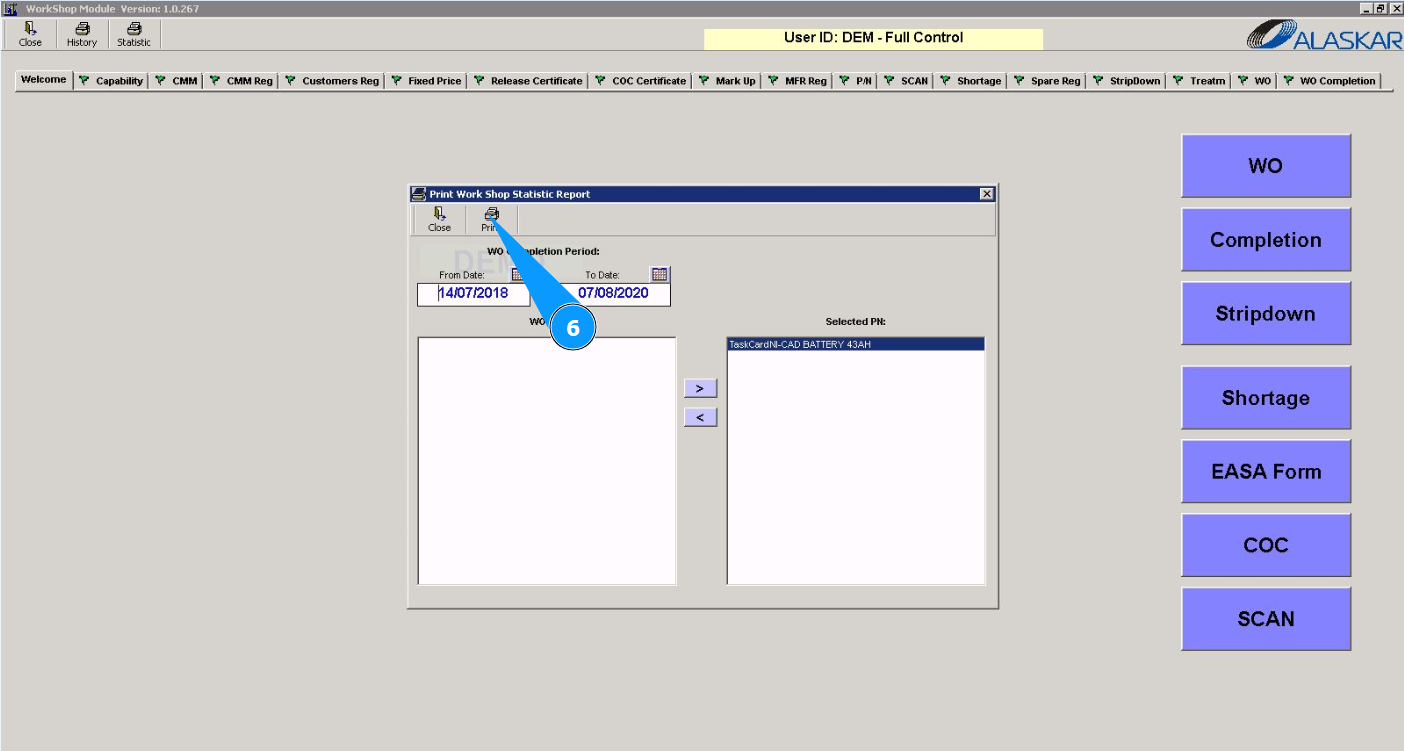
How to check the history of work orders
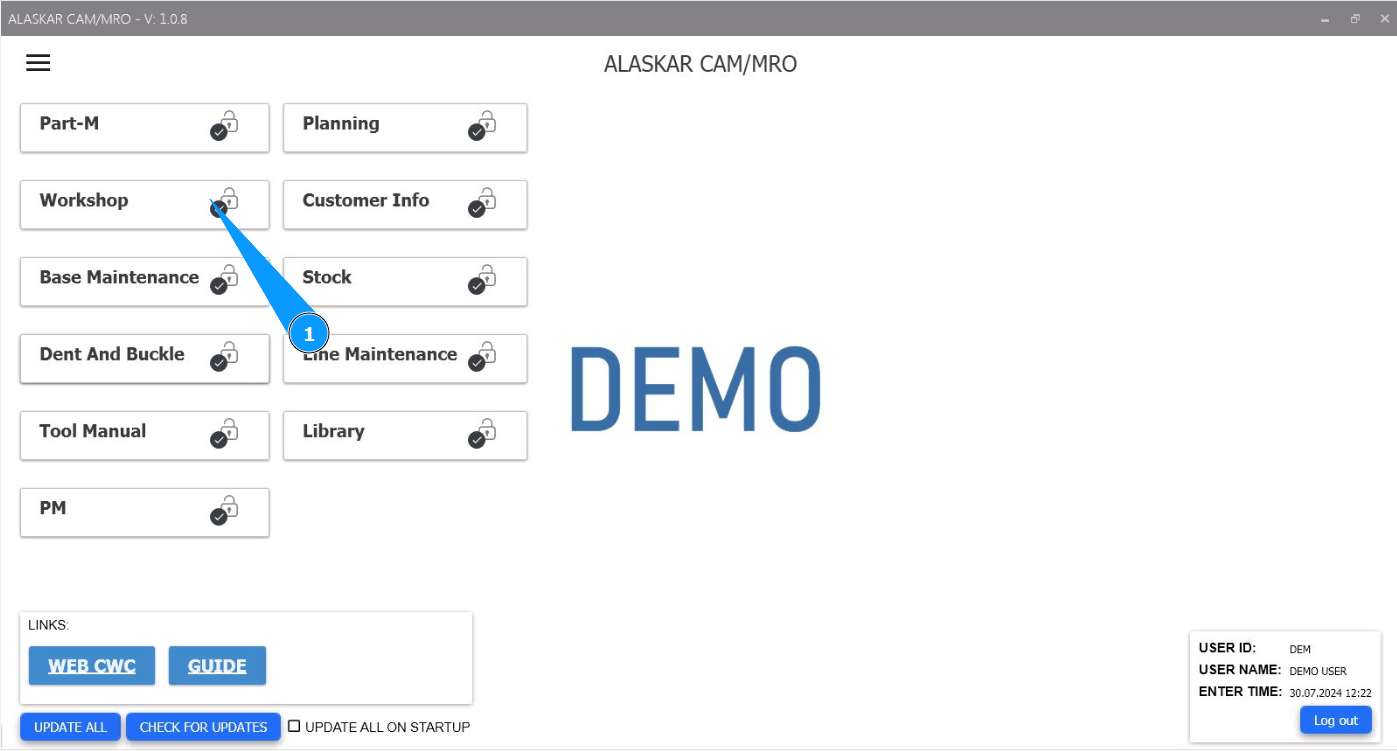
1. In order to check the history of the works, go to the module "Workshop".
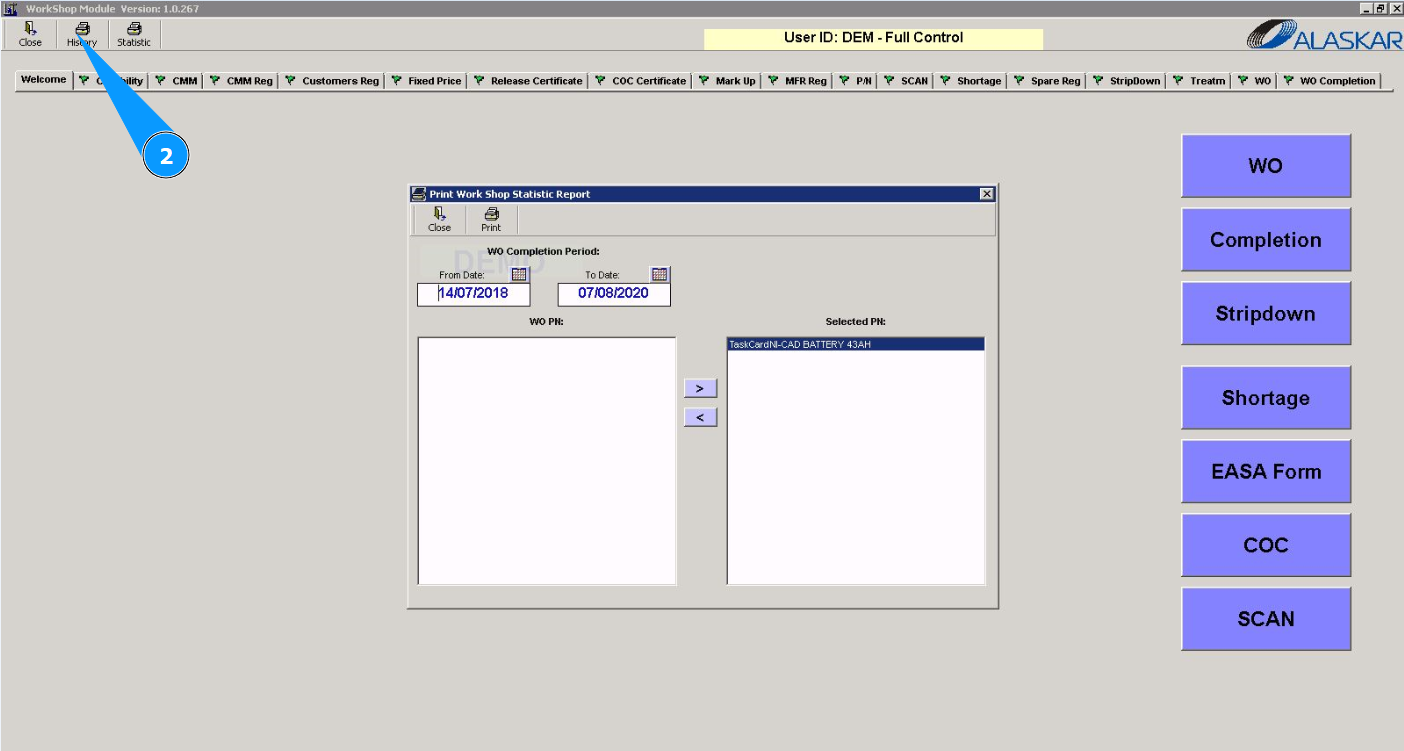
2. Click on the button "History" to check the history.
3. Select the required dates to check the history in the window "WO Completion Period".
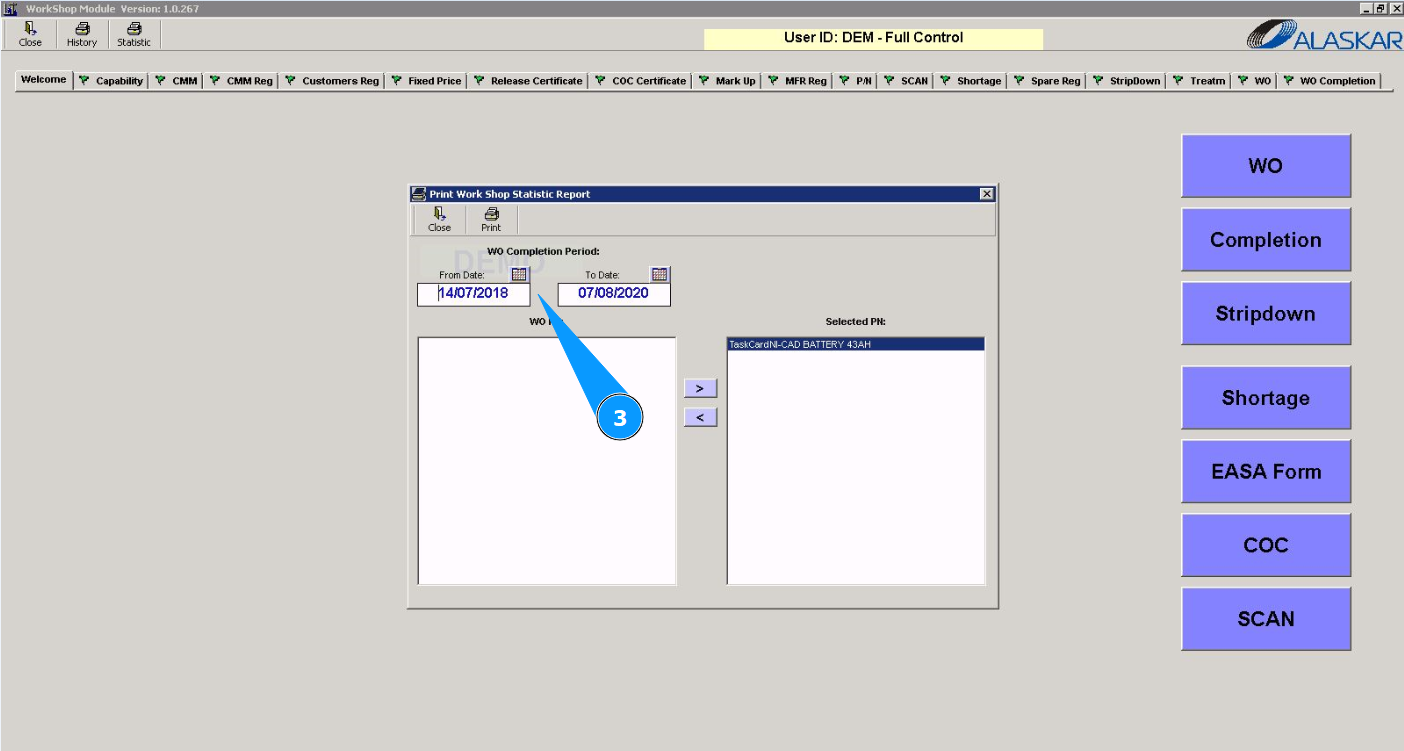
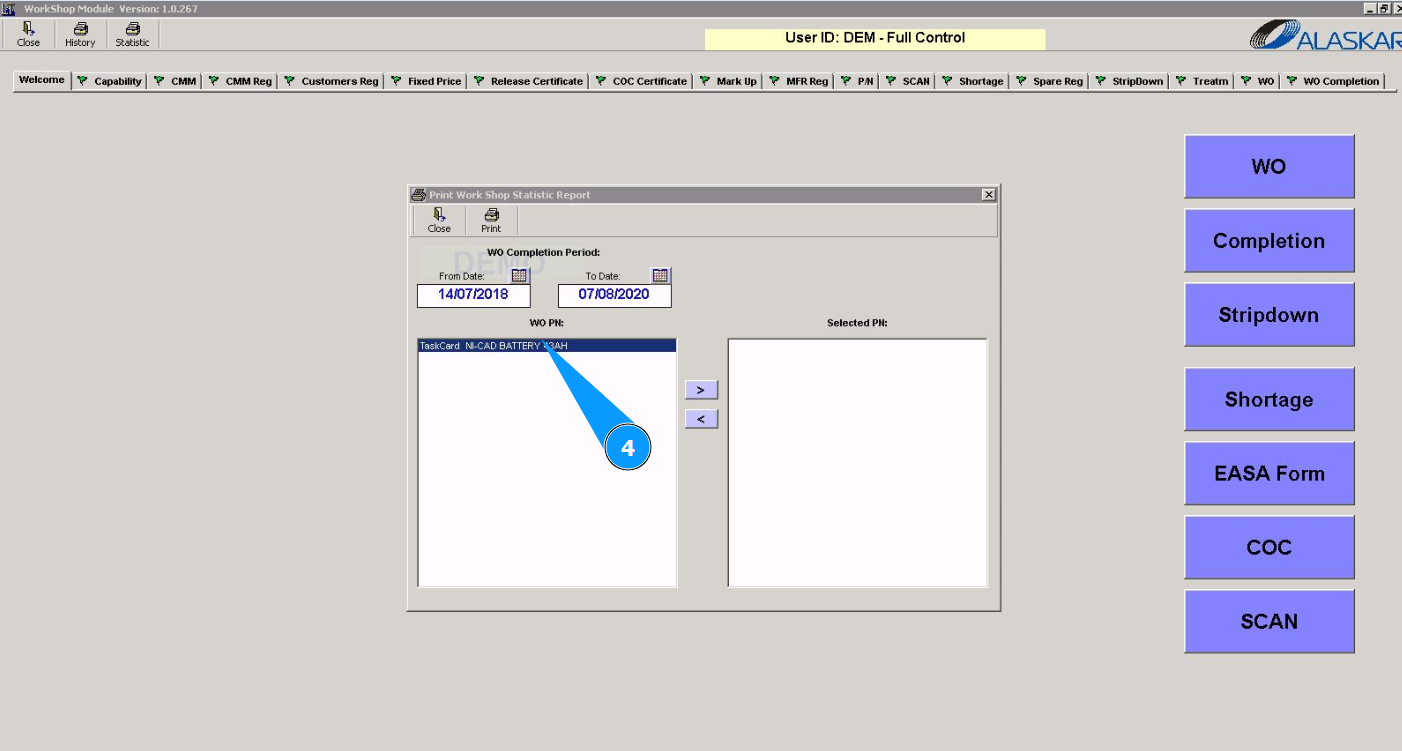
4. Select the required WO from the list and click on the corresponding line.
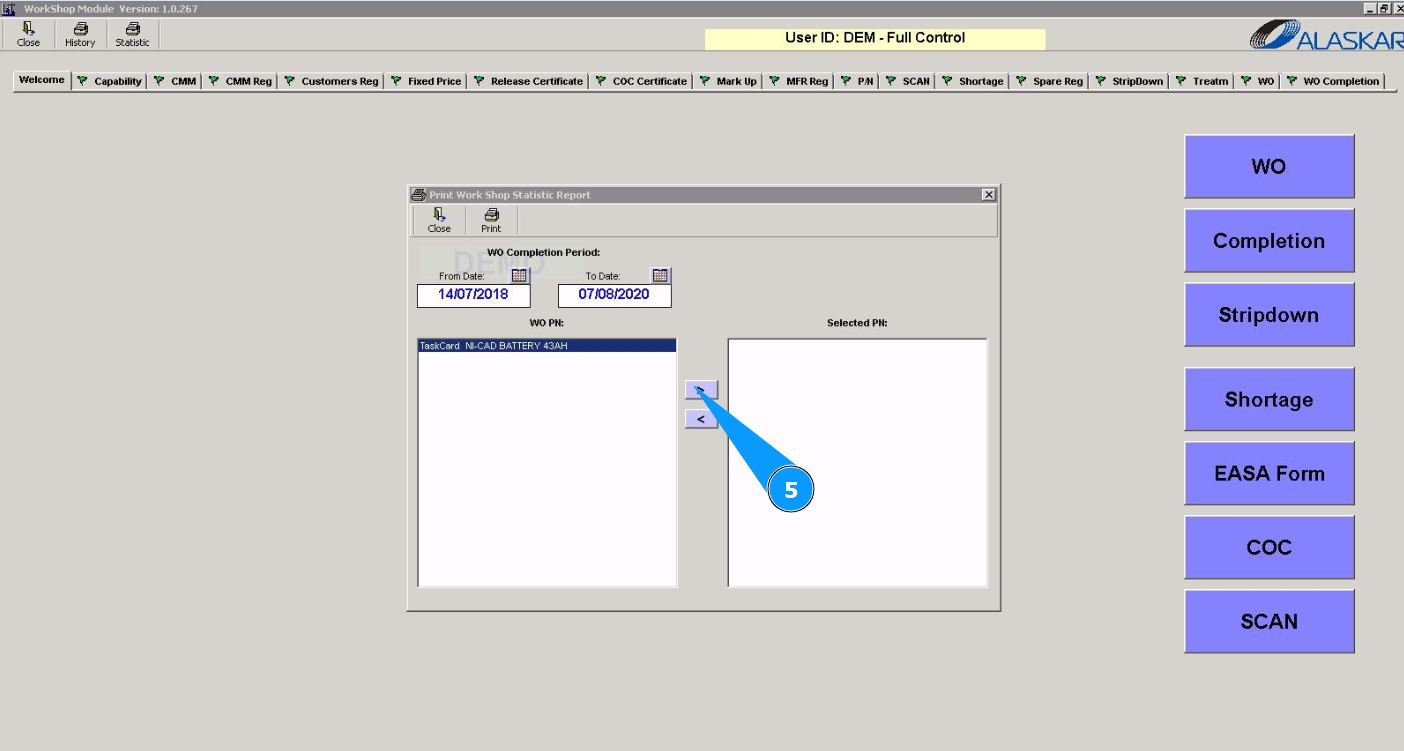
5. Click on the button with the arrow to move the WO to the window "Selected PN".
6. Click on the button "Print" to display the WO on the screen.