How to add repair threatment for a component
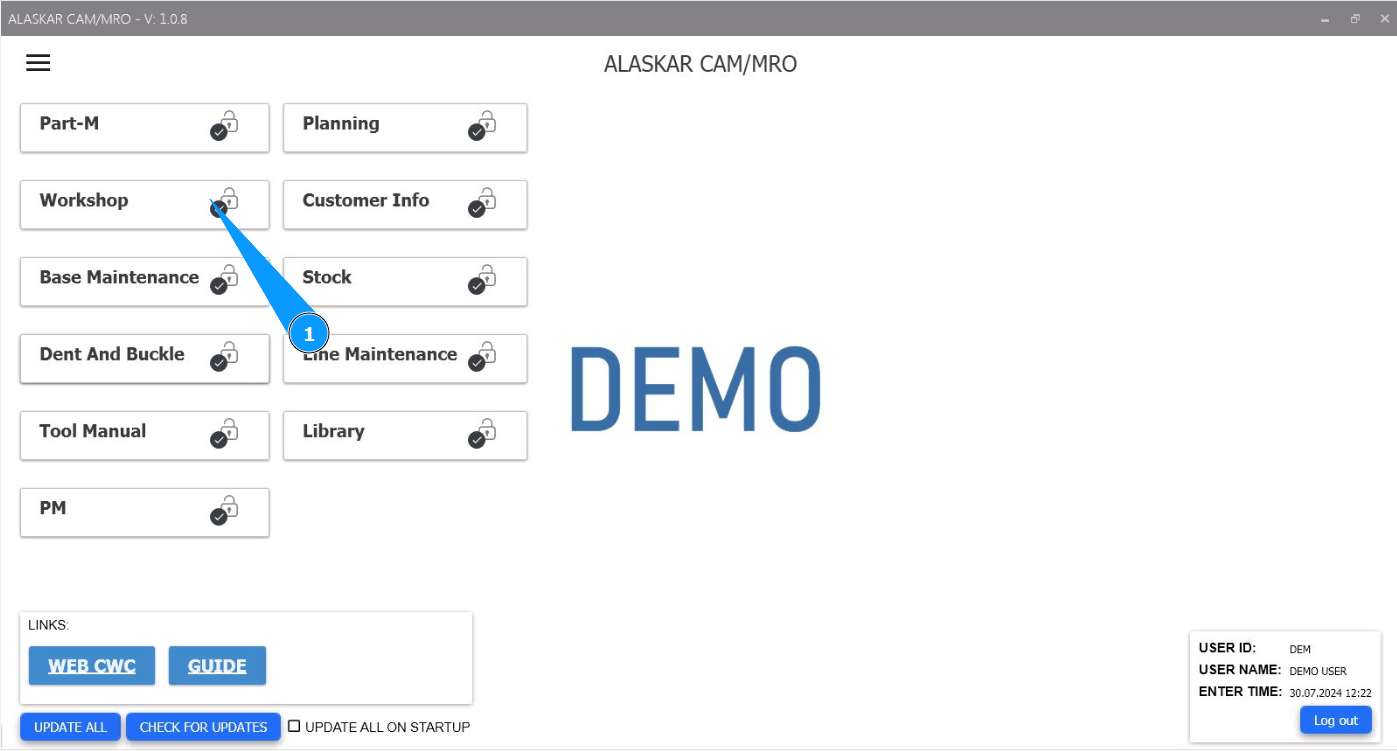
1. In order to add a component repair manual threatments, go to the module "Workshop".
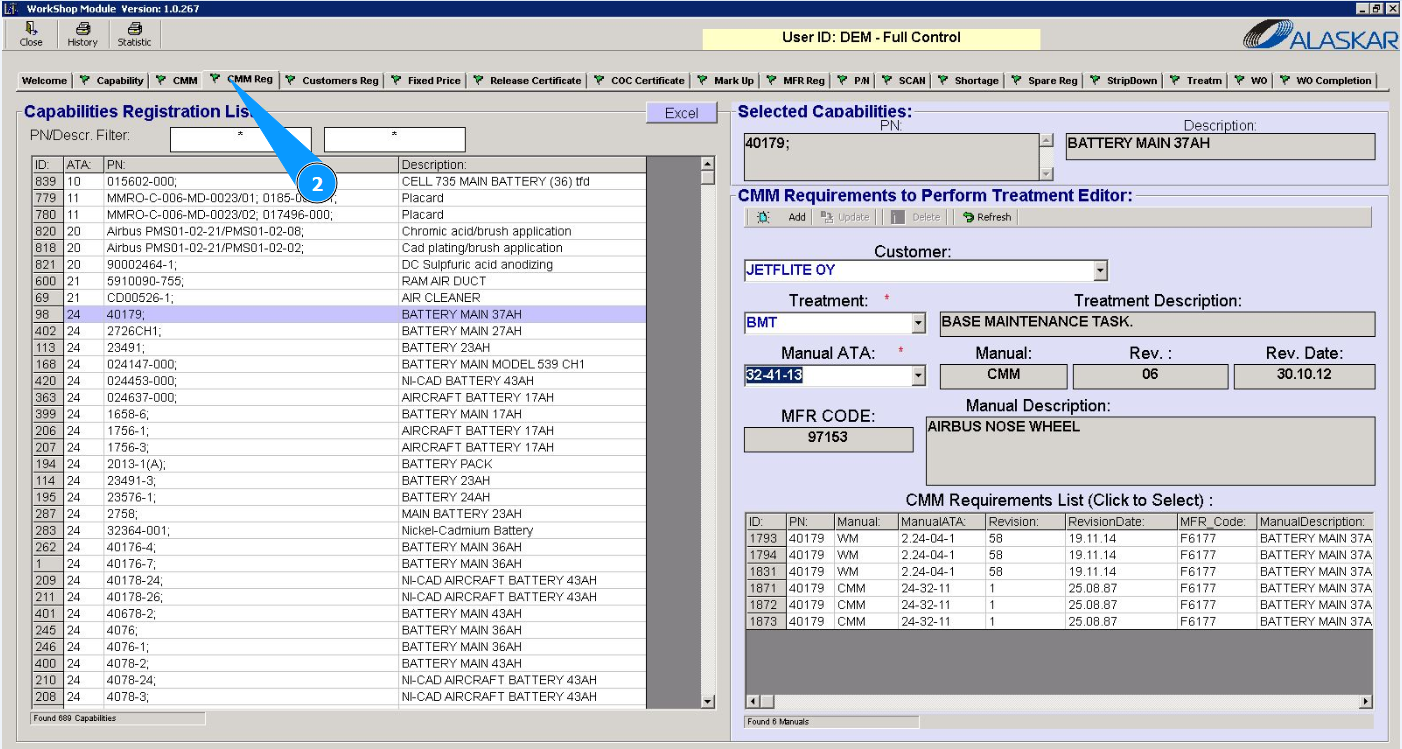
2. Then go to the tab "CMM Req.".
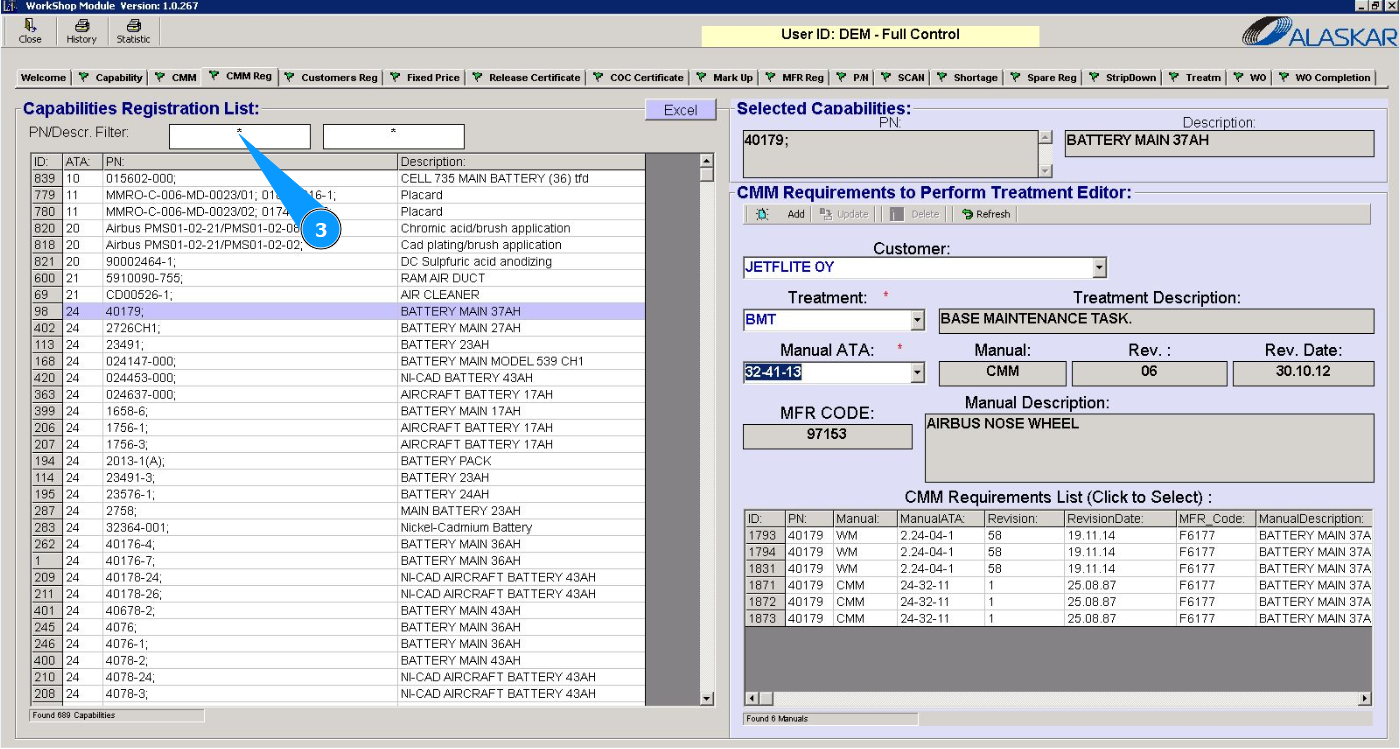
3. Select p/n for which you need to specify threatment. Enter the required part number in the search field "PN/Descr.Filter" and press the button "Enter" on your keyboard.
4. Select the required p/n and click on the corresponding line.
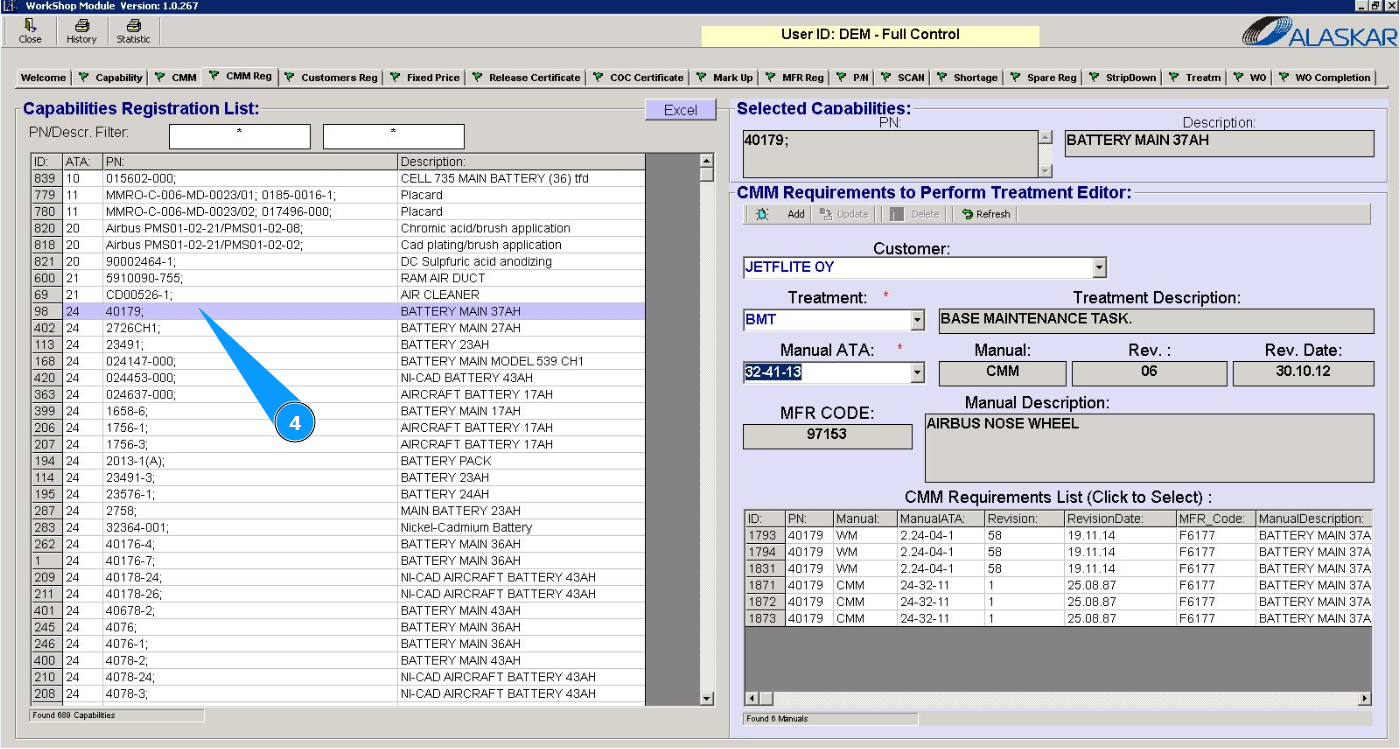
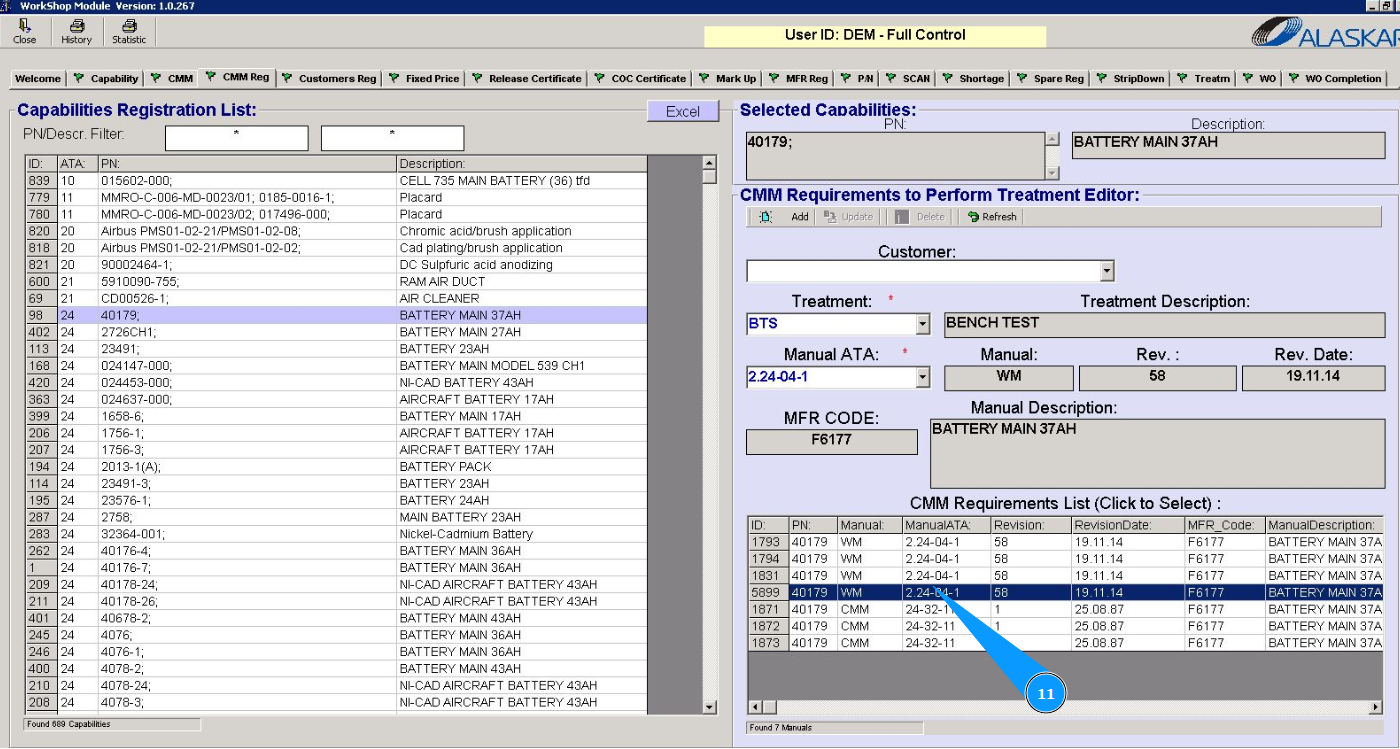
5. Check that the part number appears in the window "Selected Capabilities".
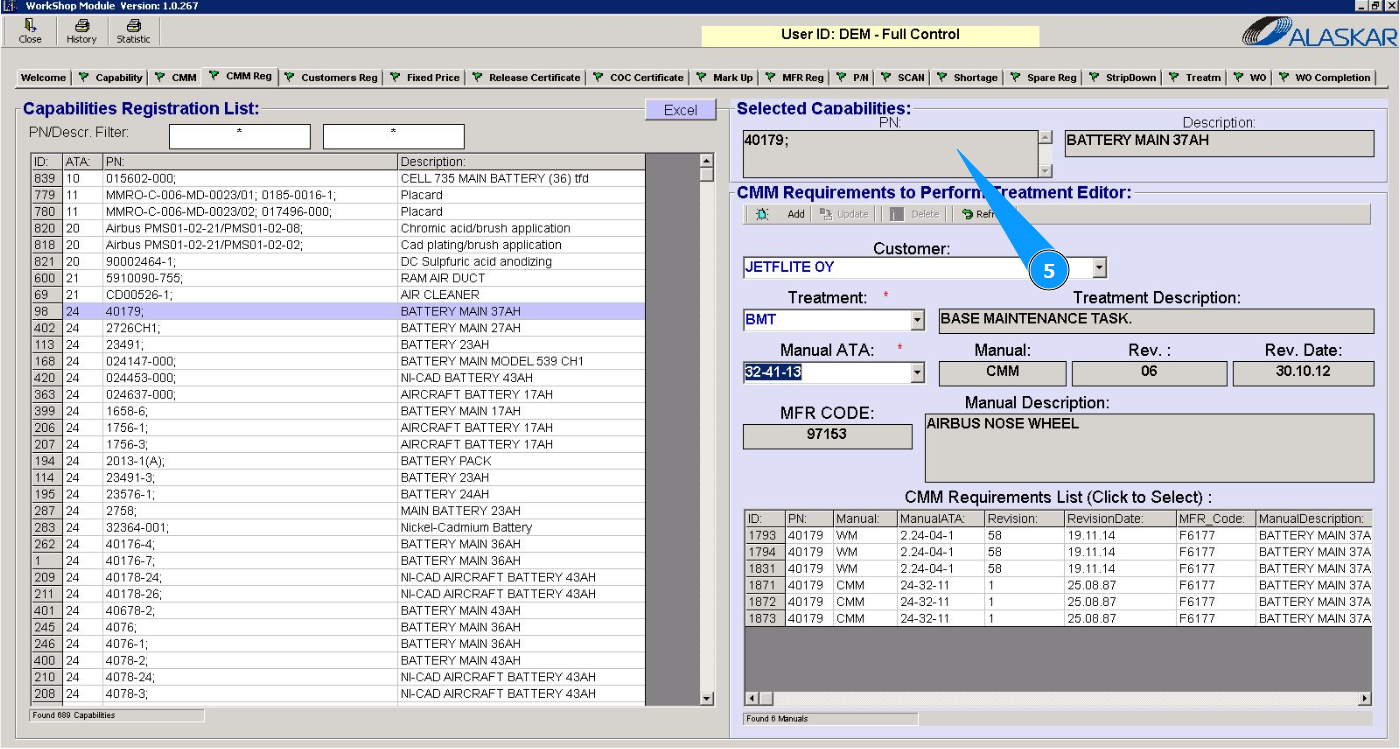
6. From the dropdown list, select the name of the customer in the field "Customer".
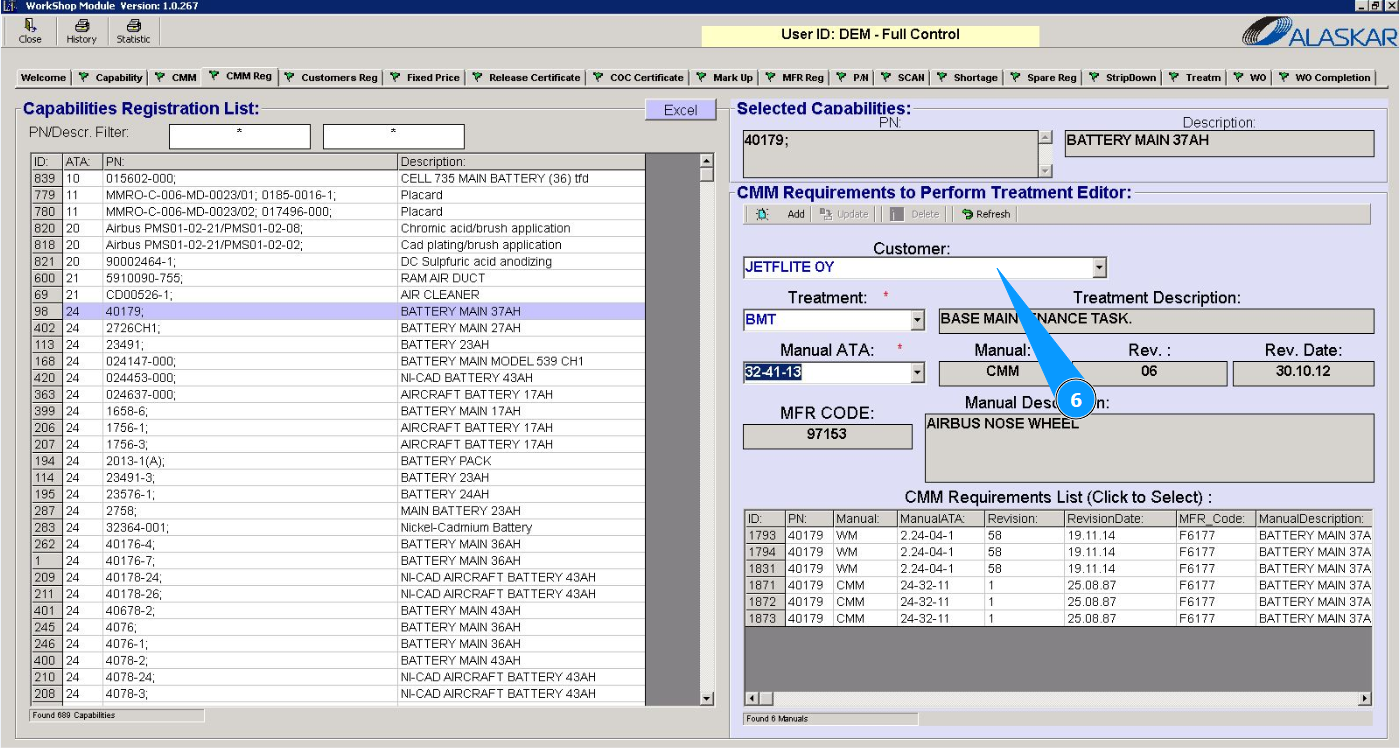
7. From the threatment list, select the type of threatment (requirement) in the field "Threatment".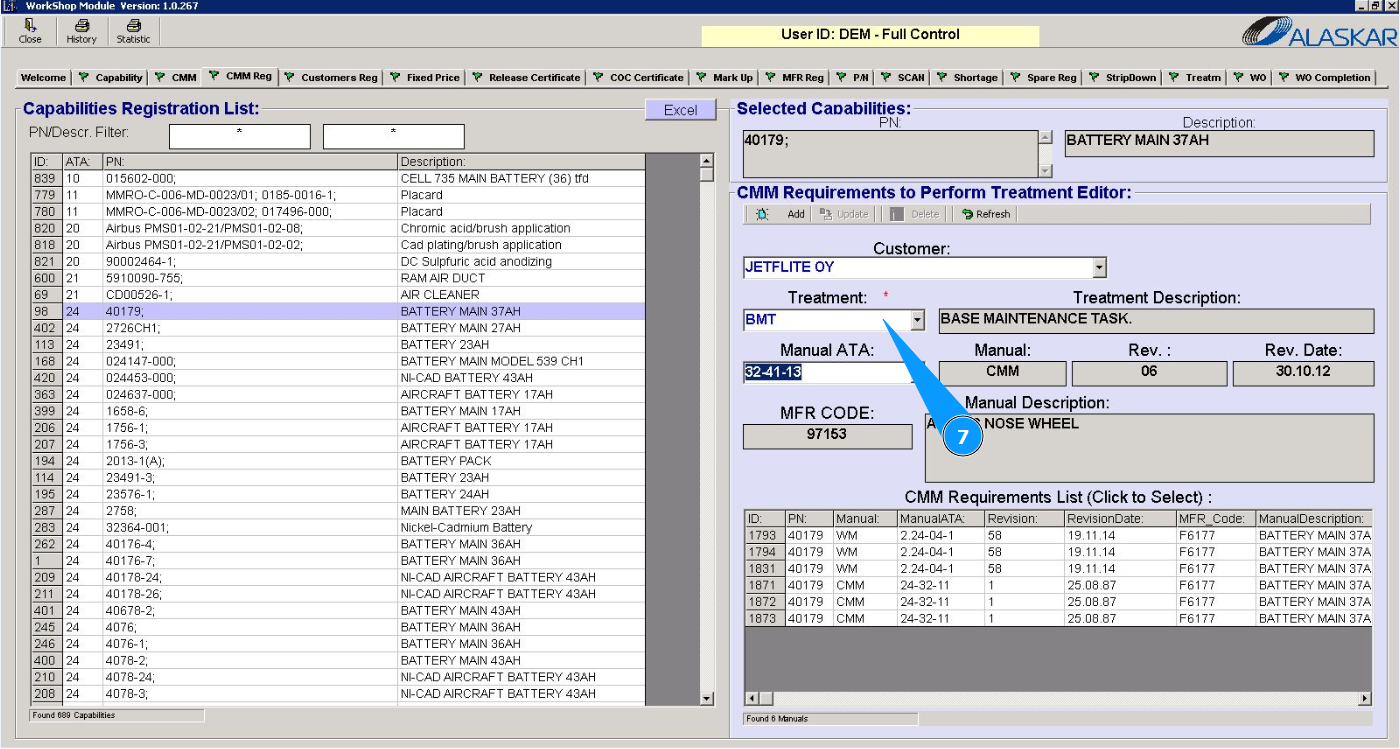
8. From the threatment list, select the appropriate ATA chapter of the manual (CMM) in the field "Manual ATA".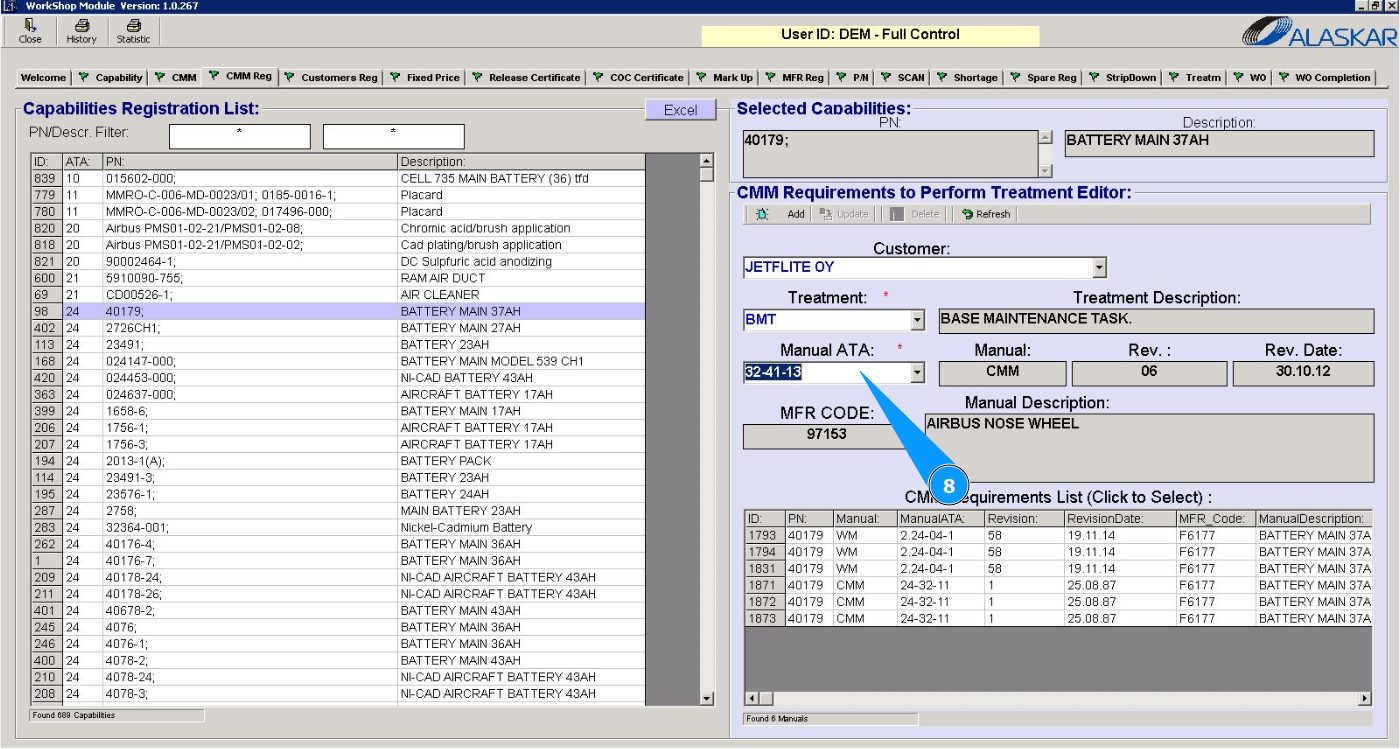
9. Click on the button "Add" to add threatment to the program.

10. Click on the button "Yes" and confirm adding data to the program.
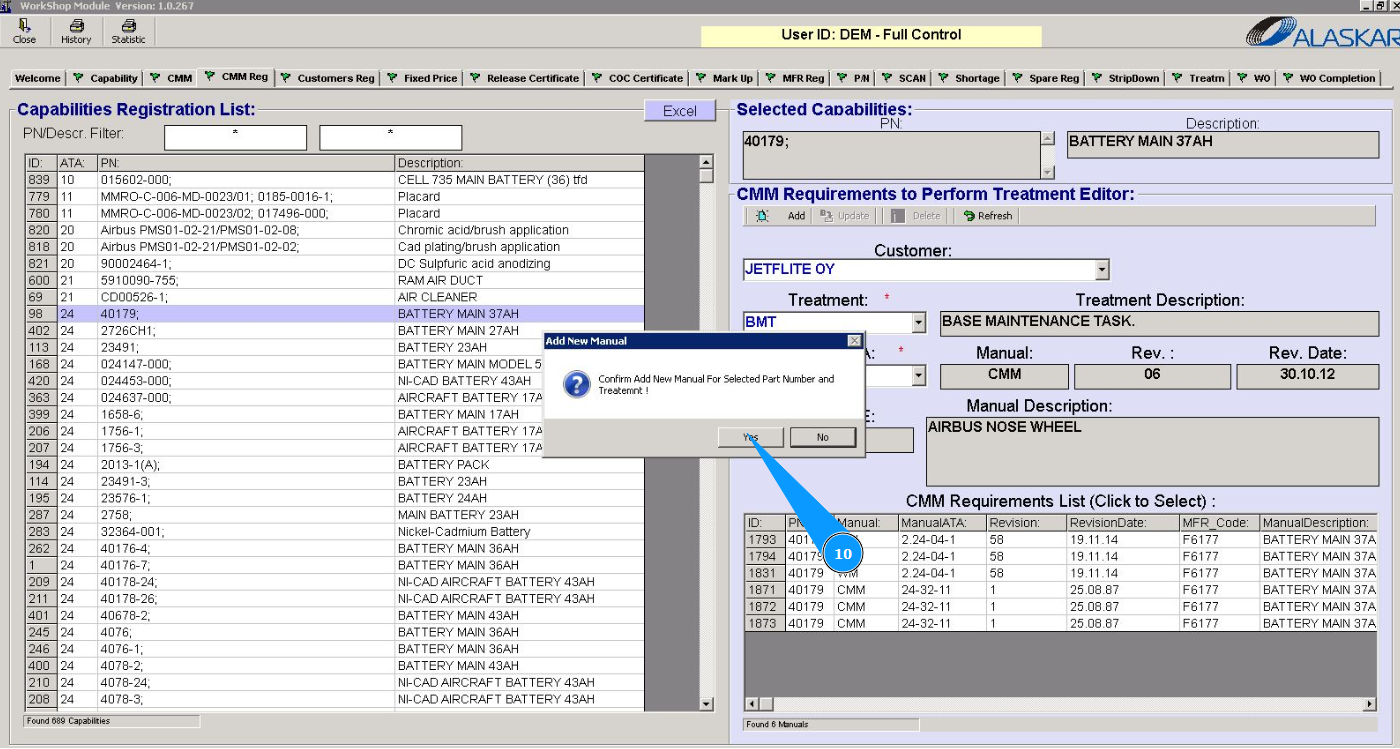
11. Check that the requirement is displayed in the window "CMM threatment List".