How to remove tool substitution
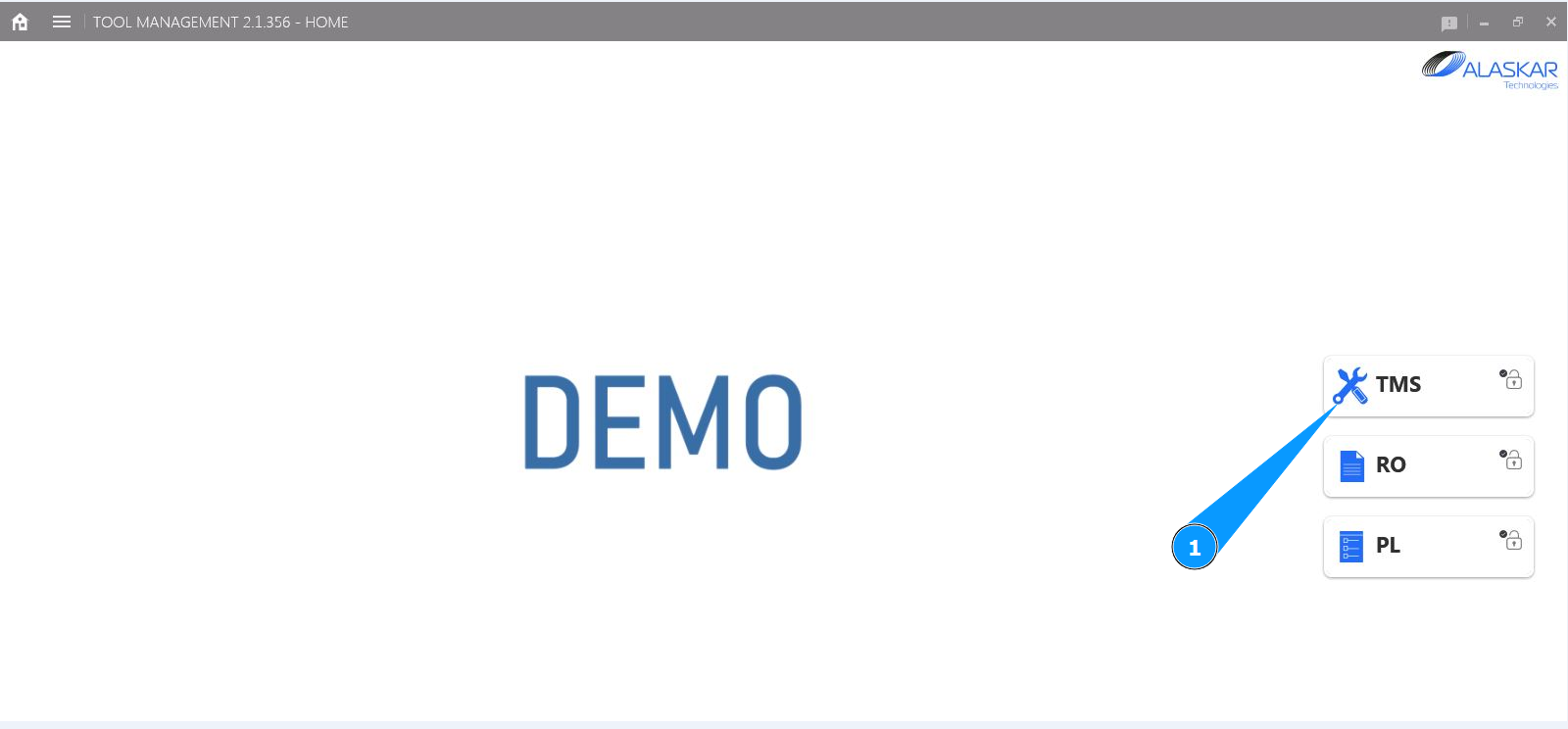
1. In order to remove tool substitution, go to the submodule "TMS".
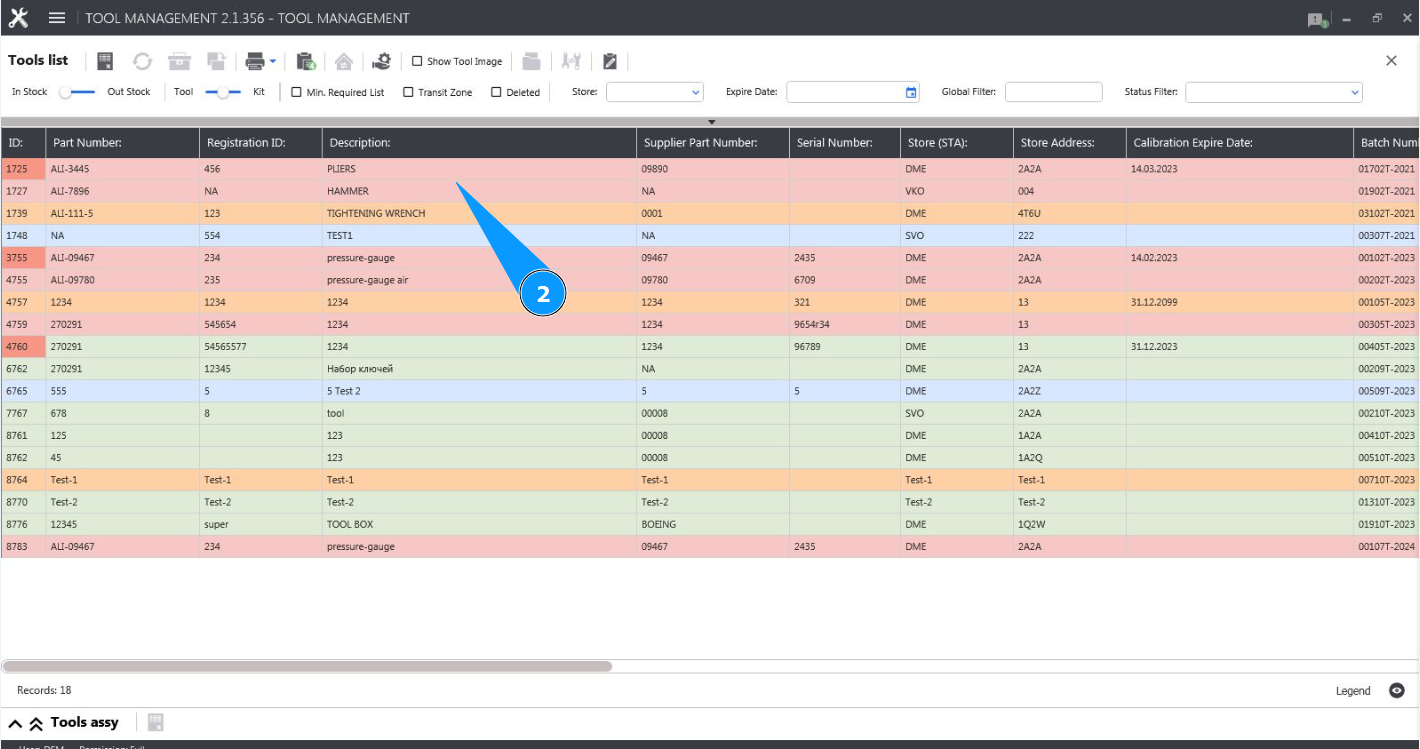
2. Select the desired line with the tool and click on it in the window "Tool List".
3. Click on the button "Substitution Editor" to open the tool substitution editor.

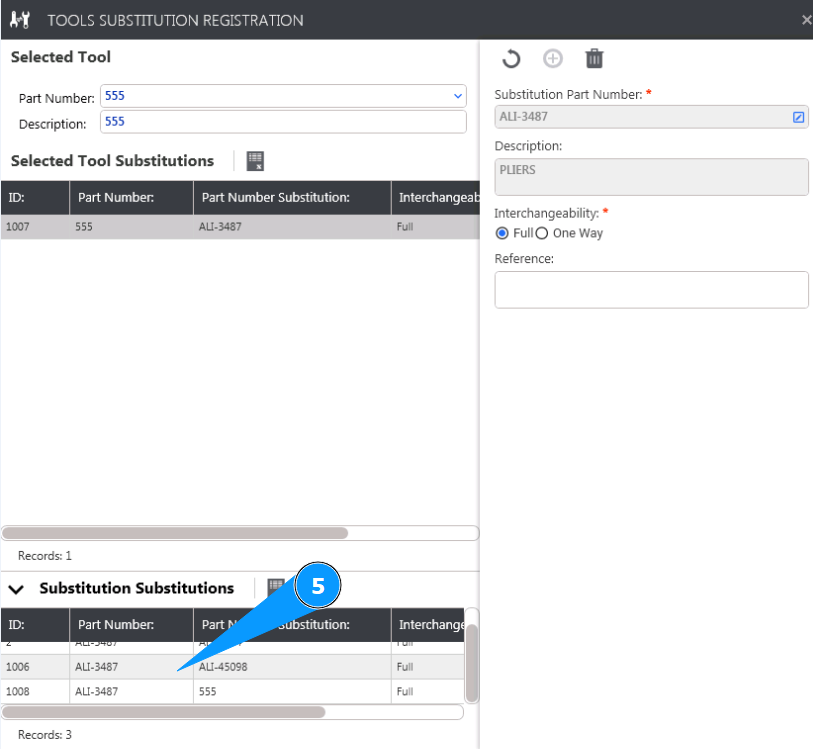
4. Make sure the editor is open and accessible in the tab "Tool Substitution Registration".

5. Select the substitution tool you want to delete in the window "Substitution Substitutions".
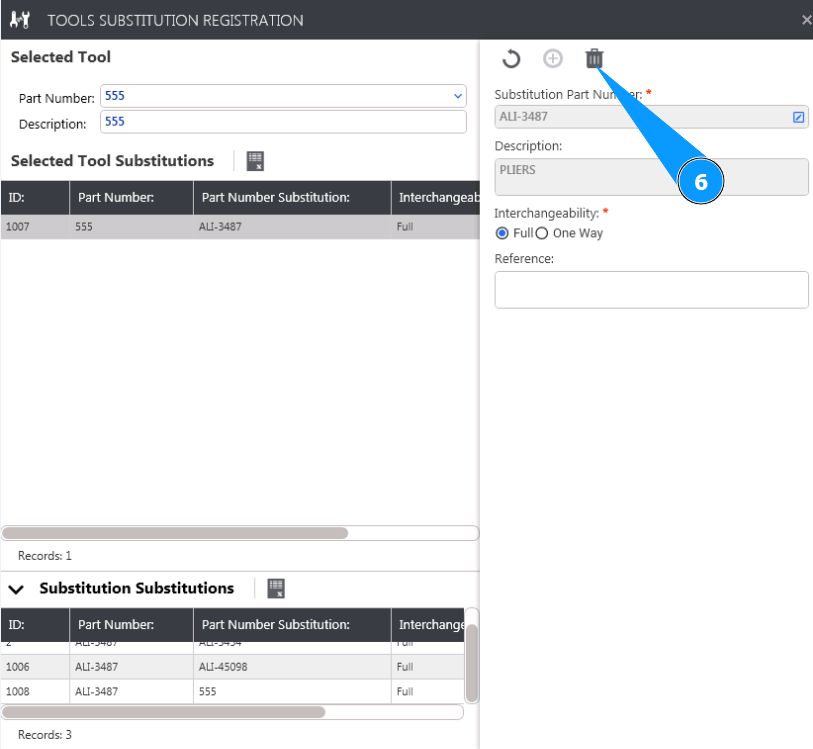
6. Click on the button "Delete" to delete the tool you want.
7. Click on the button "Yes" to confirm deletion of the substitution tool.

8. Make sure that the substitution tool has been removed from the list in the window "Substitution Substitutions".
