How to view a tool's image
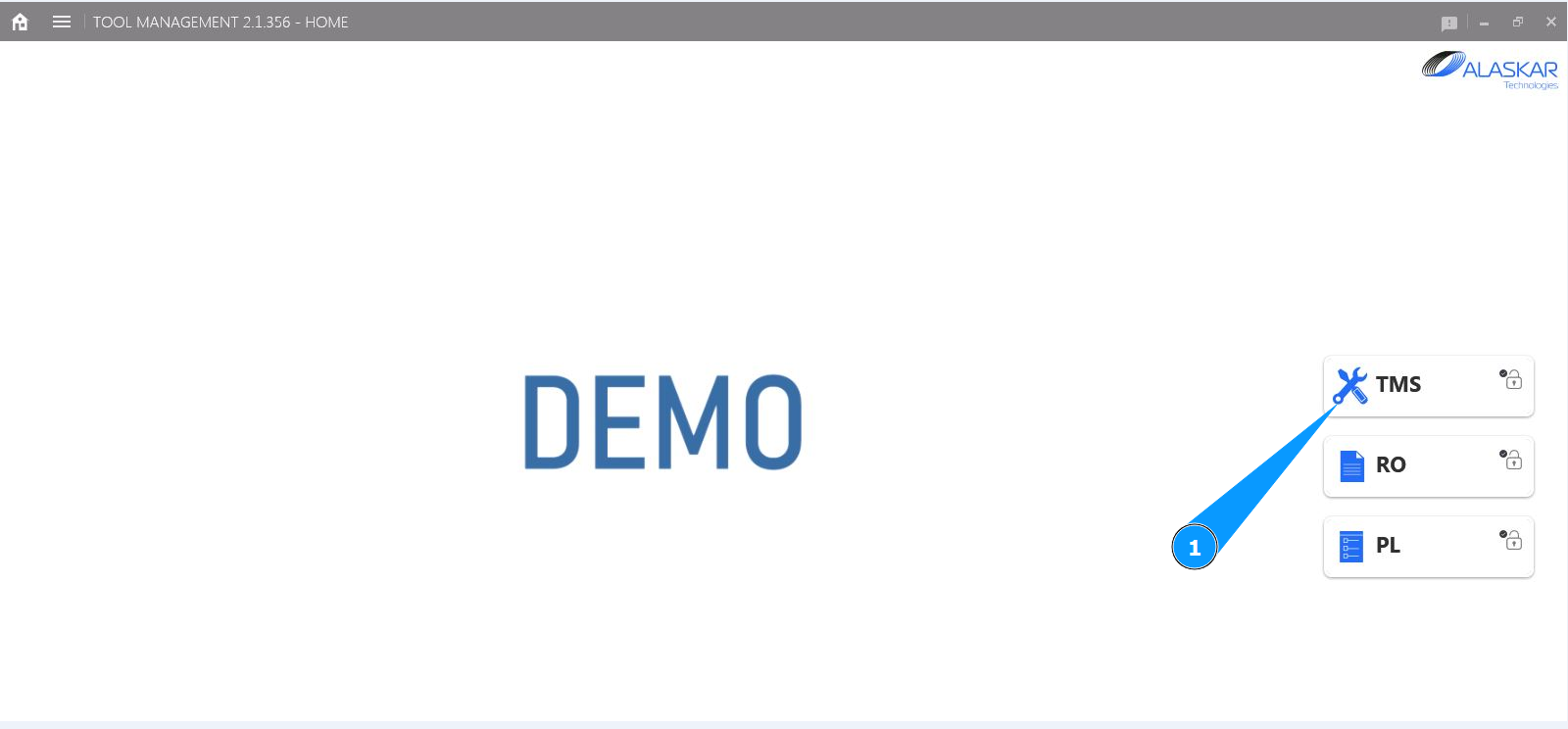
1. In order to view a tool's image, go to the submodule "TMS".
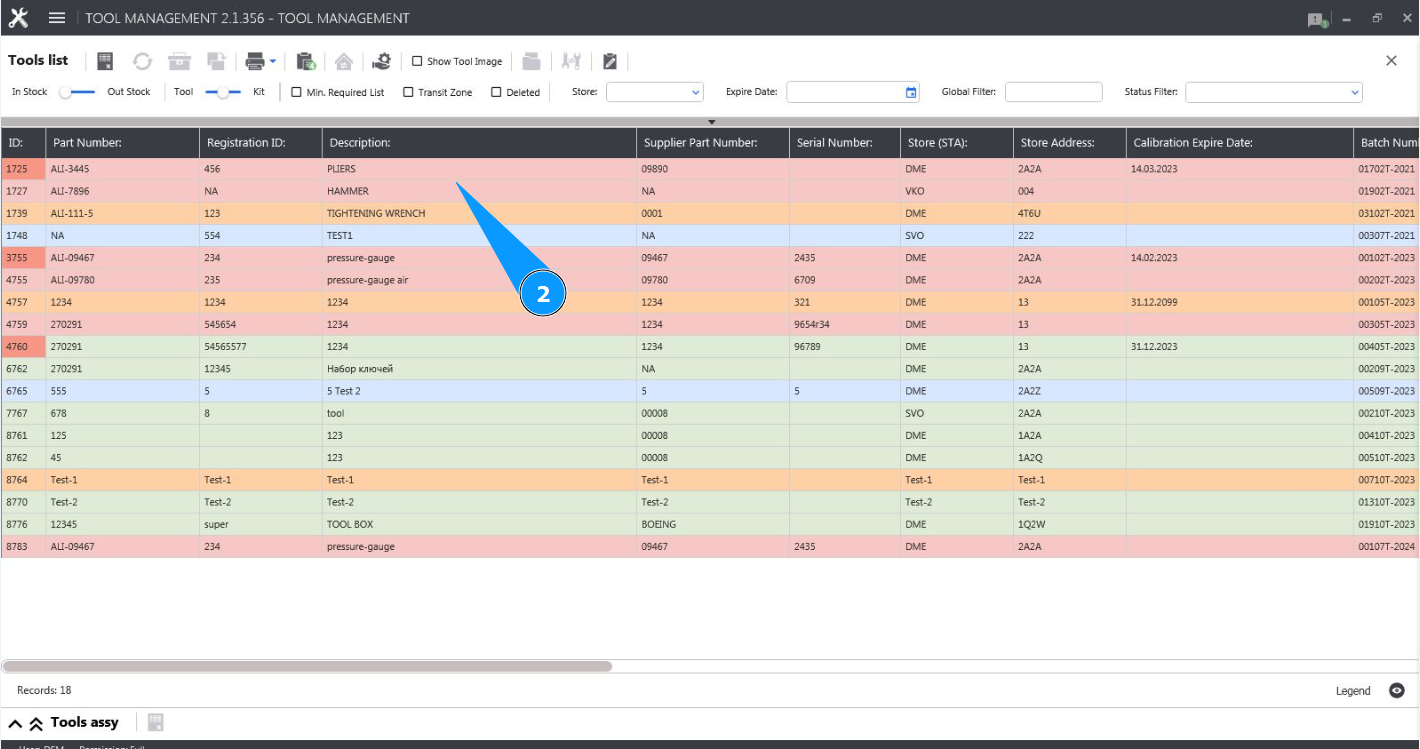
2. Select the required line with the tool and click on it in the window "Tool List".
3. Click on the corresponding field "Show Tool Image".
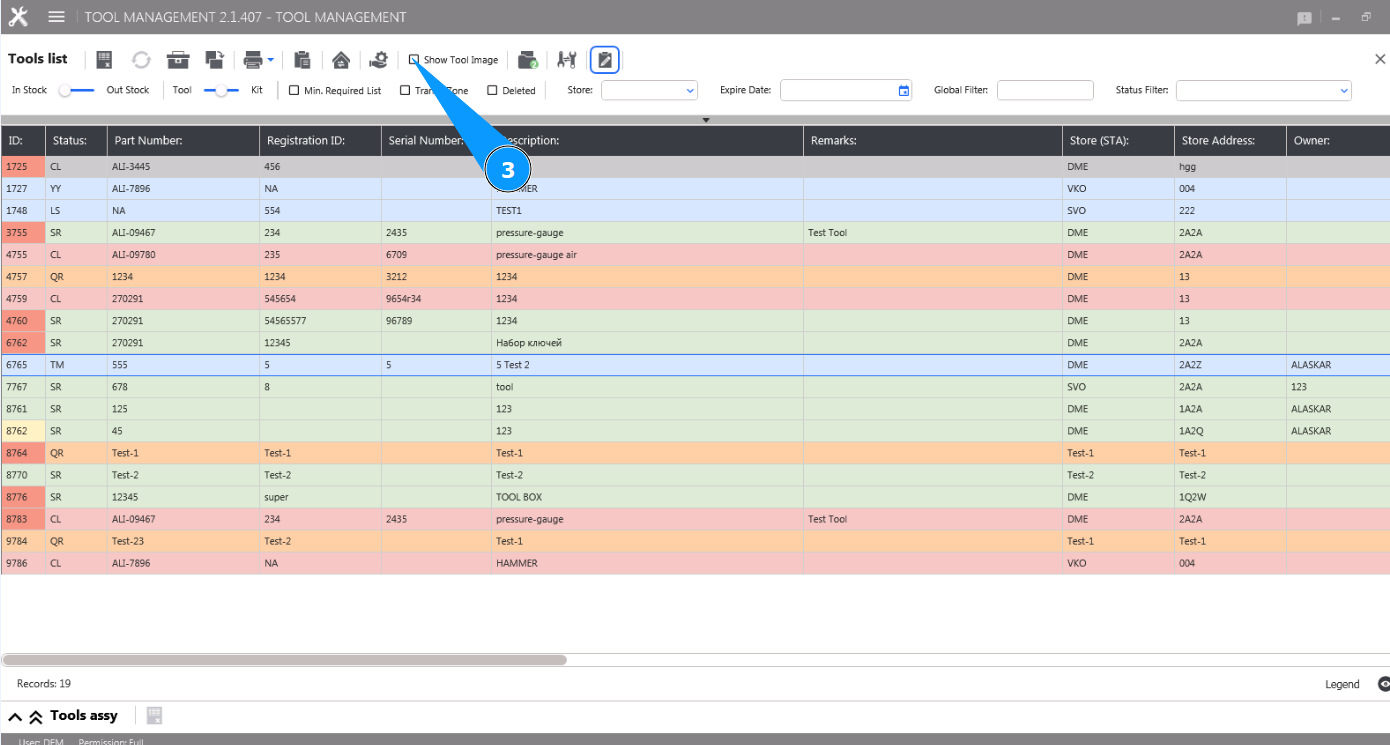
4. Check that the tool image is displayed in the window "Tool Image".
