How to attach a document to a tool check card
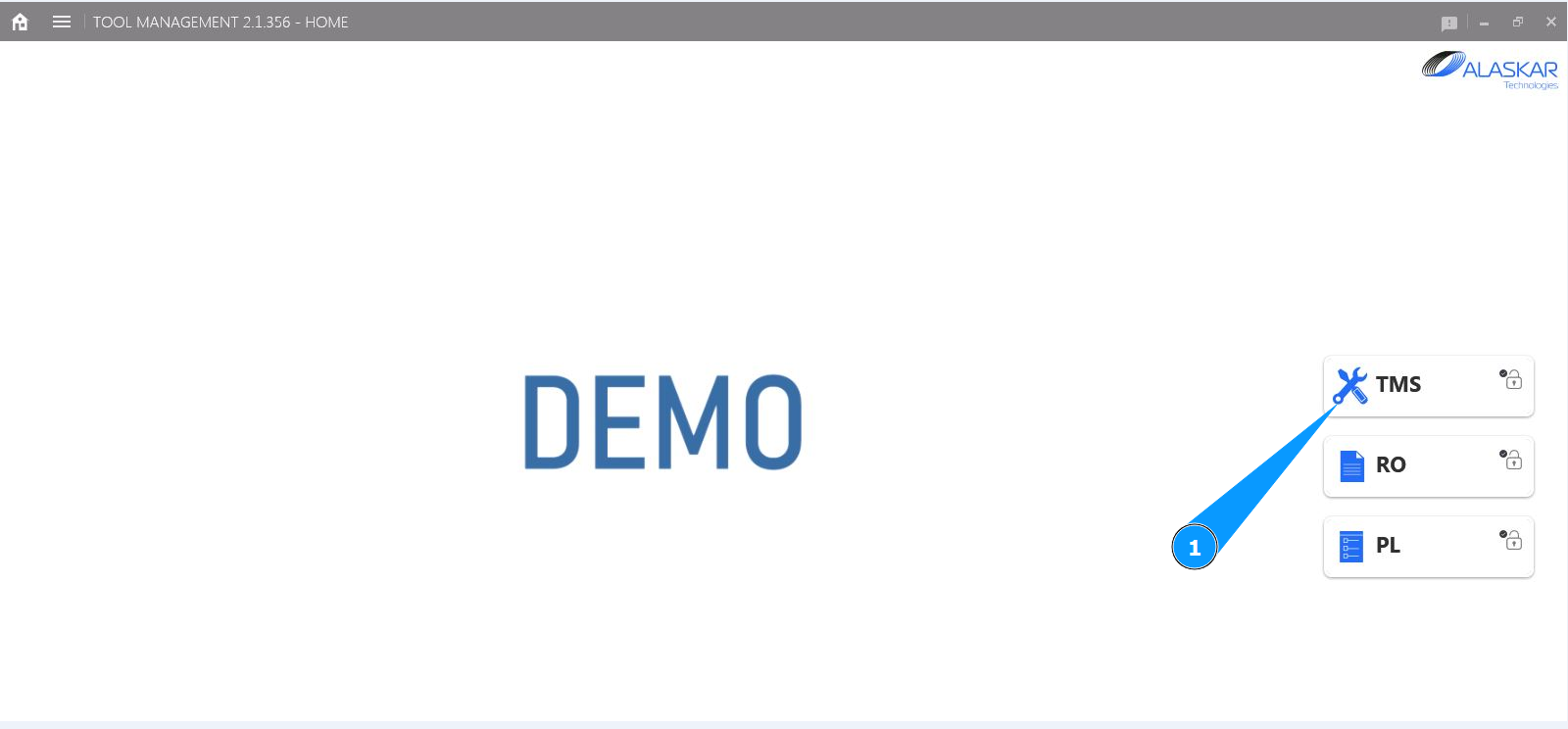
1. In order to attach any documents to a tool check card, go to the submodule "TMS".
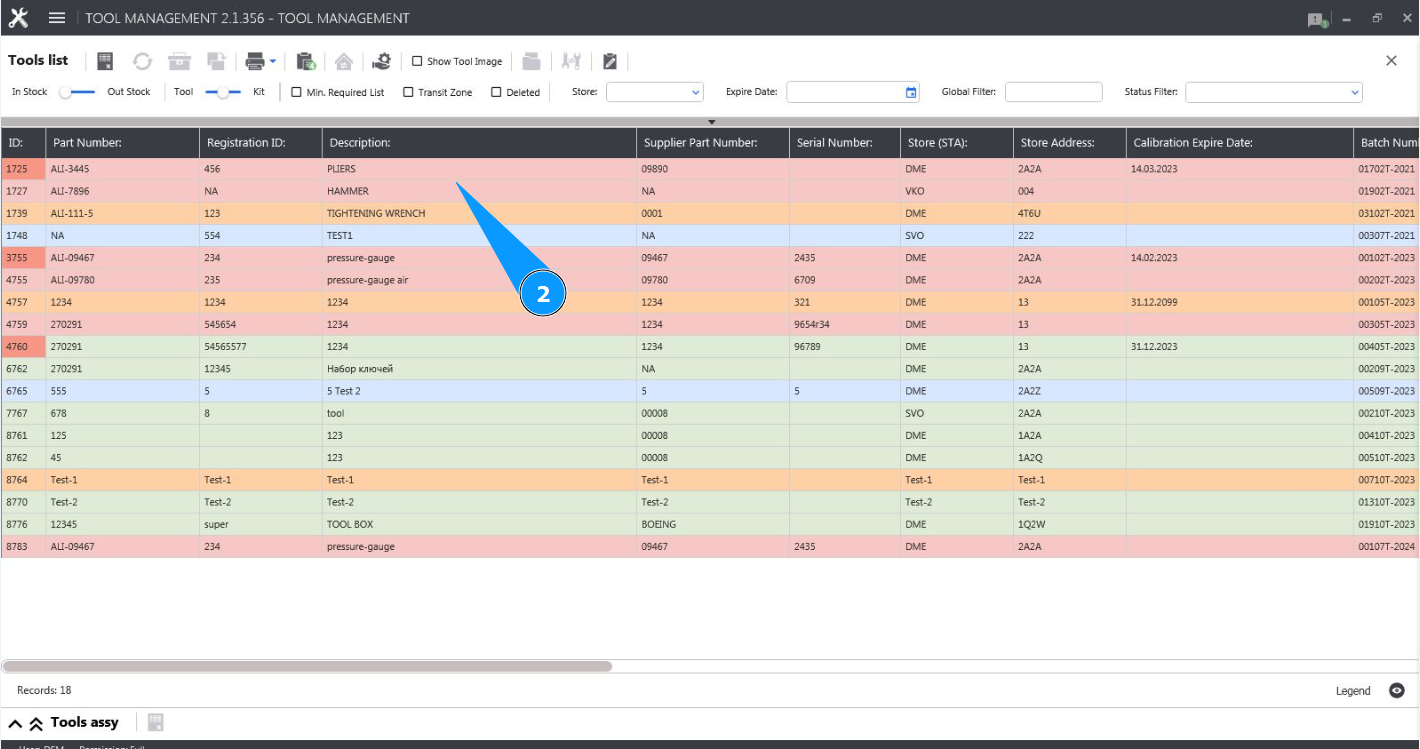
2. Select the required line with the tool in the window and click on it in the window "Tool List".
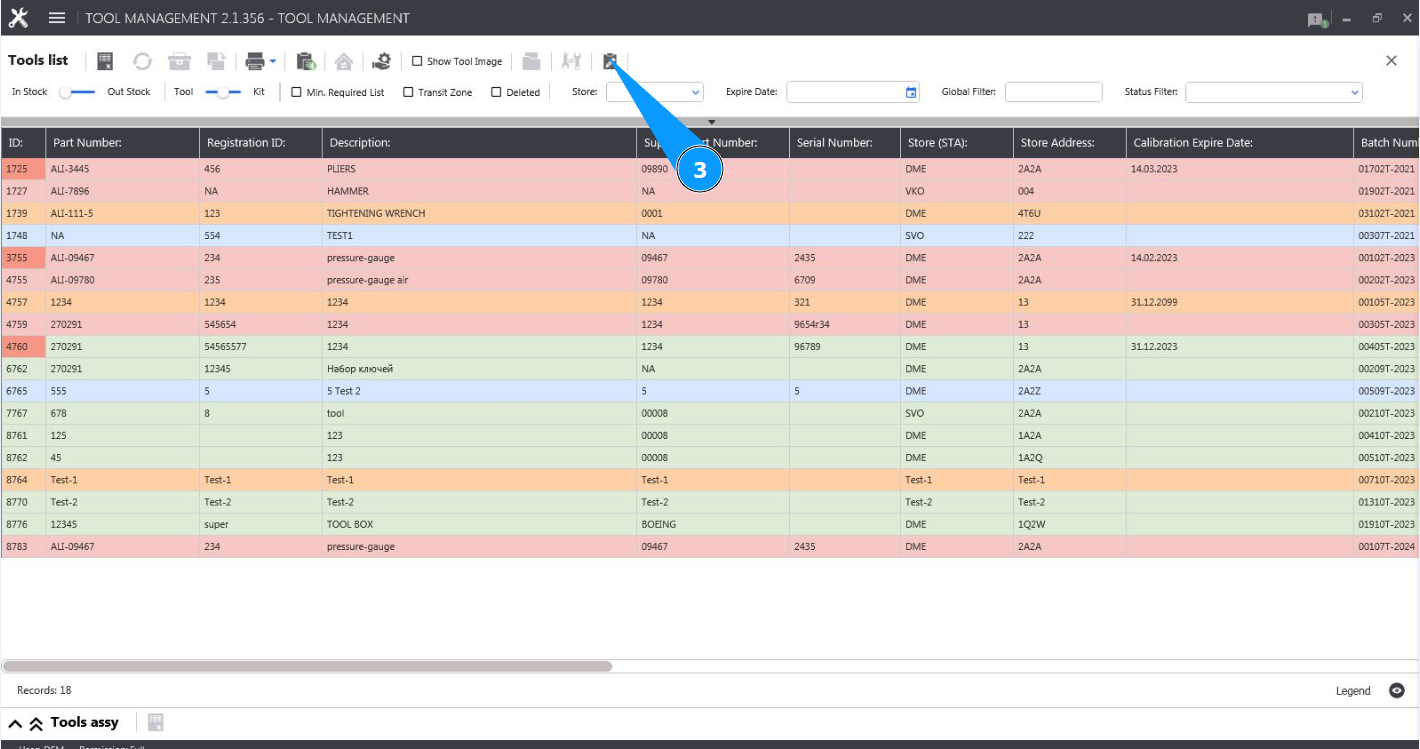
3. Click on the button "Show Editor" to open the tool editor.
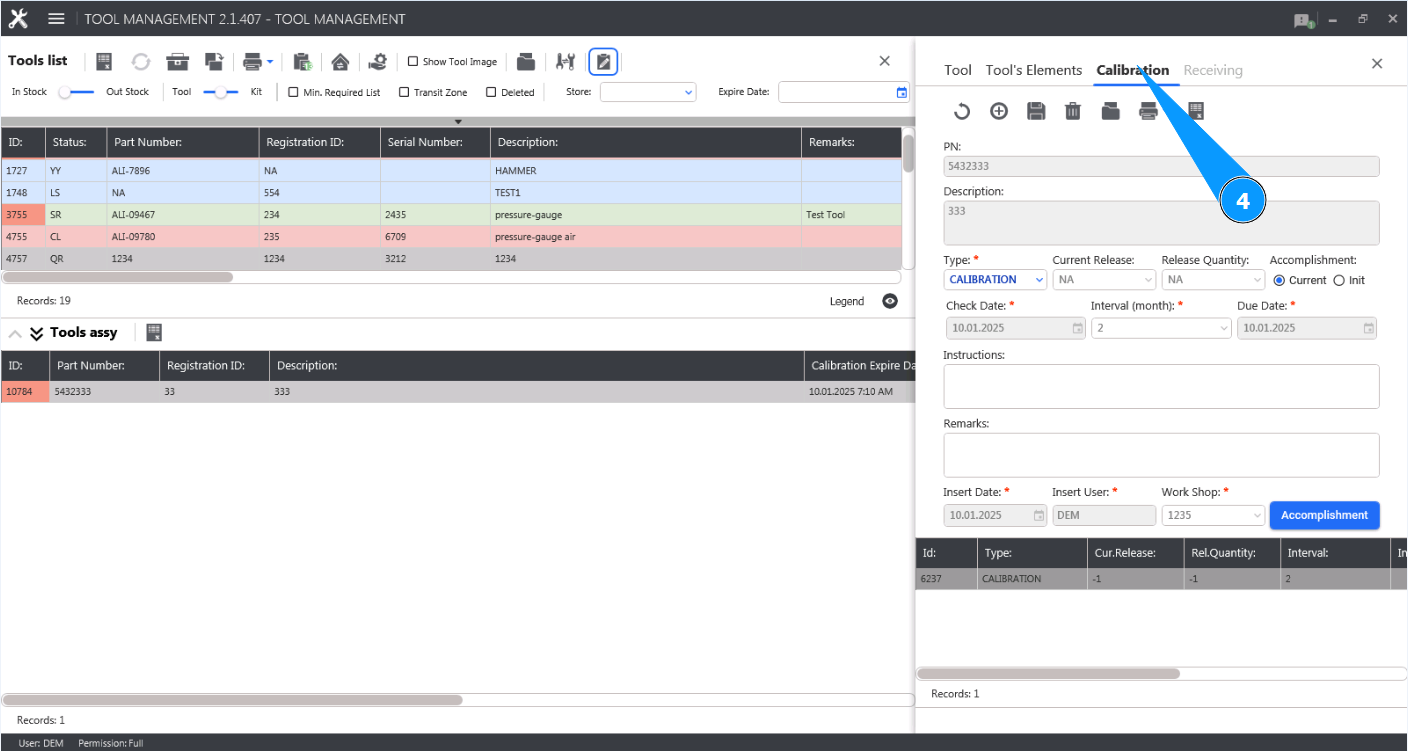
4. Go to the tab "Calibration".
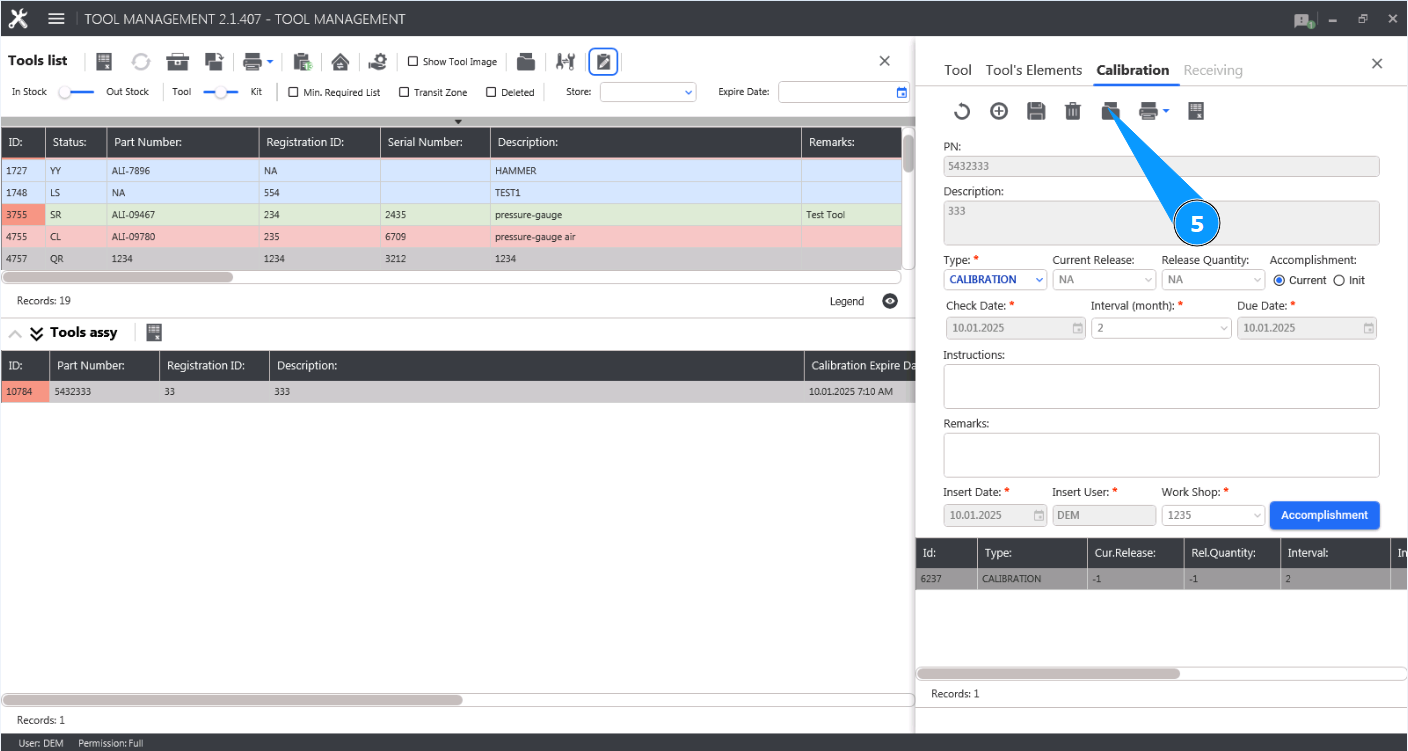
5. Click on the button "Attached Documents" to open the document attachment editor.
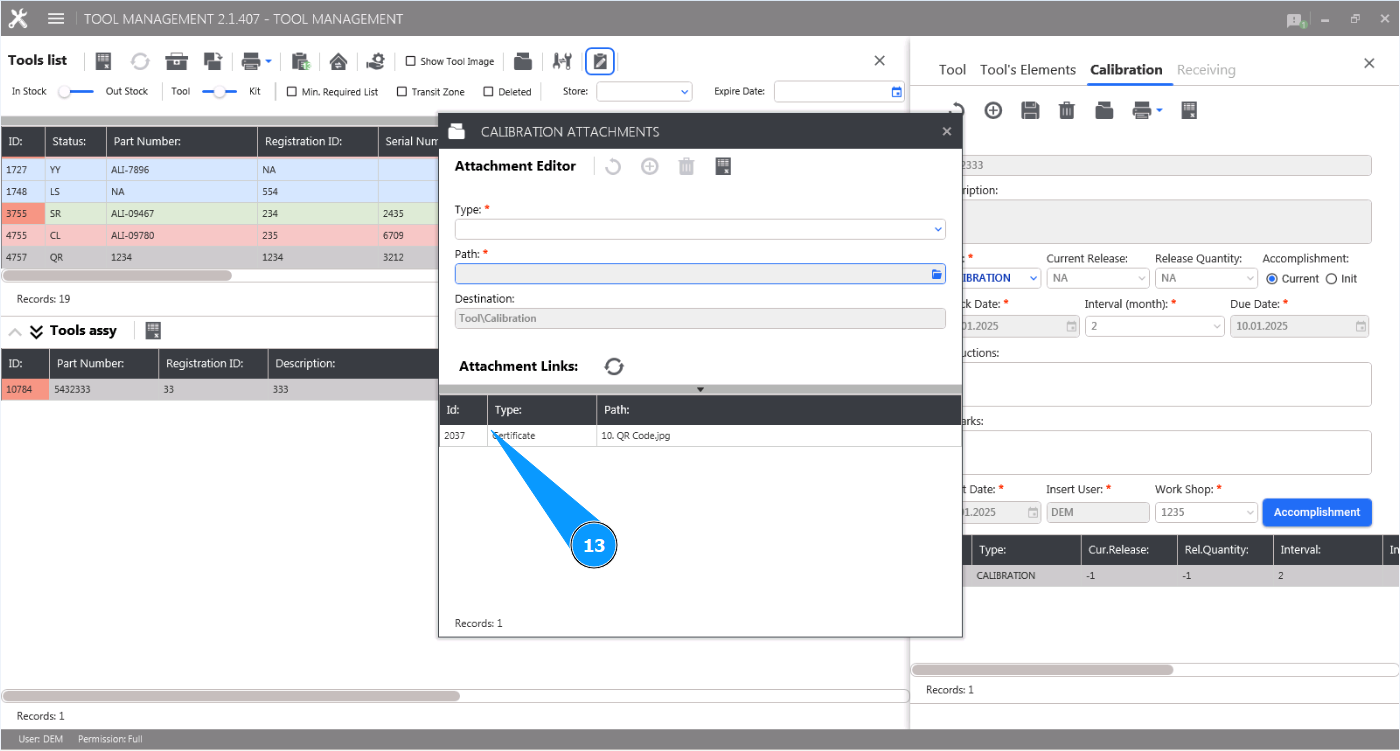
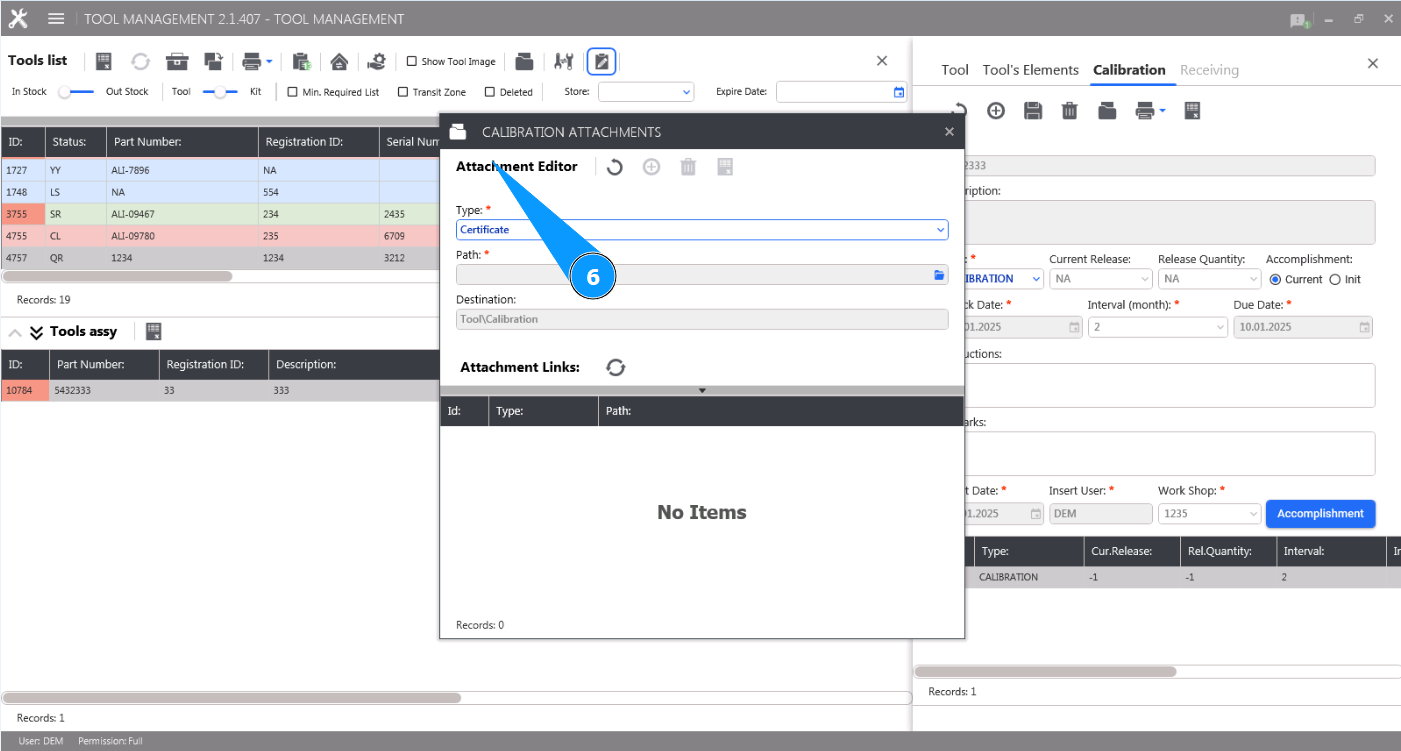
6. Check that the section for working with document attachments has opened and is available in the window "Attachment Editor".
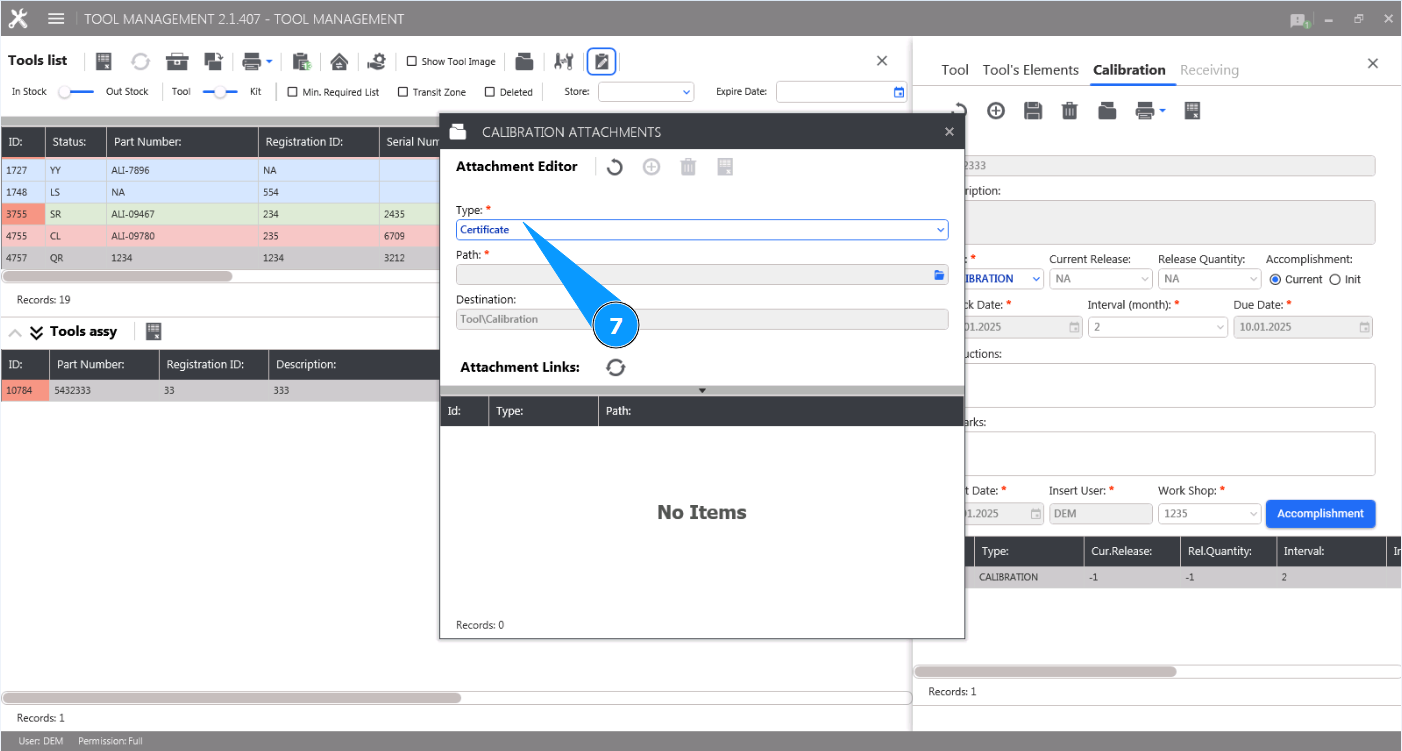
7. Select the document type from the dropdown list in the field "Type".
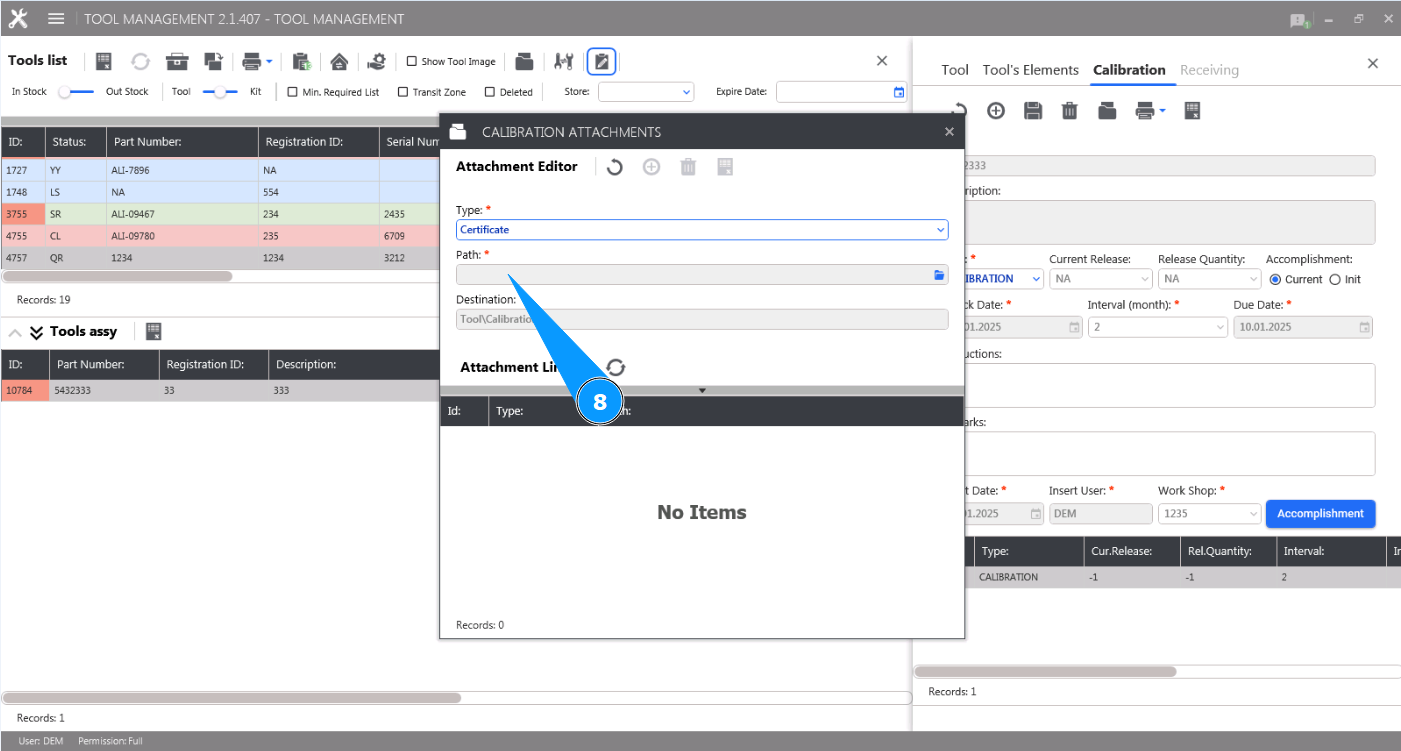
8. Click on the button "Path" to select a document on your computer.
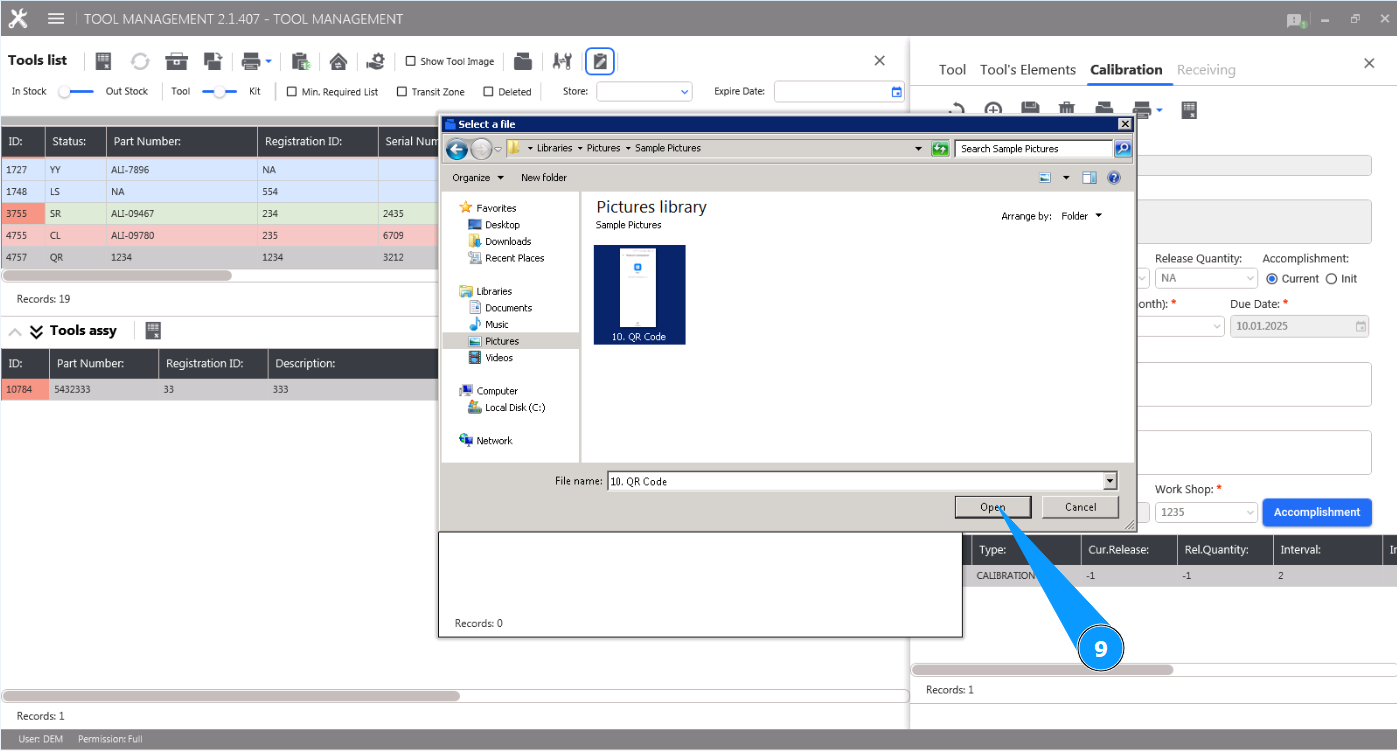
9. Select the required document file on your computer and click on the button "Open".
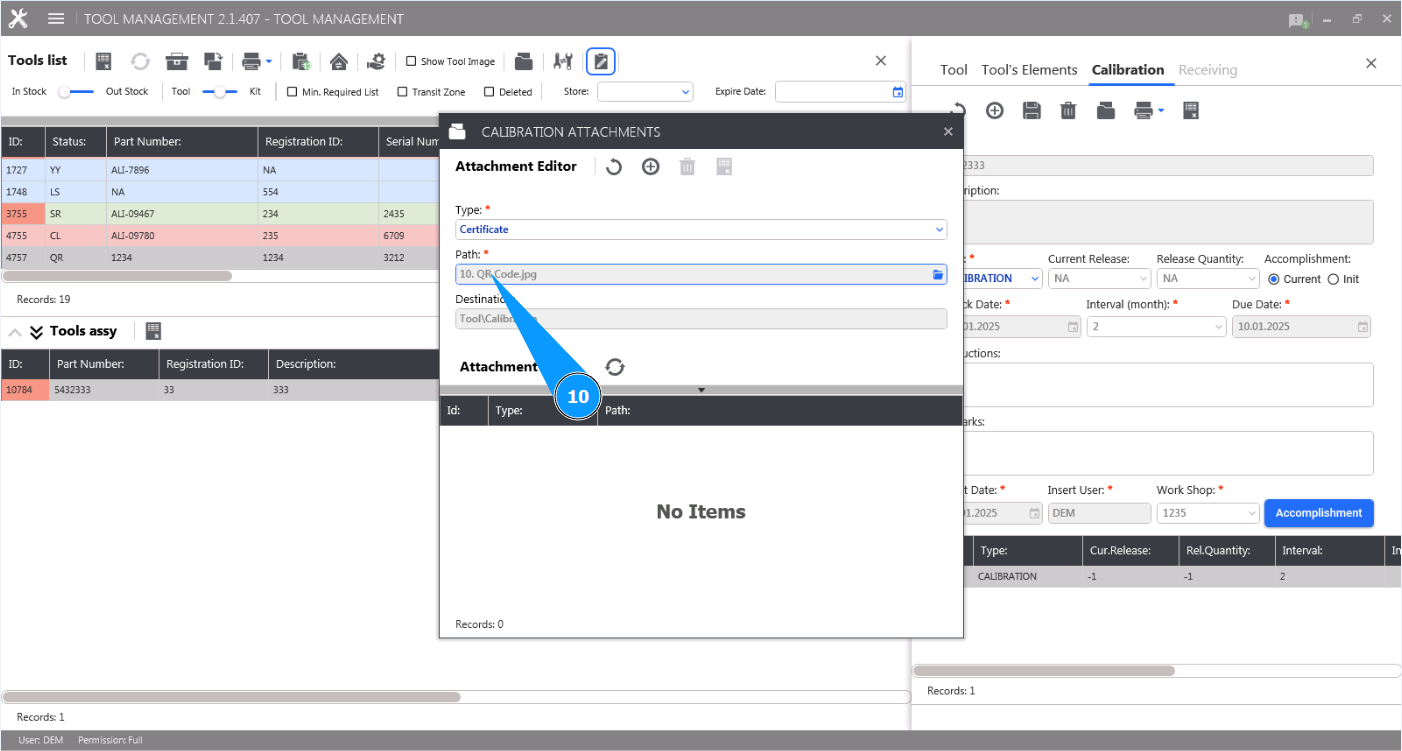
10. Check that the added document is displayed in the field "Path".
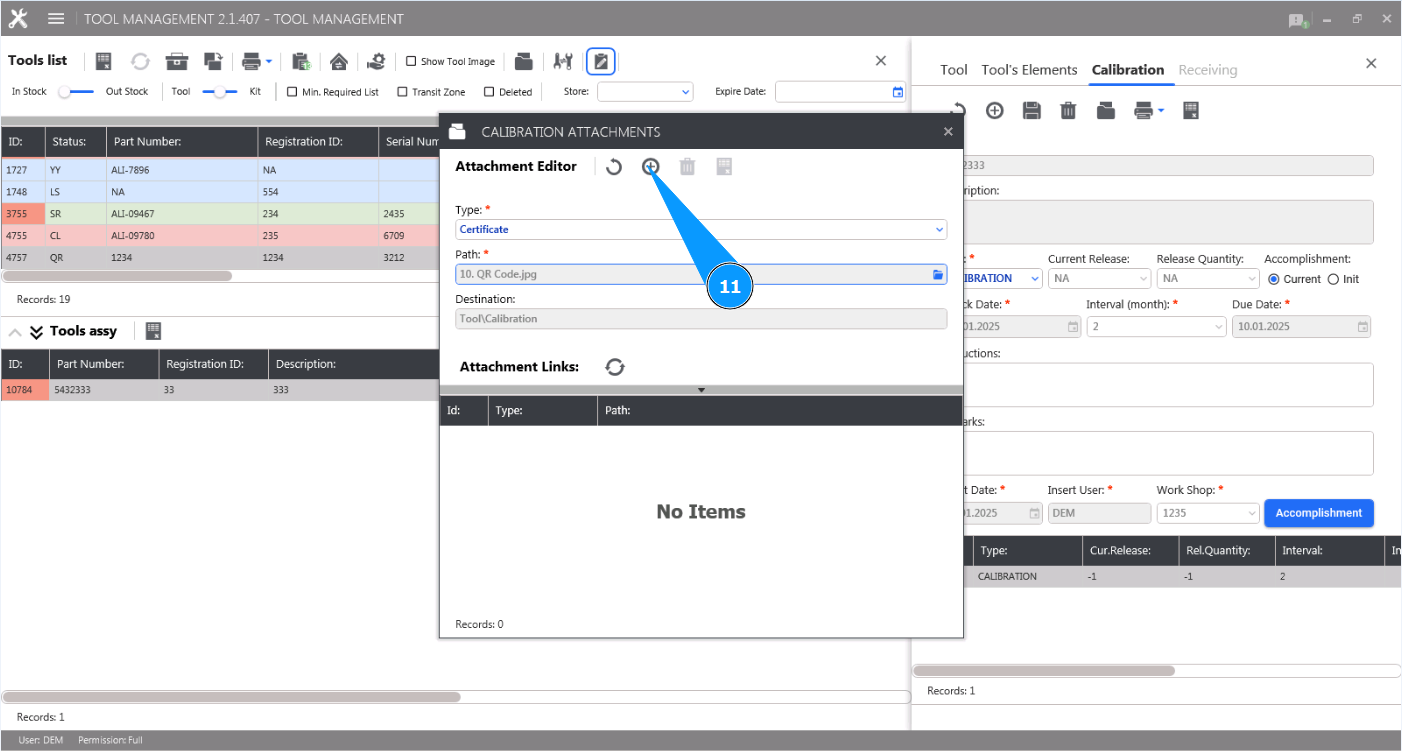
11. Click on the button "Add" to add the document to the tool's check.
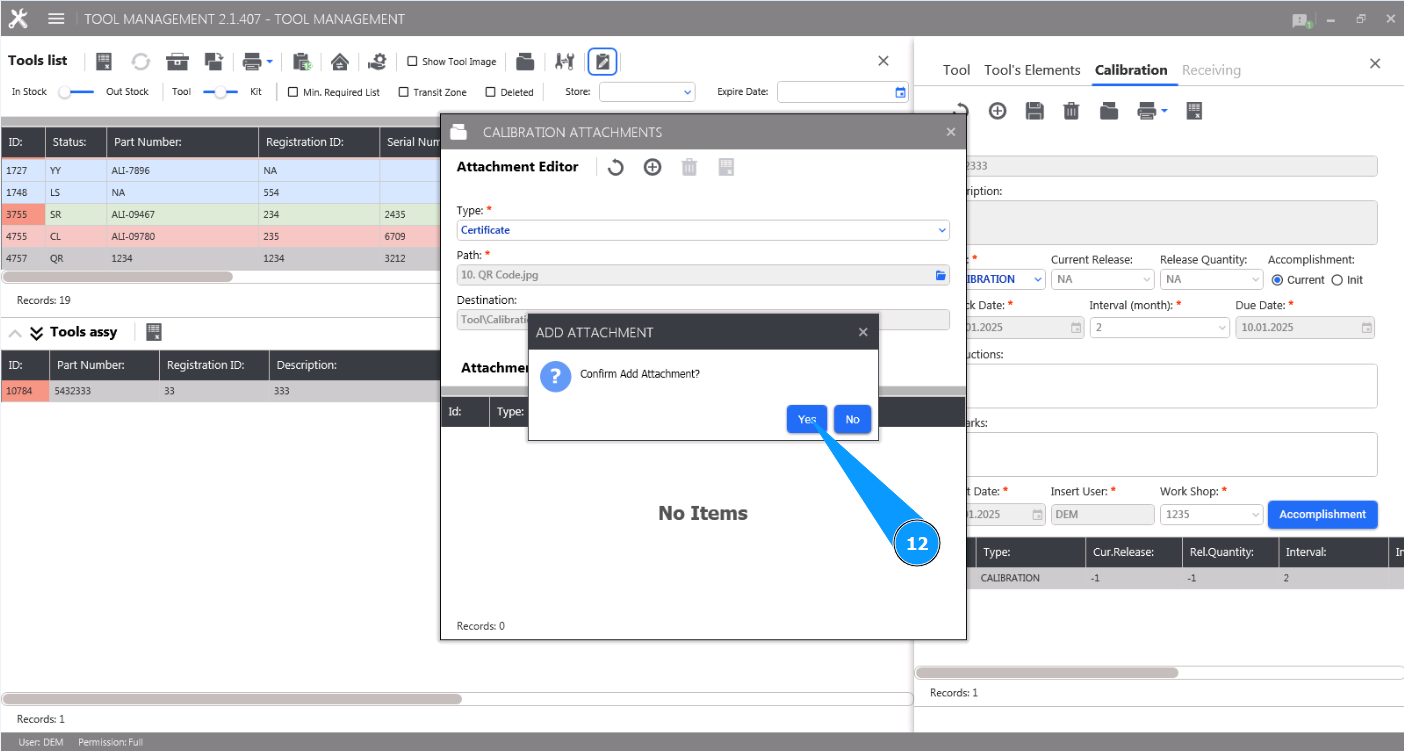
12. Click on the button "Yes" to confirm adding the document to the tool's check.
13. Check that the added document is displayed in the list of the window "Attachment List".