How to transfer the component to the "Served Out" condition
Note: If the store men are absent 24/7 from working shift scheduling, it is possible to release spare parts from the store with "Served Out" condition, when this release is not fully approved and it is a temporary procedure. Later, store men should perform the release procedure according to applicable instruction.
Attention: For transferring to be served out condition, the component should be previously reserved for aircraft.
Check that the component is presented in the tab "Reservation". If there is no applicable component in the reserved tab, use the instruction:
"How to reserve spare parts for any reason"
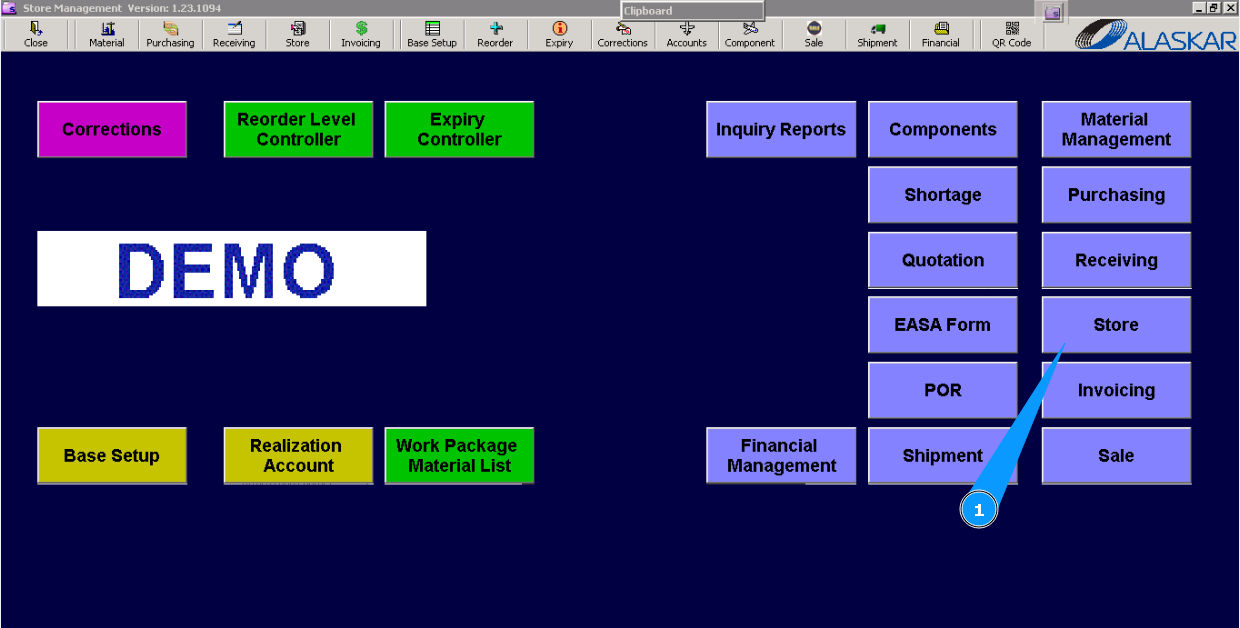
1. For transferring to be served out, the component goes to submodule "Store".
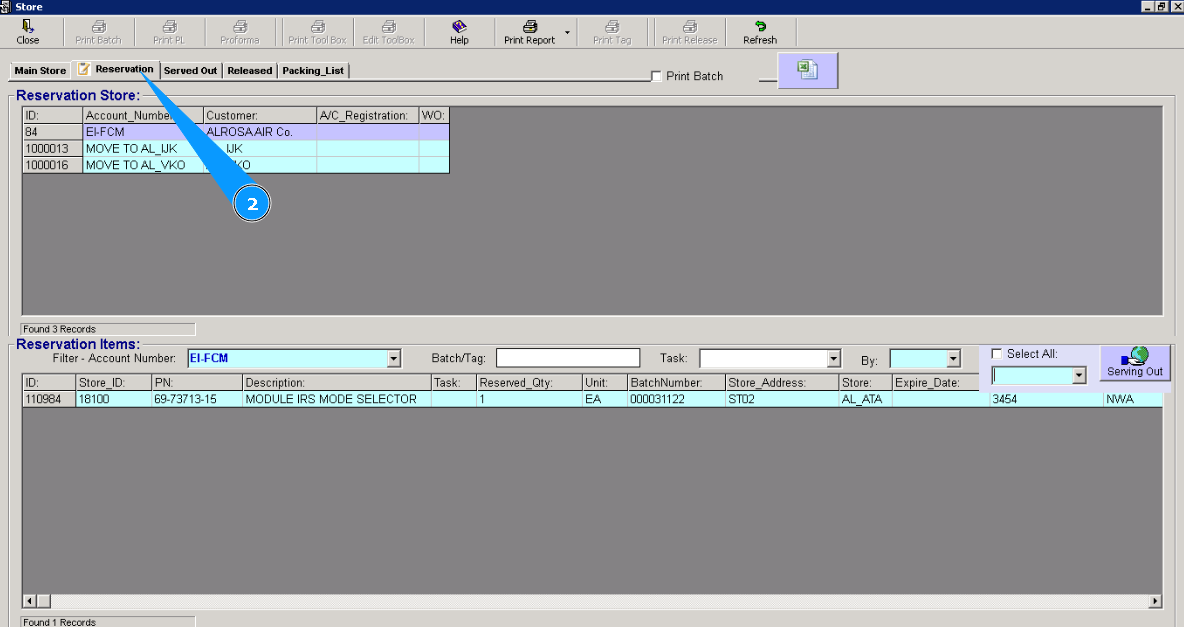
2. Then go to the tab "Reservation".
3. Highlight applicable reservations from the list in the window "Reservation Store".
4. Visually check that lines with components applicable to your selected reservation appear in the window "Reservation Items".
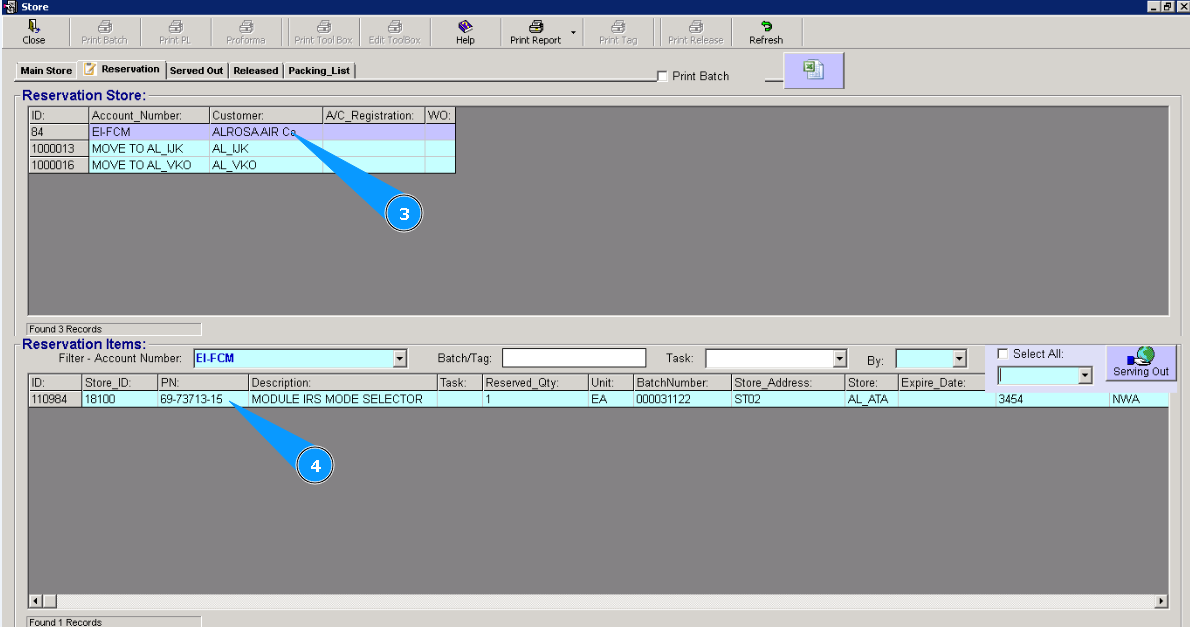
5. Highlight the applicable line with the component in the window "Reservation Items". Note: If it is necessary to select all lines in the list, tick in the field "Select All". Check that all lines are highlighted.
6. Enter your login in this field.
7. Click on the button "Serving Out"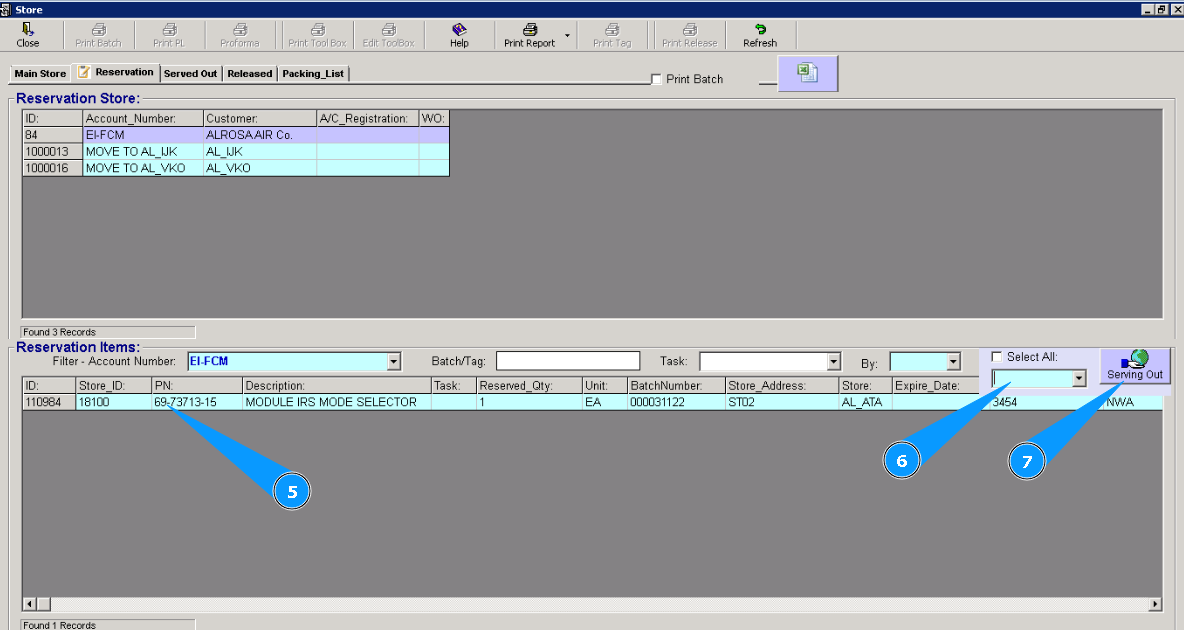
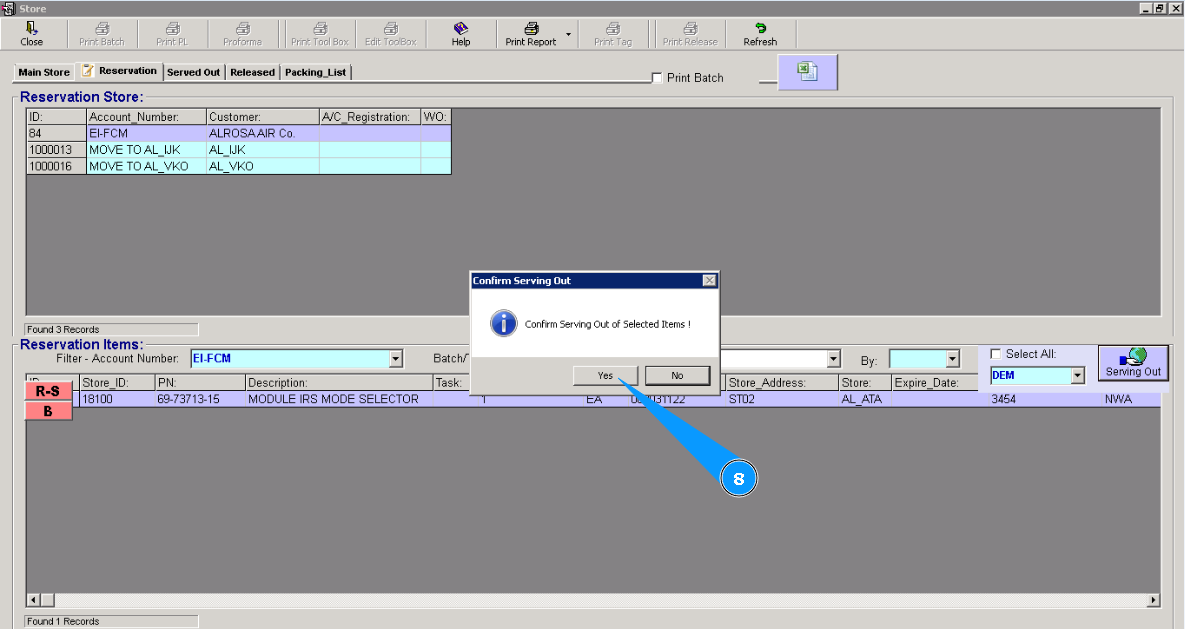
8. Click on the button "Yes", to confirm your selection.
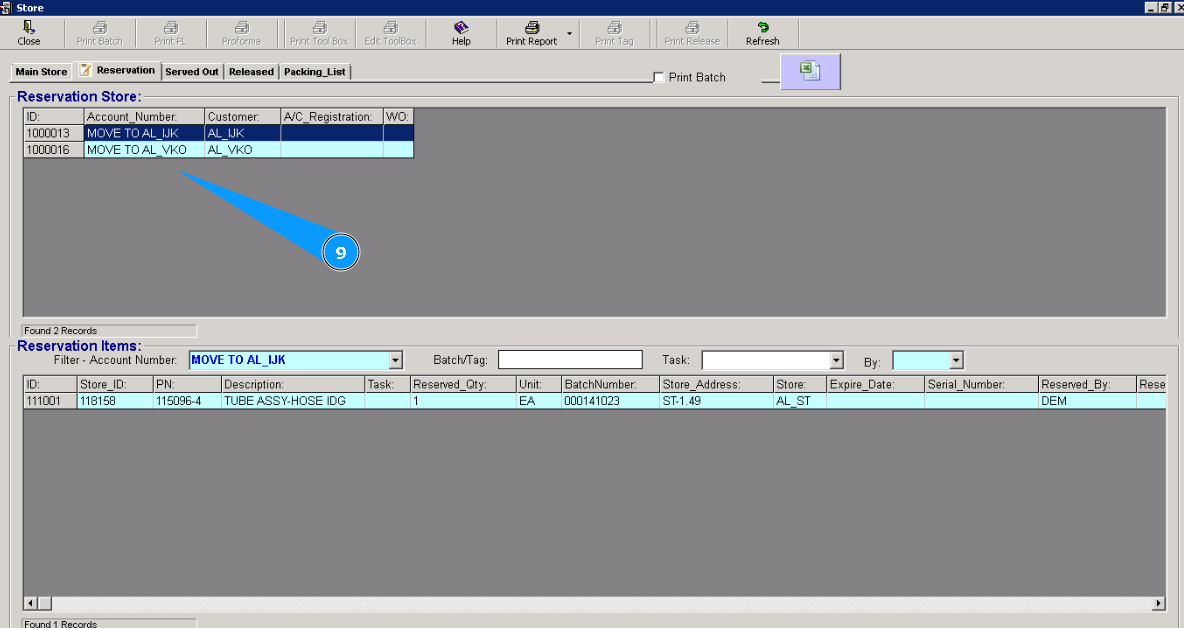
9. Visually check that the applicable line has disappeared from the window "Reservation Store". Component is transferred to be served out condition.
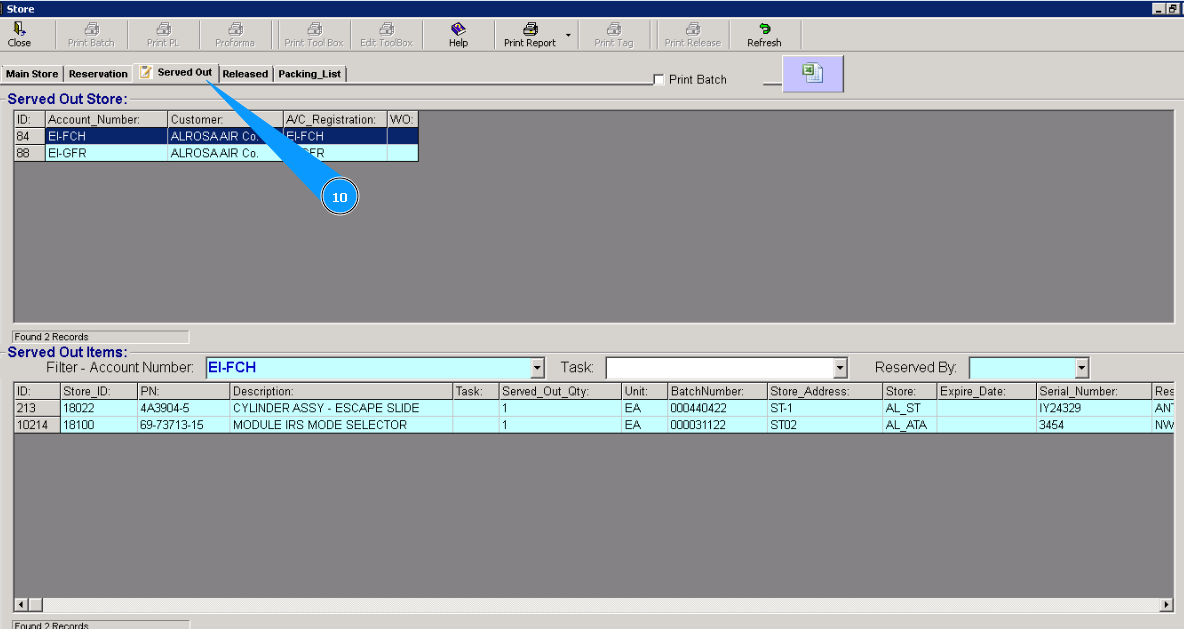
10. To be sure that the process is well done, you can check the list in the tab "Served Out".