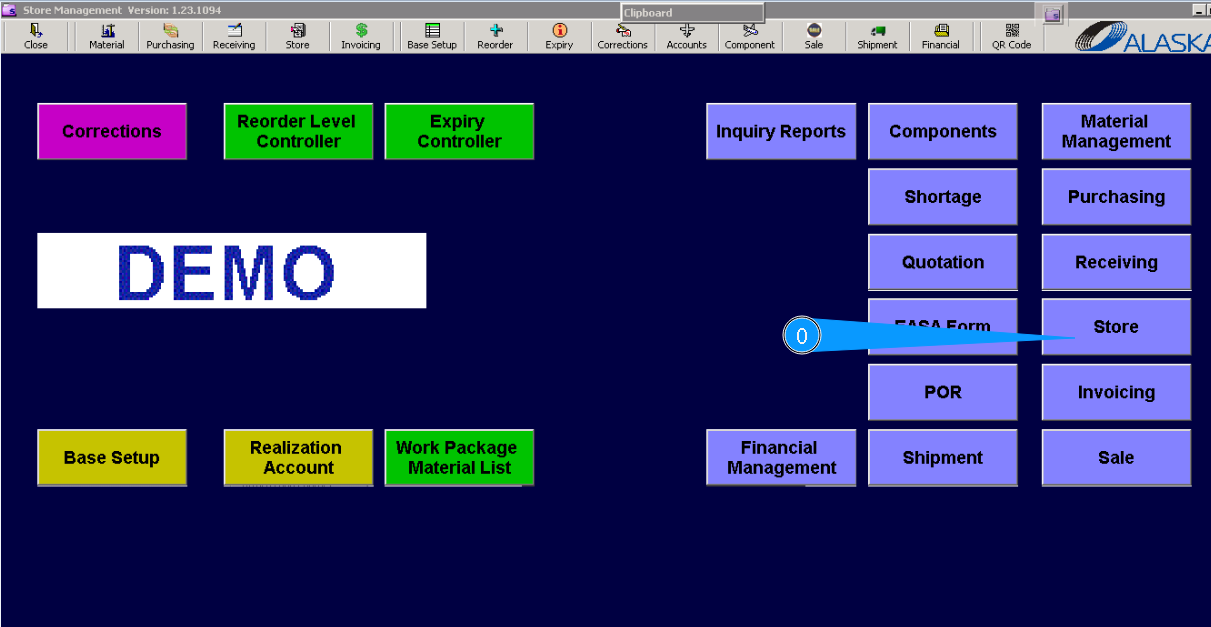
How to return component to store
0. For returning component to store, go to submodule "Store".
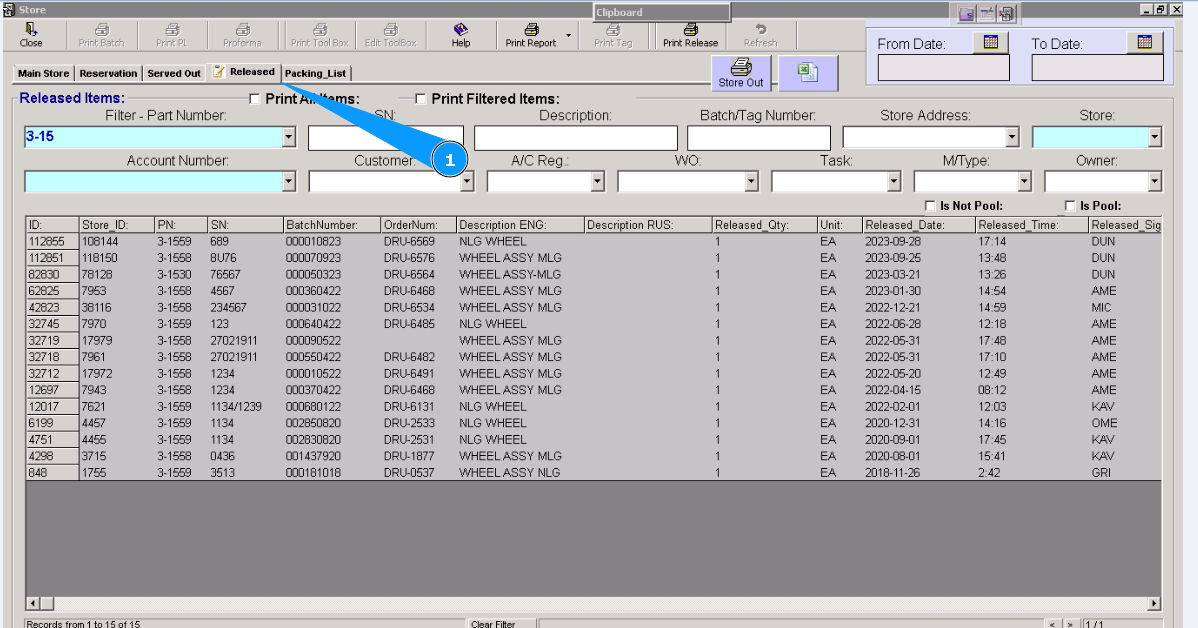
1. Then go to the tab "Released".
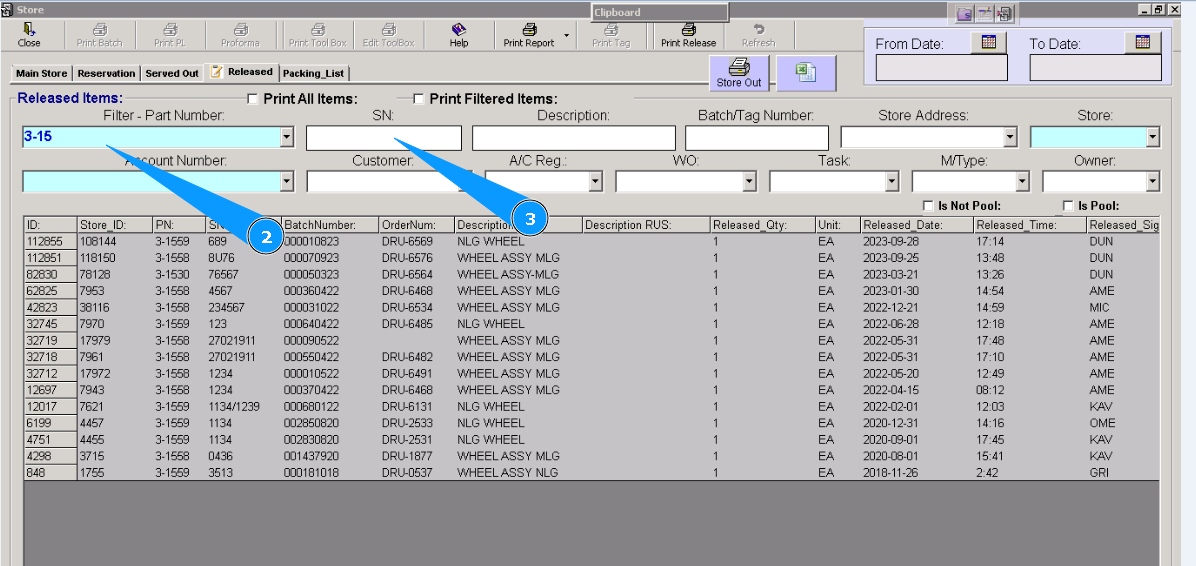
2. Enter the part number and press on the button "Enter" on your keyboard.
3. For a more precise search, enter a serial number.
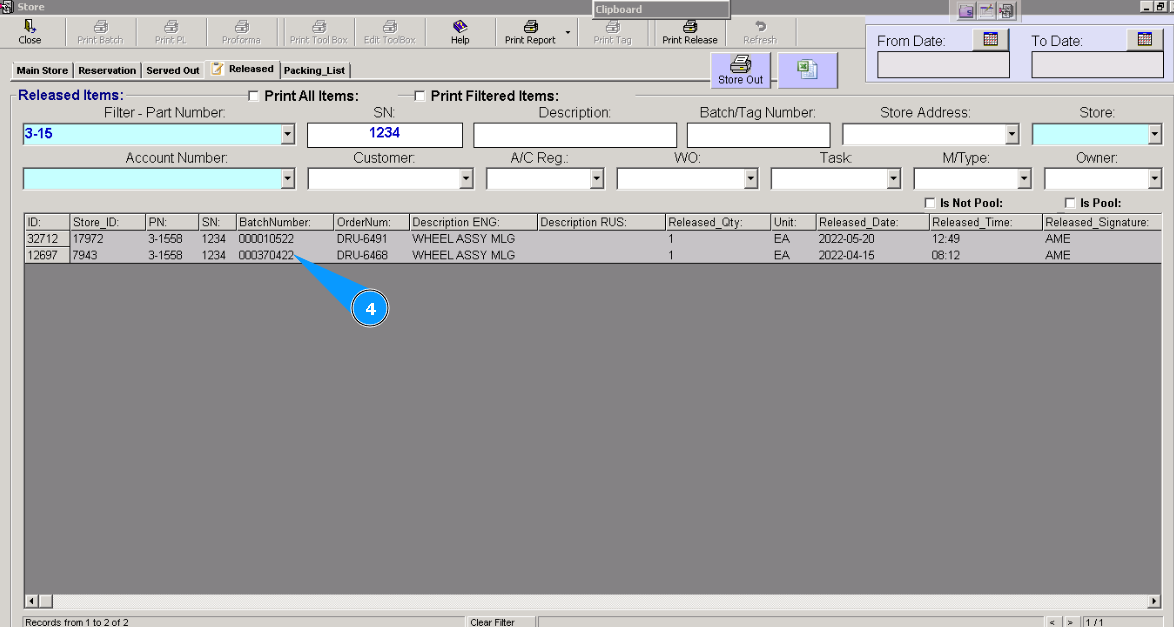
4. Highlight necessary line.
ATTENTION: During the selection of the applicable line, be careful; components can be released sometimes. To be sure that you have selected the applicable item, check the column "Released Date".
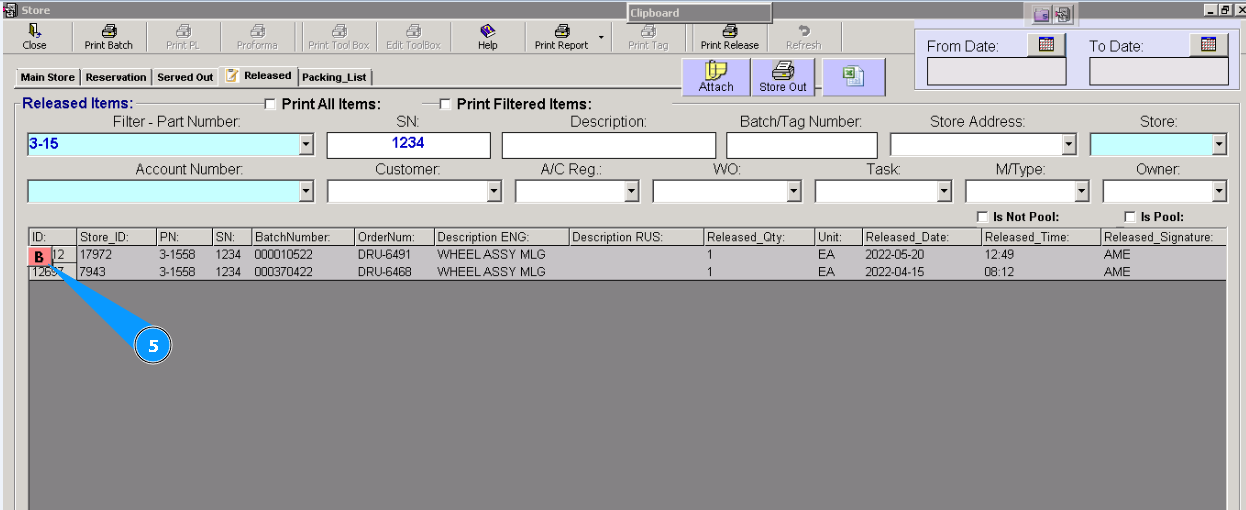
5. Click on the button "B" (back).
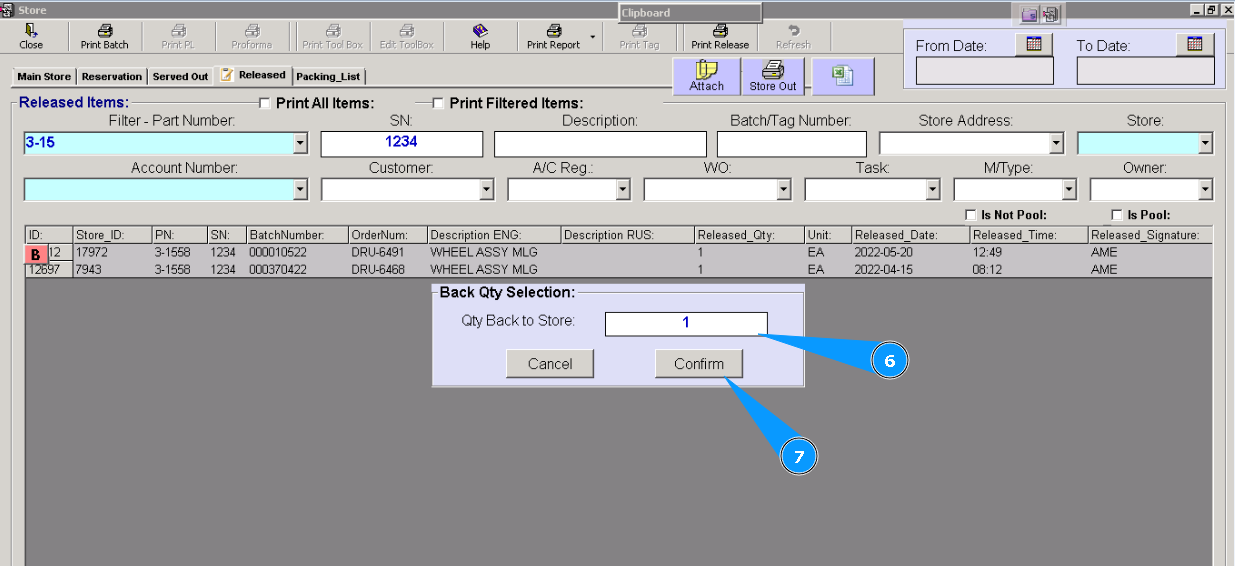
6. Enter the necessary quantity of returned components in the appeared window "Back Qty Selection".
7. Click on the button "Confirm", to confirm your choice.
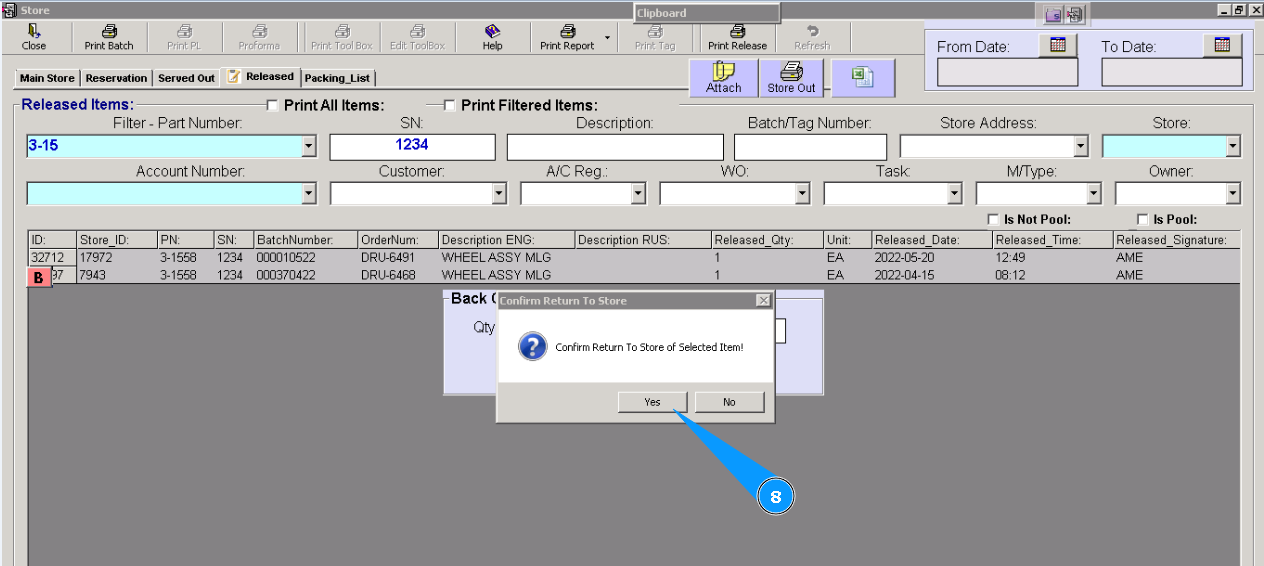
8. Click on the button "Yes", to confirm your choice again.
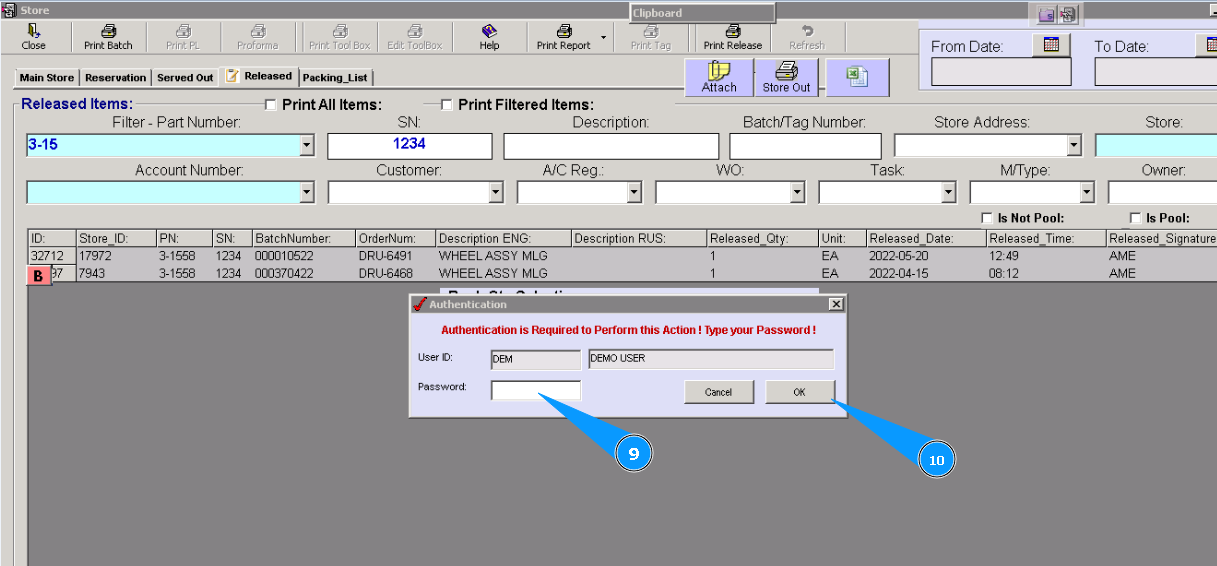
9. Enter your Alaskar password.
10. Click on the button "Ok".
11. Component is successfully returned to the store. Click on the button "Ok".
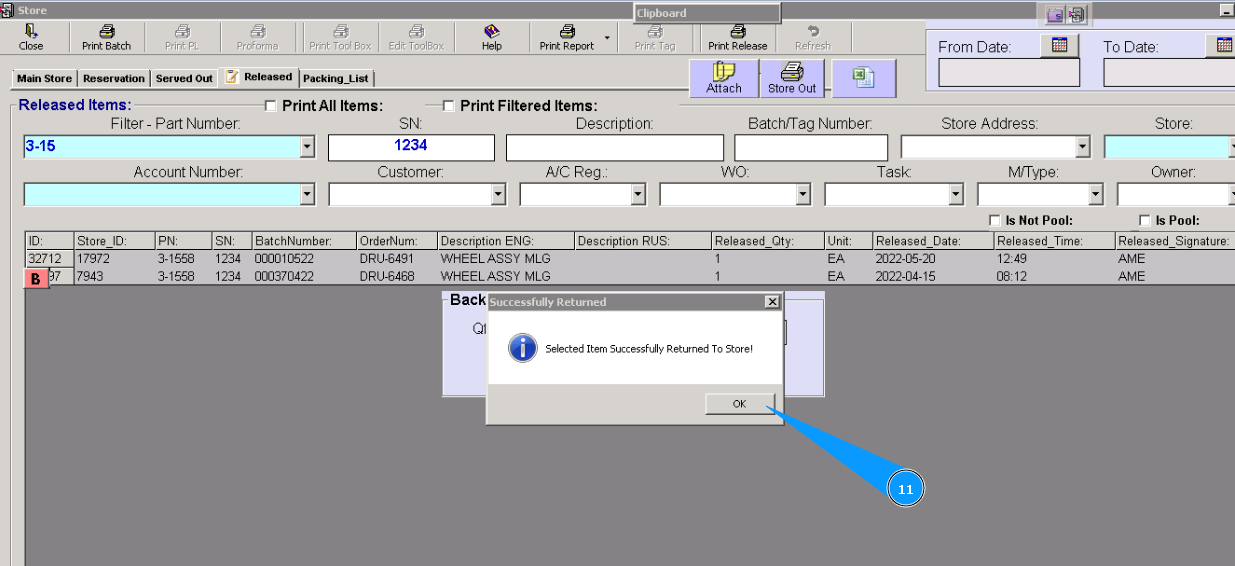
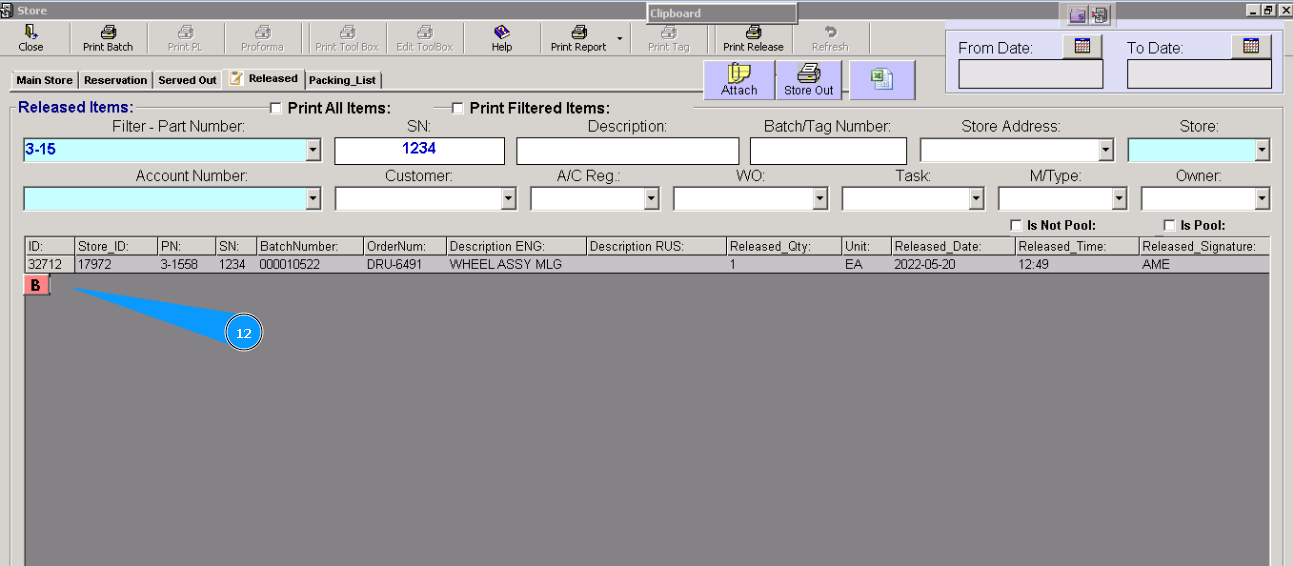
12. Check that the line is disappeared. Returning process is finished.