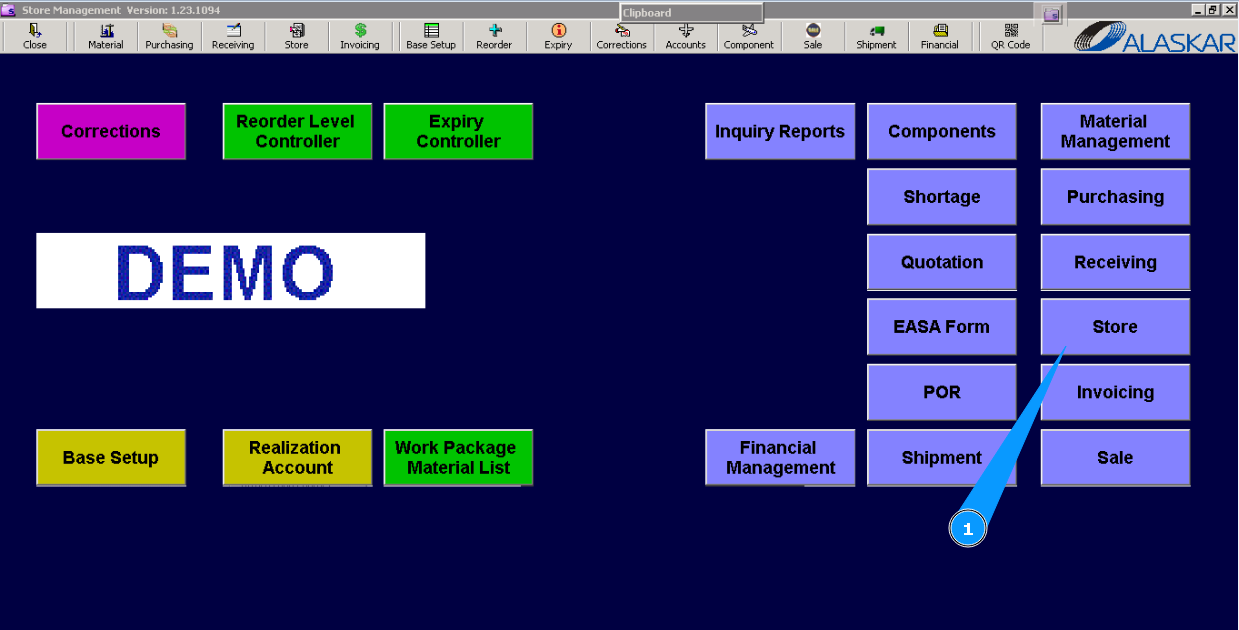
How to reserve parts for any reason
1. To reserve parts for any reason, go to the submodule "Store".
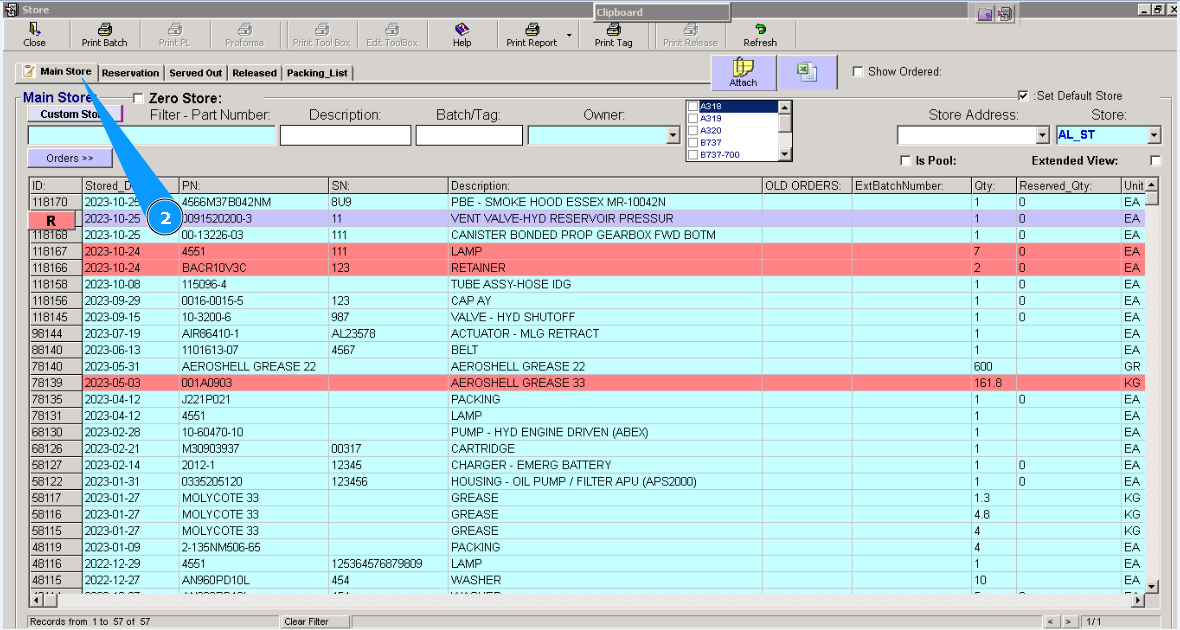
2. Then, go to the tab "Main Store".
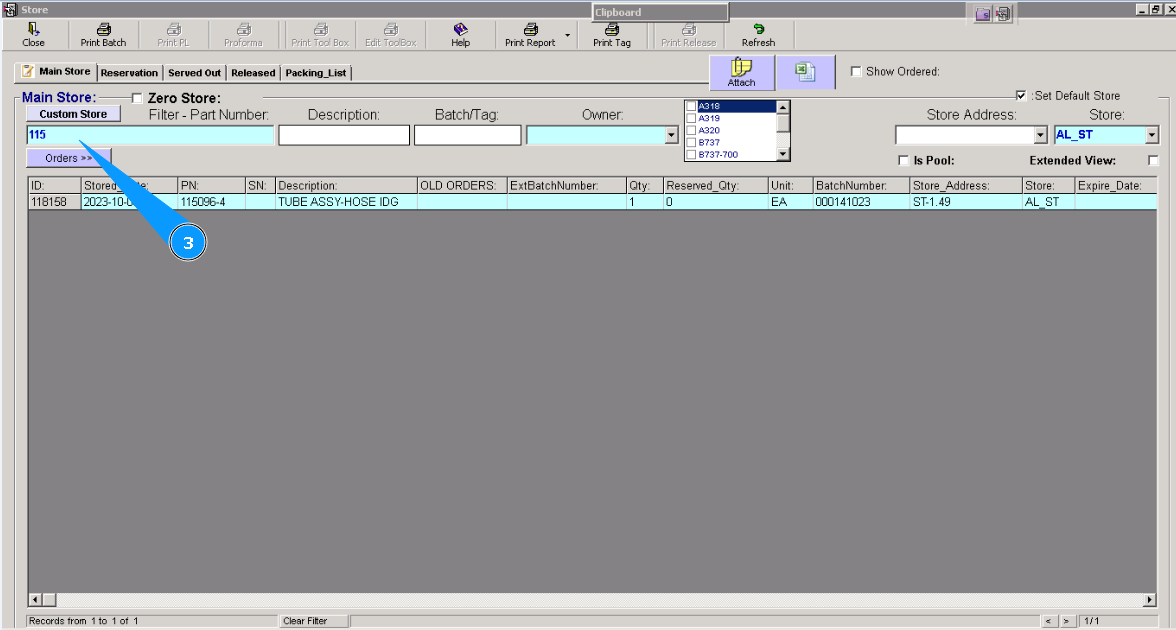
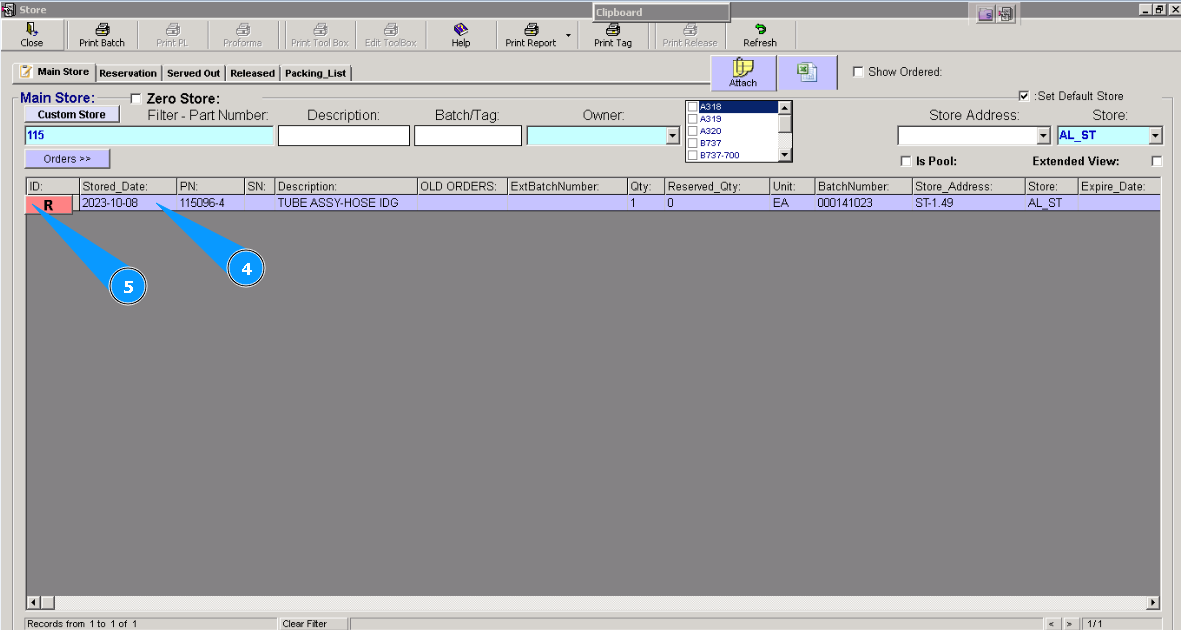
3. Enter the part number of the component in the search field and press the button "Enter" on your keyboard. Visually check that applicable component is found.
4. Highlight applicable line.
5. Click on the button "R"(Reserve selected item).
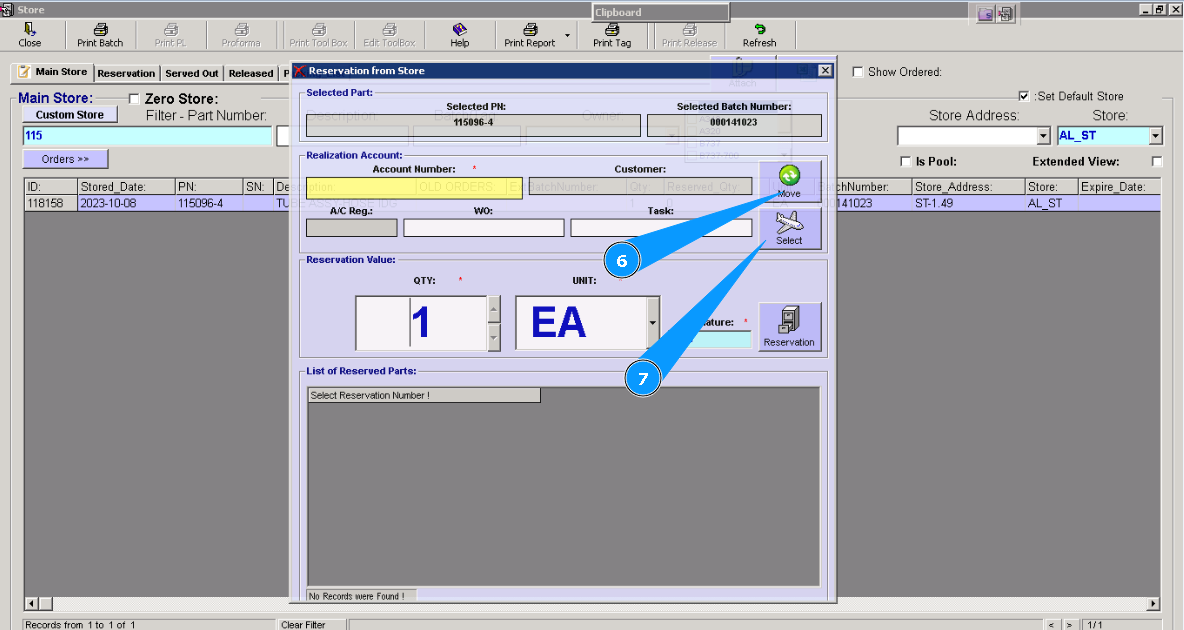
6. Click on the button "Move", if you need to reserve parts to move to other stores.
7. Click on the button with the aircraft symbol, "Select", if you need reserve parts to release to the aircraft.
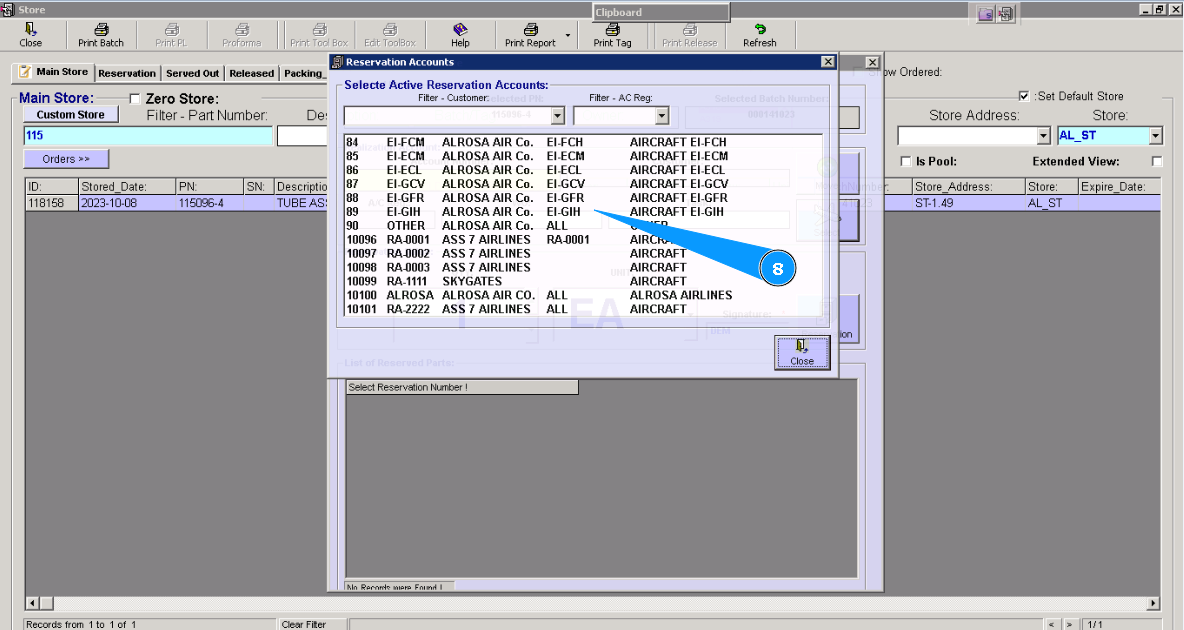
8. Select the store name or aircraft registration from the list in the opened window, "Select Active Reservation Account".
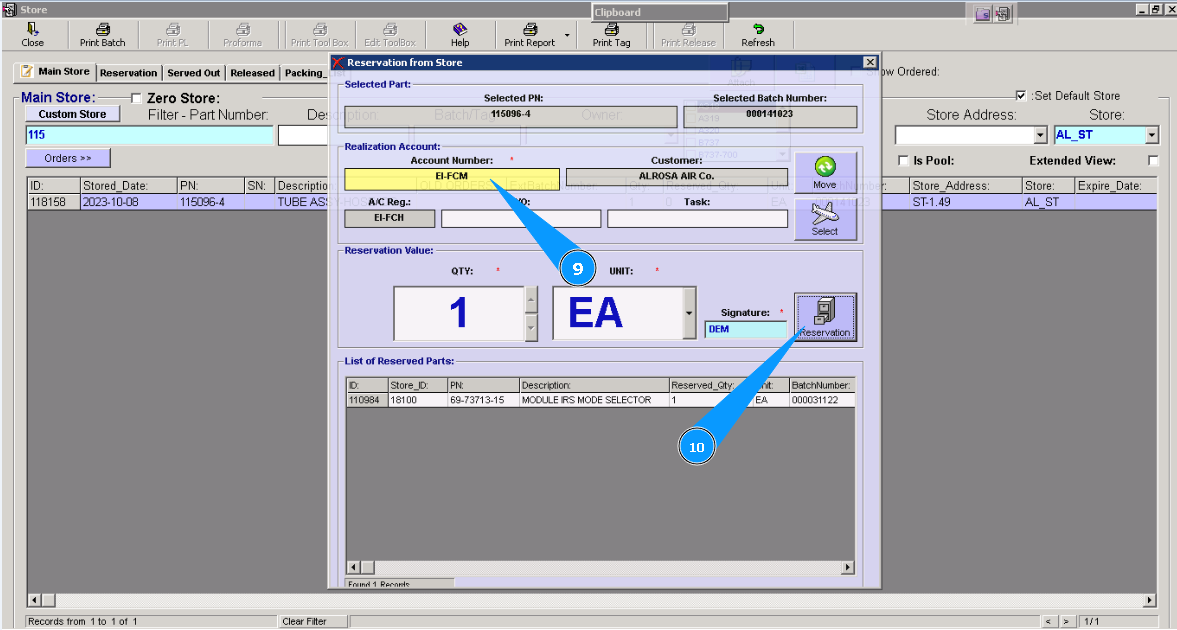
9. Check that the aircraft or store name appears in the window "Account Number".
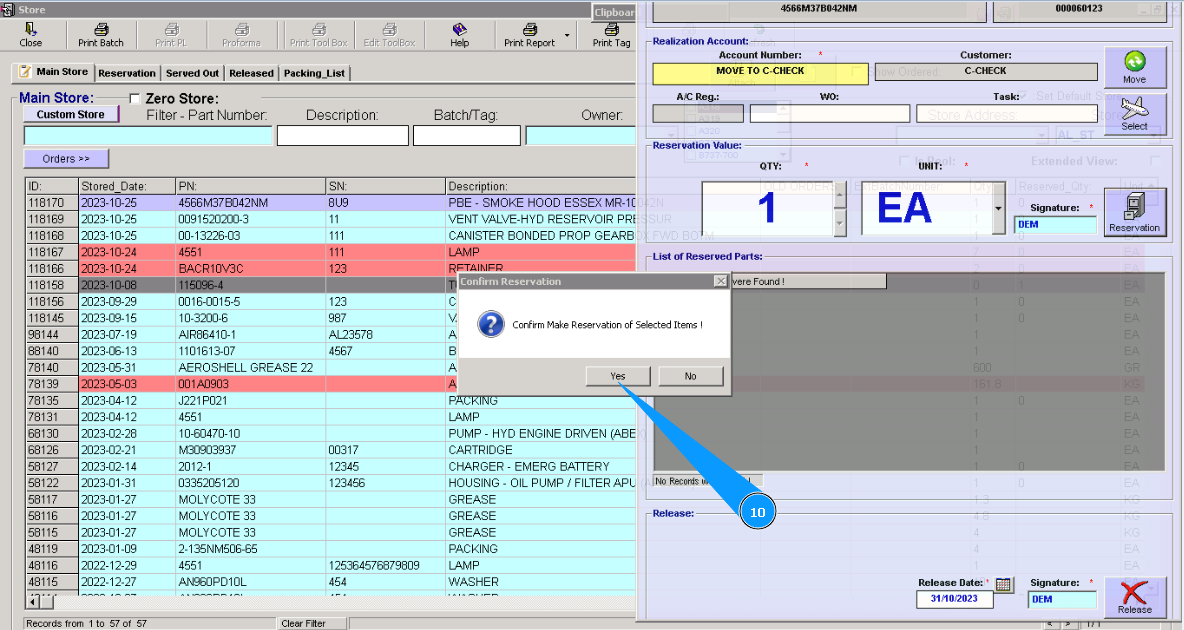
10. Click on the button "Reservation".
10. To confirm your selection, please click on the button "Yes".
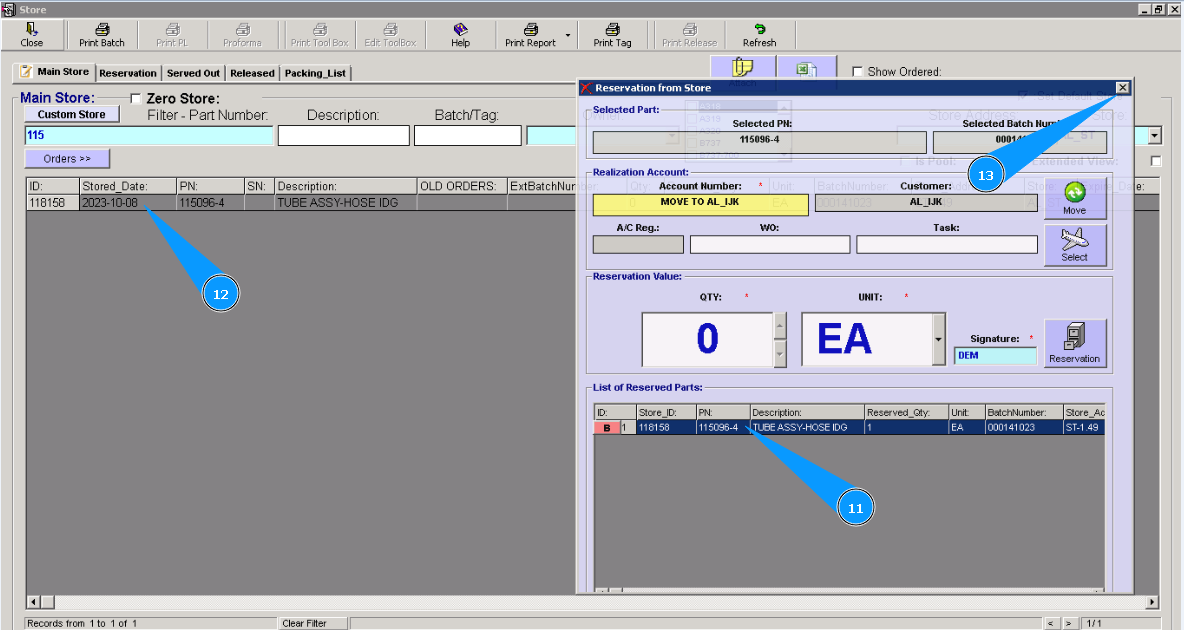
11. Check that your component appears in the window "List of Reserved Parts".
12. Check that the color of the line has changed. Component was reserved.
13. Close the reservation window. Click on the button "cross".
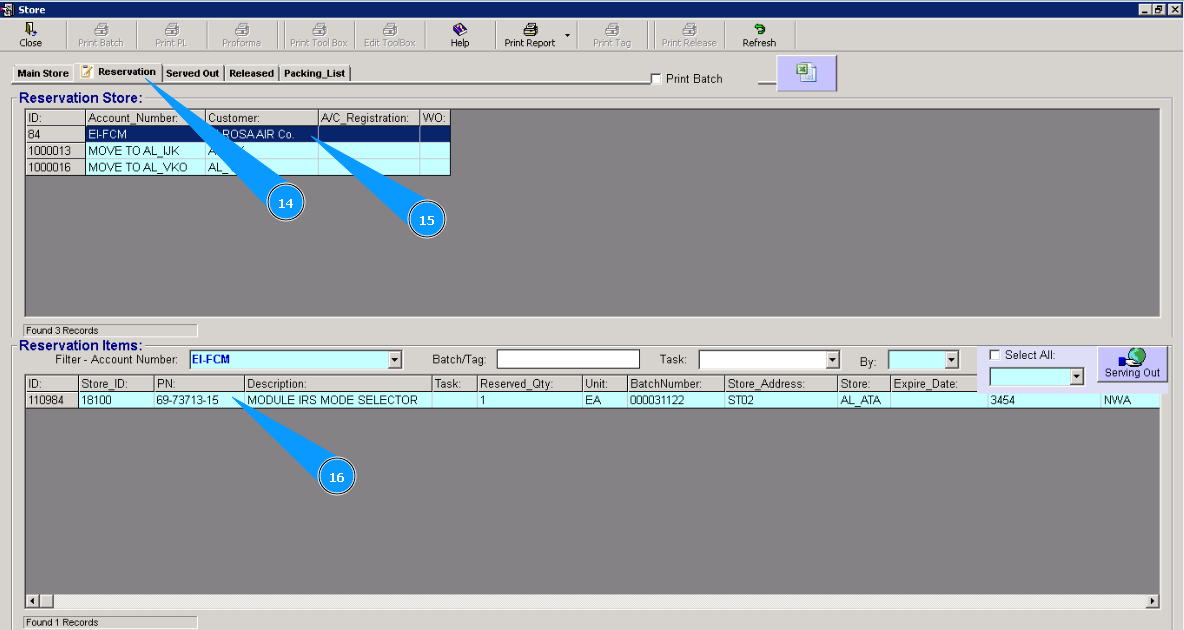
14. If necessary, you can check the reservation of a component in the tab "Reservation" Note: If your reservation is not presented on your screen, please click the button "Refresh" on the top control panel.
15. Highlight your reservation line.
16. Check that the applicable component is reserved.