How to release component from Store
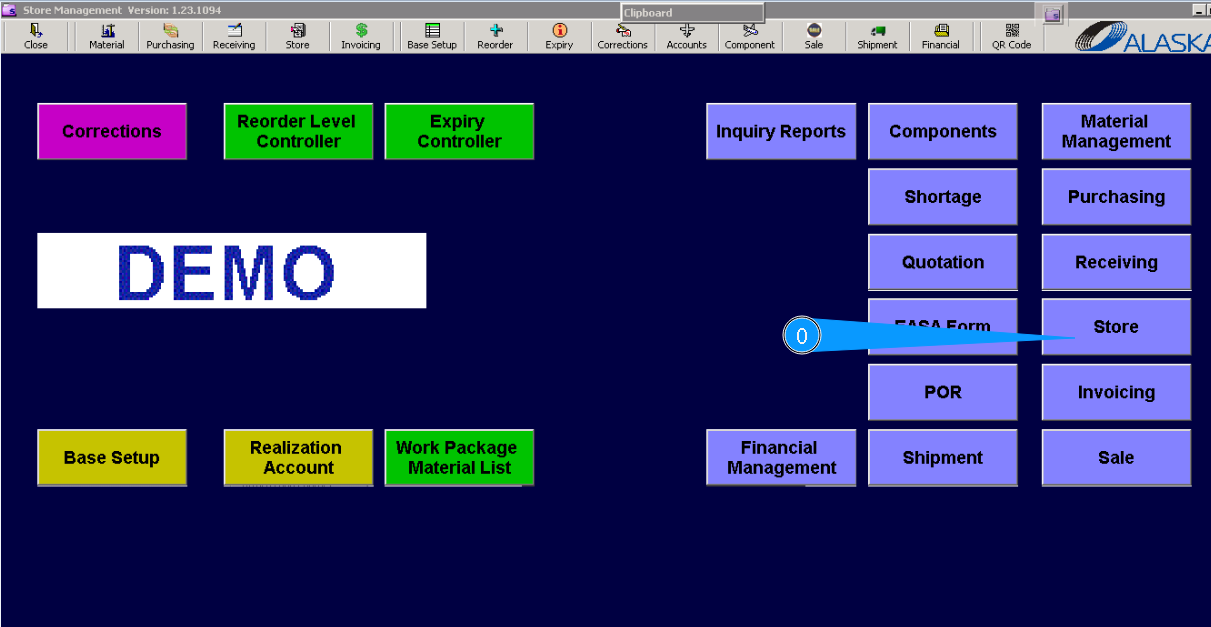
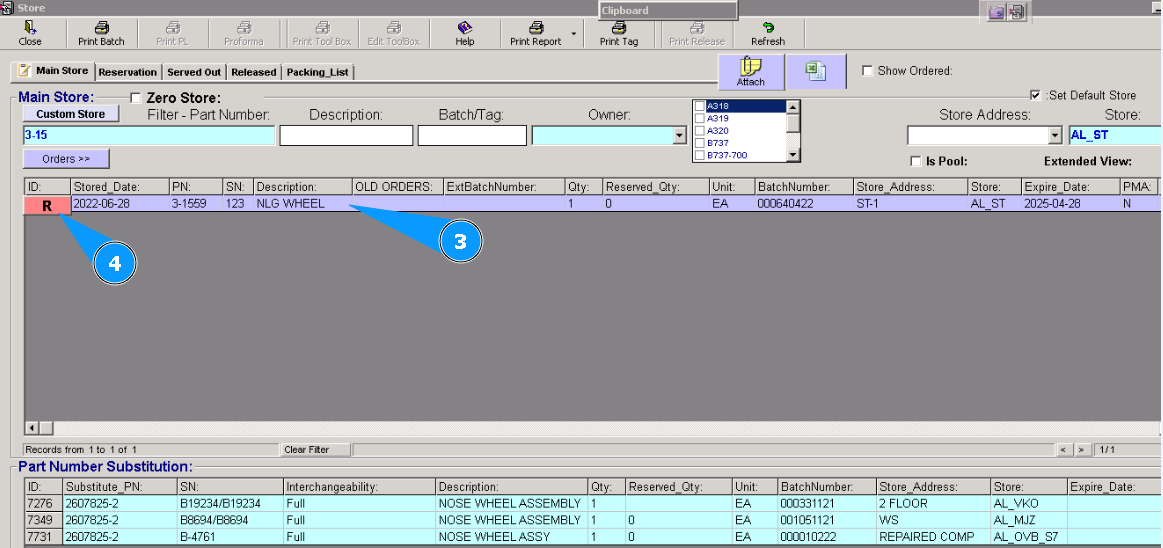
0. To release components from the store, go to submodule "Store".
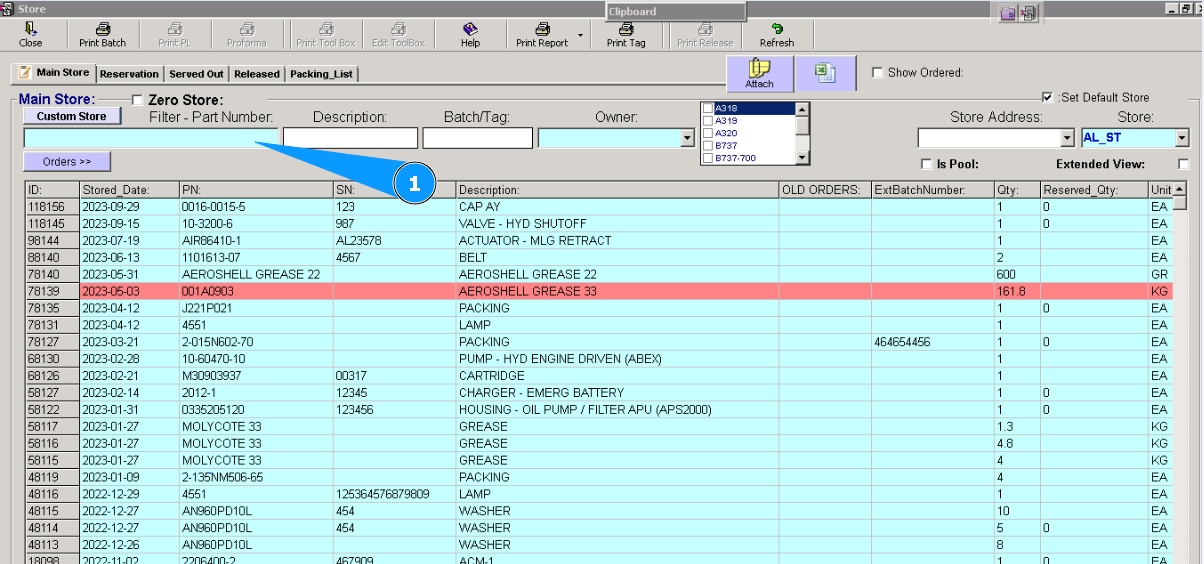
1. Then go to tab "Main Store", put the necessary p/n in the search field, and tab the "Enter" button.
2. Visually check that the necessary p/n has been found.
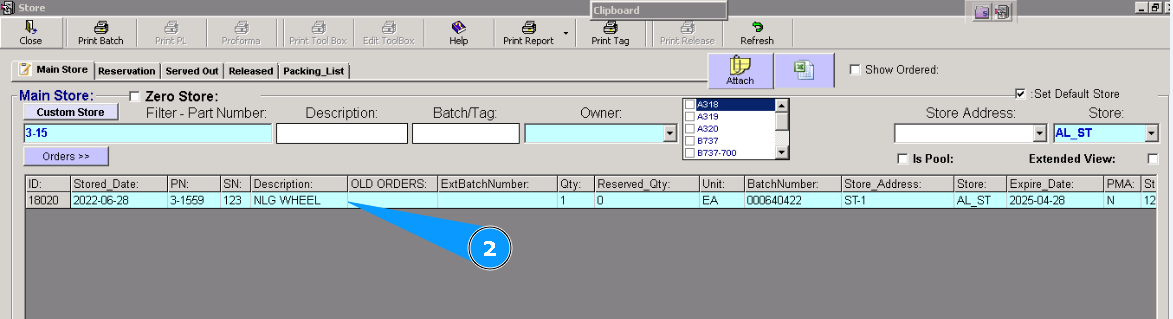
3. Select the found line.
4. Push button "R" (Reserve selected item).
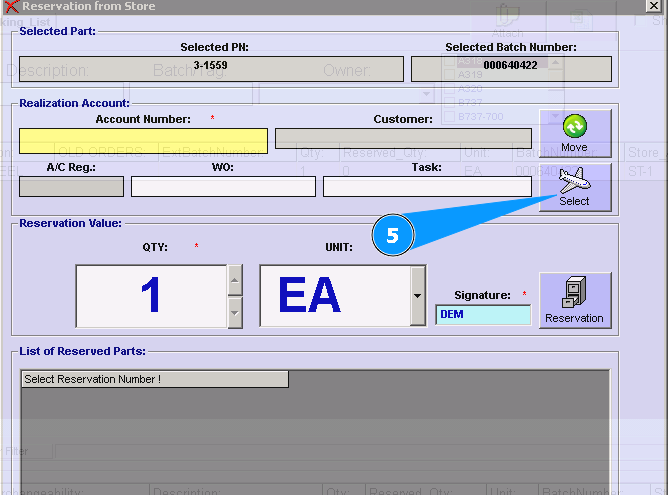
5. Push button "Select".
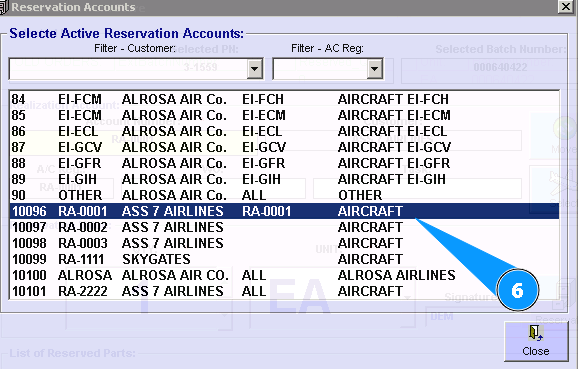
6. Select the applicable aircraft registration. Click twice by left hand mouse knob on the selected line.
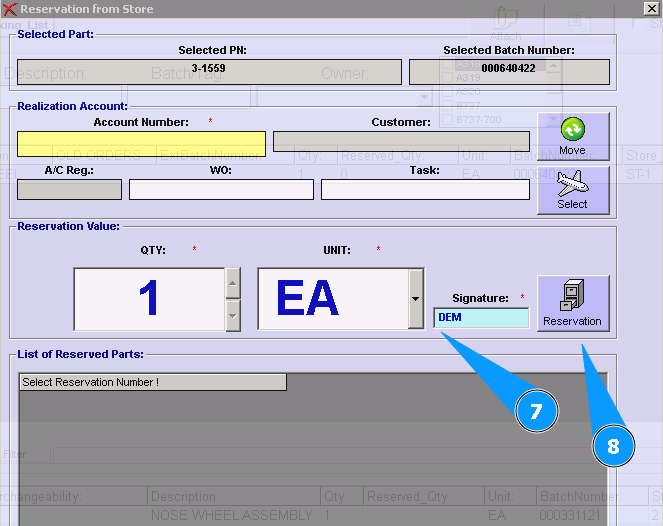
7. Check your signature or put it in the window.
8. Push the button "Reservation".
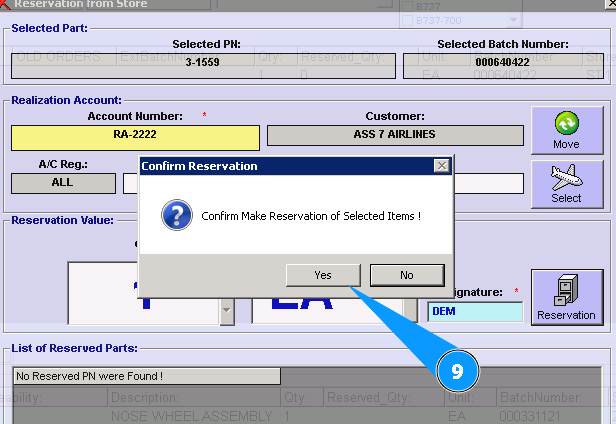
9. Confirm our choose. Click on the "Yes"
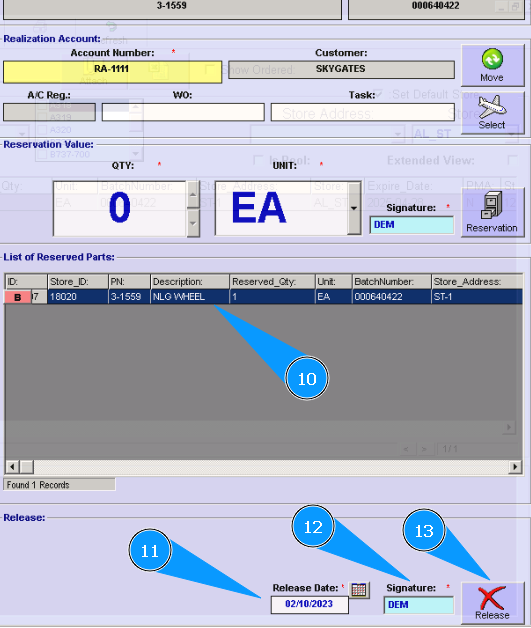
10. Check that the necessary component is in the reservation window.
11. Check the current date or enter a new one.
12. Check your signature or put it in the window.
13. Click on the button "Release".
14. To confirm component release, click on the button "Yes".
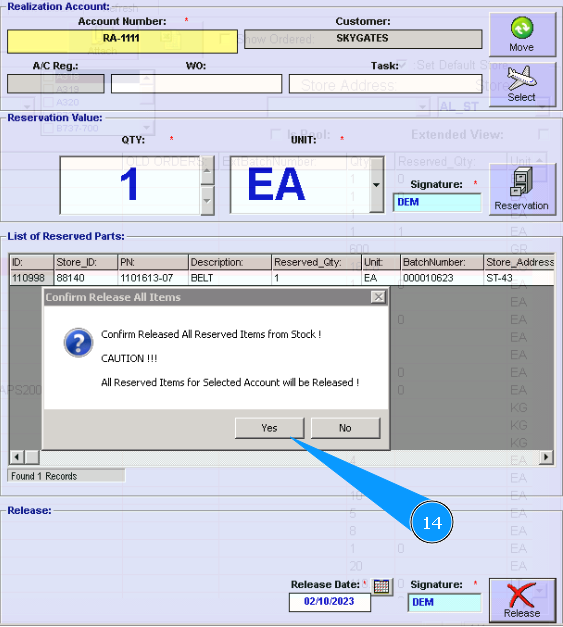
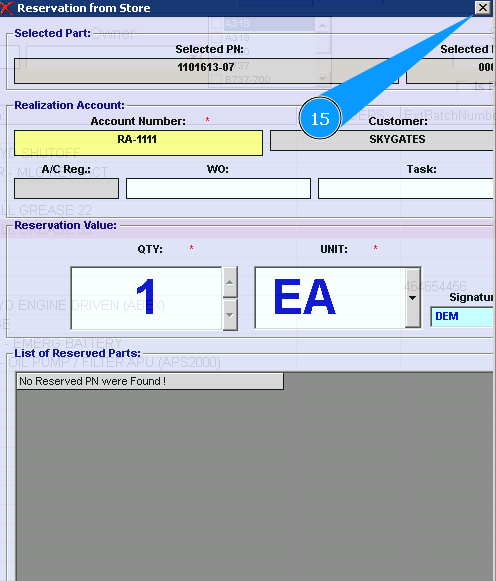
15. Click on cross, close the window, release procedure is well done.