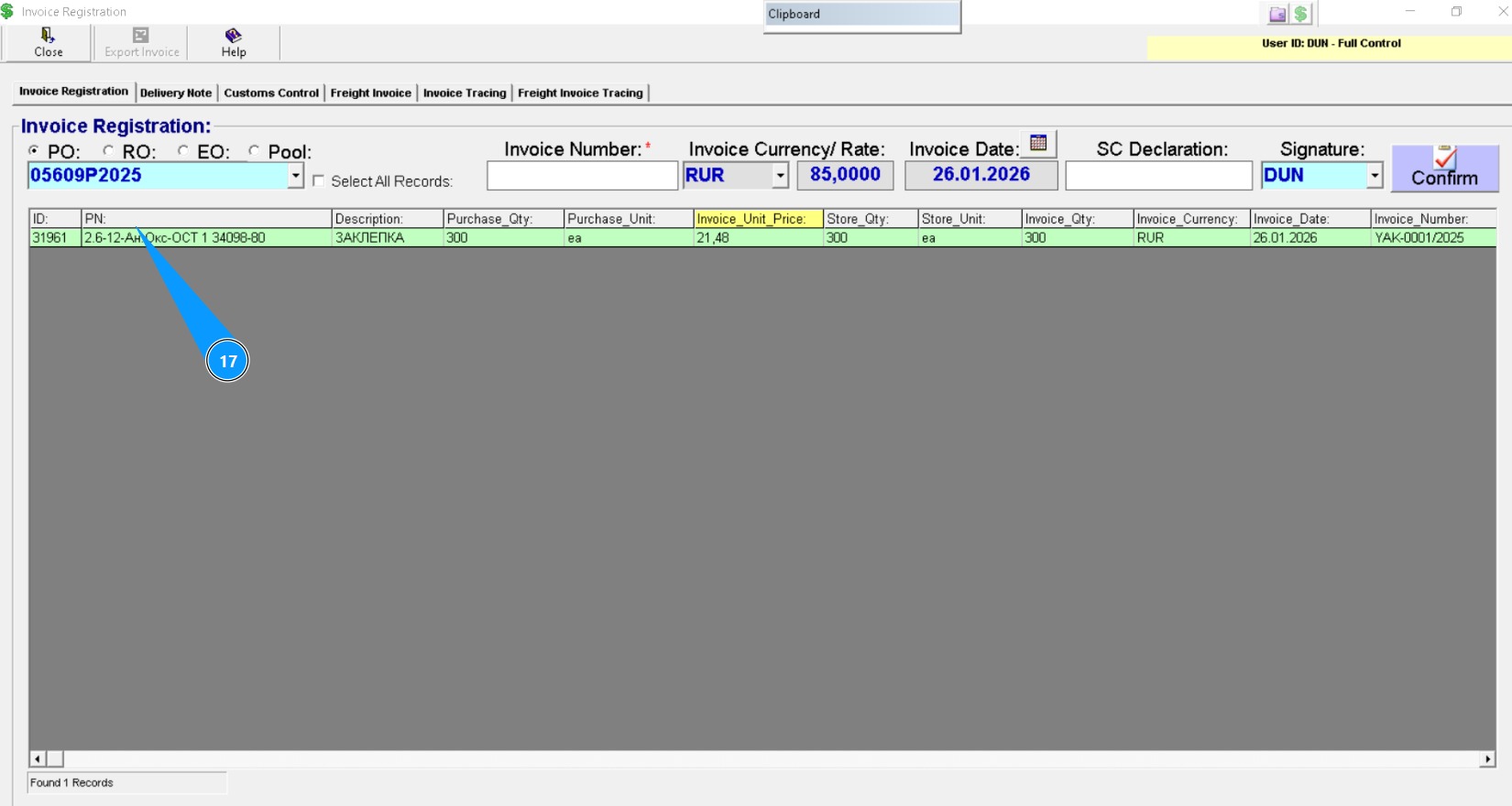
How to registrate invoice
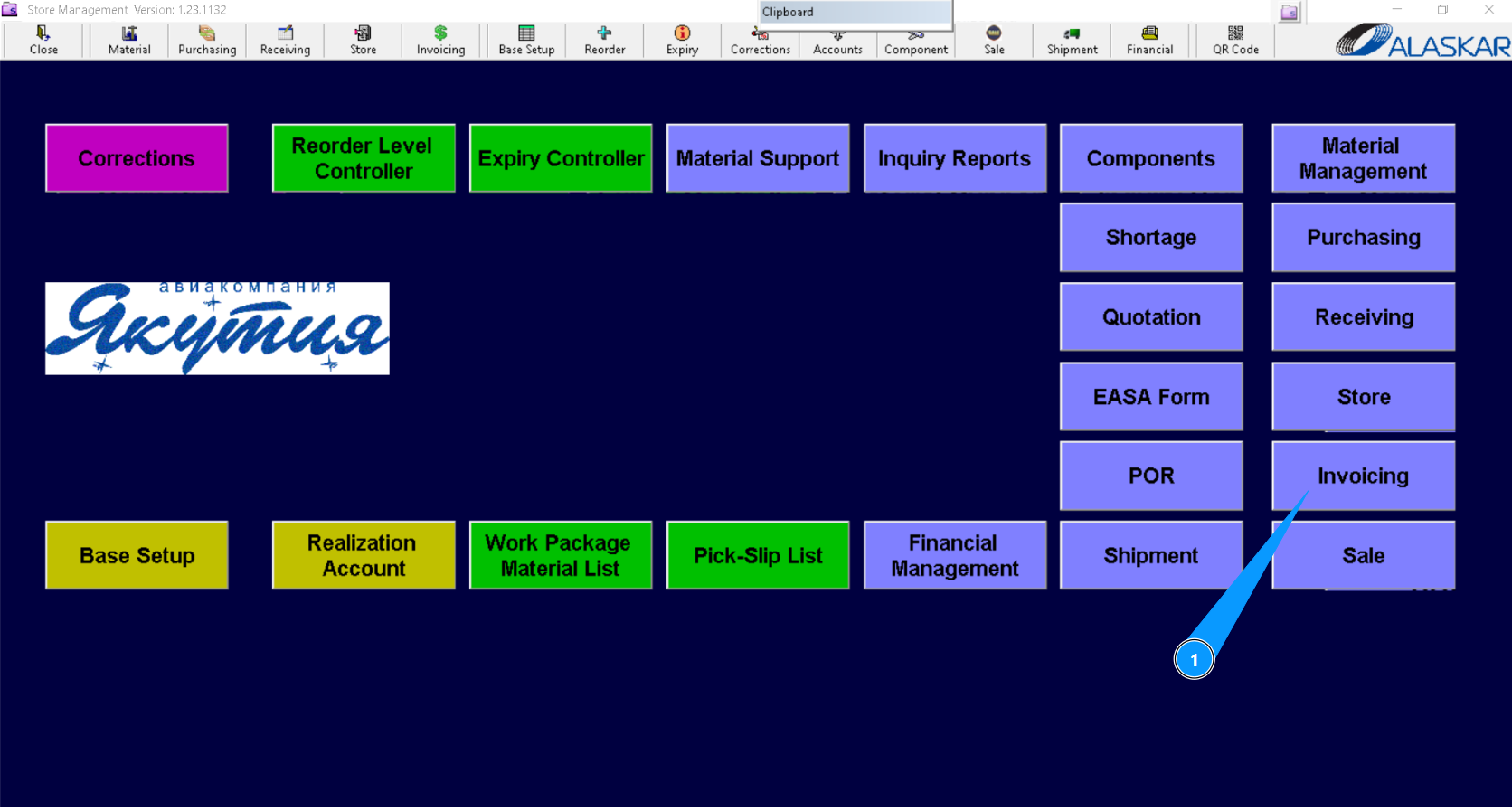
1. For invoice registration, please go to submodule "Invoicing".
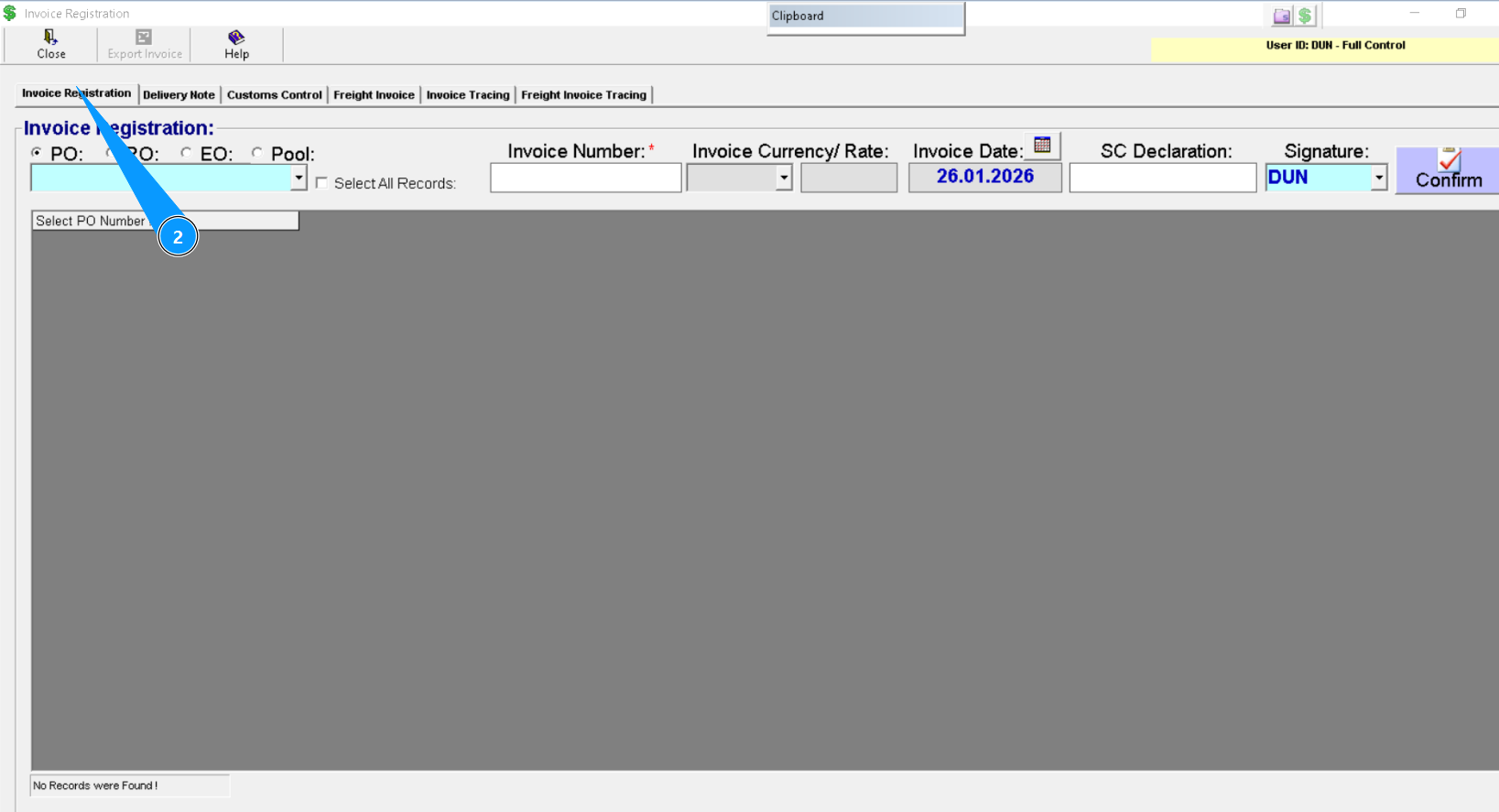
2. Then go to the tab "Invoice Registration".
3. Select one of the following Order types: PO, RO, EO or Pool.
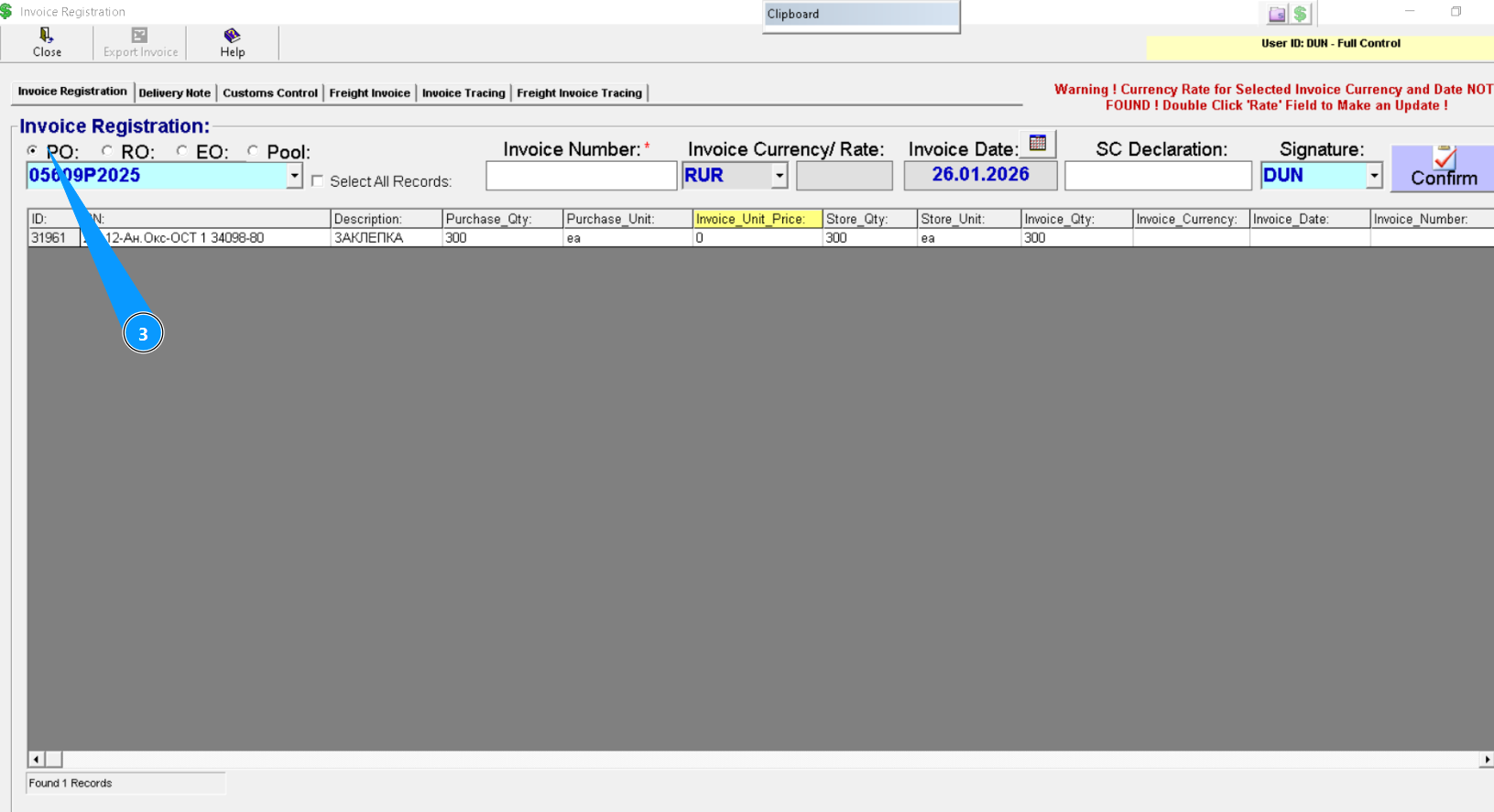
4. Enter the Order number to find the line, and press the button "Enter" on your keyboard or select from dropdown list.
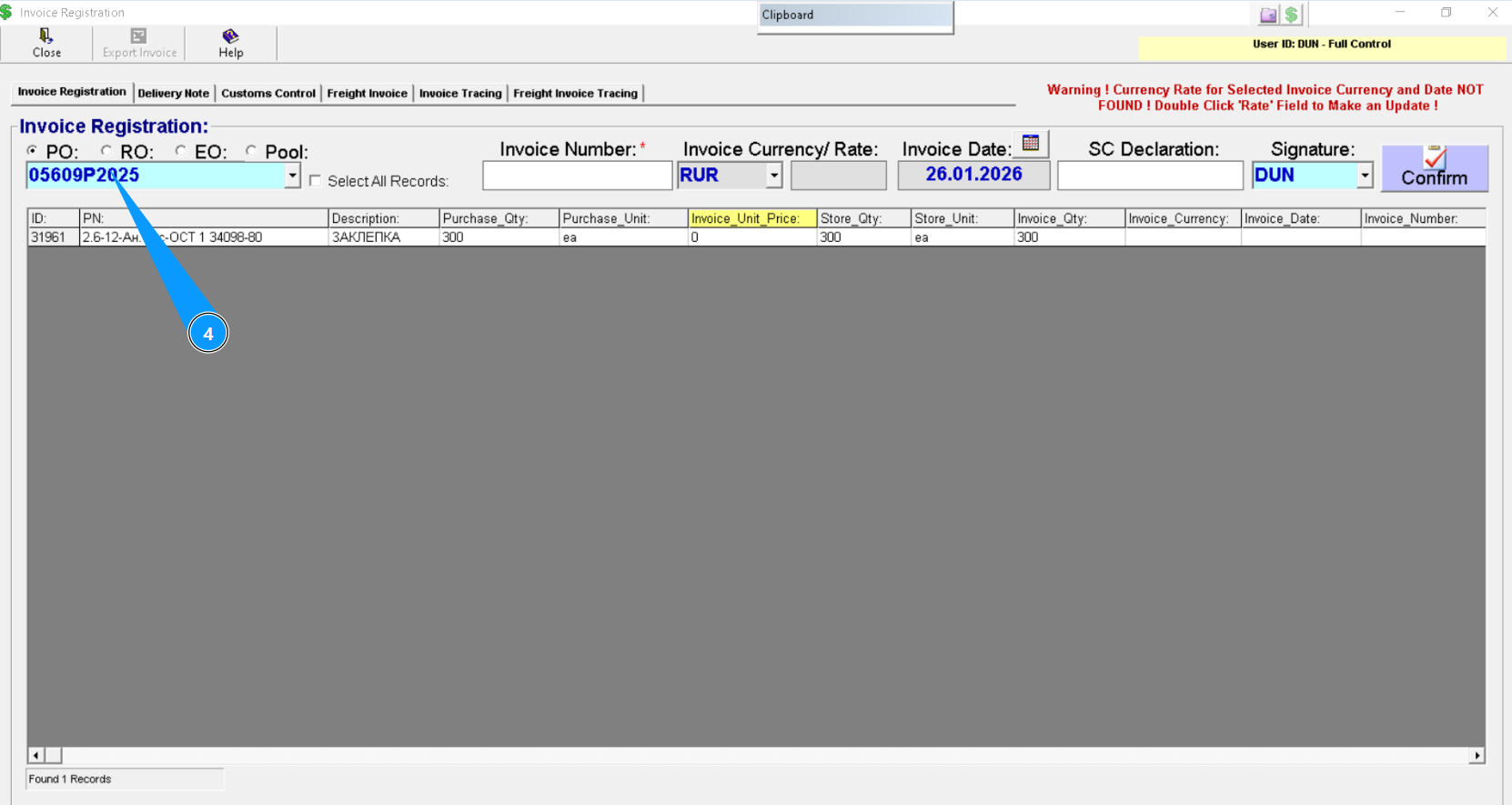
5. Enter the Invoice number in the field "Invoice number".
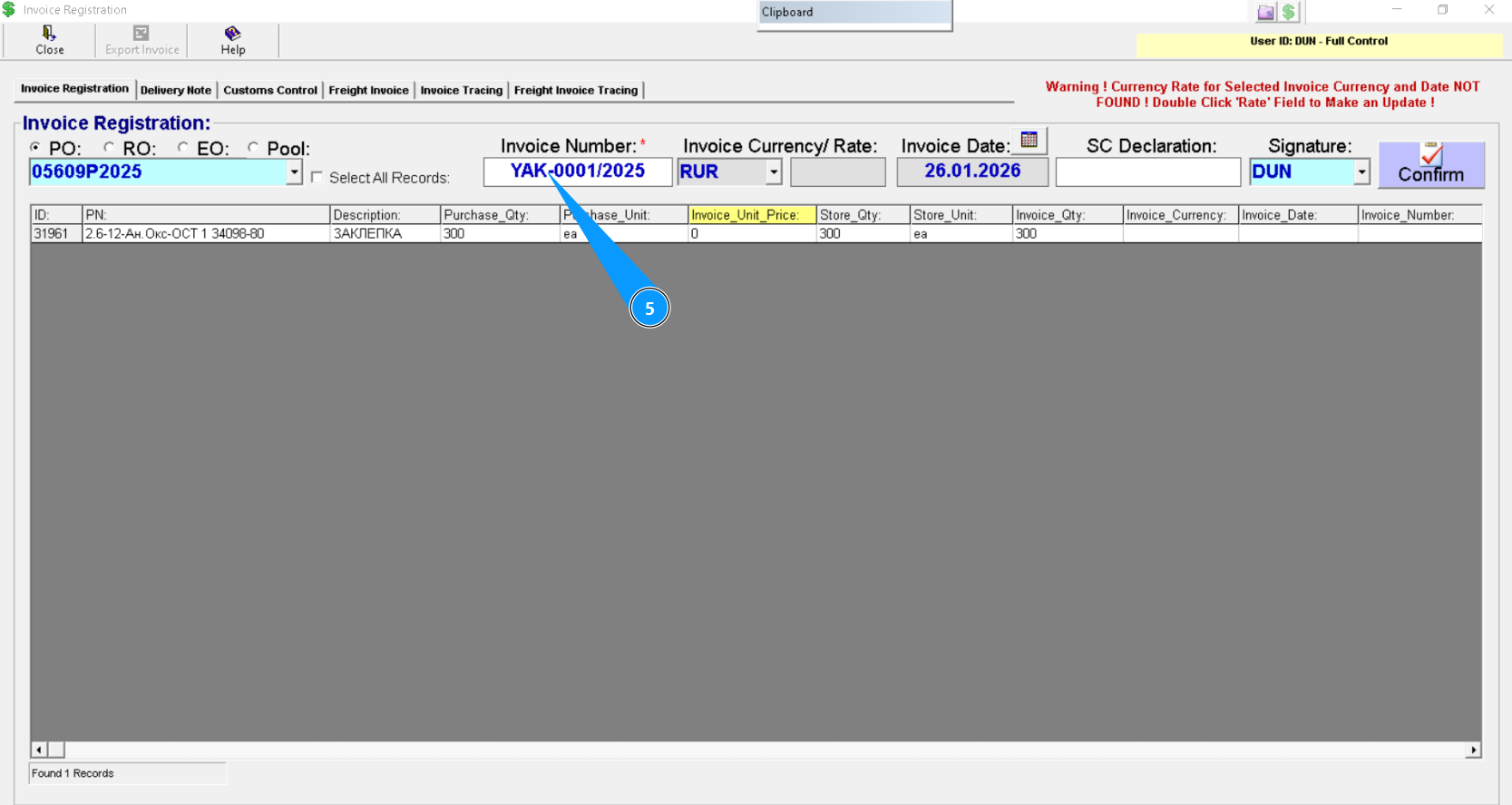
6. Check that Invoice Currency/Rate is specified.
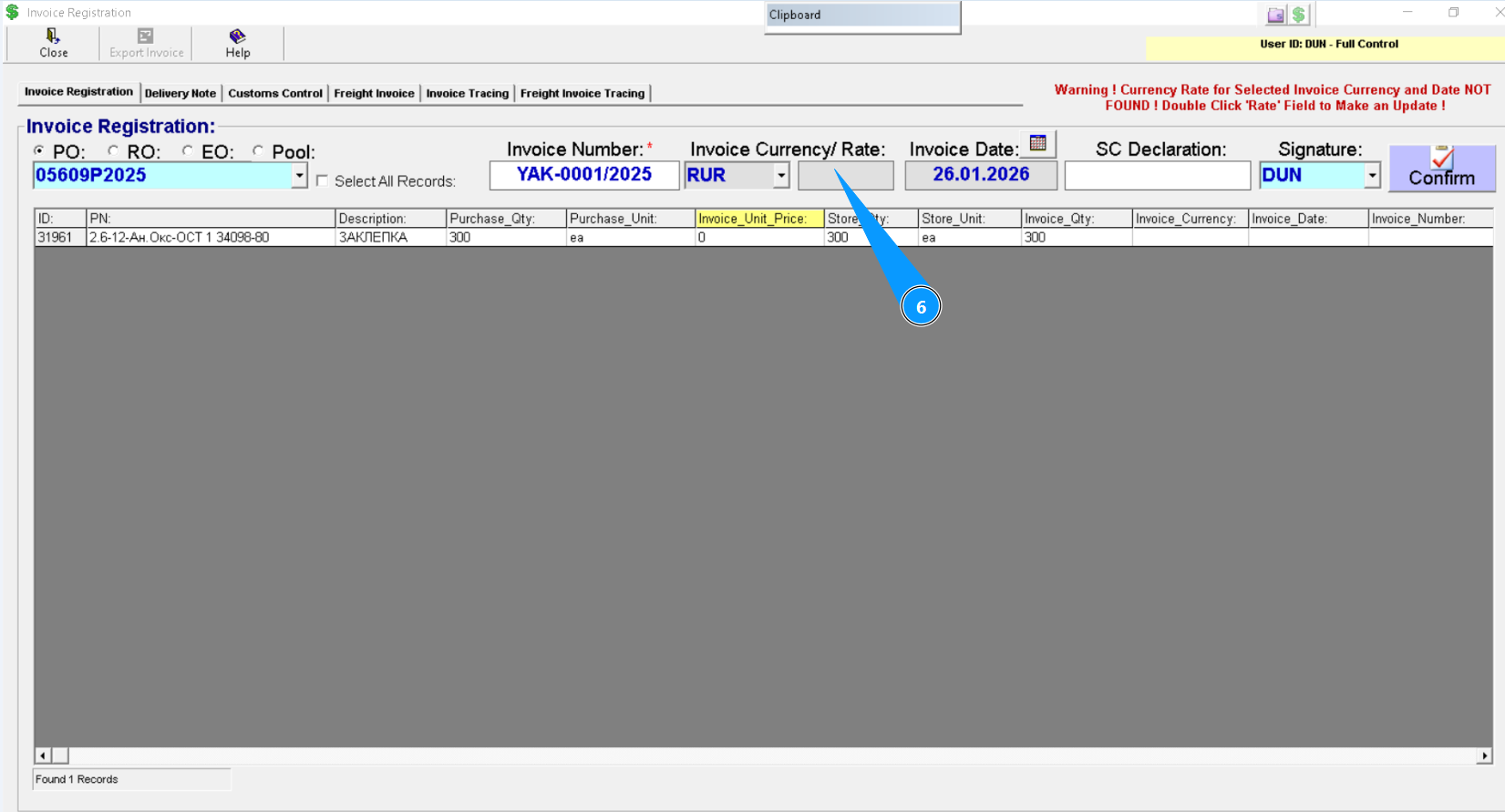
7. If Invoice Currency/Rate is not specified, click twice on the field "Rate".
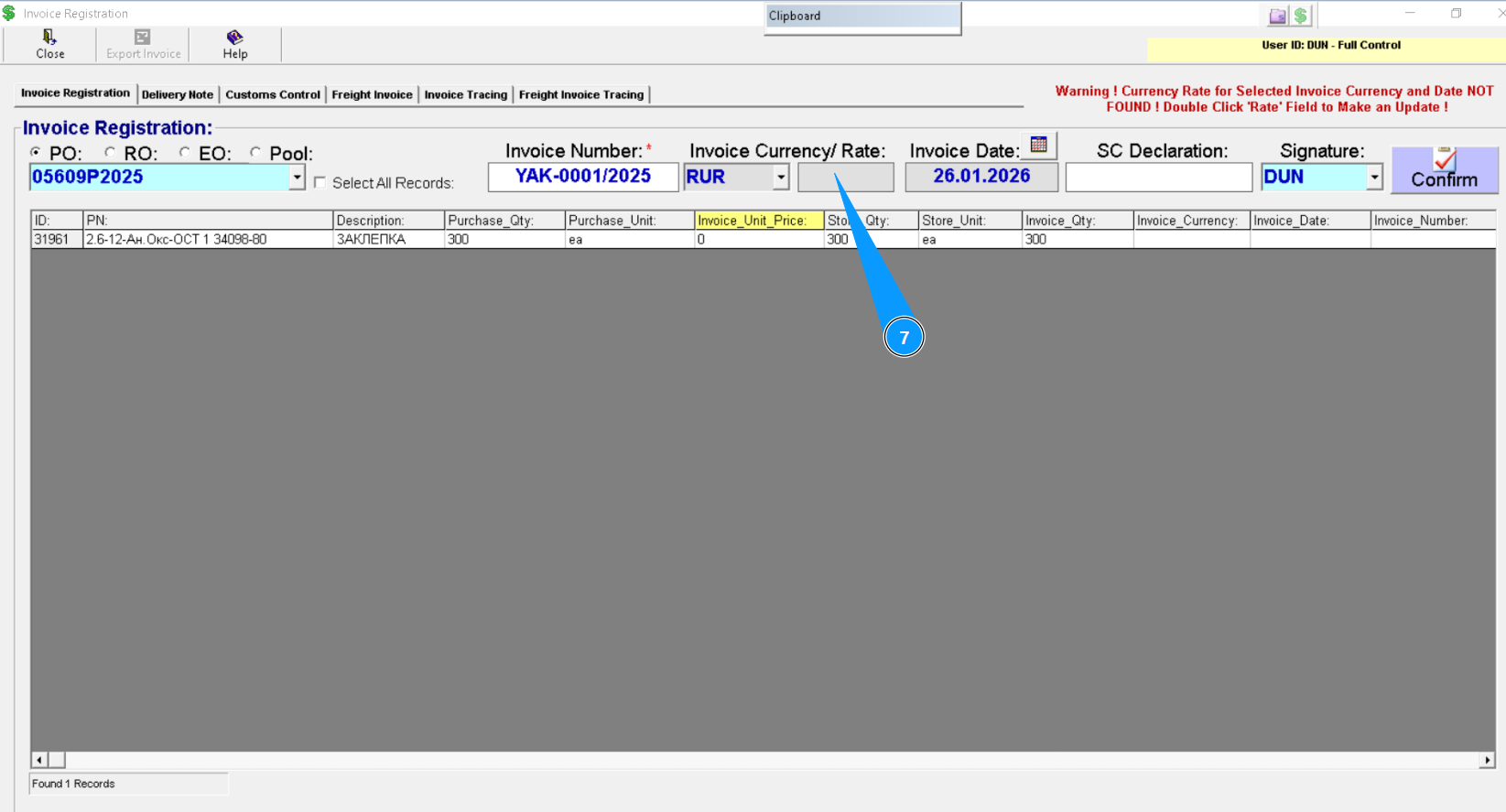
8. Check that "Invoice Currency Rate Editor" is showed on your screen.
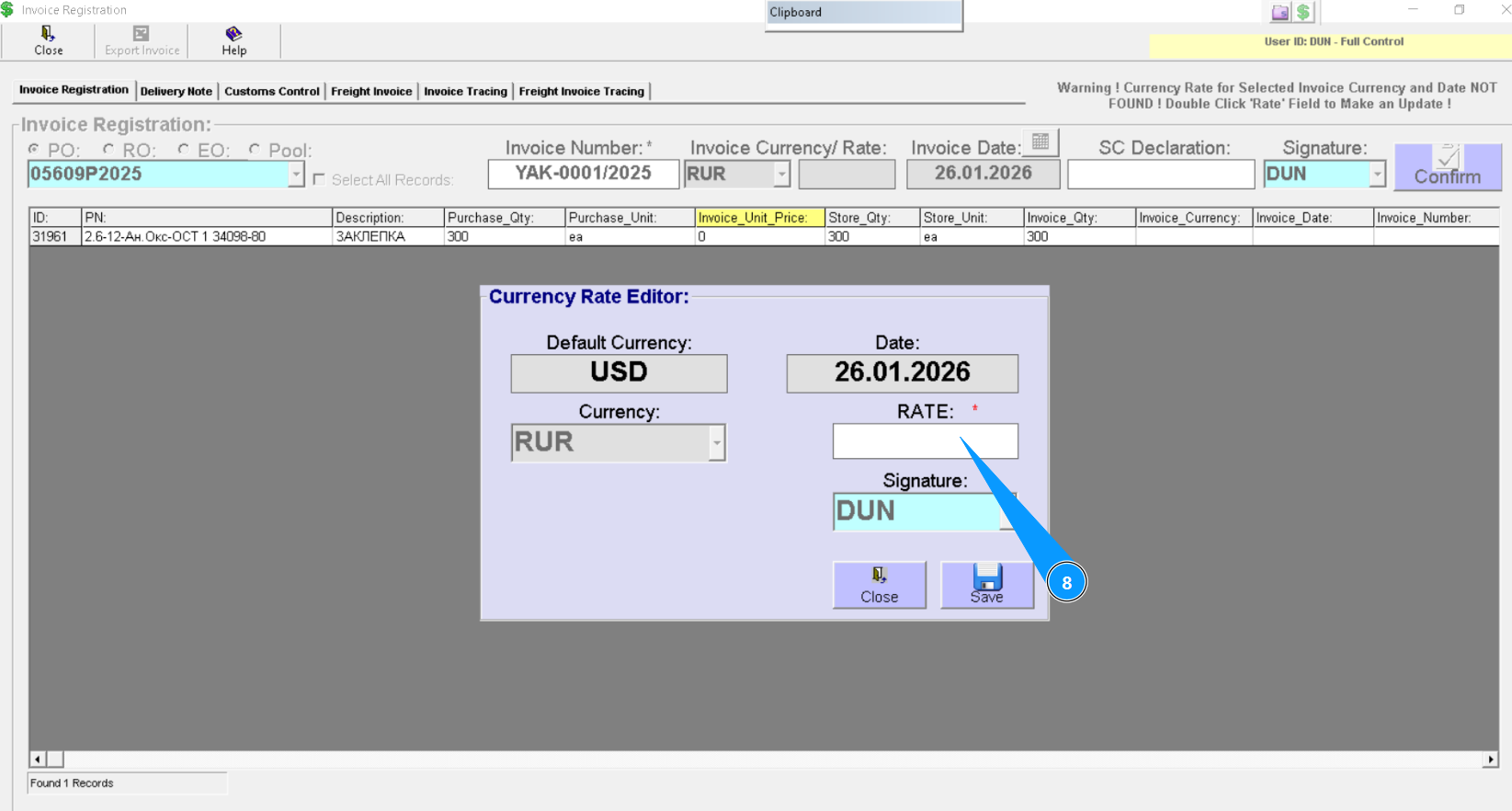
9. Enter the applicable rate level in the field "Rate".
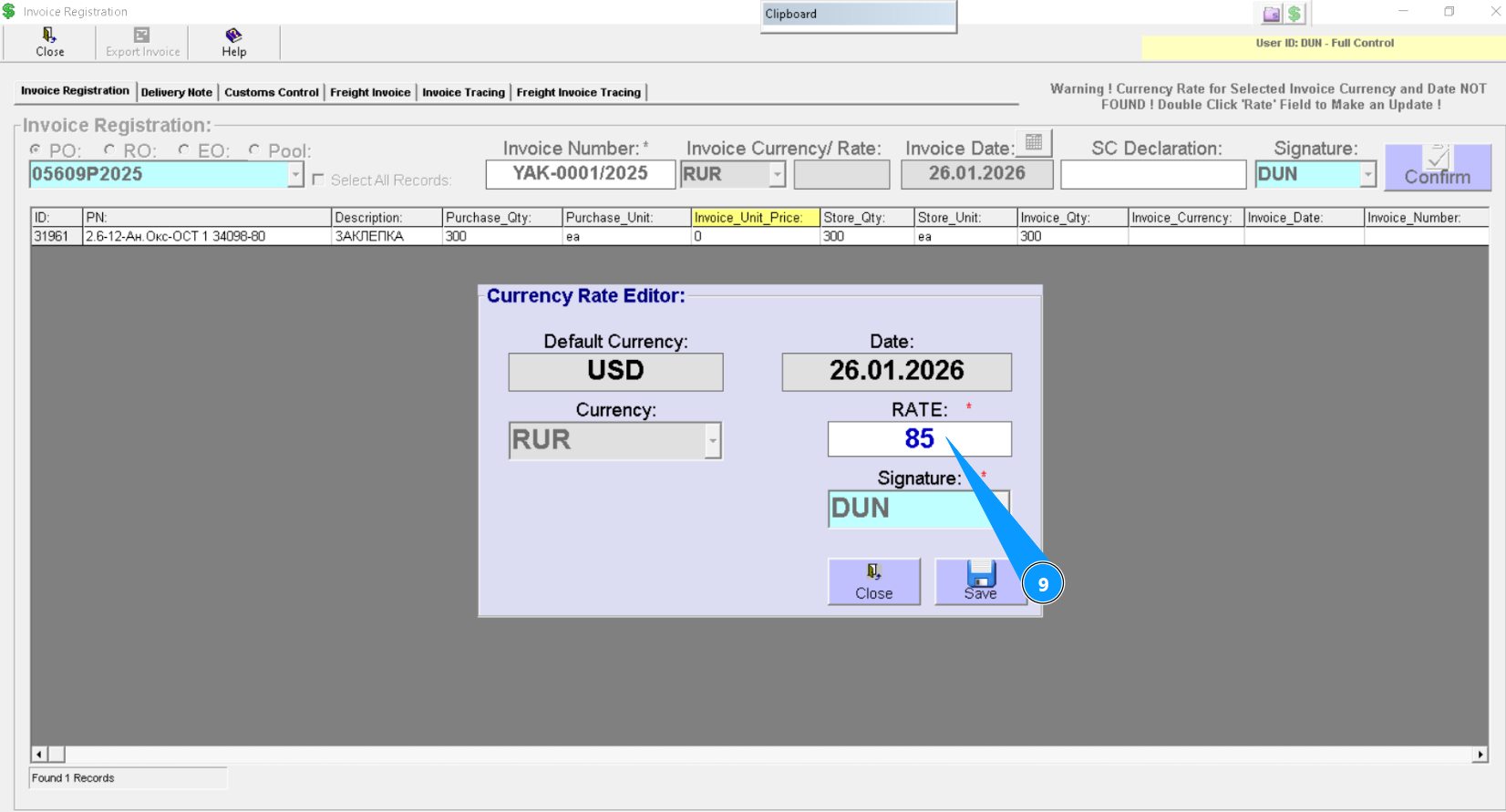
10. Click the button "Save" to save information about entetred rate to Alaskar.
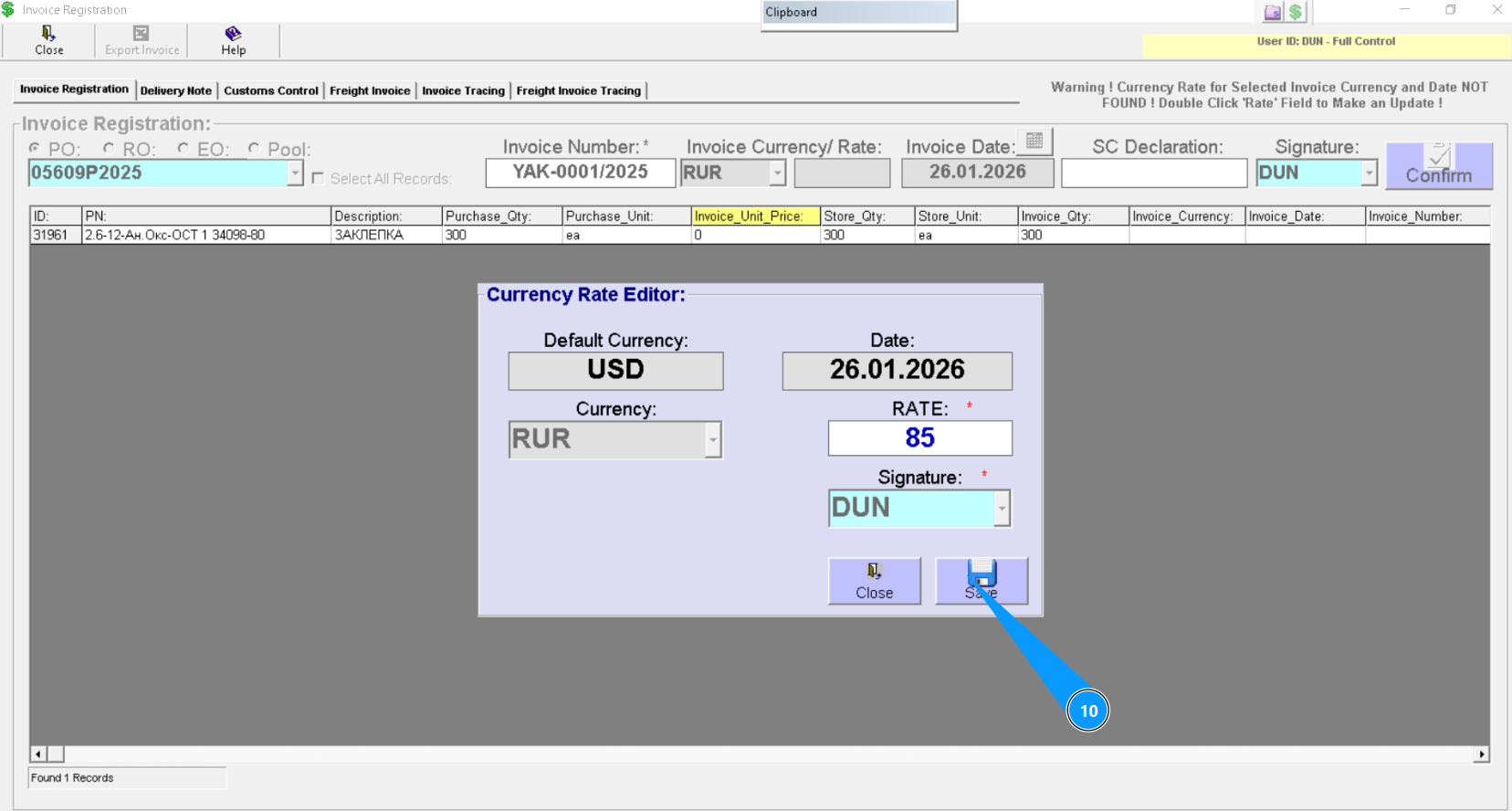
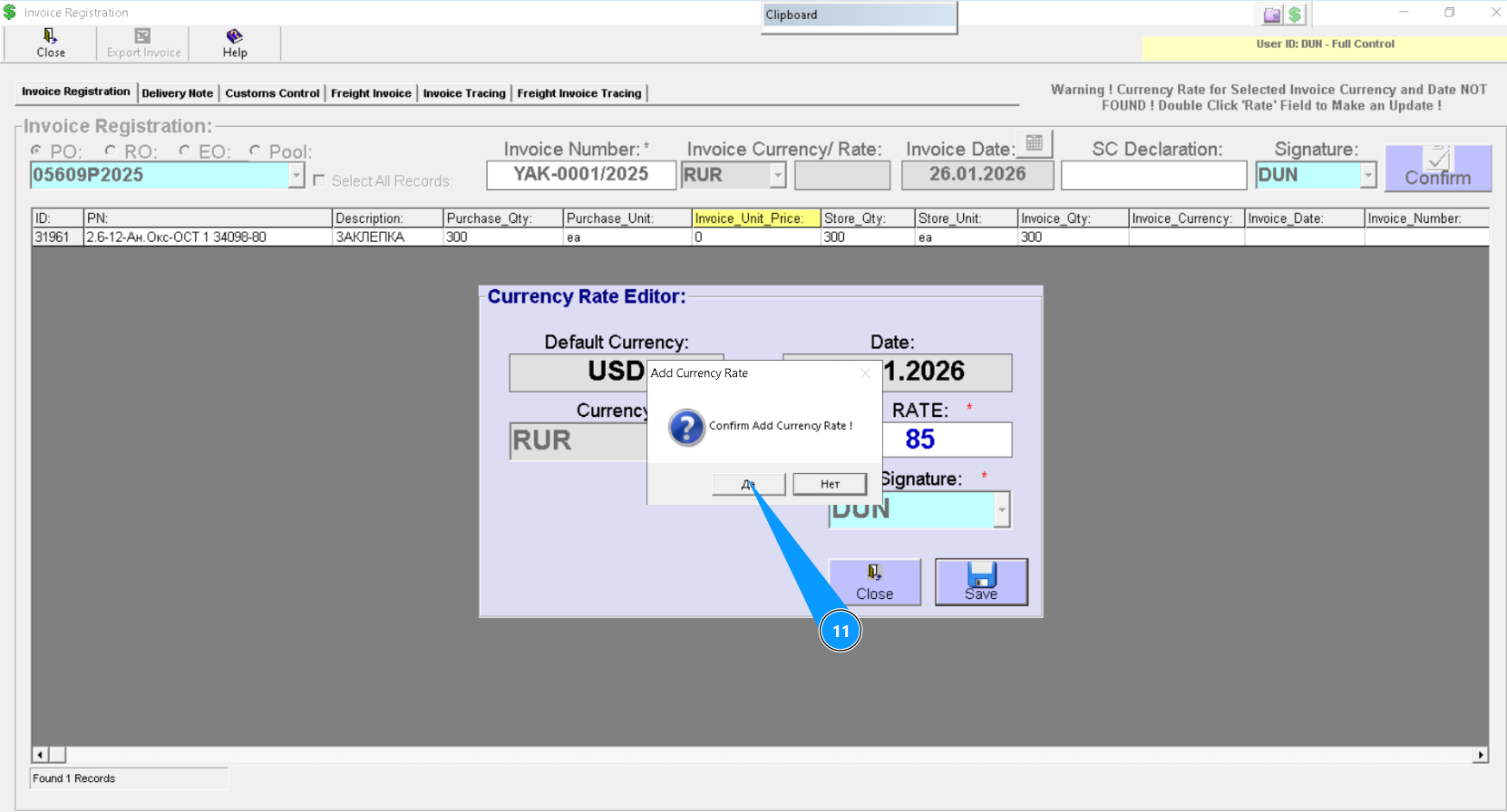
11. Click on the button, "Yes", to confirm loading data into program.
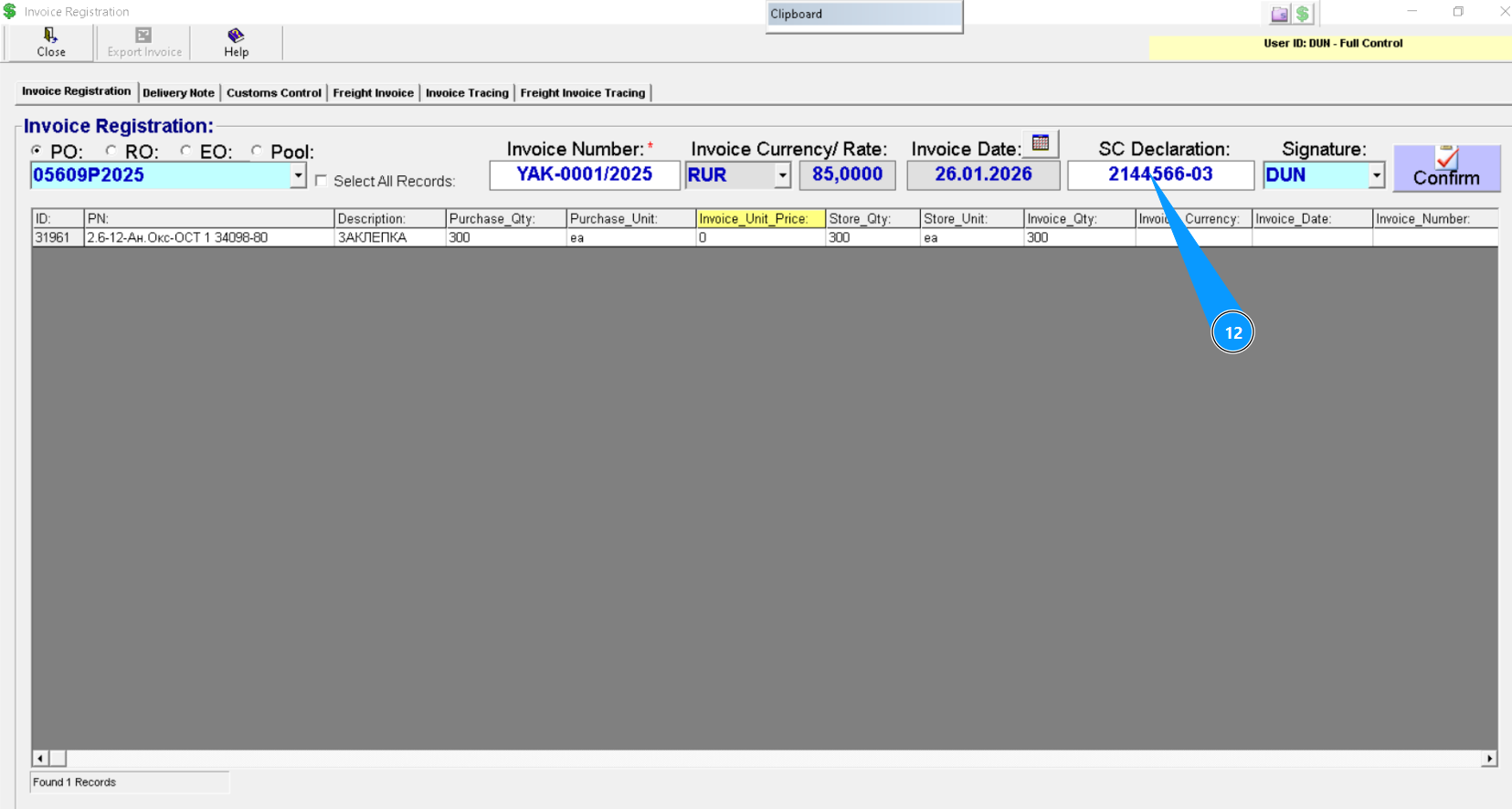
12. If necessary enter the state customer declaration in the field "SC declaration".
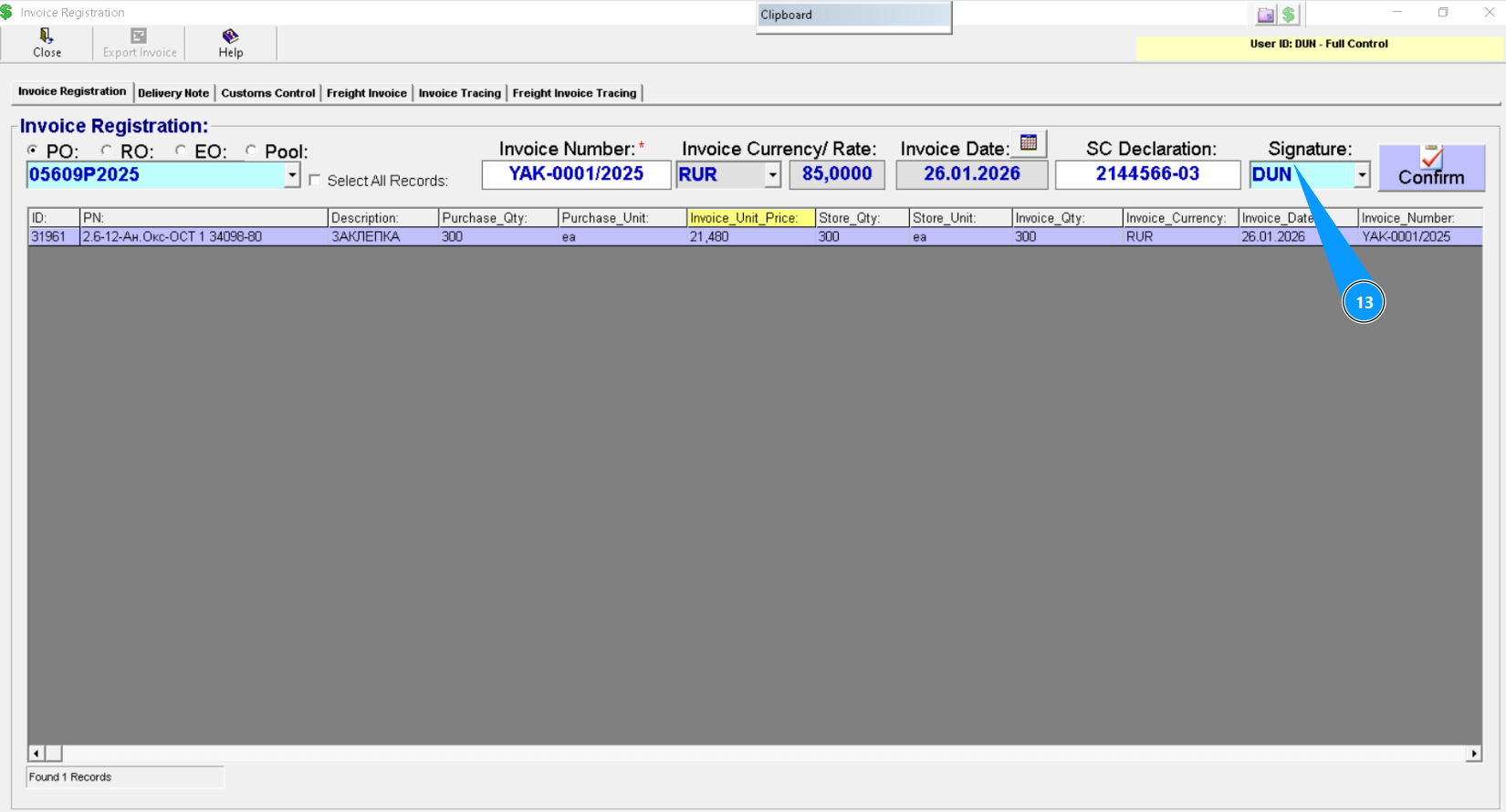
13. Enter the who registrated invoice in the field "Signature" and press the button "Enter" on your keyboard or select from dropdown list.
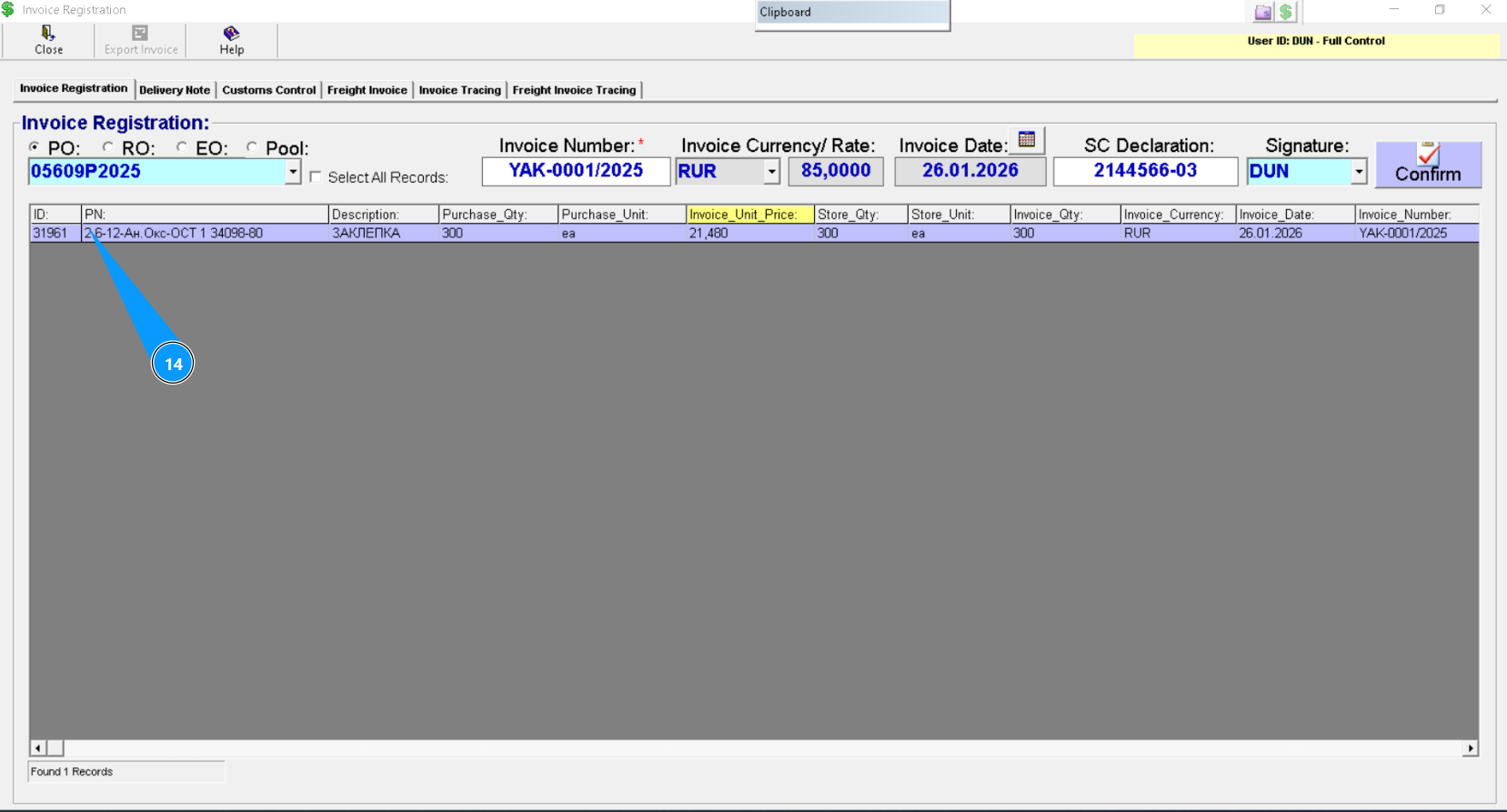
14. Highlight line with applicable materials or component, click on the applicable line.
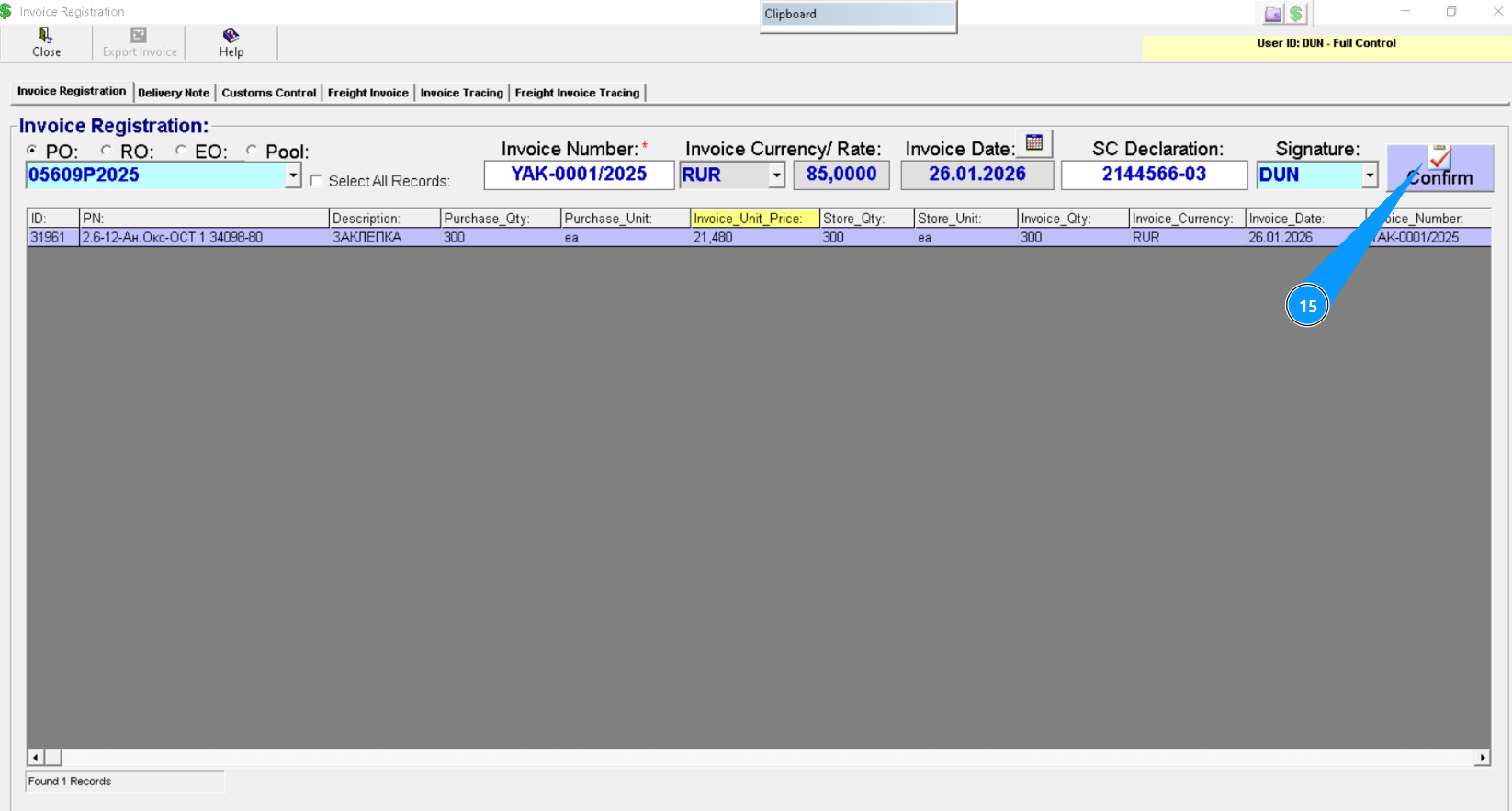
15. Click on the button, "Confirm", to registrate new invoice into program.
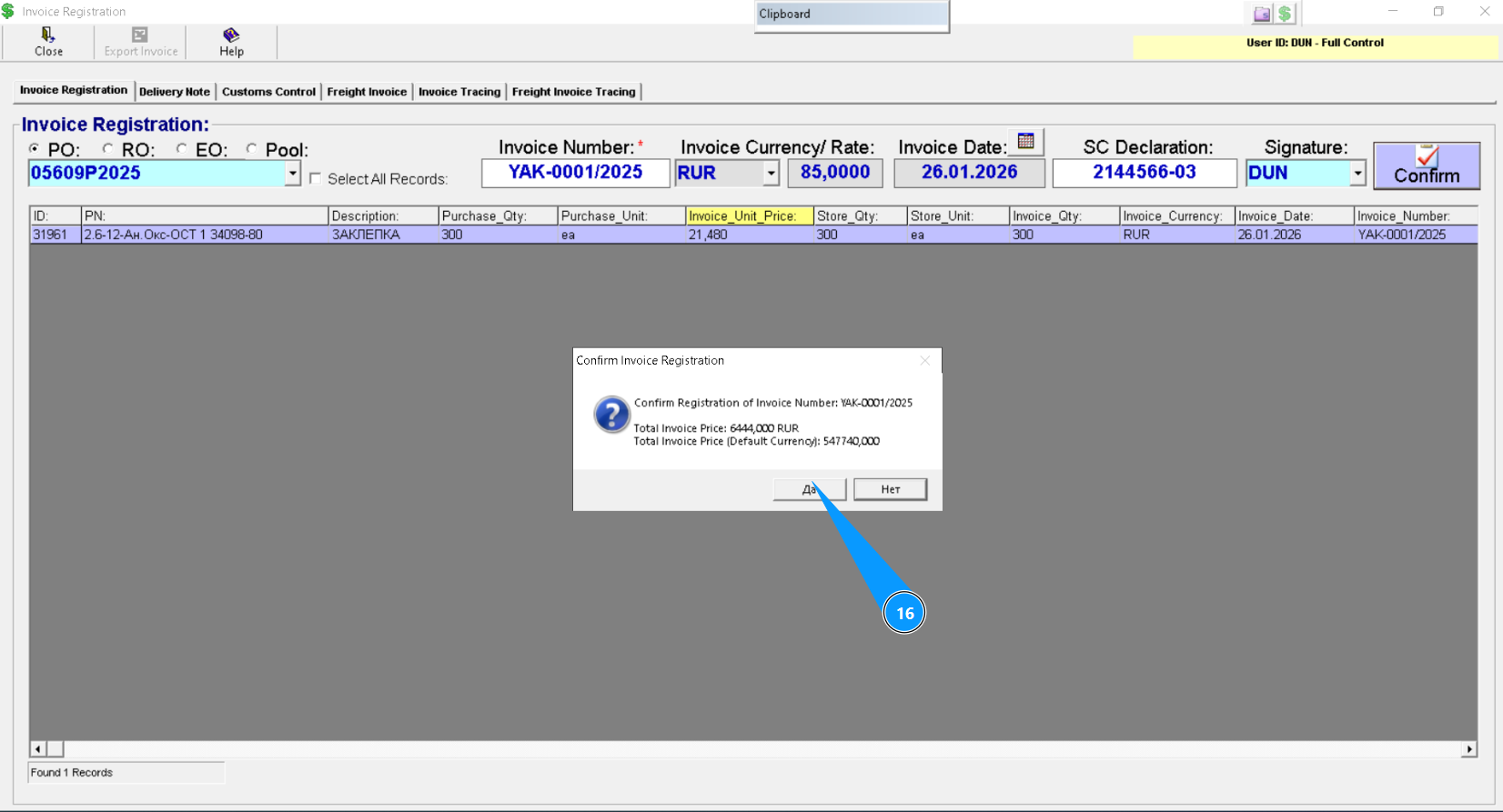
16. Click on the button, "Yes", to confirm loading data into program.
17. Check that line with your material or component has changed color to green. Invoice was succefully registrated.