How to recieve some serialized components to store
Detail instructions for receiving serviceable components to store are available at the link below:
"How to receive serviceable component ro store"
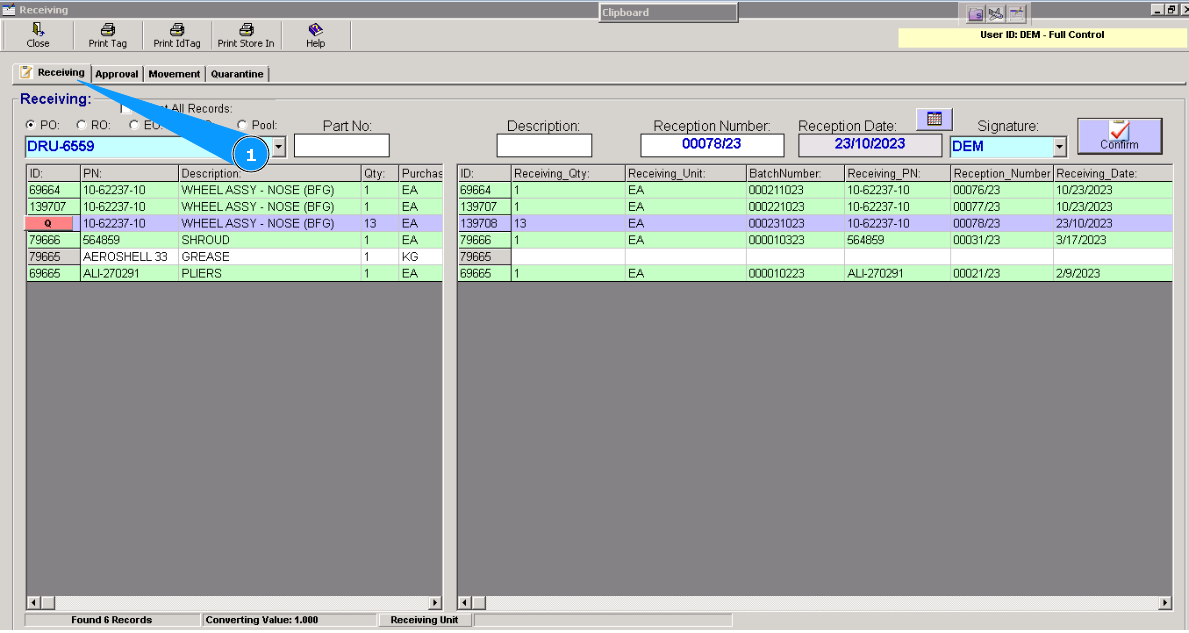
1. For receiving some serialized components to store, please highlight the applicable line in the tab "Receiving".
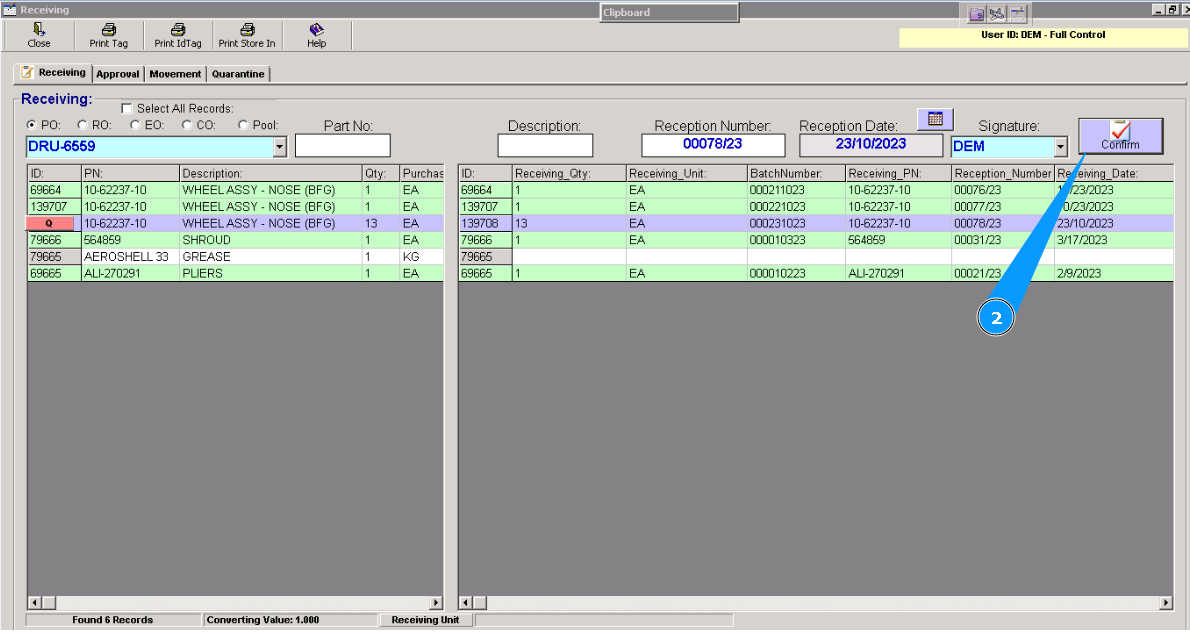
2. Click on the button "Confirm".
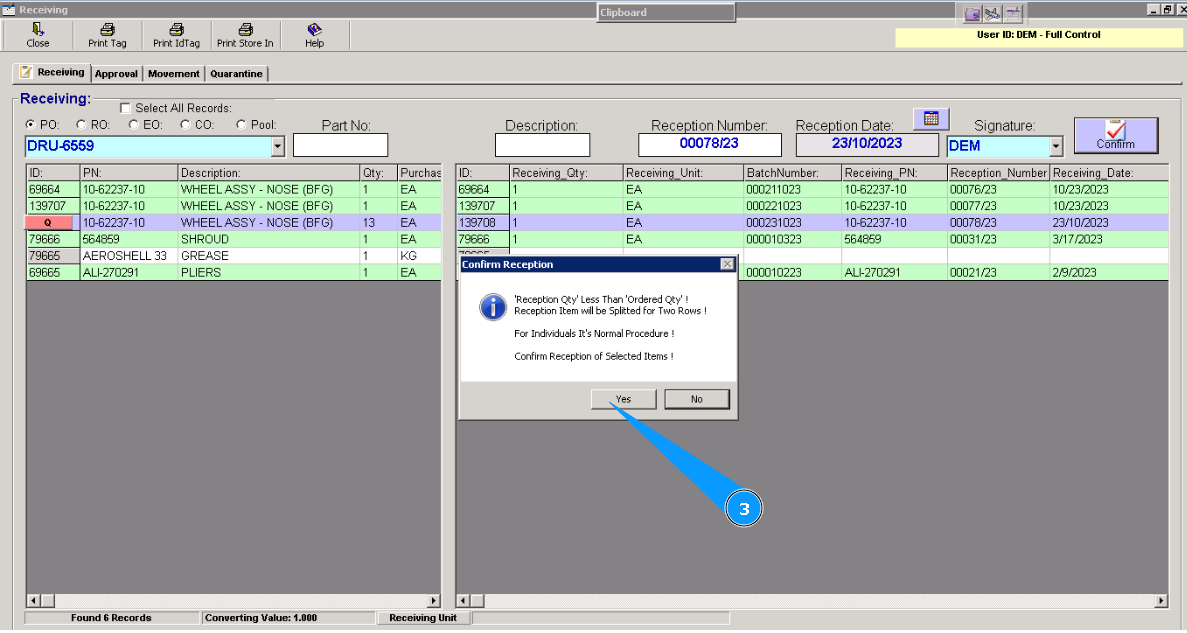
3. Click on the button "Yes" in the opened window, to confirm creating a new line with the same part number.
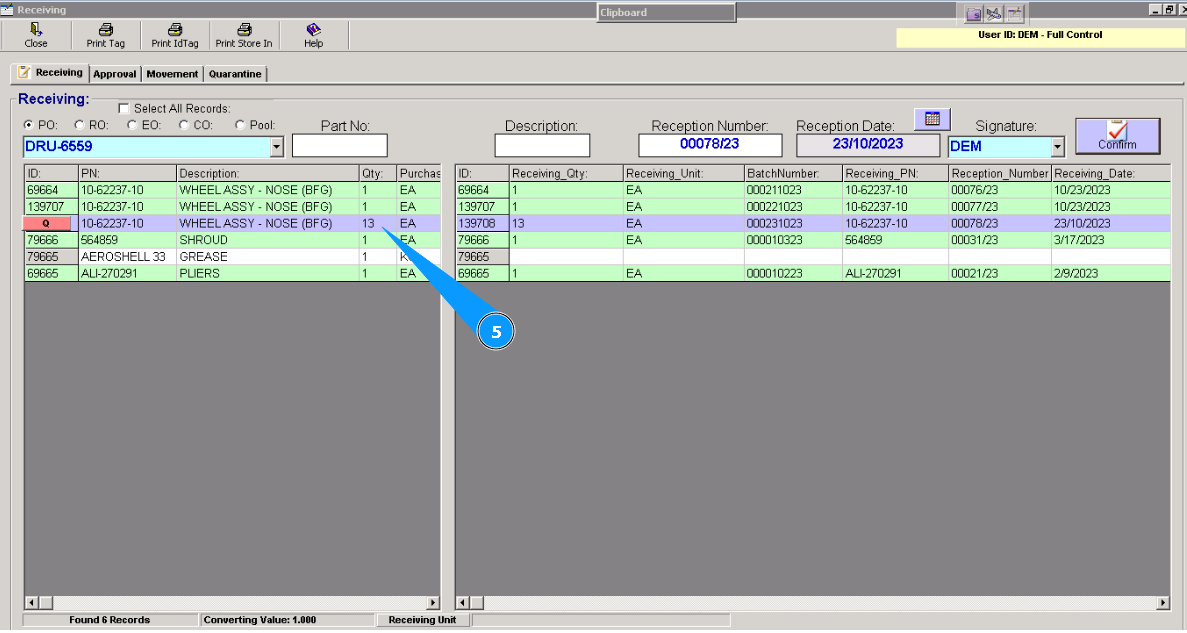
4. Visually check that a new line with the same part number is created in the list for receiving other serial number.
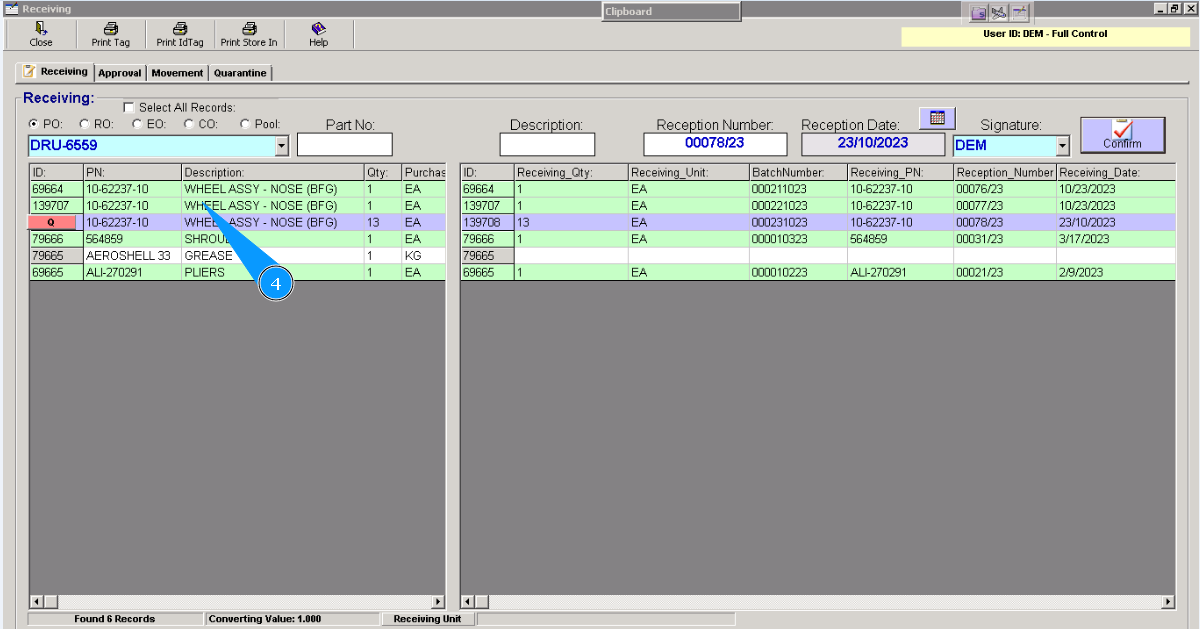
5. You can see that the total quantity of components decreased after new line creation
Note: Repeat items 2-4 of this instruction for all components with serial number that should be received.
Then, please follow detail instruction for receiving serviceable components to store:
"How to receive serviceable components to store"