How to Implement a New Part
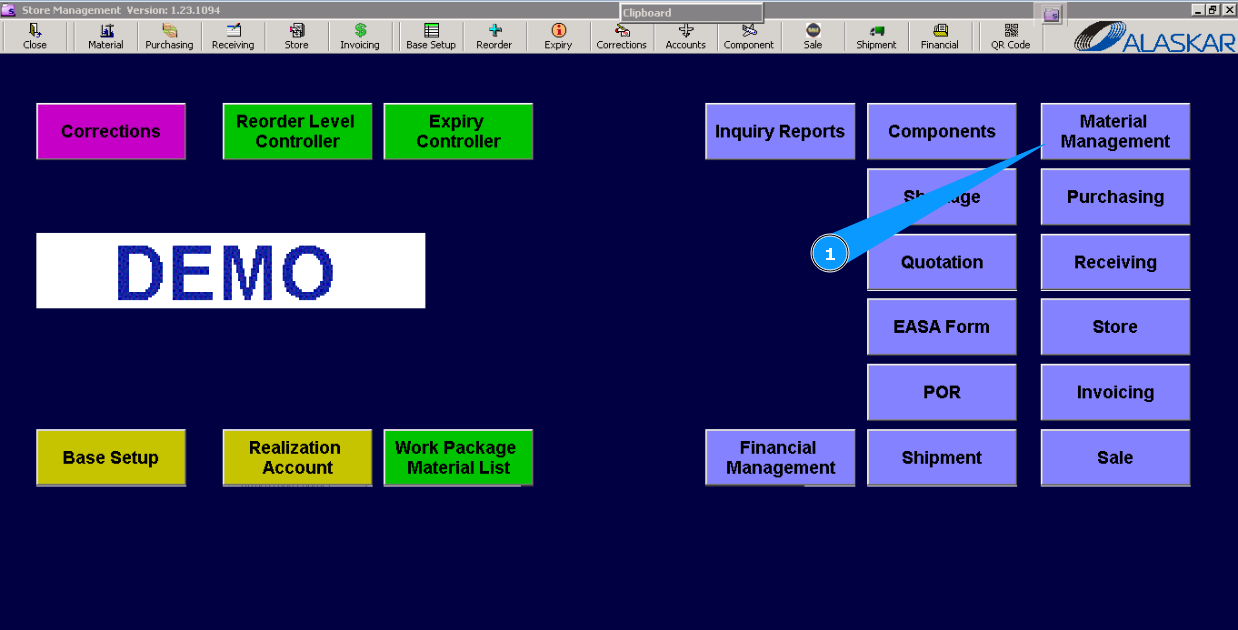
1. For the implementation of new materials or components that are unknown in Alaskar, go to submodule "Material management".
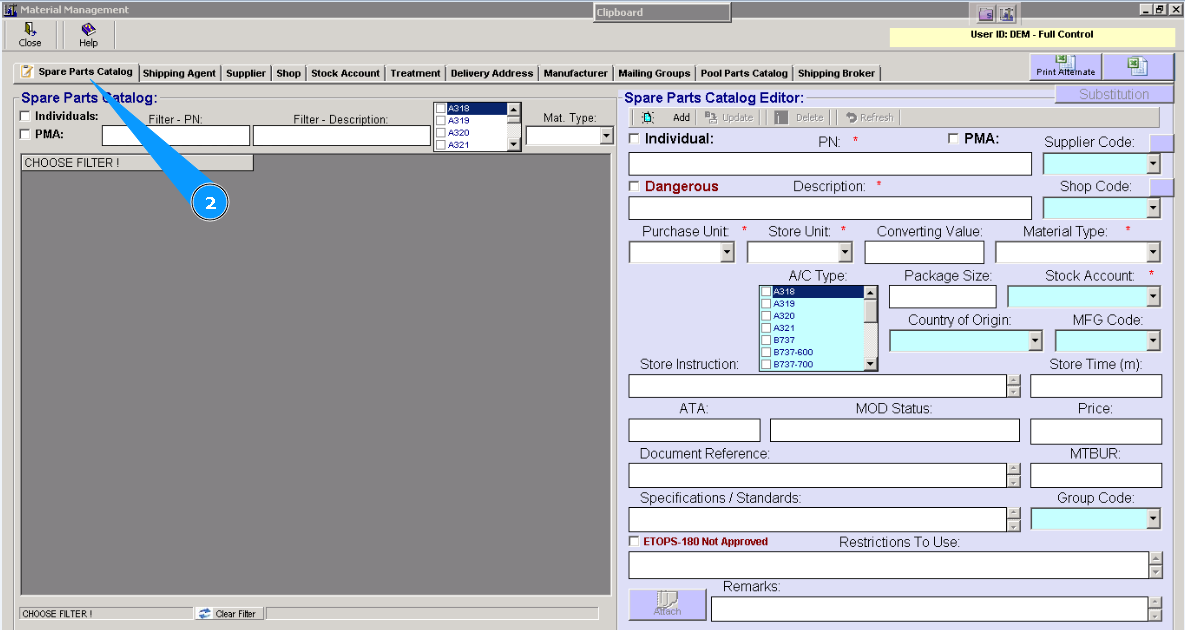
2. Then go to the tab "Spare Parts Catalog".
3. Enter part number in the field "PN". Note: If the units for purchasing and storing are not identical, enter the converting value between them in the field "Converting Value".
4. Enter the description of the material or component in the field "Description".
5. Select from dropdown list the used units for purchasing (e.a., kg, etc.) in the field "Purchase Unit".
6. Select from dropdown list the used units for storing (e.a., kg, etc.) in the field "Store Unit".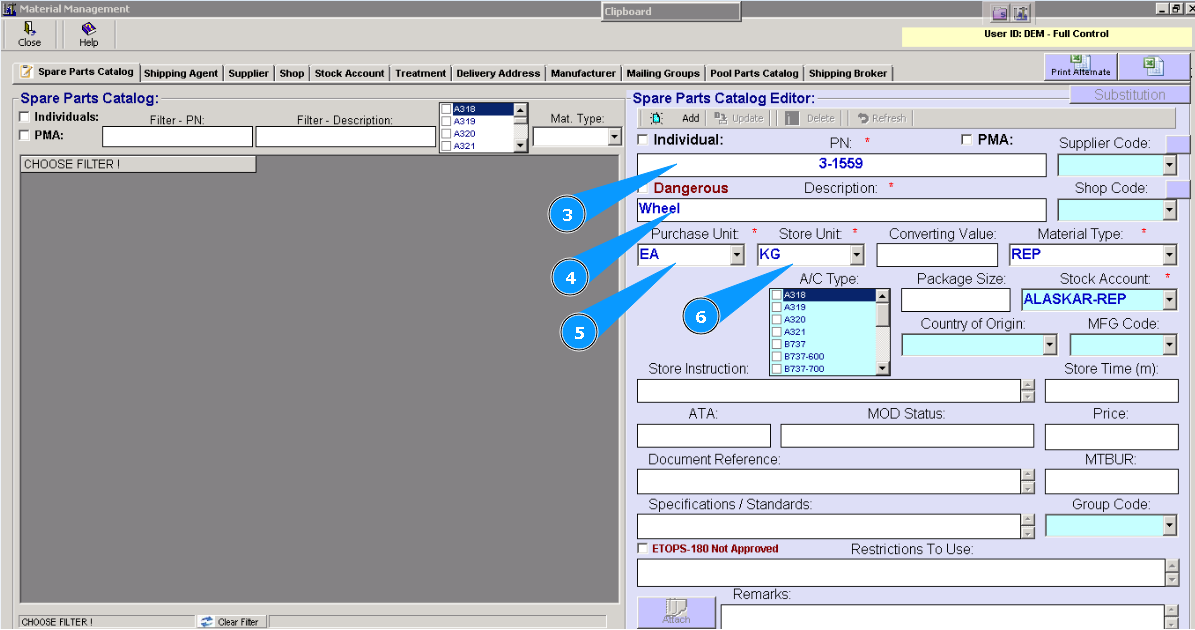
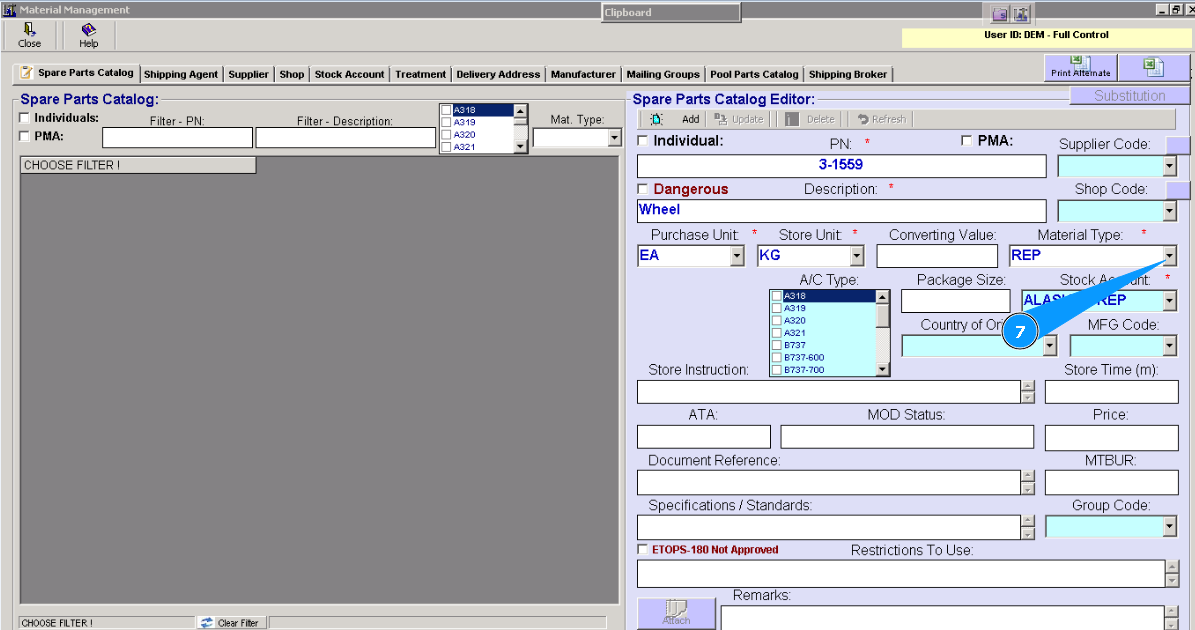
7. Select from dropdown list the type of part in the field "Material Type".
Note: For components, you should select the type "REP" (repairable) in the field "Material Type". Check that the field "Individual" is automatically filled in.
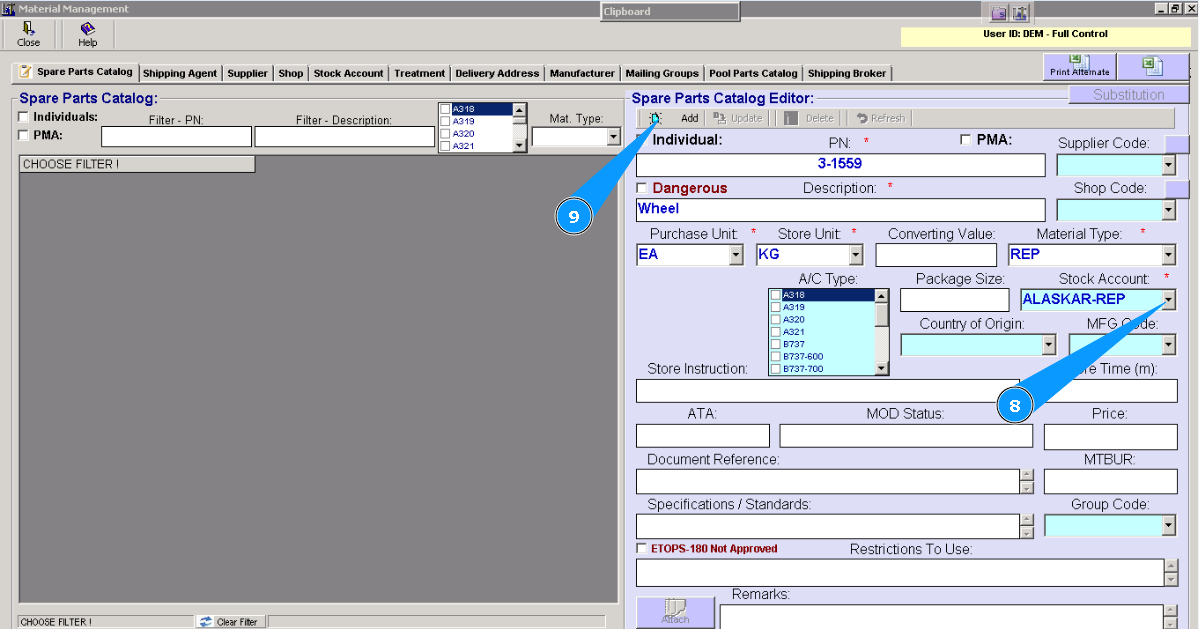
8. Select from dropdown list store account in the field "Stock Account".
9. Click on the button "Add" to add data to the program.
Note: If necessary, add all information about the new part to non-mandatory fields.
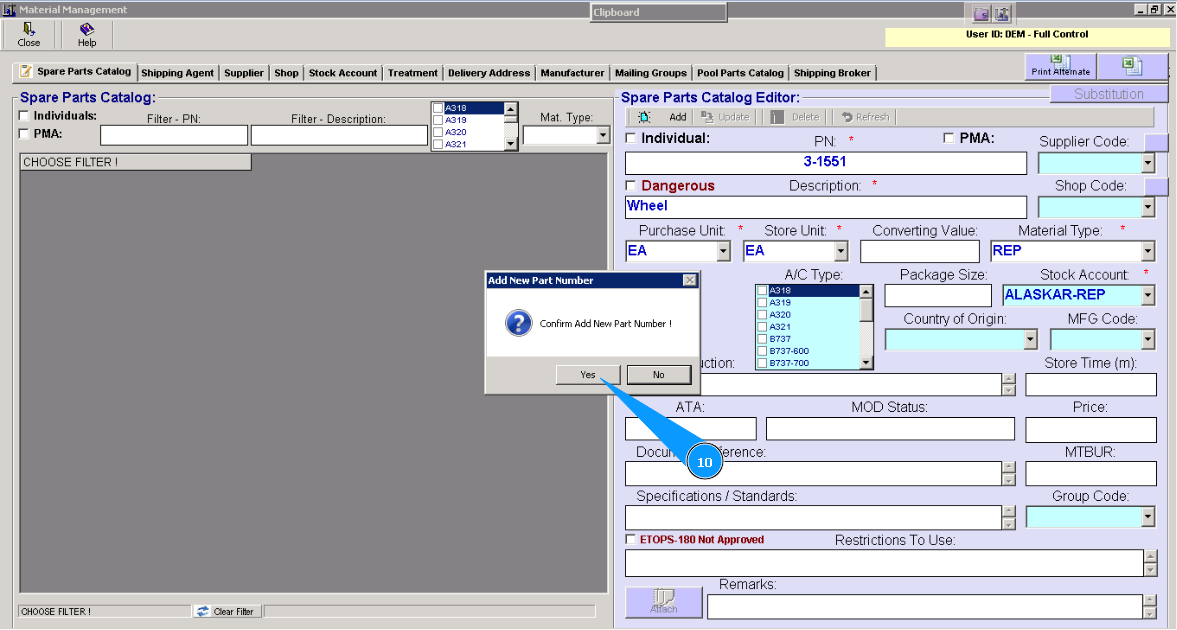
10. Click on the button "Yes", to confirm adding data to the program.
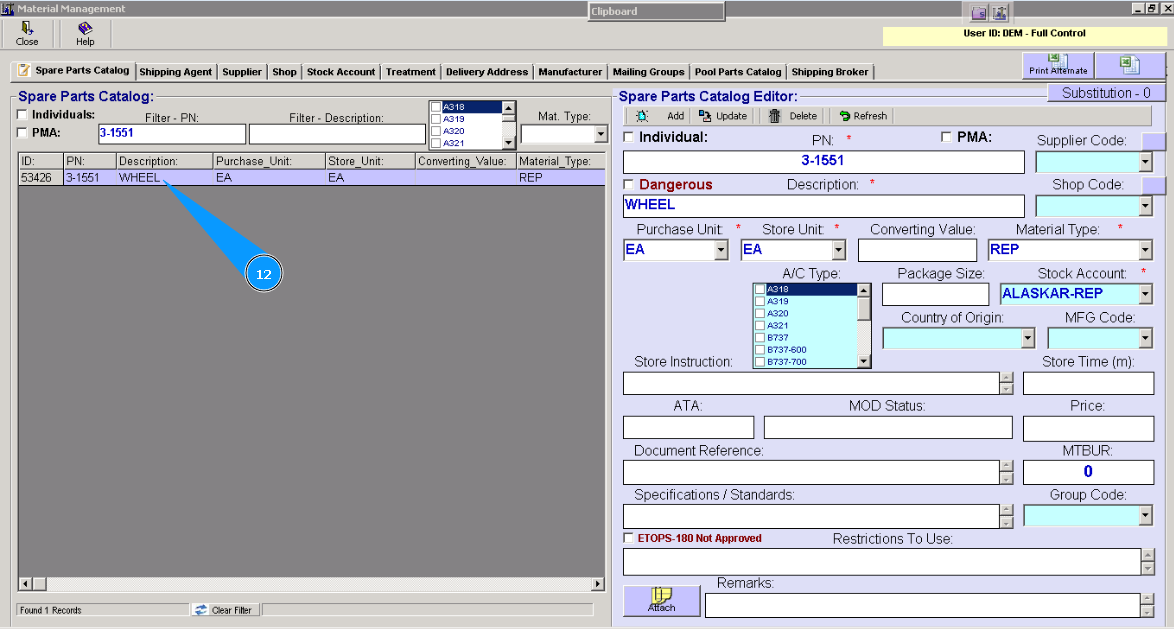
11. For control of implementation of a new part number, enter new p/n in the field "Filter-PN" and click on the button нажмите на кнопку "Enter" of your keyboard.
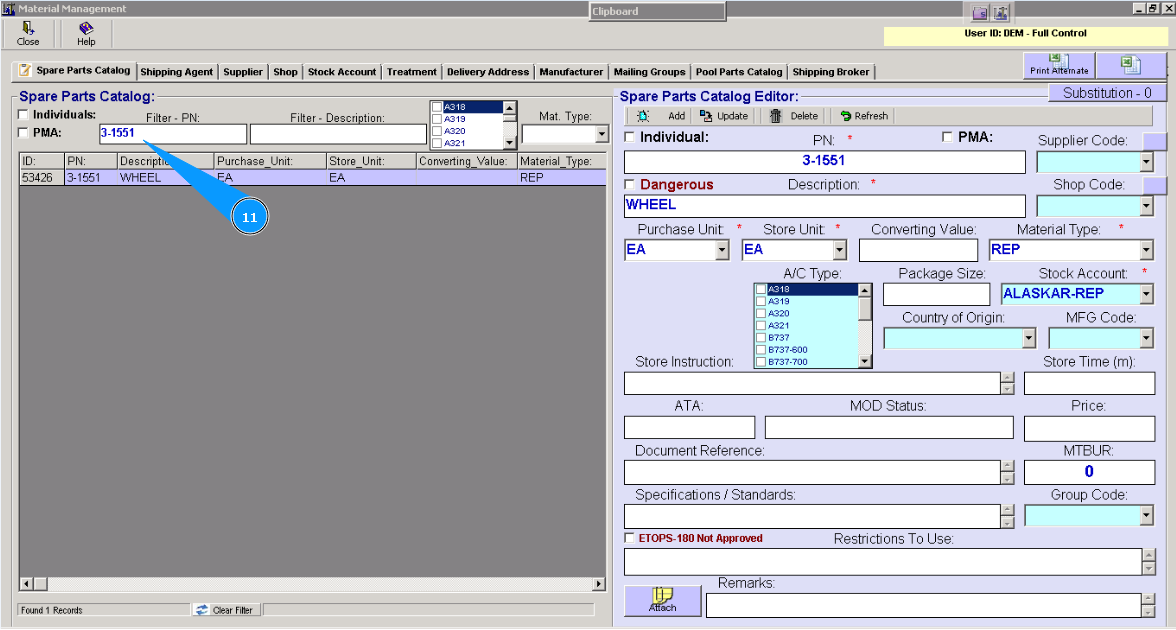
12. Check that the line with the implementation part is in this material management guide.