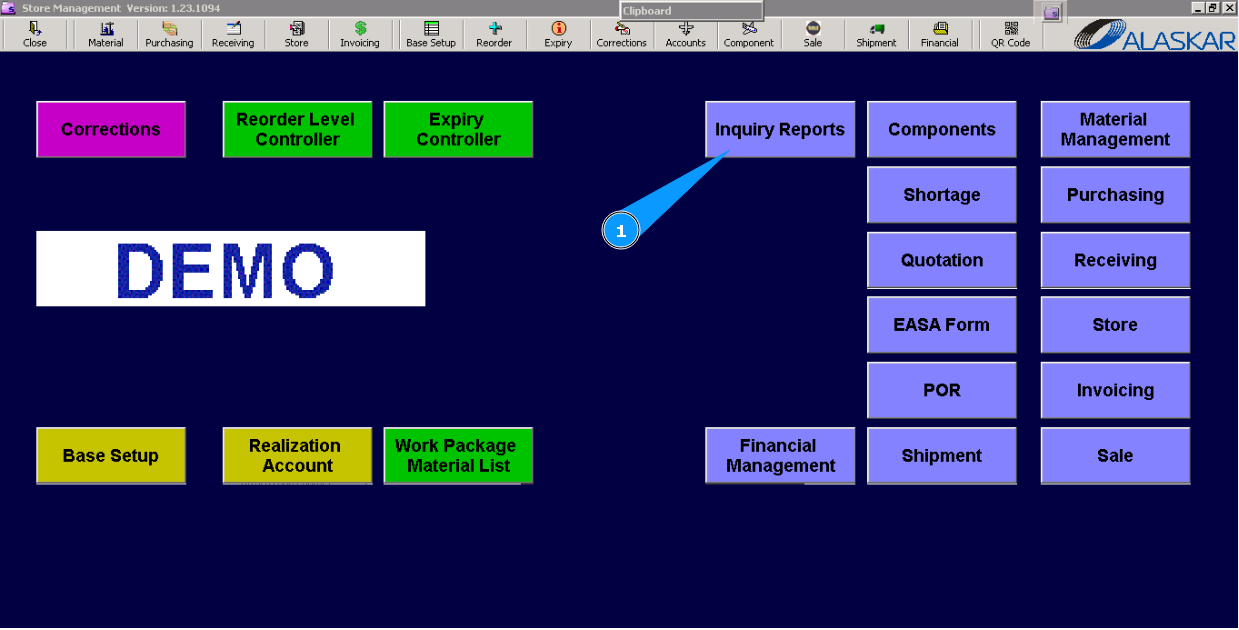
How to check parts tracking
1. For checking parts tracking, go to the submodule "Inquiry Reports".
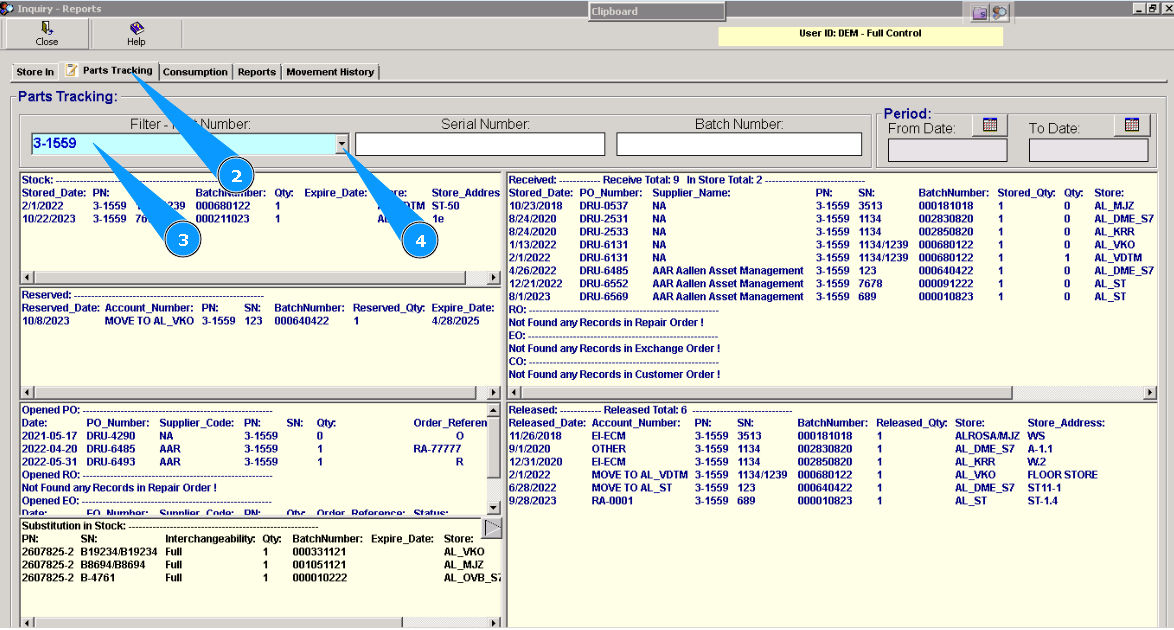
2. Then, go to the tab "Parts Tracking".
3. Enter the part number in the field "Filter-Part number" and press the button "Enter" on your keyboard.
4. Or select it from dropdown list.
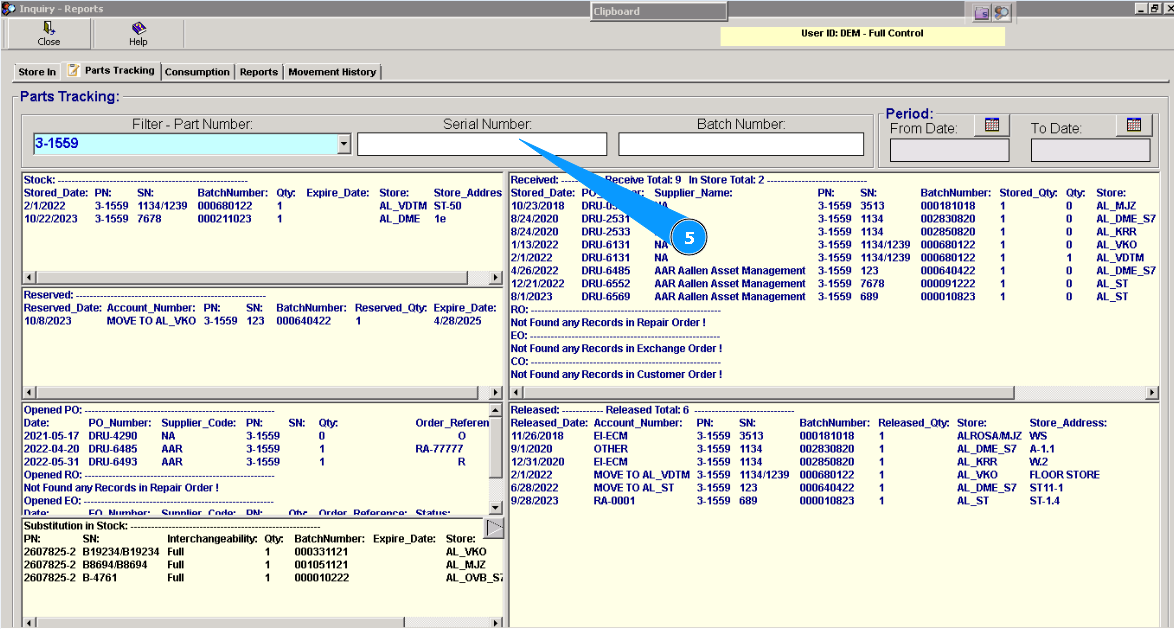
5. You can use filters "Serial number", "Period" and others, for exact searching.