How to check interchangeability
Note: There are two ways to check the interchangeability of components.
Way № 1.
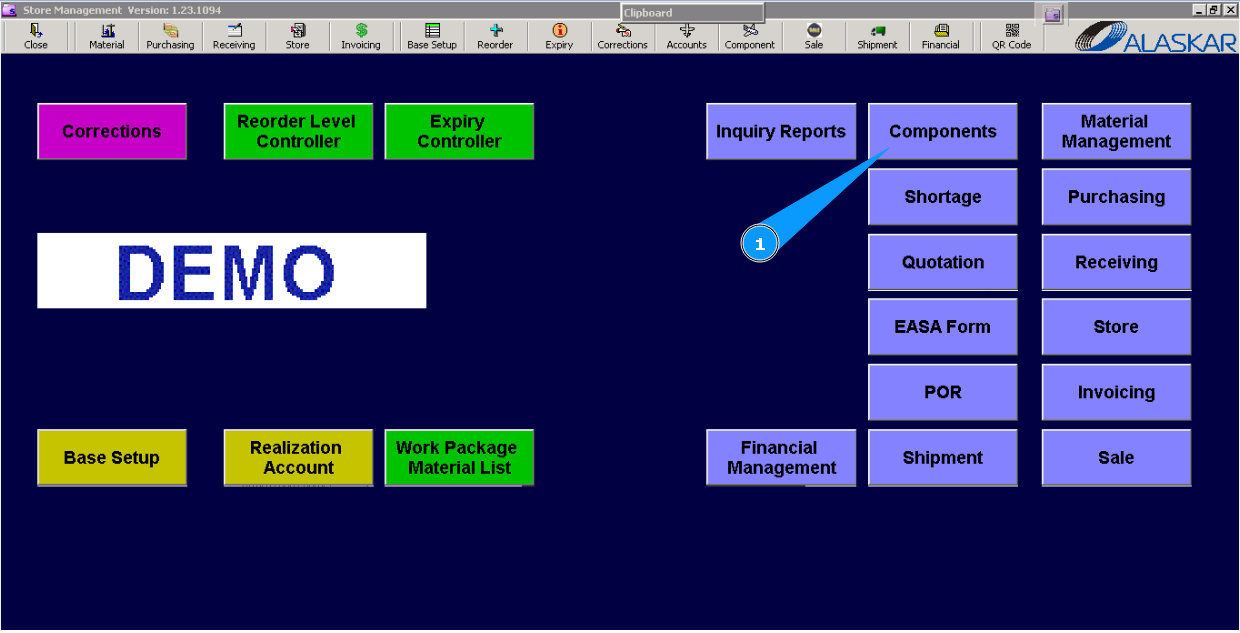
1. For checking the interchangeability of components, please go to submodule "Components".
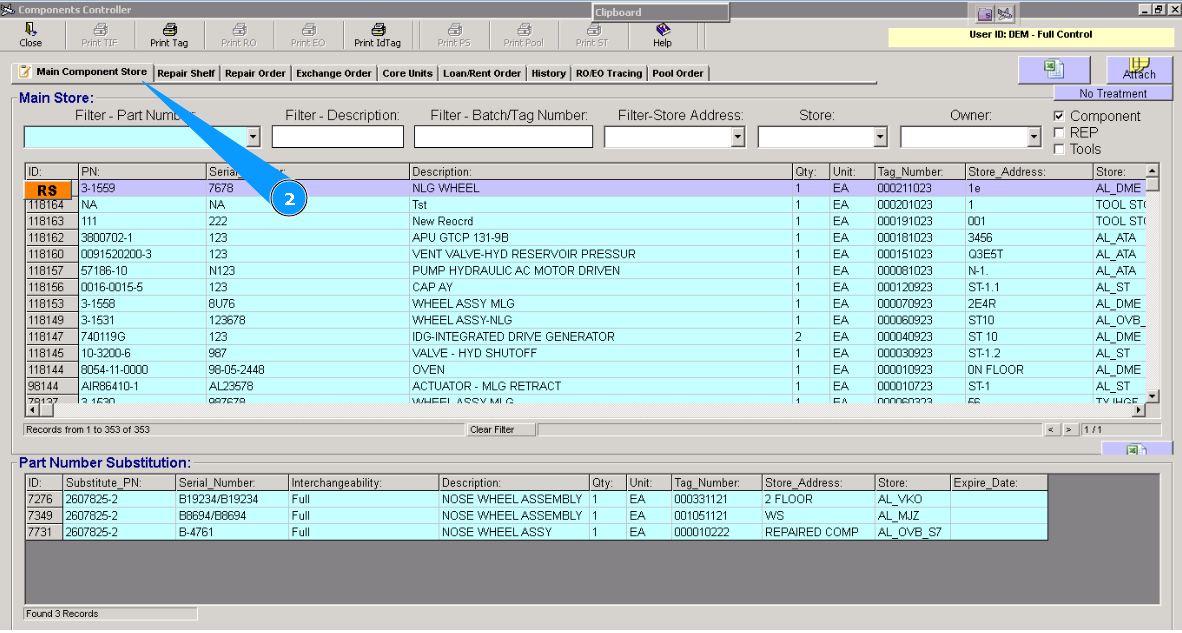
2. Then go to the tab "Main Component Store".
3. Enter the part number and click the button "Enter" on your keyboard. Note: If necessary, you can use additional searching criteria and fields: Filter-Description, Store, etc.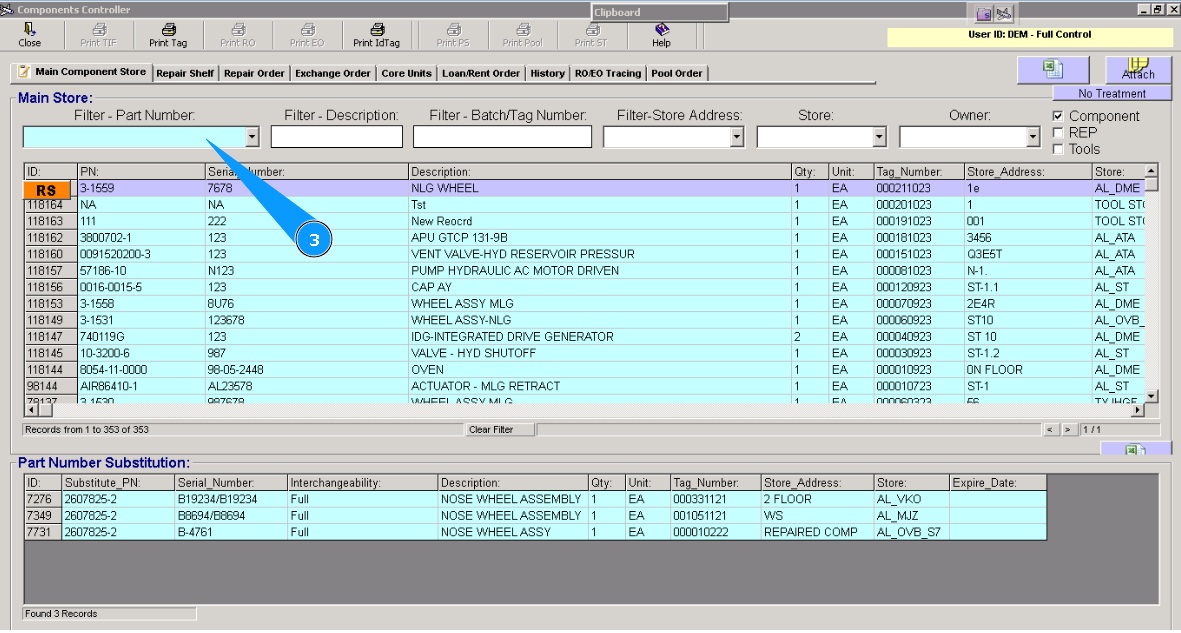
4. Highlight the applicable line with component.
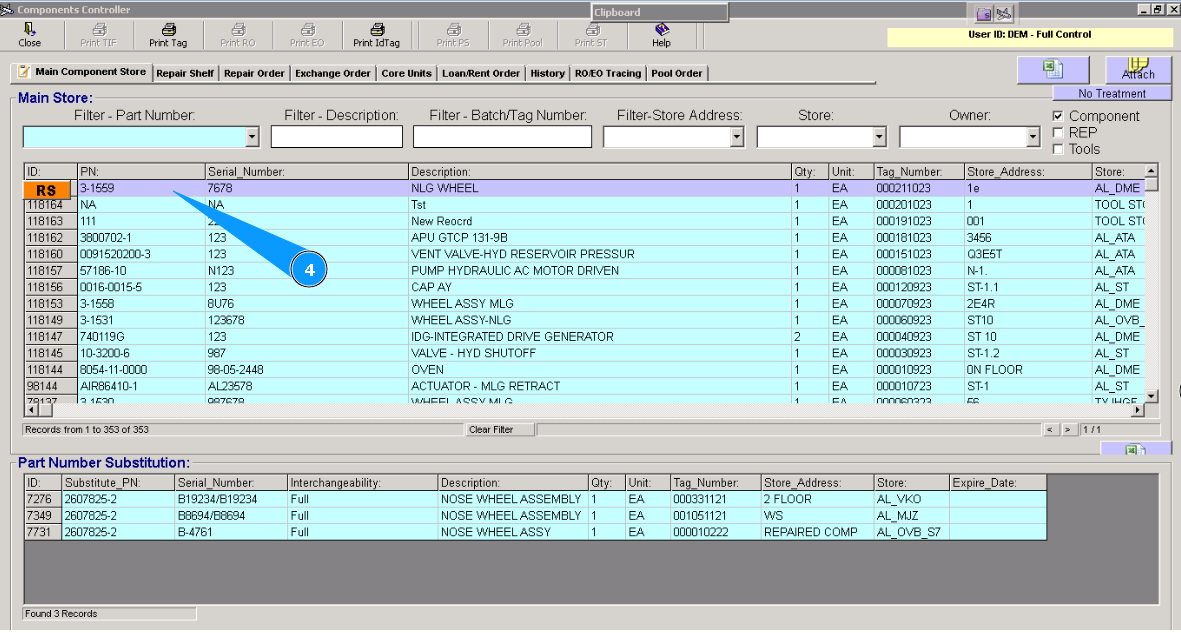
5. Check that the window "Part Number Substitution" is opened at the bottom of the screen.
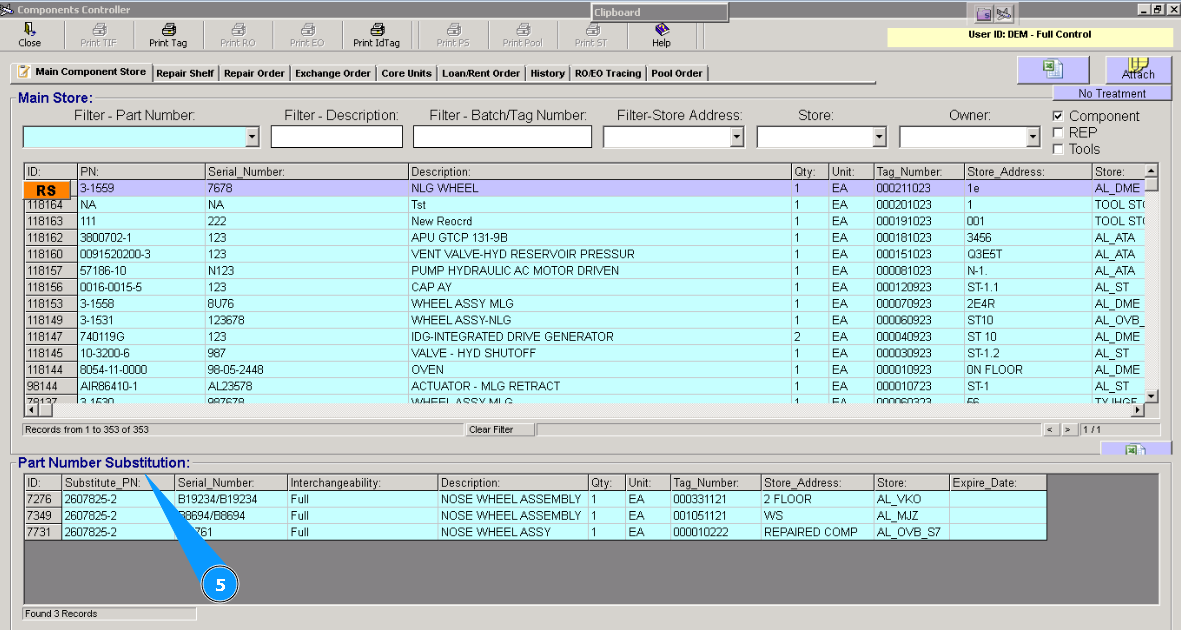
6. All interchangeable components will be listed in the window "Part Number Substitution". Attention: Please don't forget to check the column Interchangeability. There is a type of interchangeability.
Full - full interchangeability,
One Way - one-way interchangeability.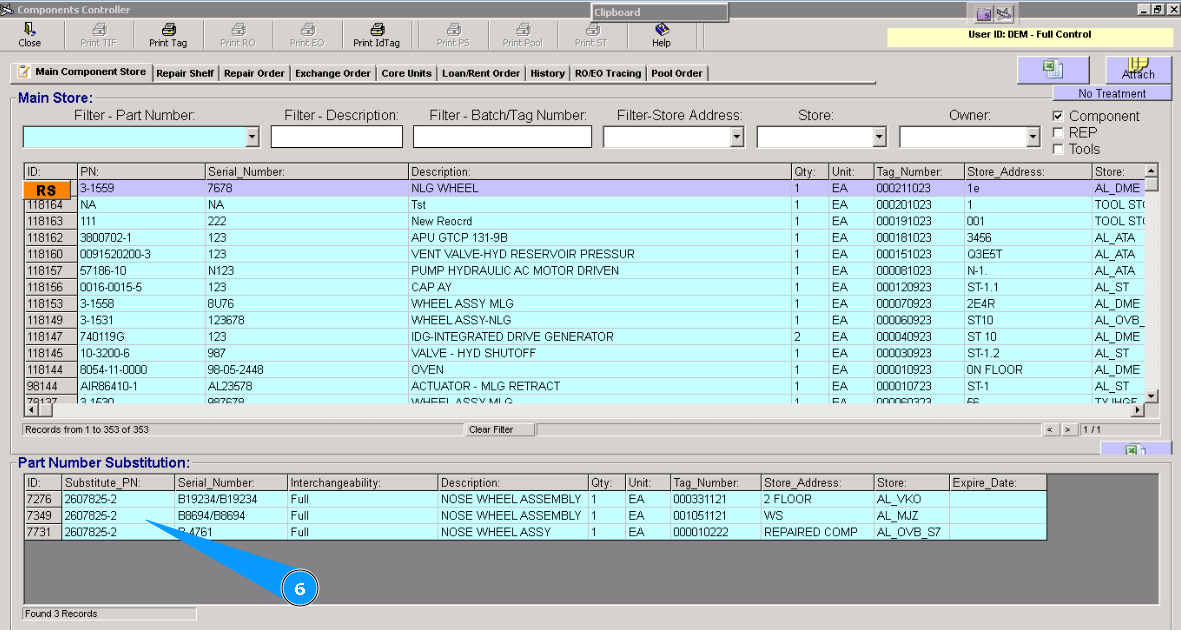
Way № 2.
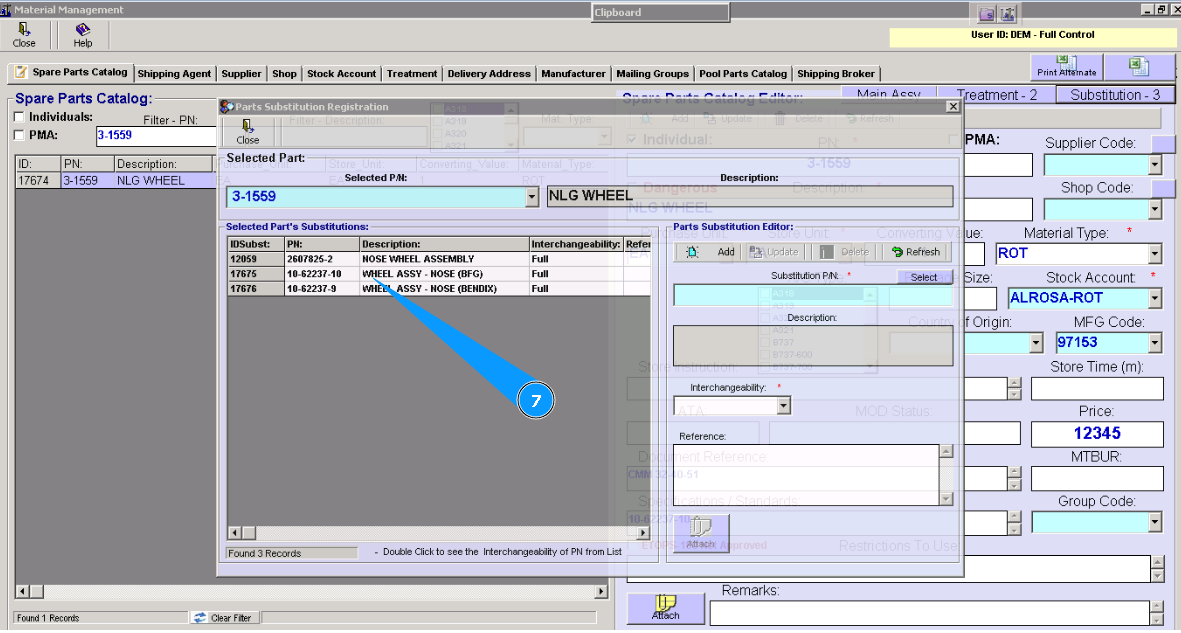
1. For checking the interchangeability of components, please go to submodule "Material Management."__.
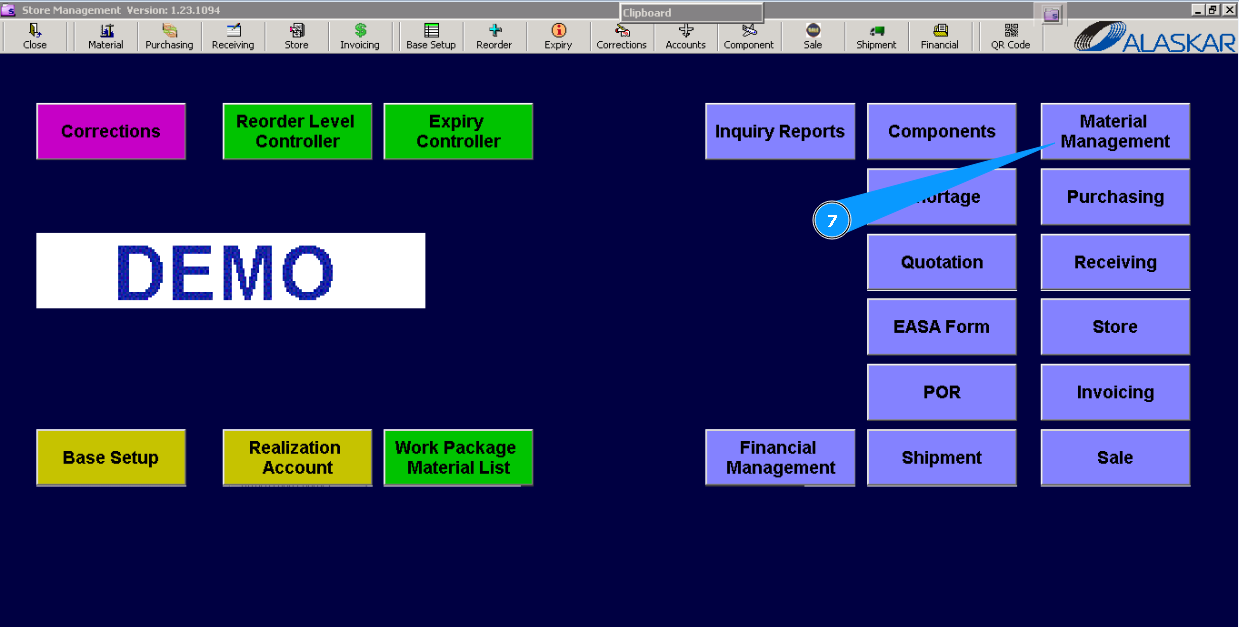
2. Then go to the tab "Spare Parts Catalog".
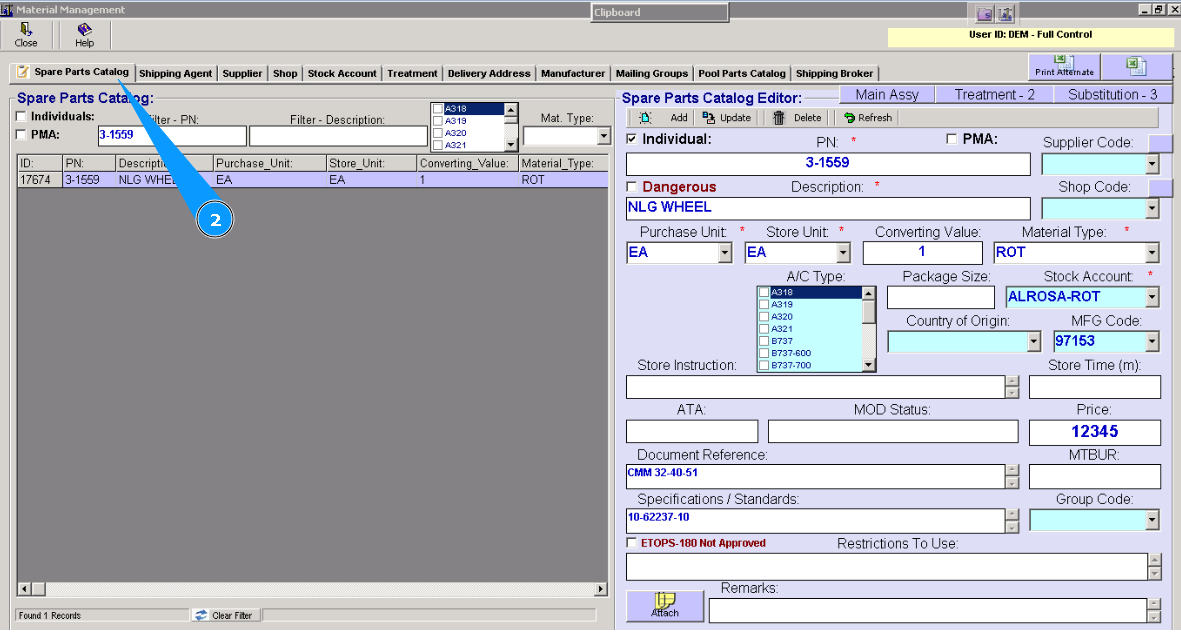
3. Enter the part number and click the button "Enter" on your keyboard. Note: If necessary, you can use additional searching criteria, fields: Filter-Description, Mat.Type, AC Type.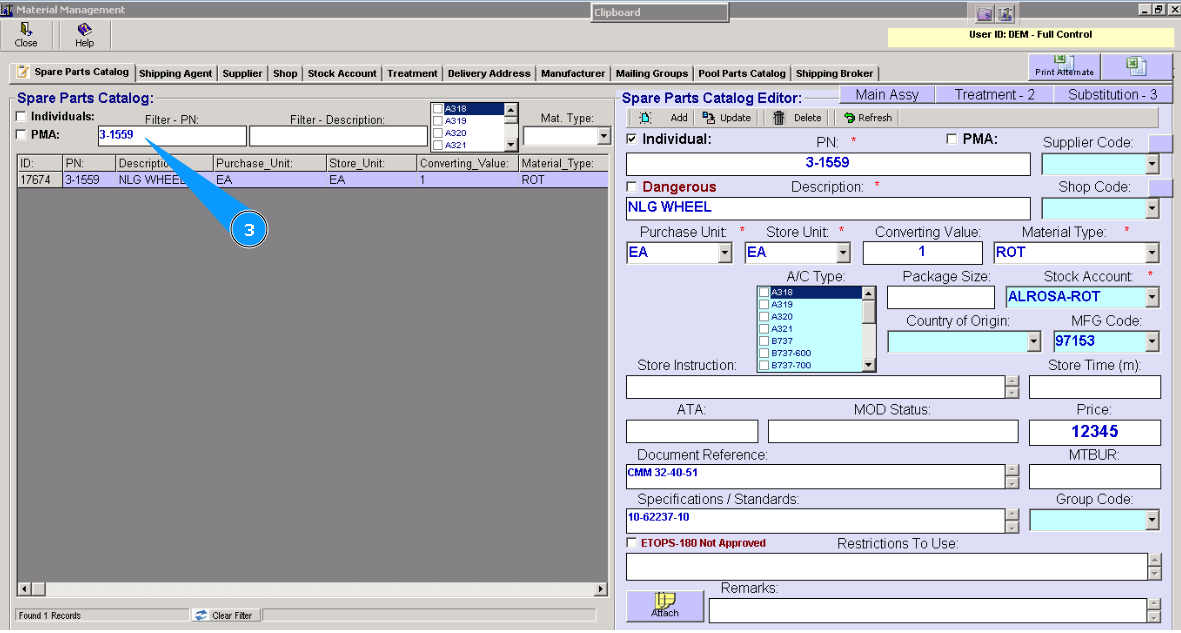
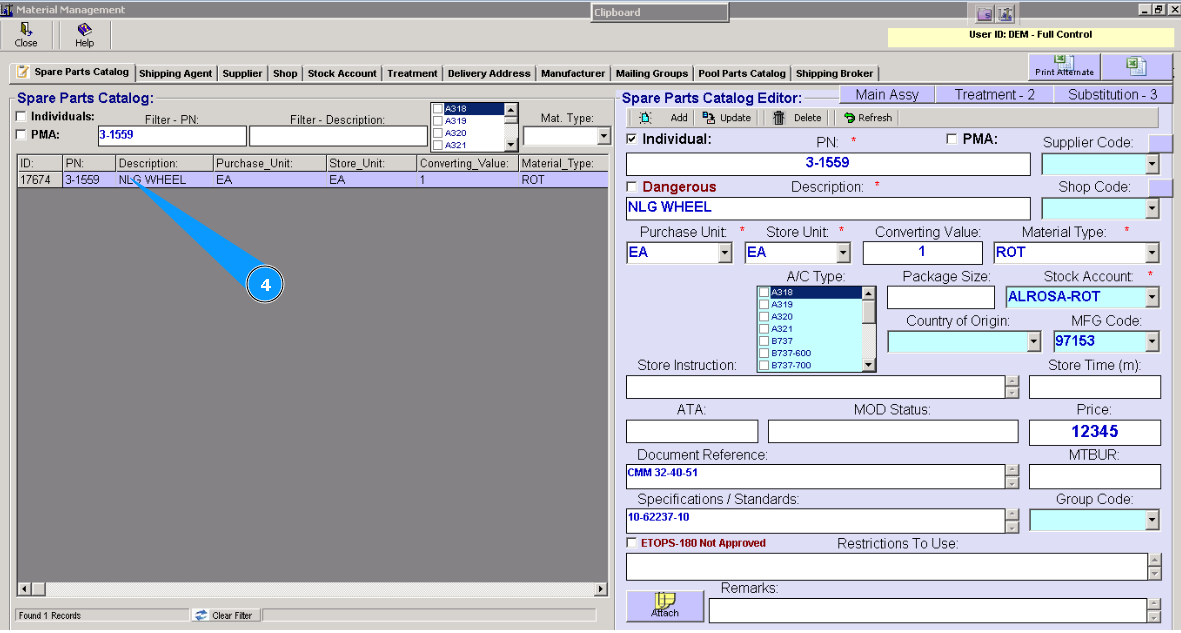
4. Highlight the applicable line with the component.
5. Check that the window "Spare Parts Catalog Editor" is opened.
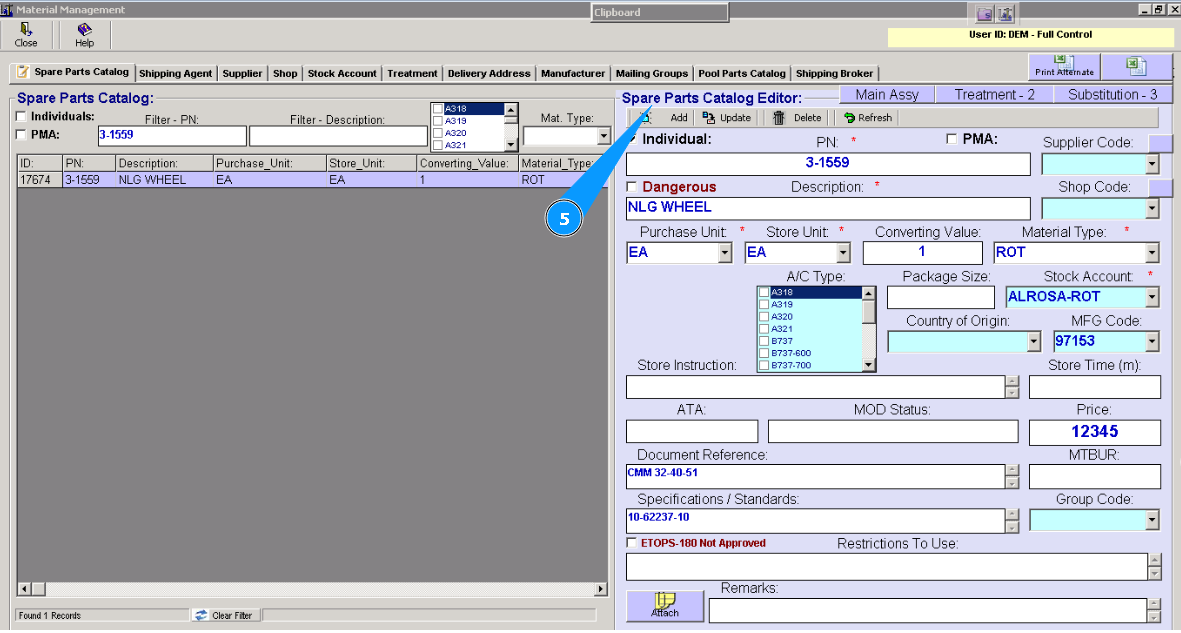
6. Click on the button "Substitution".
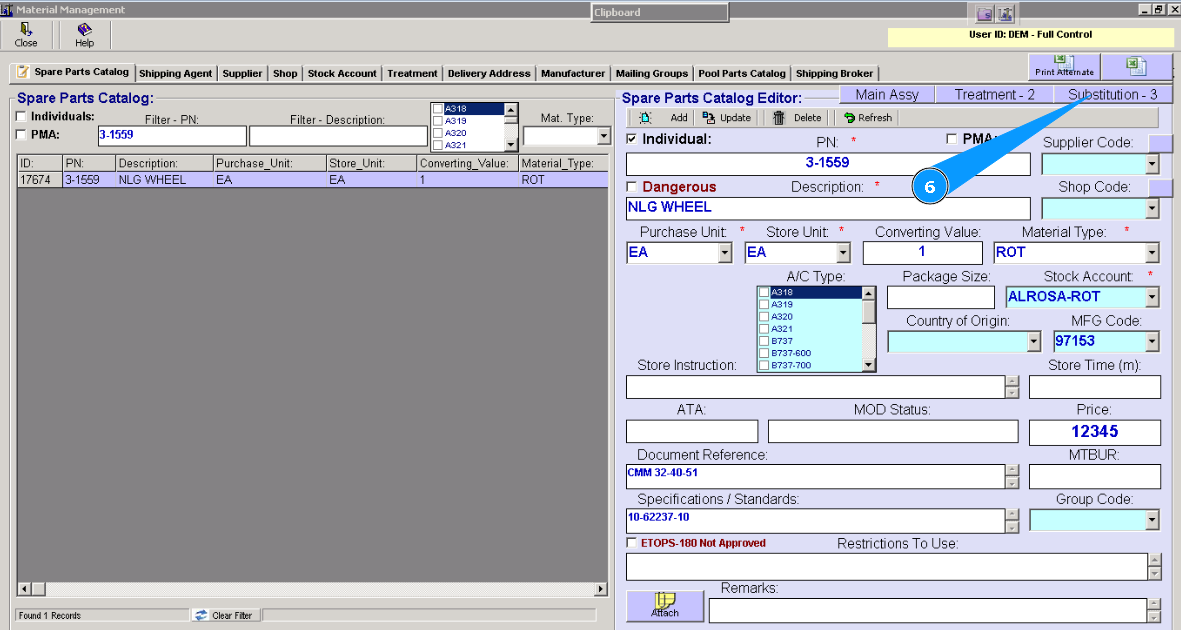
7. All interchangeable components will be listed in the list of window "Parts Substitution Registration". Attention: Please don't forget to check the column Interchangeability. There is a type of interchangeability.
Full - full interchangeability,
One Way - one-way interchangeability.