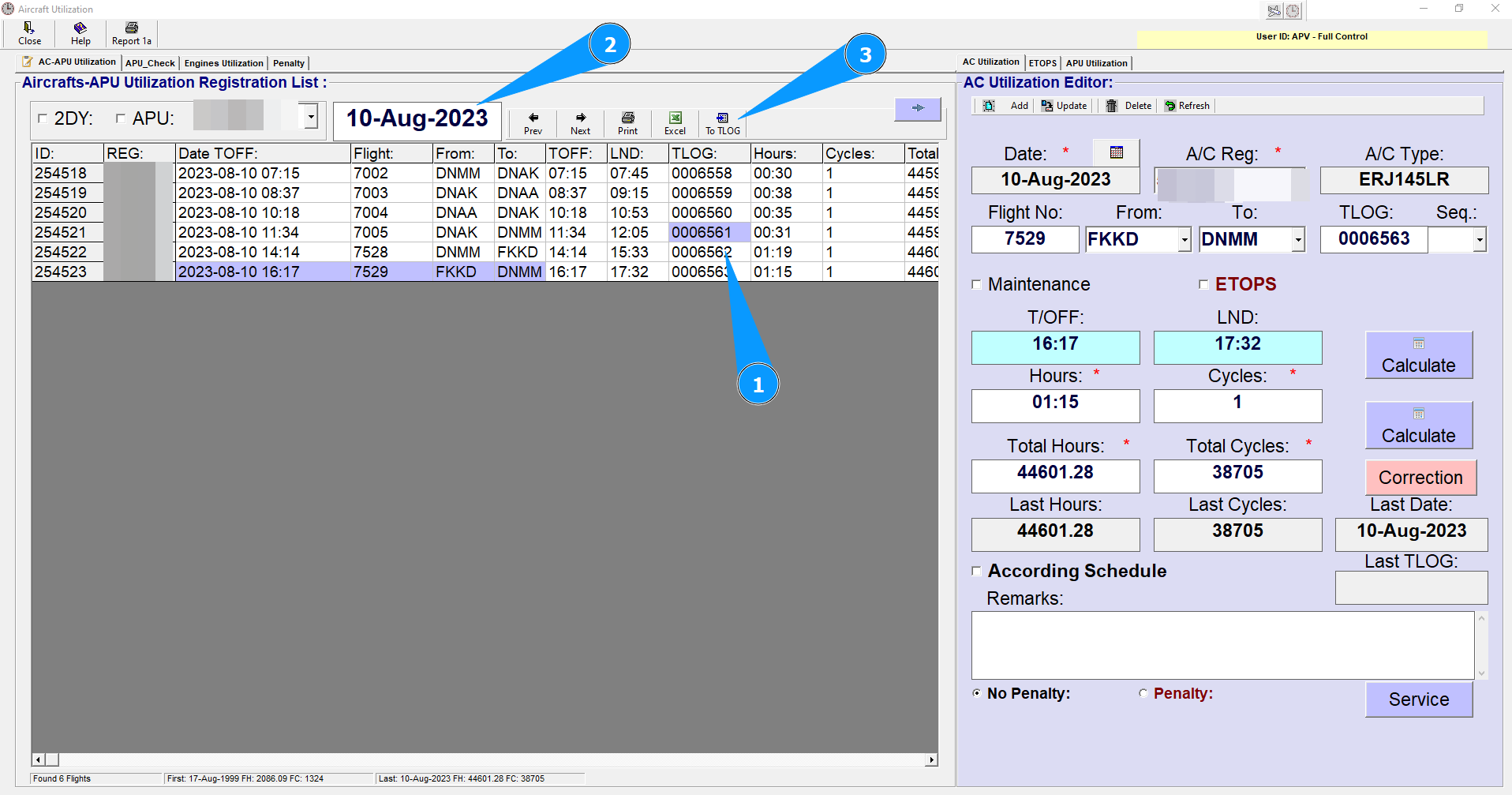
How To Transfer Data to newly creating record of TLOG from AC Utilization
1. If the cell of TLOG is blue, this means that the system has found the selected TLOG number record. To read a TLOG record, click the right button on the mouse.
2. To change Date filter format from Date to month to Year and back – double-click on this field.
3. Press Button «To TLOG» Transfer Data to Technical LOG.
NOTE: Hot-Keys: F6 - Add Record; F5 - Update Record; F8 - Delete Record