How to set marker non-scheduled task
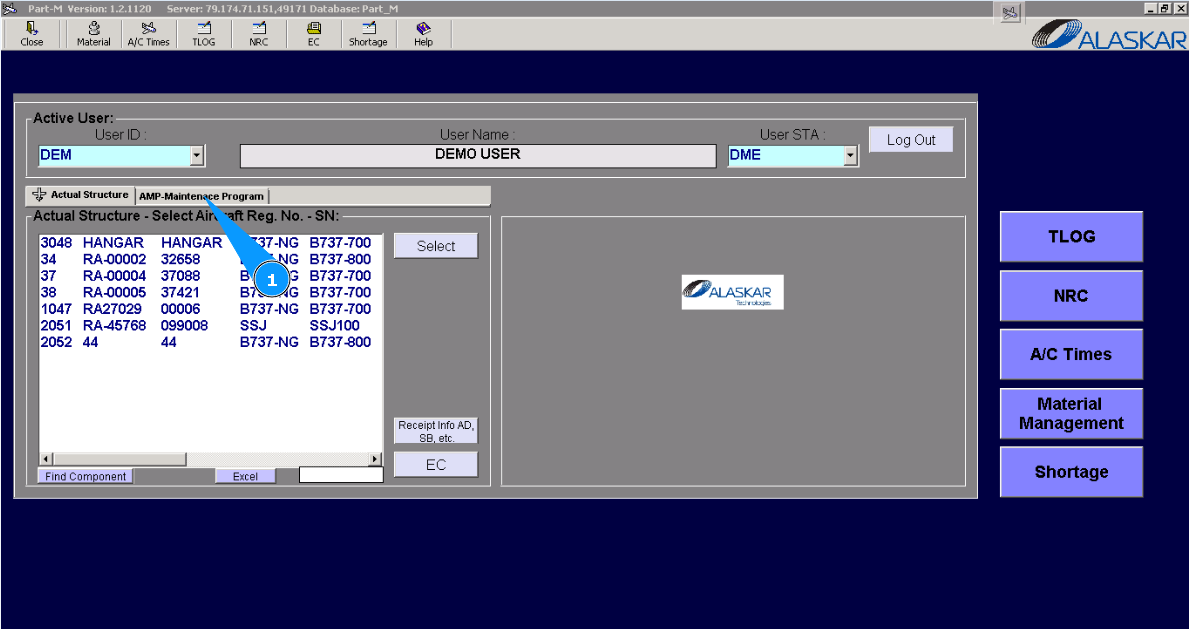
1. For setting marker "non-scheduled AMP task", please go to submodule "AMP- Maintenance Program".
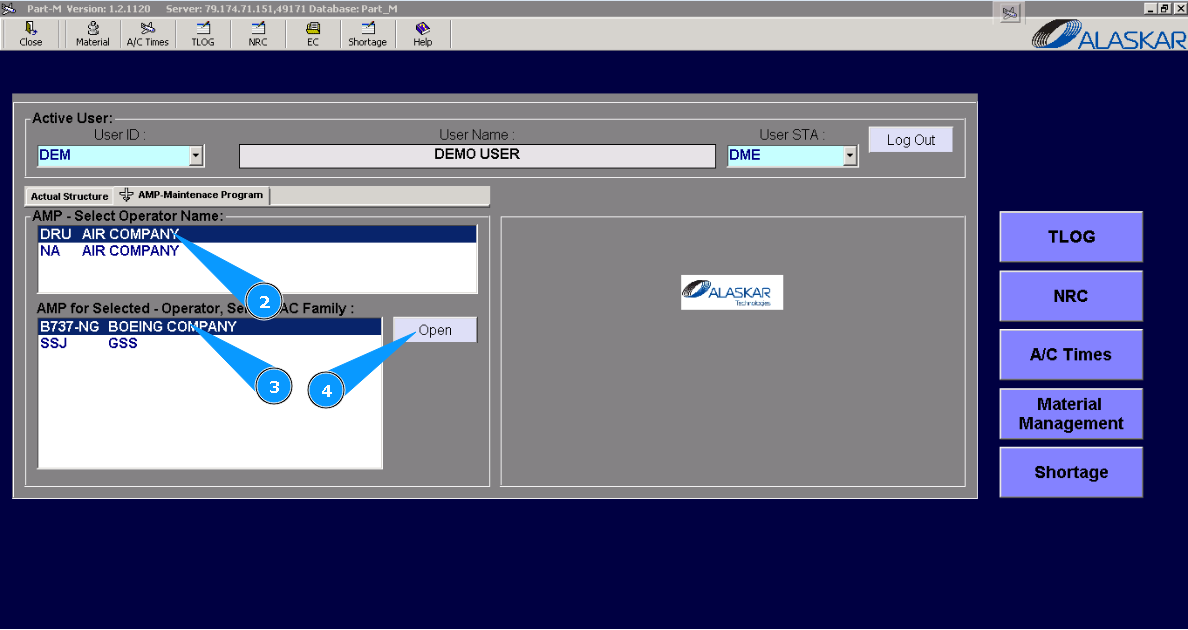
2. Select the company name in the list of window "AMP- Select Operator Name".
3. Select aircraft type in the list of window "AMP for Selected- Operator".
4. Click on the button "Open", for opening AMP menu.
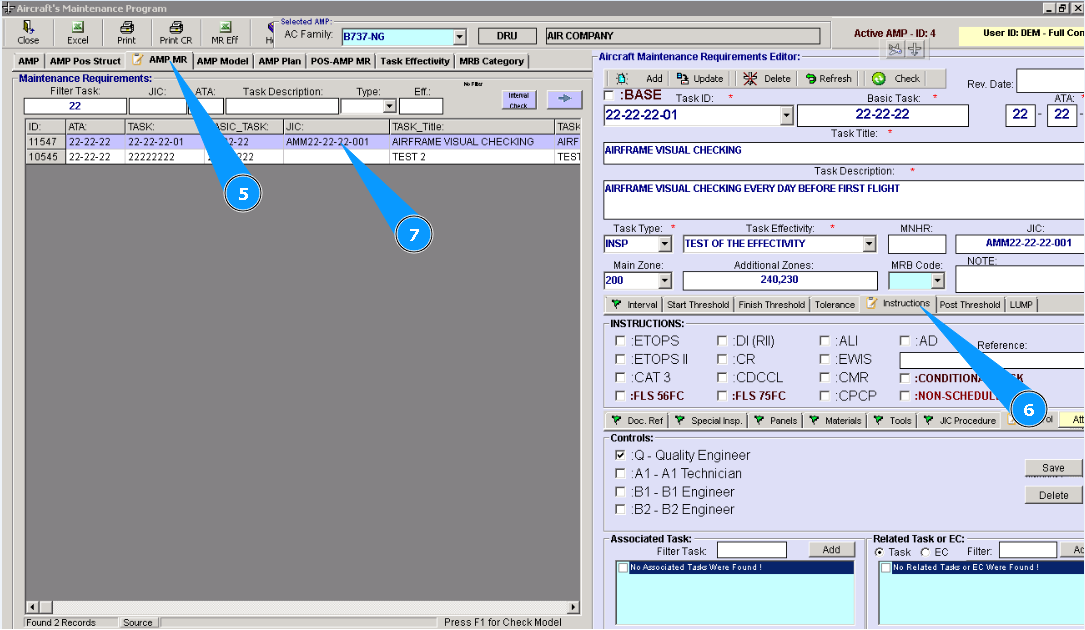
5. Then go to tab "AMP MR".
6. Then go to tab "Instructions" in the editor "Aircraft Maintenance Requirements Editor".
7. Find and highlight necessary task in the list of AMP for setting marker.
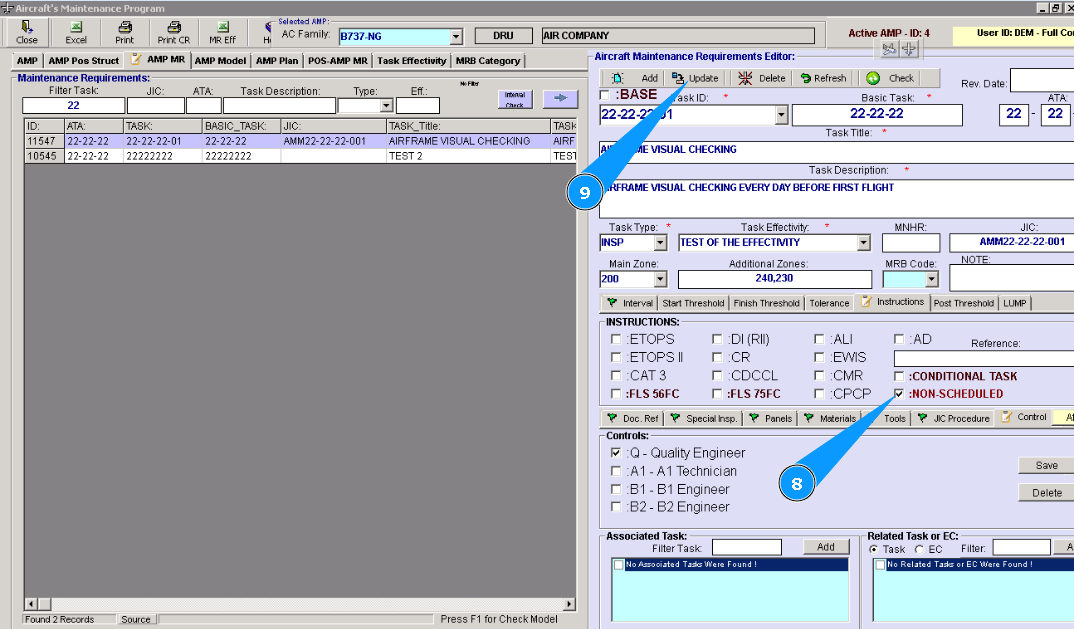
8. Tick on the window "Non-Scheduled".
9. Click on the button **"Update" to add data to the program.
10. Click on the button "Yes", to confirm adding data to the program.
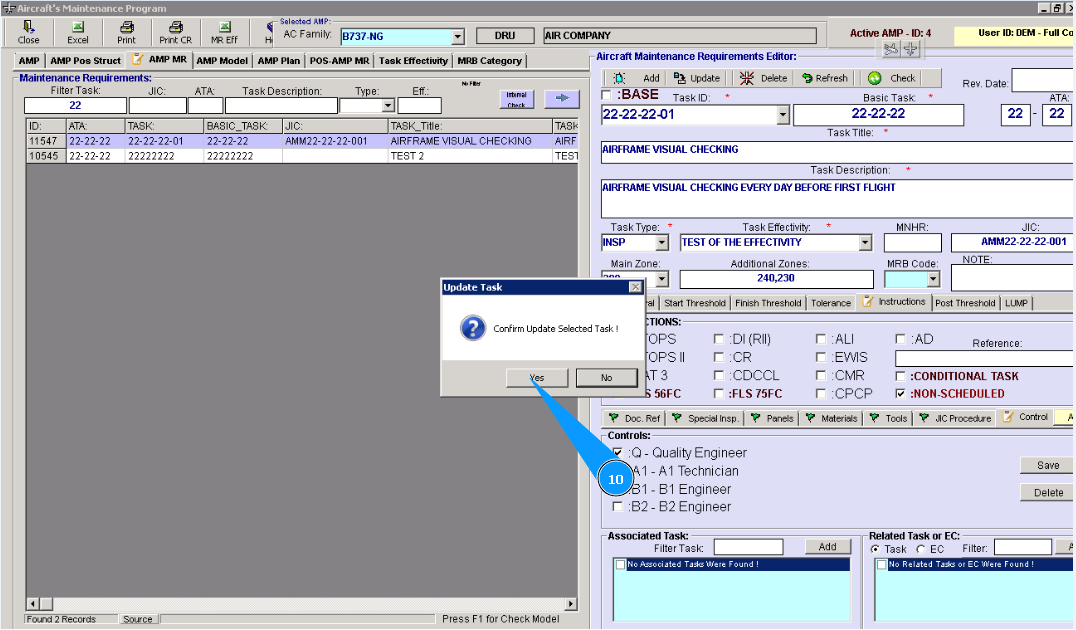
Note: After setting the marker "Non-scheduled" AMP, task initialization is not possible. This task will be absent from the initialization list. This task will be absent from the planing accordingly. But in any forms of AMP, this task will be successfully printed.