How to set a marker conditional task.
Note: Sometimes aircraft manufacture identifies AMP tasks without intervals. They should be performed under certain conditions.
1. For adding control of maintenance to the AMP task, please go to submodule "AMP- Maintenance Program".
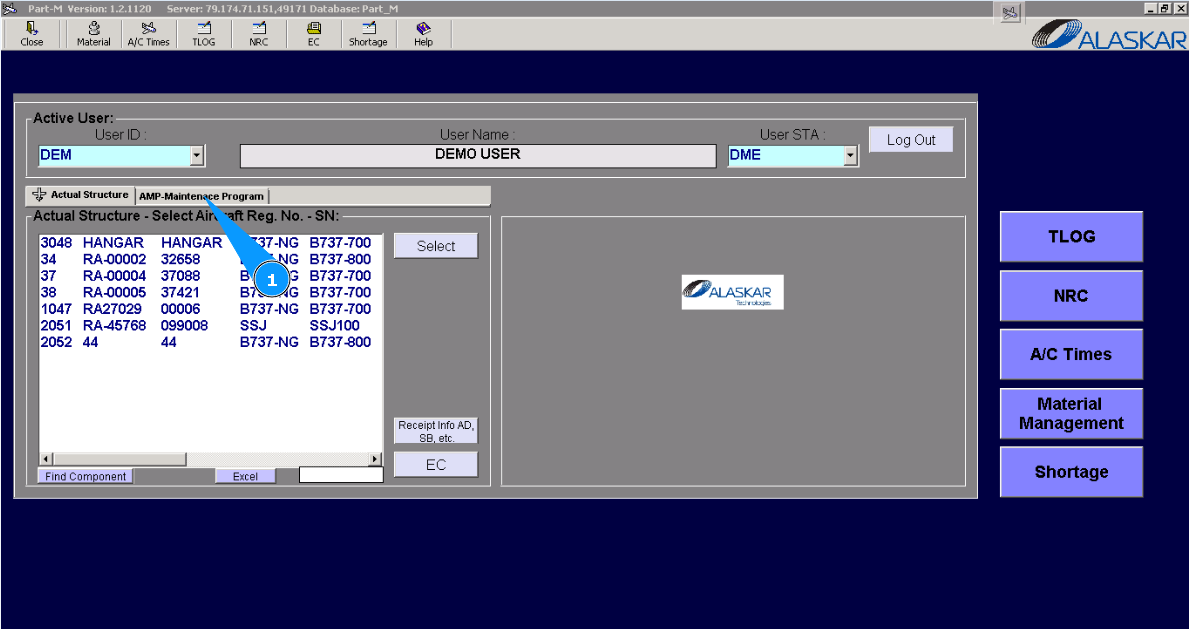
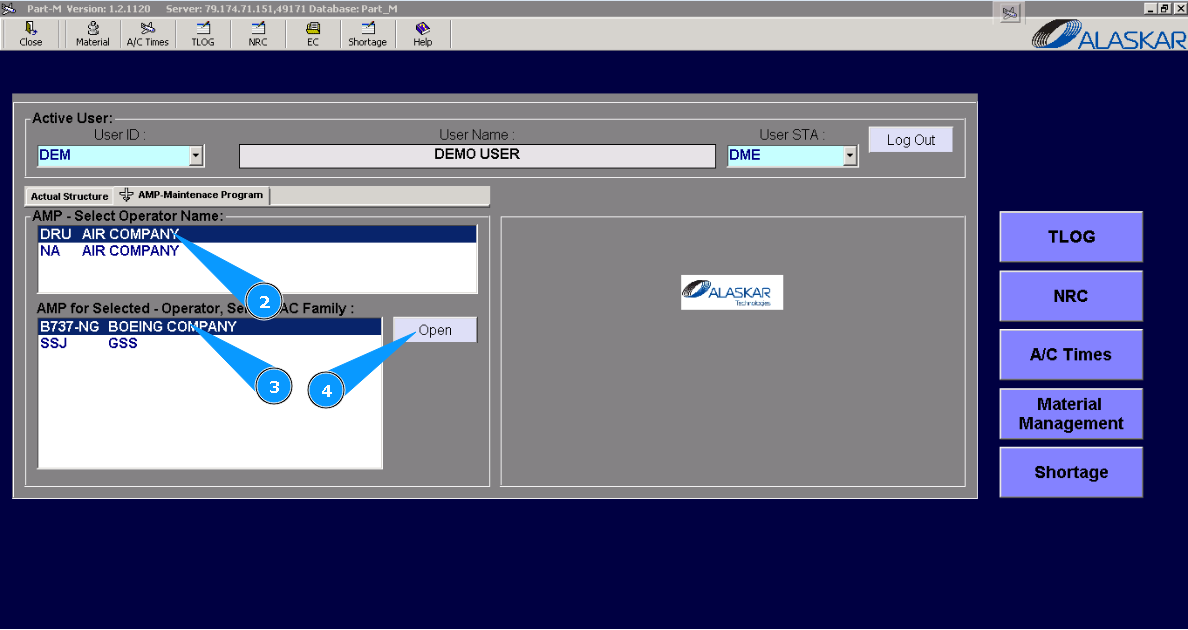
2. Select the company name in the list of window "AMP- Select Operator Name".
3. Select aircraft type in the list of window "AMP for Selected- Operator".
4. Click on the button "Open", for opening AMP menu.
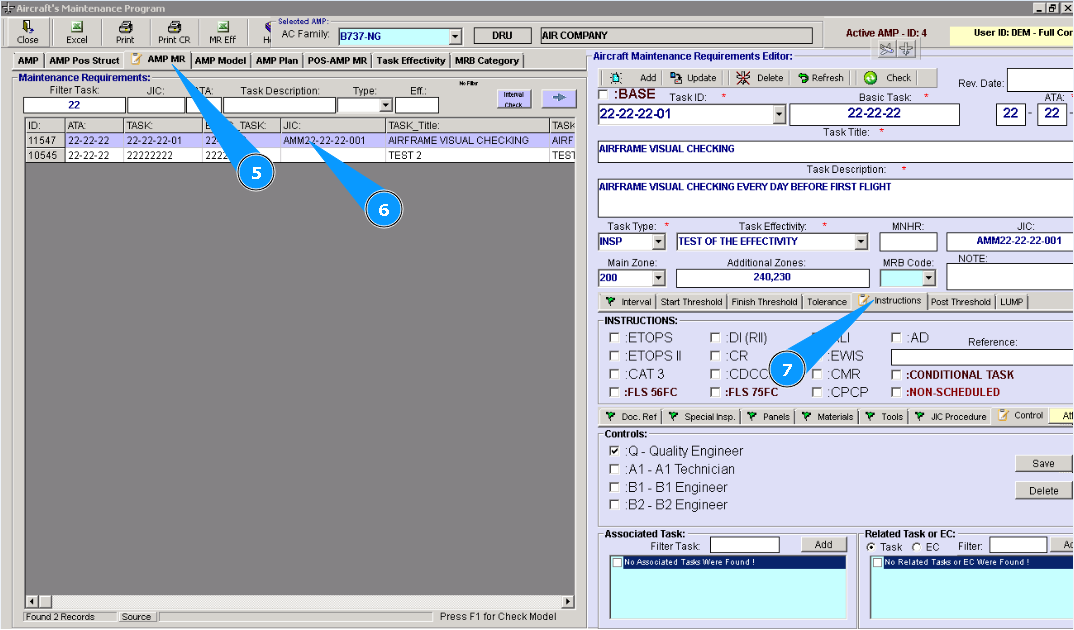
5. Then go to tab "AMP MR".
6. Find and highlight the necessary task in the list of AMP for adding tools.
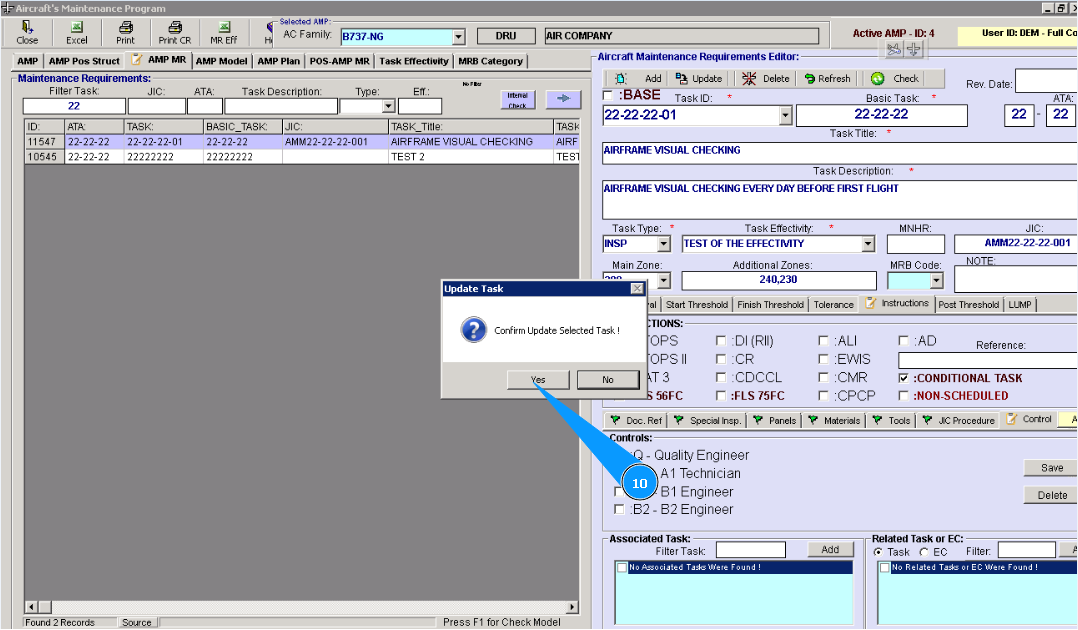
7. Then go to the tab "Instructions" of editor "Aircraft Maintenance Requirements Editor".
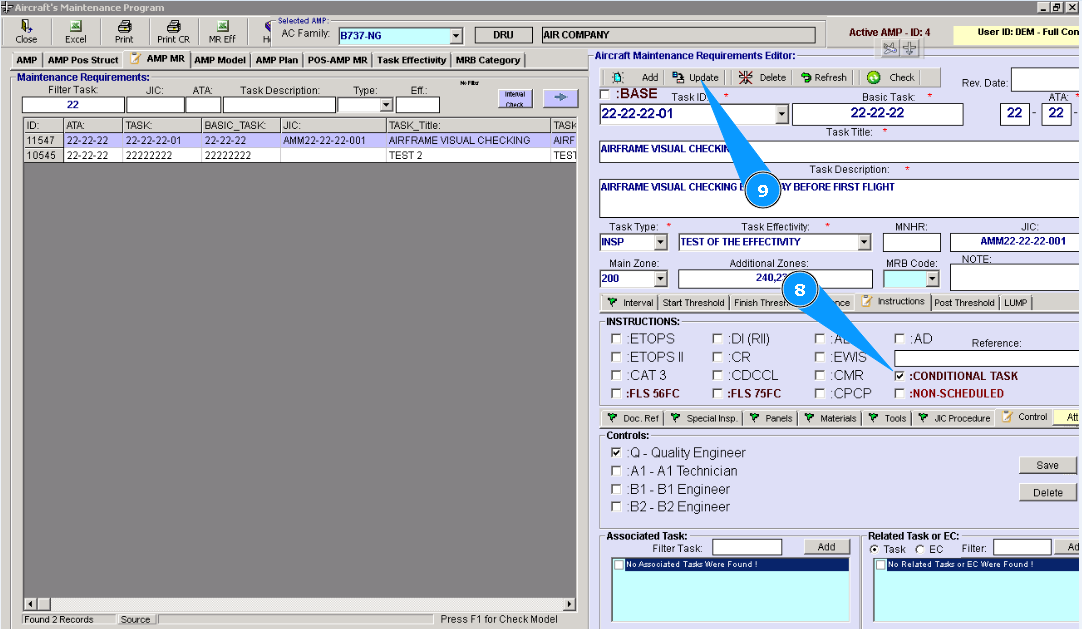
8. Tick in the field "Conditional".
9. Click on the button **"Update" to add data to the program.
10. Click on the button "Yes", to confirm adding data to the program.
Note: After adding this marker, the task will be hidden in the planning submodule. PPCD staff cannot see such tasks. But such tasks can be successfully printed with comments "planned under conditions".