How to manage aircraft utilization data
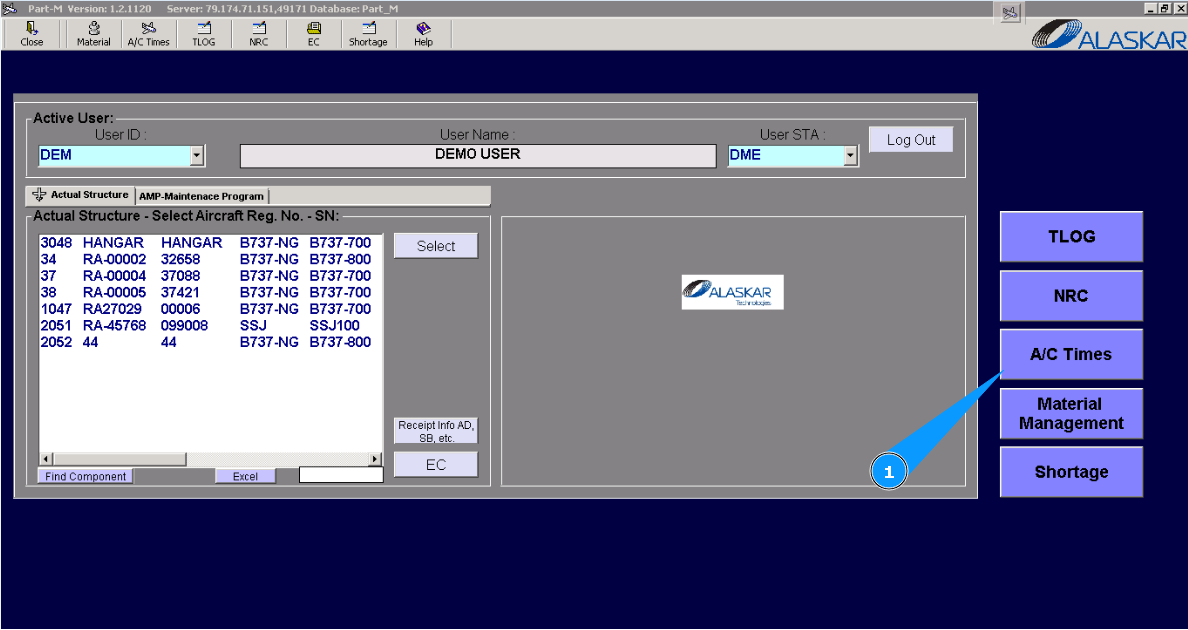
1. For managing aircraft utilization data, go to submodule "AC Times".
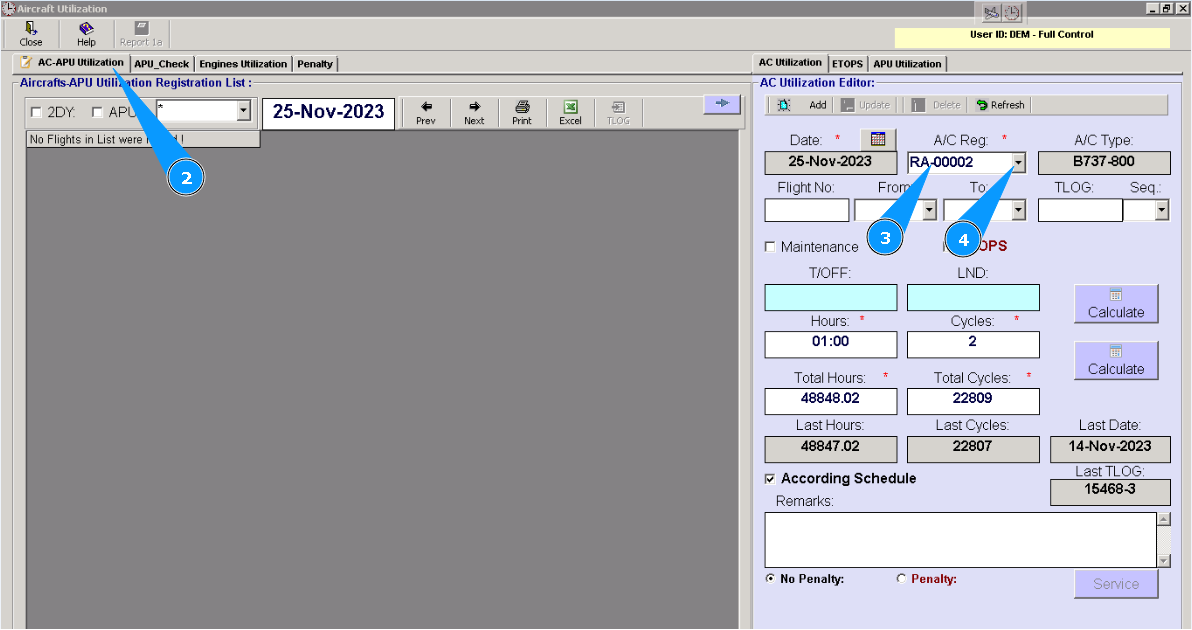
Note : Fields: "Date", "A/C Type", "Last Hours, Cycles, Date" are automatically filled in without possibility to be changed.
2. Then go to tab "AC-APU Utilization".
3. Enter registration number of aircraft in the field "A/C Reg.".
4. Or select it from dropdown list.
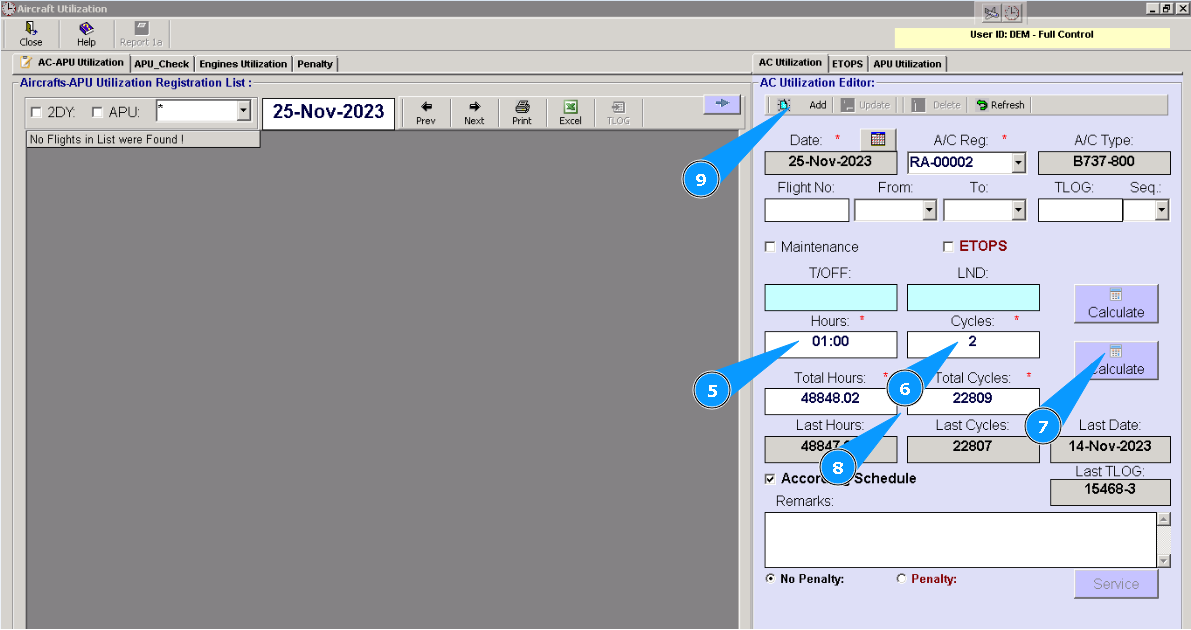
5. Enter last leg utilization in hours and minutes in the field "Hours".
6. Enter last leg utilization in cycles in the field "Cycles".
7. Click on the button "Calculate".
8. Check that the calculated utilization as a sum of previous utilization, which you entered in the fields "Hours" и "Cycles" is presented in the fields "Total Hours" и "Total Cycles".
9. Click on the button "Add", for adding data to the program.
10. Click on the button "Yes", to confirm adding data to the program.
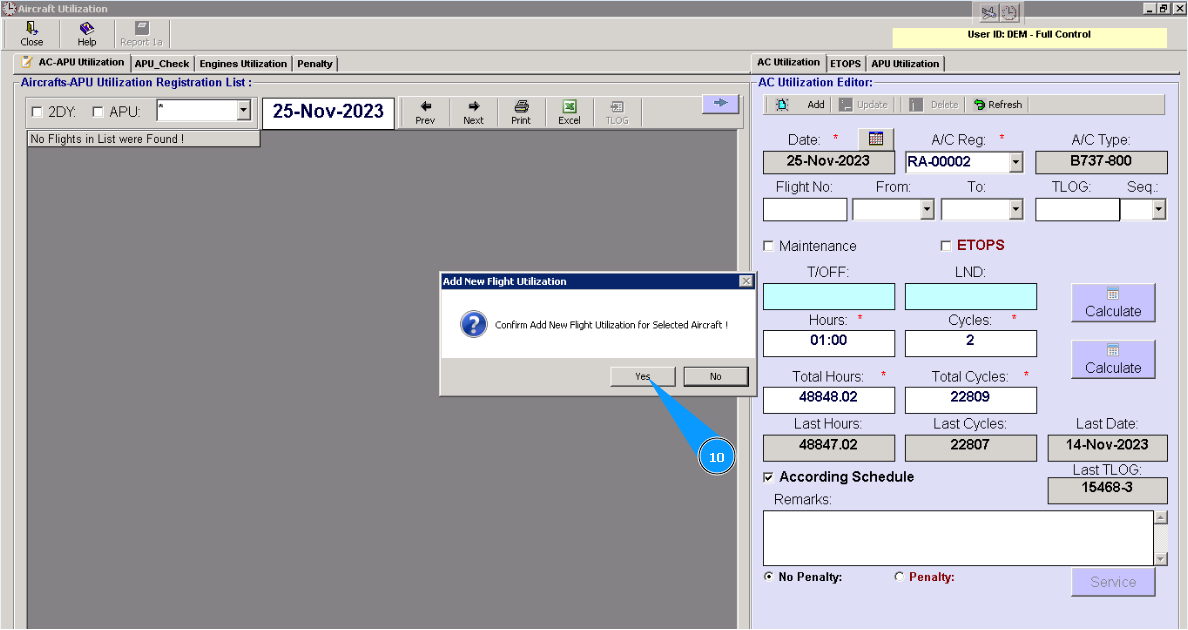
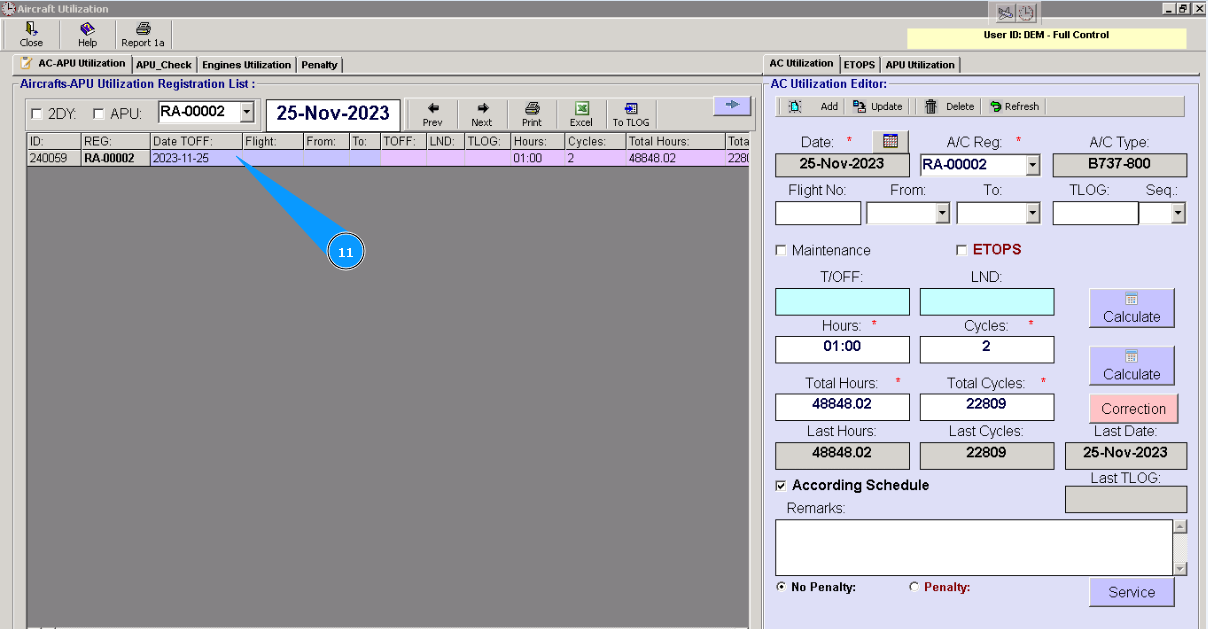
11. Check that new line with utilization is appeared in the window "Aircraft-APU Utilization Registration List". Utilization data is successfully entered into Alaskar.