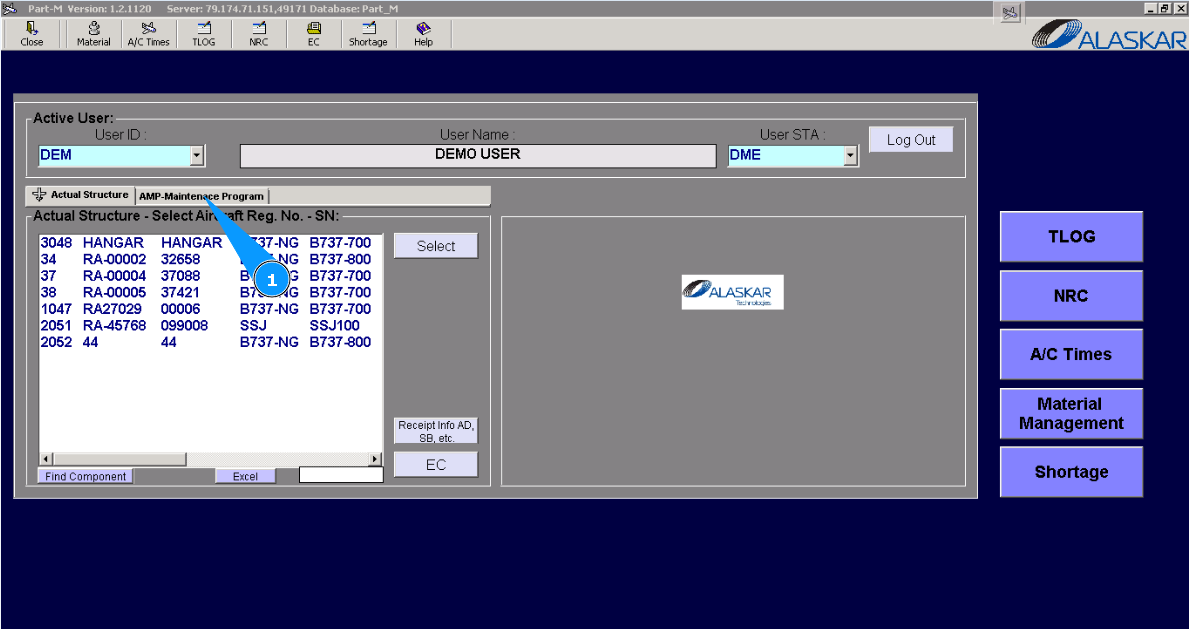
How to link MP task to treatment
1. In order to link MP task to treatment, please go to the tab "AMP- Maintenance Program".
2. Then go to the tab "AMP Pos Struct". Note: If necessary, use other search filters in the fields:"Filter Position", "Filter Description".
3. Enter the position of a component for which it is necessary to add treatment in the field "Filter IPC Position" of the window "Positions" and press the button "Enter" on your keyboard.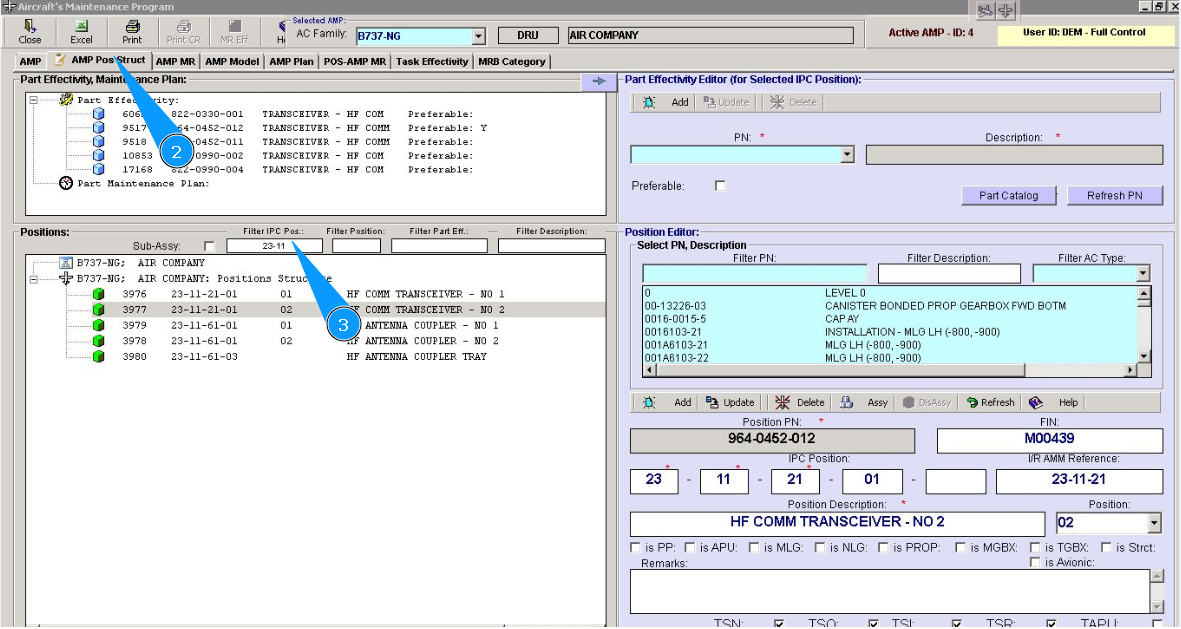
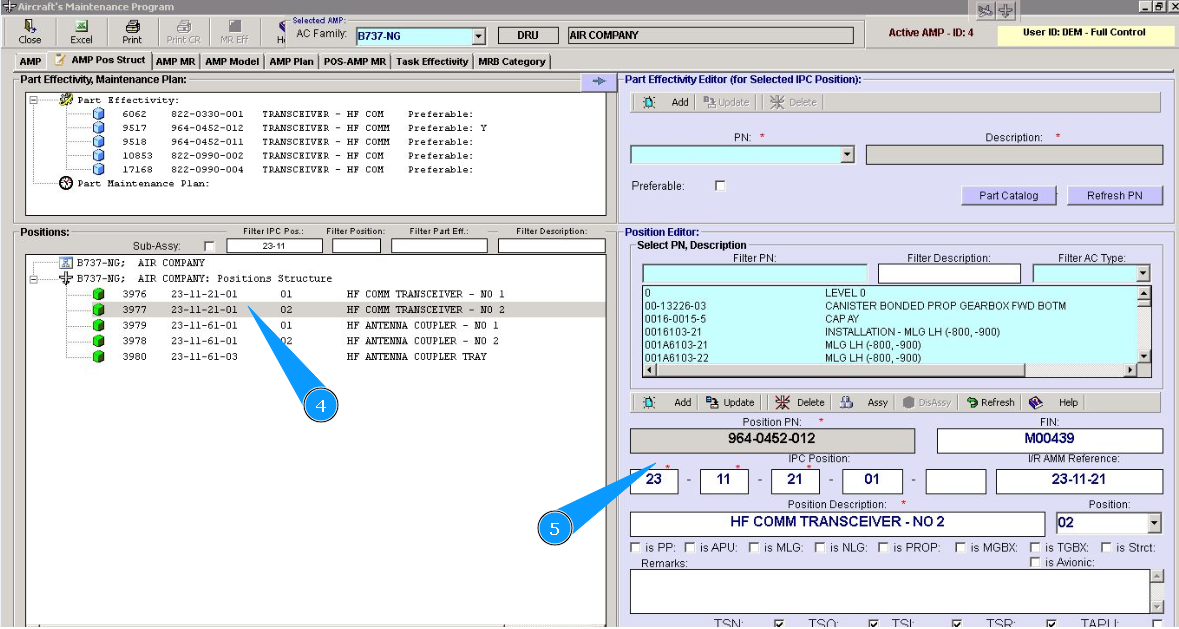
4. Select the required item from the list and double-click on the selected line in the window "Select PN, Description".
5. Check that the selected position data is displayed in the window "Positions".
6. Select the required treatment from the list in the window "Part Effectivity, Maintenance plan".
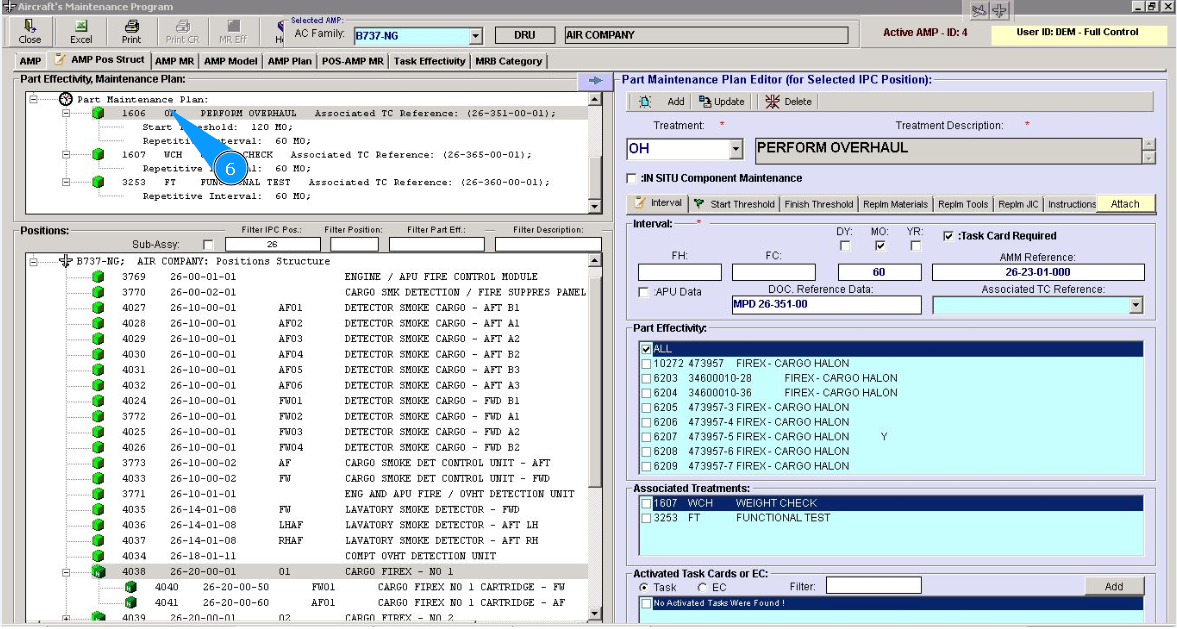
7. Check that the treatment editor is opened in the window "Part Maintenance Plan Editor".
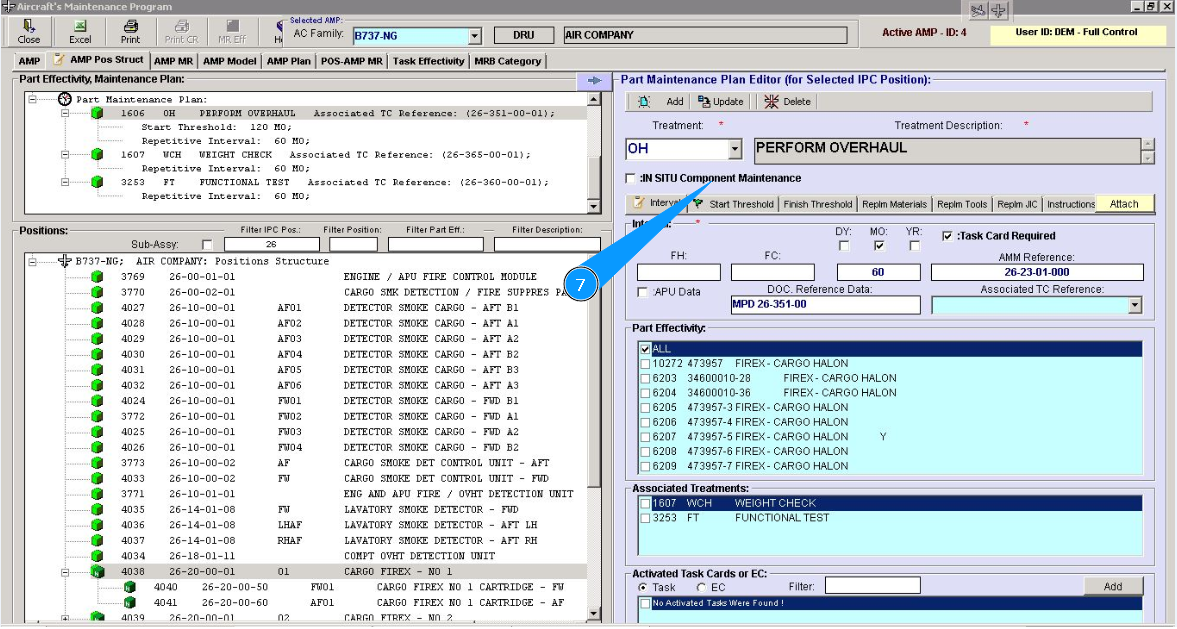
8. Enter the AMP task number that is related to the treatment in the field "Associated TC Reference".
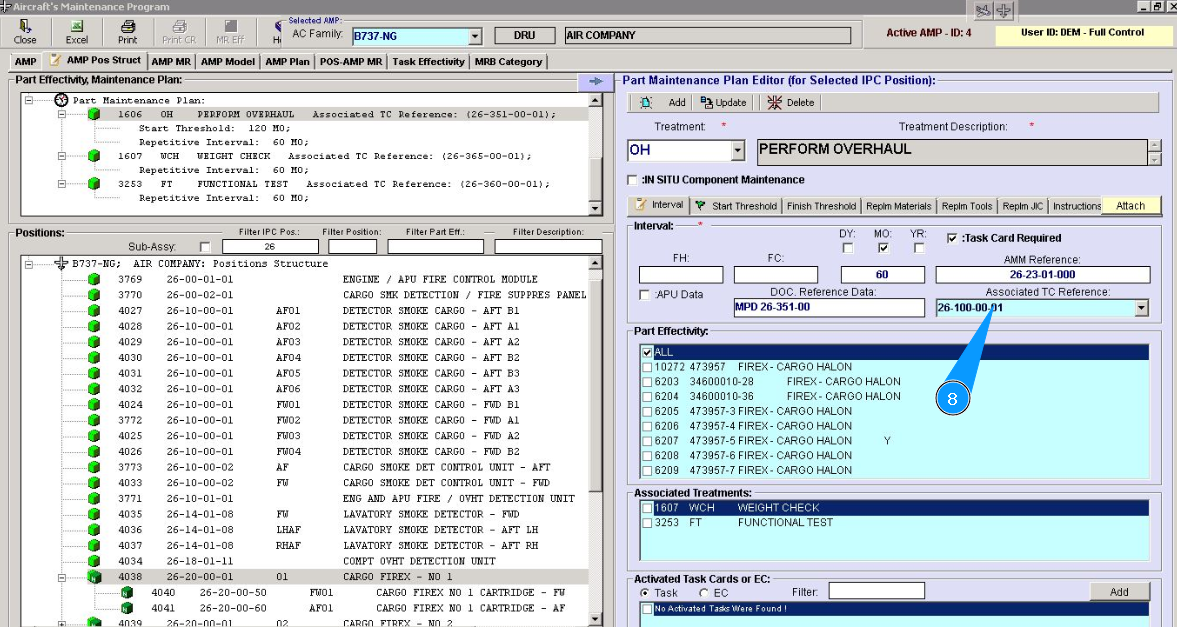
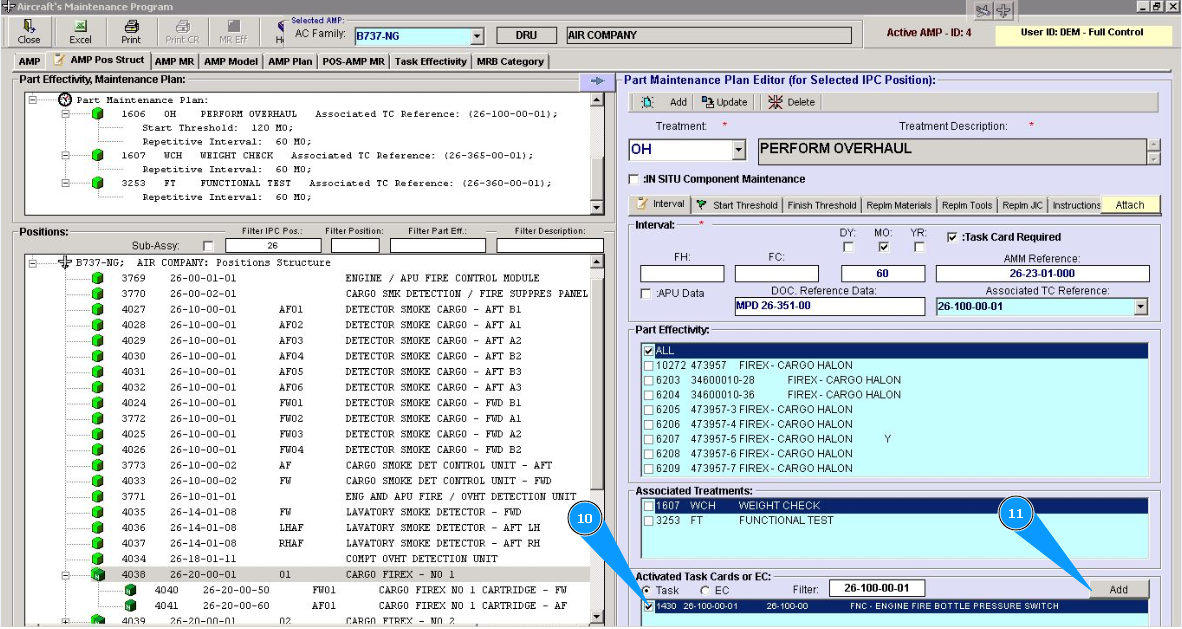
9. If it is required that Job card for AMP task performance be added to WP, please carry out the following steps. Enter the task number in the field "Filter" and click on the button "Enter" on your keyboard.
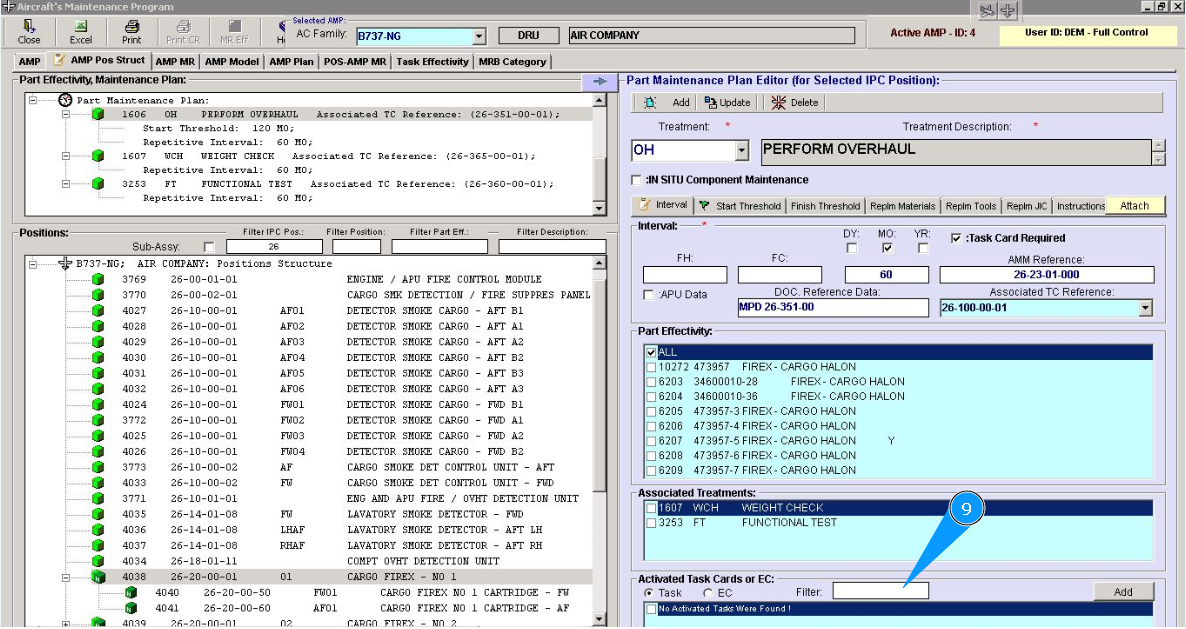
10. Tick in the window opposite the task.
11. Click on the button "Add", to add an AMP task and connect with treatment.
12. Click on the button Yes", to confirm task activation in the program.
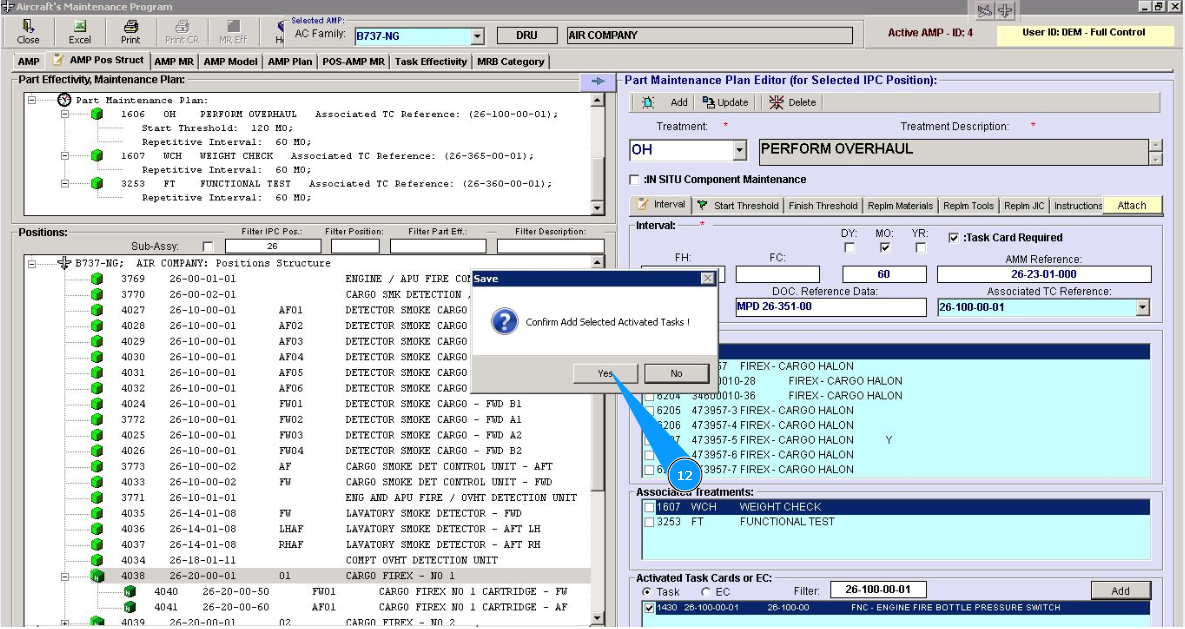
13. Click on the button "Ok", AMP task is activated.

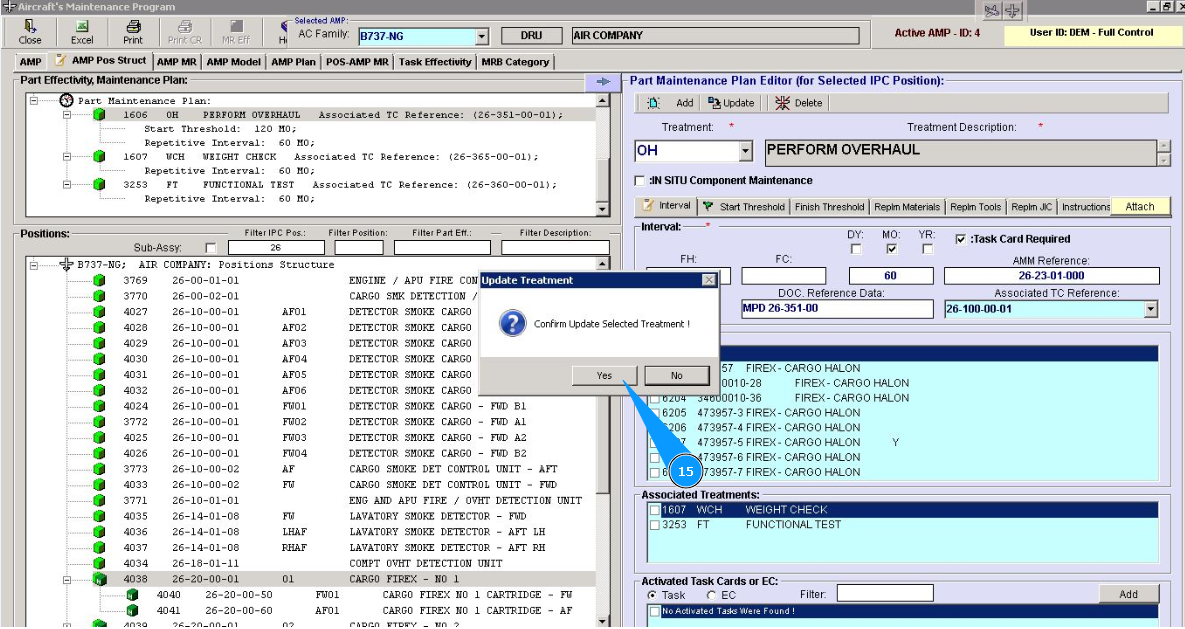
14. Click on the button "Update", to update the treatment data.
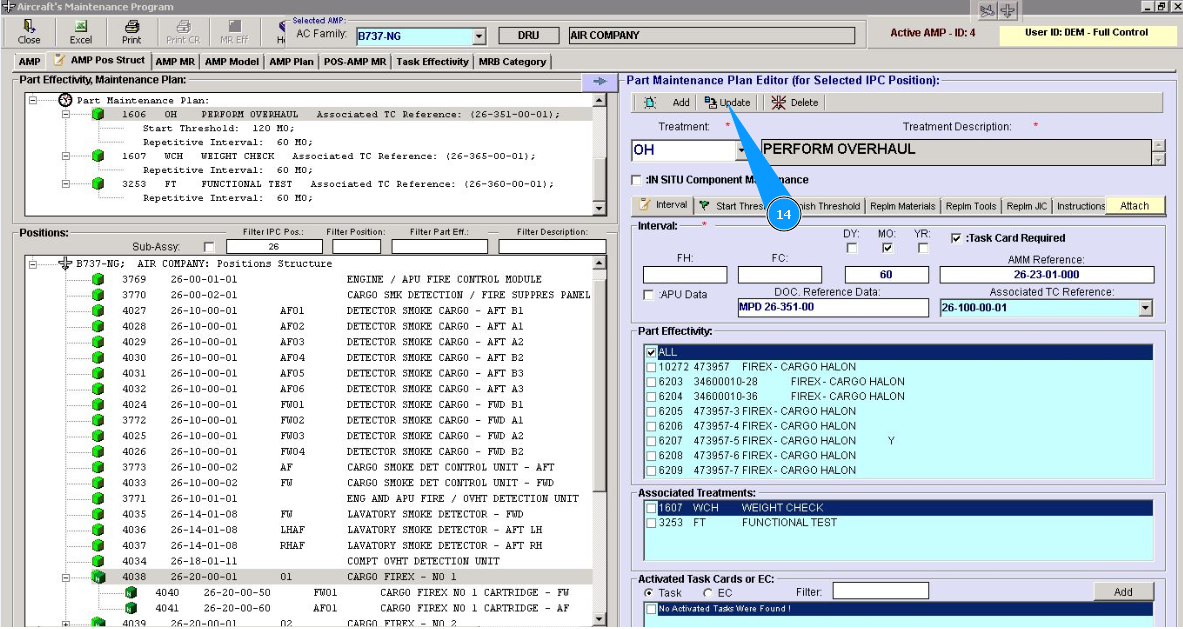
15. Click on the button "Yes", to confirm the change of treatment. Treatment is updated.