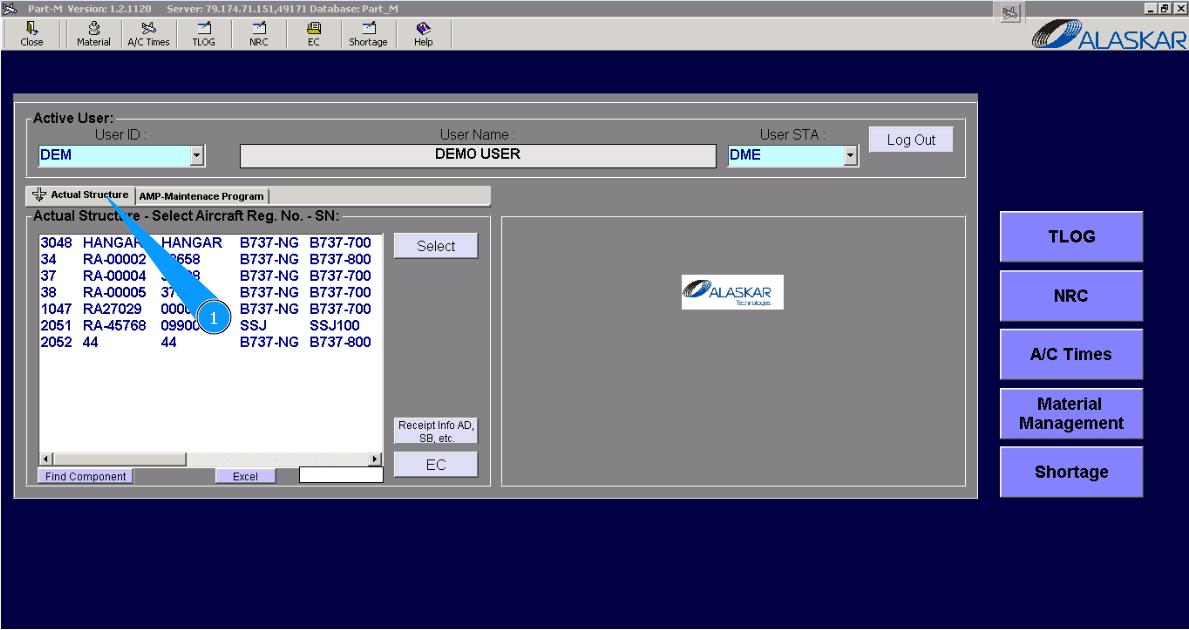
How to initialize checks
1. For initializing checks, please go to tab "Actual Structure".
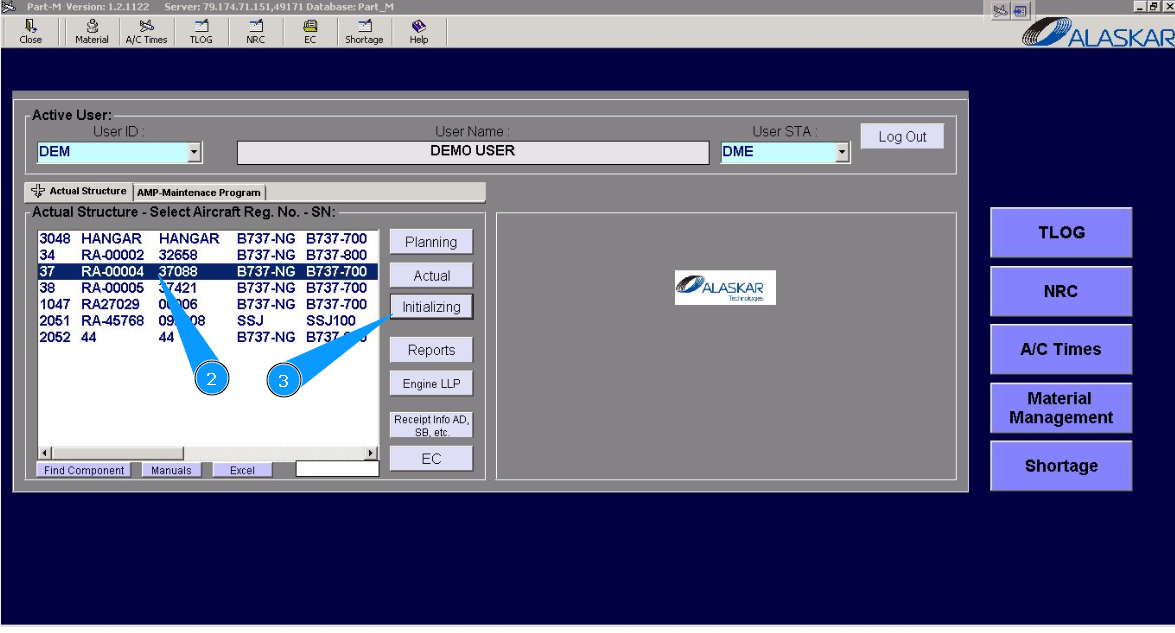
2. Select aircraft registration in the list of window "Actual Structure-Select Aircraft Reg.-SN".
3. Click on the button "Initializing", to open submodule.
4. Then go to tab "Checks Initializing".
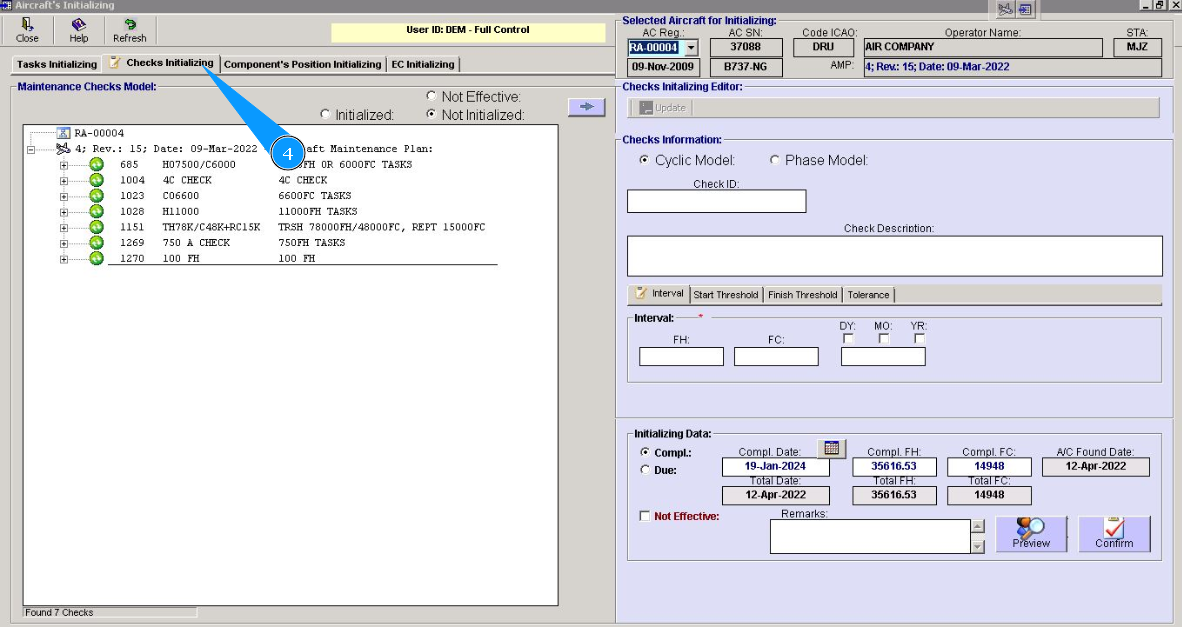
5. Select corresponding check for initializing. Click on the plus to open check's data. Note: Check that filter "Not Initialized" is selected.
6. Click on the line in the window "Maintenance Checks Model".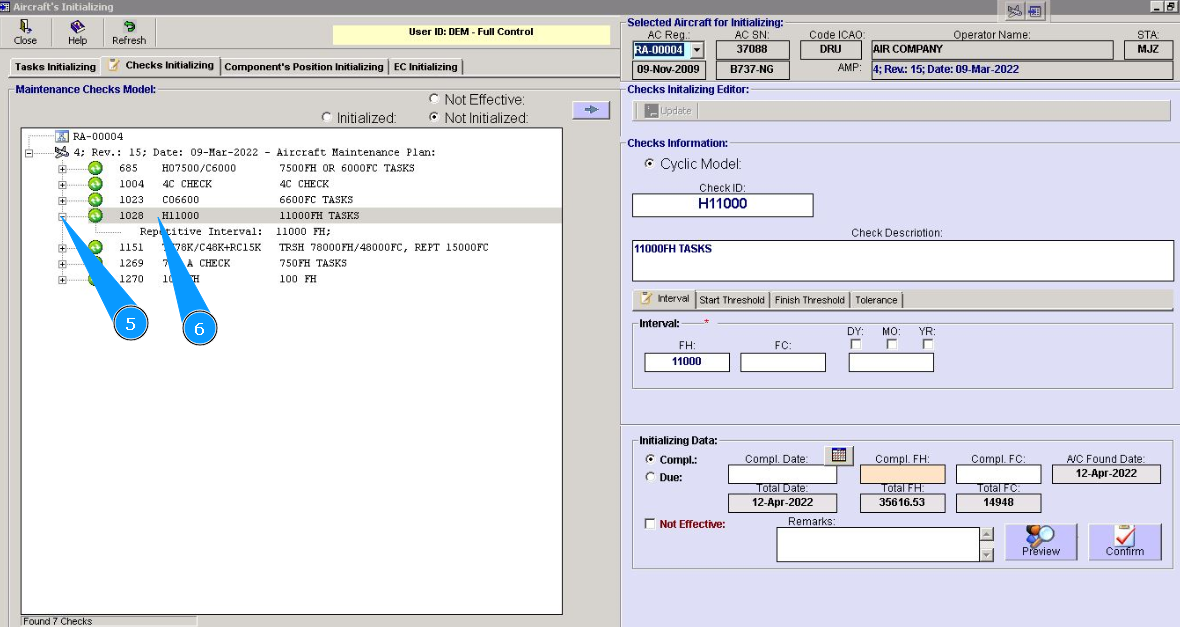
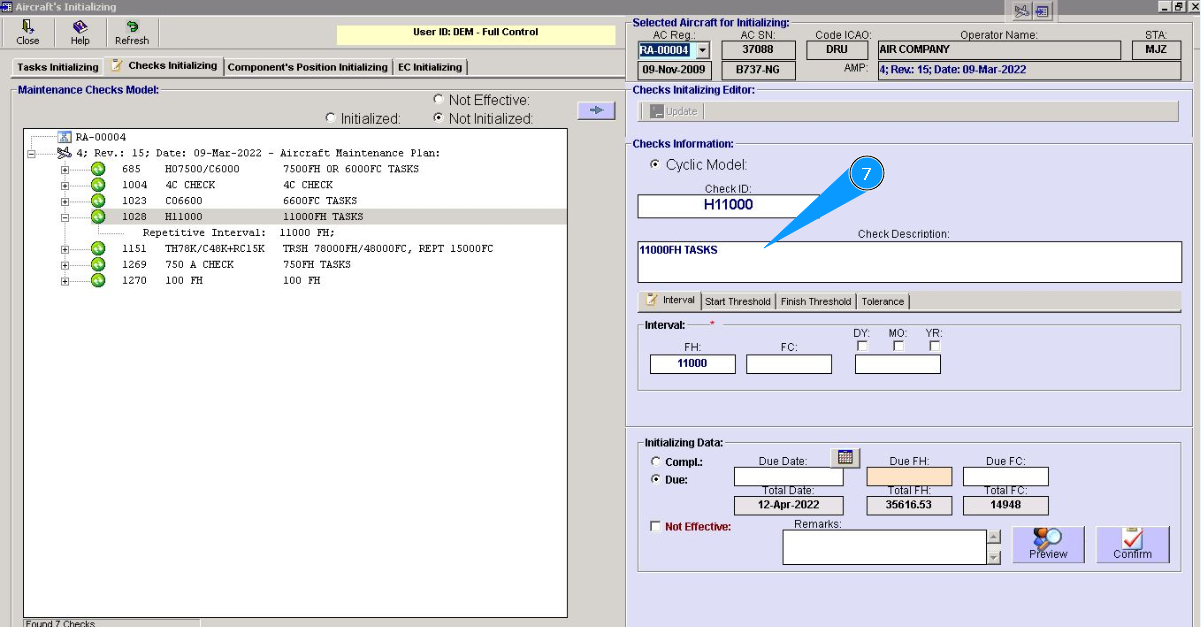
7. Check that data of corresponding check is presented in the window "Checks Information".
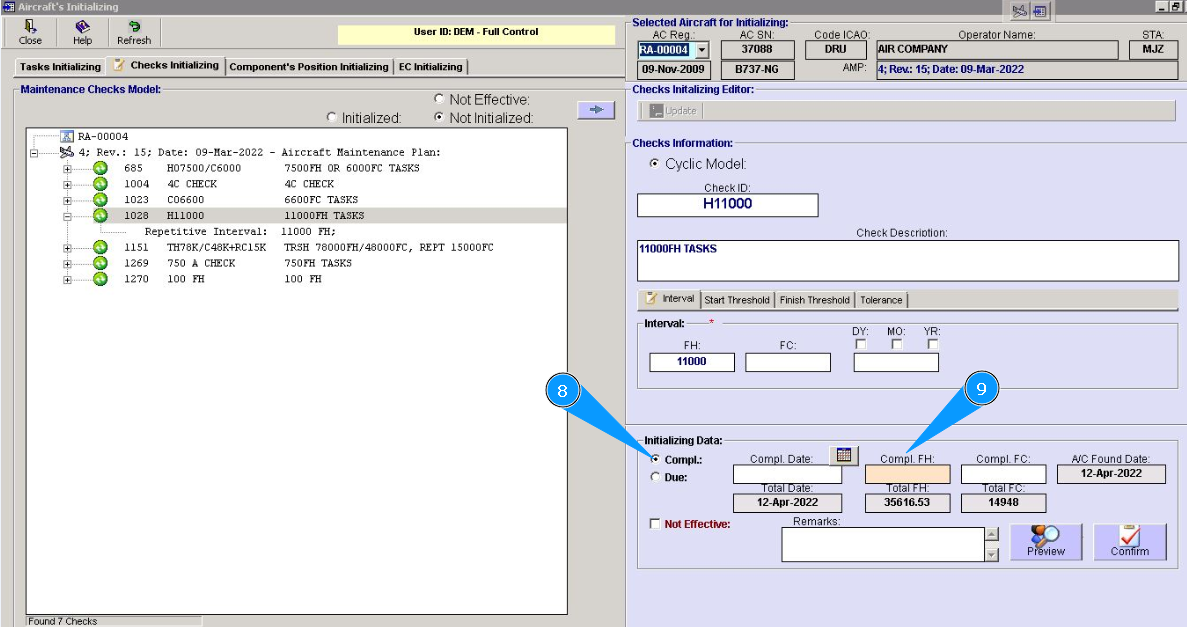
8. Check that filter is selected in the field "Compl." of window "Initializing Data".
9. Enter last check performing data, if such performance was done, in the fields "Compl.Date", "Compl.FH", "Compl.FC".
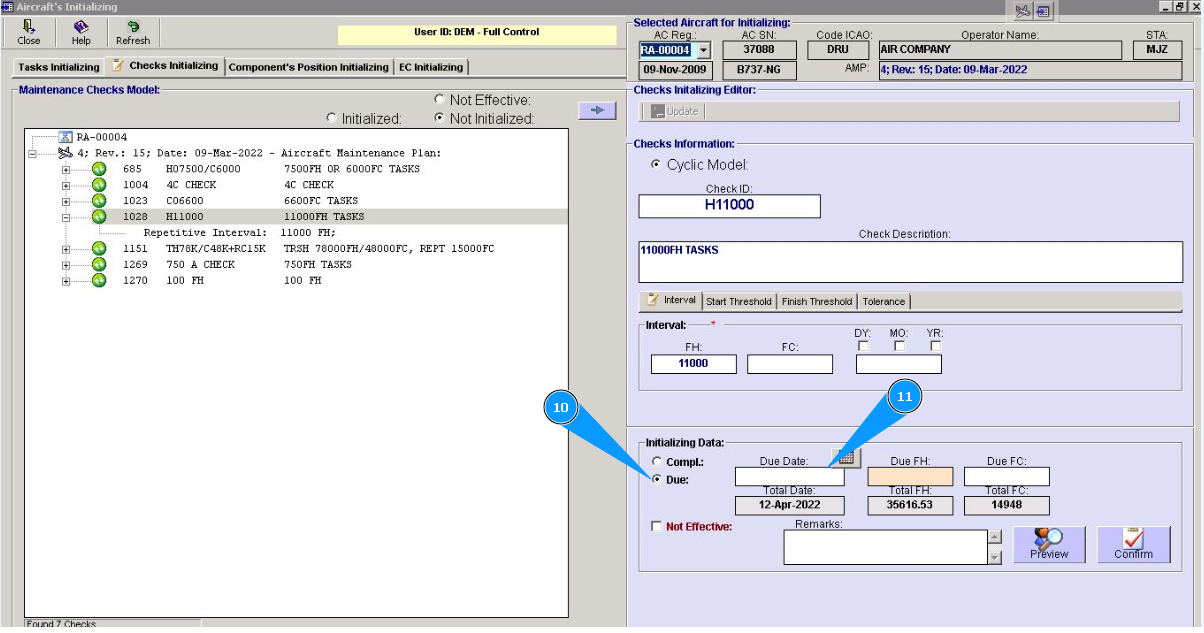
10. Set filter in the field "Due" of window "Initializing Data".
11. Enter next performance data of selected check in the fields "Due Date", "Due FH, "Due FC".
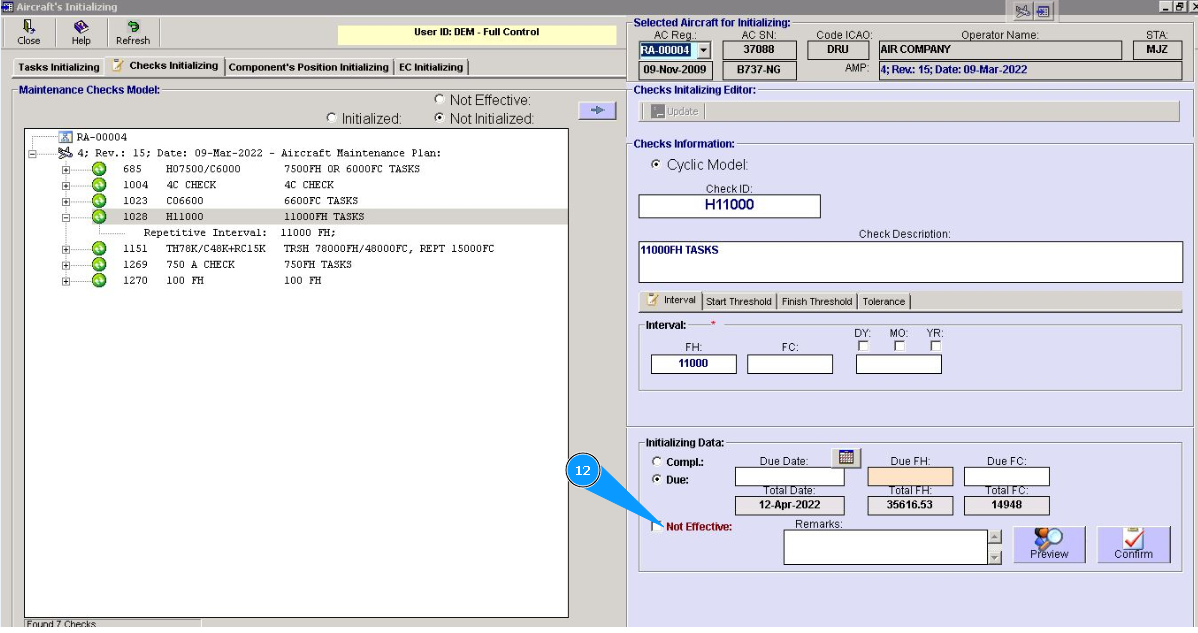
12. Identify effectivity of this check to aircraft MSN and if it is not applicable tick in the field "Not effective".
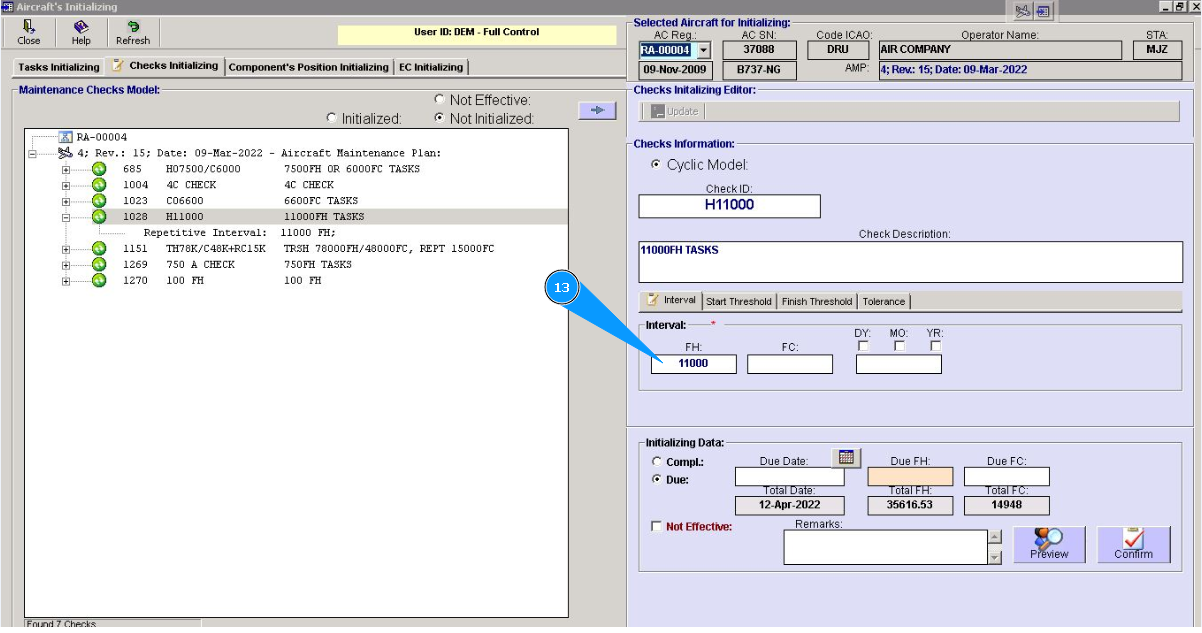
13. If necessary, correct interval data of check in the fields "FH", "FC", "DY, MO, YR" of window "Interval".
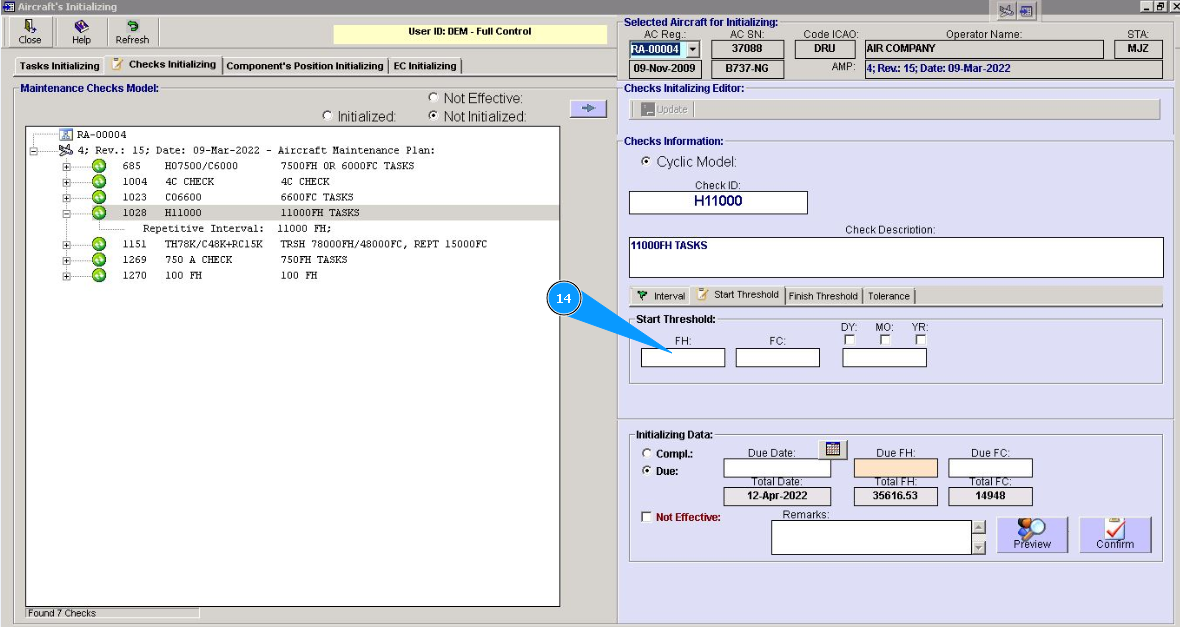
14. If necessary, enter or correct the start threshold of the check in the fields *"FH", "FC", "DY, MO, and YR" of the window "Start Threshold".
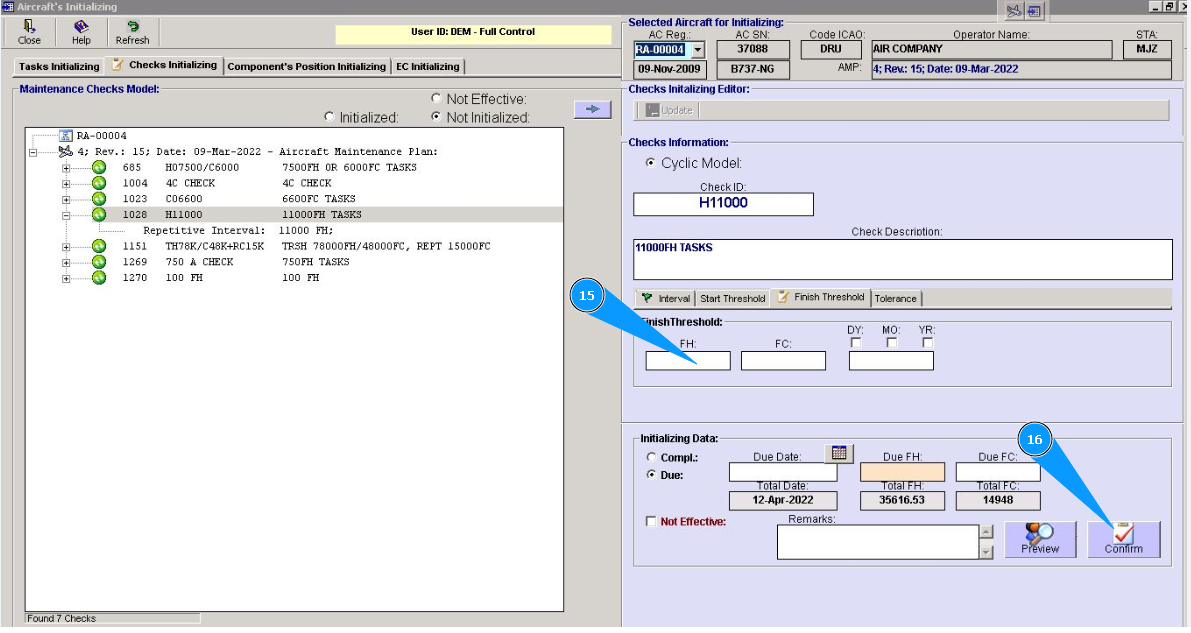
15. If necessary, enter or correct the data of the finish threshold of check in the fields "FH", "FC", "DY, MO, YR" of the window "Finish Threshold".
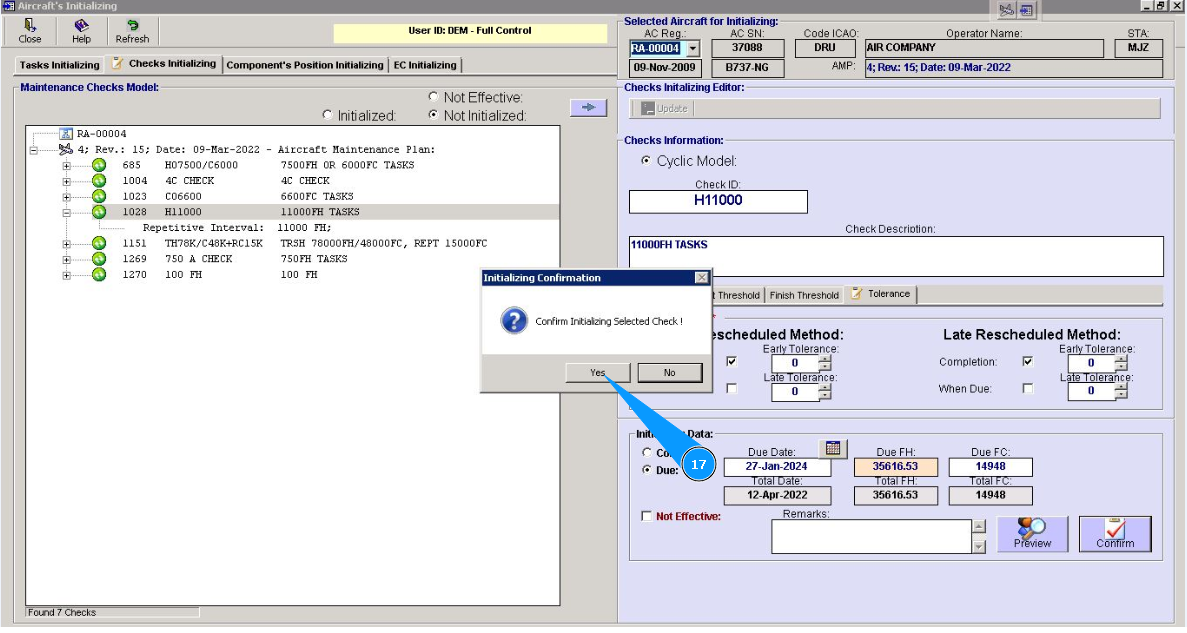
16. Click on the button, to add the entered data to the program.
17. Click on the button "Yes, to confirm adding data to the program.
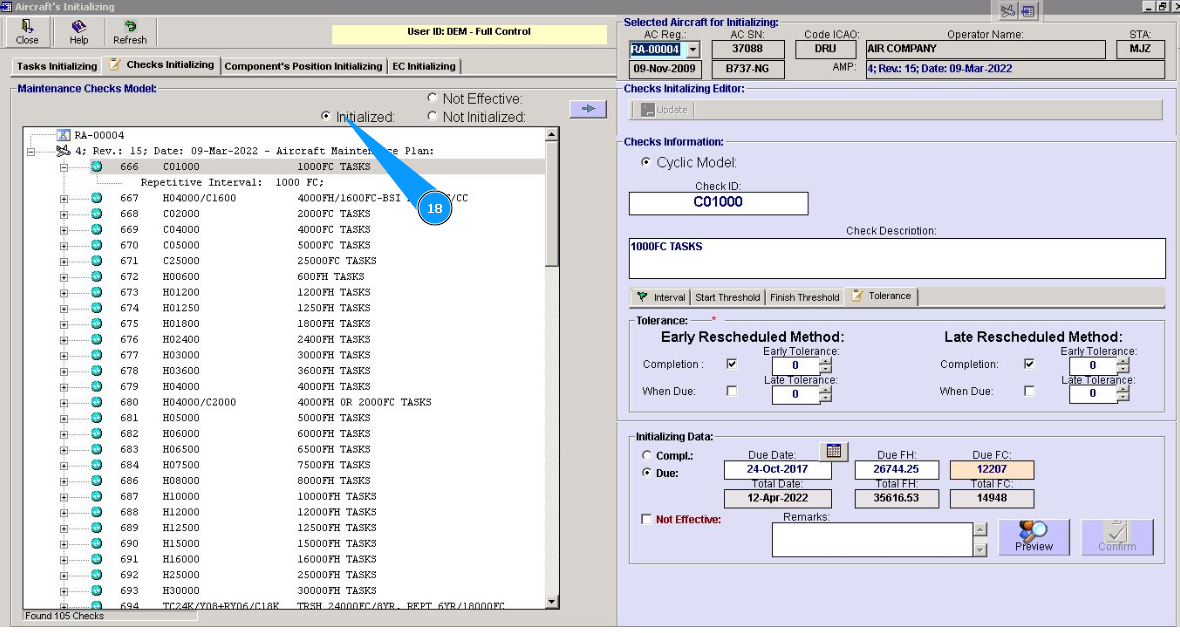
18. Check that the selected check is presented in the window of initialized checks. For this purpose, set a filter in the field "Initialized".
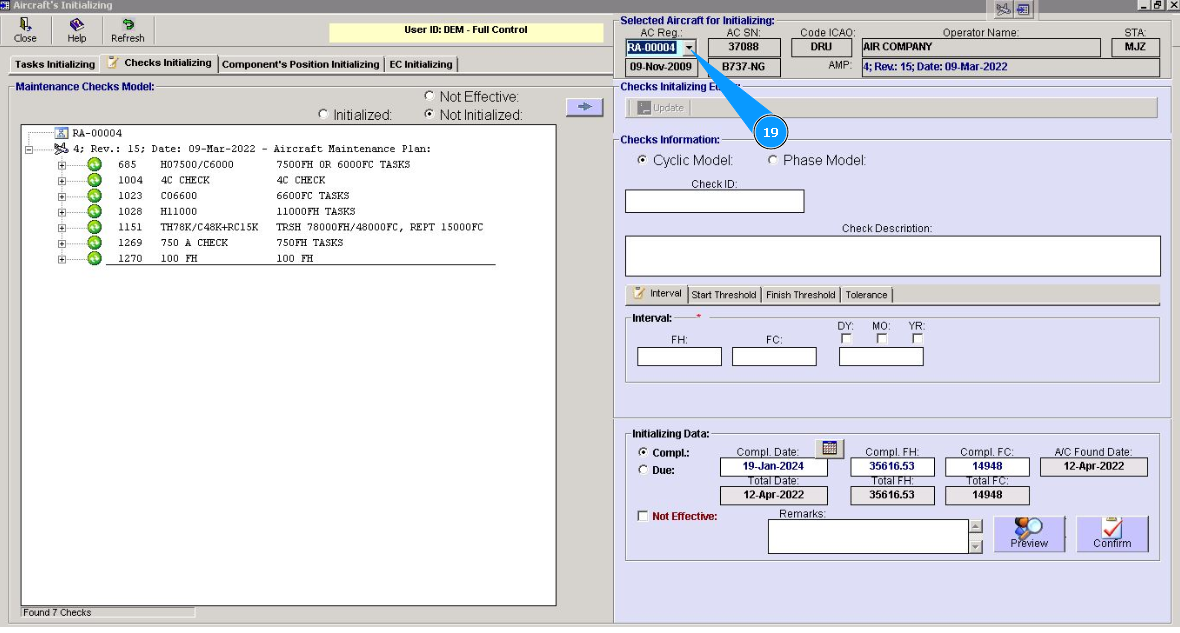
19. Perform an initializing check for all applicable aircraft of your fleet. Select next aircraft from dropdown list in the field "AC Reg.". Repeat necessary items of this instruction.