How to link PDF maintenance instructions to an AMP task
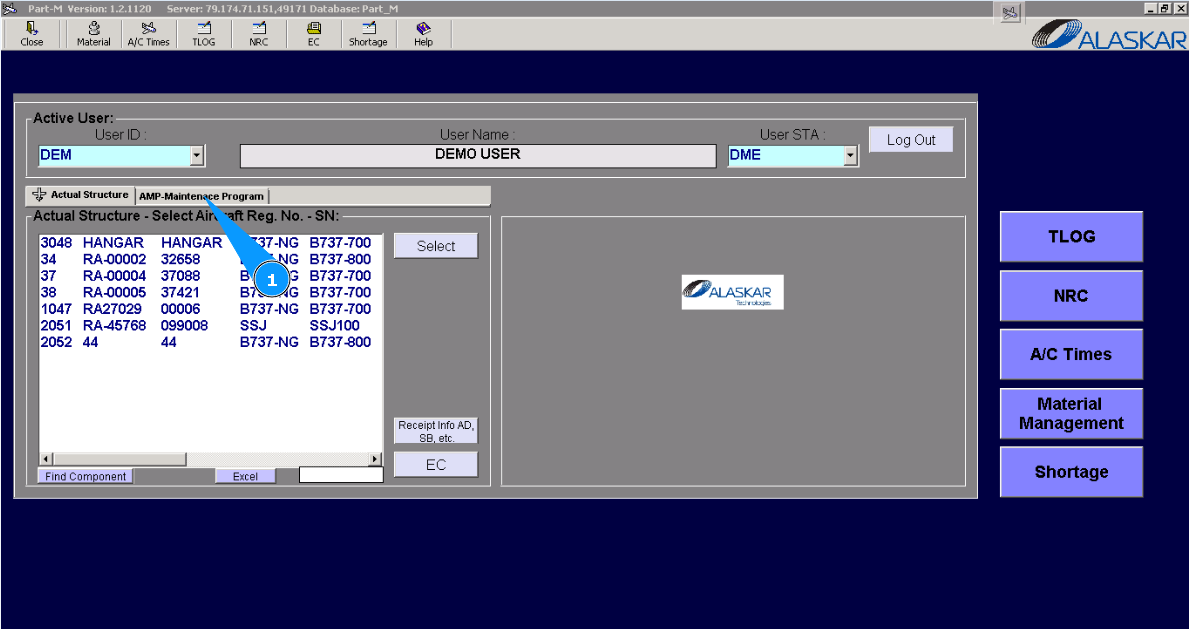
1. For linking PDF maintenance instructions to the AMP task, please go to submodule "AMP- Maintenance Program".
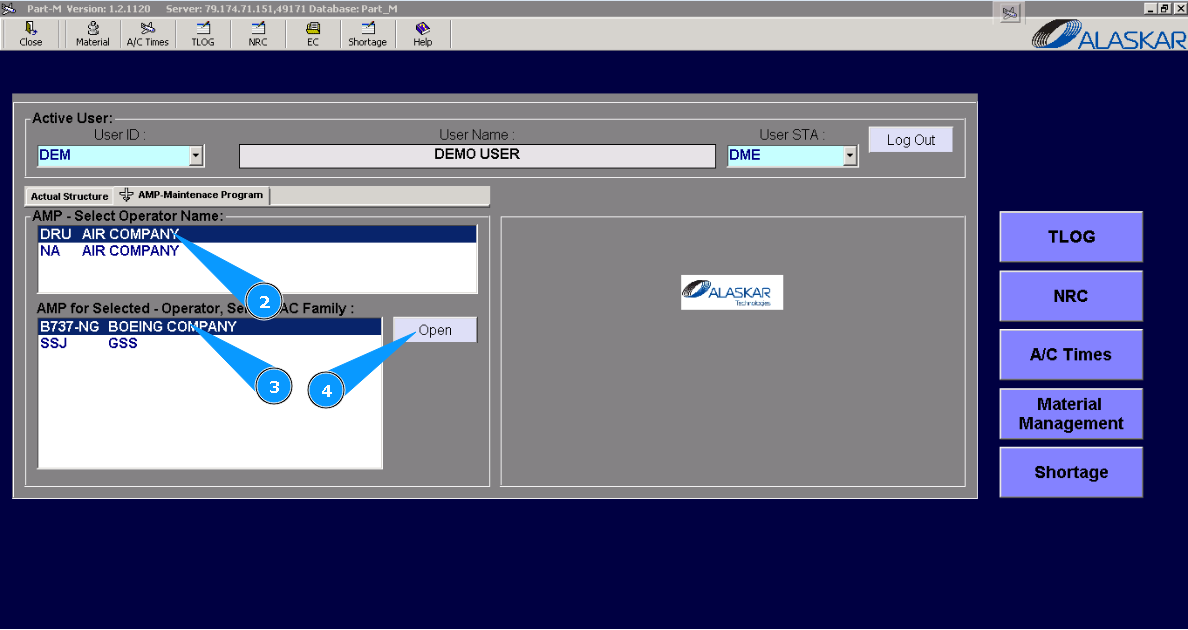
2. Select the company name in the list of window "AMP- Select Operator Name".
3. Select aircraft type in the list of window "AMP for Selected- Operator".
4. Click on the button "Open", for opening AMP menu.
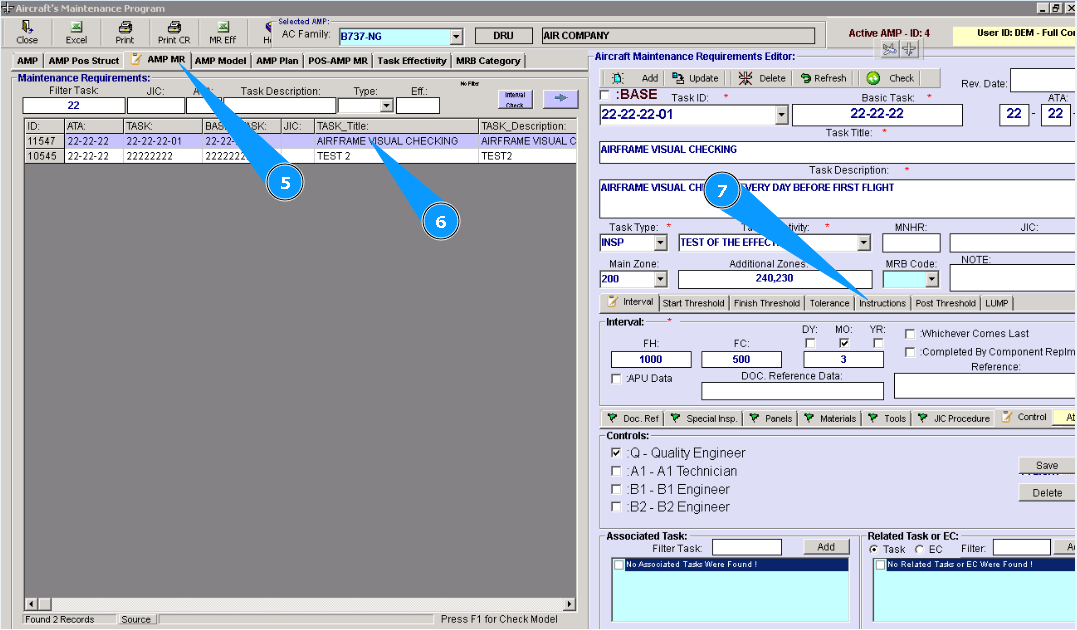
5. Then go to tab "AMP MR".
6. Then go to the tab "Instructions" in the editor "Aircraft Maintenance Requirements Editor".
7. Find and highlight the necessary task in the list of AMP for adding JIC reference.
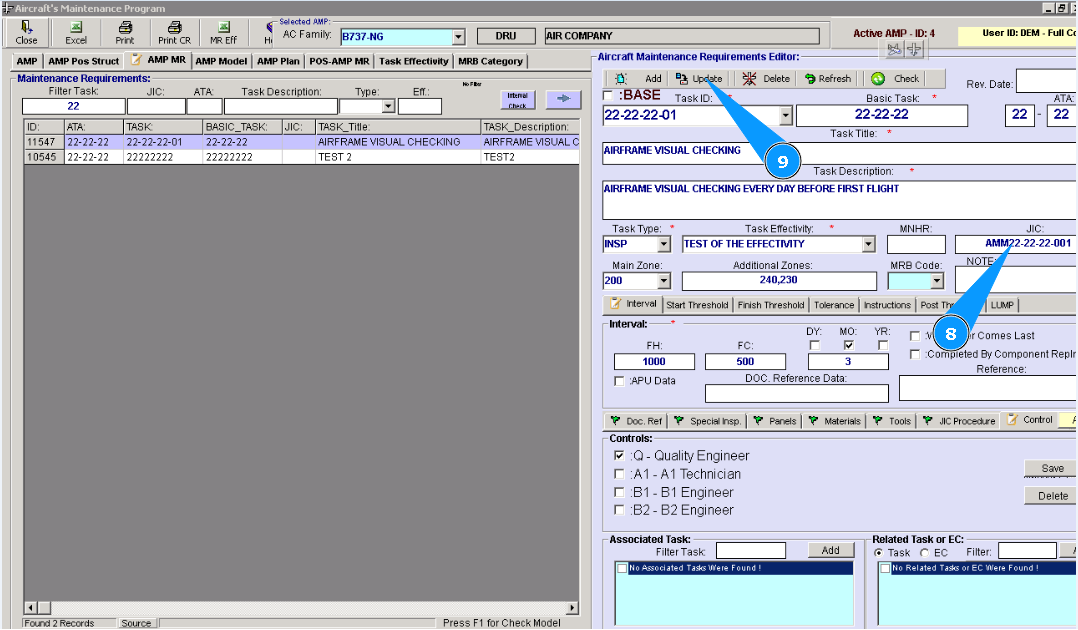
8. Enter the document name of the maintenance instruction in the field "JIC".
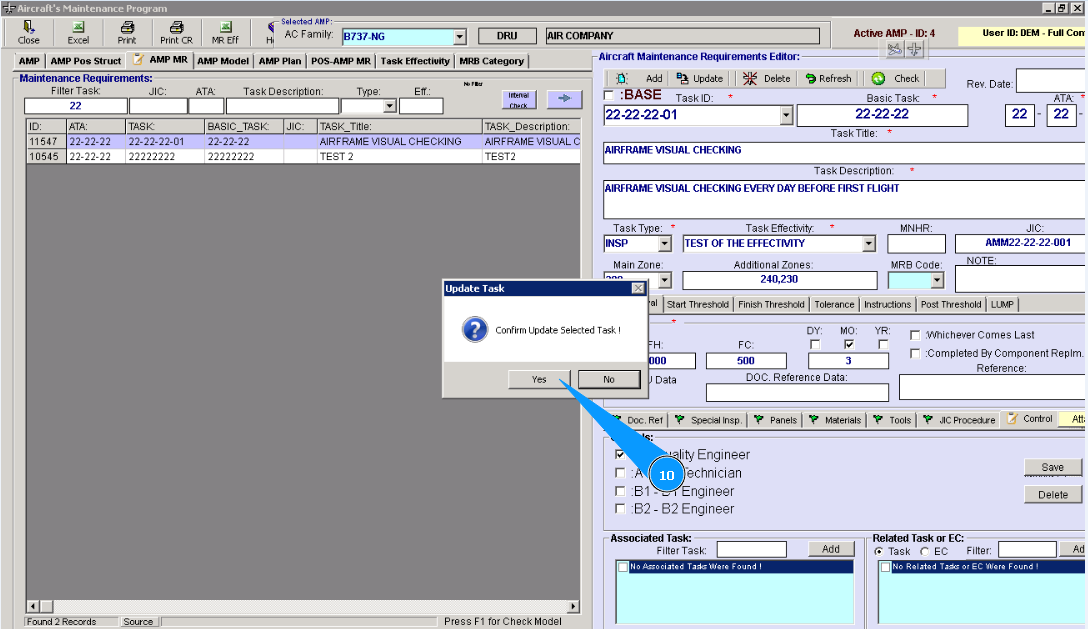
9. Click on the button **"Update" to add data to the program.
10. Click on the button "Yes", to confirm adding data to the program.
Note: Request the IT department to put the necessary files on the Alaskar server into the folder "AC_Manuals".