How to enter finish threshold of AMP task
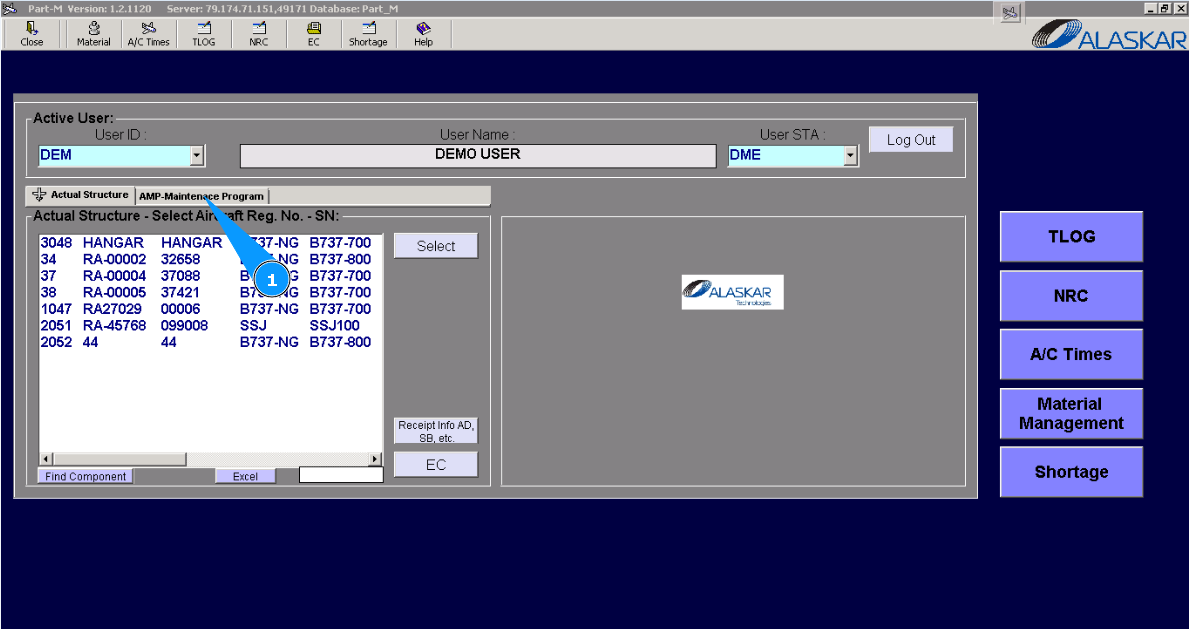
1. For adding finish threshold of AMP task, please go to submodule "AMP- Maintenance Program".
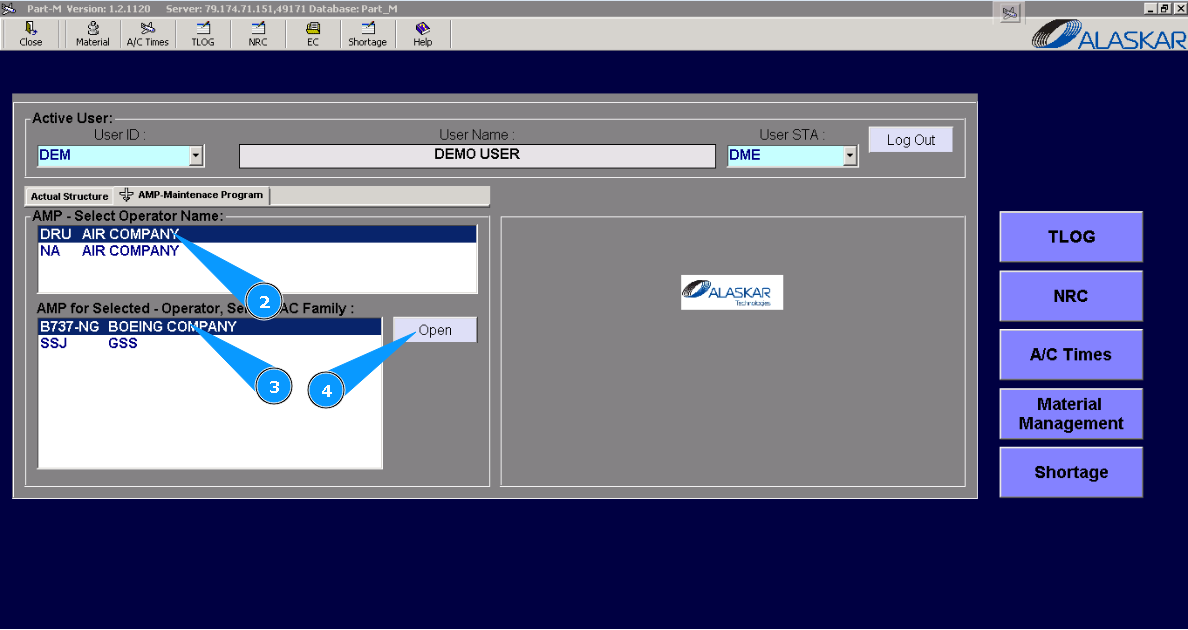
2. Select the company name in the list of window "AMP- Select Operator Name".
3. Select aircraft type in the list of window "AMP for Selected- Operator".
4. Click on the button "Open", for opening AMP menu.
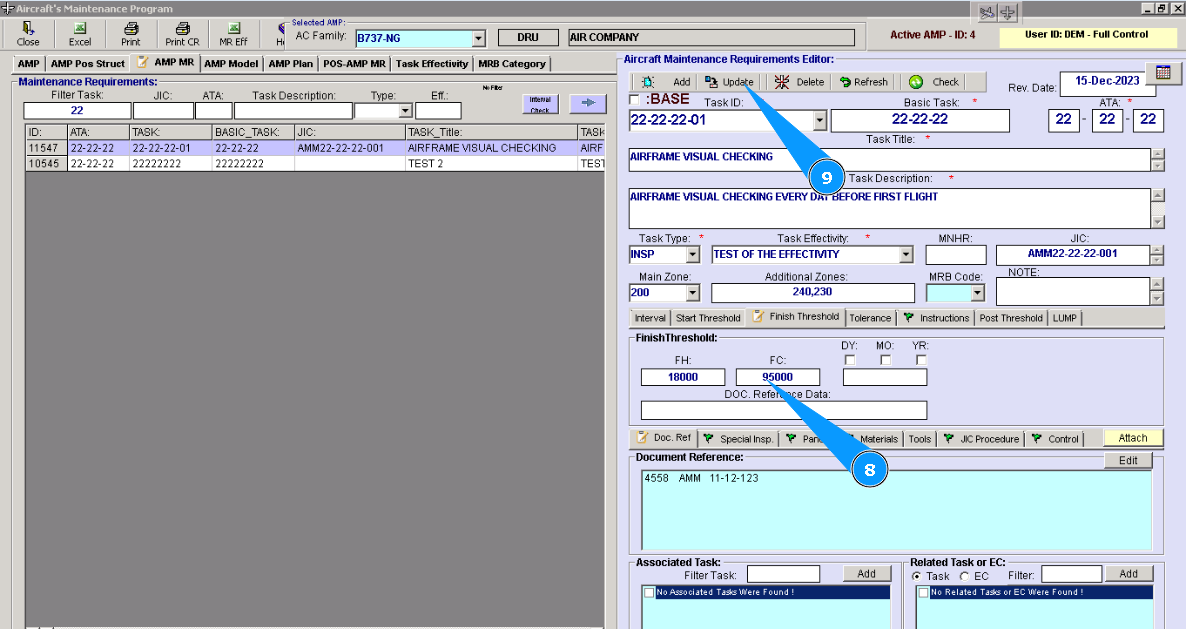
5. Then go to tab "AMP MR".
6. Find and highlight applicable tasks in AMP for adding a finish threshold to an AMP task.
7. Then go to tab "Finish Threshold" in the editor "Aircraft Maintenance Requirements Editor".
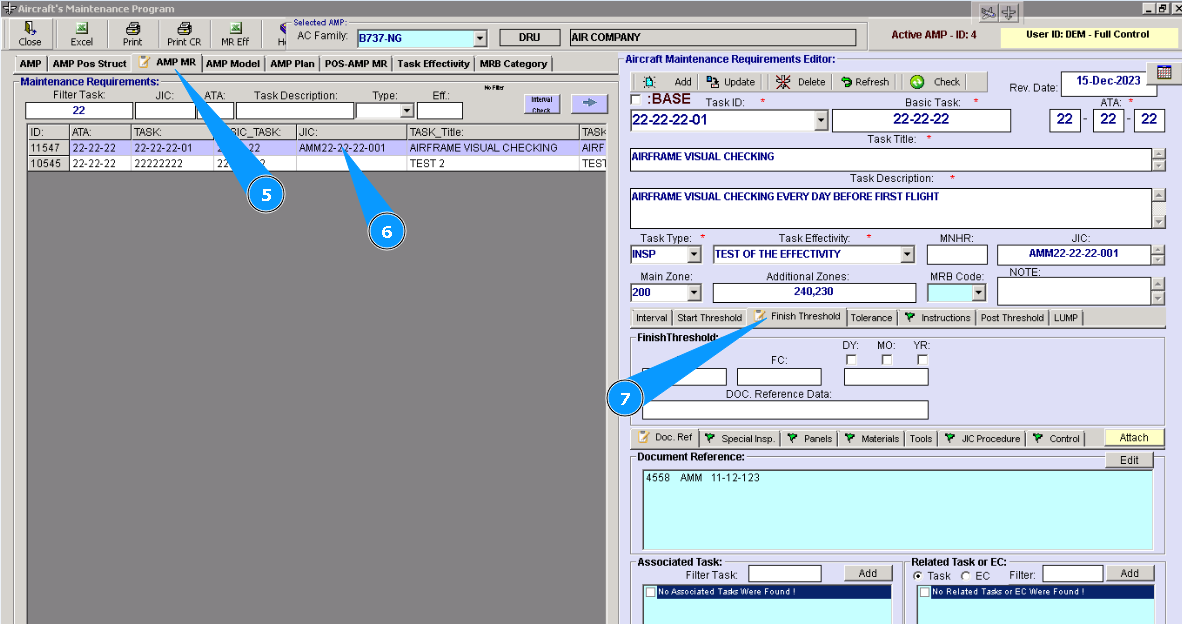
8. Enter the necessary thresholds for finishing the AMP task in the window "Finish Threshold".
9. Click on the button **"Update" to add data to the program.
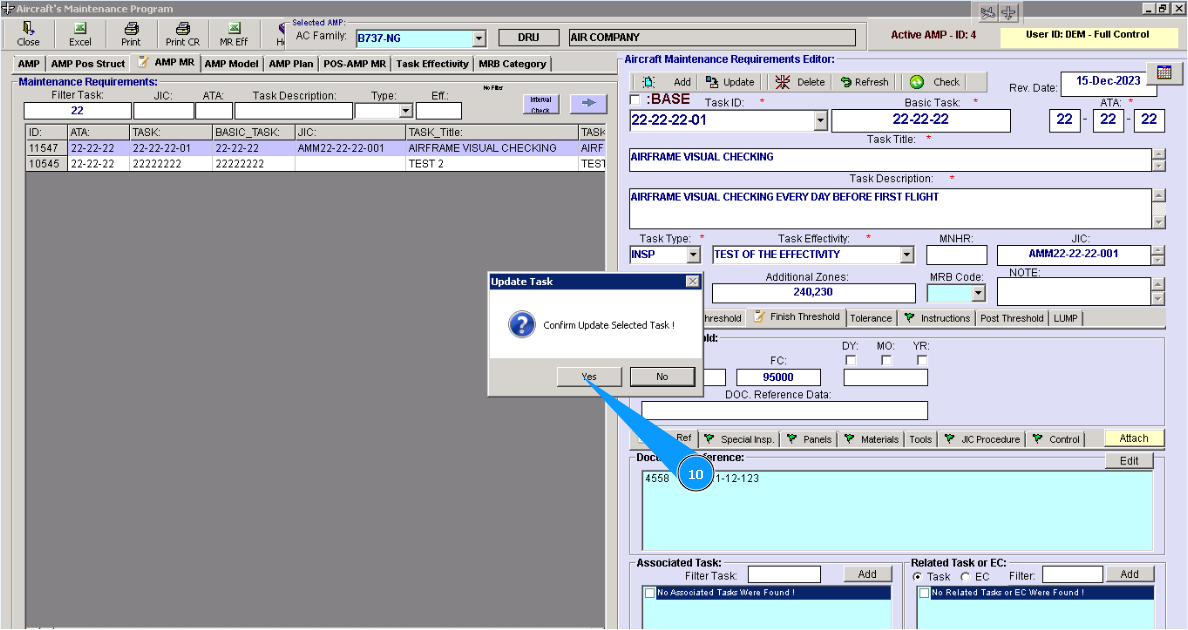
10. Click on the button "Yes", to confirm adding data to the program.