How to create MRB category
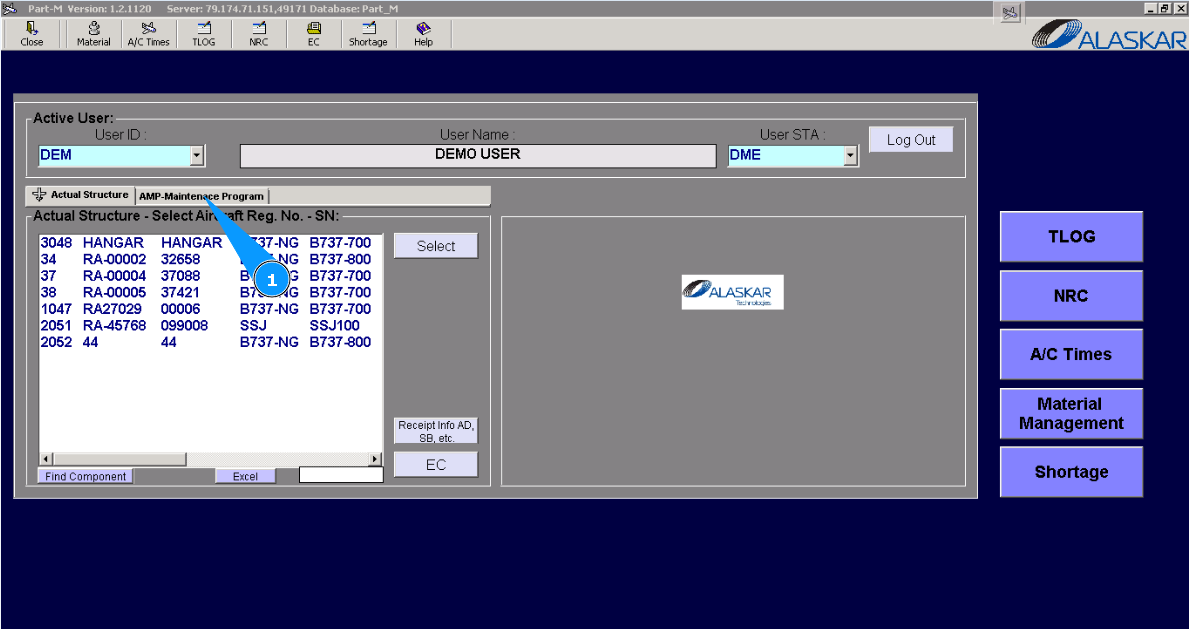
1. For creating new MRB category, please go to submodule "AMP- Maintenance Program".
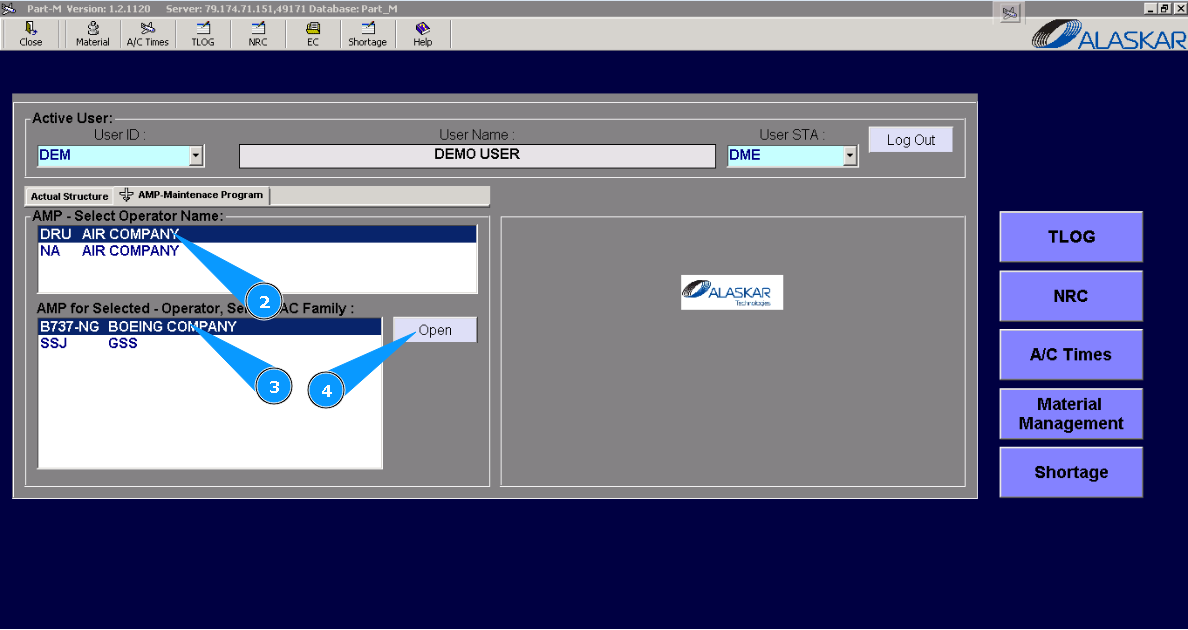
2. Select the company name in the list of window "AMP- Select Operator Name".
3. Select aircraft type in the list of window "AMP for Selected- Operator".
4. Click on the button "Open", for opening AMP menu.
5. Then go to tab "MRB Category".
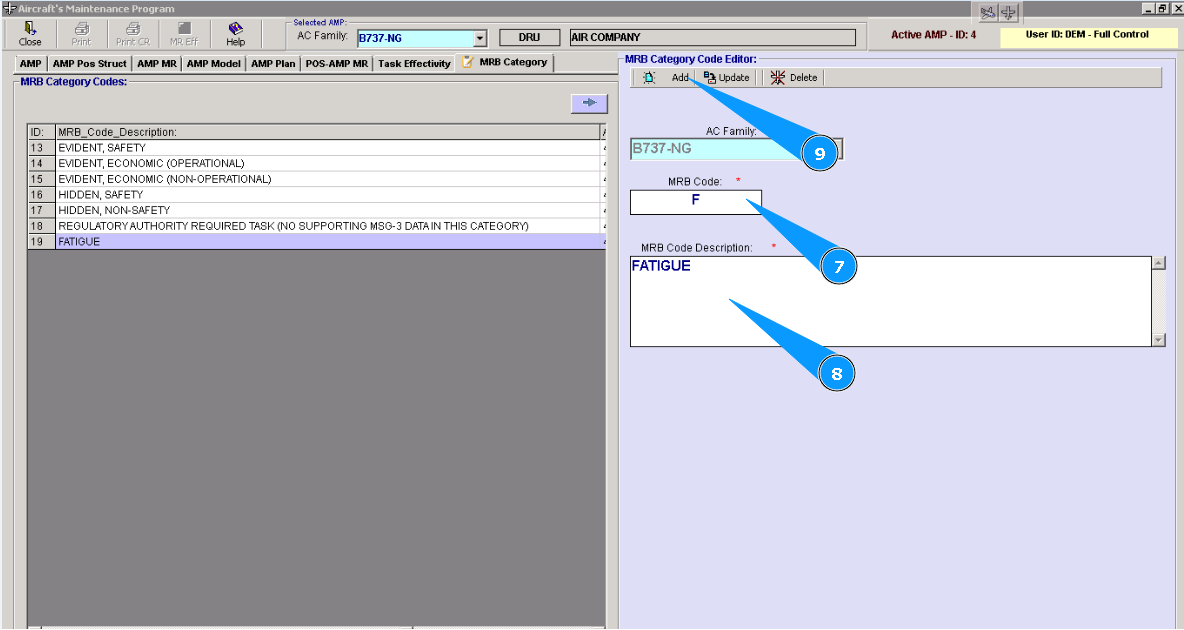
6. Fill in the corresponding mandatory fields with red stars in the window "MRB Category Code Editor".
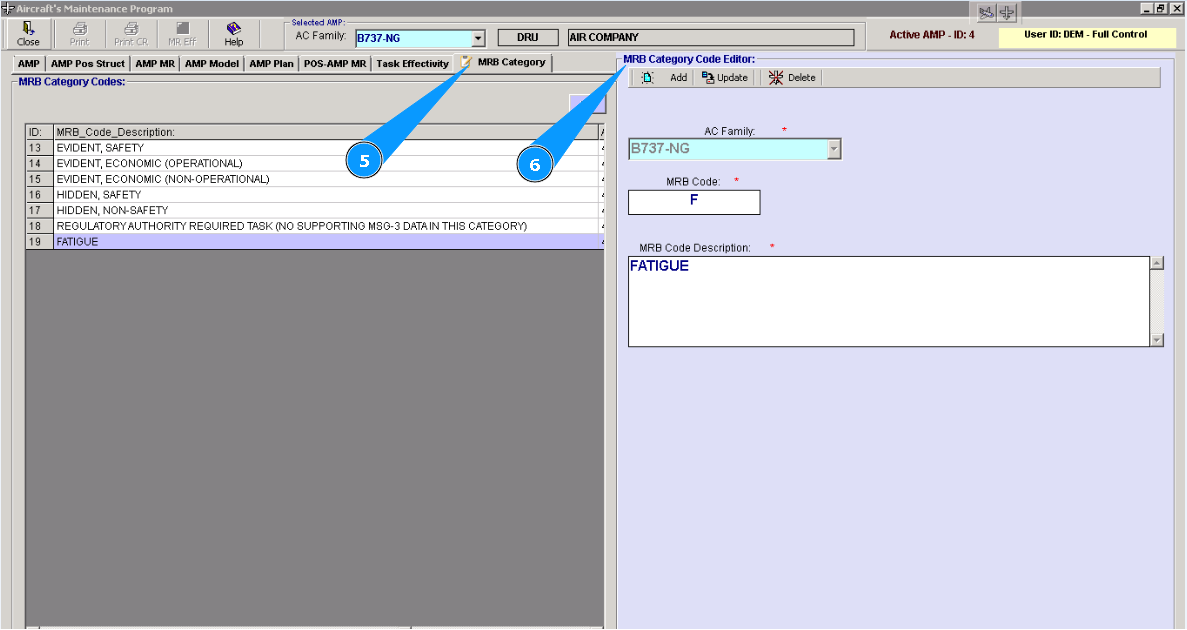
Note: Aircraft type is automatically selected depending on which AMP was opened for editing.
8. Enter description of MRB category in the field "MRB Code Description".
9. Click on the button "Add", for adding data to the program.
10. Click on the button "Yes", to confirm adding data to the program.
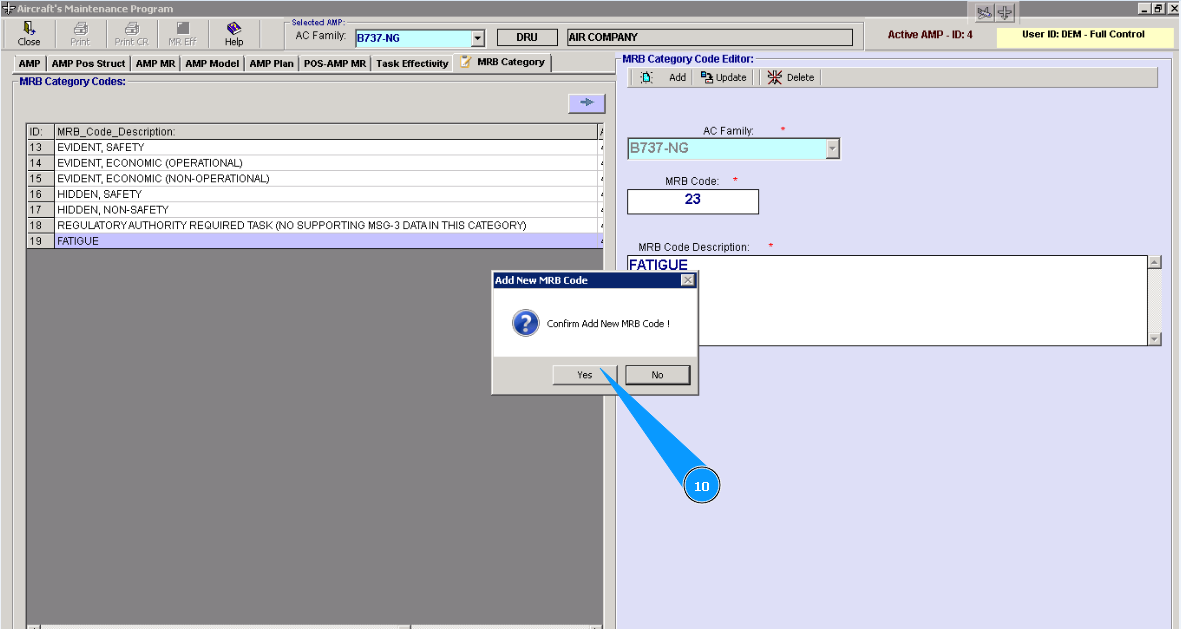
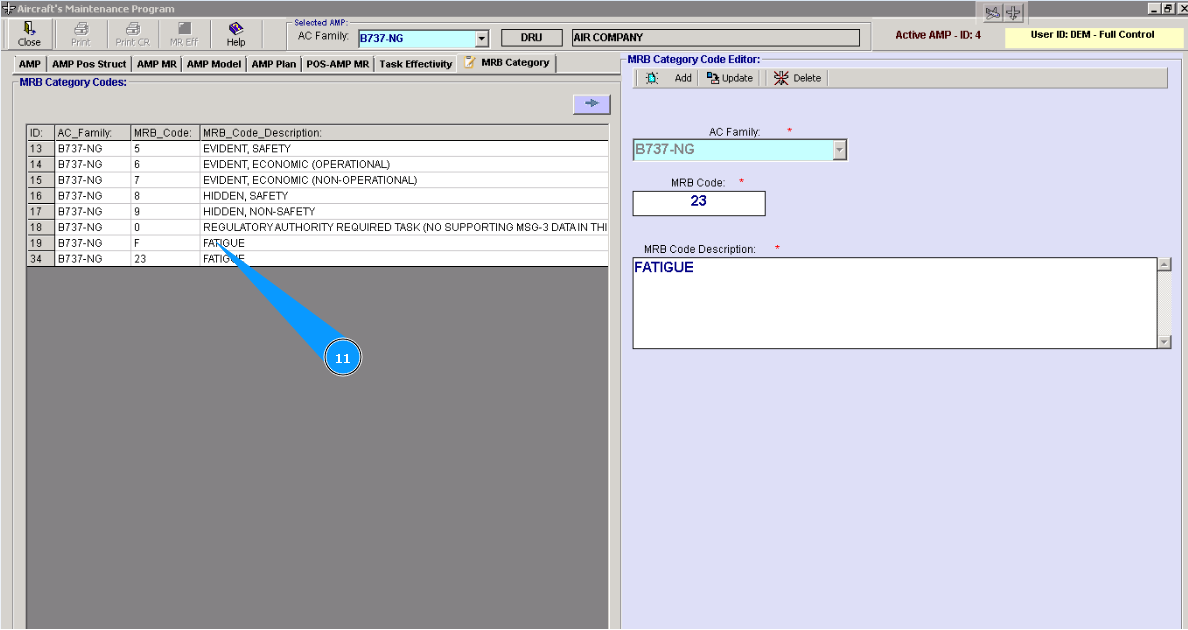
11. Check that new line with corresponding MRB category is created in the window "MRB Category Codes".