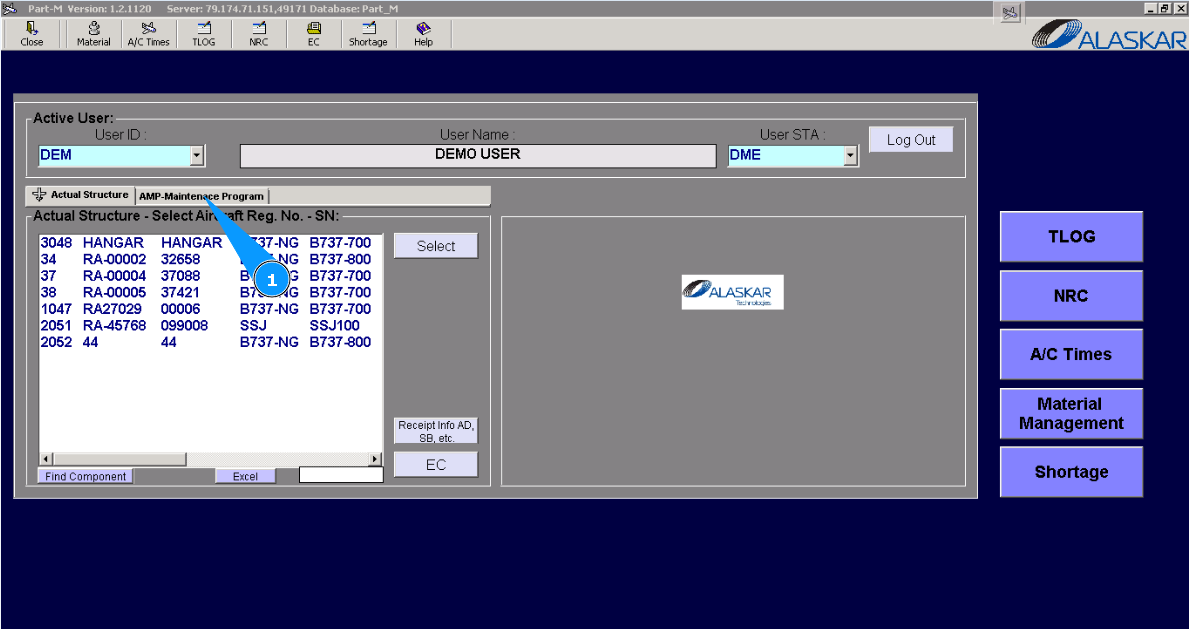
How to create a new AMP task
1. For creating a new task in AMP, please go to the tab "AMP- Maintenance Program".
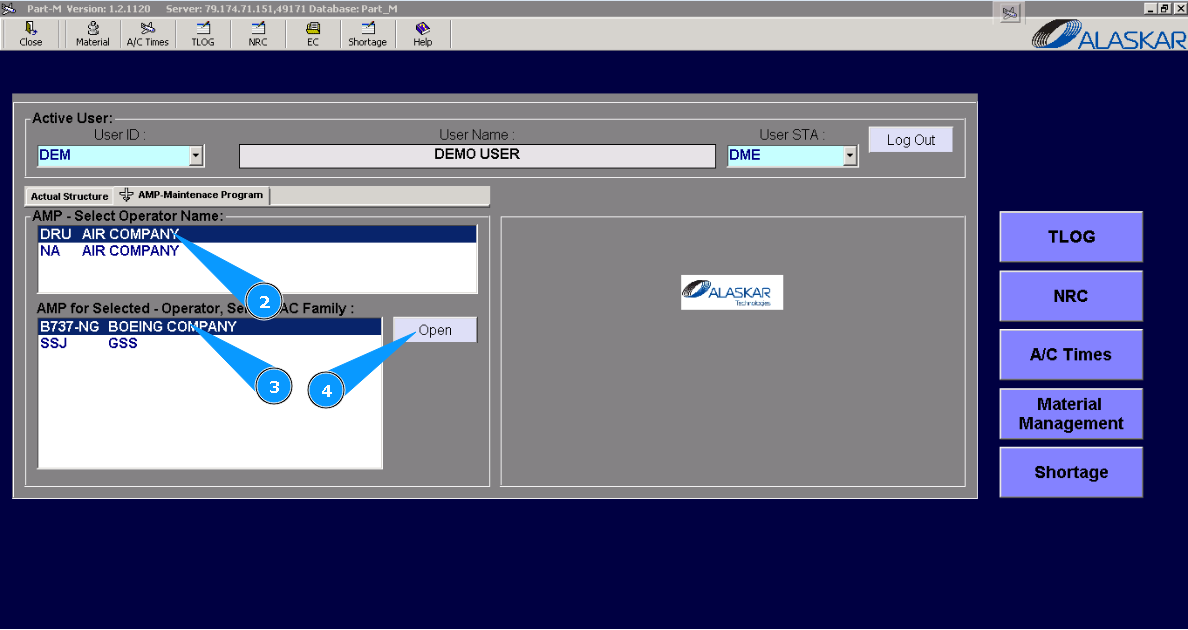
2. Select operator name in the list of window "AMP- Select Operator Name".
3. Select aircraft type in the list of window "AMP for Selected- Operator".
4. Click on the button "Open", to open the general menu of AMP.
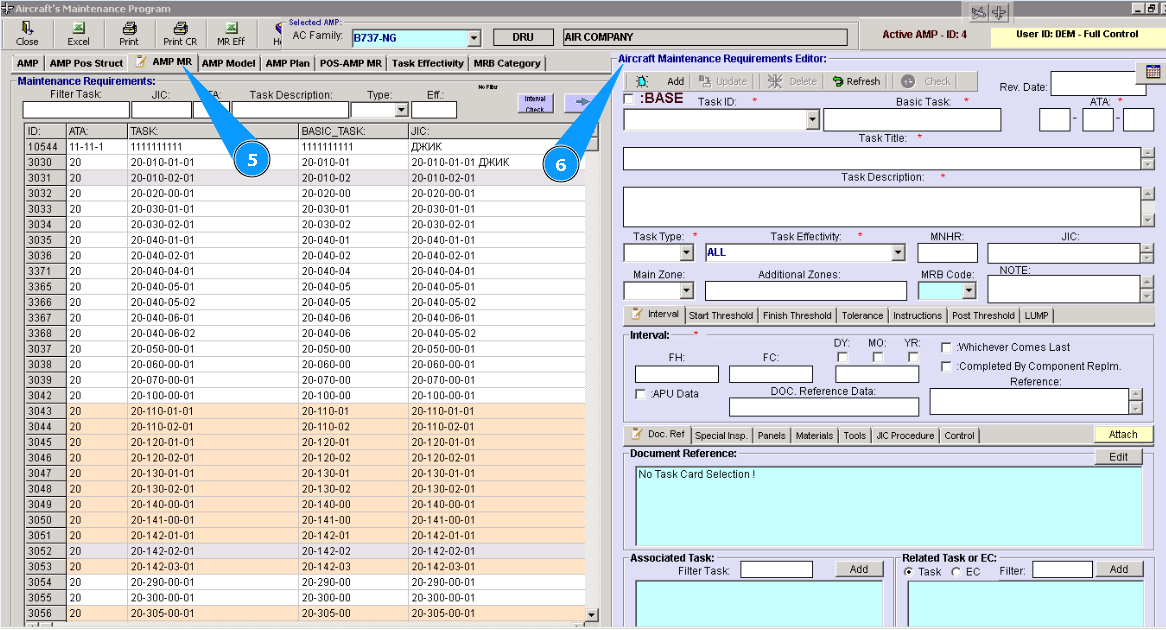
5. Then go to tab "AMP MR".
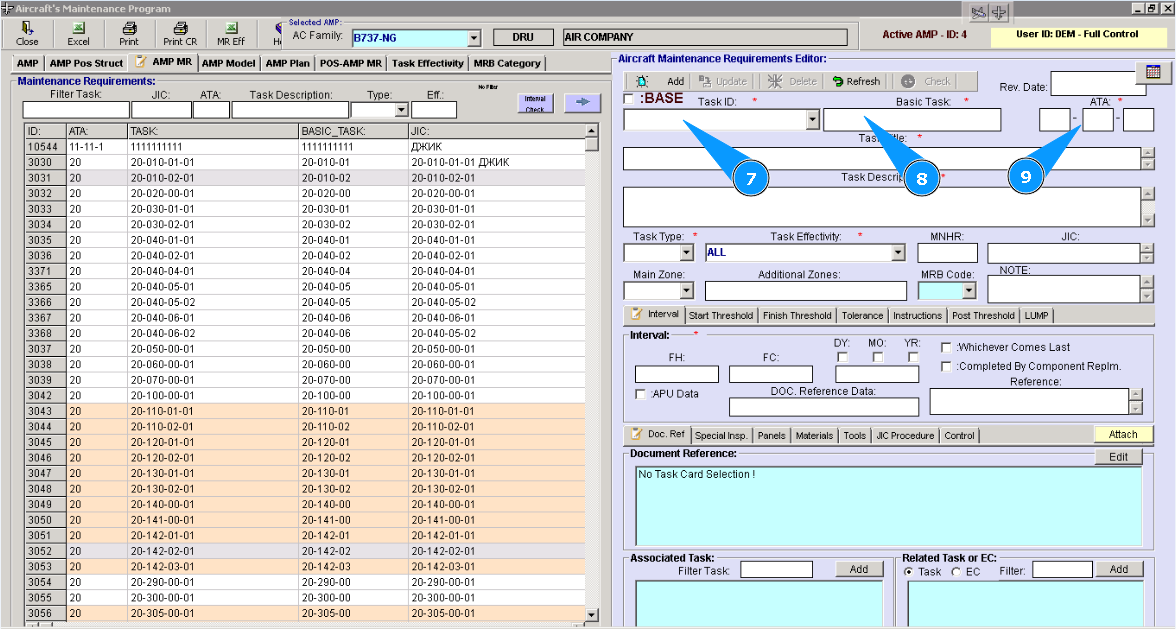
6. Fill in mandatory fields with red stars in the editor "Aircraft Maintenance Requirements Editor".
7. Enter a customized task number in the field "Task ID ".
8. Enter the basic task number in the field "Basic Task".
9. Enter the ATA number applicable to the task in the field "ATA".
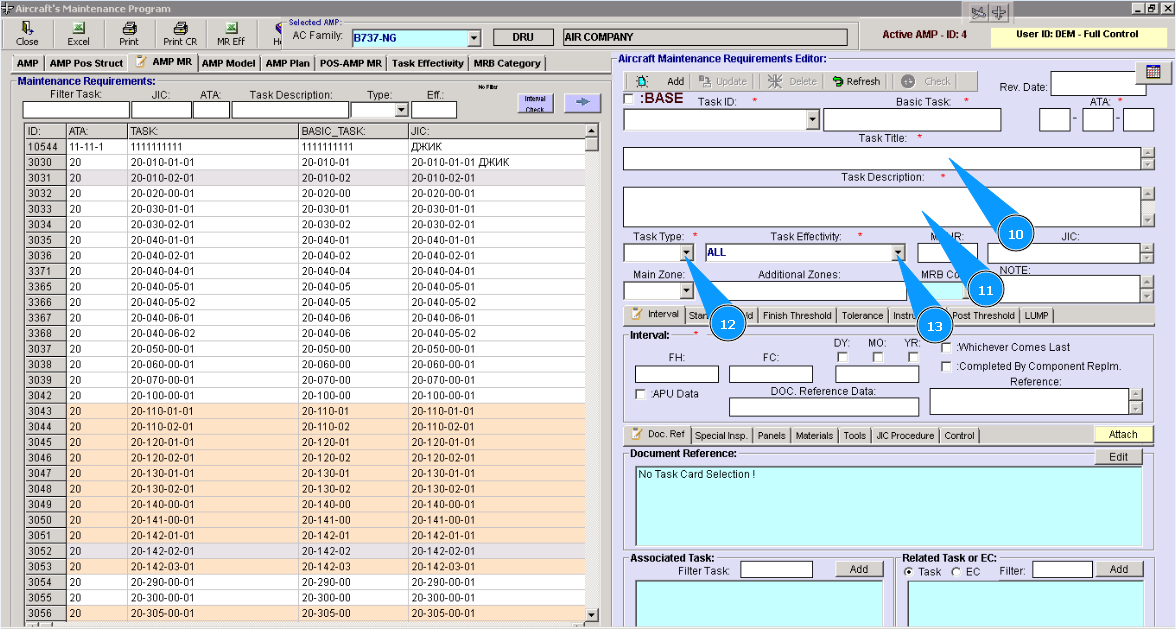
10. Enter the task title in the field "Task Title".
11. Enter the task description in the field "Task Description".
12. Enter task type from dropdown list in the field "Task Type".
13. Enter task applicability from dropdown list in the field "Task Effectivity".
14. Enter the necessary intervals in flight hours, flight cycles and date in the window "Interval".
15. Click on the button **"Add" to add data to the program.
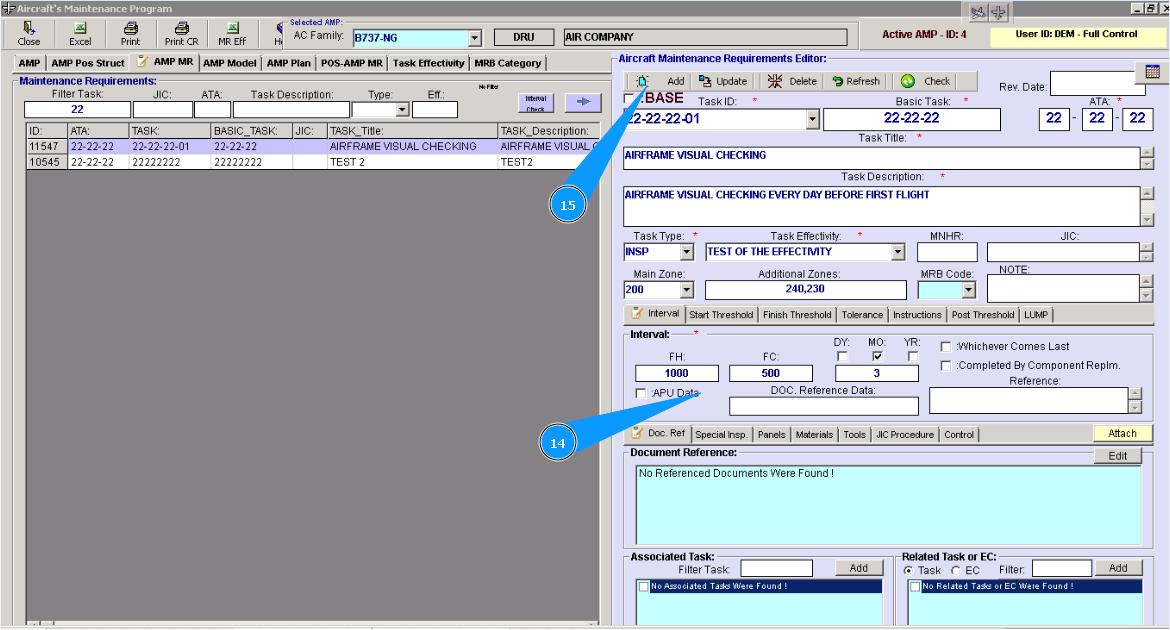
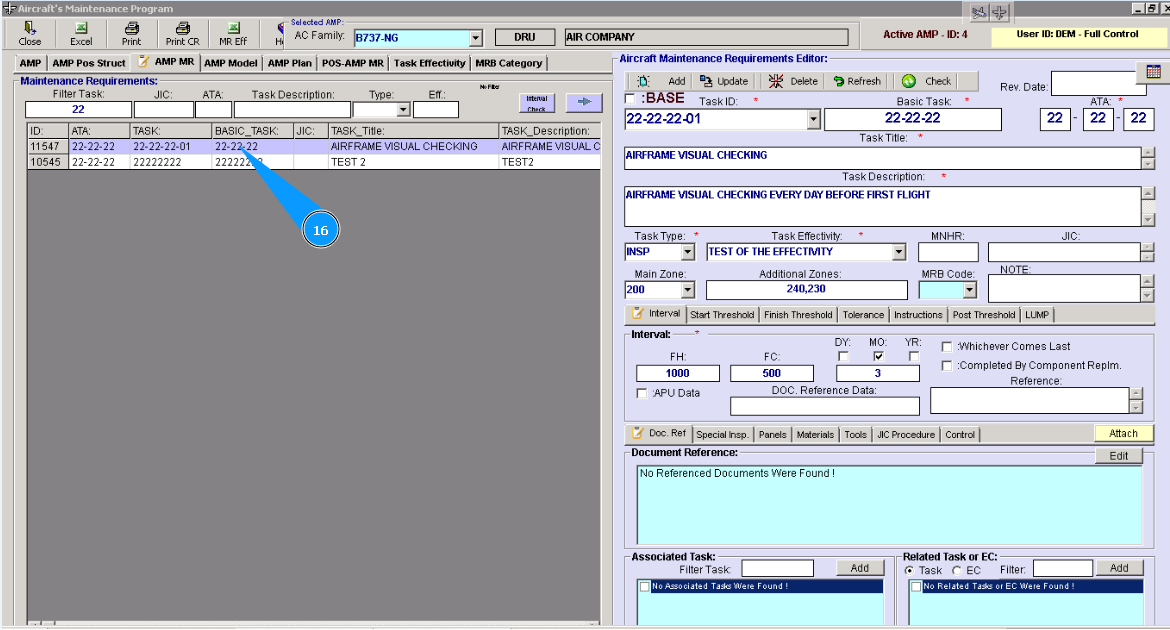
16. Check that a new line with the entered task is created in the window "Maintenance Requirements", if necessary you can use searching filters to find it.