How to create Aircraft Maintenance Program
Note: Implementation of general parameters of AMP is subject to Alaskar designer duties under special request from customer.
1. To create Aircraft Maintenance Program, go to the tab "AMP- Maintenance Program".
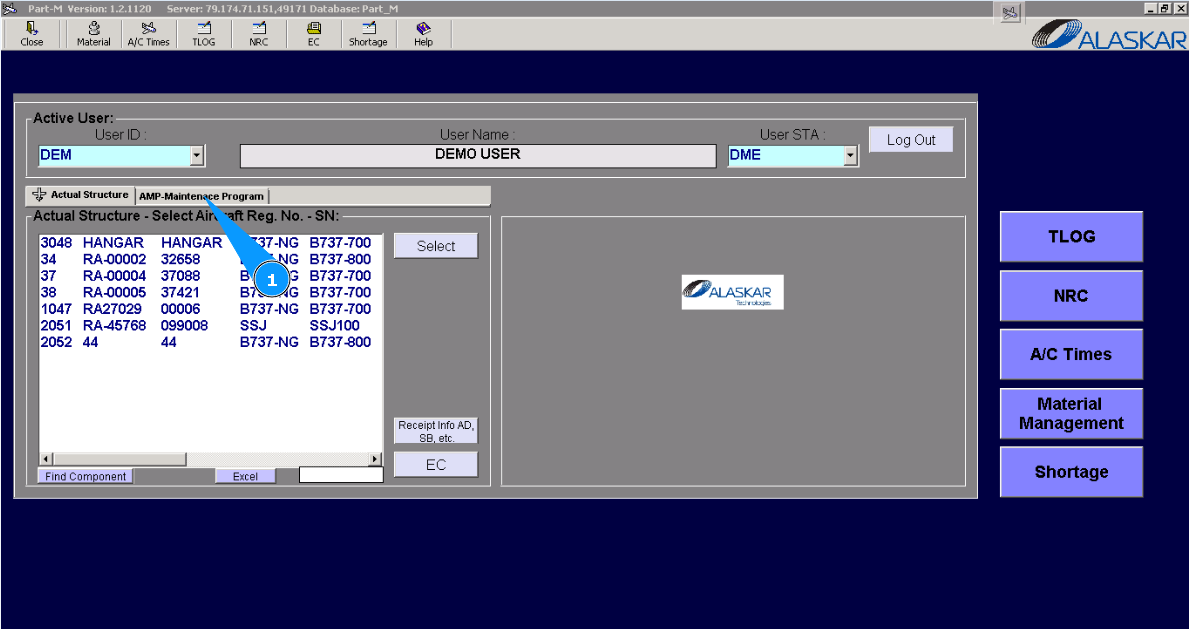
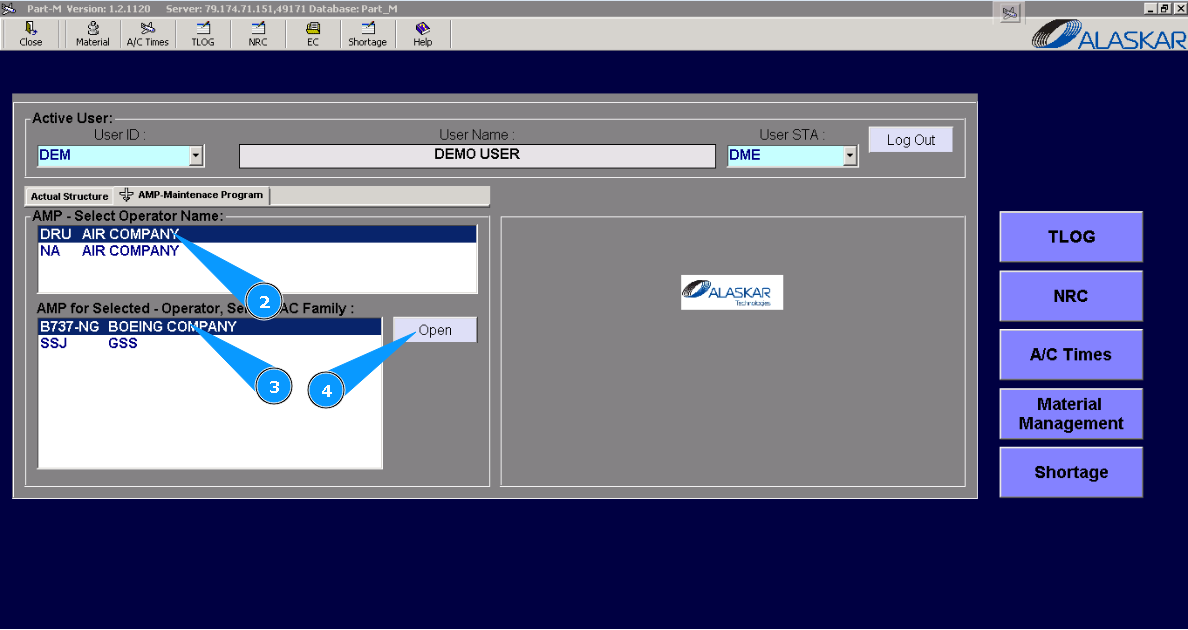
2. Select operator name in the list of window "AMP- Select Operator Name".
3. Select aircraft type in the list of window "AMP for Selected- Operator".
4. Click on the button "Open", to open the general menu of AMP.
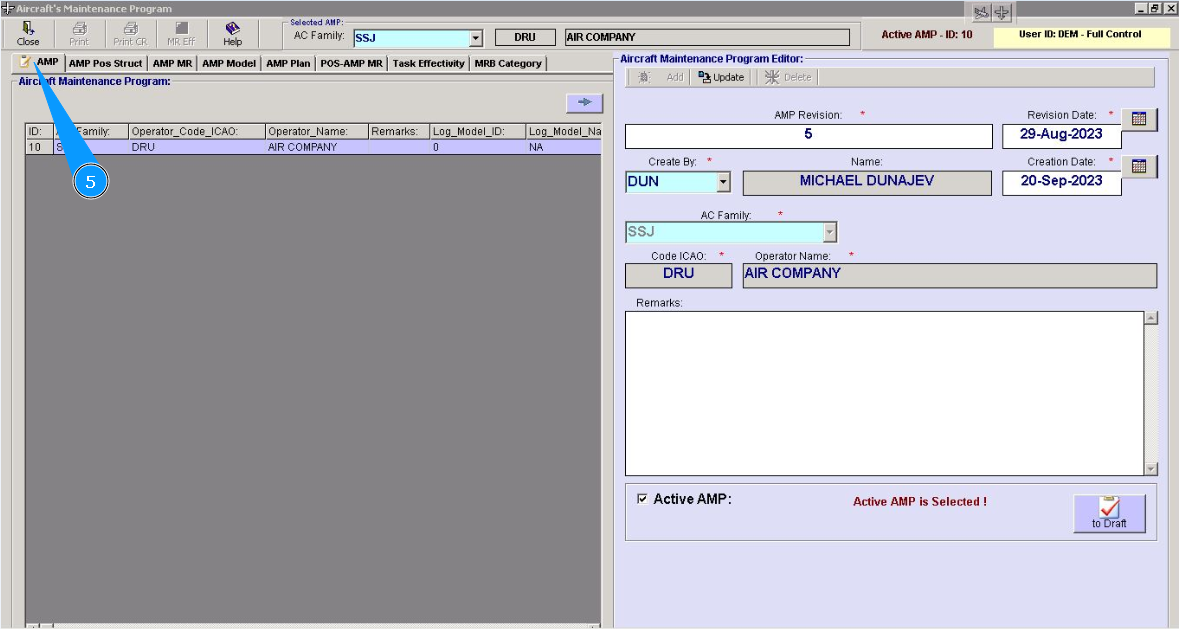
5. Then go to the tab "AMP".
6. Select the AMP, click on the corrssponding line in the window "Aircraft Maintenance Program".
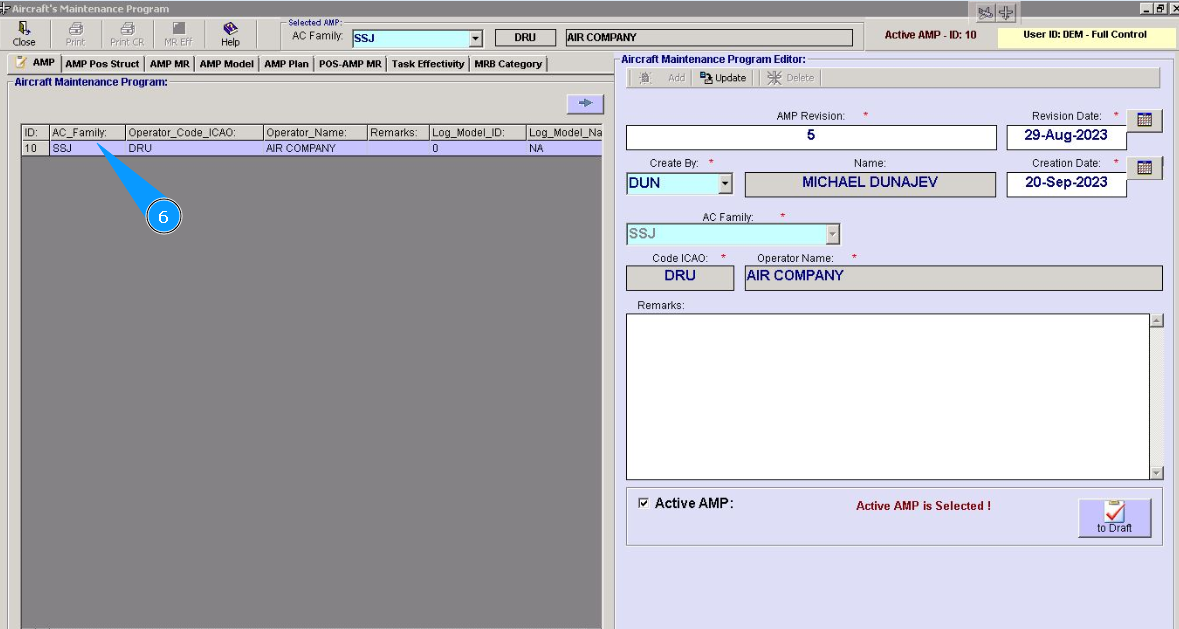
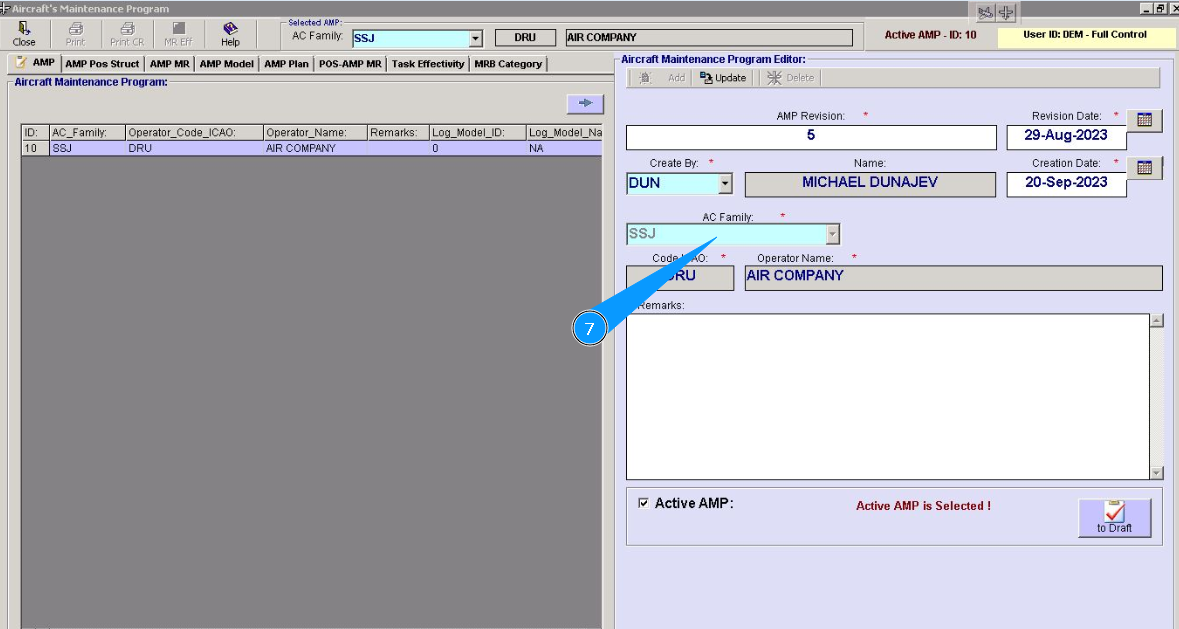
7. Check that AMP data is displayed in the editor window "Aircraft Maintenance Program Editor".
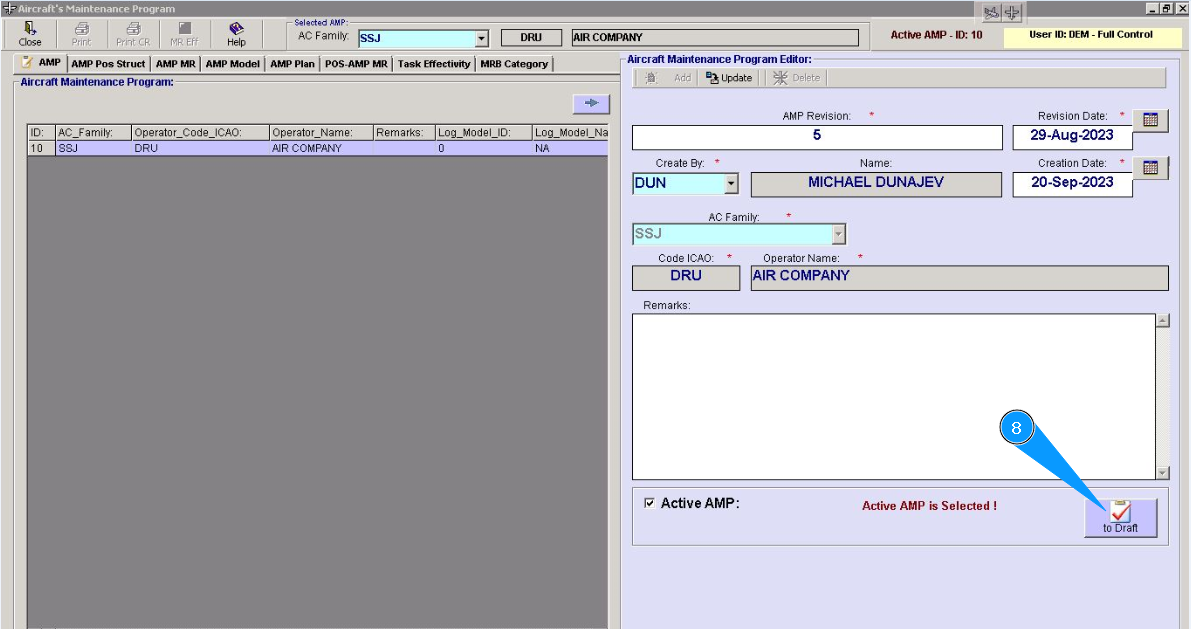
8. Click on the button "To Draft", to create AMP draft.
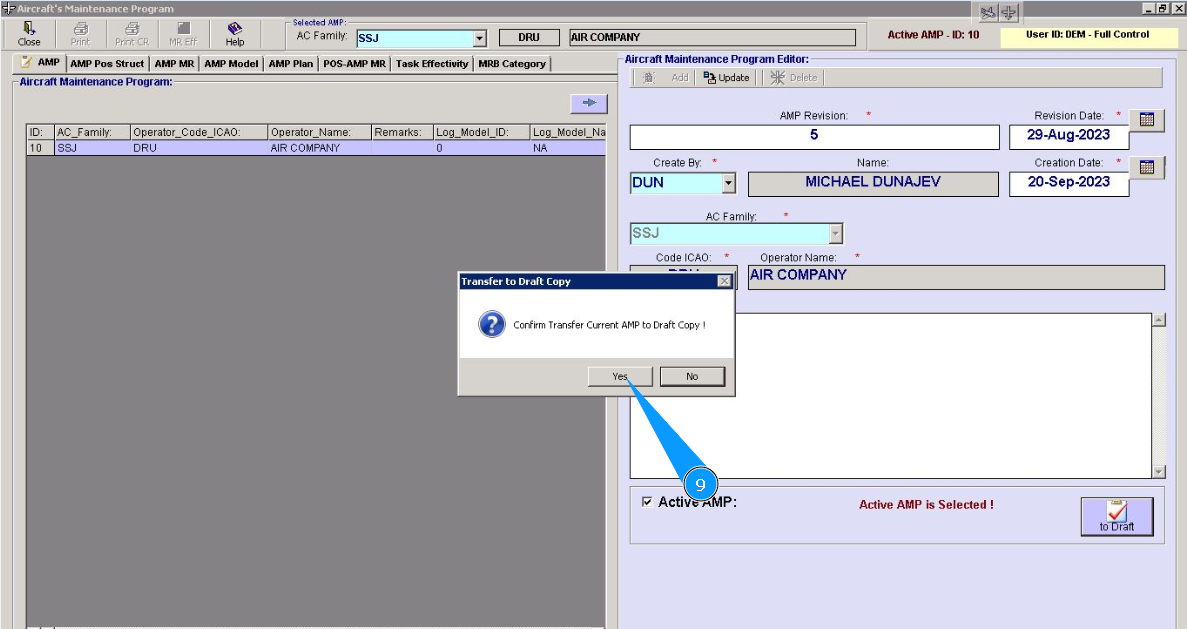
9. Click on the button "Yes", to confirm creating AMP draft.
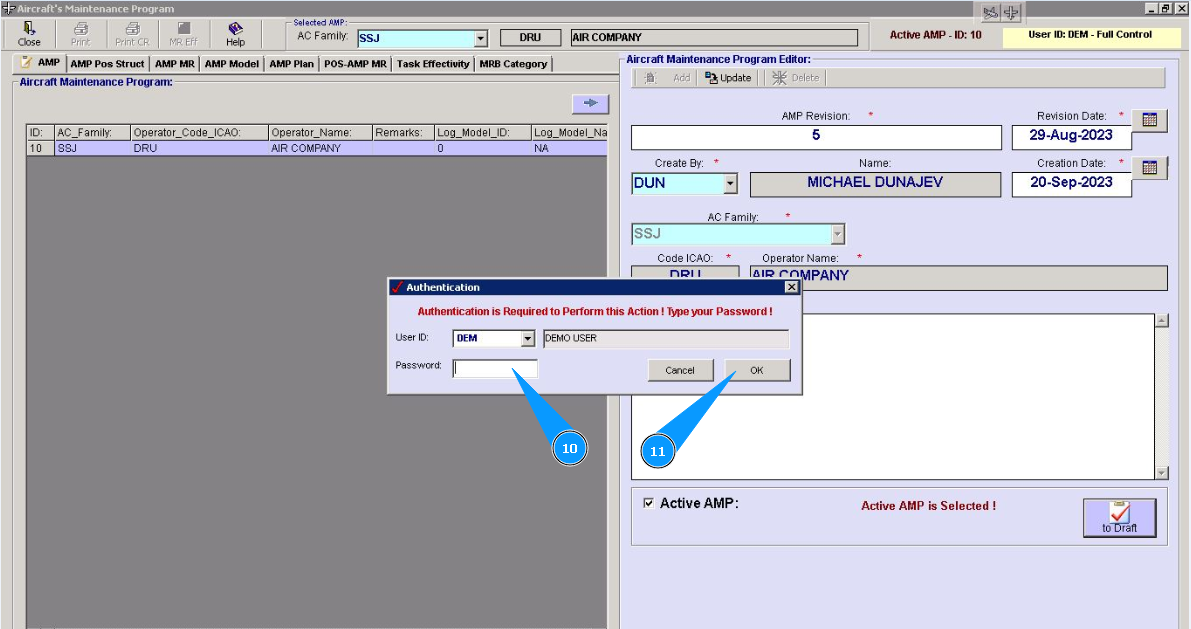
10. Enter Alaskar password in the field "Password".
11. Click on the button "Ok", to save AMP creating in the program.
12. Check that AMP draft line is displayed in the window "Aircraft Maintenance Program". Note: AMP draft line is marked by light yellow color to identify it.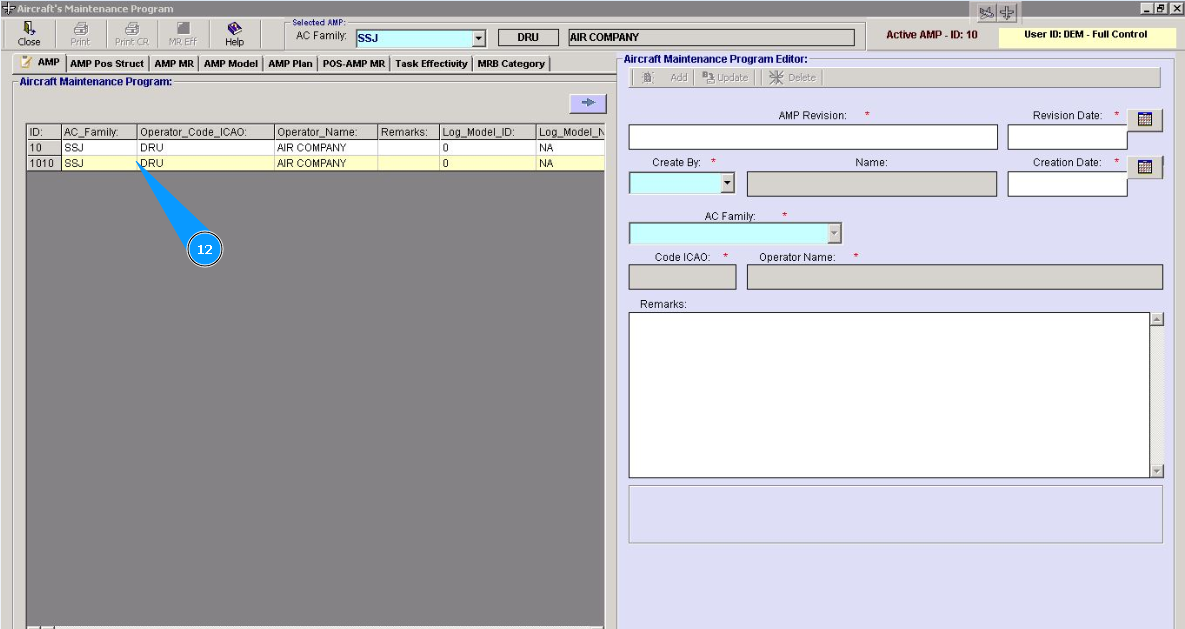
Note: If necessary, you can download all AMP changes to file with excel format. To do it please perform items 13-14 of this instruction.
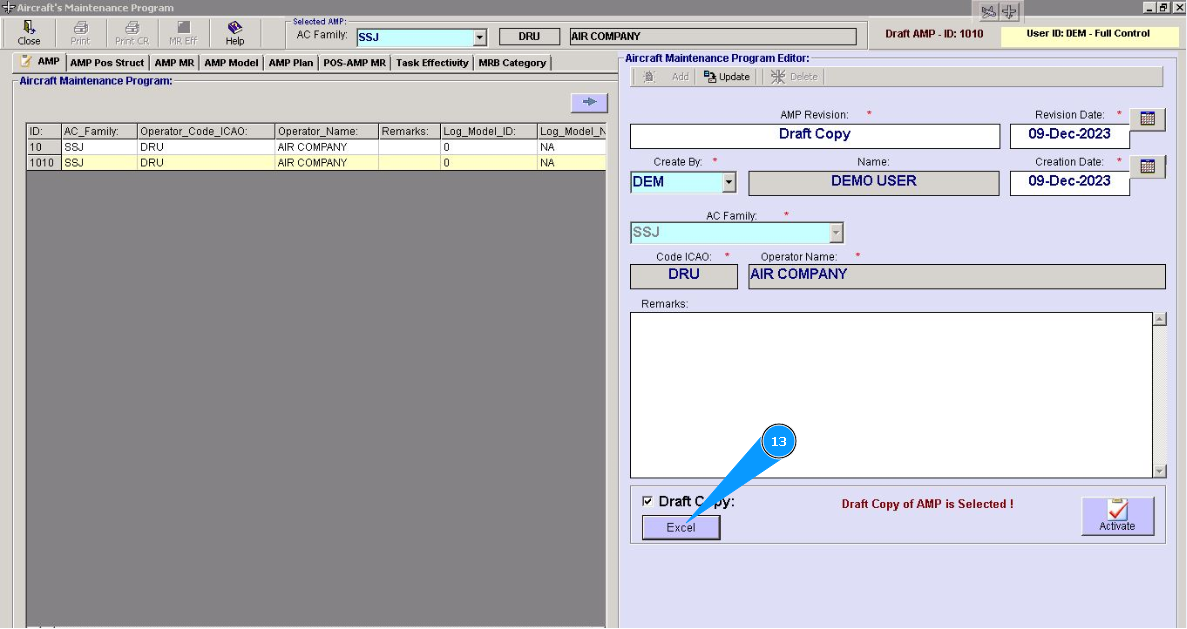
13. Click on the button "Excel", to download AMP changes from program.
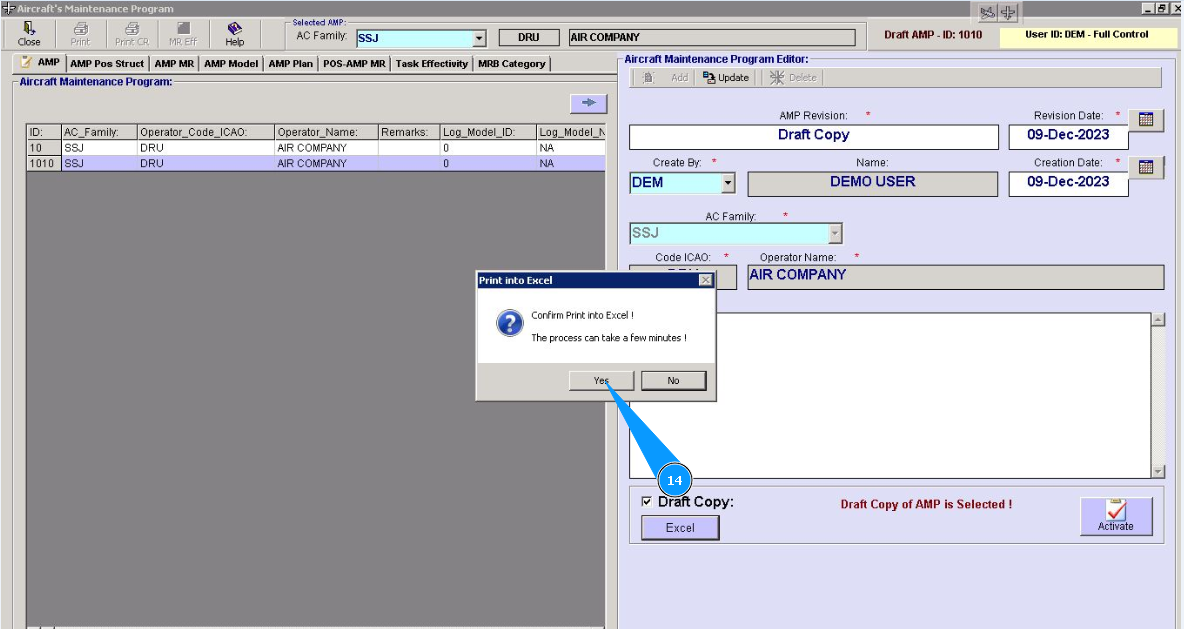
14. Click on the button "Yes", to confirm downloading AMP changes from program.
Note: If necessary to activate AMP draft please use the coresponding instruction. Such detail instruction is available on the link below:
"How to activate AMP draft"