How to correct Engineering Control data.
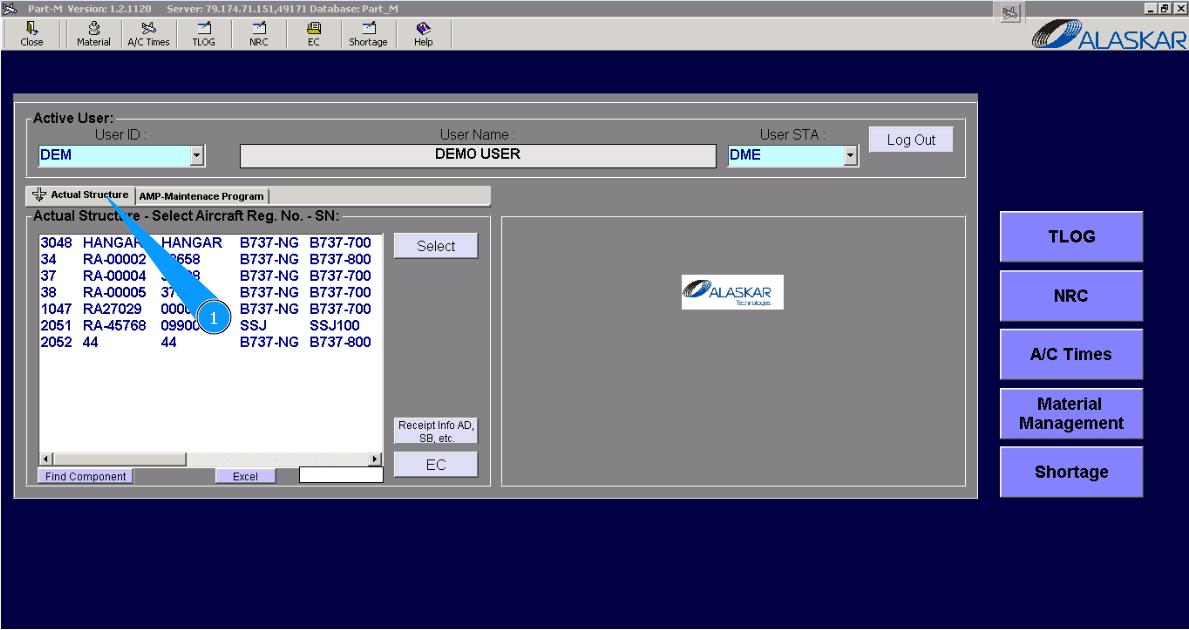
1. For correction of Engineering Control data, go to the tab "Actual Structure".
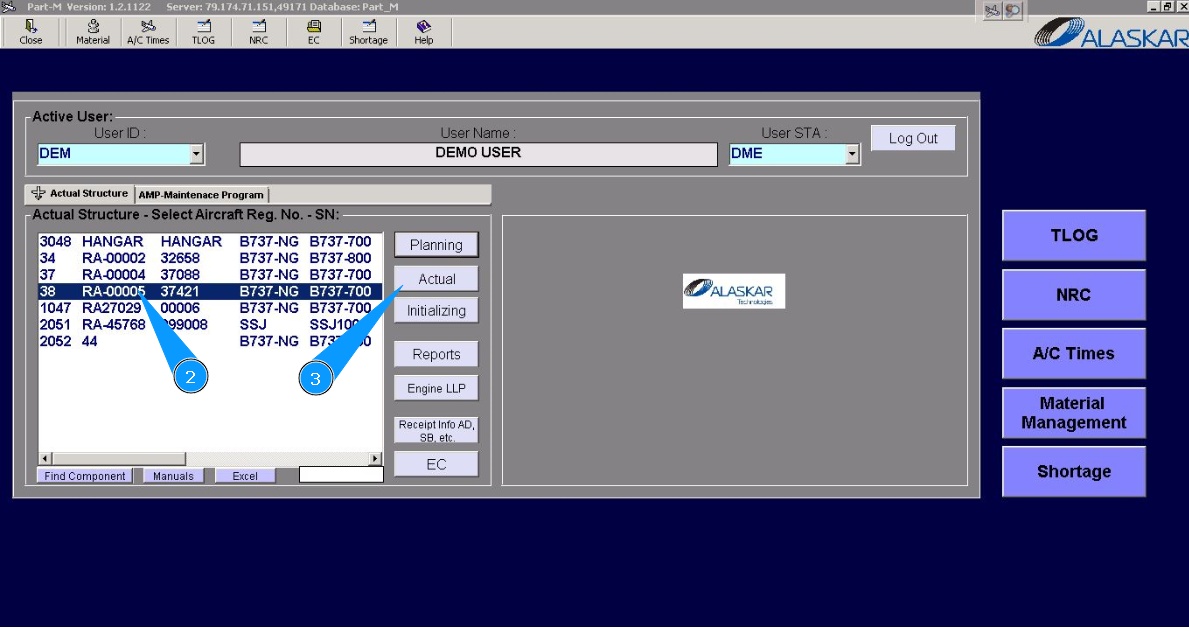
2. Enter the aircraft registration number in the list of window "Actual Structure-Select Aircraft Reg.-SN".
3. Click on the button "Actual", to open the submodule.
4. Then go to the tab "EC-Engineering Control".
Note: For more precision searching, you can use available searching filters in the fields: "Filter EC number", "EC Type", "EC Reference" etc.
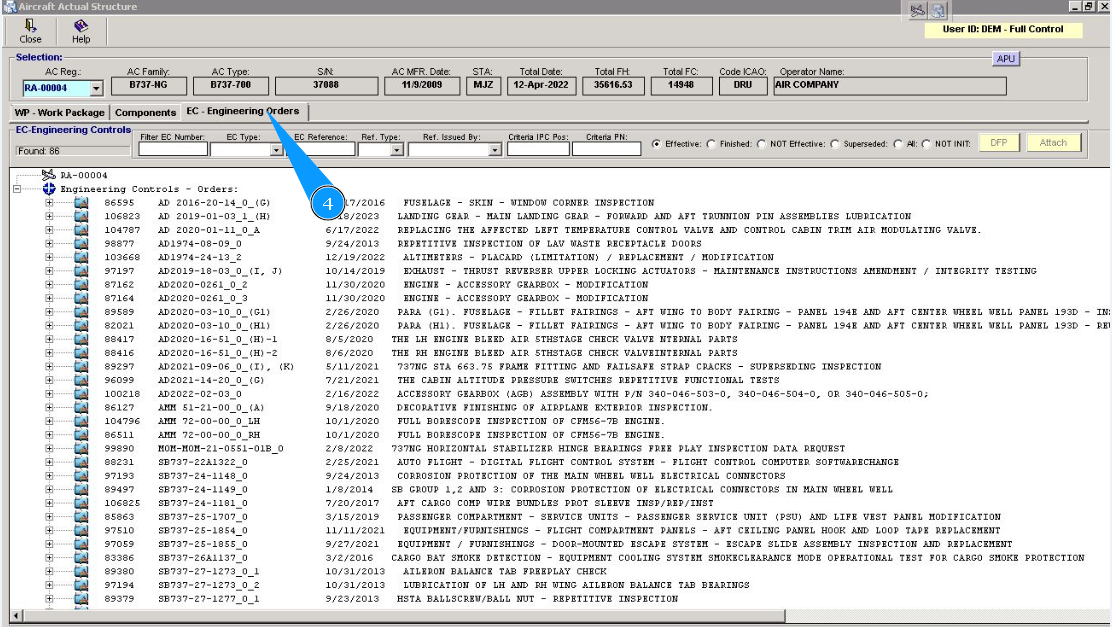
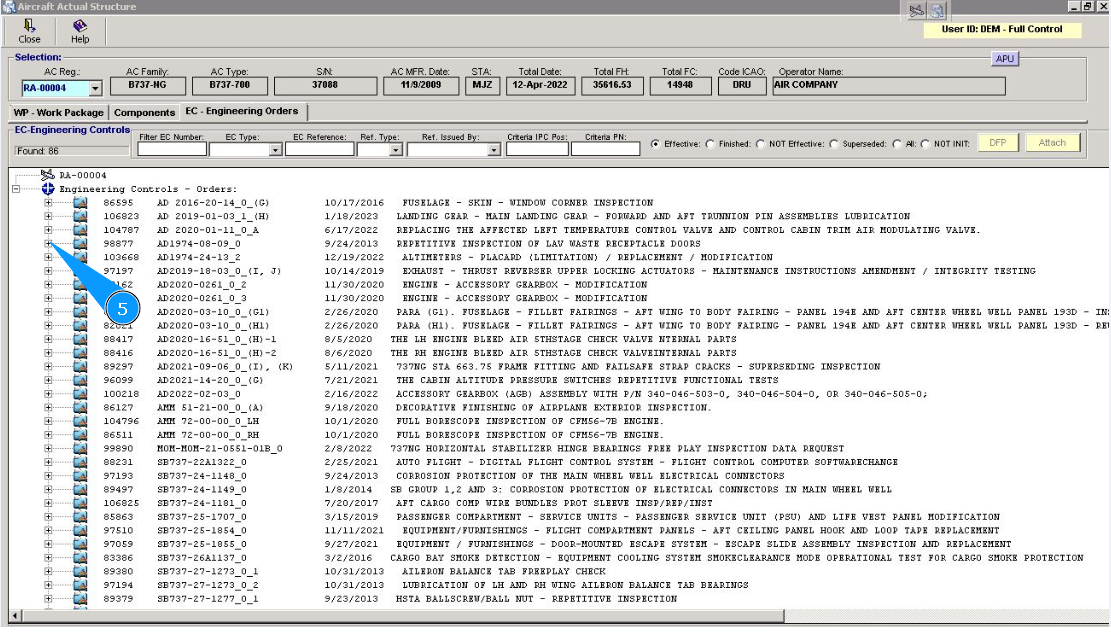
5. Click on the plus of the corresponding line in the window "Engineering Controls", to open information about Engineering Controls.
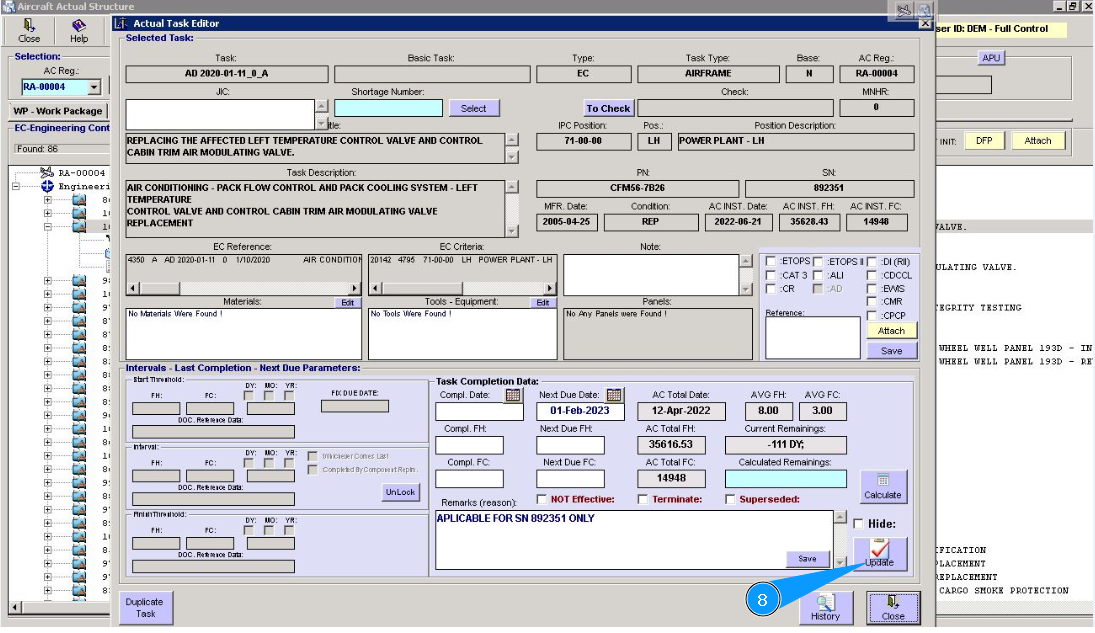
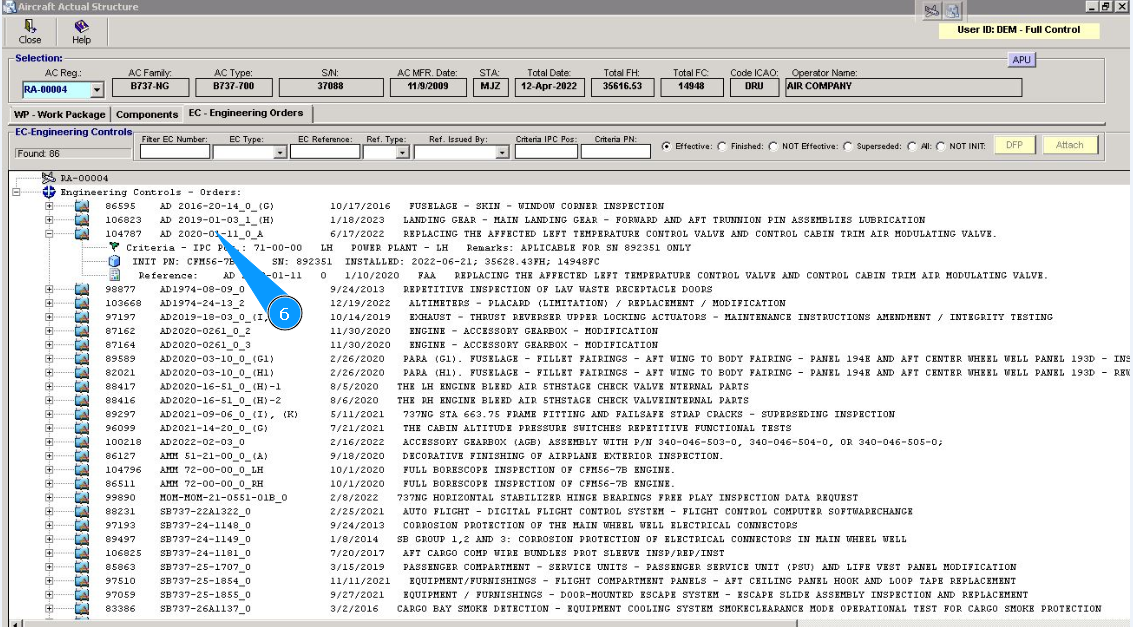
6. Press the right knob of your mouse on the corresponding line to open Actual Task Editor with data.
7. If necessary, correct the Engineering Controls information in the window Actual Task Editor.
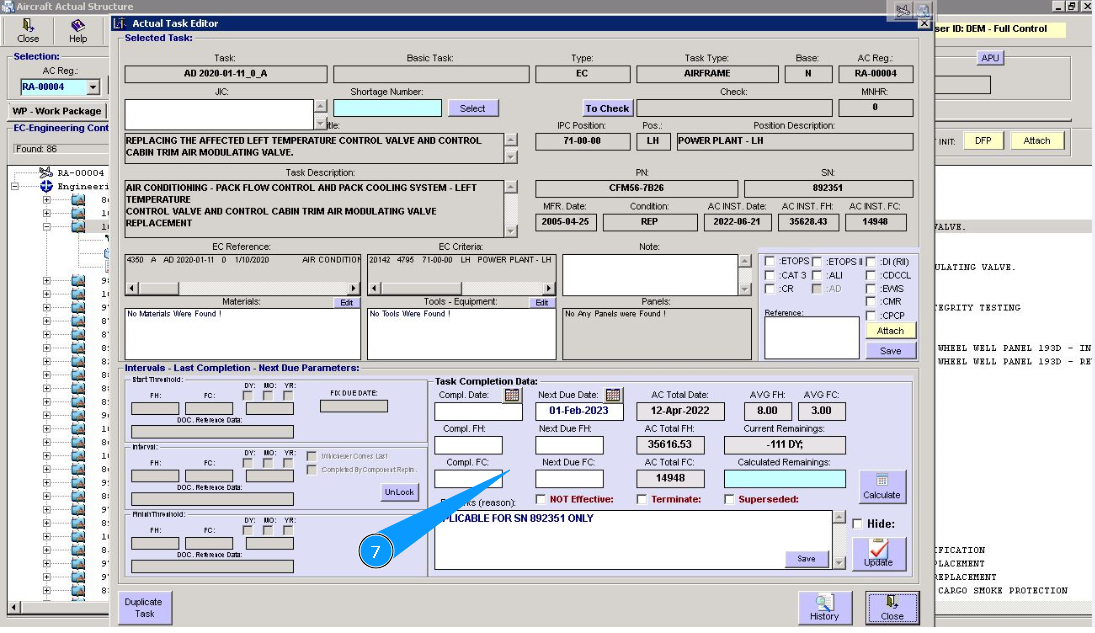
8. To save corrected information into the program, click on the button "Update". Note: If necessary, it is possible to hide "Engineering Control" in planning, for this purpose tick in the window "Hide".