How to control utilization penalty
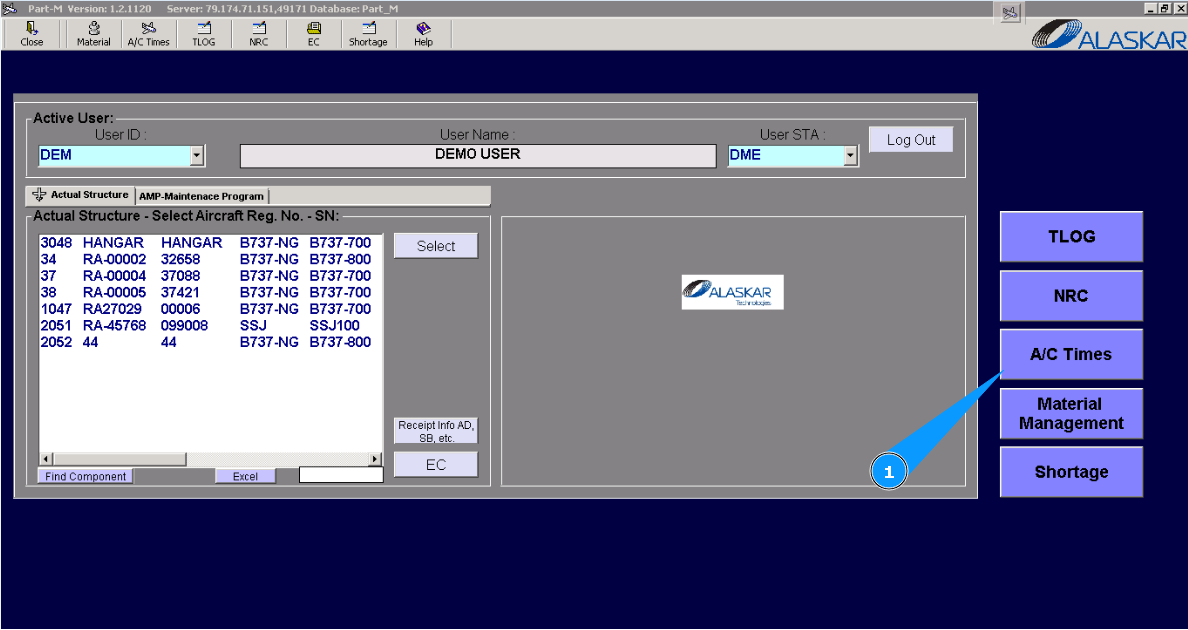
1. For additional control factors affecting A/C utilization of FH or FC, please go to submodule "AC Times".
Note: Aircraft or helicopter operations can be performed in abnormal conditions. For example: strong wind, upper flight level, high air temperature. Aircraft manufacture describes such conditions as required additional factors/penalties to flight utilization. It is when an aircraft operates for one hour or a cycle, but to monitor utilization, you must apply a penalty to utilization in accordance with the manufacturer's formula.
2. Then go to the tab "Penalty".
3. Enter the aircraft type in the field "A/C Type".
4. Or select from dropdown list.
5. Enter the factor name (penalty name) in the field "Penalty".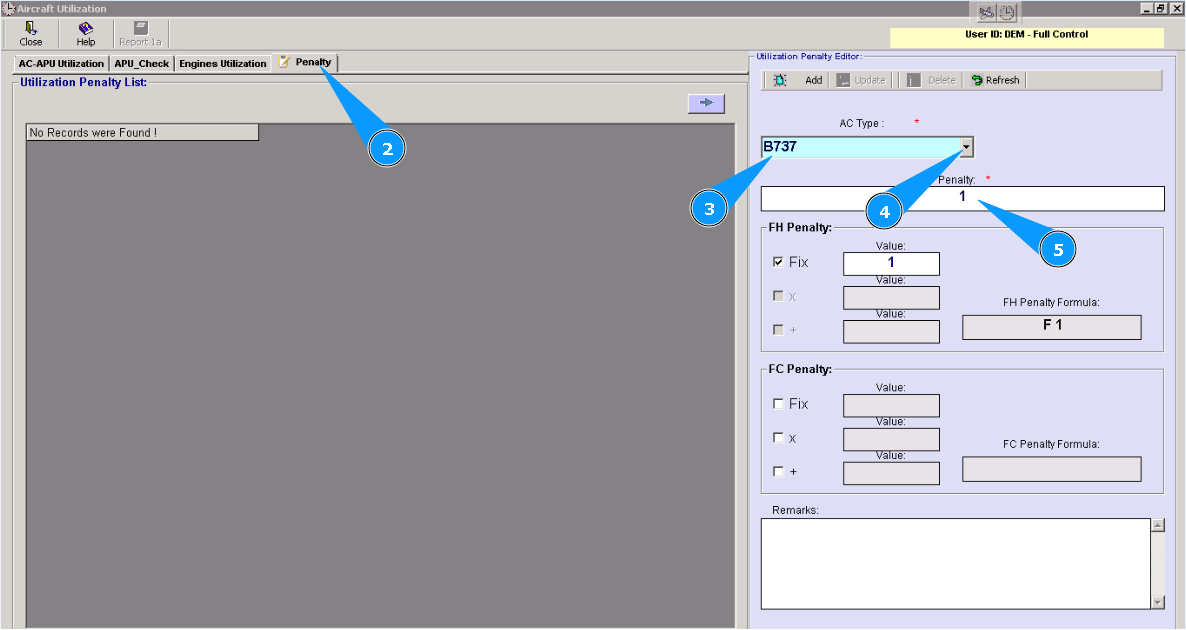
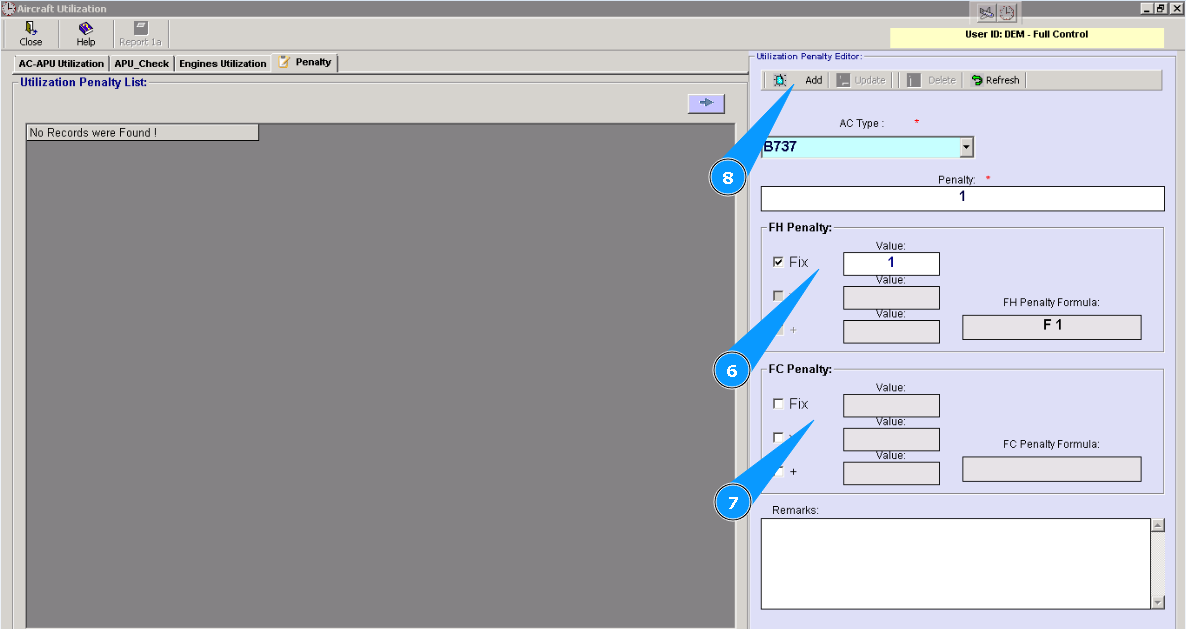
6. Enter the necessary formula and value for increasing FH utilization in the field "FH Penalty".
7. Enter the necessary formula and value for increasing FC utilization in the field "FС Penalty".
8. Click on the button **"Add" to add data to the program.
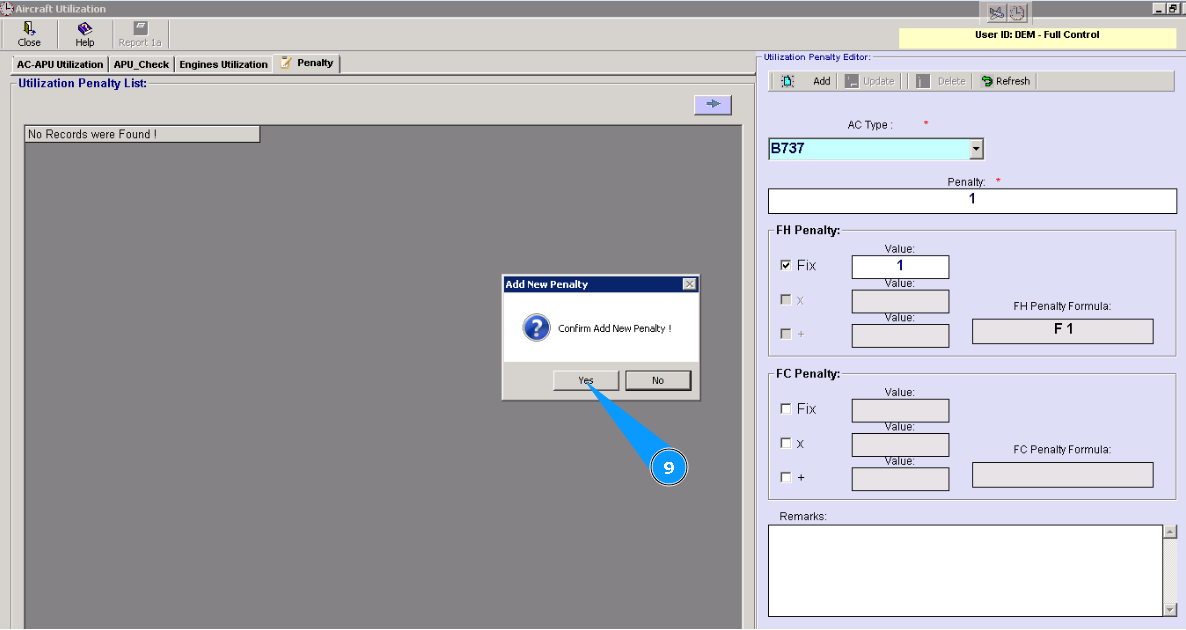
9. Click on the button "Yes", to confirm adding data to the program.
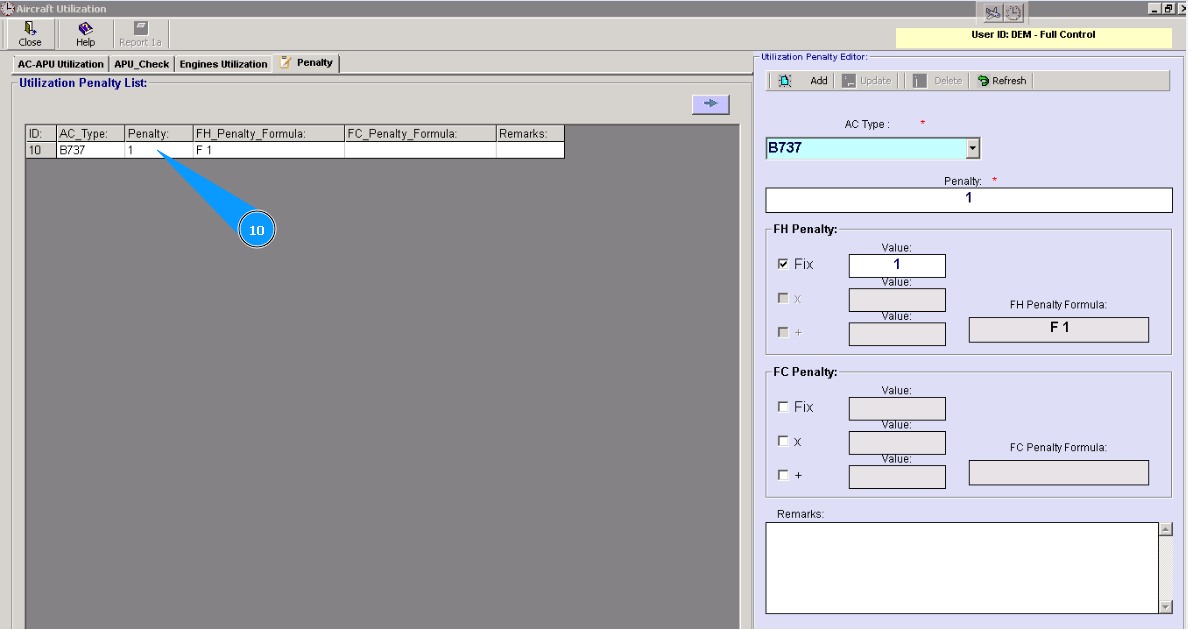
10. Check that a new line with the penalty of utilization is created in the window "Utilization Penalty List".