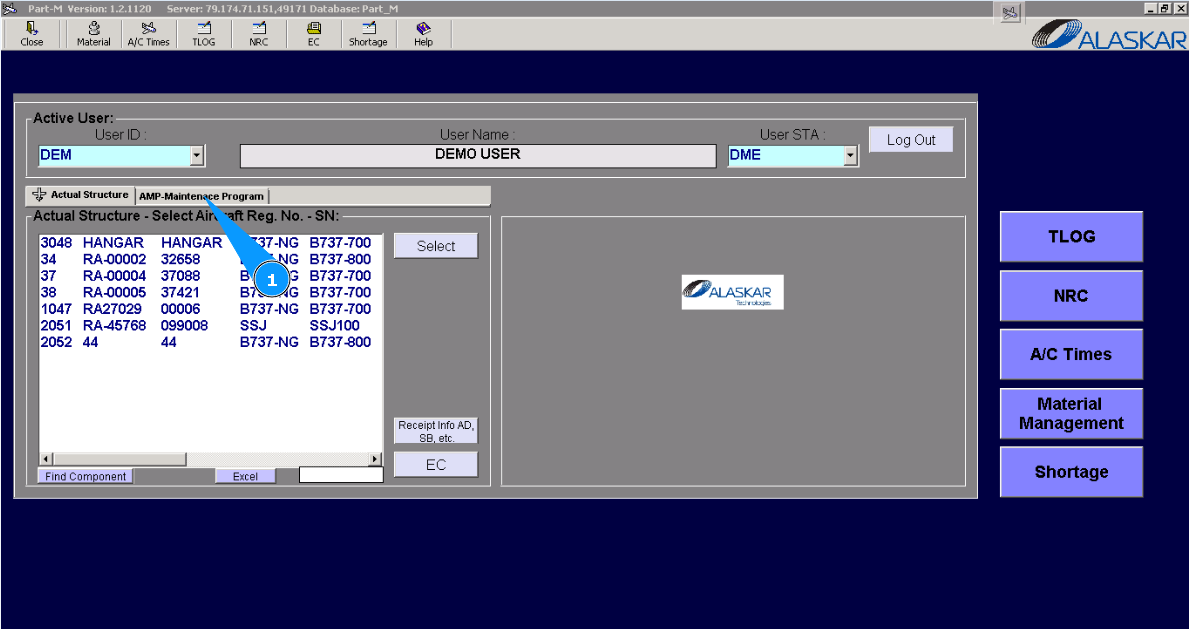
How to control the tolerance policy of planning task
1. In order to control the tolerance policy of planning tas, go to the "AMP-Maintenance Program" tab.
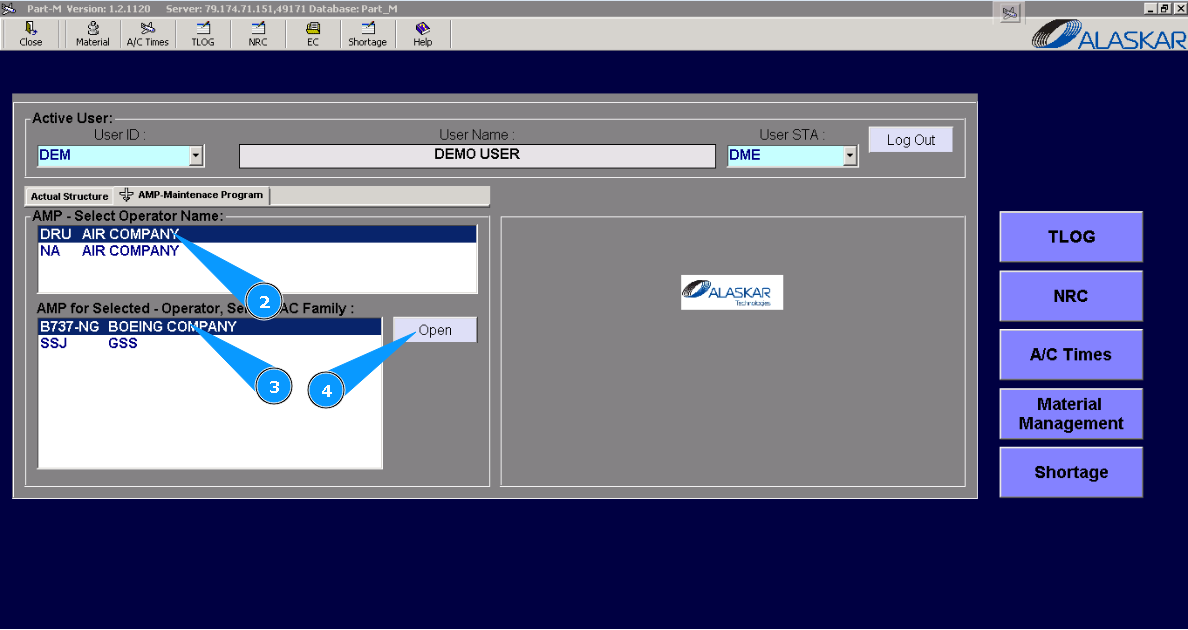
2. Select the operator company in the list of the window "AMP- Select Operator Name".
3. Select the aircraft type from the list in the window "AMP for Selected- Operator".
4. Click on the button "Open" to open the AMP menu.
5. Then go to the "AMP MR" tab. Note: If necessary, use the available filters to find the required task.
6. Find and select the required task to set applicable tolerance in accordance with your policy. Click on the corresponding line.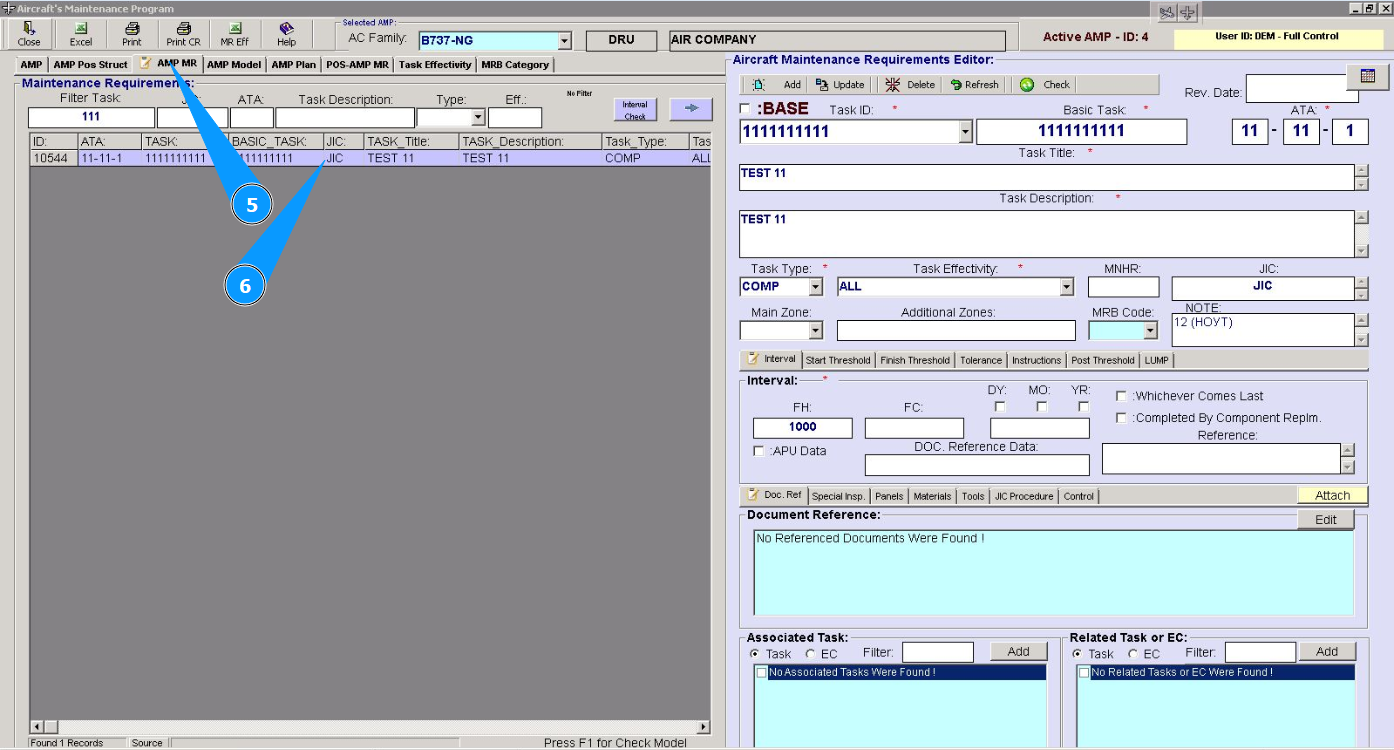
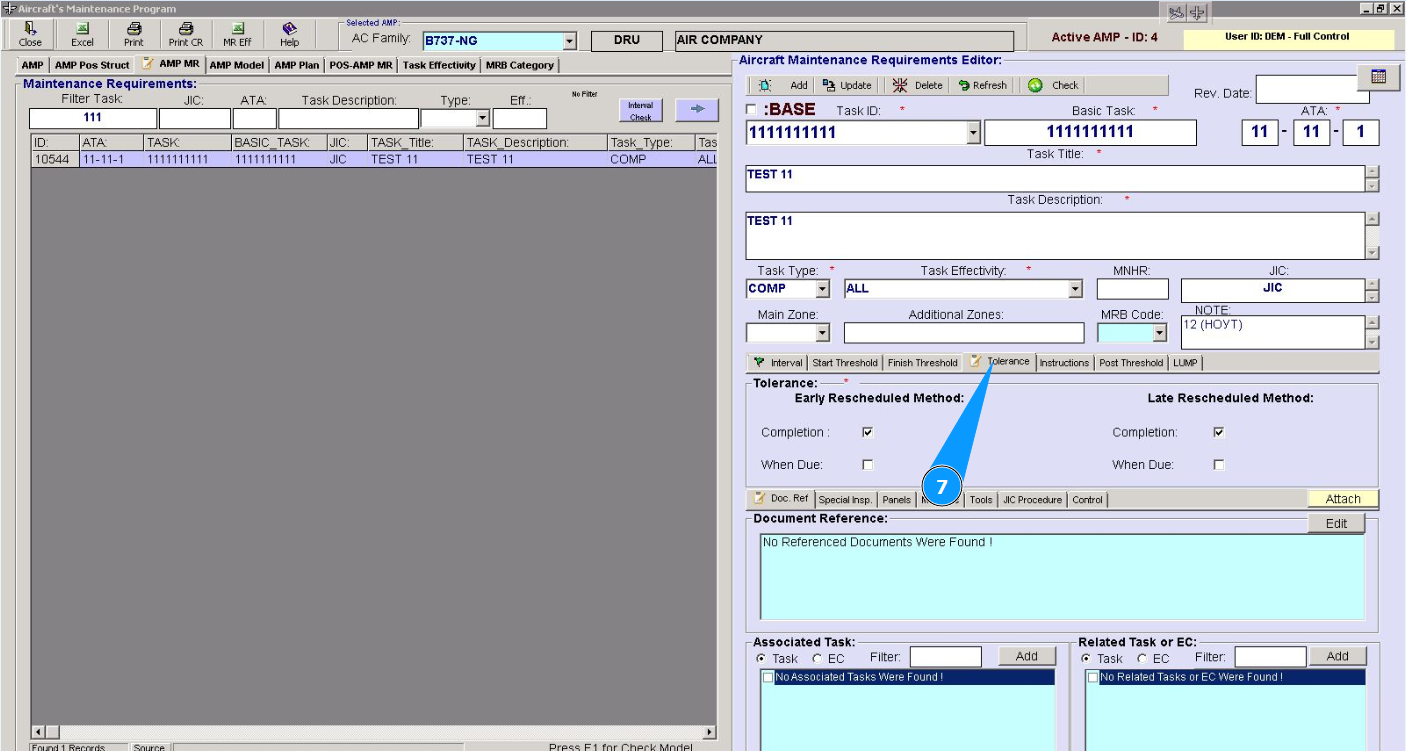
7. In the editor "Aircraft Maintenance Requirements Editor", go to the tab "Tolerance".
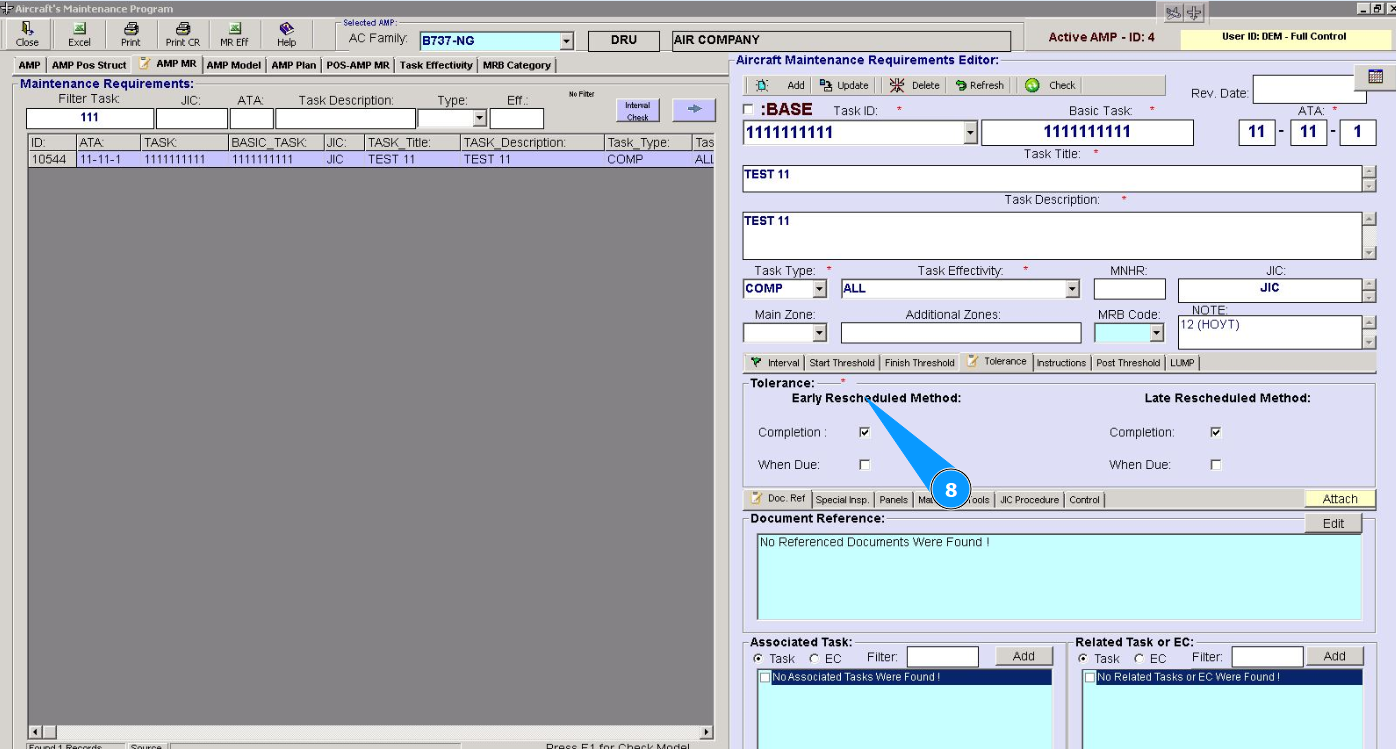
8. Set the required “Tolerance” for the required task in the fields "Early Rescheduled Method".
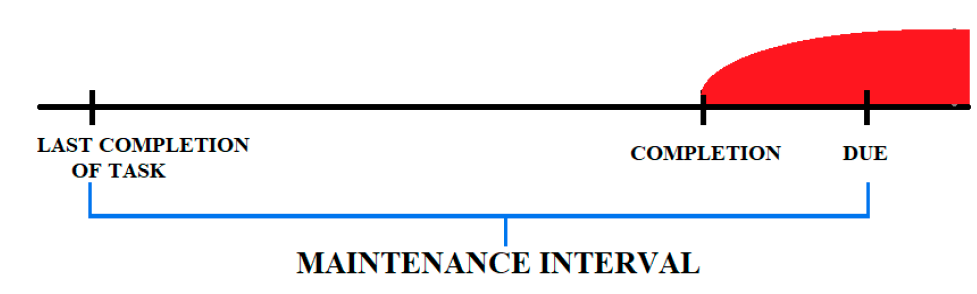
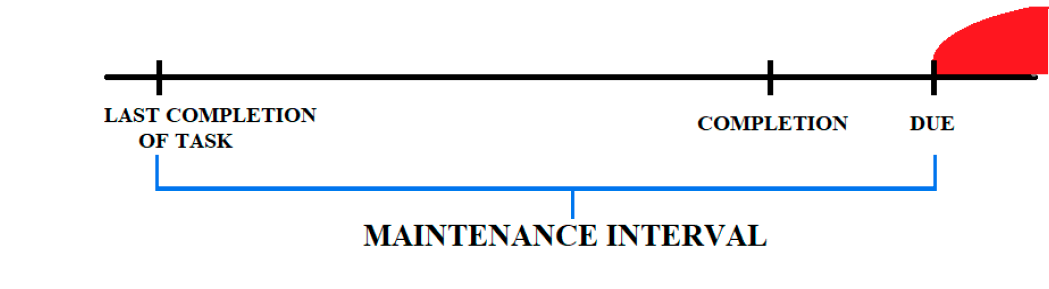
Note: The maintenance interval is the interval from “LAST COMPLETION OF TASK” to “DUE”. The interval is set in the tab "Interval". The maintenance interval shows how often a task is performed.
If your company's policy specifies that a task must be completed earlier than the maintenance interval (interval due date), you can specify that the new established maintenance interval be counted from the completion date.
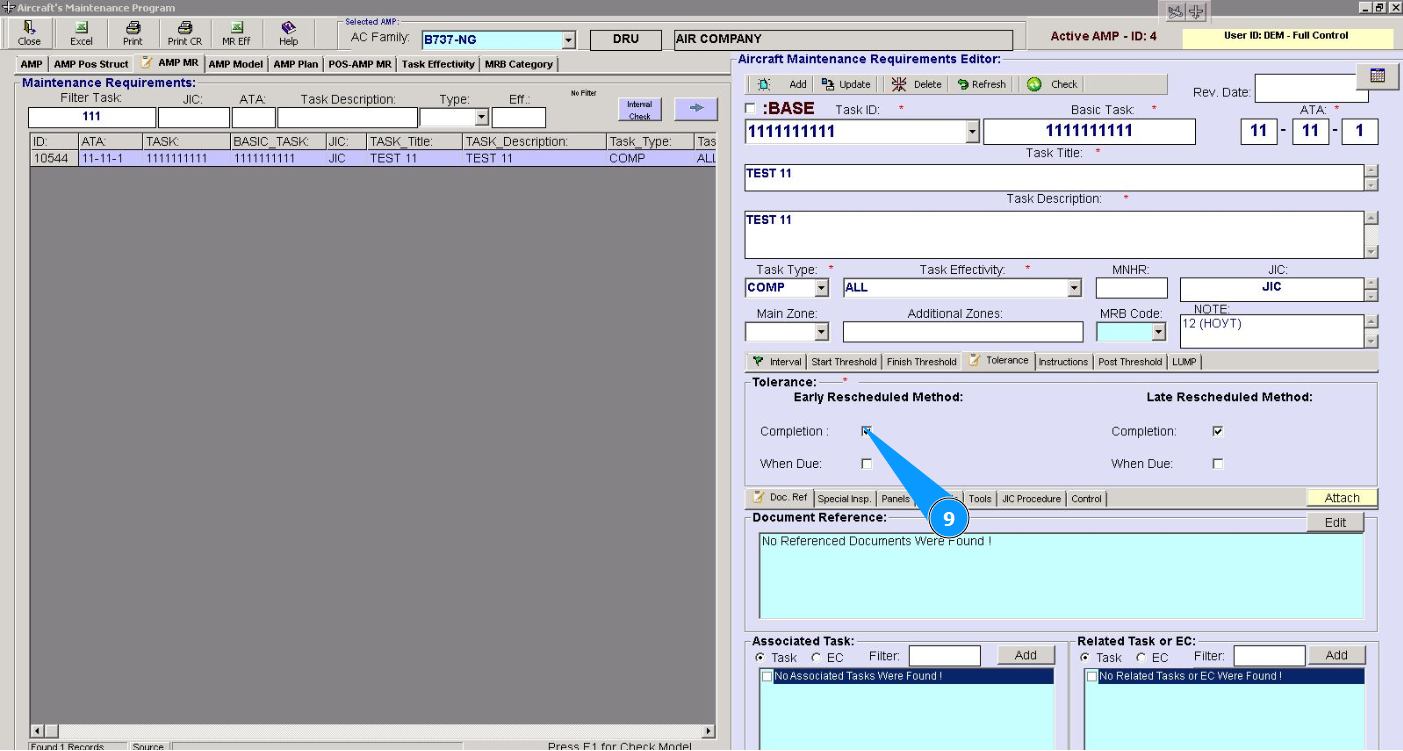
9. Set the new scheduled maintenance interval to be counted from the due date. Click in the field "Completion".
10. If necessary, set the classic countdown option, where the new established service interval is required to be counted from the end date of the interval from the “DUE” point. See schematic drawing.
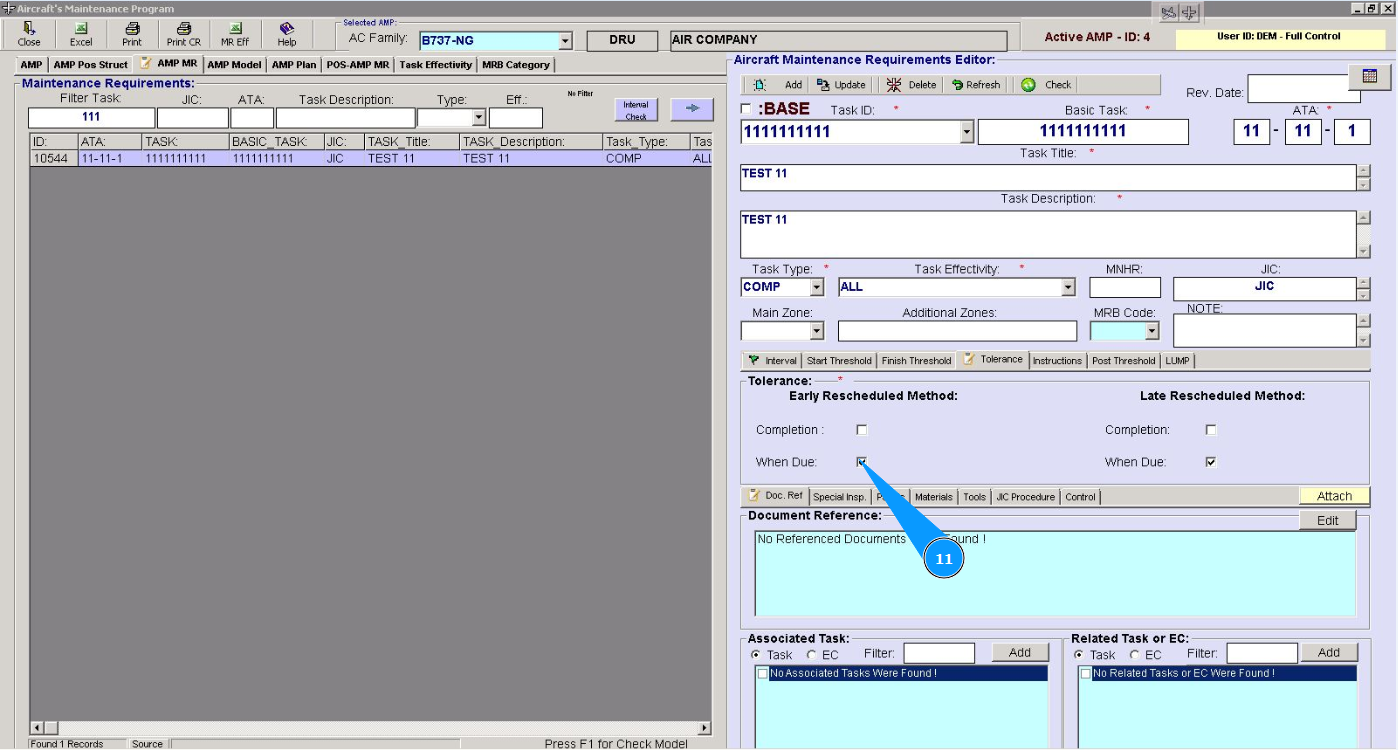
11. Click in the field "When Due".
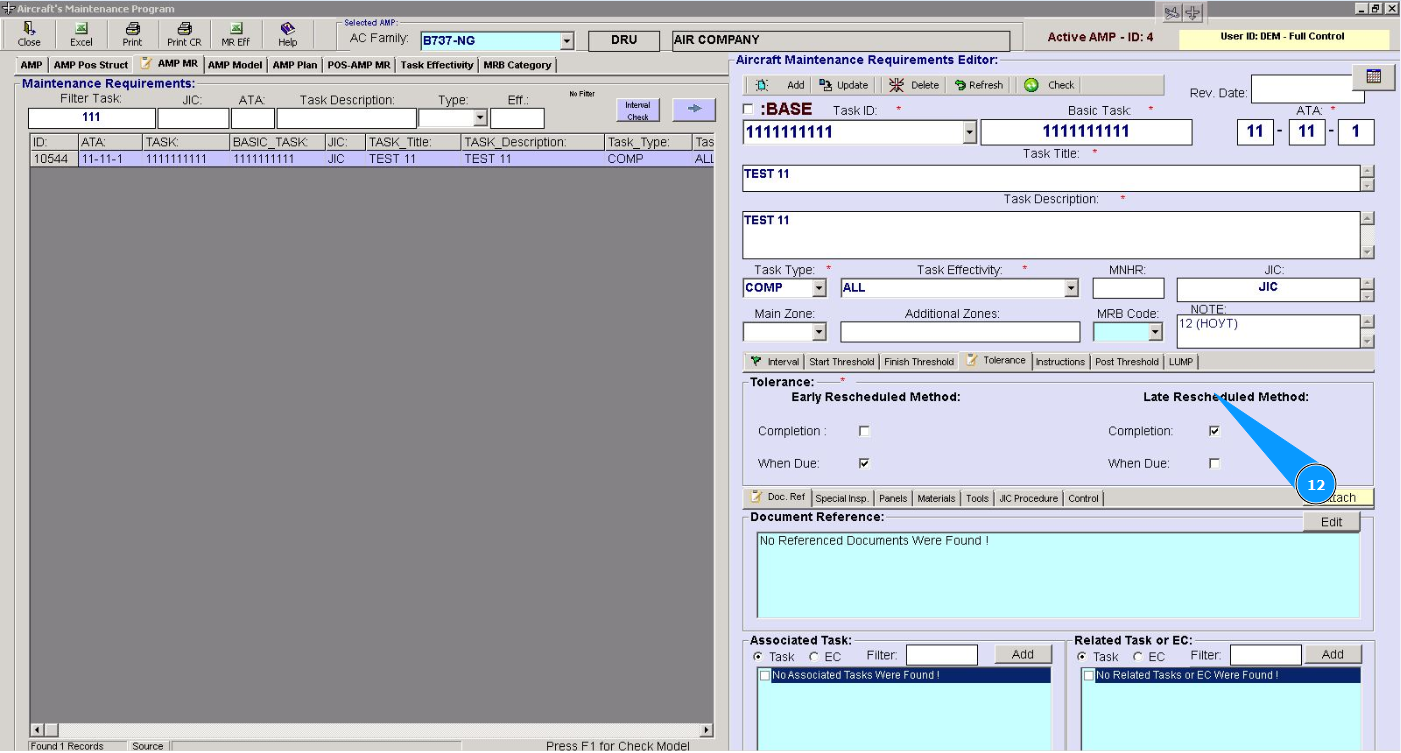
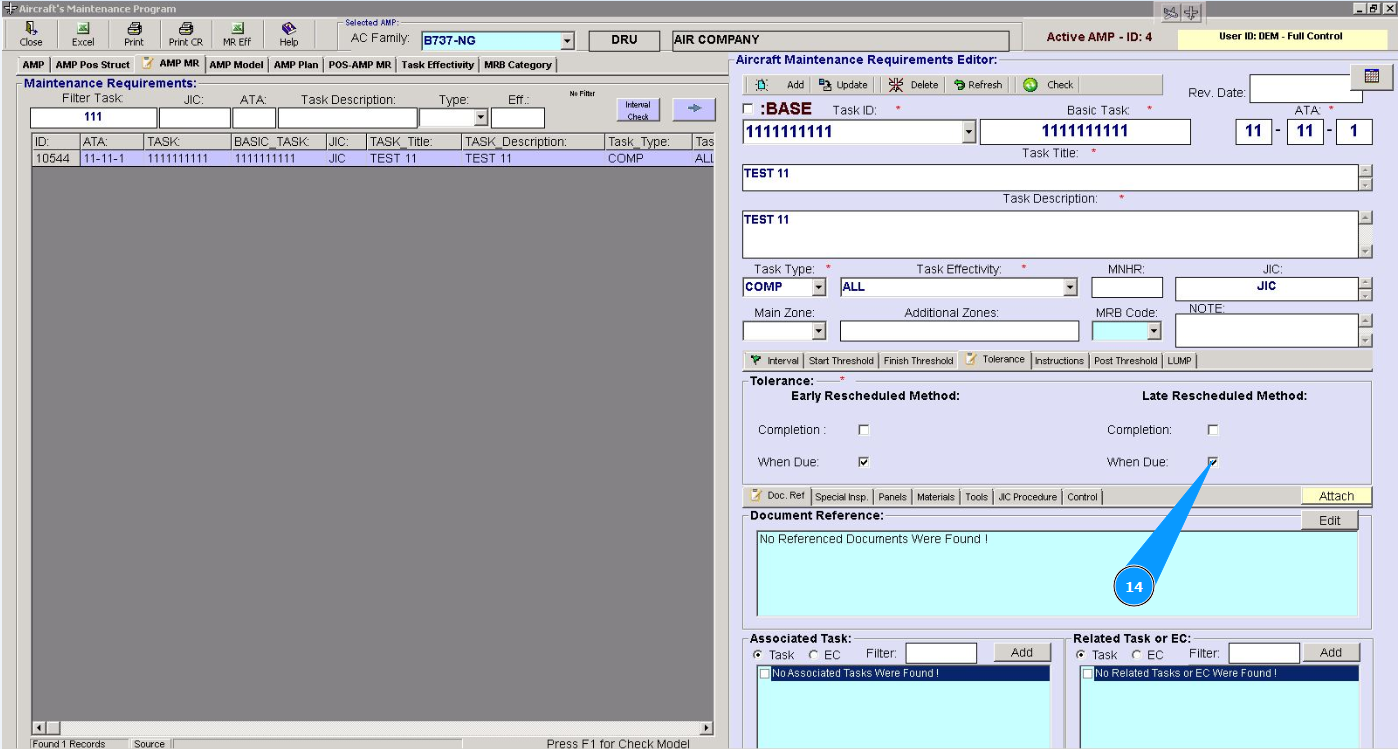
12. Set the required “Tolerance” for the required task in the fields "Late Rescheduled Method".
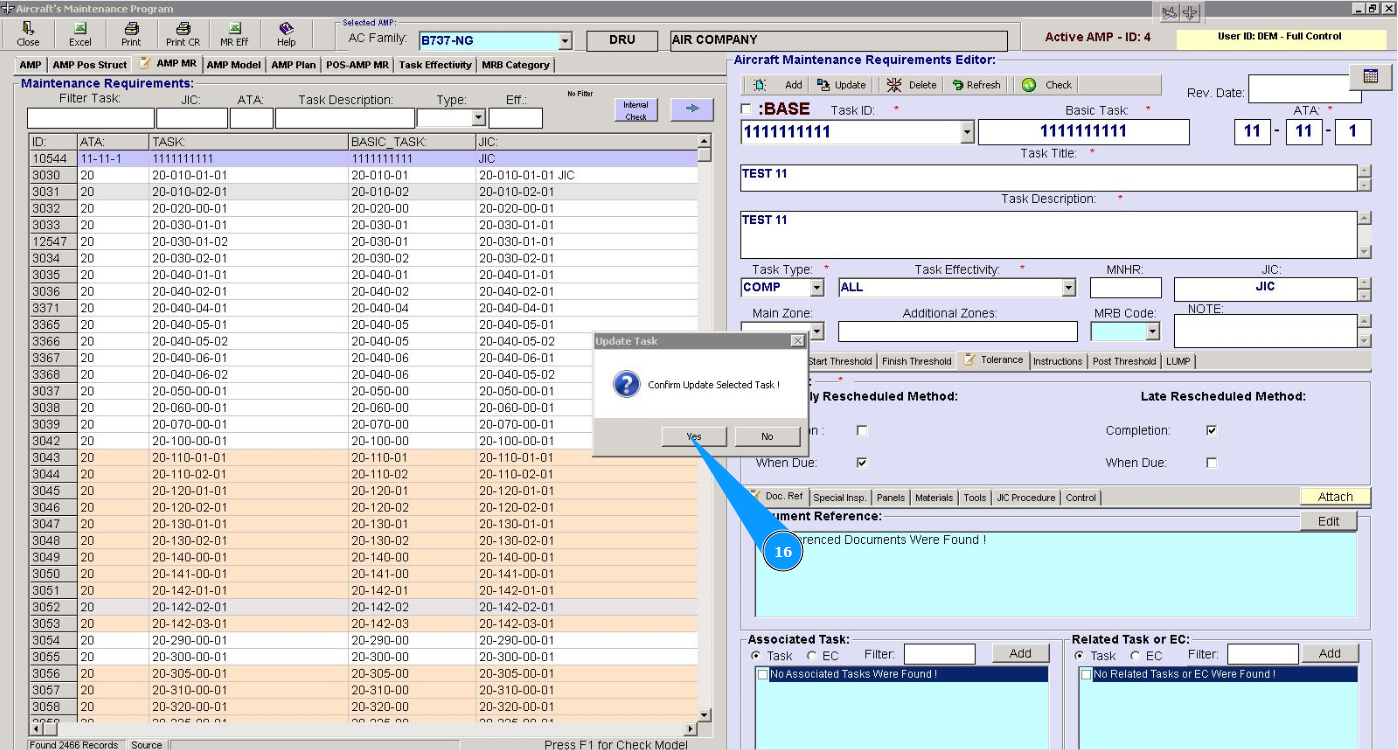
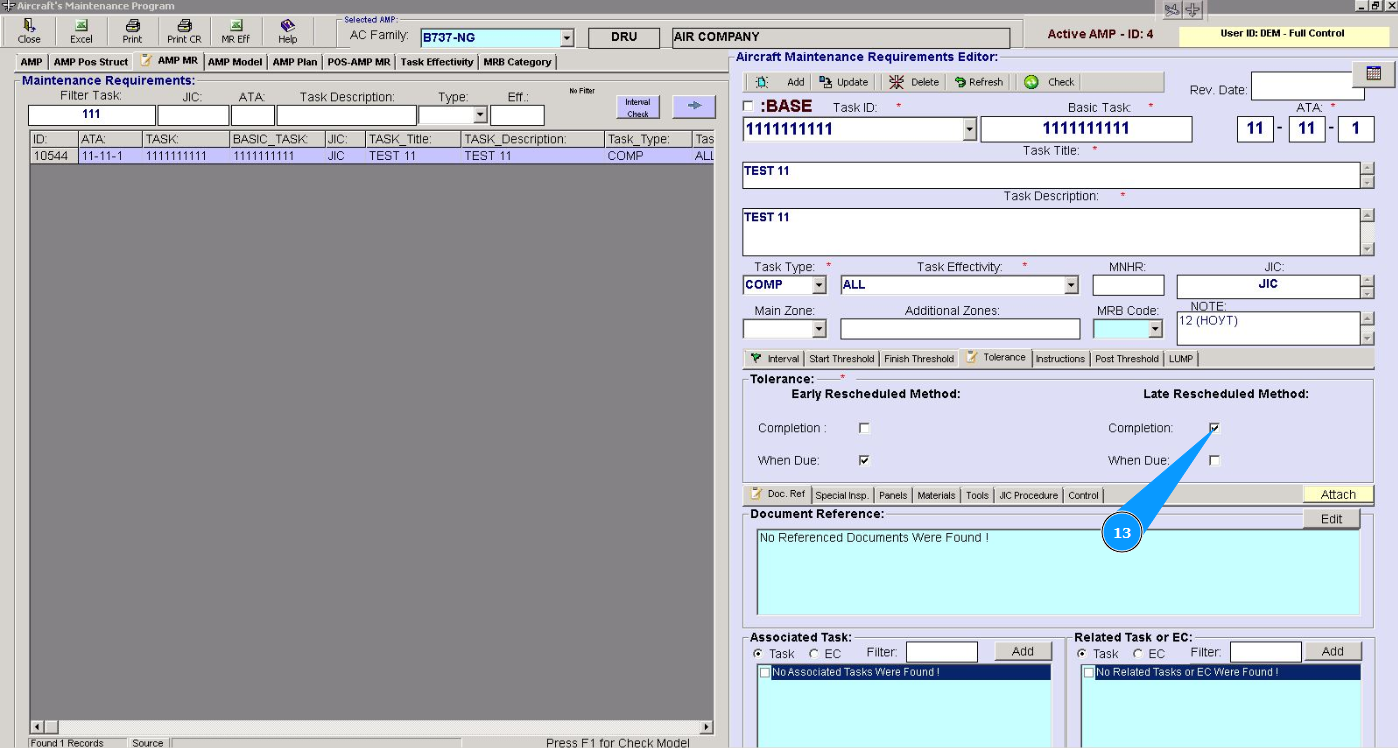
13. State that the new established maintenance interval is required to be counted from the due date when the due date flight is possible. Click in the field "Completion".
14. If necessary, set the classic countdown option, where the new established interval is required to be counted from the end date of the interval from the “DUE” point. Click in the field "When Due".
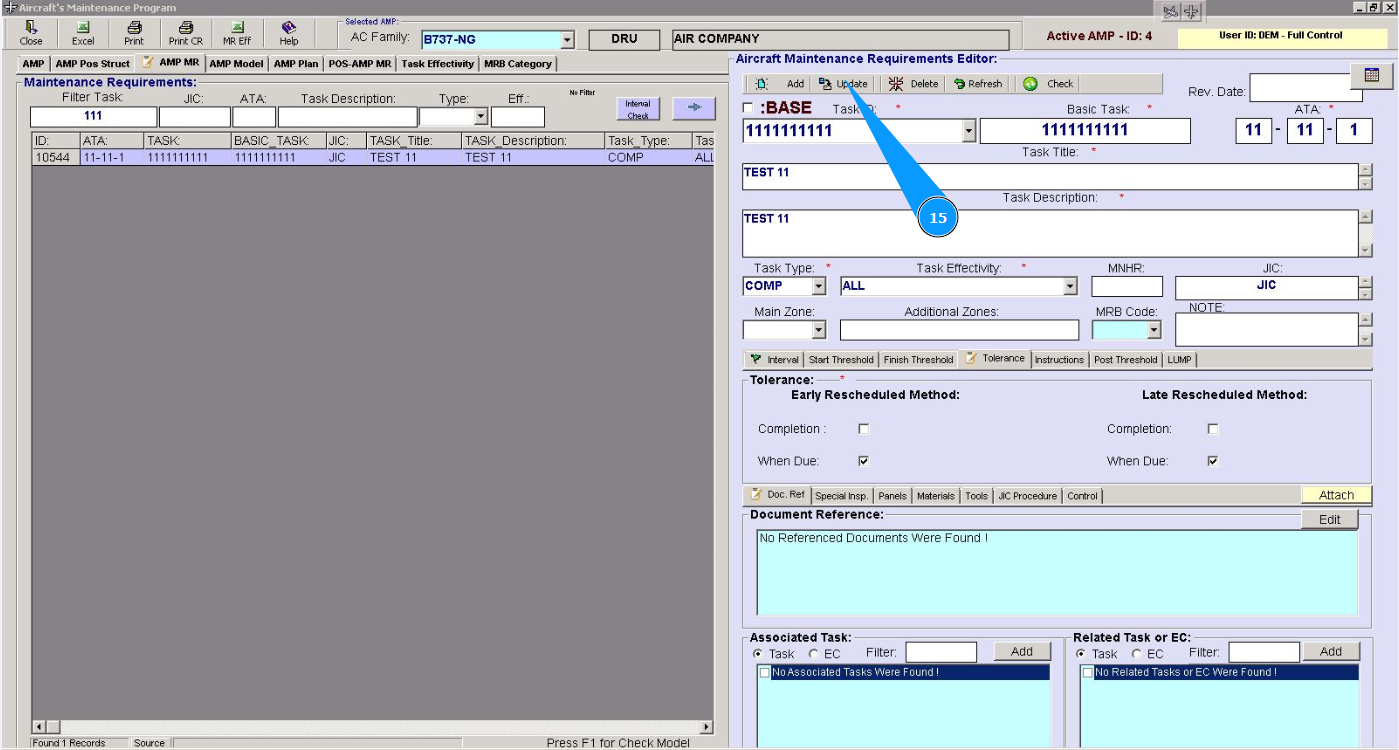
15. Click on the button "Update" and confirm entering the data into the program.
16. Click on the button "Yes" data is syccessfyly updated into the program.