How to check changes (who and when enter changes) of task's parameters
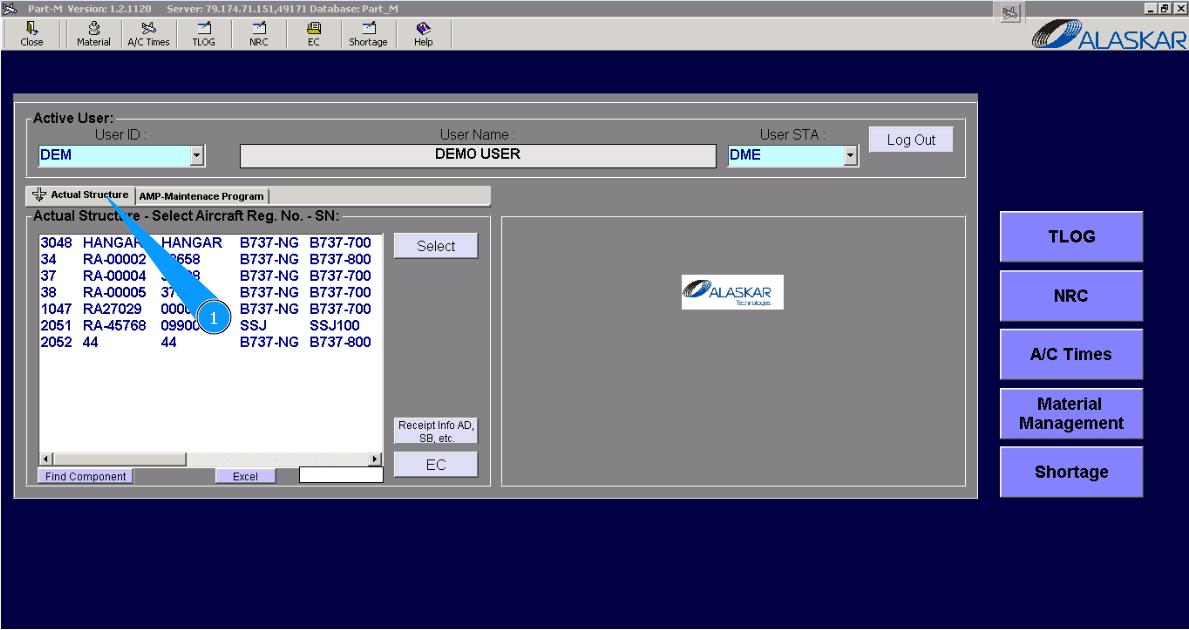
1. In order to check task changes, please go to the submodule "Actual Structure".
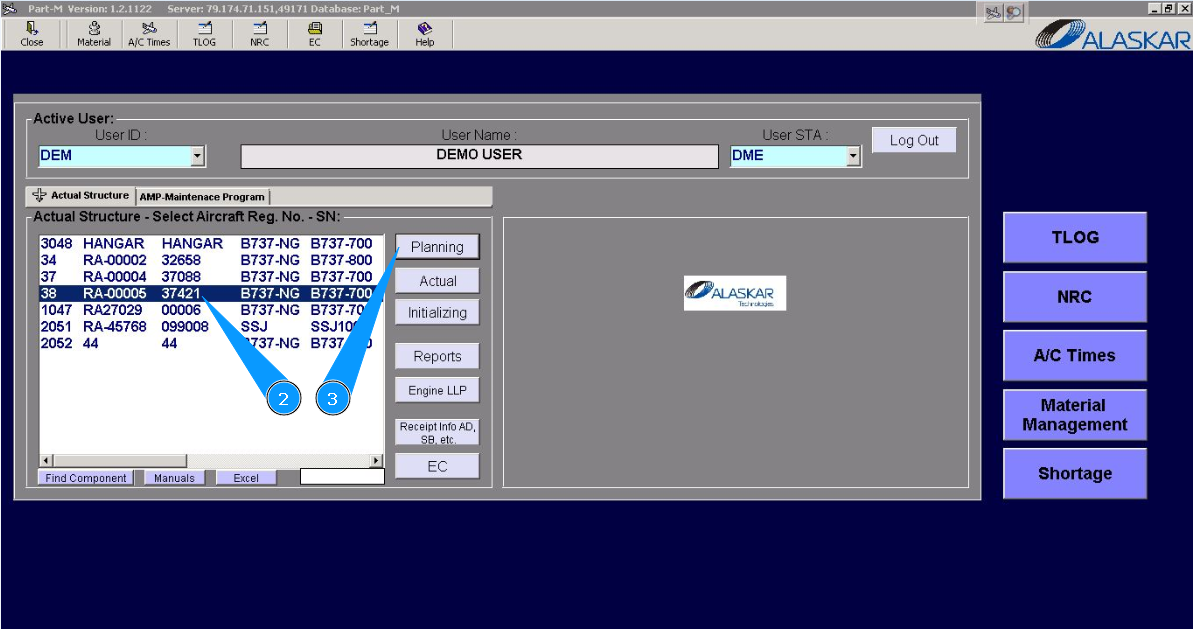
2. Select aircraft registration in the list of window "Actual Structure-Select Aircraft Reg.-SN".
3. Click on the button "Planing", to open submodule planing.
4. Enter required task number in the searching field and press on the knob "Enter" of your keyboard. Note: Please use the available filters for comfortable searching of task.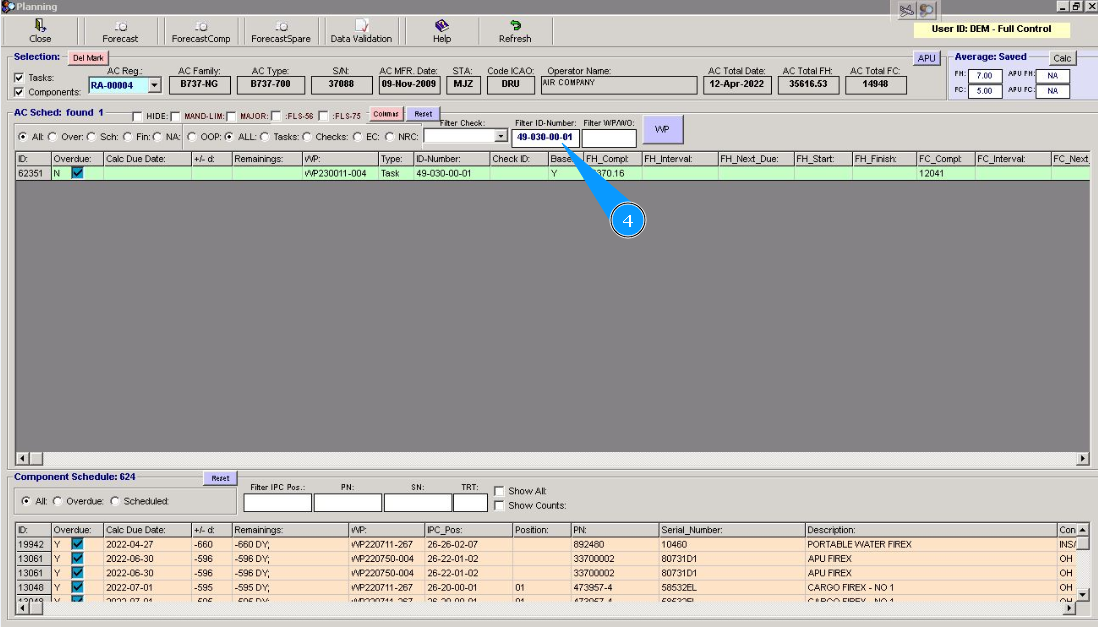
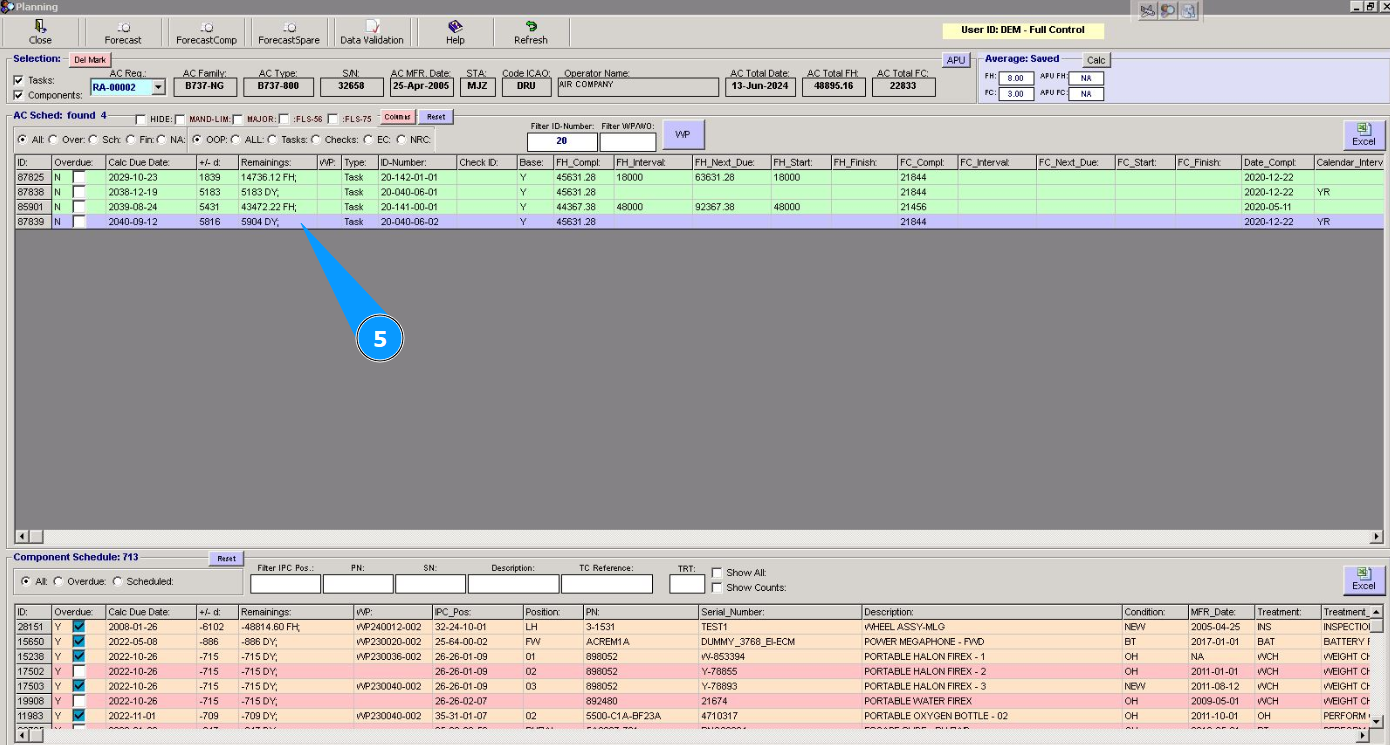
5. Select the required line with the task, click on this line and press the right mouse button.
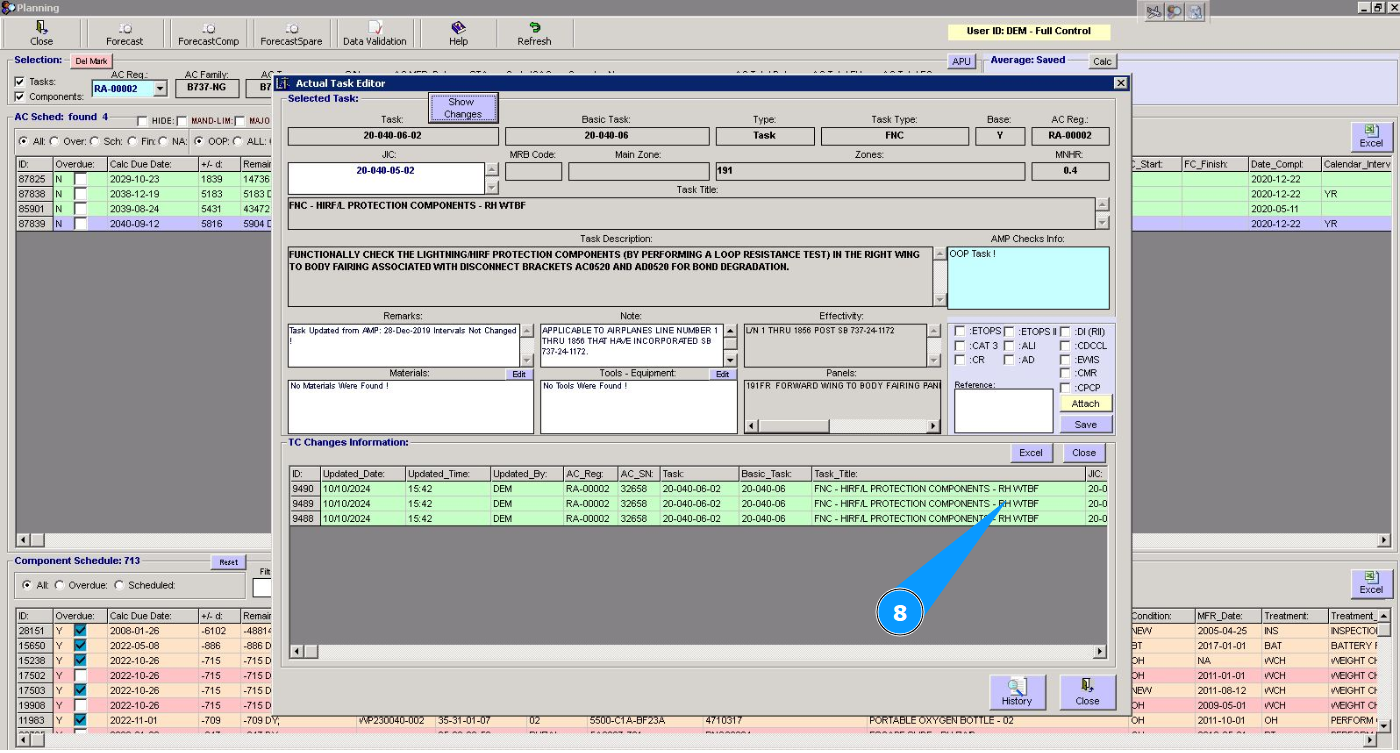
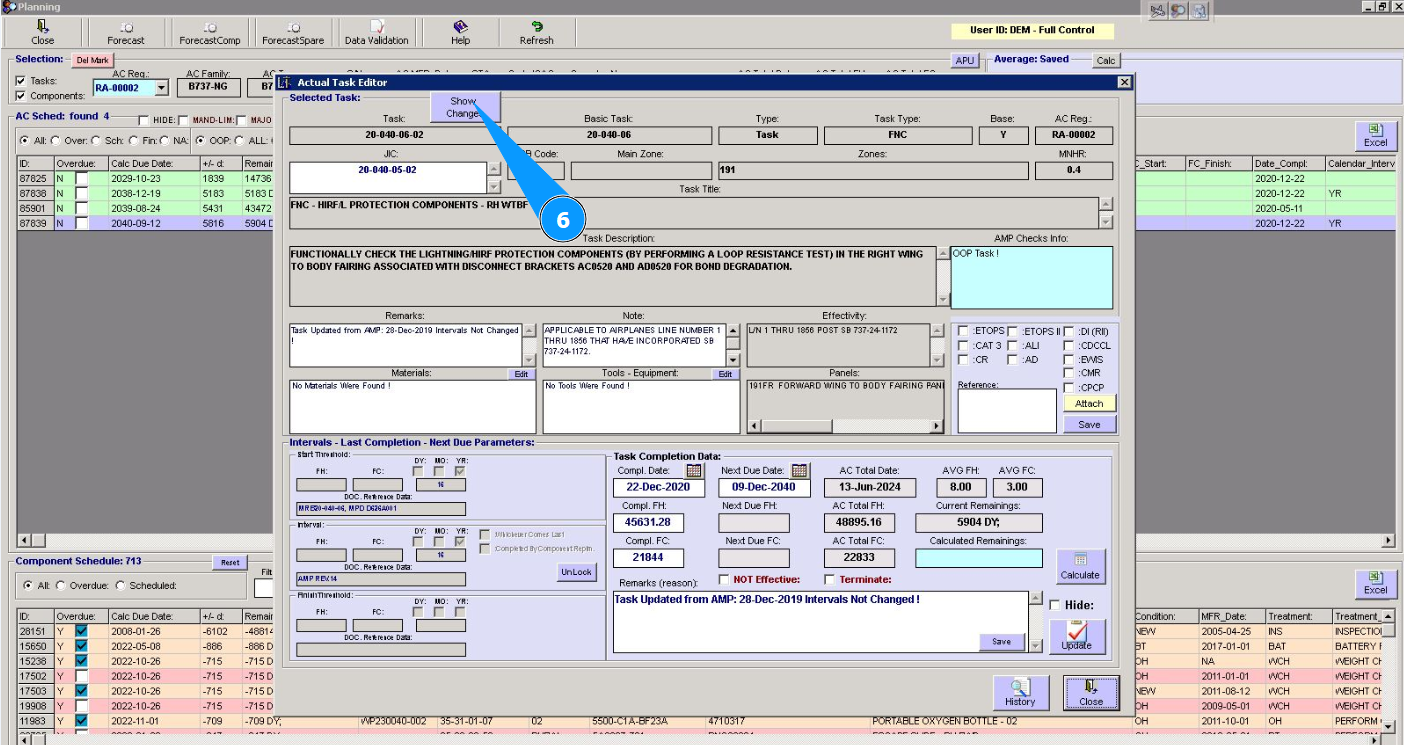
6. Click on the button "Show Changes" in the window "Actual Task Editor".
7. Check that the list of changes has opened in the window "TC changes Information".
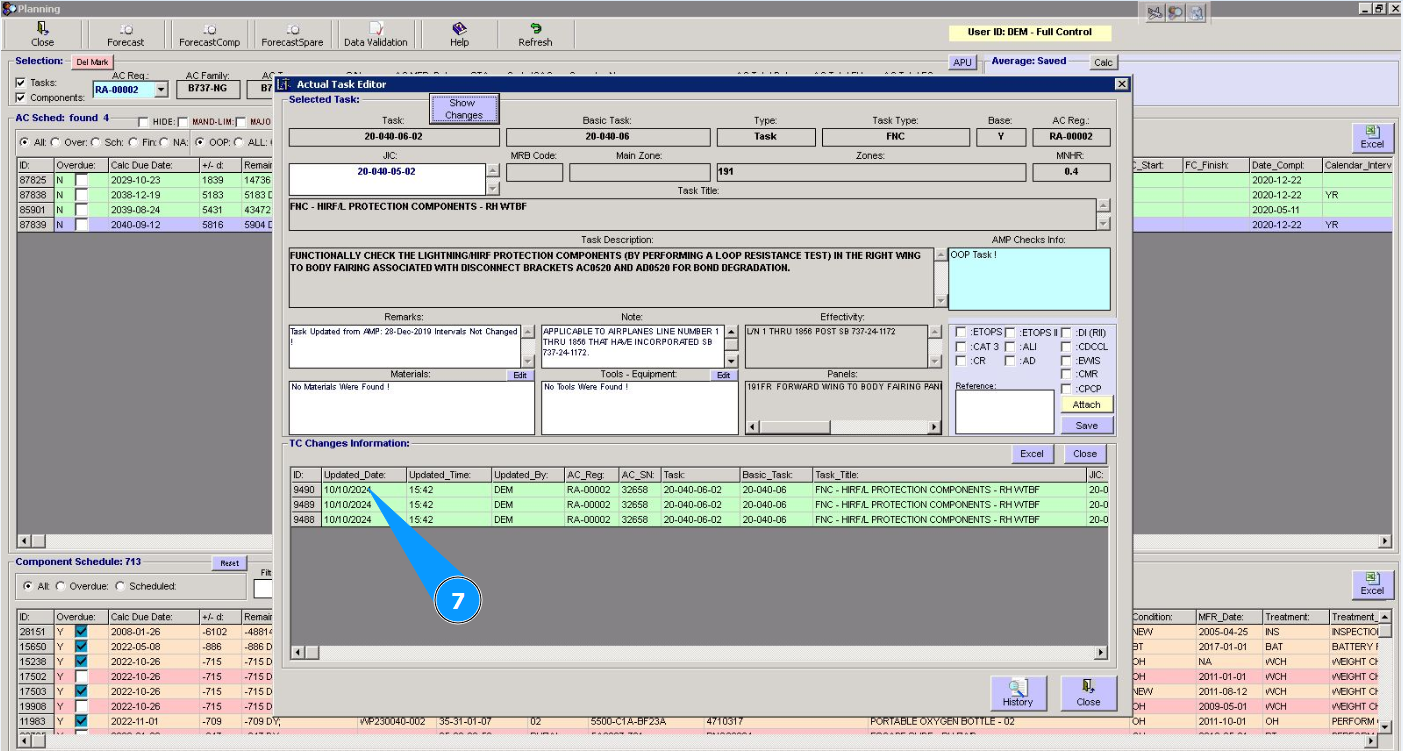
8. Get the necessary information in the corresponding columns.