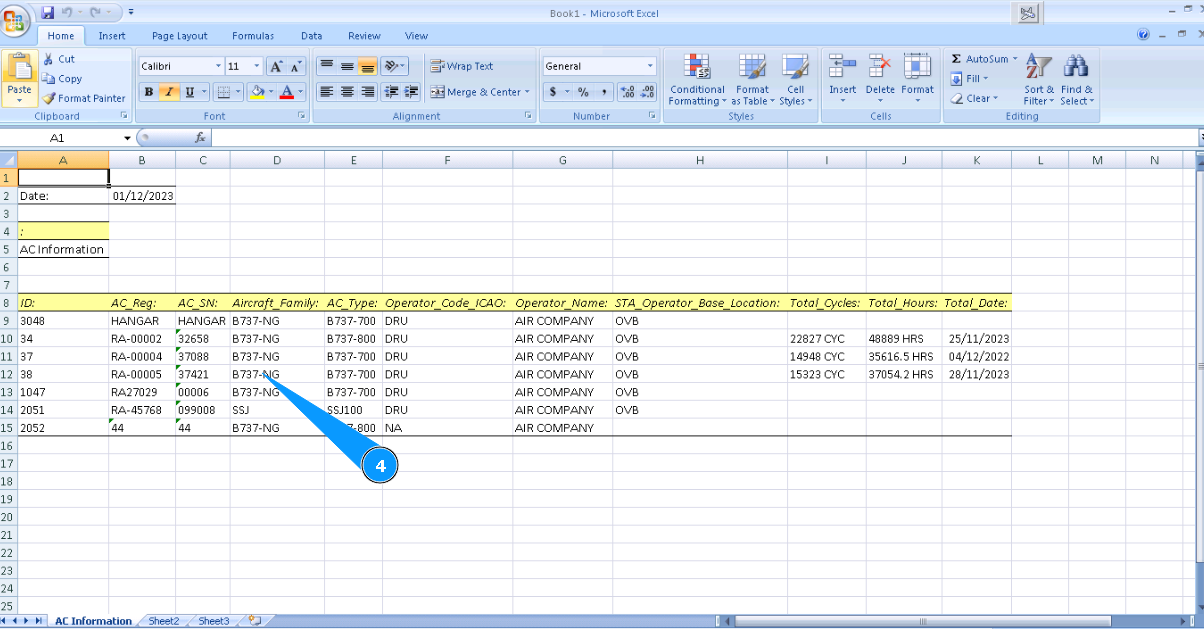
How to check aircraft general information
1. For checking aircraft general information, select the aircraft registration number in the window "Aircraft Structure-Select Aircraft Reg.№-SN".
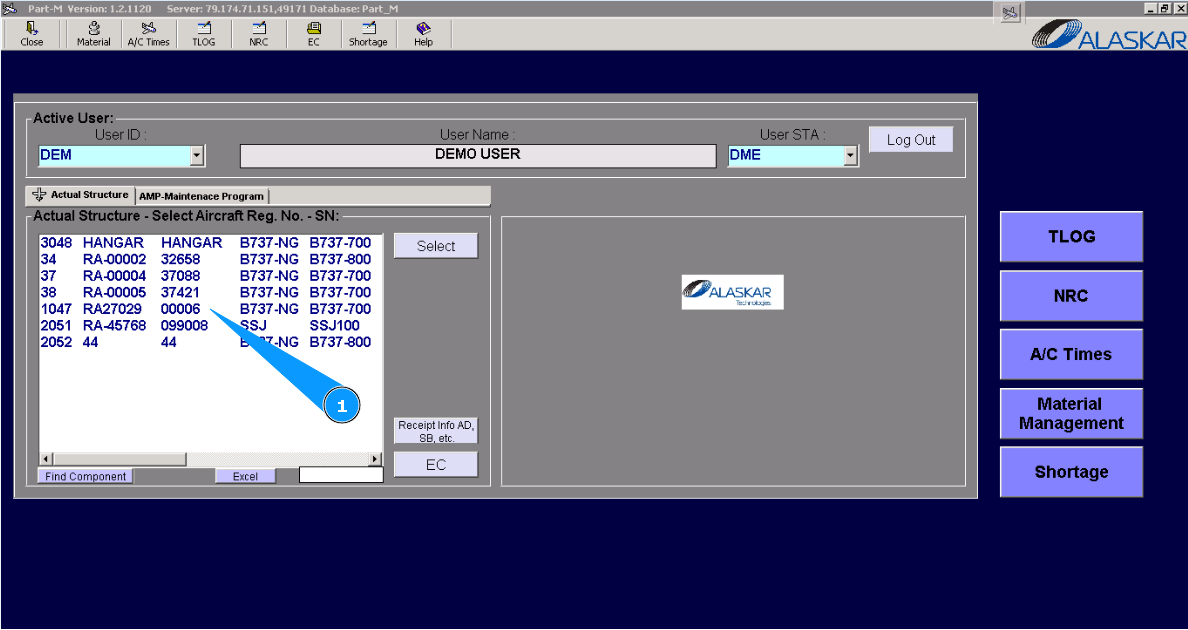
2. Click on the button "Excel".
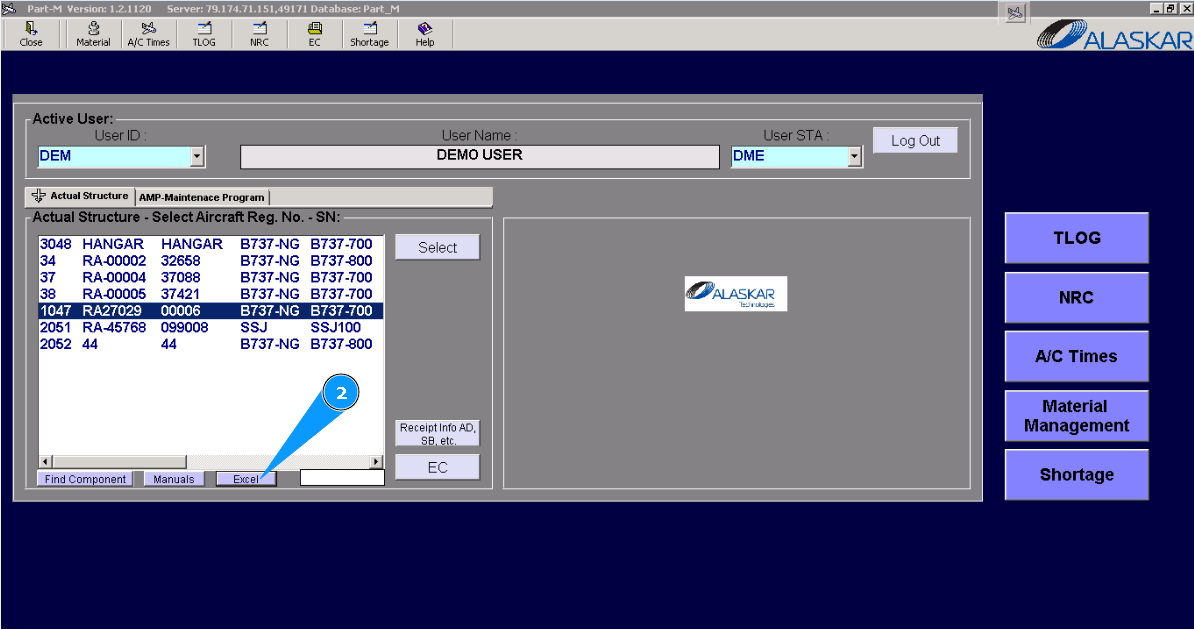
3. Click on the button "Yes", to confirm adding data to the program.
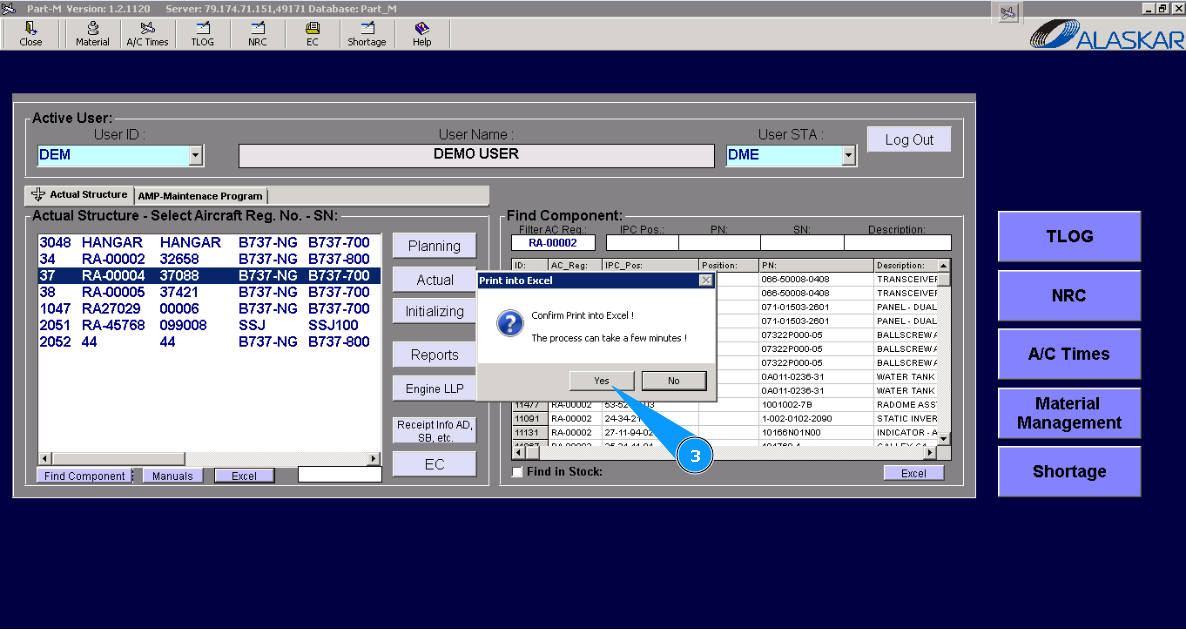
4. Check that the Excel report is created with necessary aircraft information.