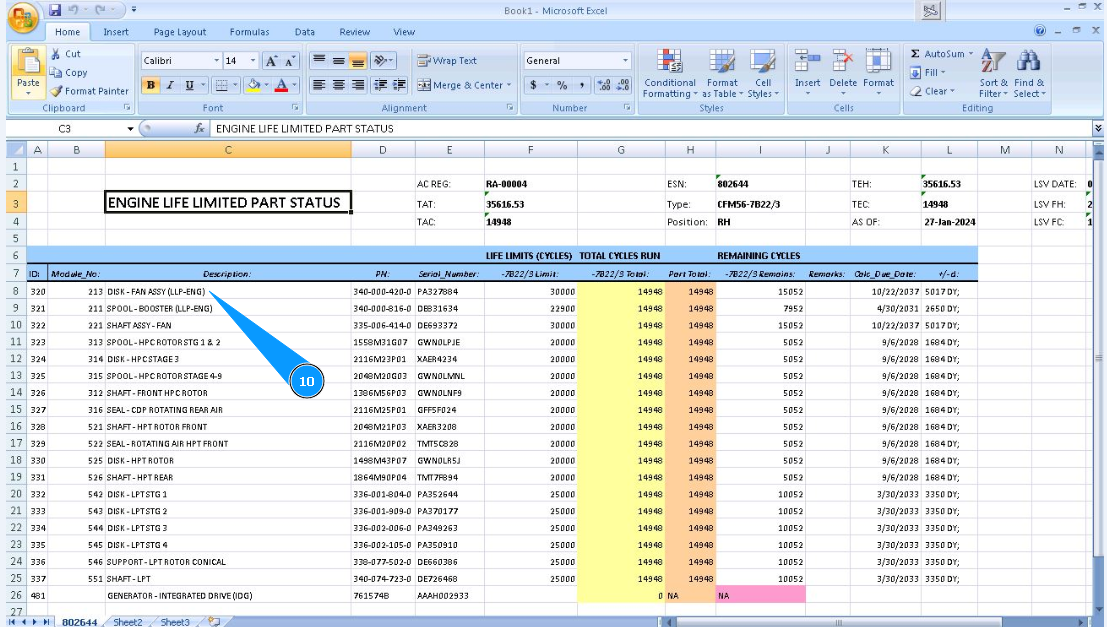
How to check engine life limited parts remaining
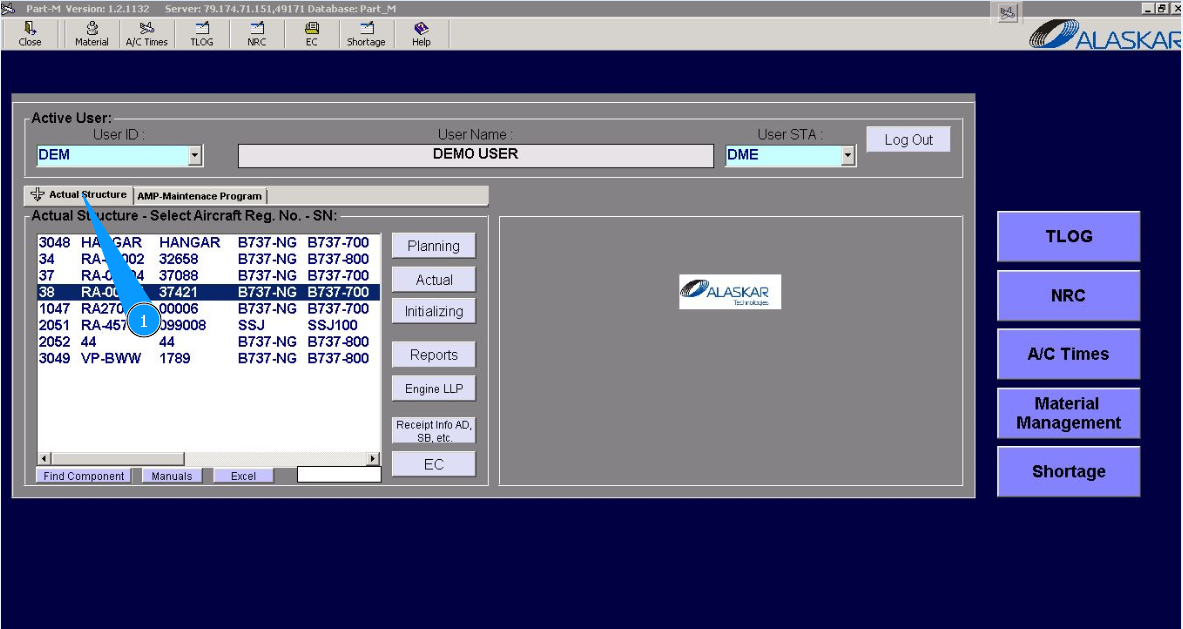
1. For checking engine life limited parts remaining, go to the tab "Actual Structure".
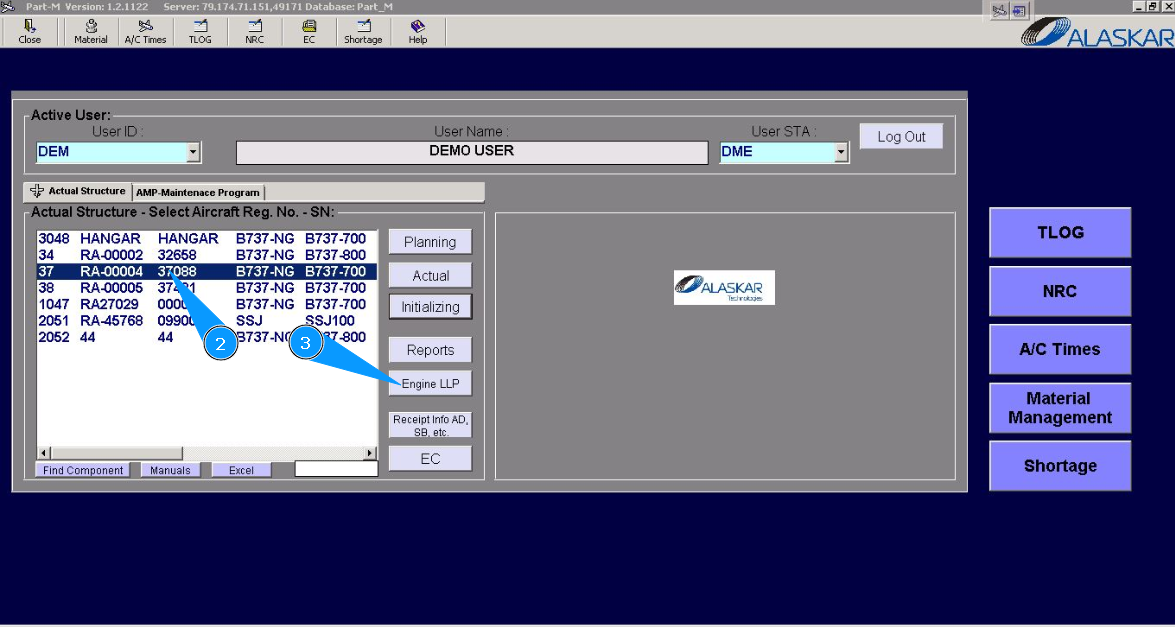
2. Enter the aircraft registration number in the list of window "Actual Structure-Select Aircraft Reg.-SN".
3. Click on the button "Engine LLP", to open the submodule.
4. Then go to the tab "Engine LLP".
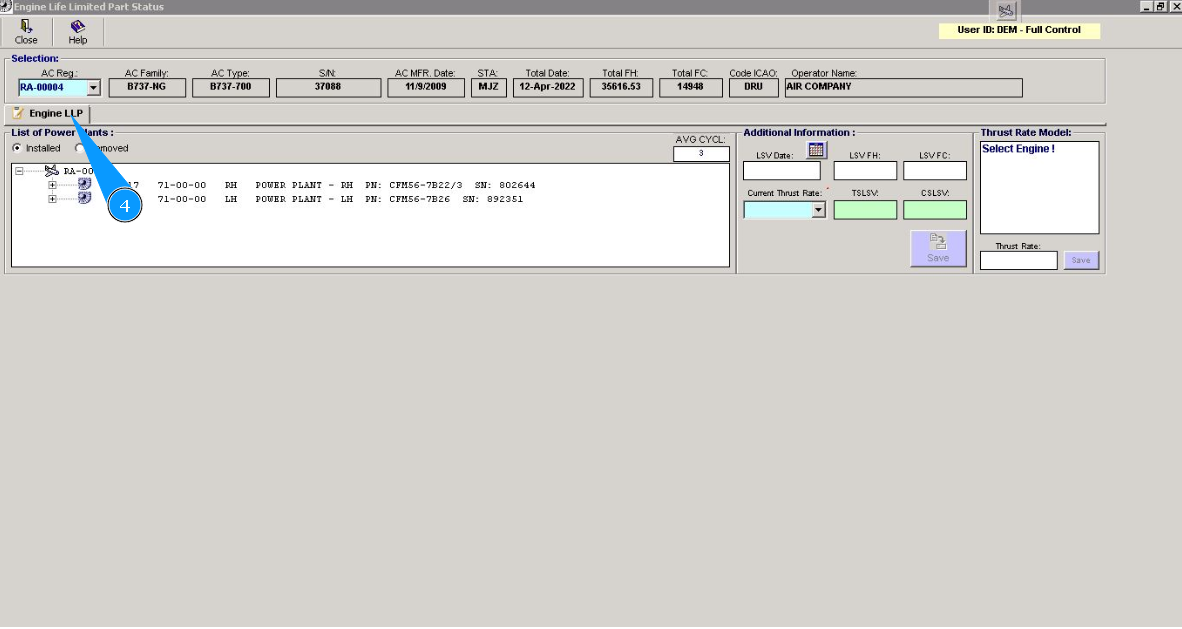
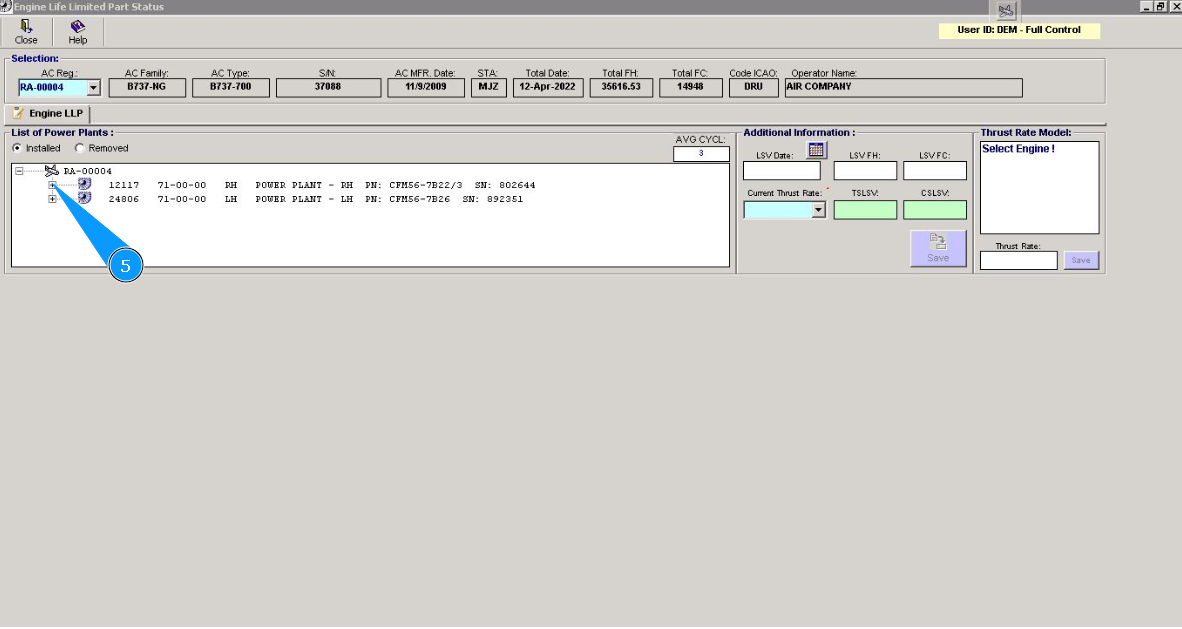
5. Click on the plus of the line, to open engine data.
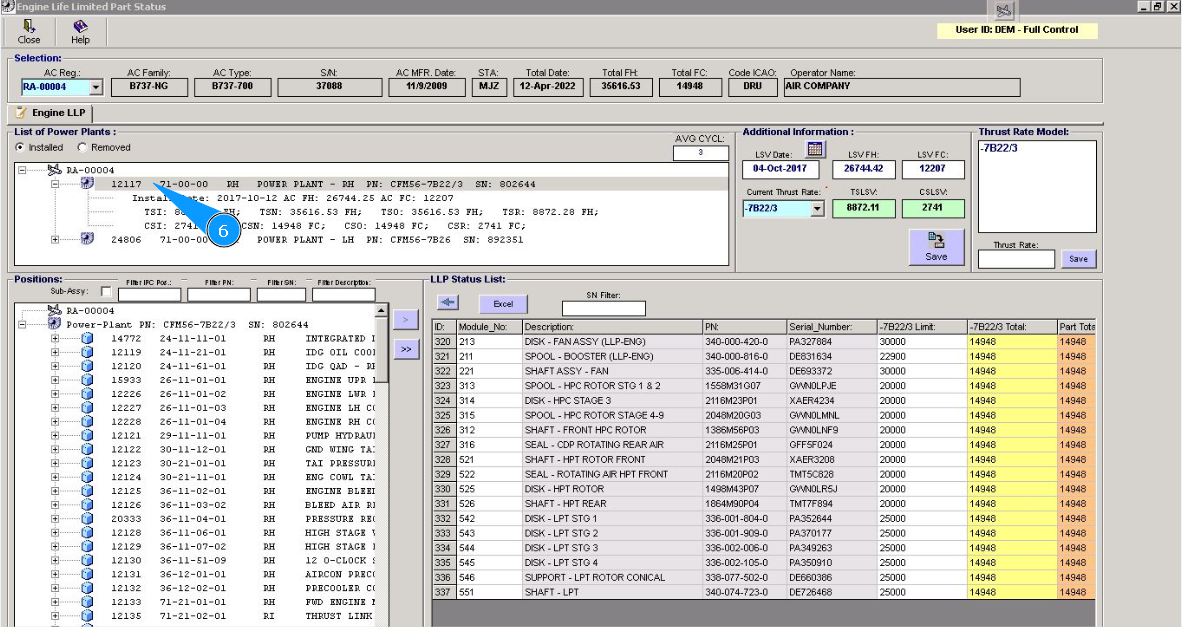
6. Click on the corresponding line with the required engine.
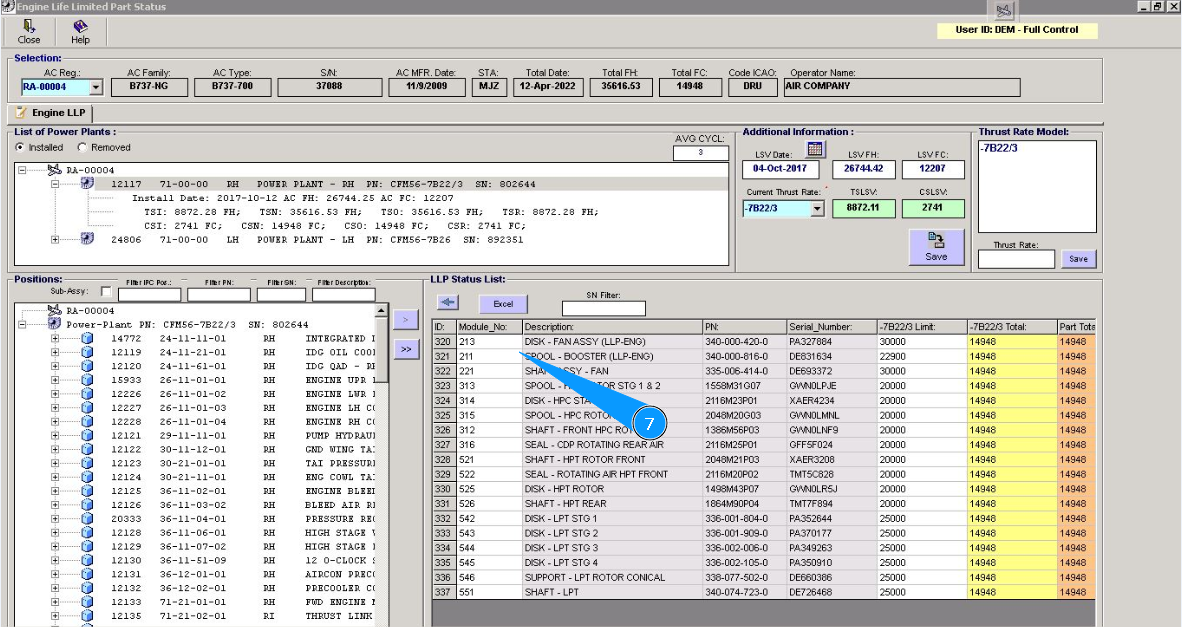
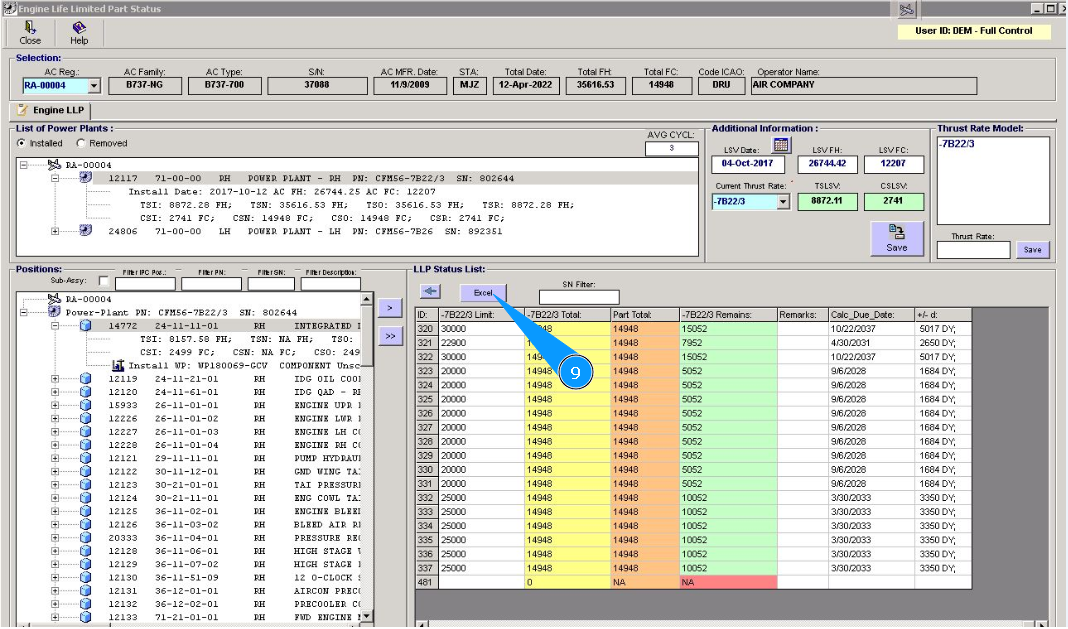
7. Check the LLP remains of the engine in the window "LLP Status List".
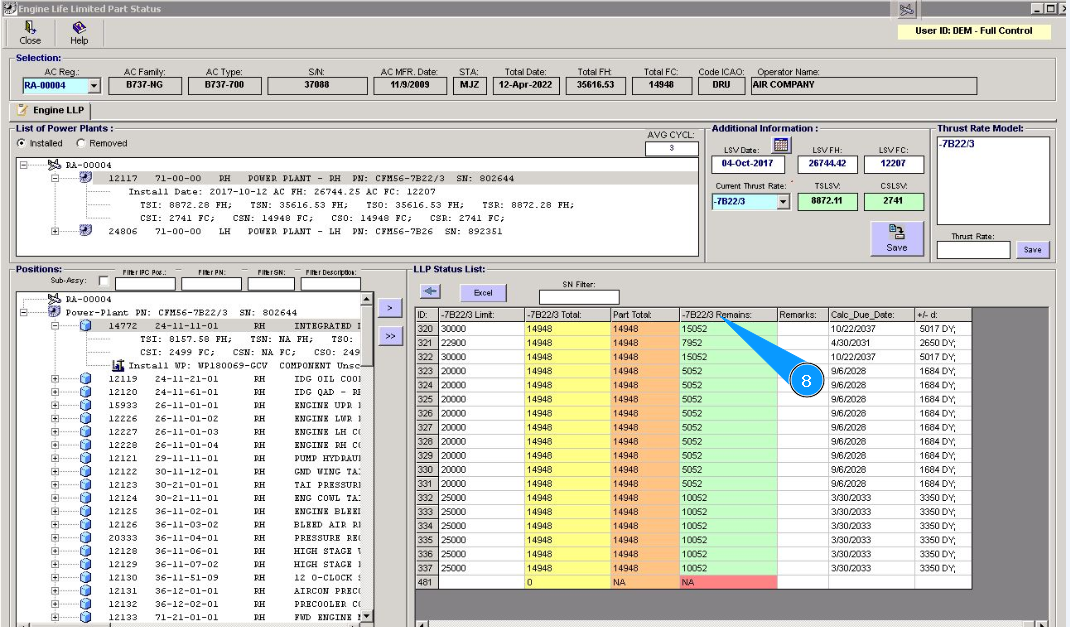
8. Remaining of engine LLP are presented in the column "Remains".
9. If required, you can download a list of LLP status to an Excel file. Click on the button with "Excel" symbol.
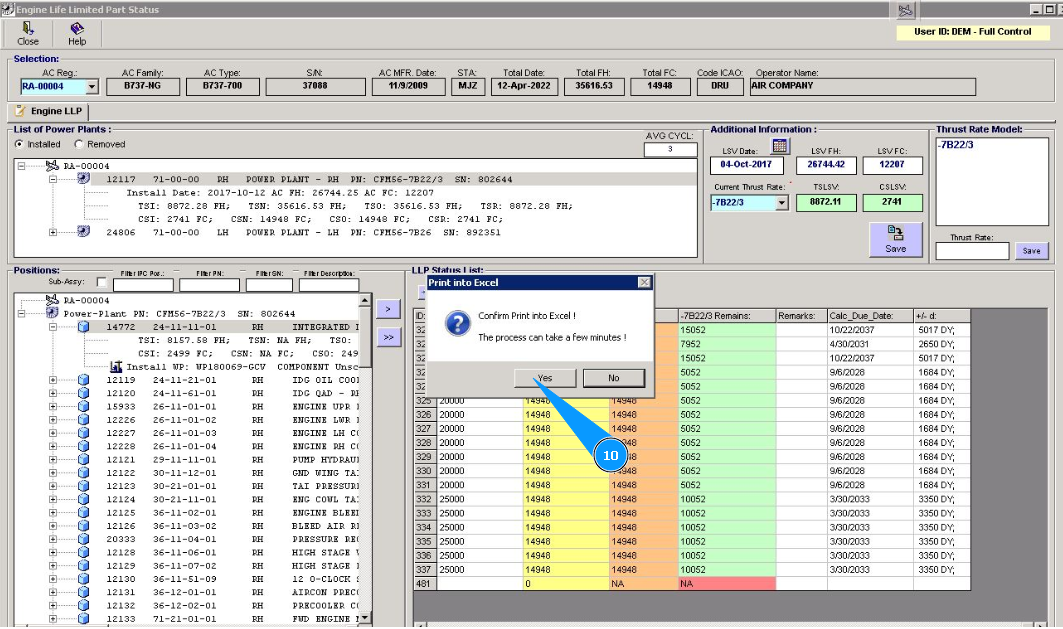
10. Click on the button "Yes", to confirm downloading data to Excel.
11. Check that the report is created on the screen. Perform all necessary actions with this file.