How to check general information about component
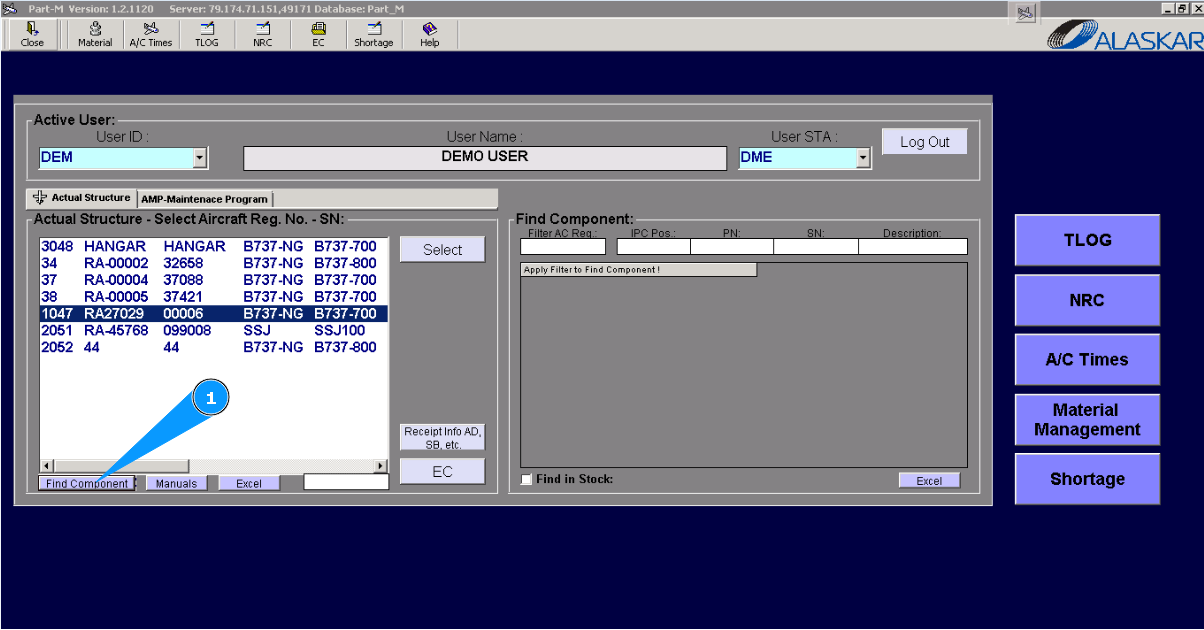
1. For component checking, please go to the tab "Find Component".
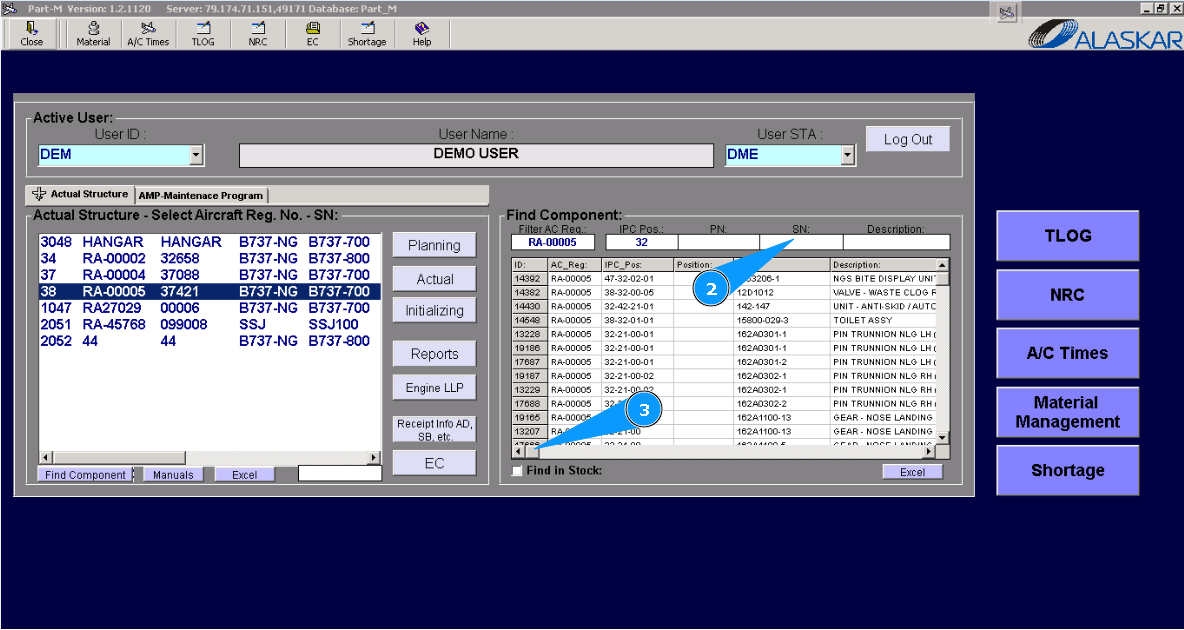
2. Enter searching information in the filter's fields of the window "Find Component" and click on the button "Enter" on your keyboard. Note: If necessary, you can use other filters for more exact searching.
3. Scroll the slider to the right to receive information in other columns.
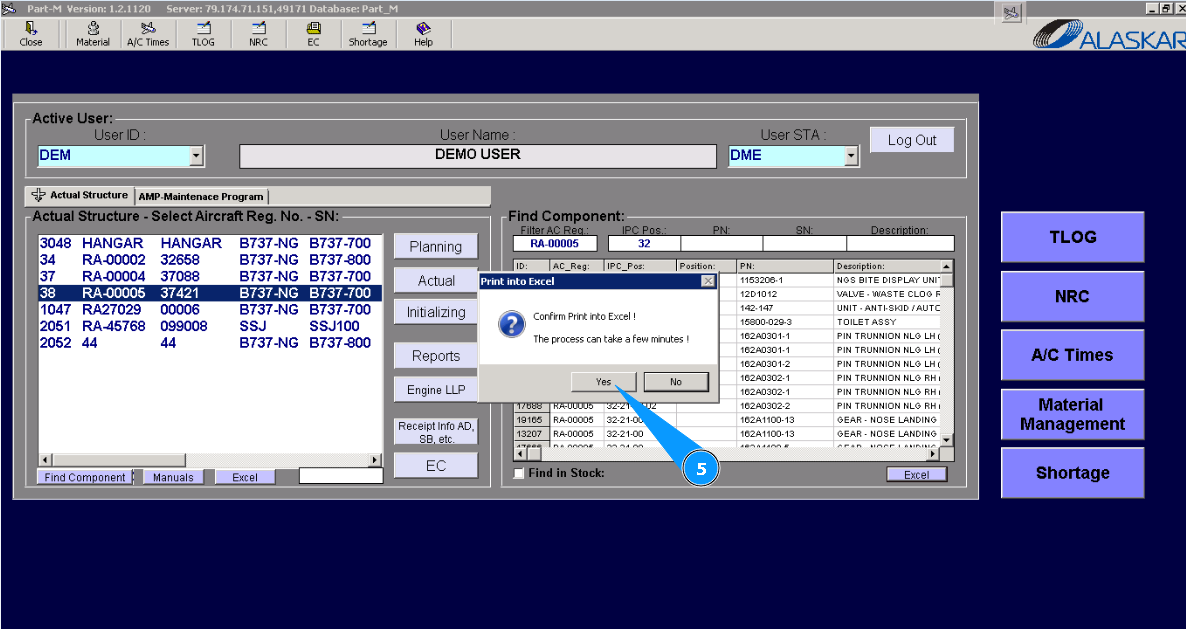
4. Also, if you need to download information about a component(s) in Excel format. Click on the button "Excel".
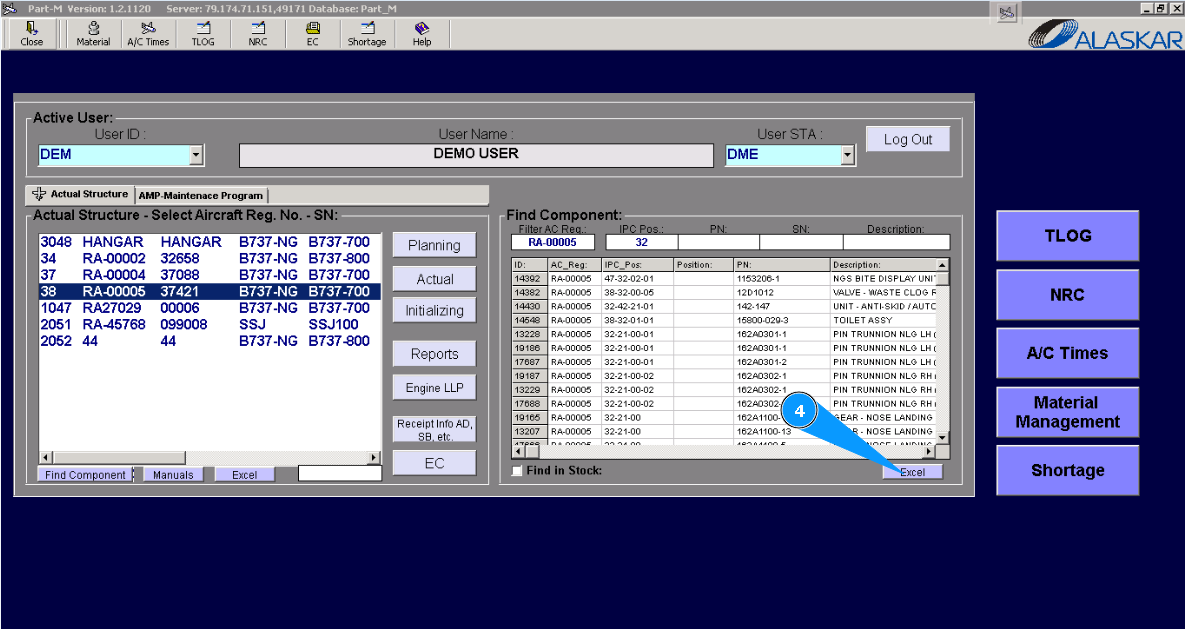
5. Click on the button "Yes", to confirm downloading data in the Excel format.
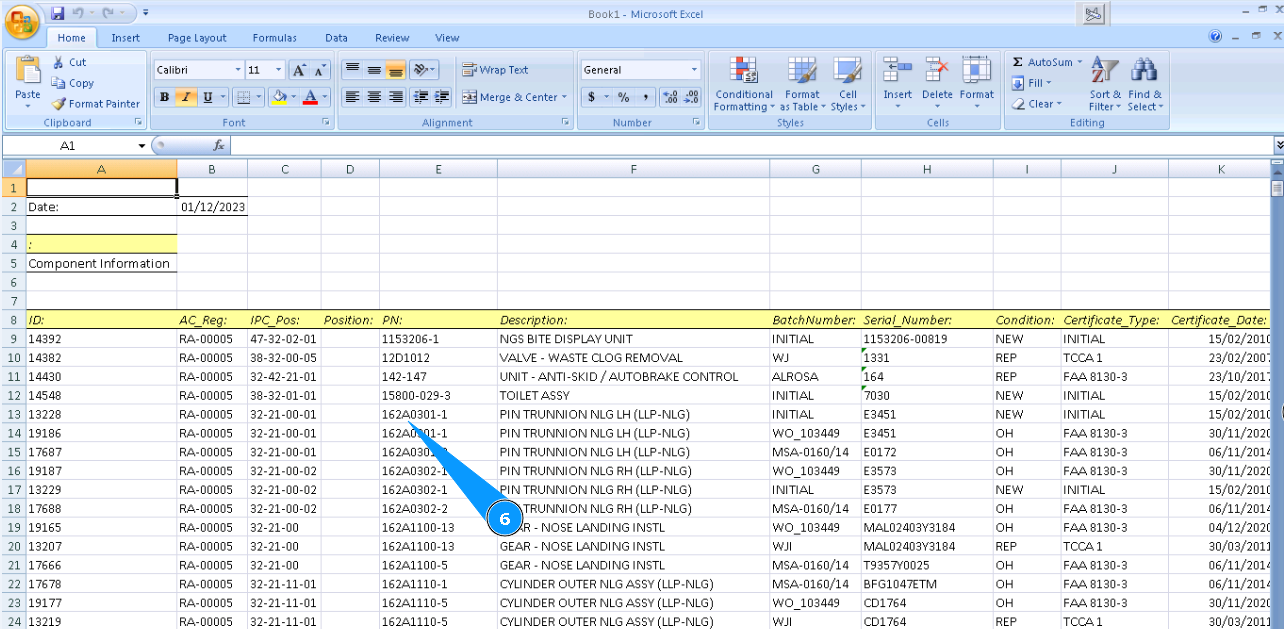
6. Check that the Excel report is created with the necessary information.