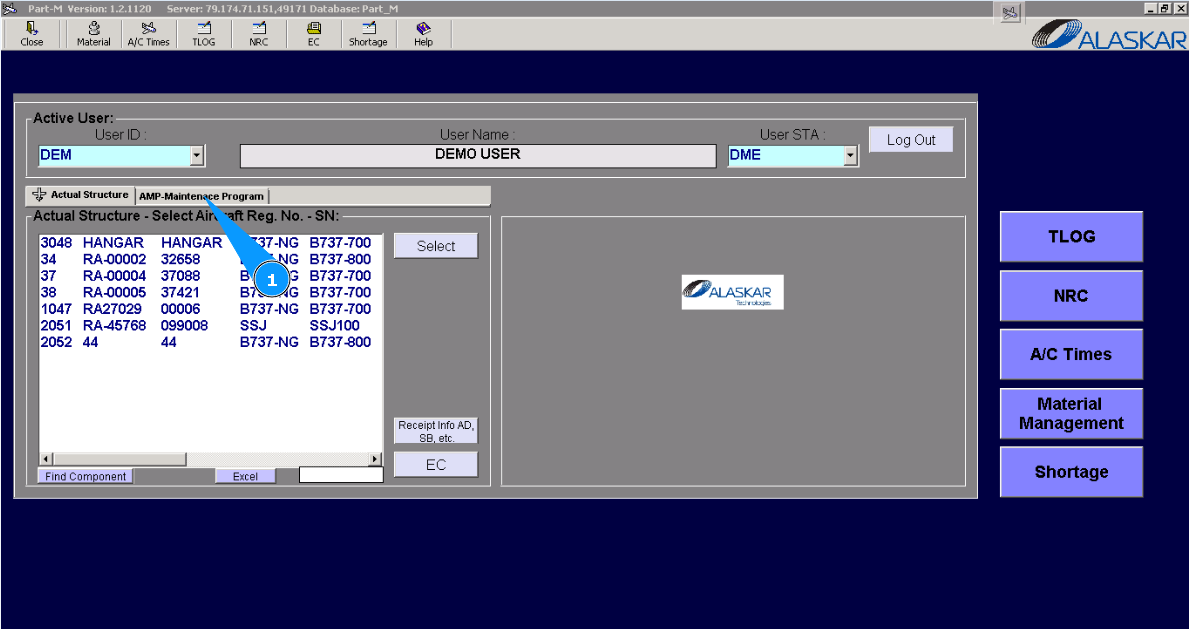
How to check general information of AMP
Note: Implementation of general parameters of AMP is subject to Alaskar designer duties under special request from customer.
1. For checking general APM parameters, please go to tab "AMP- Maintenance Program".
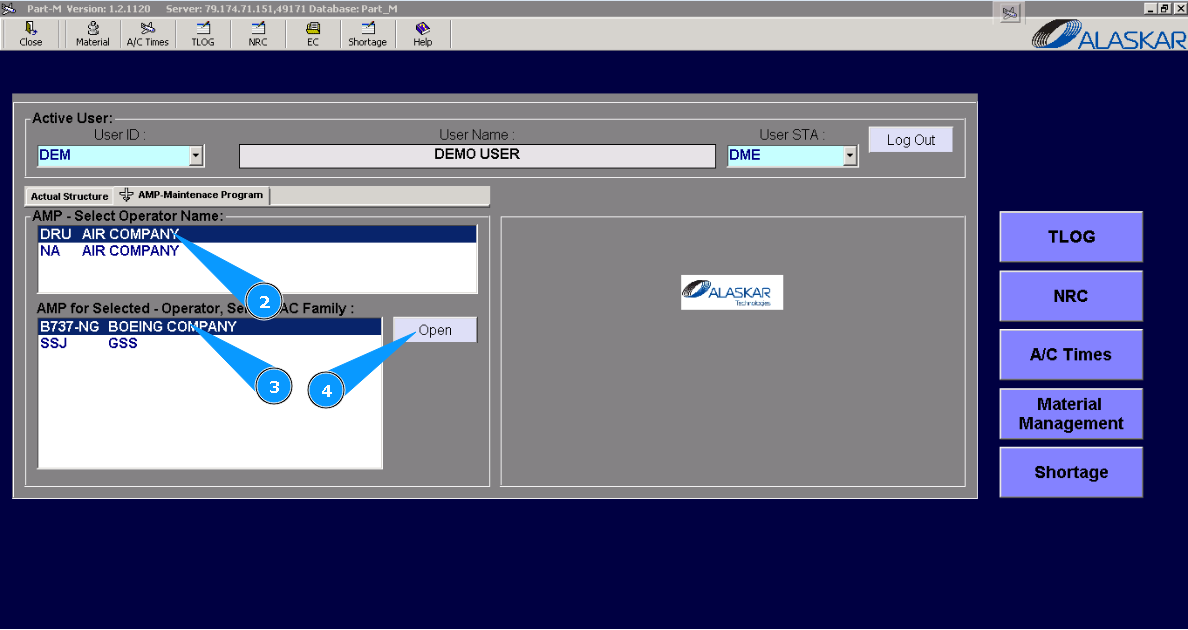
2. Select operator name in the list of window "AMP- Select Operator Name".
3. Select aircraft type in the list of window "AMP for Selected- Operator".
4. Click on the button "Open", to open general menu of AMP.
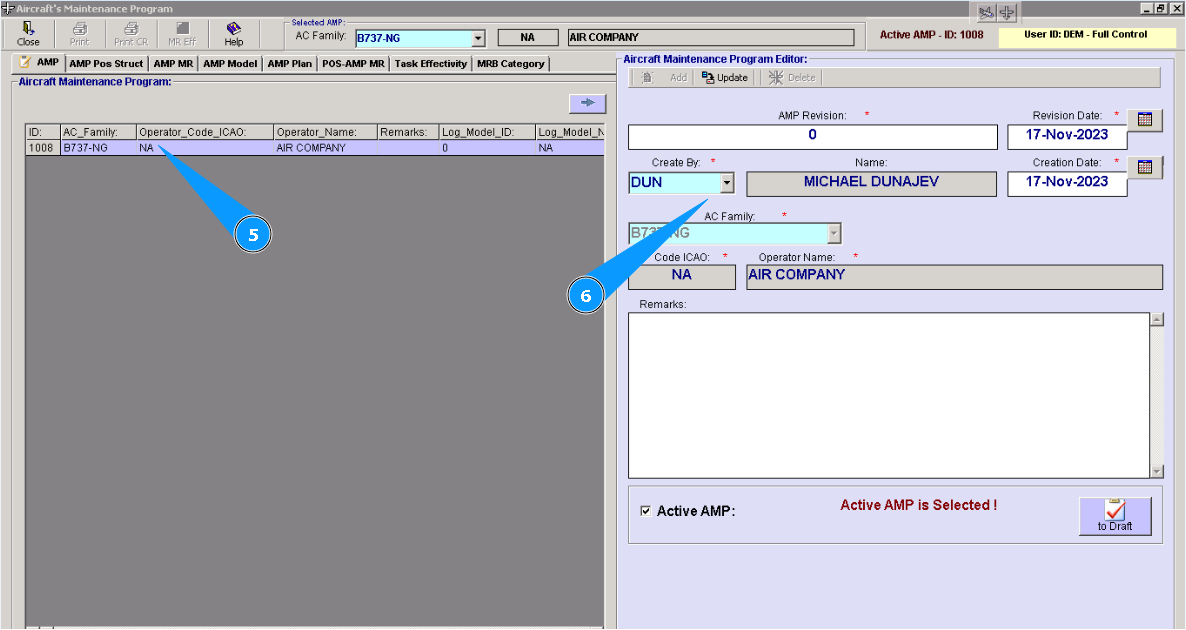
5. Select AMP line in the window "Aircraft Maintenance Program".
6. Check that editor "Aircraft Maintenance Program Editor" is automatically filled in by data. If necessary, you can change it.