How to check aircraft utilization
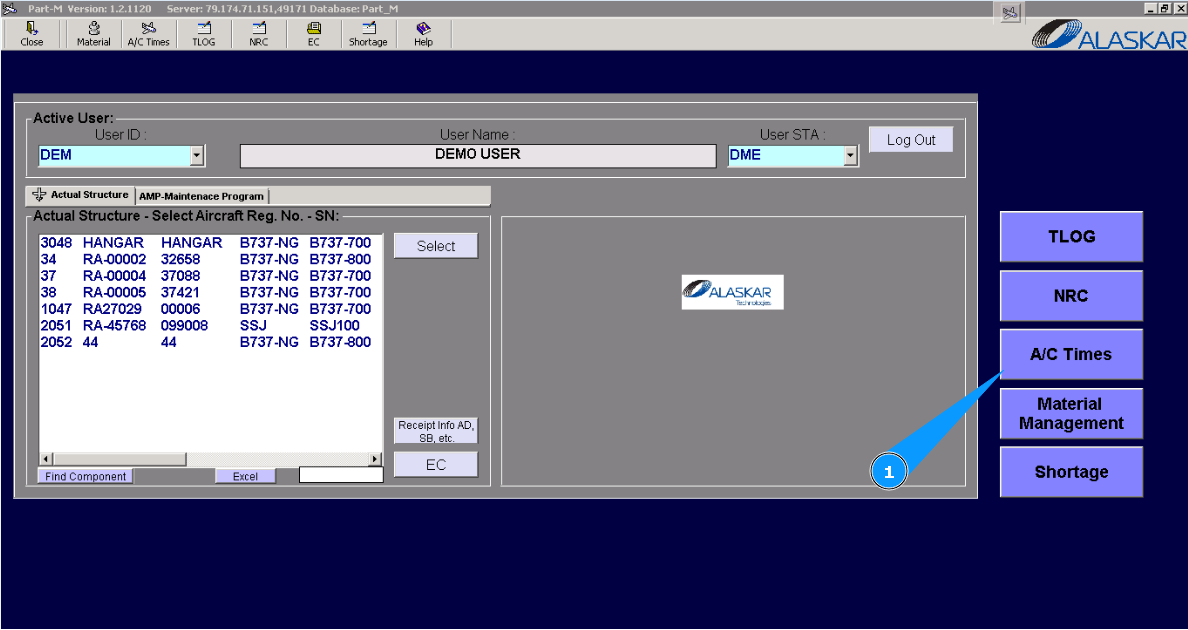
1. For checking aircraft utilization, please go to submodule "AC Times".
2. Then go to tab "AC-APU Utilization". Note: If a line with necessary flight has not been found, please try to change your searching criteria in the field of date. Change the date or select list of all flight in the whole month. In this case, delete the date from this field and leave the month name and year only. For example: "Nov-2023". After that by scrolling method find the necessary line.
3. Enter aircraft registration number in the field "A/C Reg.".
4. Or select from dropdown list.
5. Enter the necessary date in this field for checking utilization, and press on the button "Enter" on your keyboard.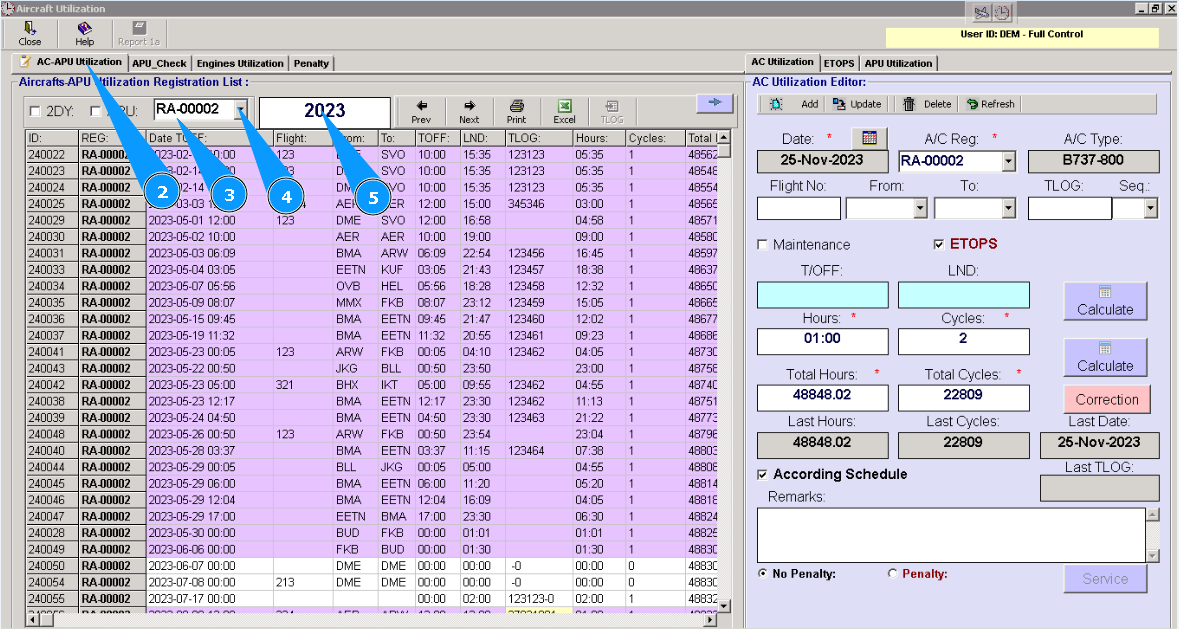
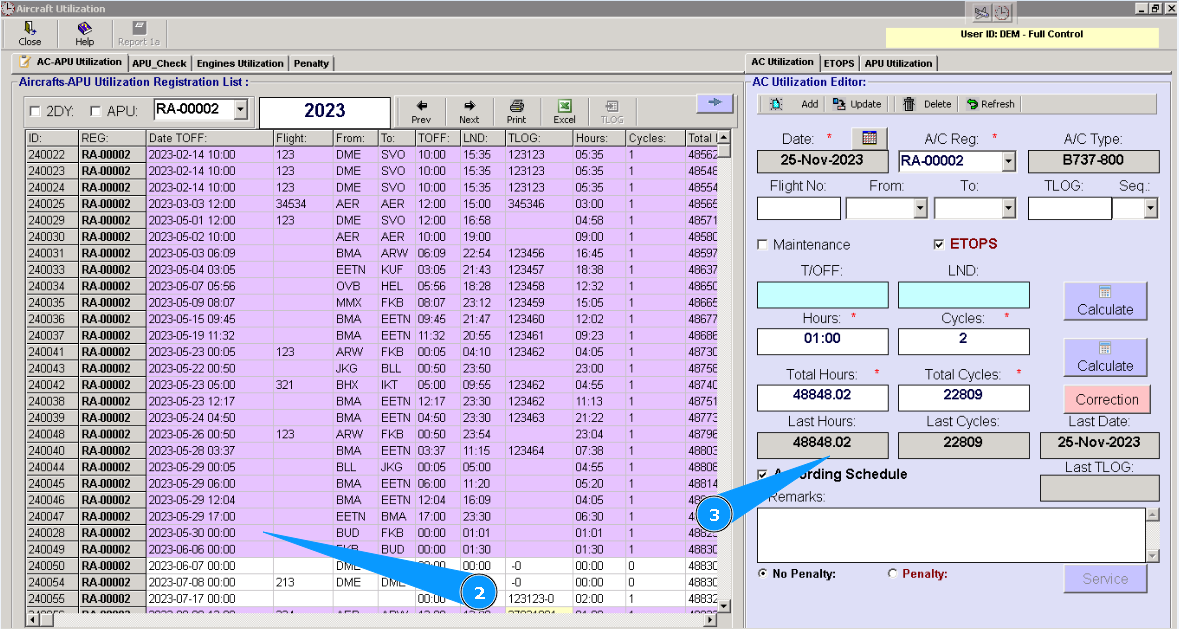
6. Highlight on the searched line in the window "Aircraft-APU Utilization Registration".
7. Check that utilization data is appeared in the editor "AC utilization Editor".
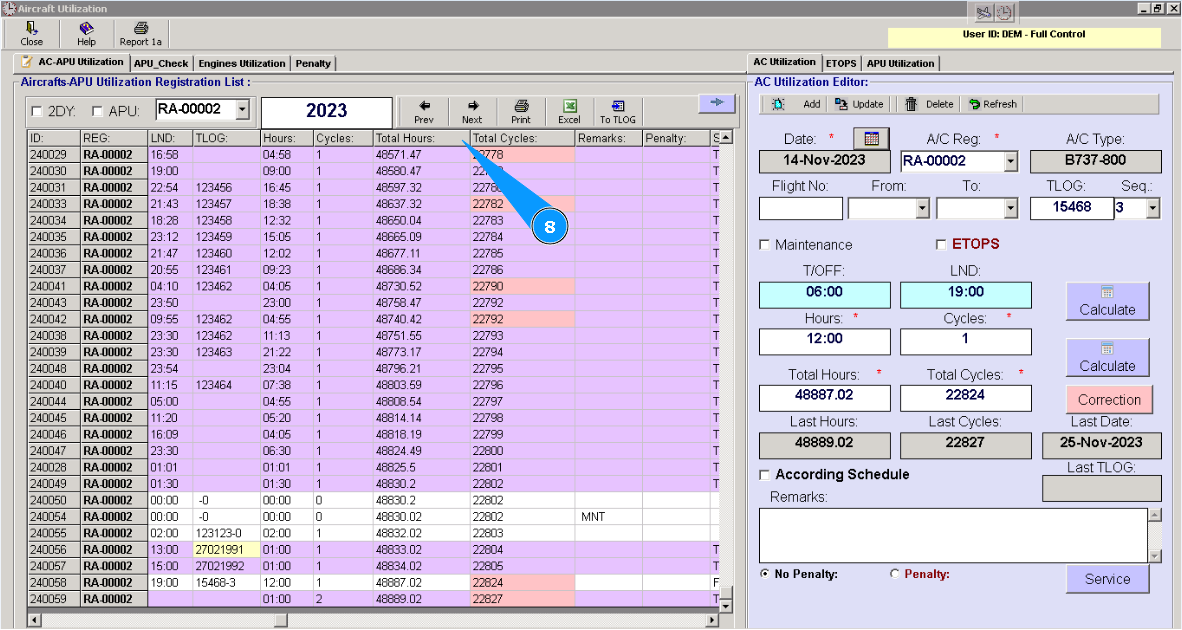
8. Or scroll the slider to the right till columns with utilization "Total Hours" и "Total Cycles" are to be appeared. Check necessary data of utilization from them.