How to change AC utilization
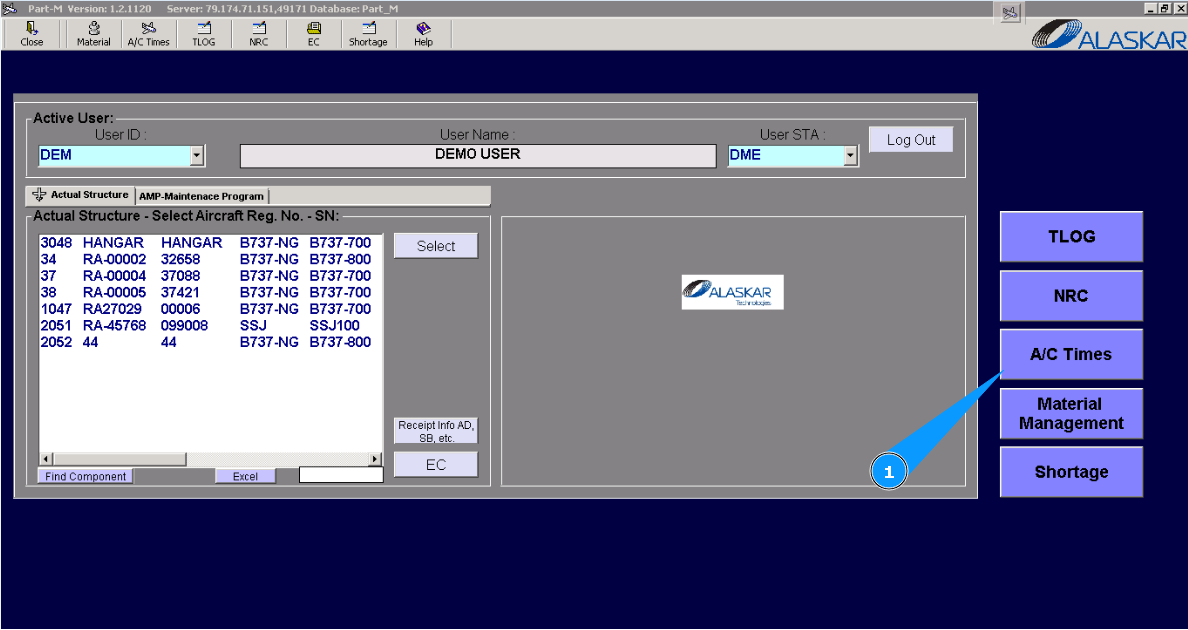
1. For correction of AC utilization, go to submodule "AC Times".
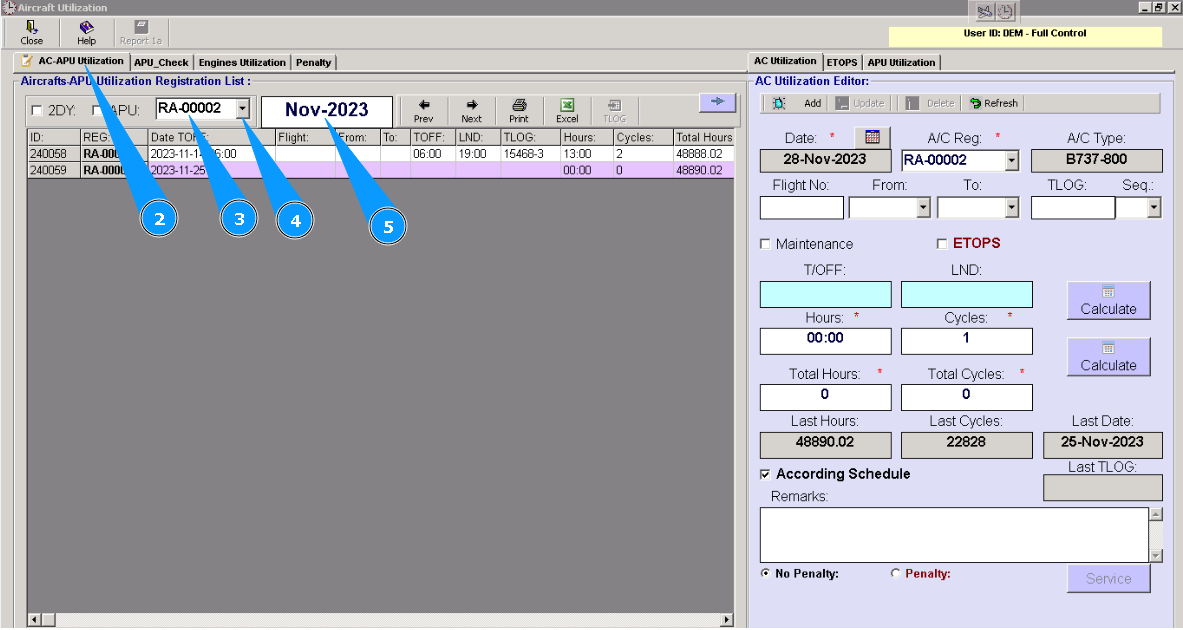
2. Then go to tab "AC-APU Utilization".
3. Enter aircraft registration number in the field "A/C Reg.".
4. Or select from dropdown list.
5. Enter the date of which utilization should be corrected and press the button "Enter" on your keyboard.
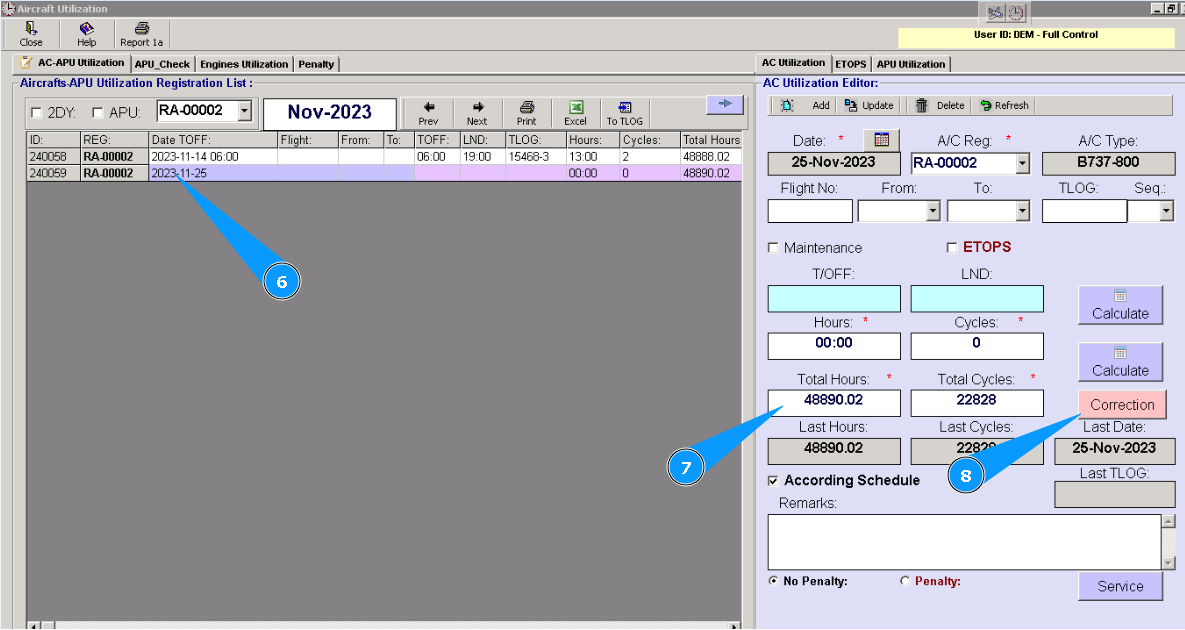
6. Enter flight and click on the necessary line in the list.
7. Check that data is appeared in the editor "Aircraft Utilization Editor".
8. Click on the button "Correction".
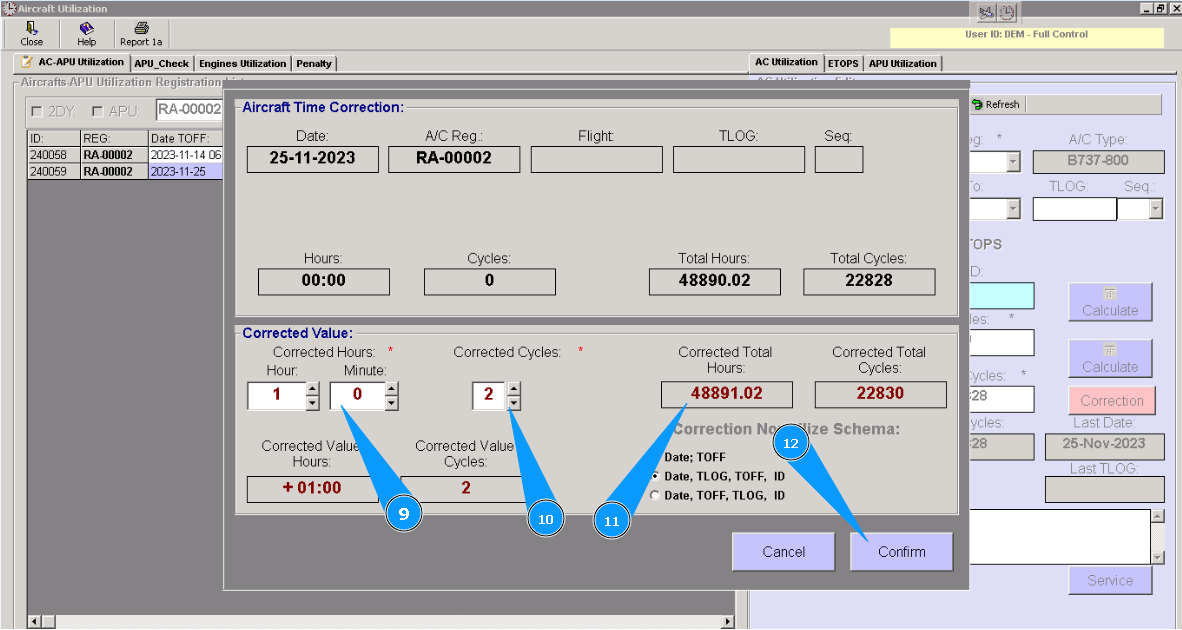
9. Enter corrected data of utilization in the fields "Corrected Hours" or "Corrected Cycles" and click on the button "Enter" on your keyboard.
10. Or select from dropdown list.
11. Check that data is changed by entered numbers in the fields "Corrected Total Hours" or "Corrected Total Cycles".
12. Click on the button "Confirm".
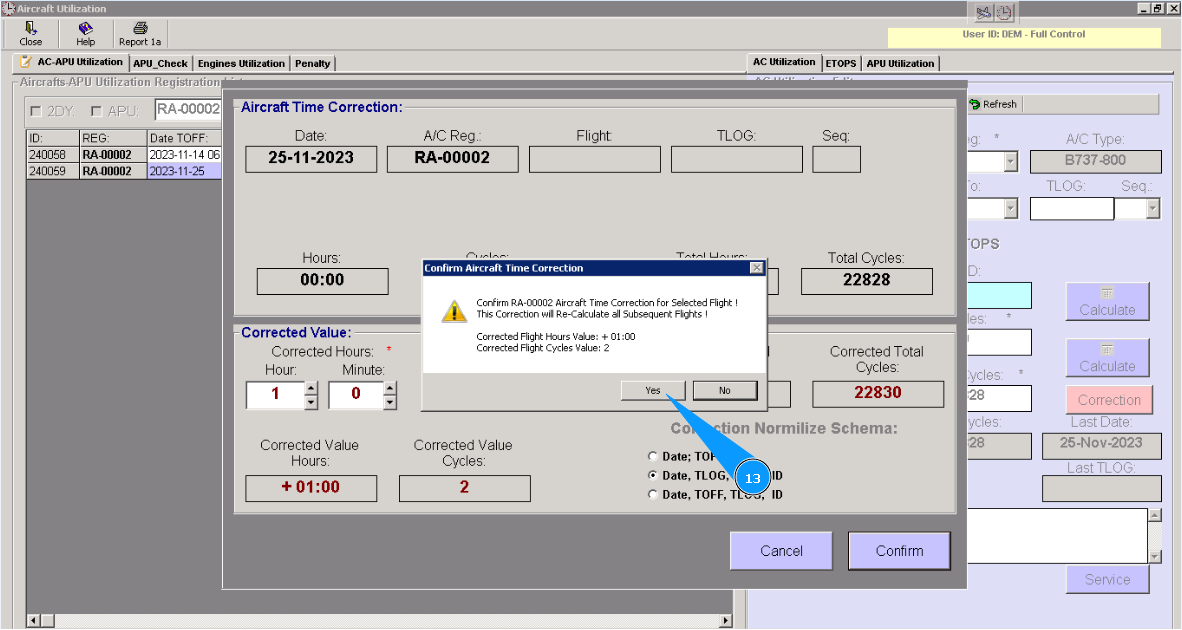
13. Click on the button "Yes", to confirm adding data to program.
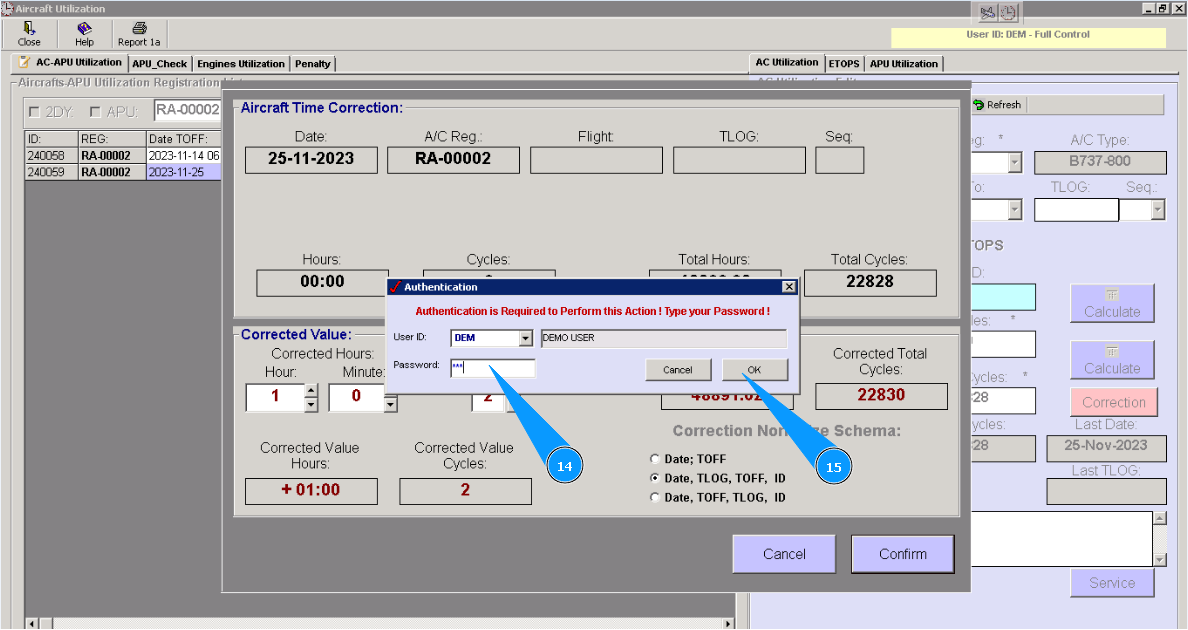
14. Enter your password of Alaskar in the field "Password".
15. Click on the button "Ok".
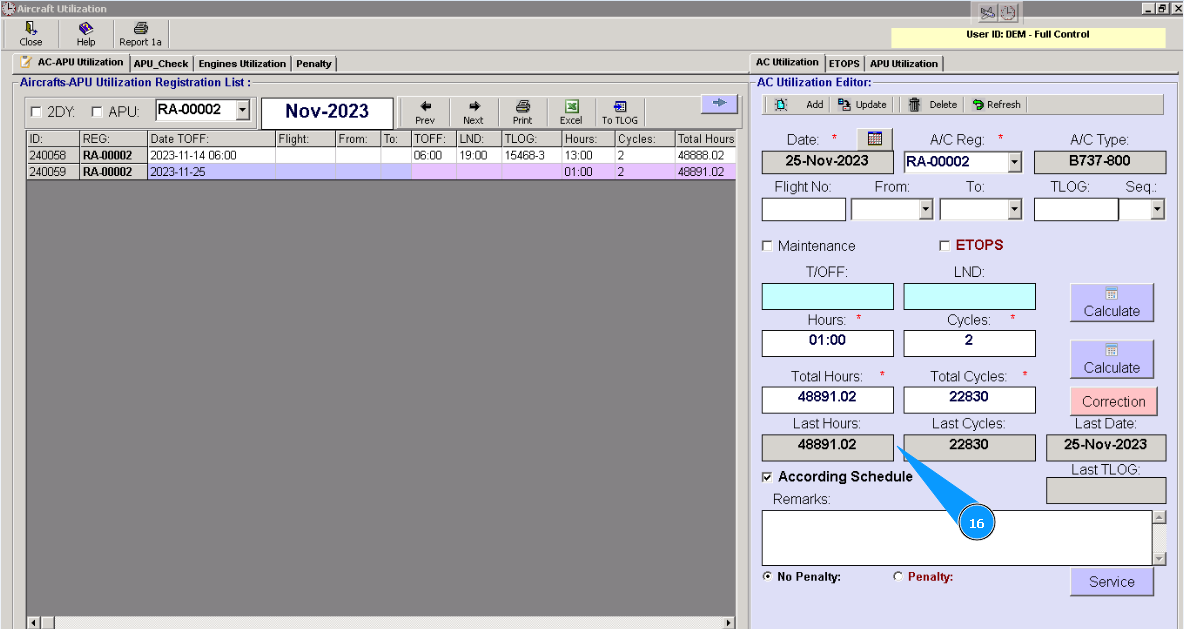
16. Check that data have been changed in the fields "Last Hours" или "Last Cycles".