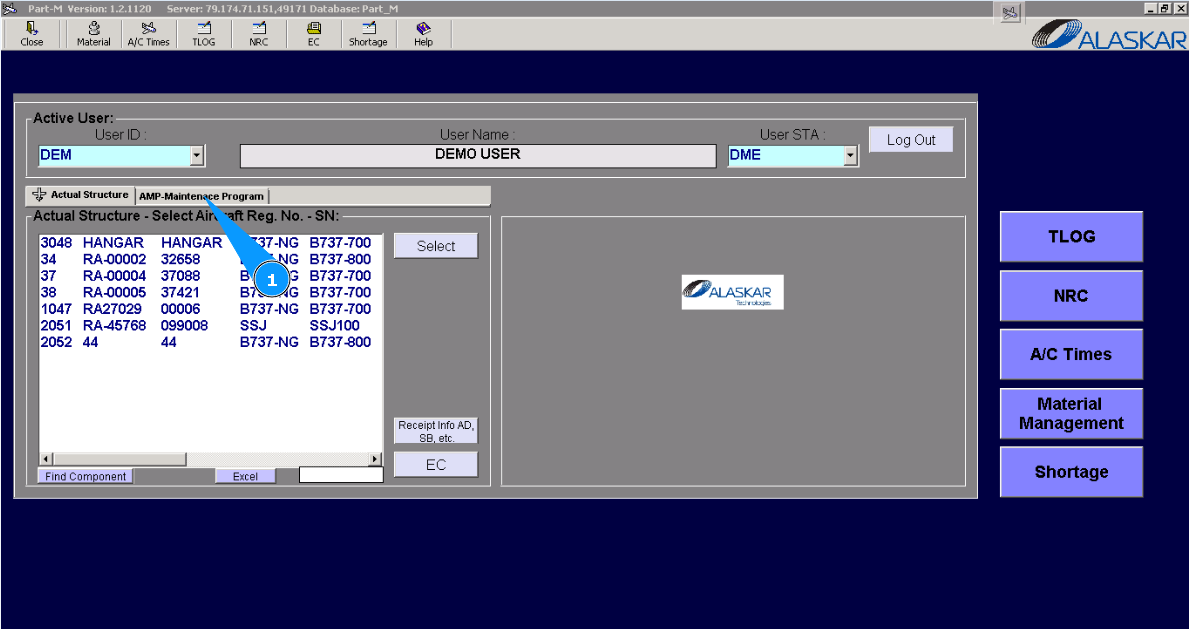
How to link an AMP task to the IPC position of a component
1. For linking the AMP task to IPC position of component, please go to submodule "AMP- Maintenance Program".
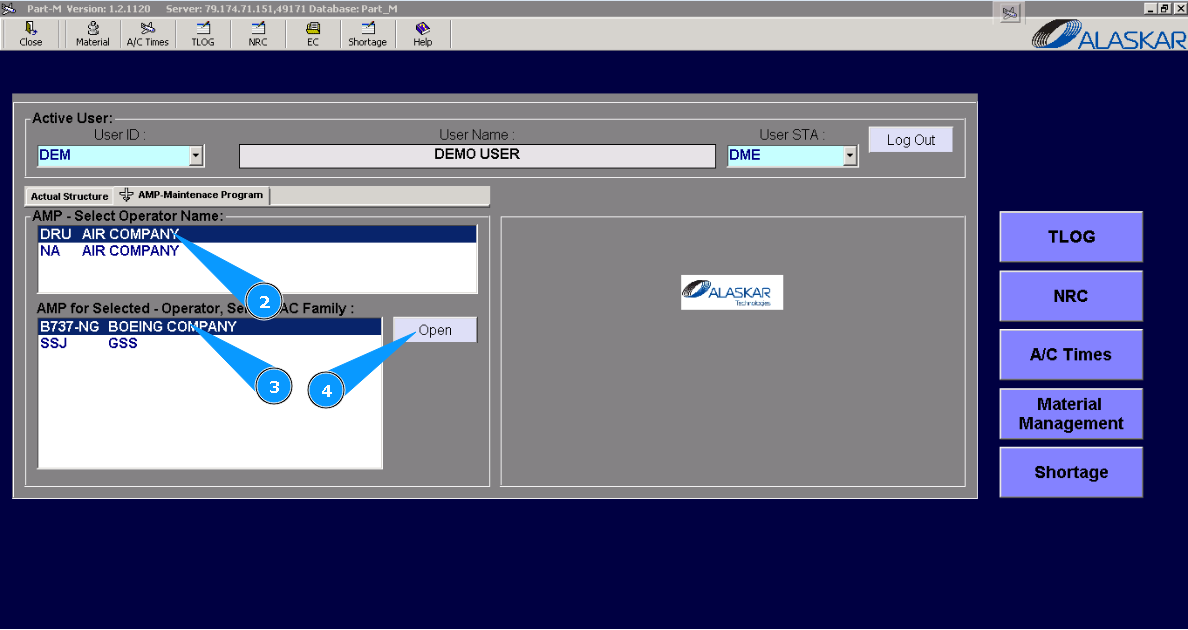
2. Select the company name in the list of window "AMP- Select Operator Name".
3. Select aircraft type in the list of windows "AMP for Selected- Operator".
4. Click on the button "Open", for opening AMP menu.
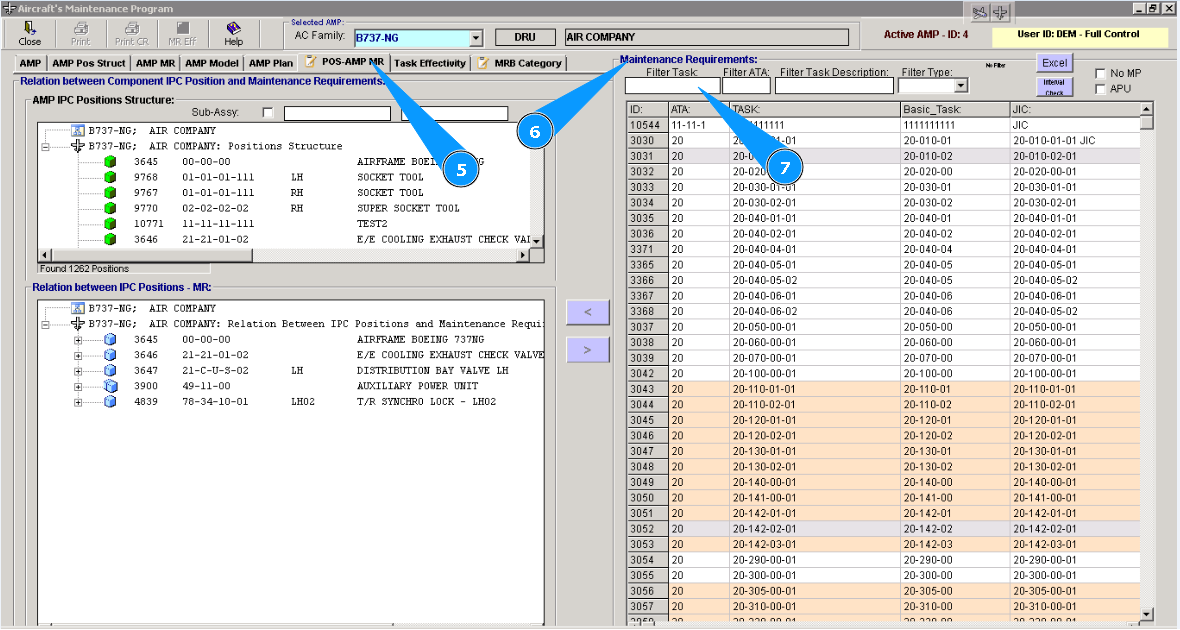
Note: If necessary, you can use other searching filters: "Filter ATA", "Filter Task Description", "Filter Type".
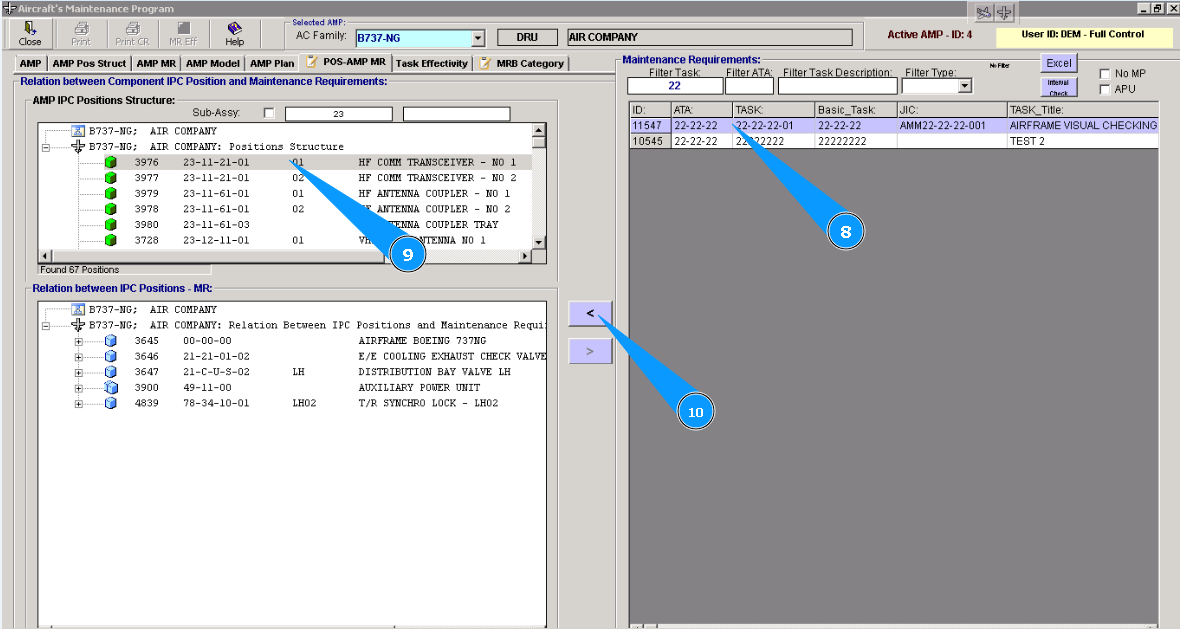
6. Find the necessary task in the window "Maintenance Requirements".
7. Enter the task number in the field "Filter Task" and press the button "Enter" on your keyboard.
Note: If necessary, you can use the searching filter by ATA.
9. Select the corresponding component's position, for linking with the corresponding task in the window "Relation between Components IPC Position and Maintenance Requirements".
10. Click on the button **"with an arrow" to add a task to the selected position.
11. Click on the button "Yes", to confirm adding data to the program.
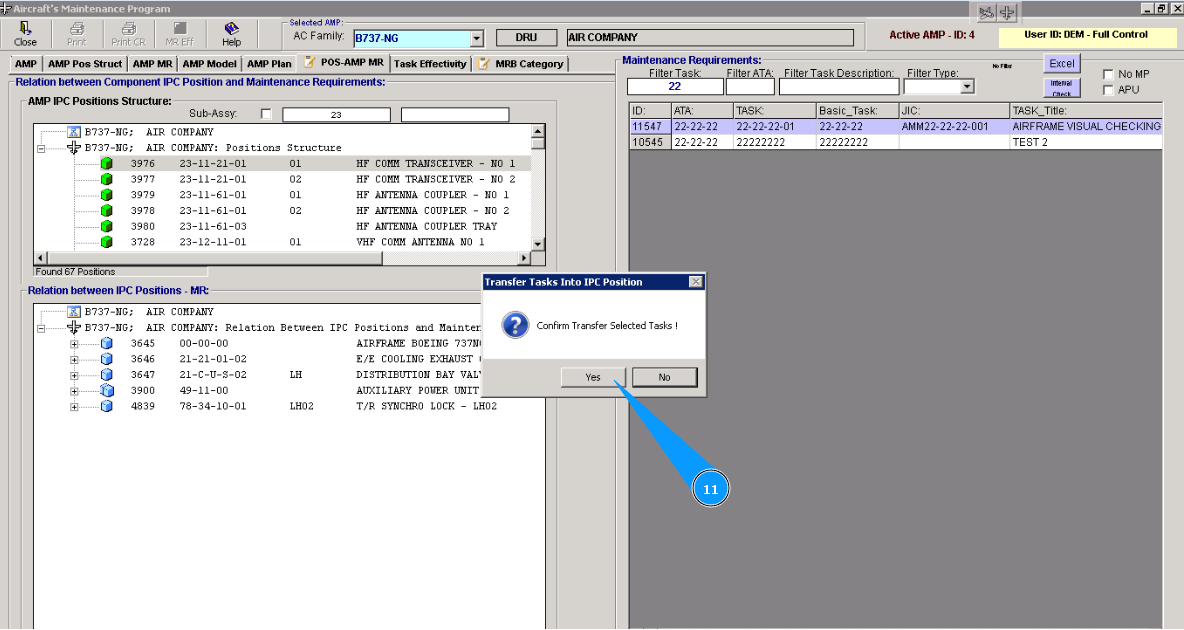
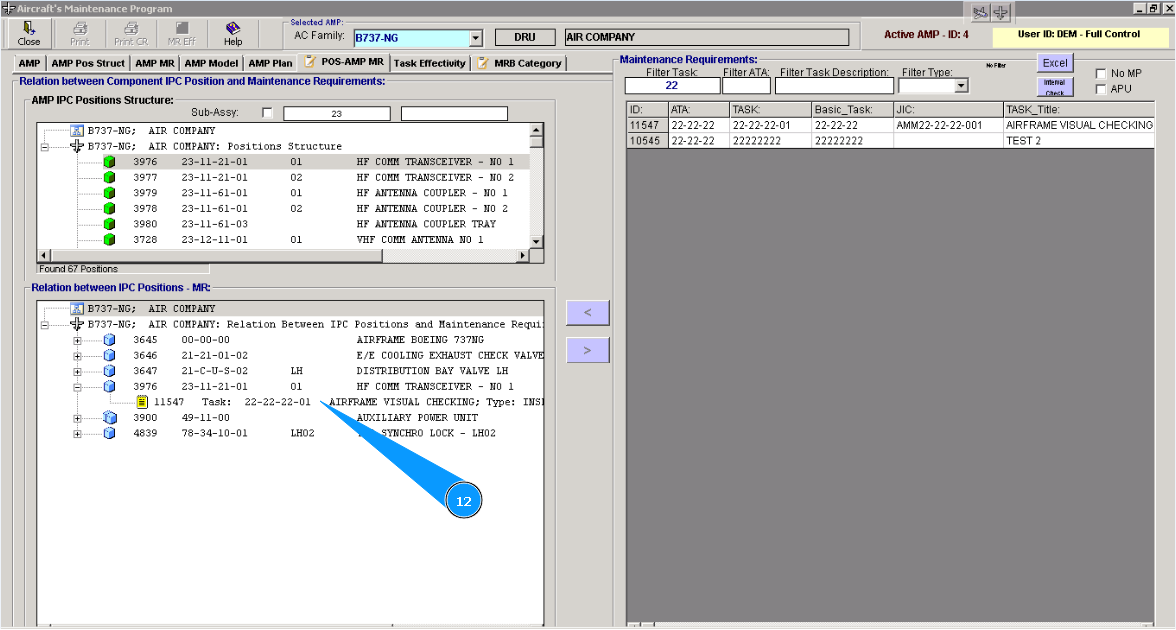
12. Check that a new line with task is created in necessary component's position in the window "Relation between IPC Position and MR".