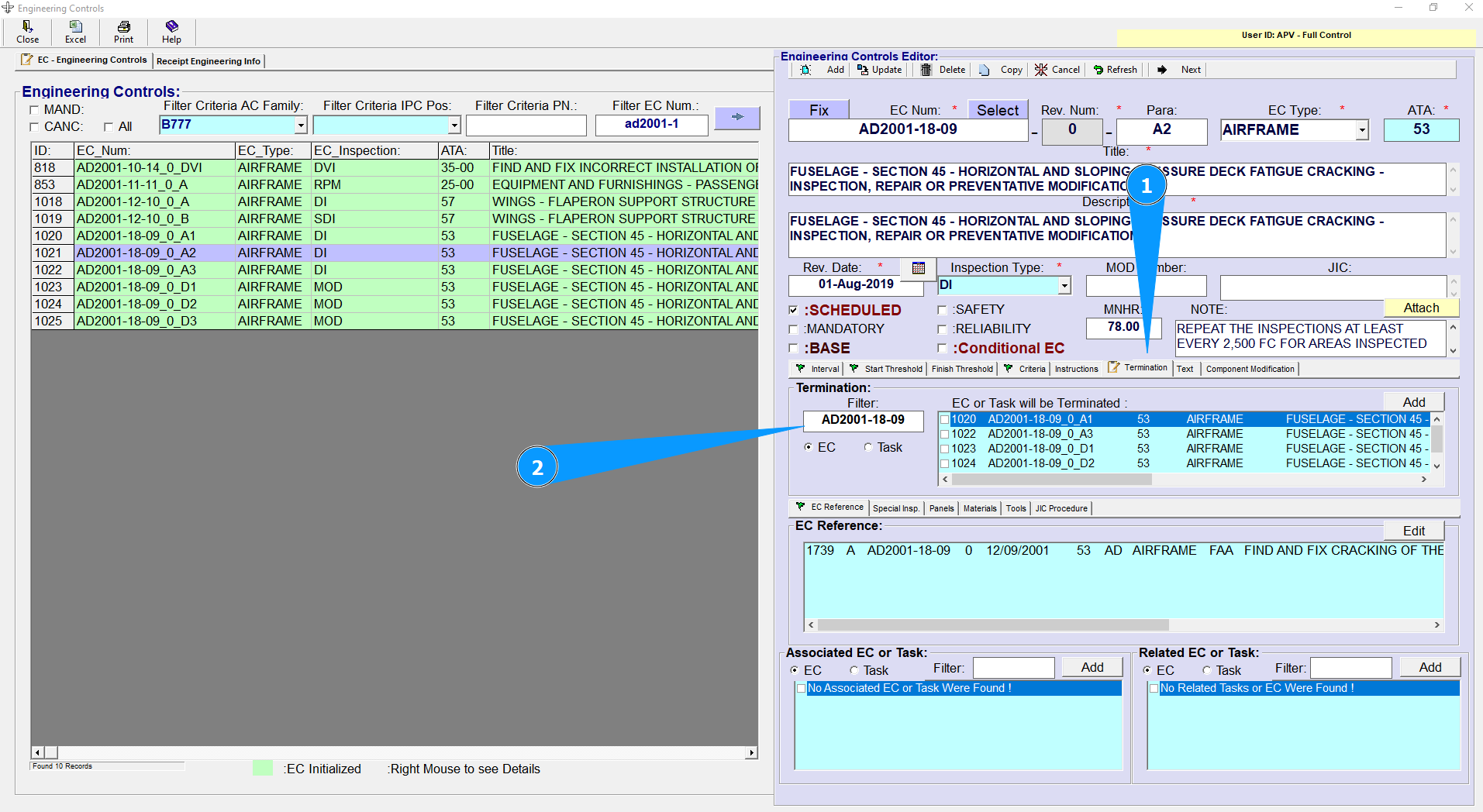
How to automate Termination of EC or Tasks when selected EC will be Accomplished
1. Enter in the Search field the EC number or Task number that must be terminated by means of the completion of the selected (master) EC, and press Enter (2).
NOTE: If there is an Event when the completion of one EC causes the closing (becoming not effective) of others EC or Tasks, user has to register the relationship between the selected (master) EC and the EC or Task that will be terminated (1).
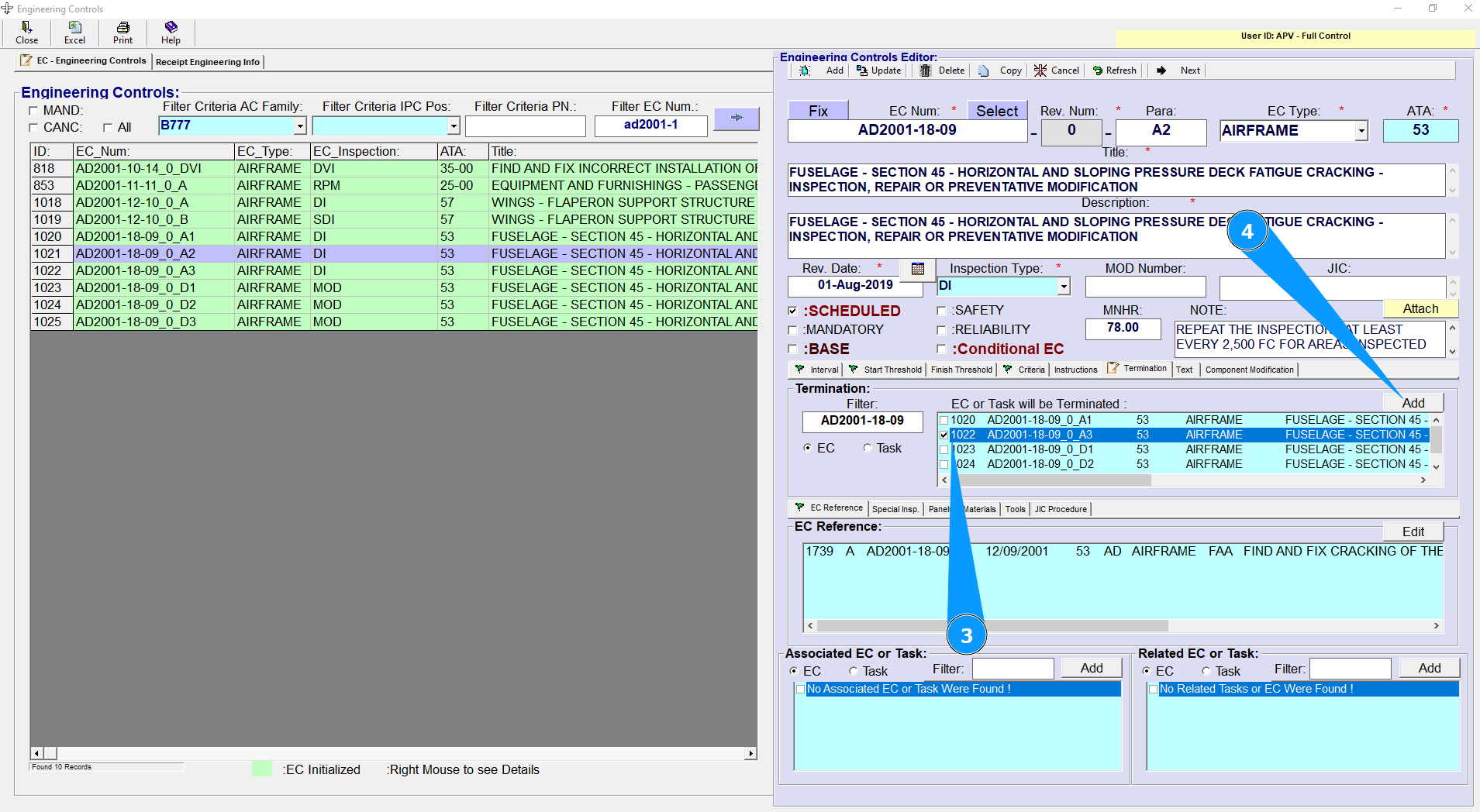
2. Select the required EC or Task number (3) and press the "Add" Button (4) to save the selection.
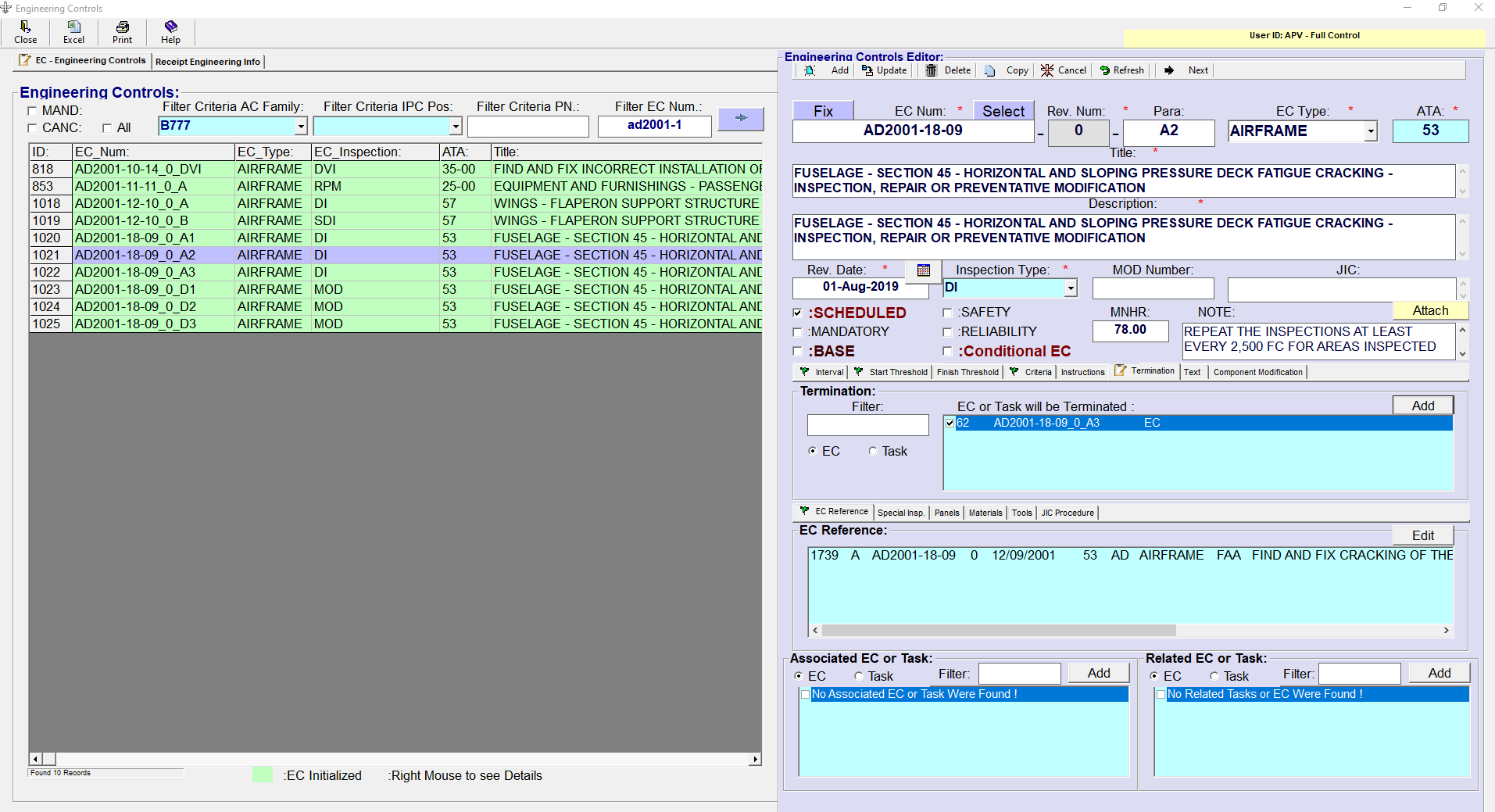
NOTE: After executing the command, you will see the result on the screen.
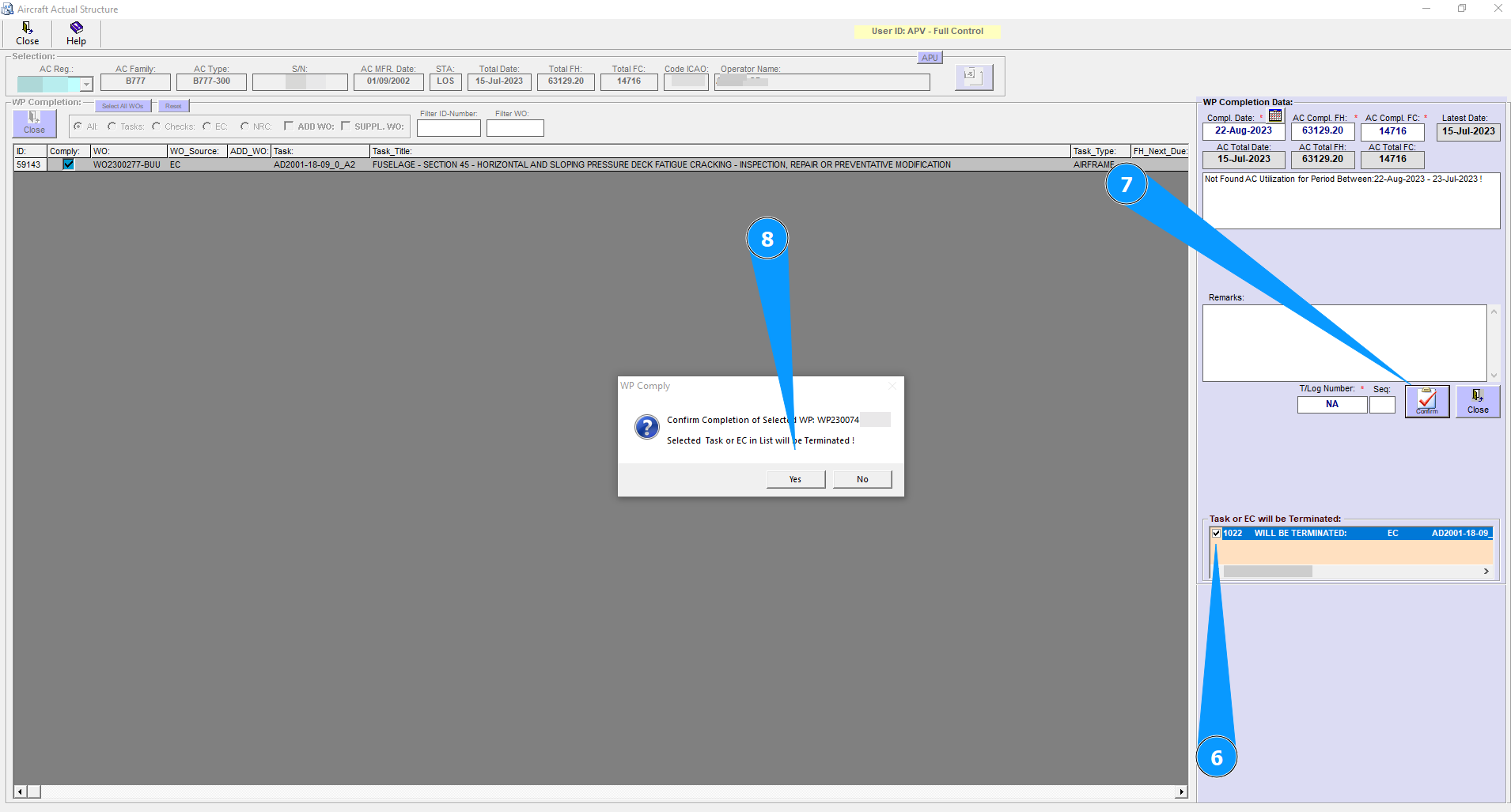
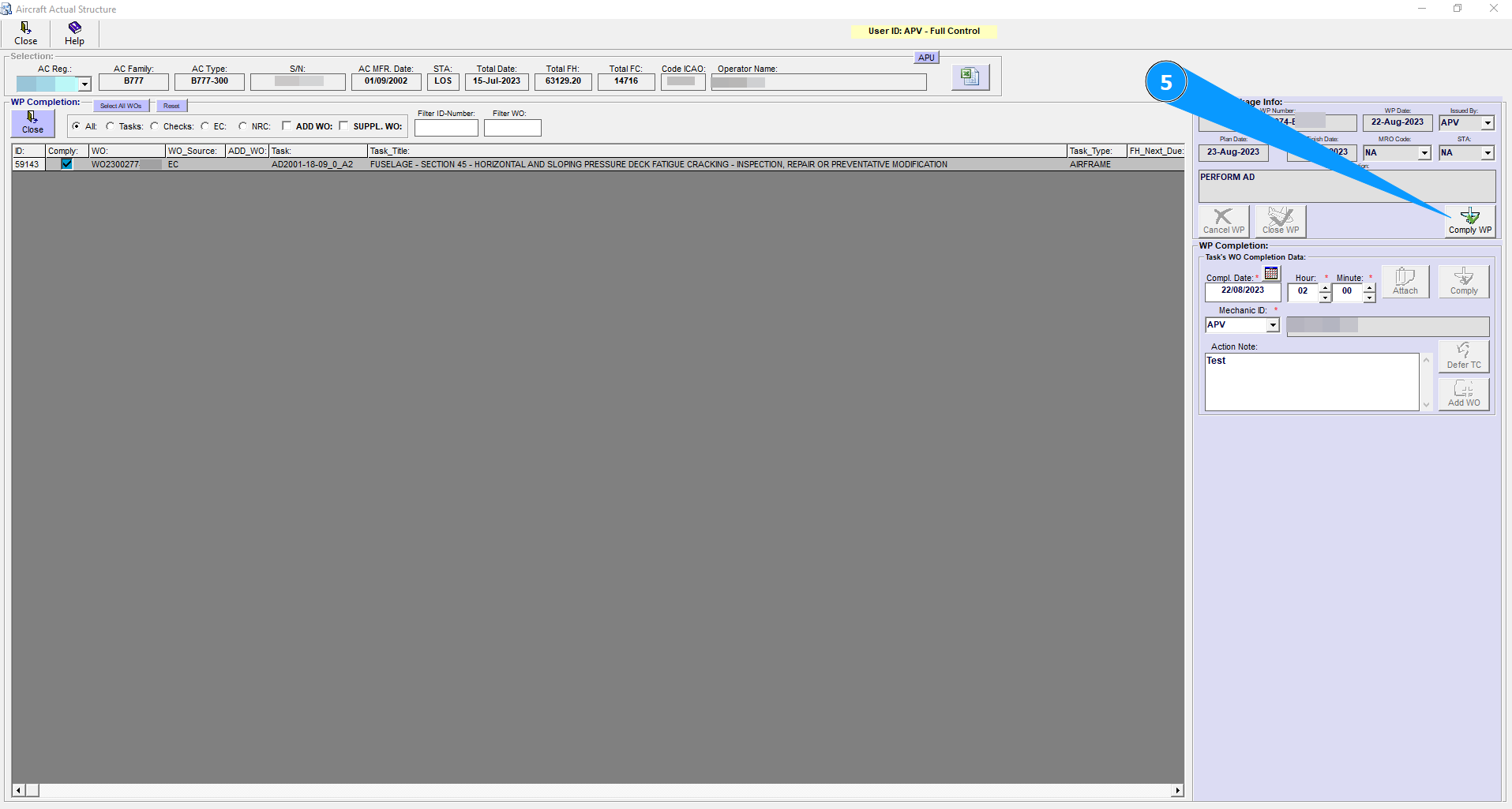
3. By pressing "Comply WP" (5) system is checking if there are EC or Tasks which should be terminated.
4. If the system is found opened and effective in Actual EC or Tasks which should be terminated, then information will be appeared on the screen (6) in WP Completion Editor. NOTE: Uncheck records in List (6) in order to interrupt the Termination. NOTE: Select record in List (6) and press F1 to see details of Task or EC.
5. By pressing "Confirm" (7) the system will terminate (8) selected records from List (6).