How To Edit an EC Reference Sequence
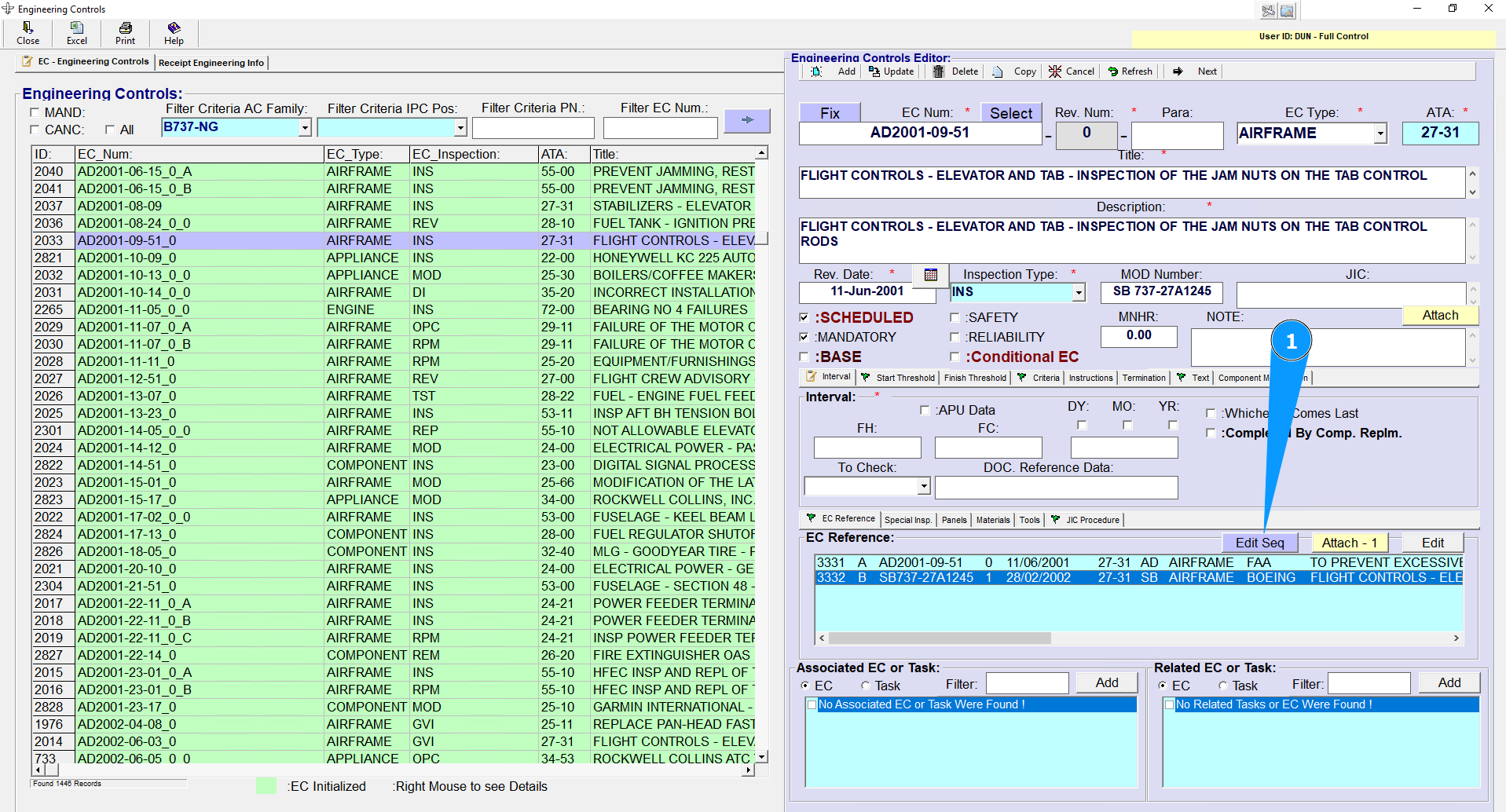
1. To edit an EC Reference Sequence (Paragraph), select EC Reference then press the "Edit Seq" button, and the Sequence Editor will appear.
NOTE: The EC Reference is a link to a document (record) from Receipt Engineering Info.
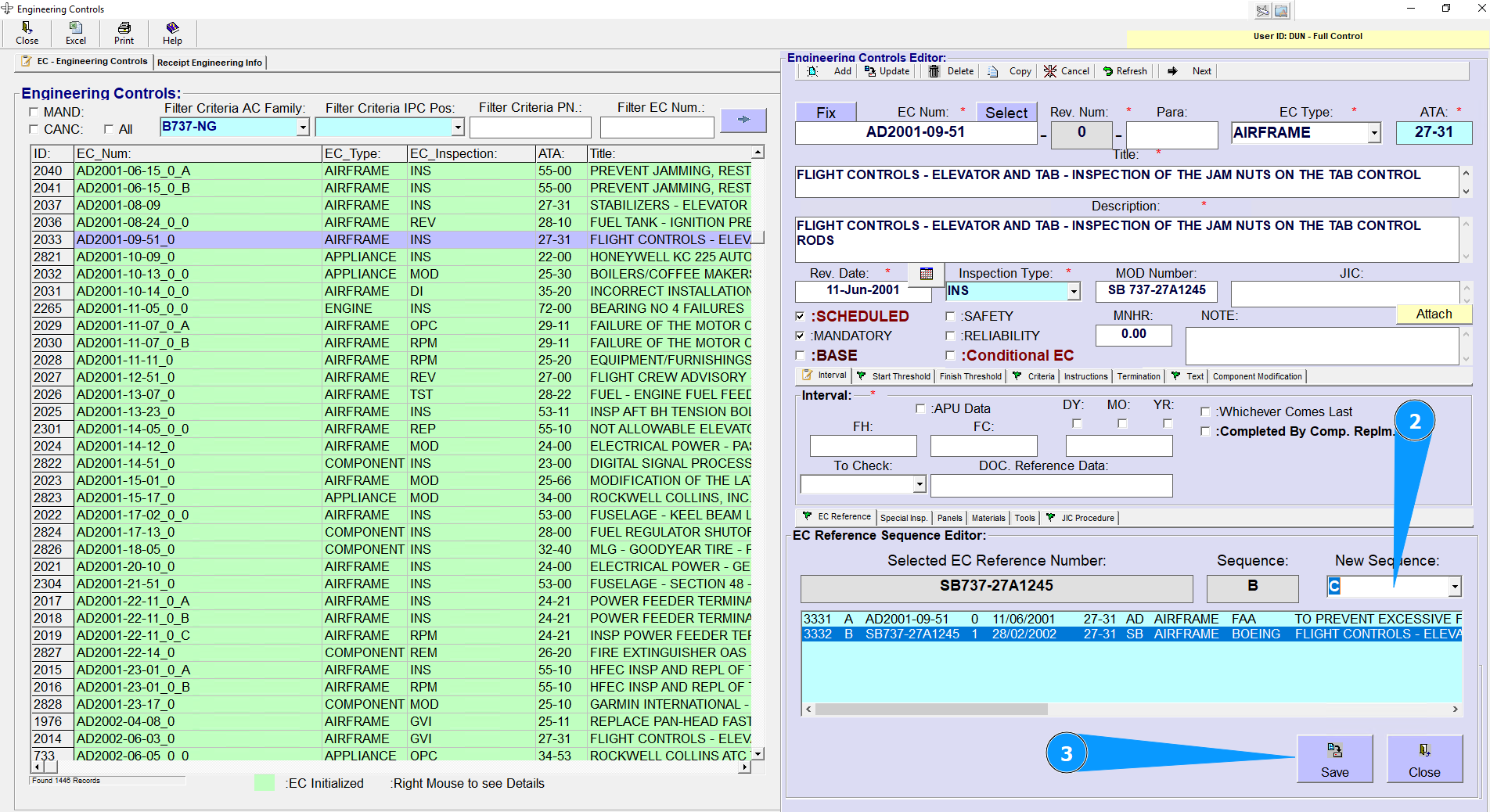
2. In the Sequence Editor, select New Sequence (Paragraph) (2) and press "Save" button (3) to save changes. NOTE: Often, the EC has several links to documents from Receipt Engineering information, such as AD, SB, etc.