How to work with source
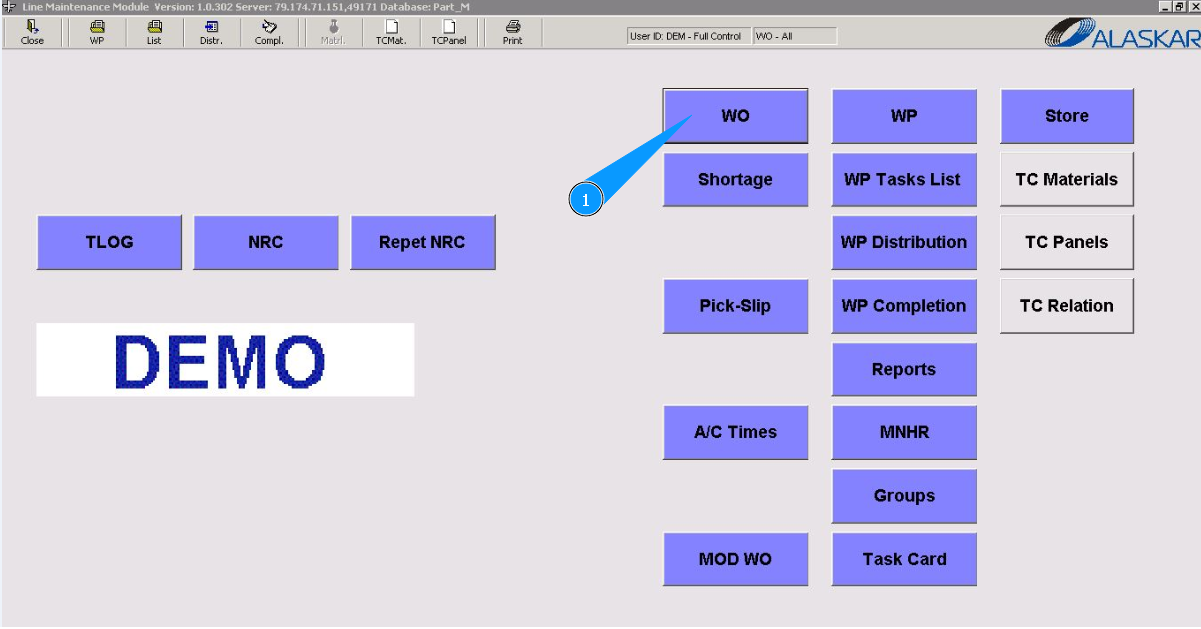
1. In order to work with the source (task database), go to the submodule "WO".
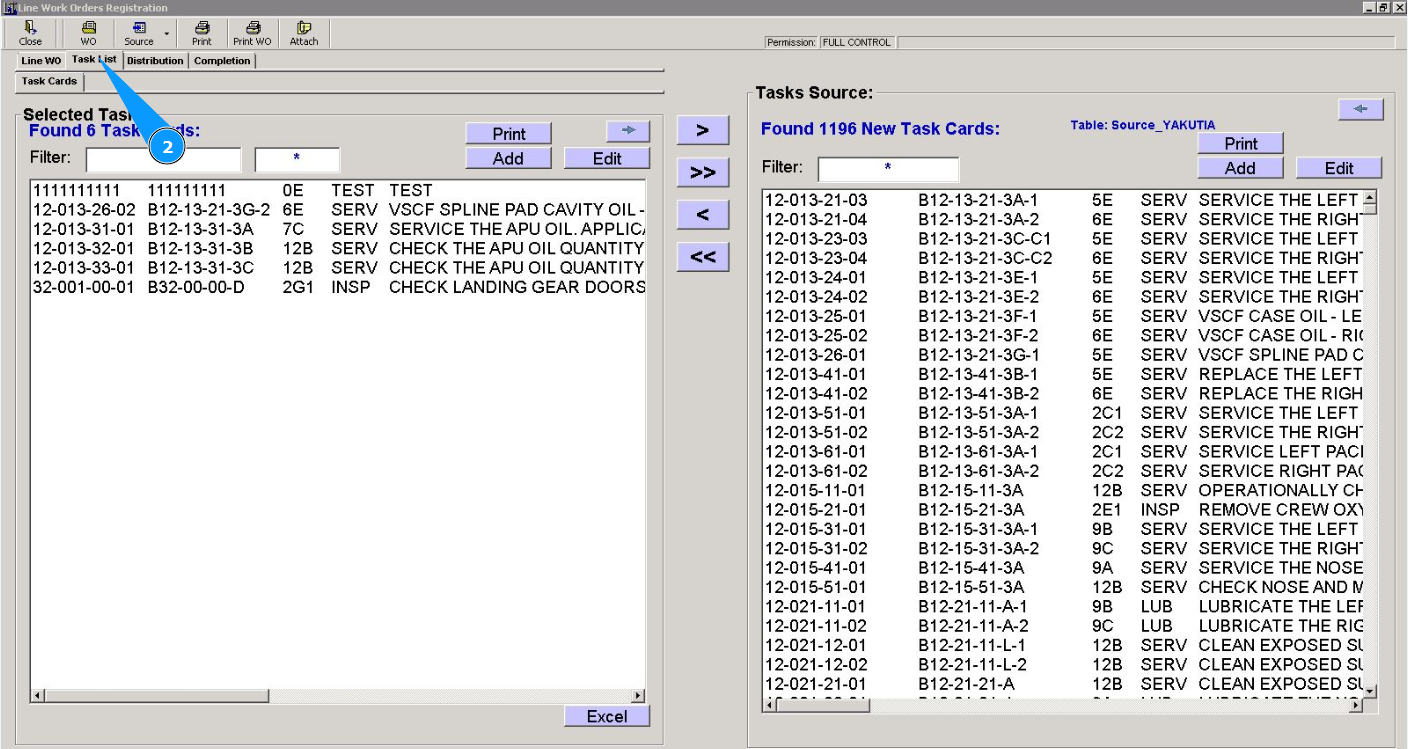
2. Then go to the tab "Task List".
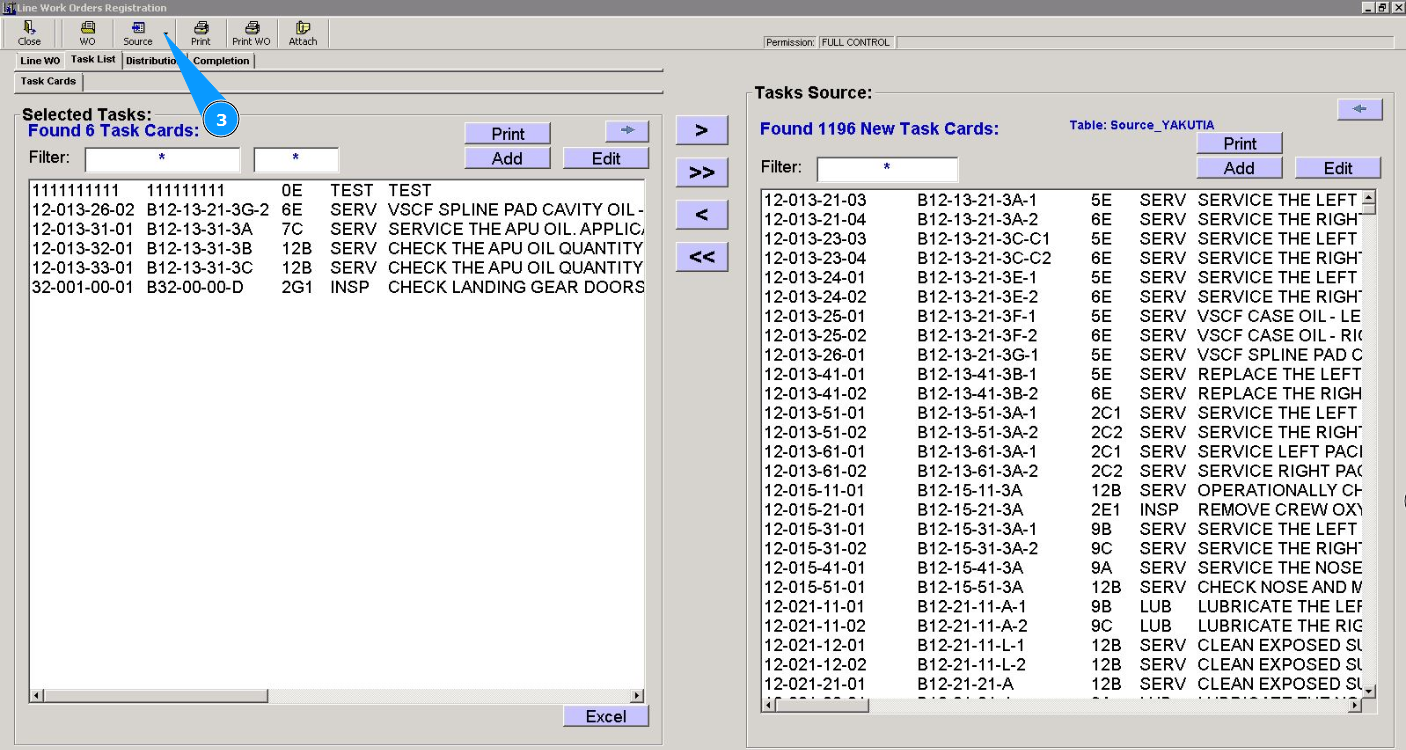
3. Click the dropdown list of the button "Source" to select the required task source.
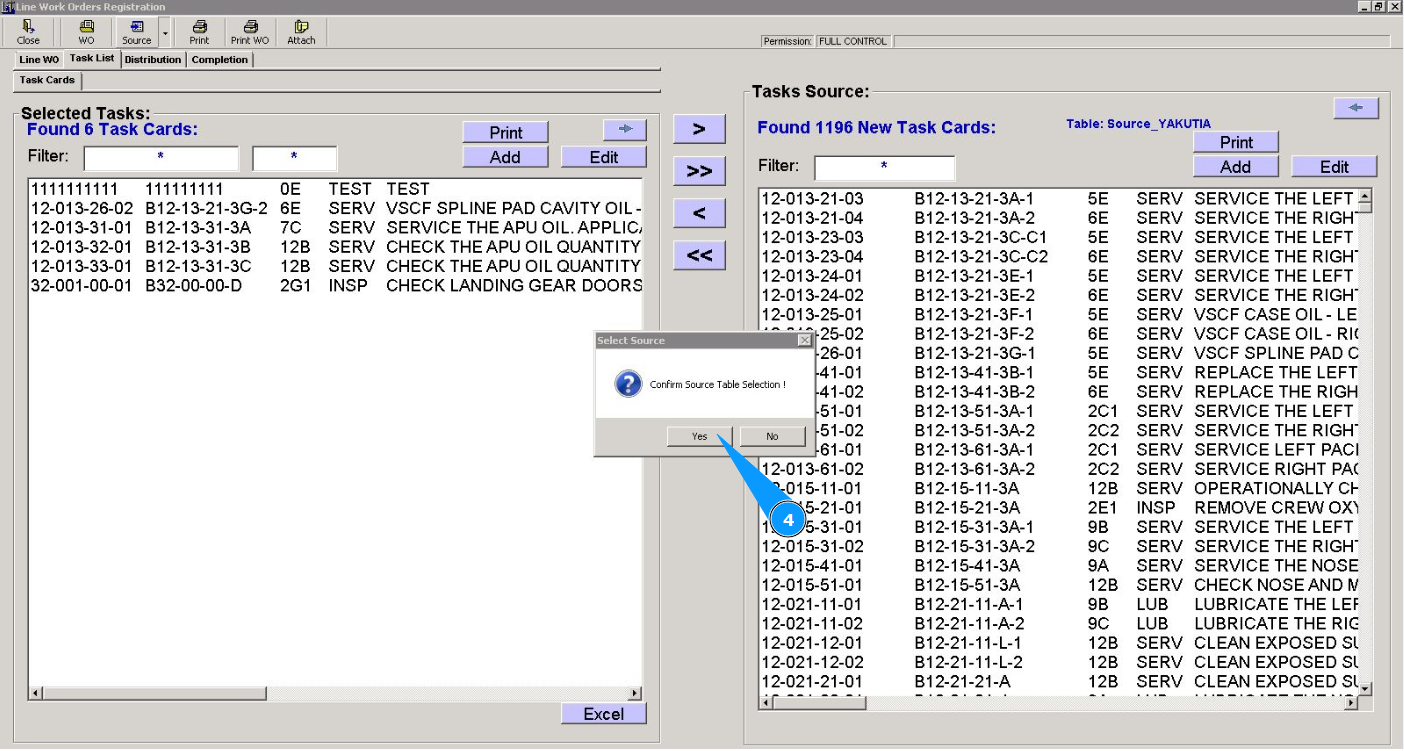
4. Click on the button "Yes", to confirm the selection of the window source list.
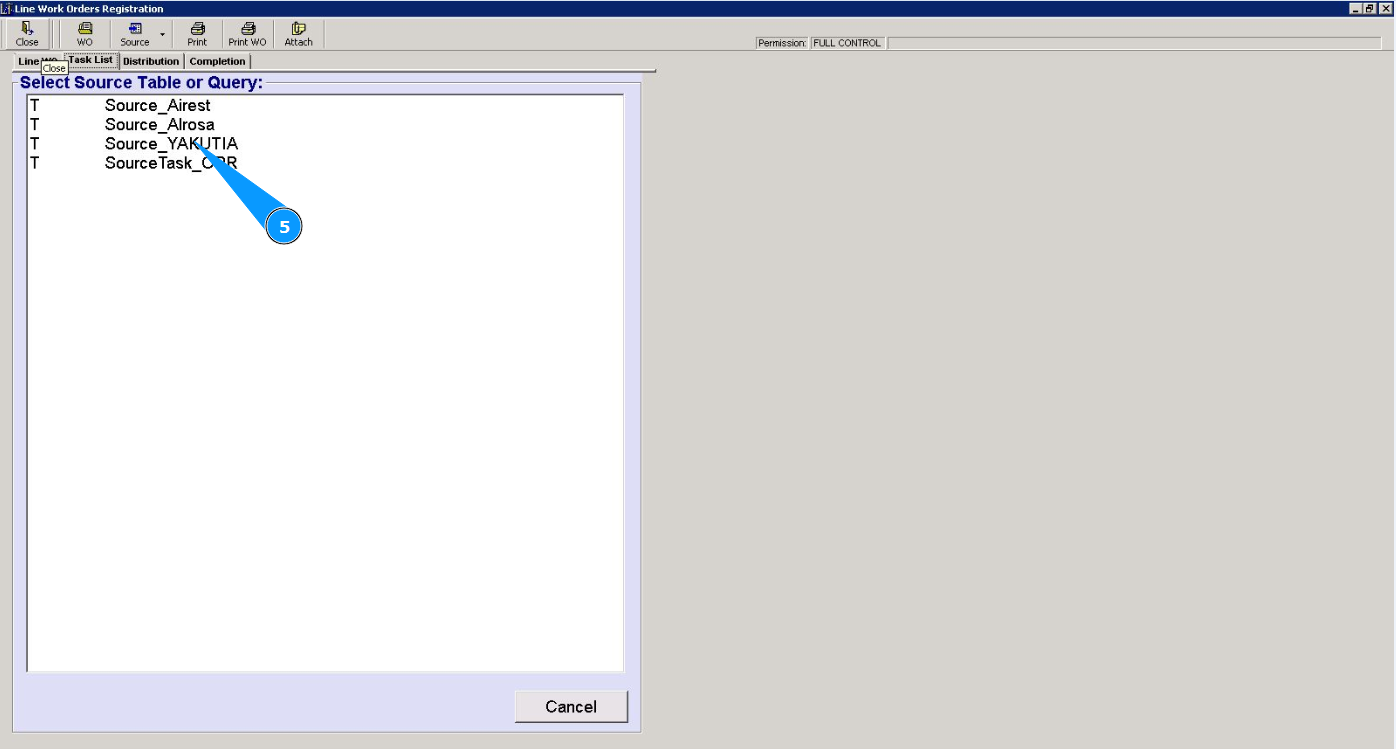
5. Select the required source of tasks from the list in the window "Select Source Table or Query". Click on the corresponding line.
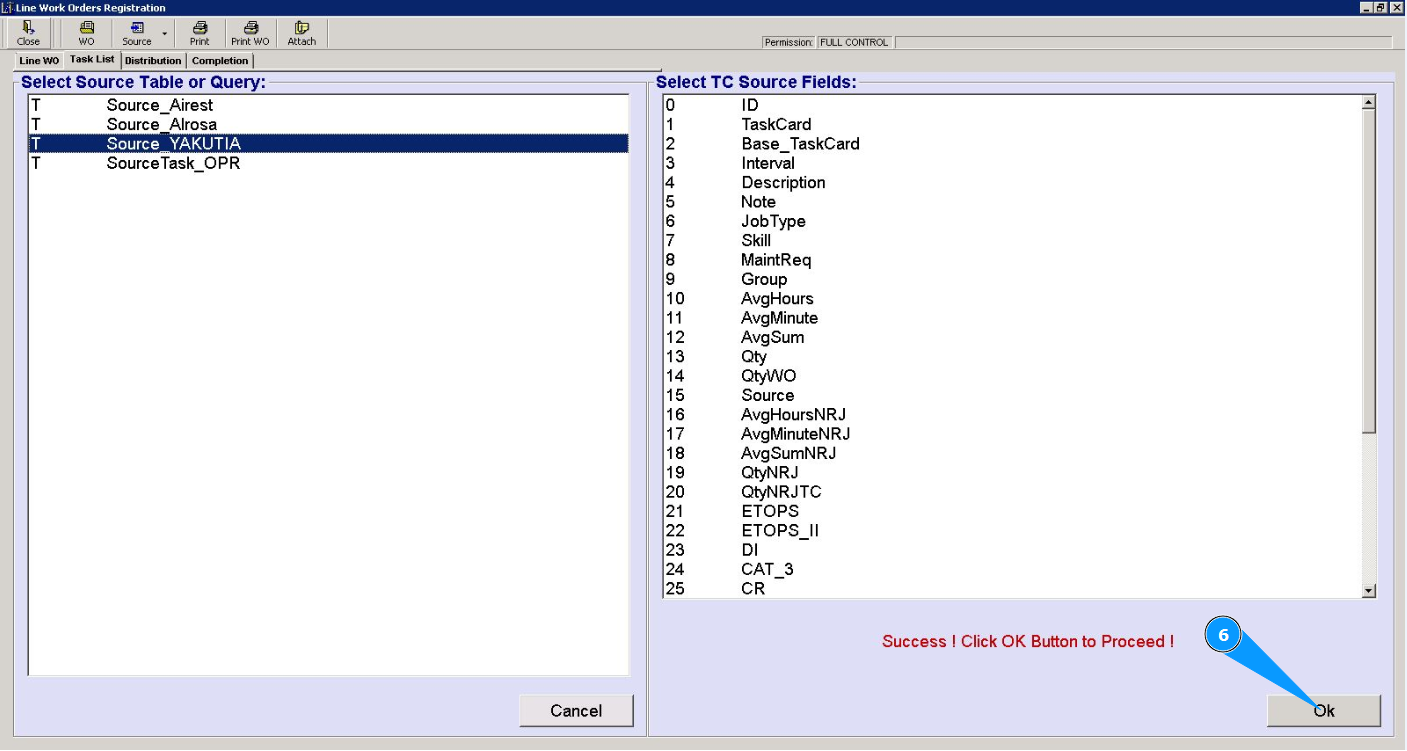
6. Click on the button "Ок", to confirm the selection of the task source.
7. Make sure that the required task database is open.
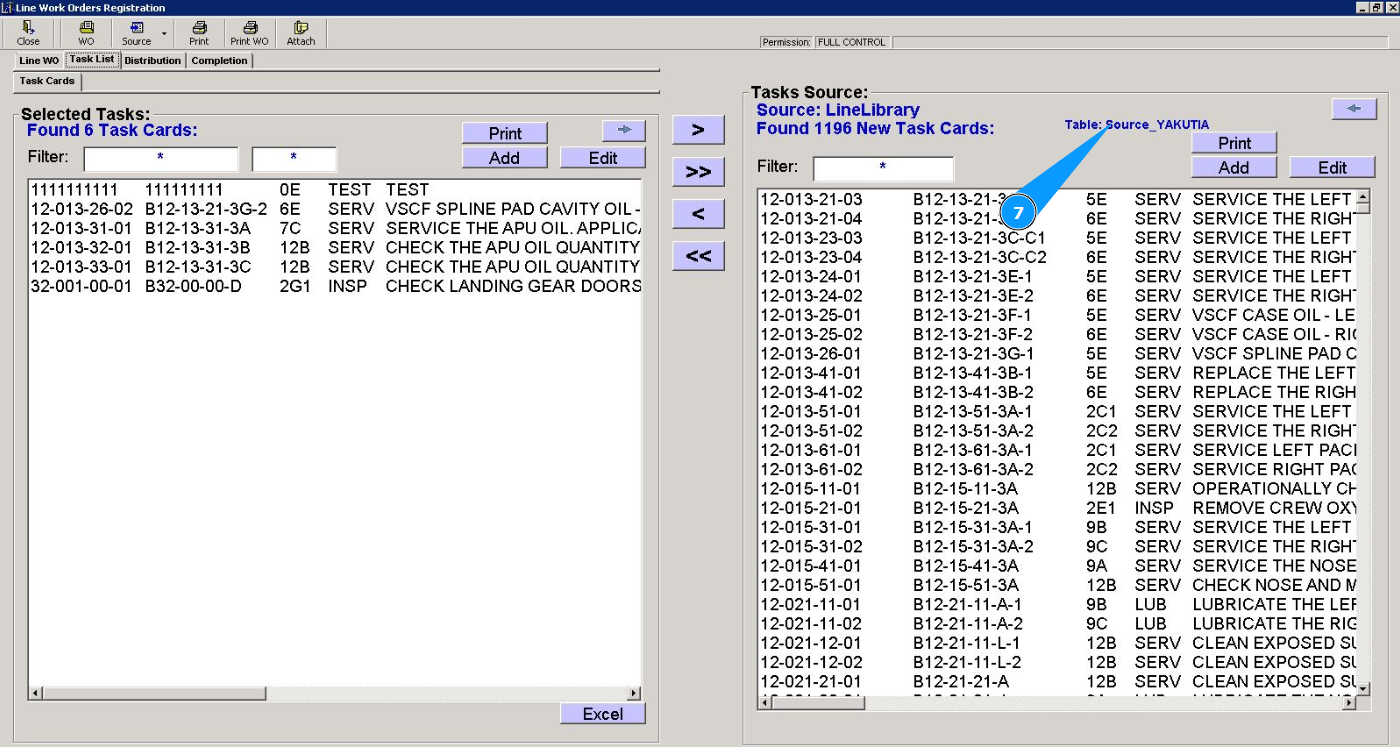
Note: When you add more tasks, they are automatically saved to the selected database "Source".