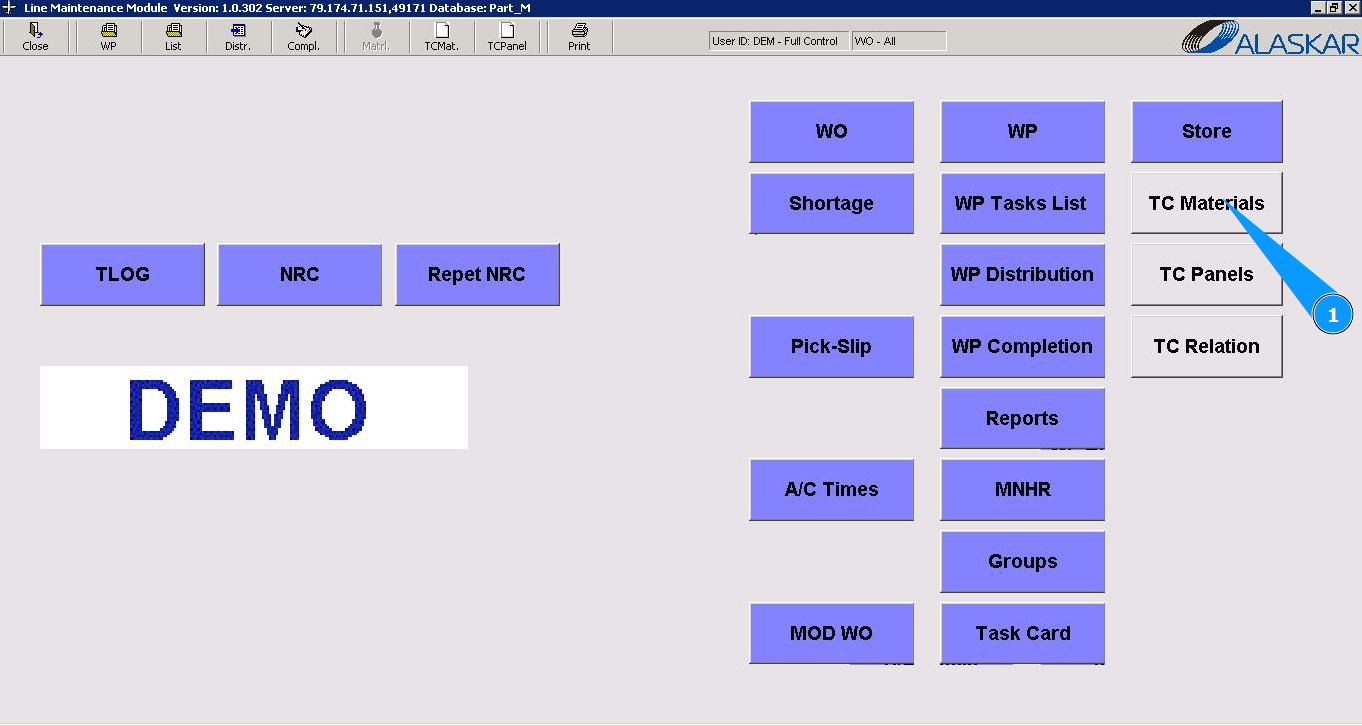
How to register a request for material
1. In order to register a shortage (POR) for a material, go to the submodule "TC Materials".
2. Select the required WO or WP in the list "Select Work Order" and click on the corresponding line. Note: If necessary, use the available filter for the WO or WP number.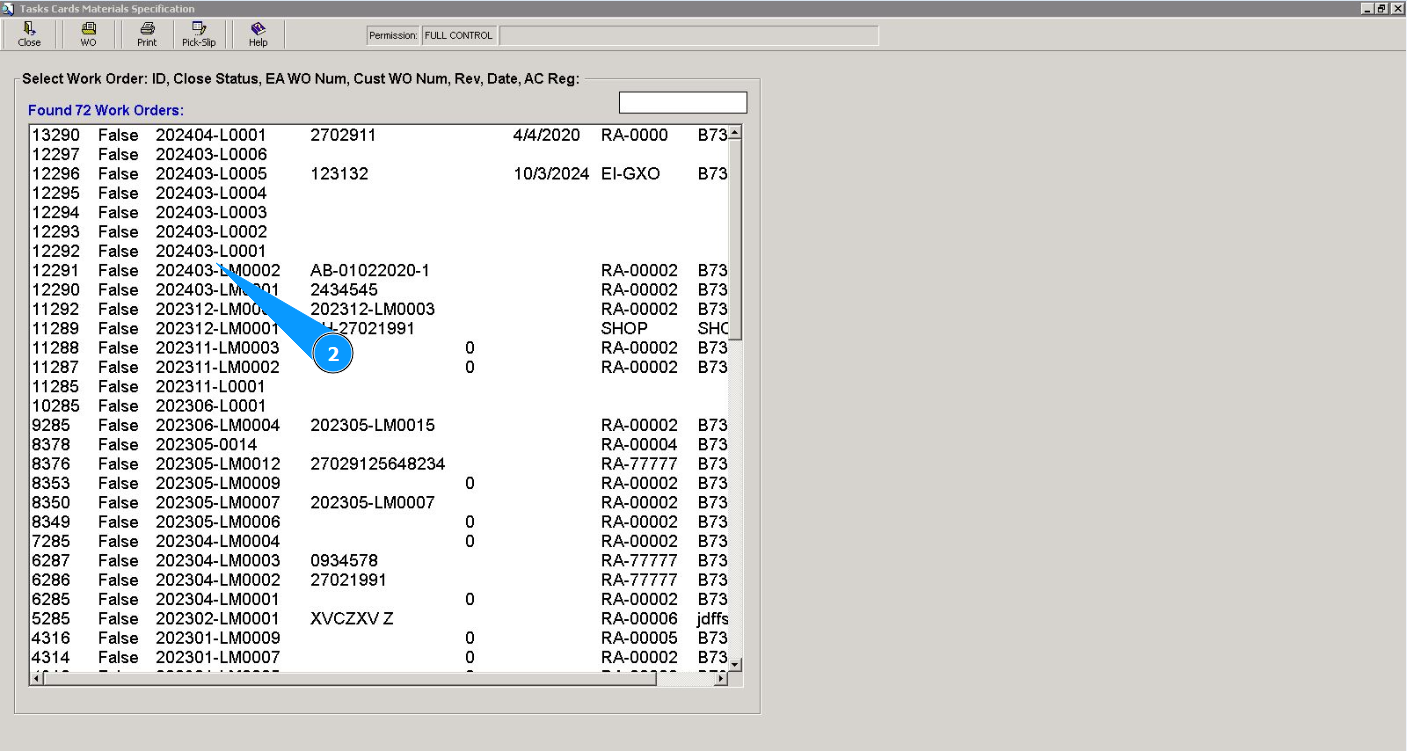
3. Then go to the tab "Task Card". Note: Use the available filters if necessary.
4. Select the required task card in the list "Task Cards" and click on the corresponding line.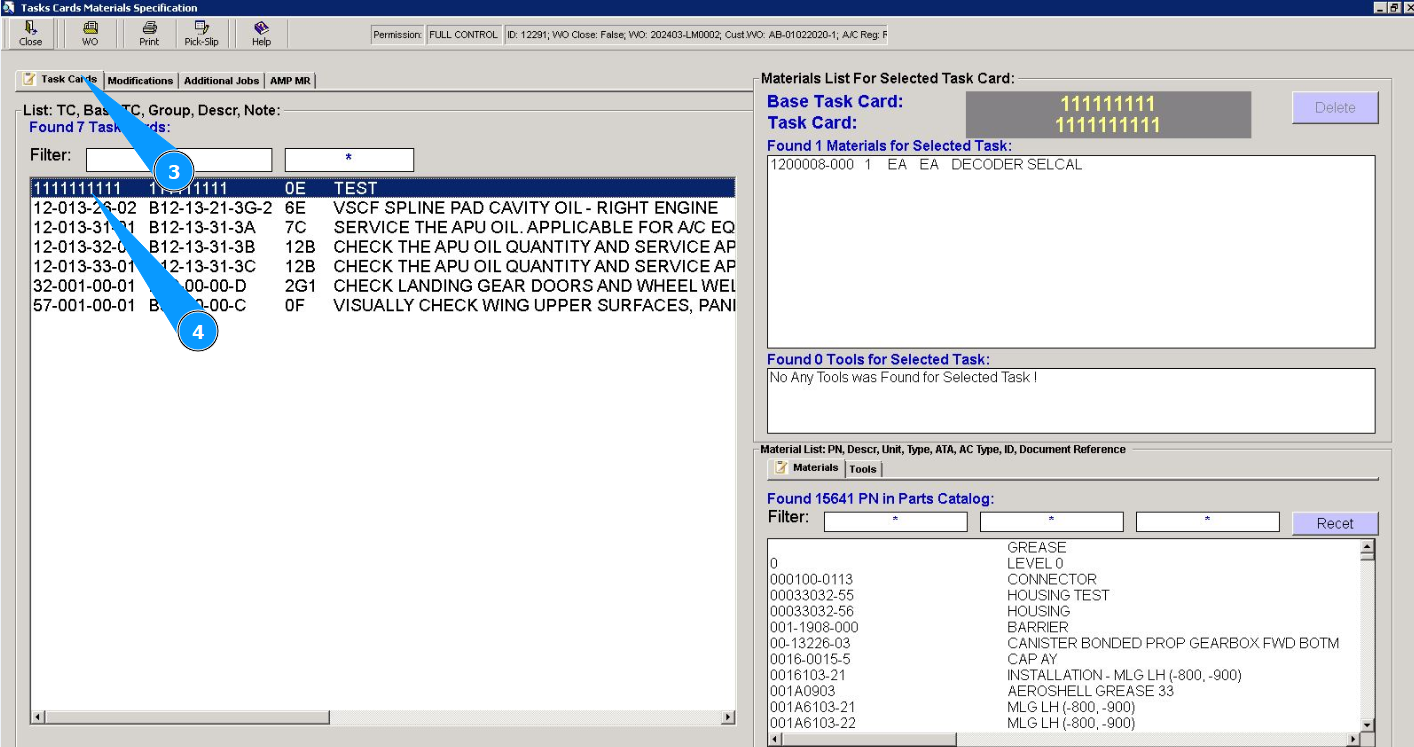
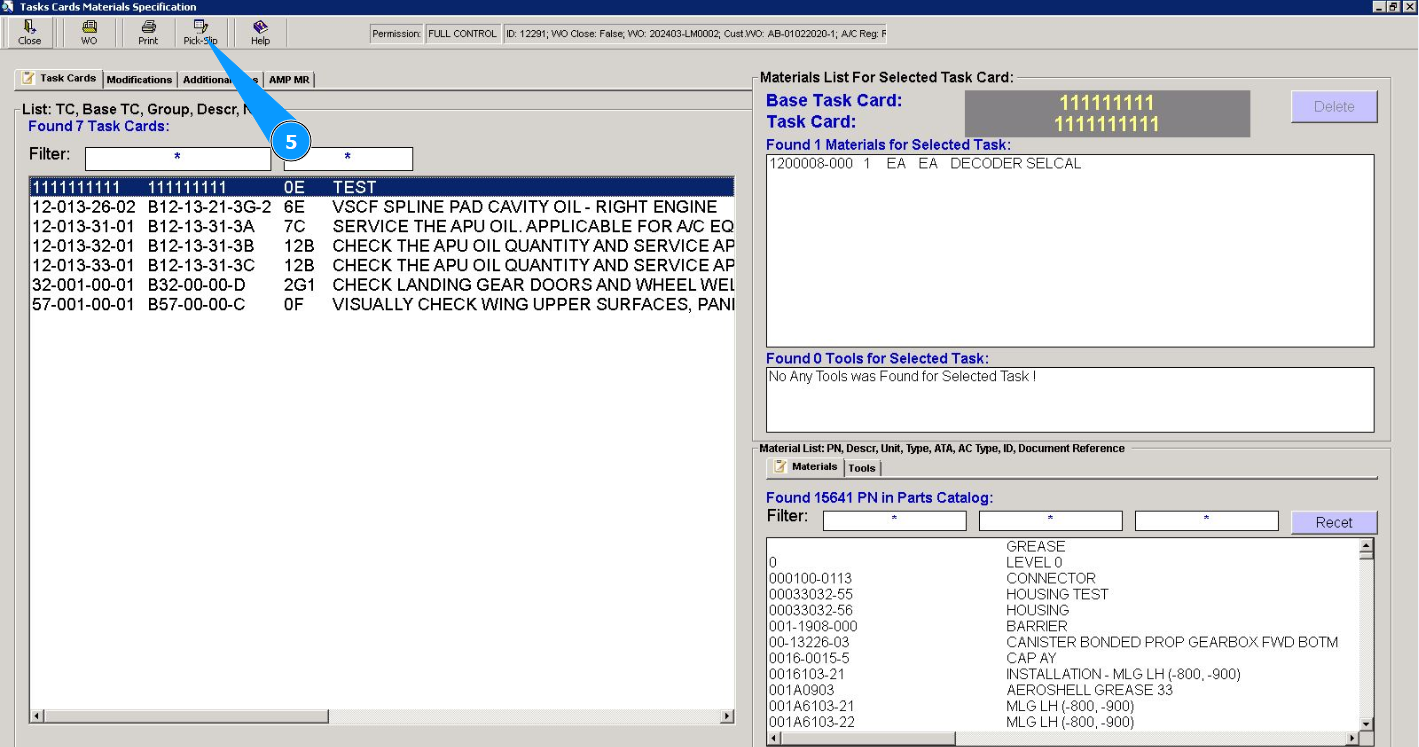
5. Click on the button "Pick-Slip" to open the creation editor.
6. Then go to the tab "Shortage". Note: The shortage number will be automatically generated by the program. If necessary, you can correct its number.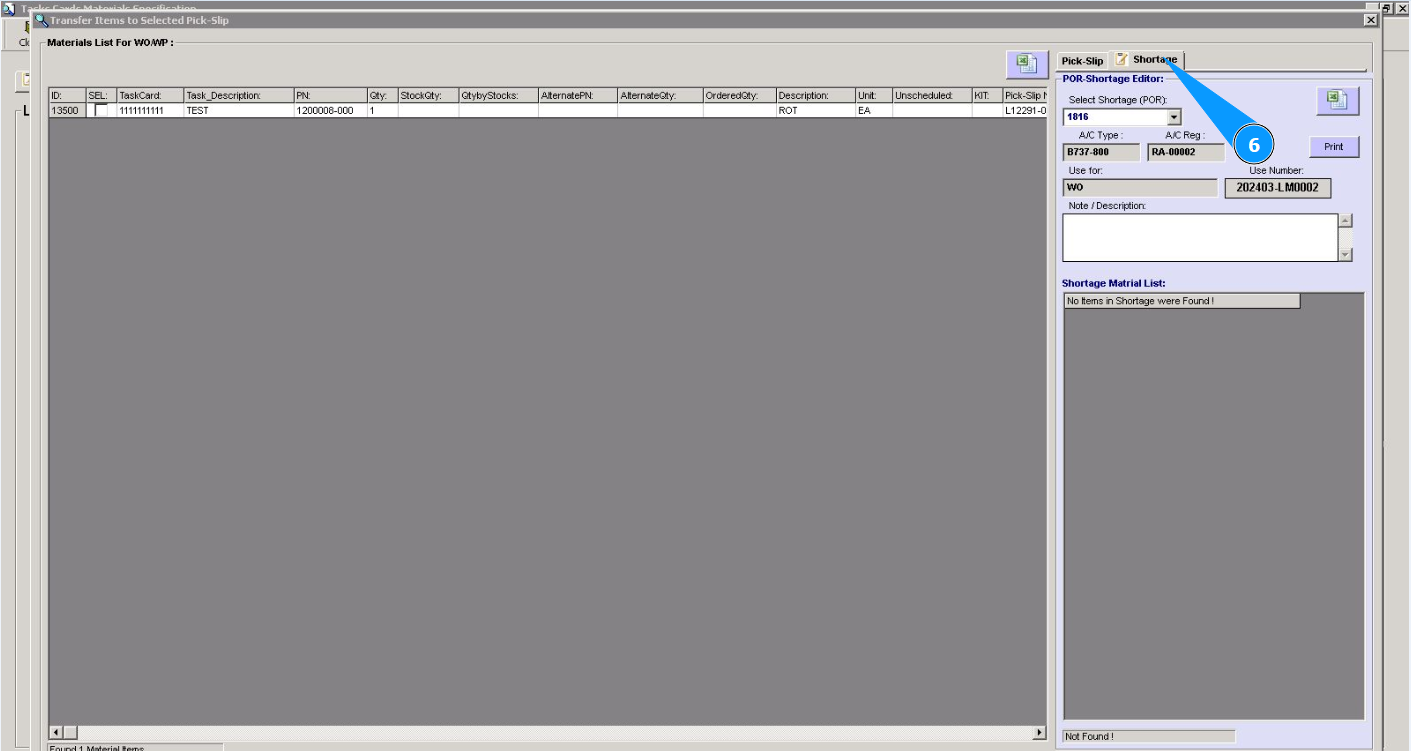
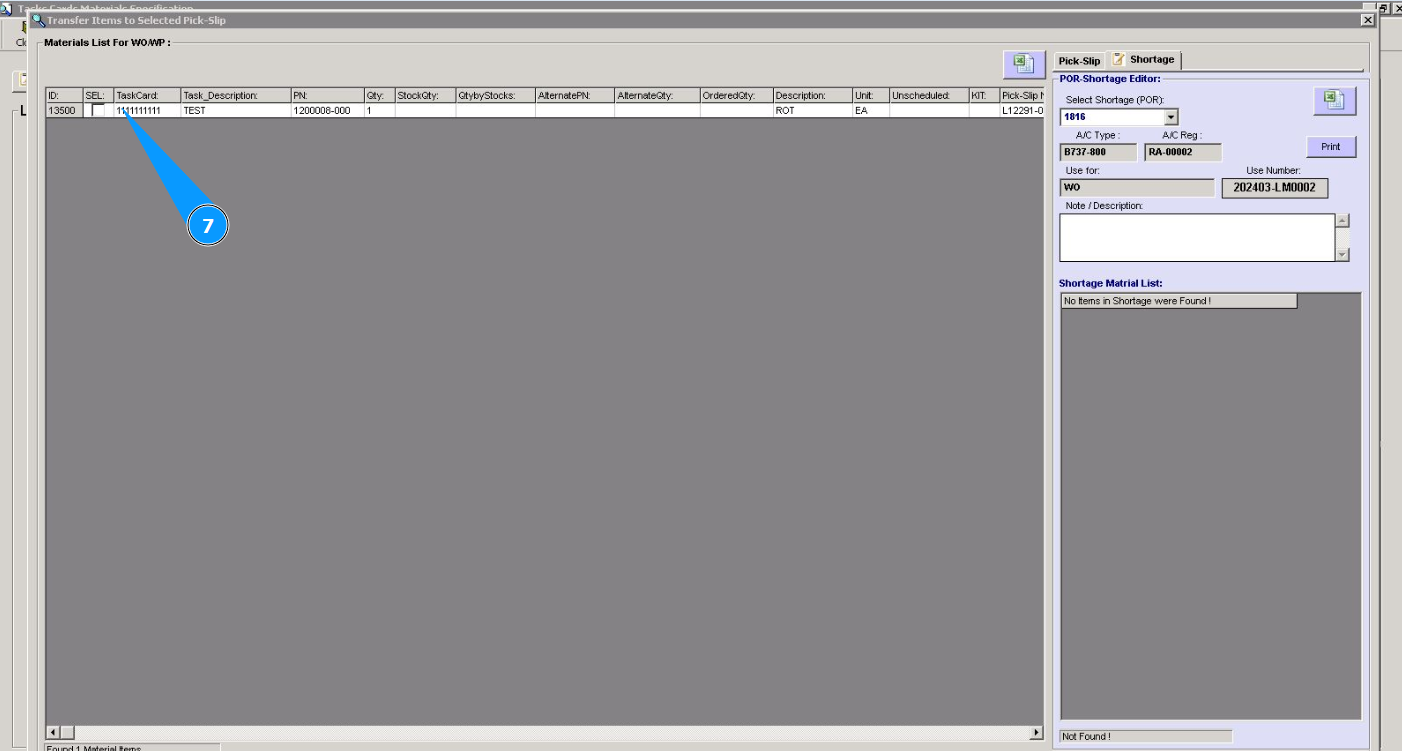
7. Click in the field "Sel." to select lines with materials to register in shortage.
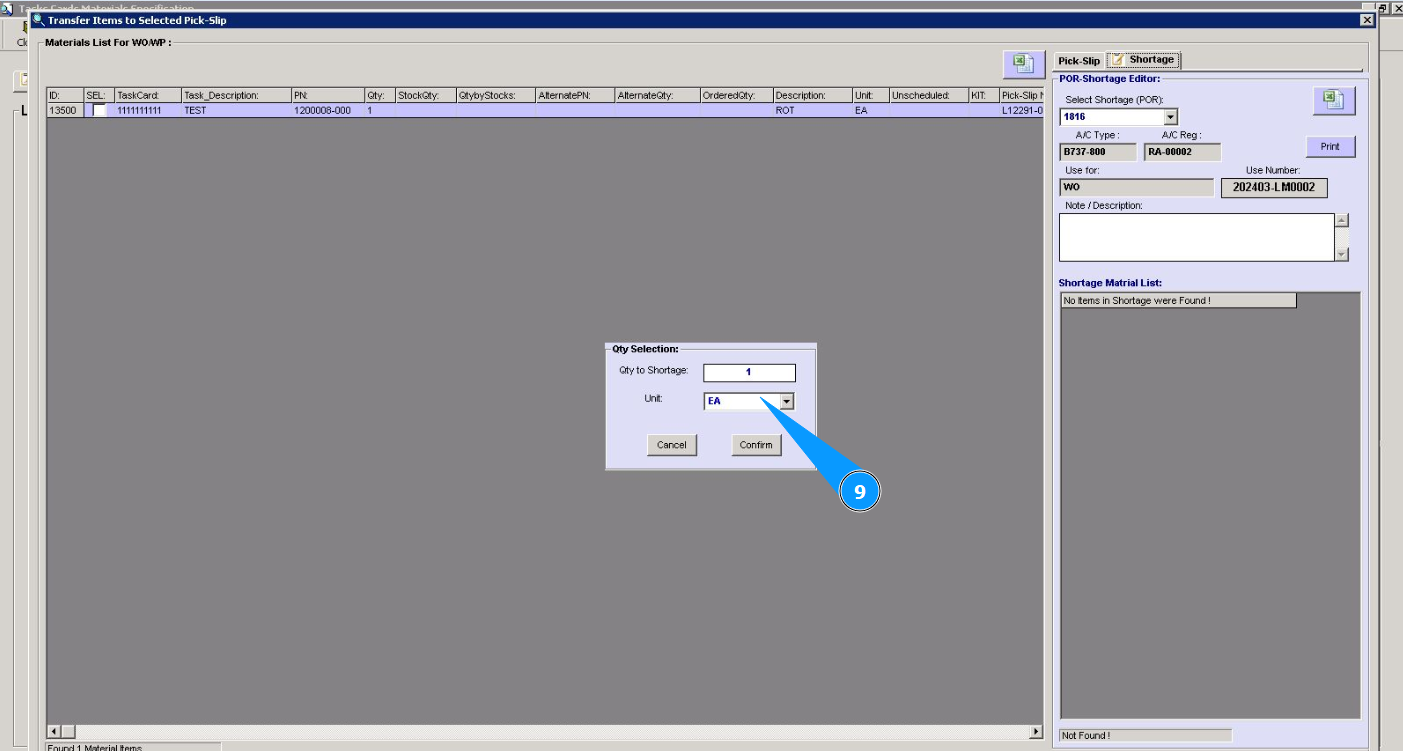
8. Enter the quantity of materials to be ordered in the field "Qty to Shortage".
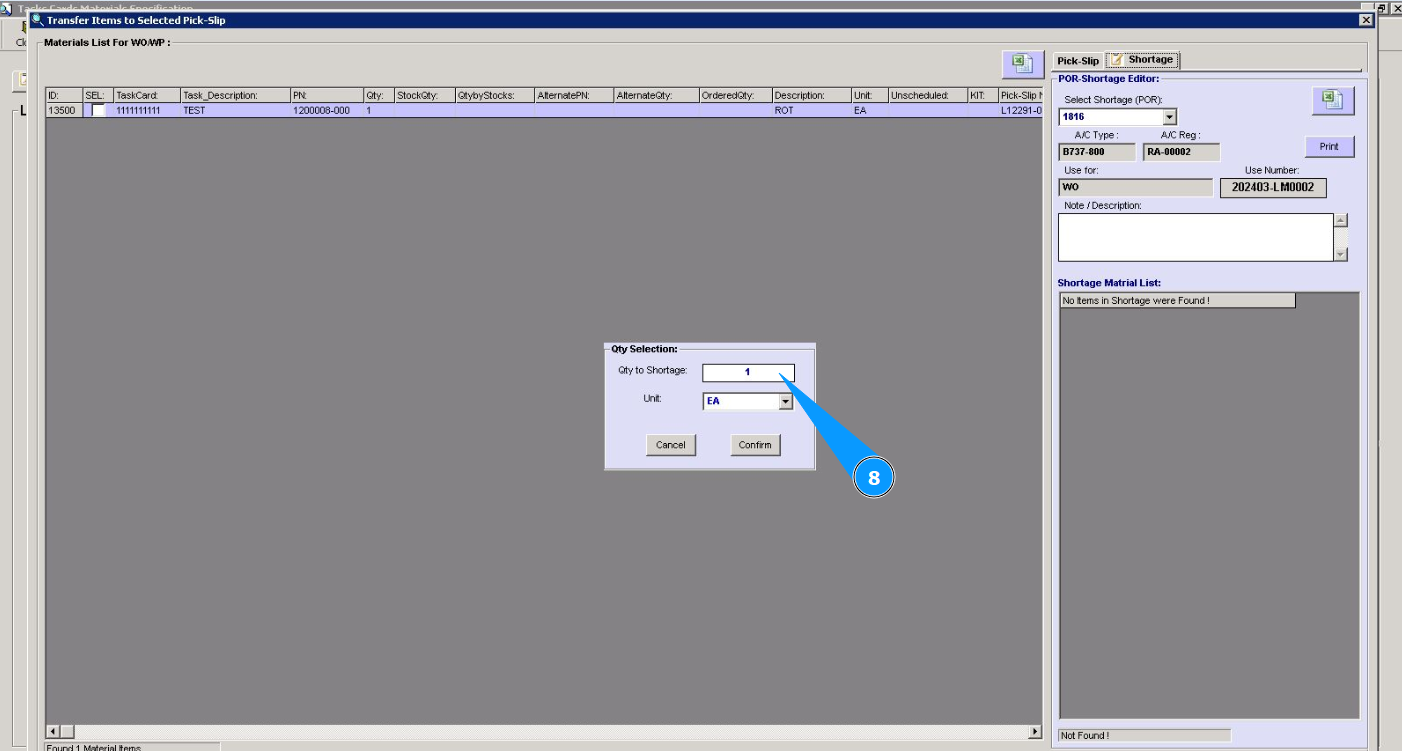
9. Select the material unit from the dropdown list in the field "Unit".
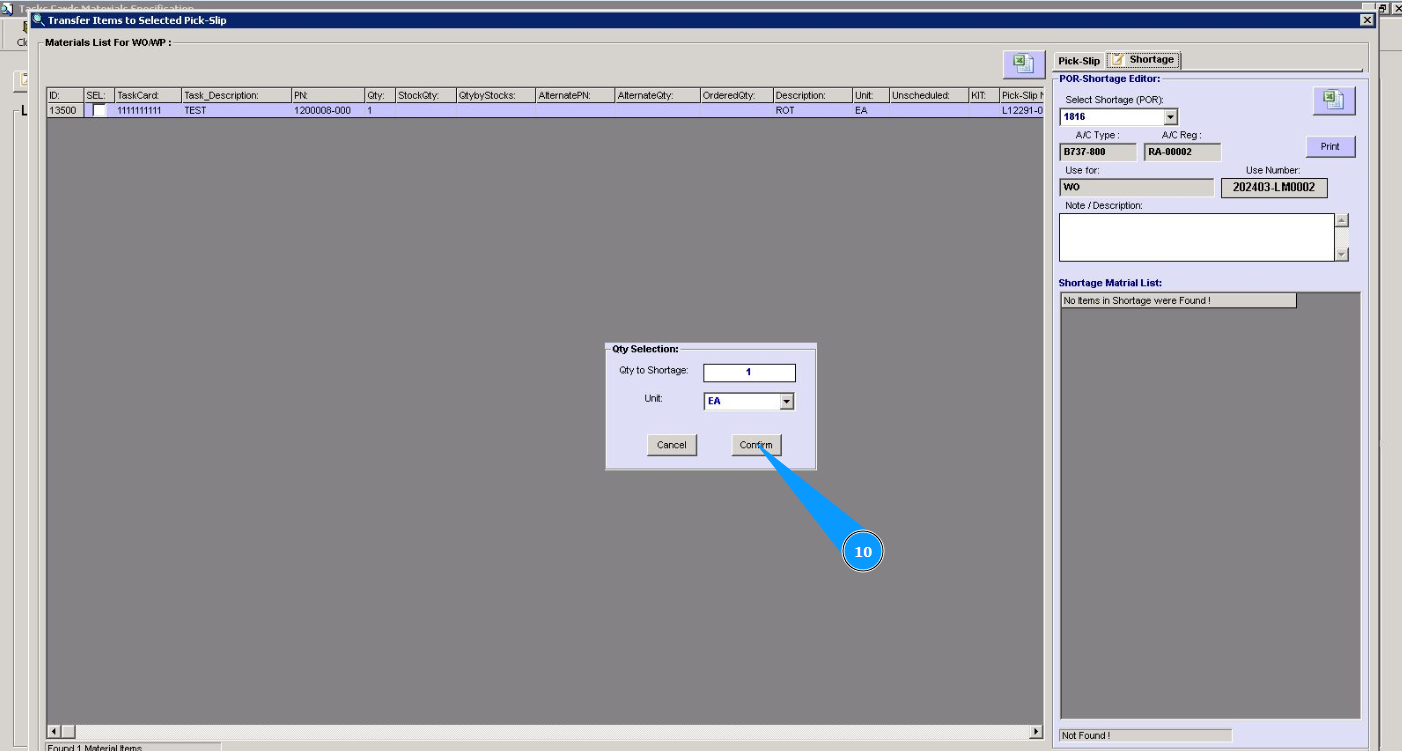
10. Click on the button "Confirm" to confirm the inclusion of material in the shortage(POR).
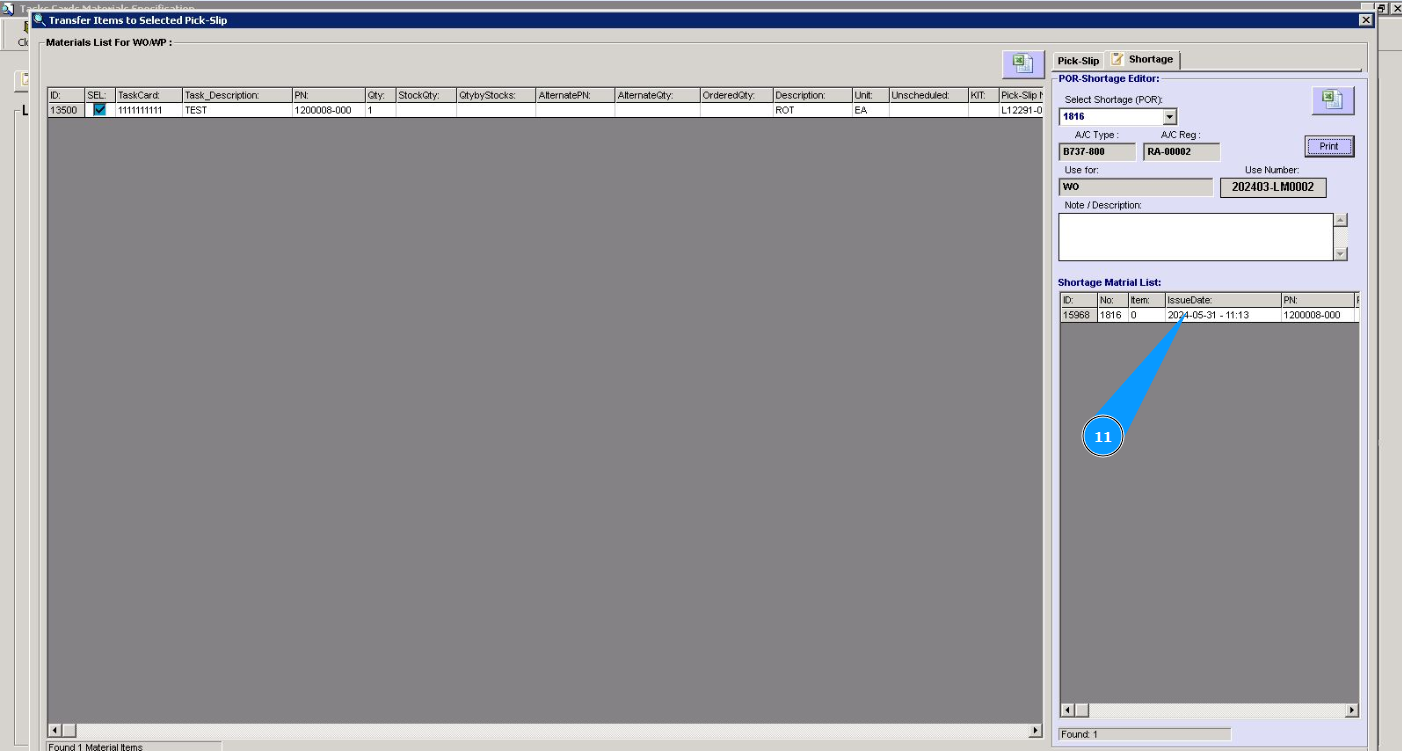
11. Check that the material data is displayed in the window "Shortage Material List".
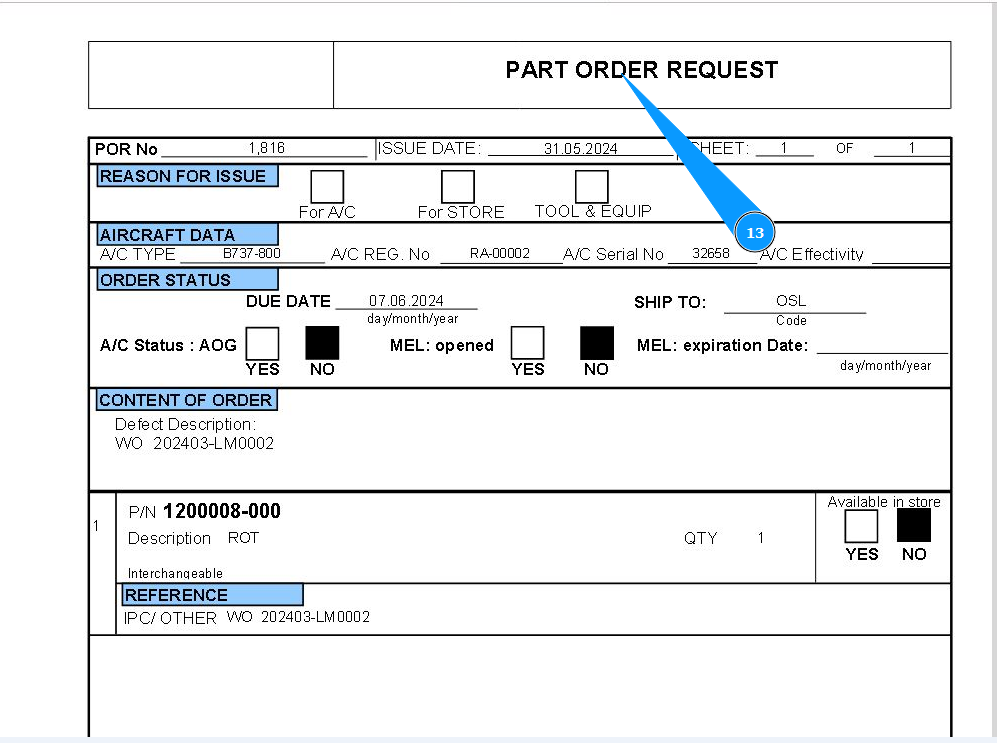
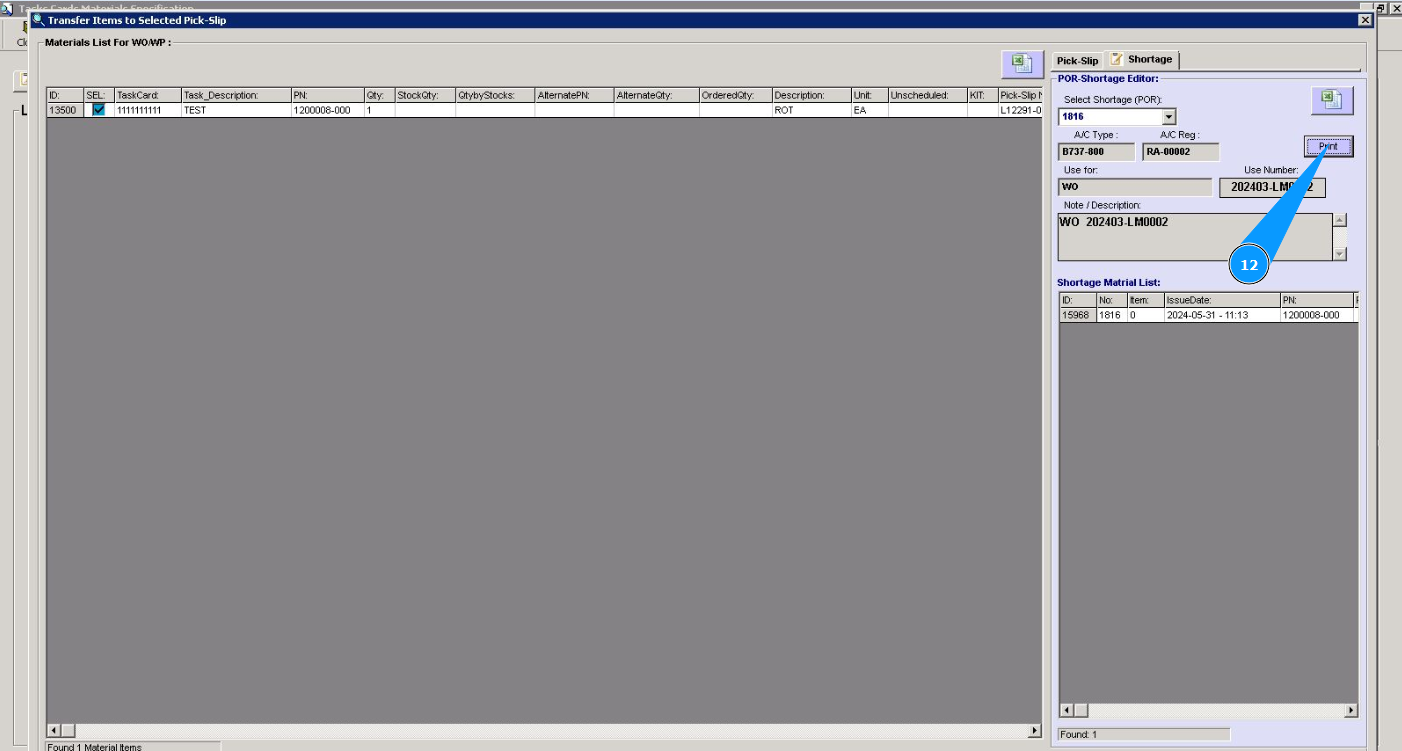
12. If necessary, to print the shortage, click on the button "Print".
13. Check that the report has been created. If necessary, print a paper version of it on a printer.