How to put WP on the Distribution List
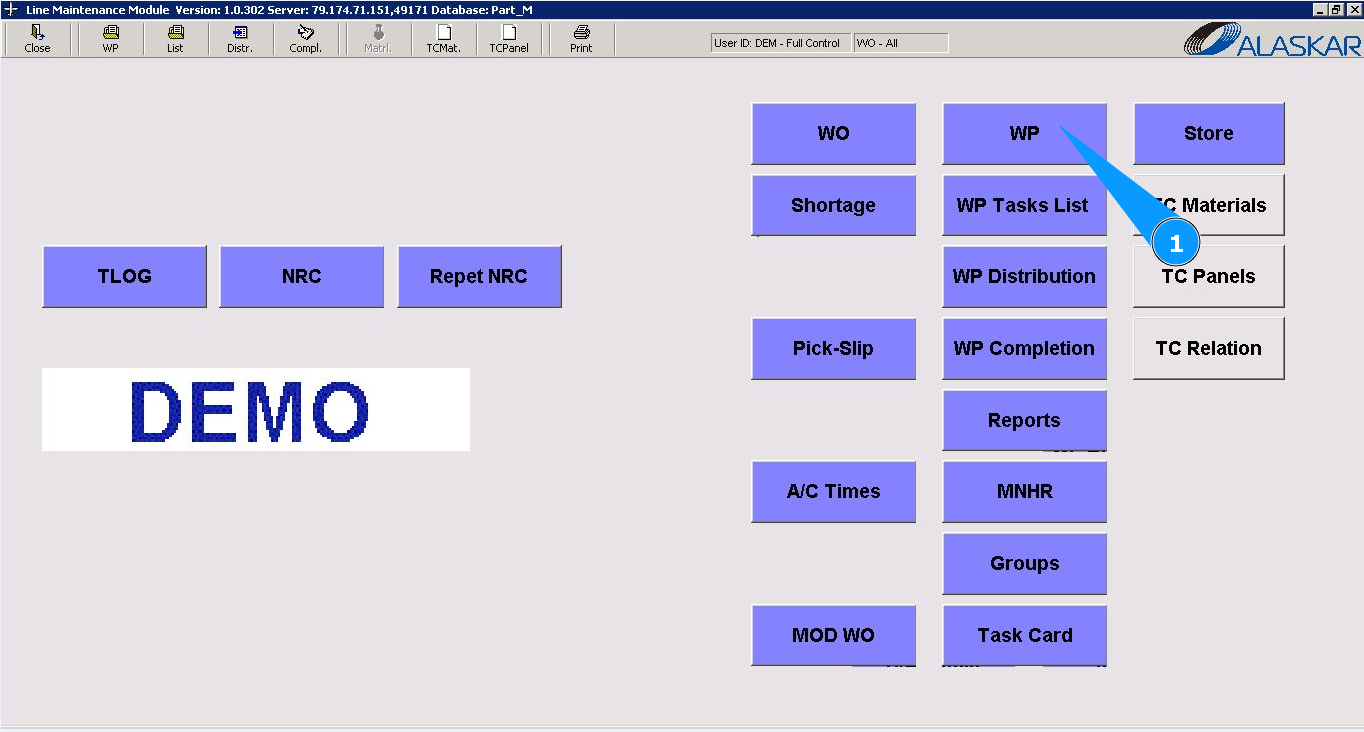
1. To put WP to Distribution List, please go to submodule "WP".
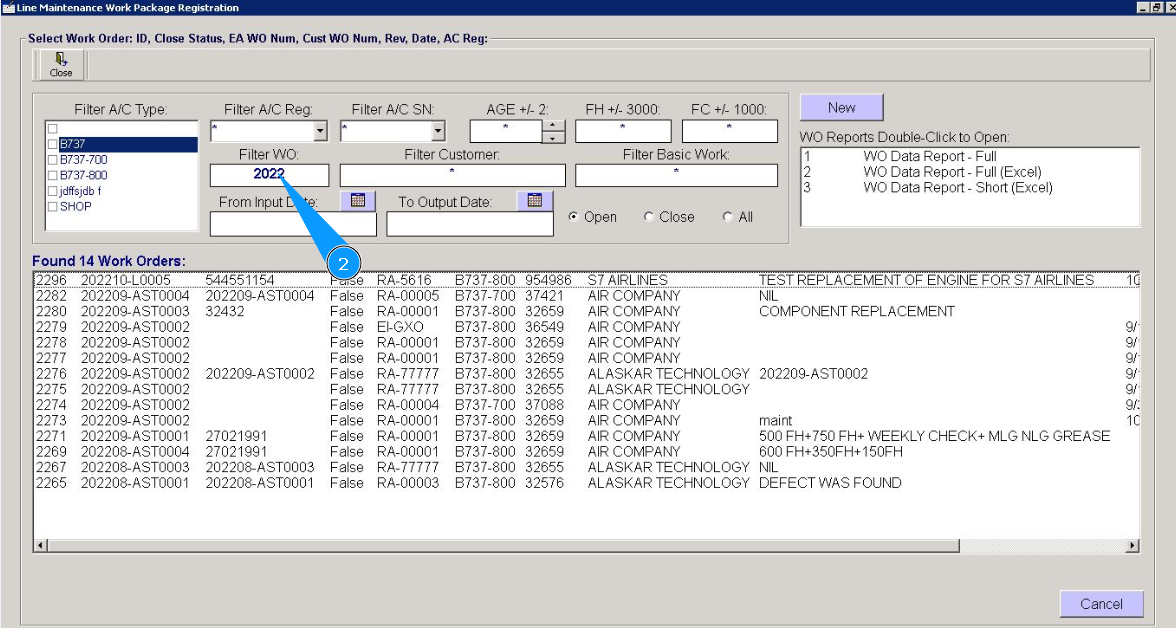
2. Enter the WO number in the field "Filter WO" and press the knob "Enter" on your keyboard. Note: If necessary, use other search filters in the fields: "Filter A/C Reg.", "Filter A/C SN", "Filter Customer" etc.
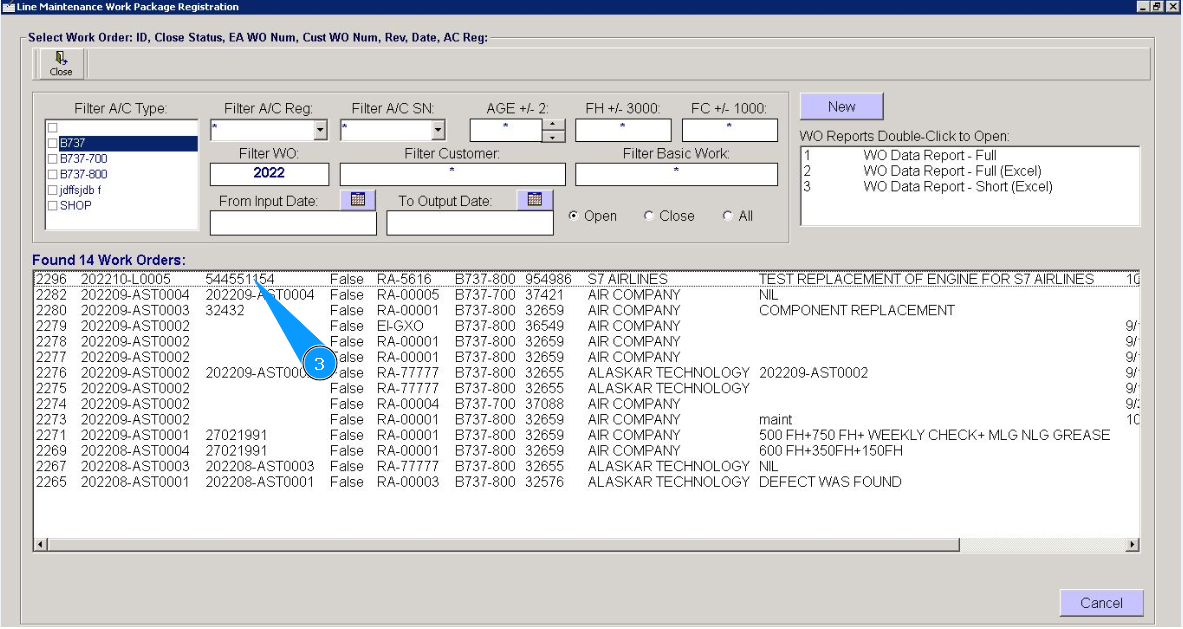
3. Select the required line with the record and double click on it.
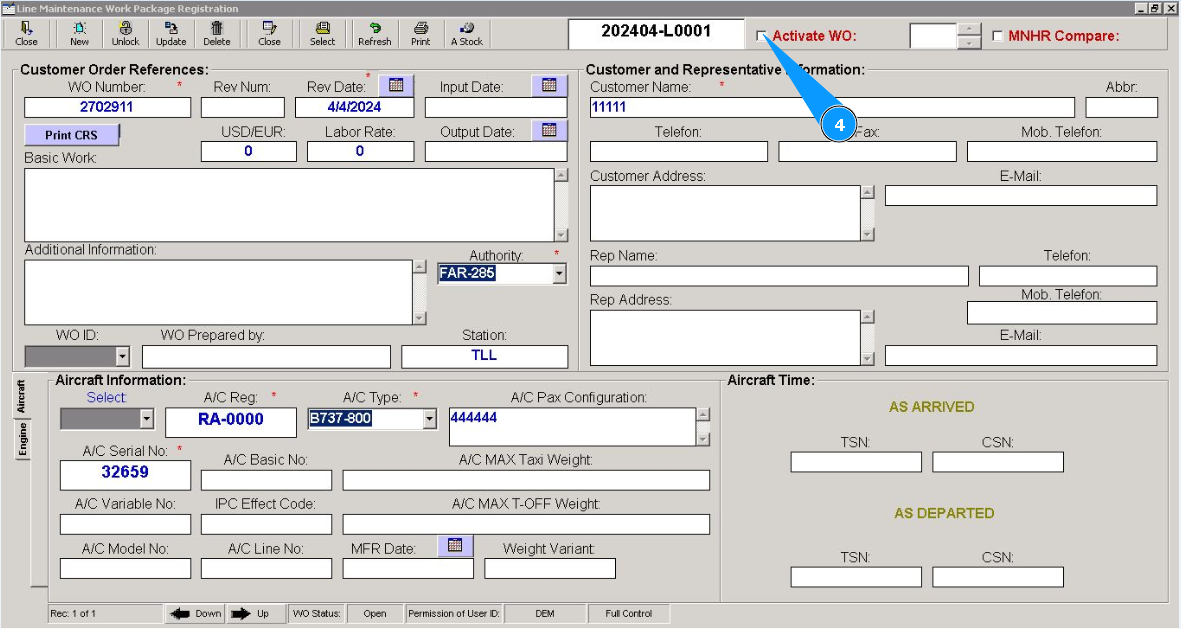
4. Tick in the box "Activate WO".
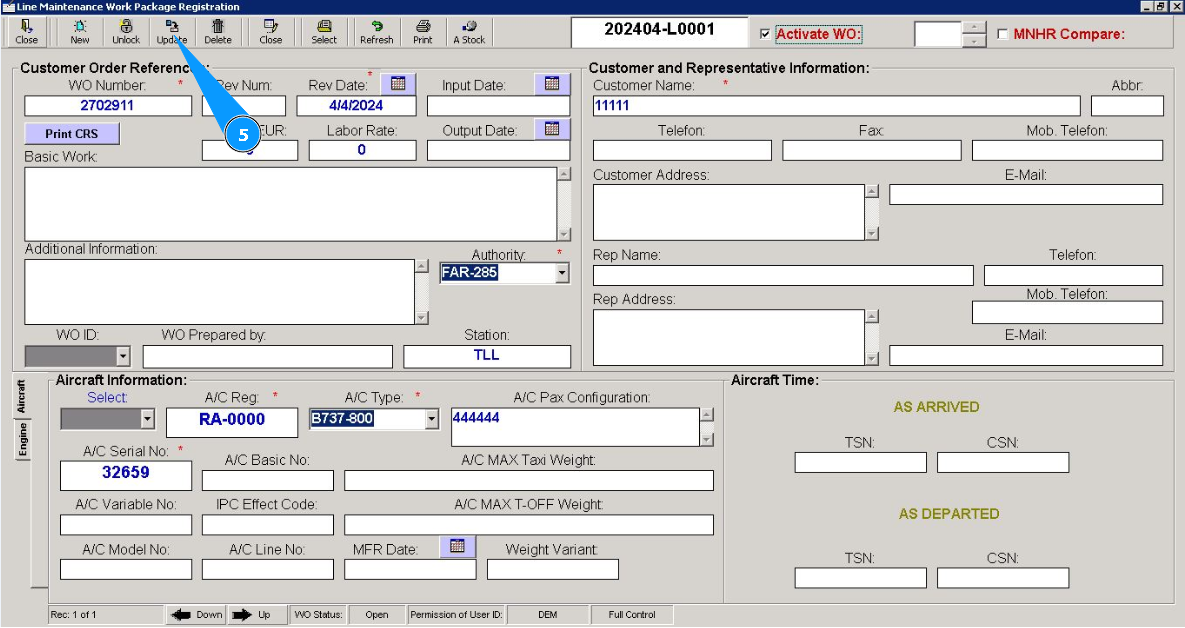
5. Click on the button "Update", to update WP data and activate it.
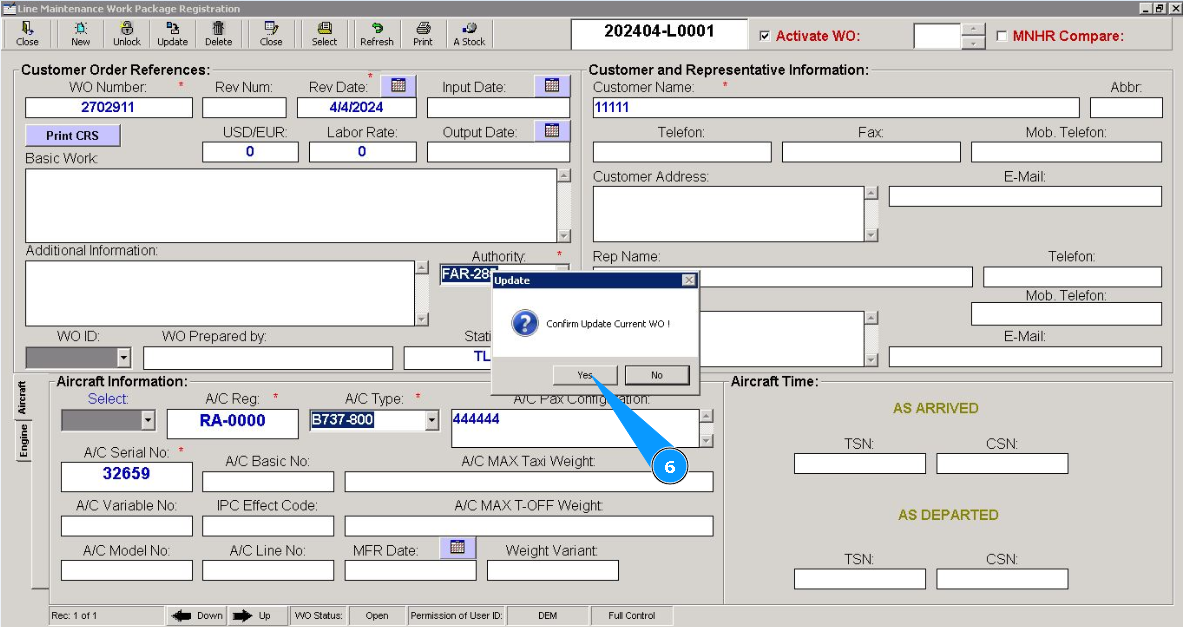
6. Click on the button "Yes", to confirm updating WP data.
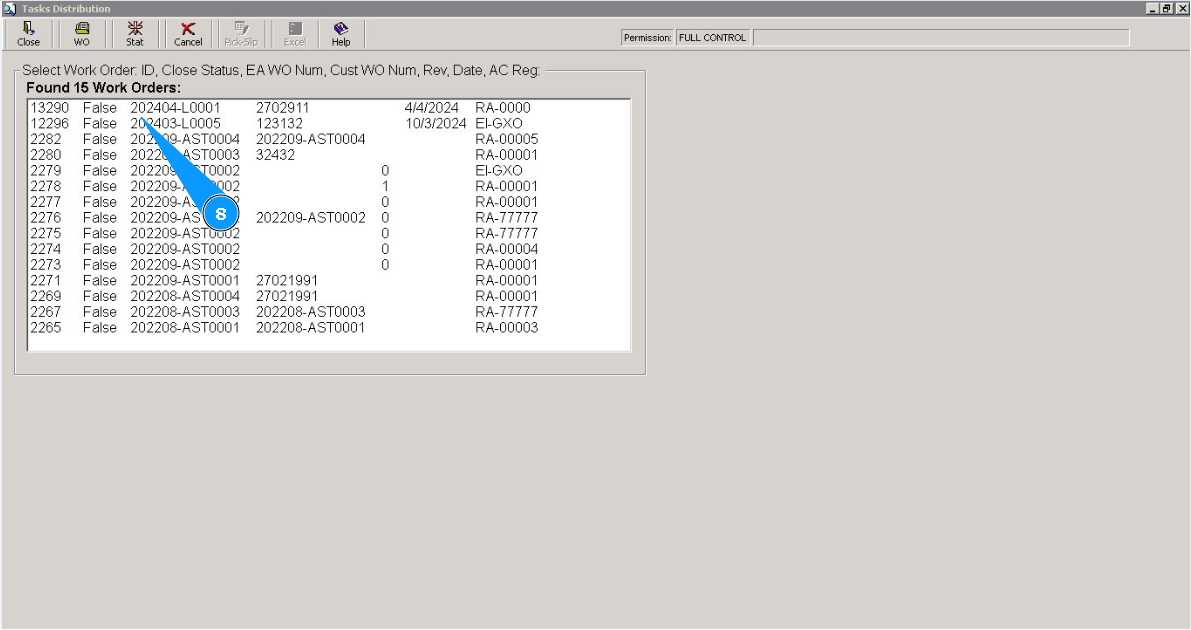
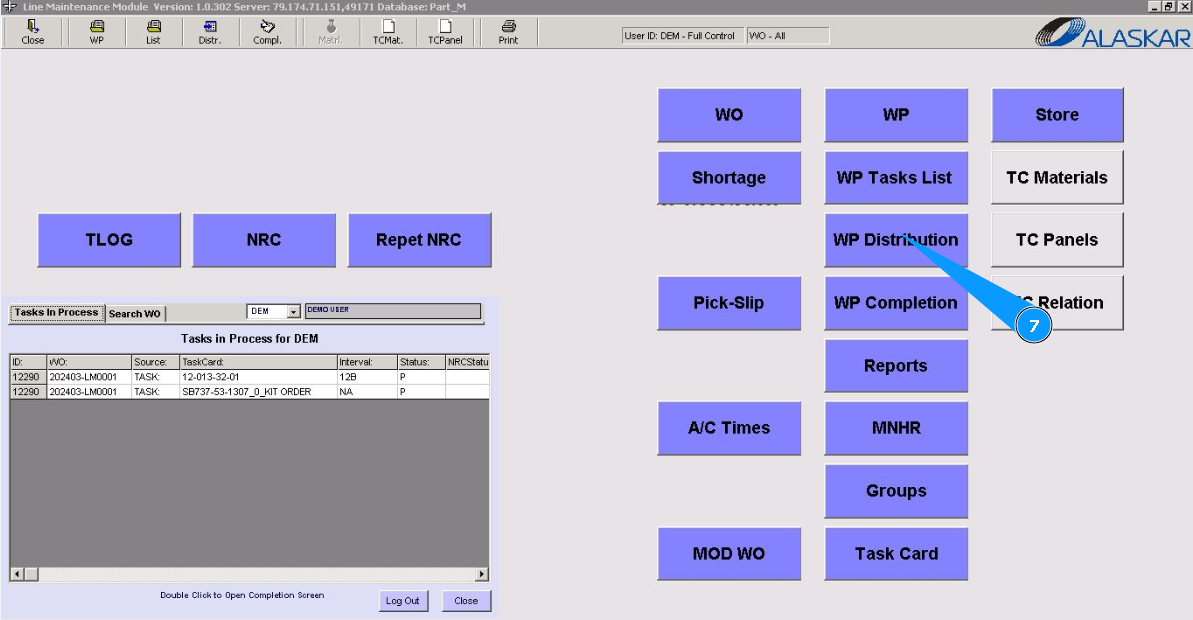
7. Go to submodule "WP Distribution".
8. Check that the line with your package appears.