How to print a WP task card
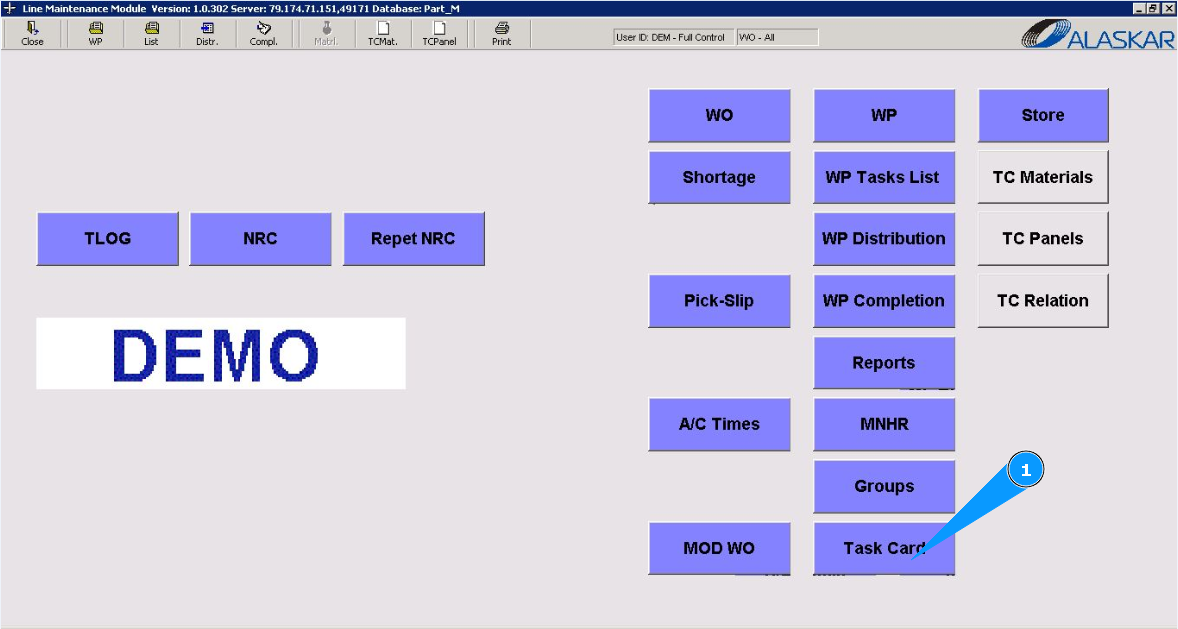
1. In order to print the WP task card, go to the module "Task Card".
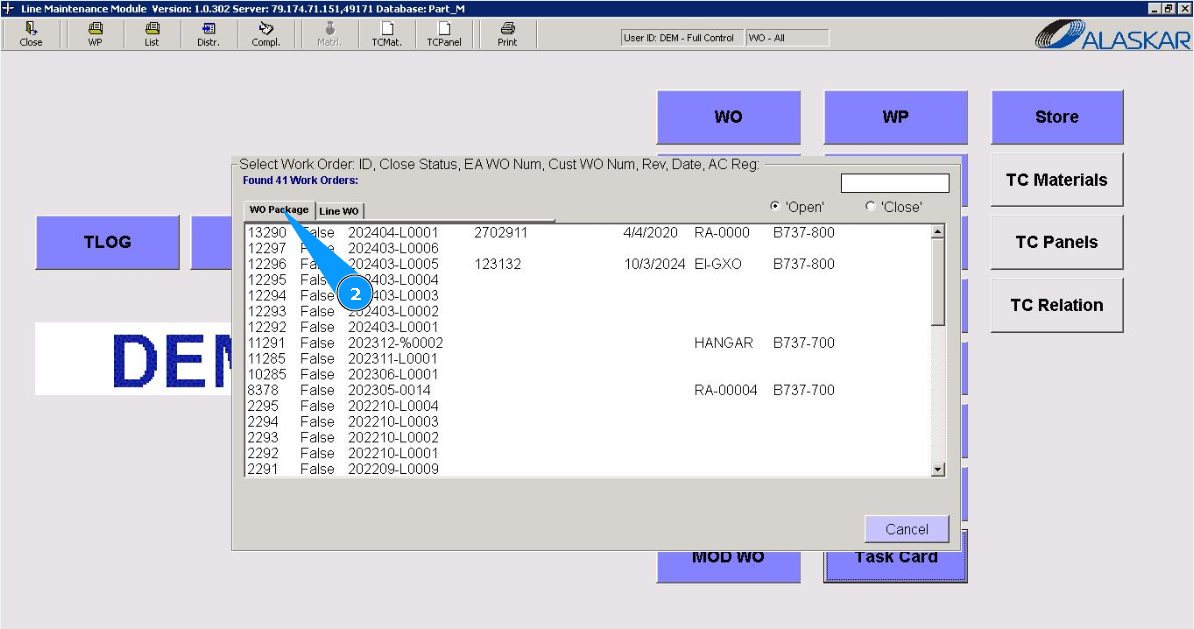
2. Then go to the tab "WO Package".
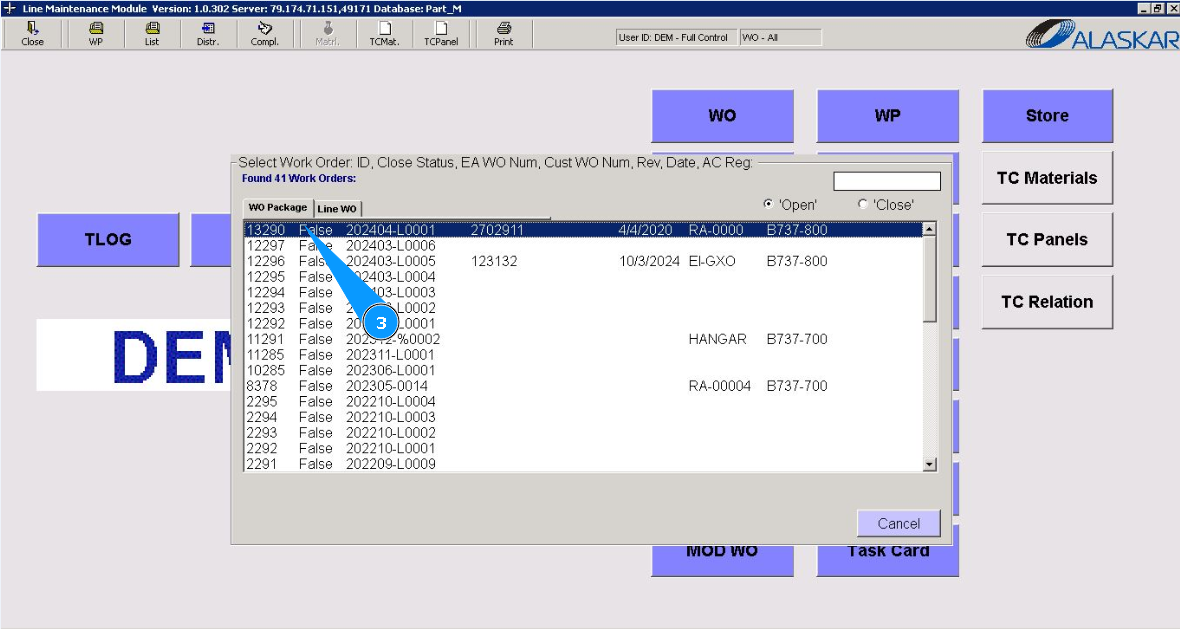
3. Select the Work package to print the task card form from the list provided and double click on the corresponding line.
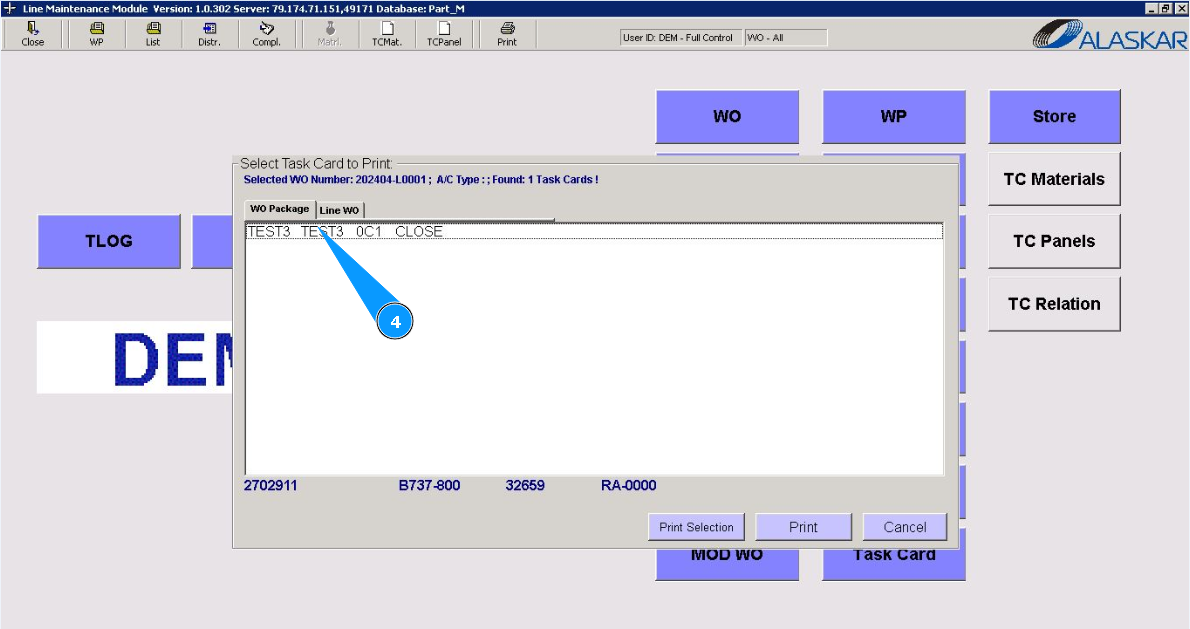
4. Select a task card from the list provided and click on the required line.
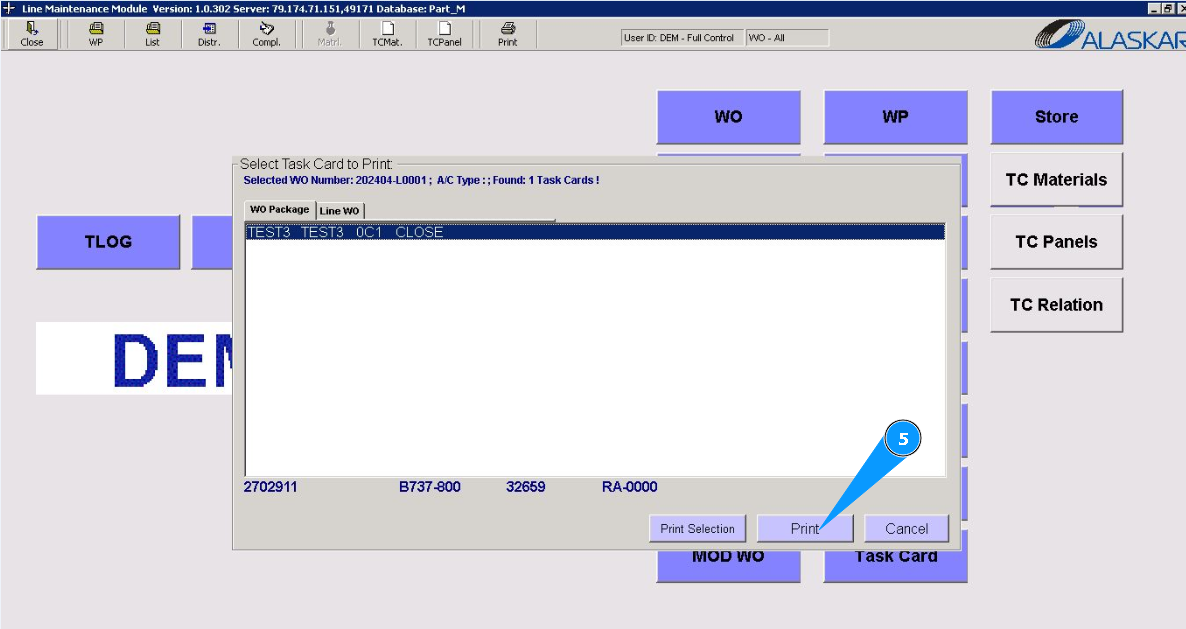
5. Click on the button "Print".
6. Click on the button "Print", to generate task card form. Note: If necessary, correct the data in the task card and load it into the program, click on the button "Update".
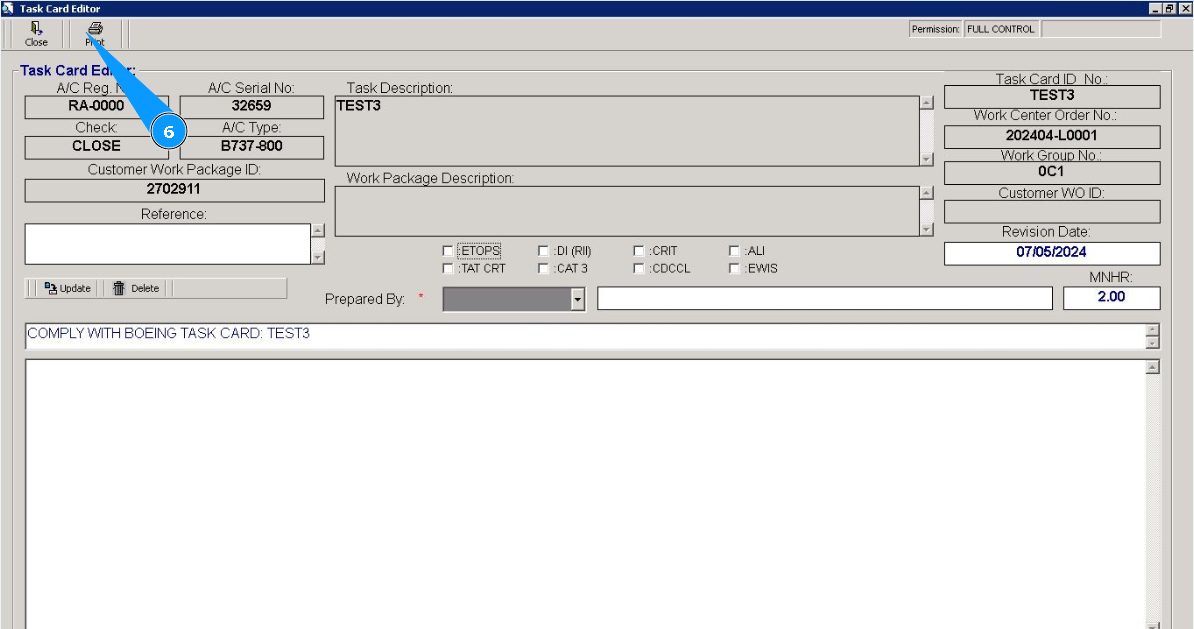
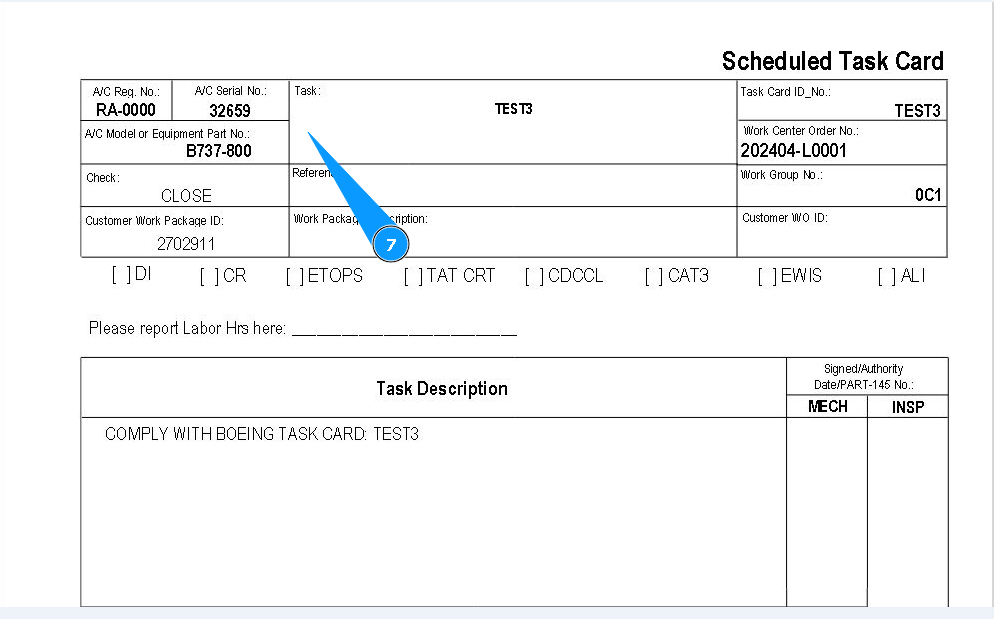
7. Check that the task card form is displayed on your screen, and if necessary, print out its paper form.