How to print man-hours for period
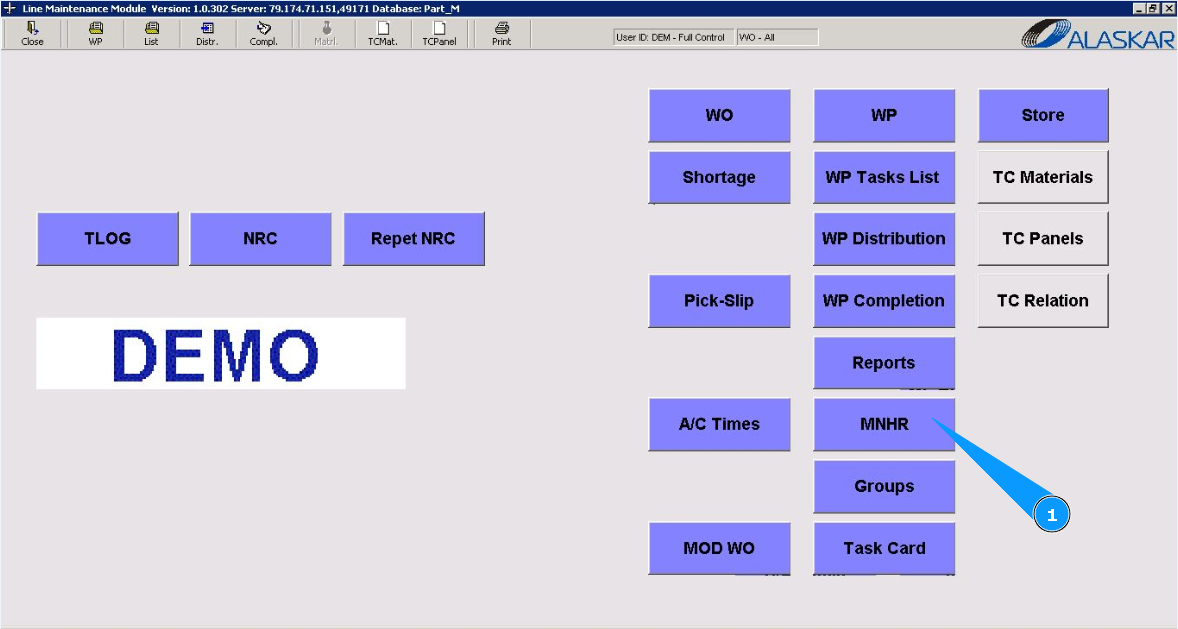
1. In order to print man-hours for a period, go to the module "MNHR".
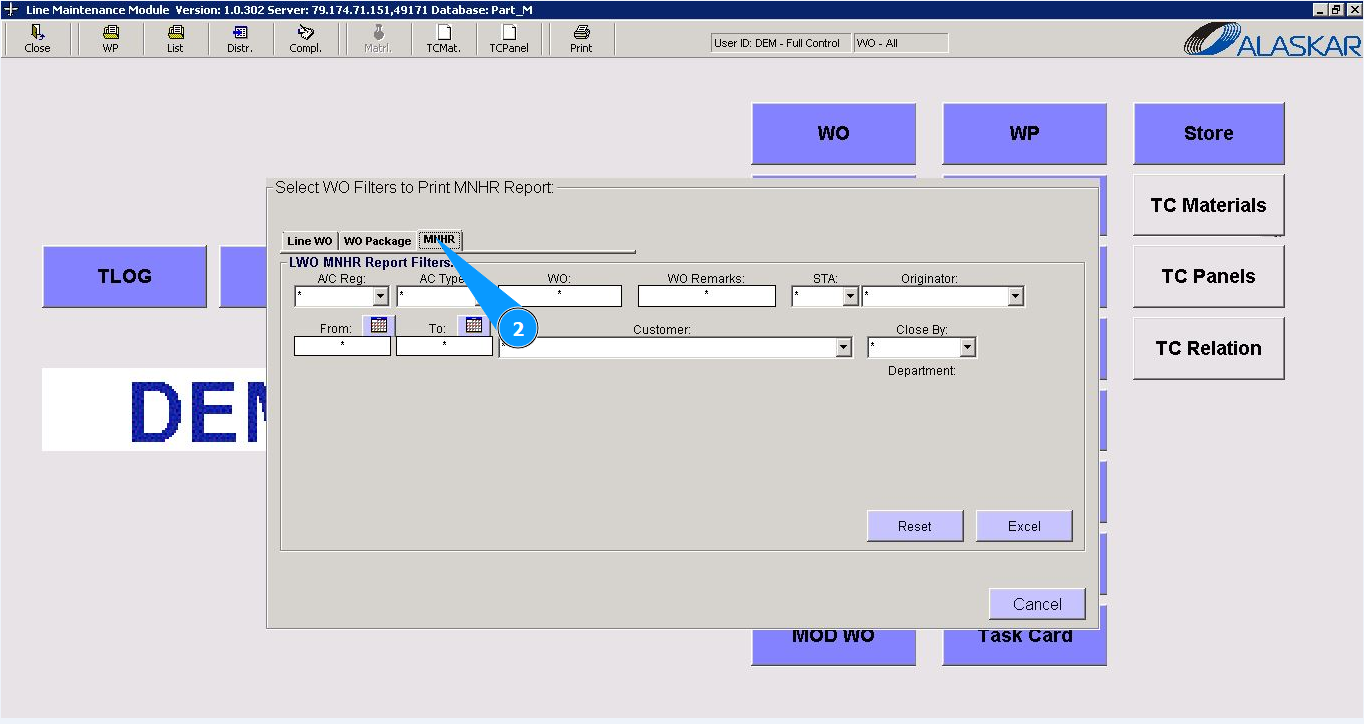
2. Then go to the tab "MNHR".
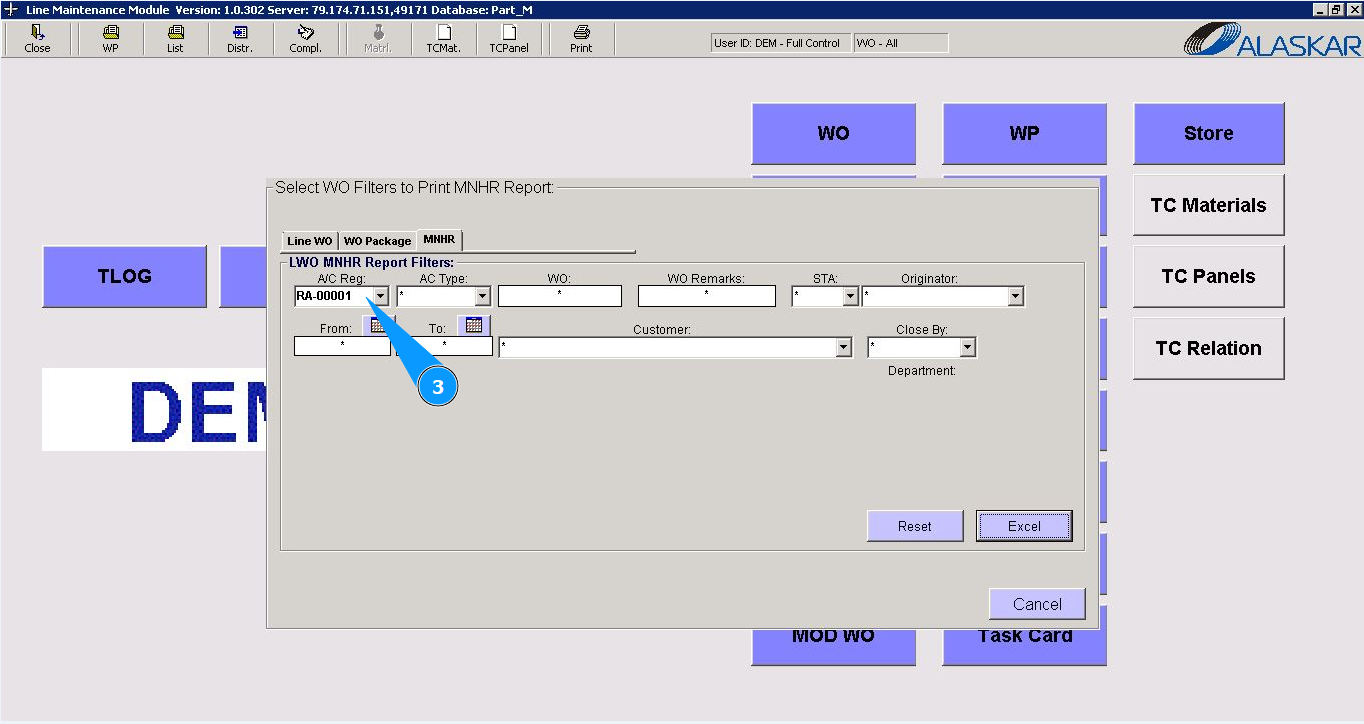
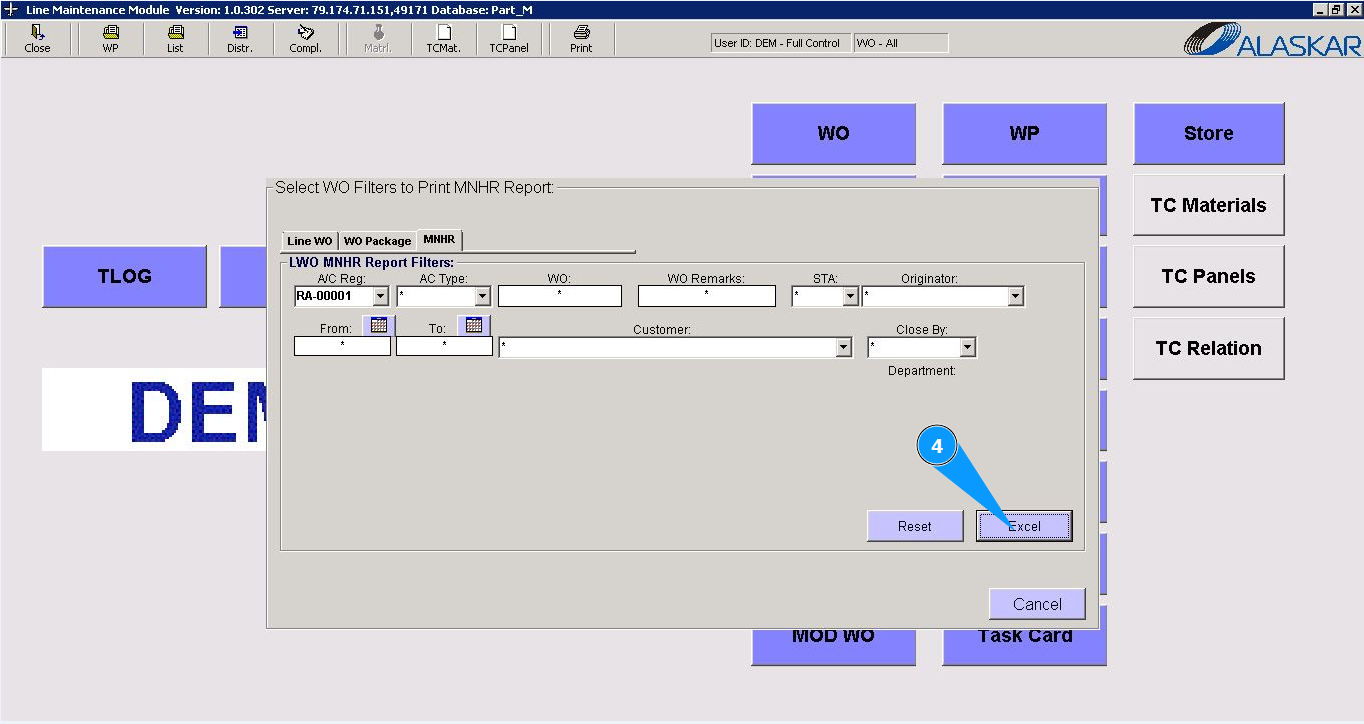
3. To select the required report, use filters with dropdown lists, there are fields: "AC Reg.", "AC Type", "WO" etc.
4. Click on the button "Exel".
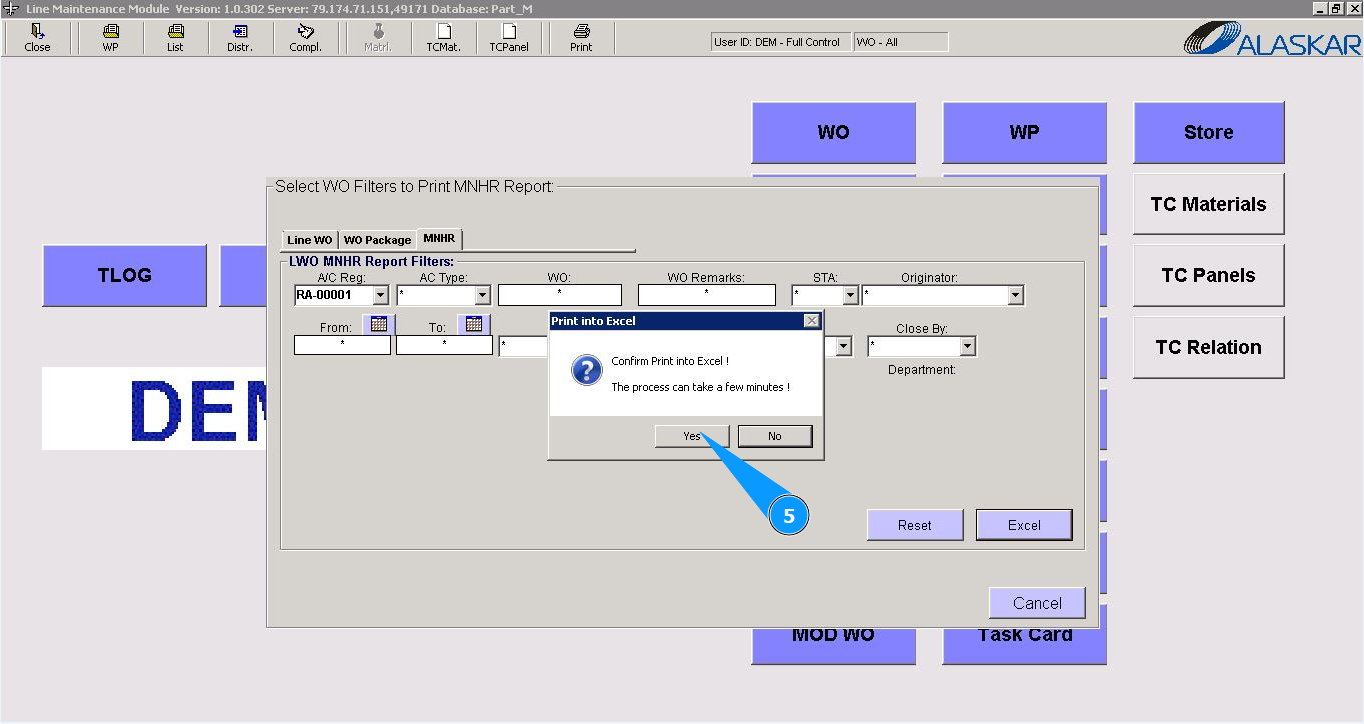
 5. Click on the button *"Yes", to confirm report generation.
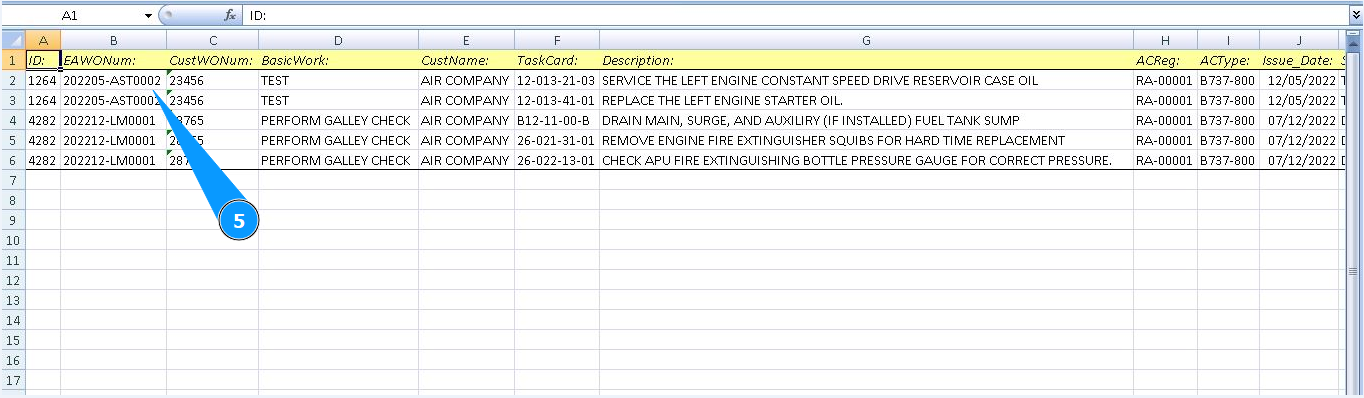
5. Check that the required report is displayed on your screen.