How to check and print reports
Note: These instructions provide the following steps for checking reports on the screen or printing their forms, if necessary:
А. Check and print Work package reports.
B. Check and print Line WO reports.
C. Check and print NRC reports.
D. Check and print reports for the period.
А. Check and print Work package reports.
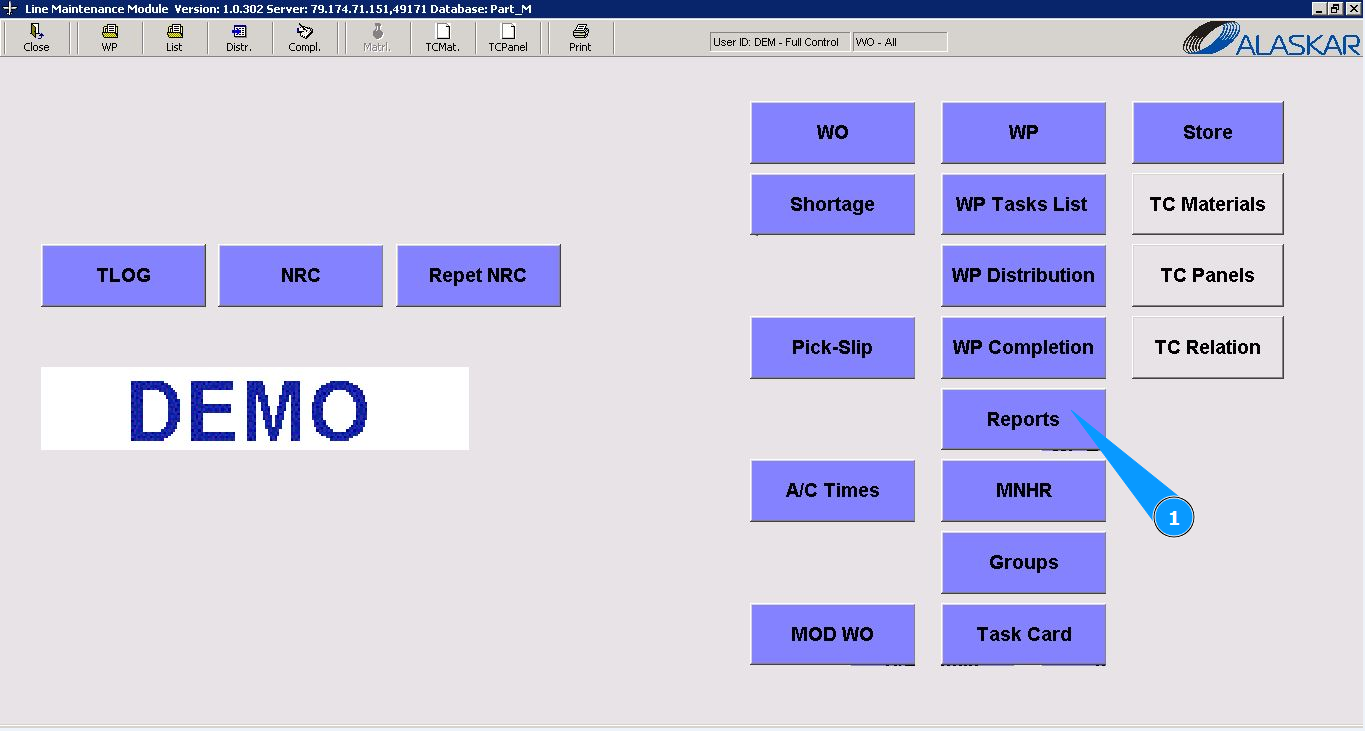
1. In order to request or print Work Packages reports, go to the submodule "Reports".
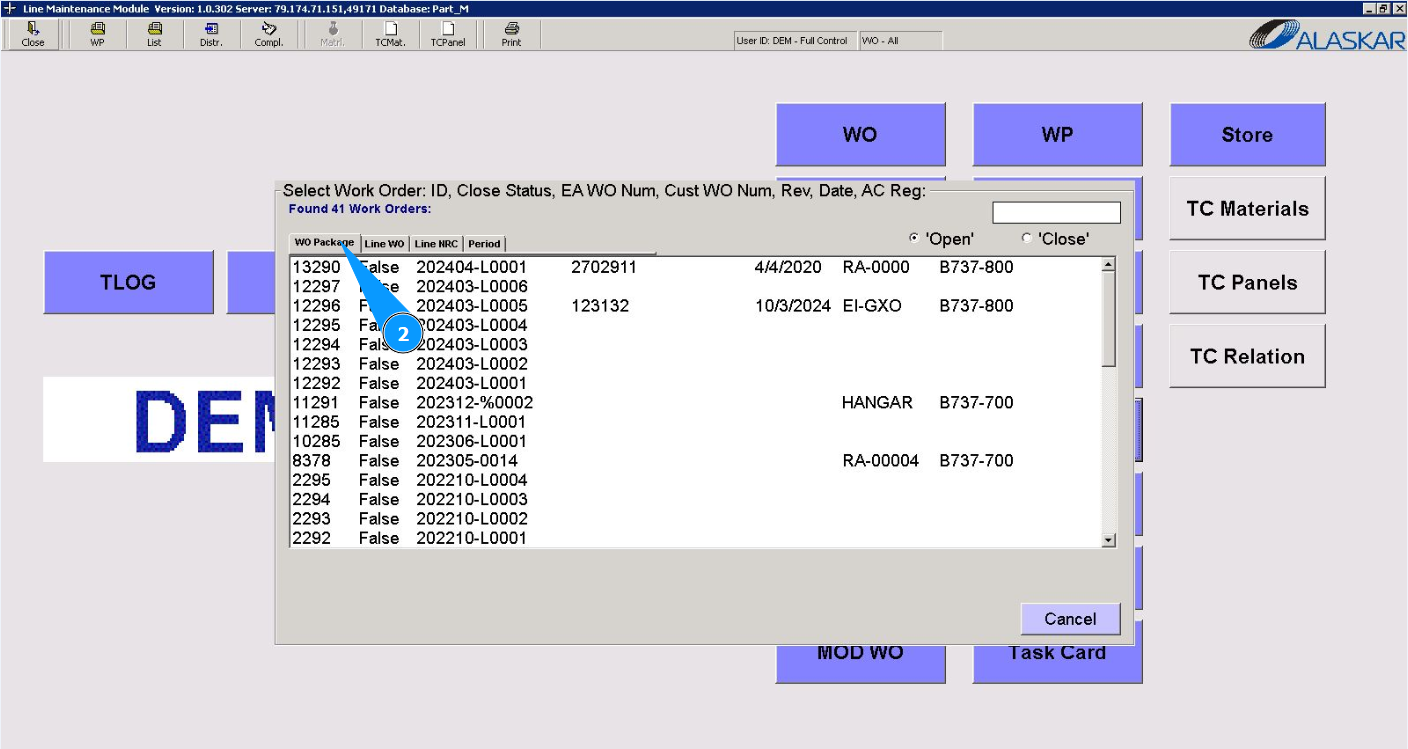
2. Then go to the tab "Work Package".
3. Select the required WP number from the provided list in the window "Select Work Order" and double click on the corresponding line. Note: Check that the filter is set "open" in the field: "Open".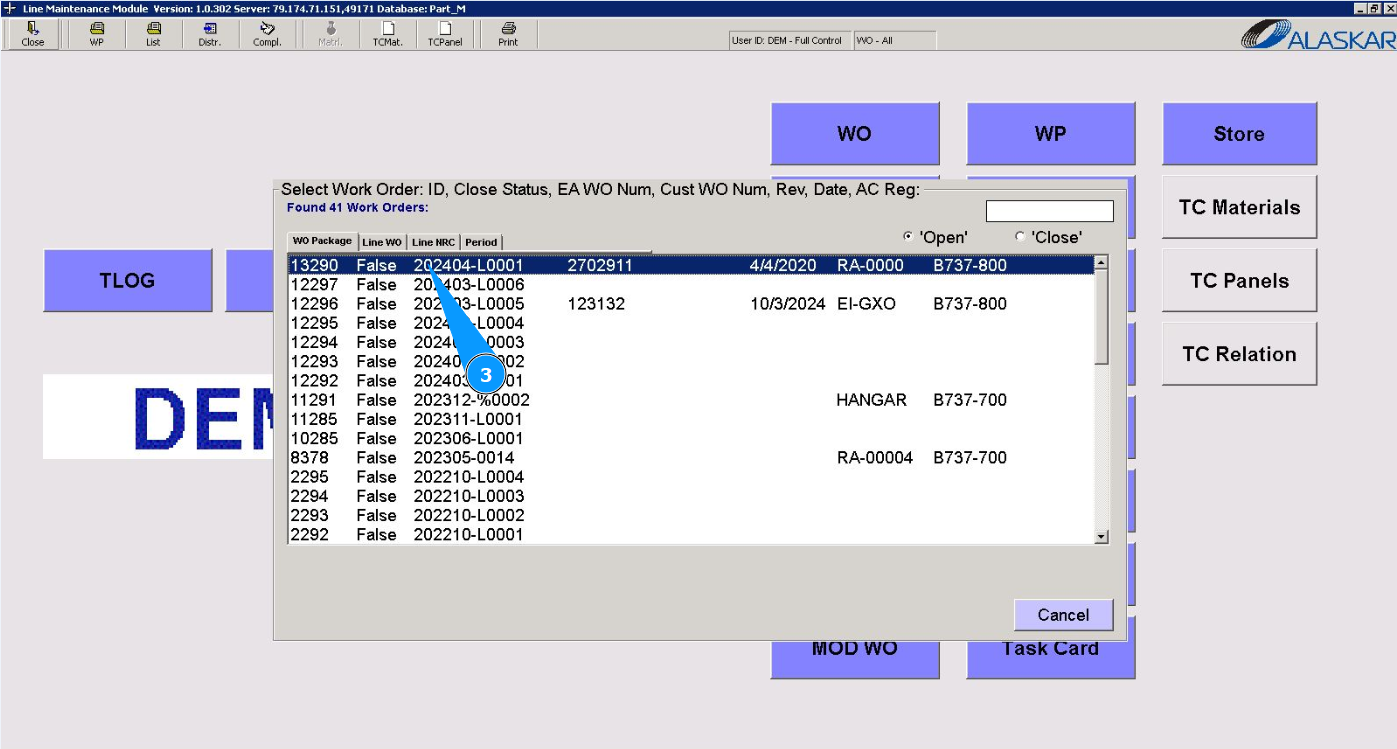
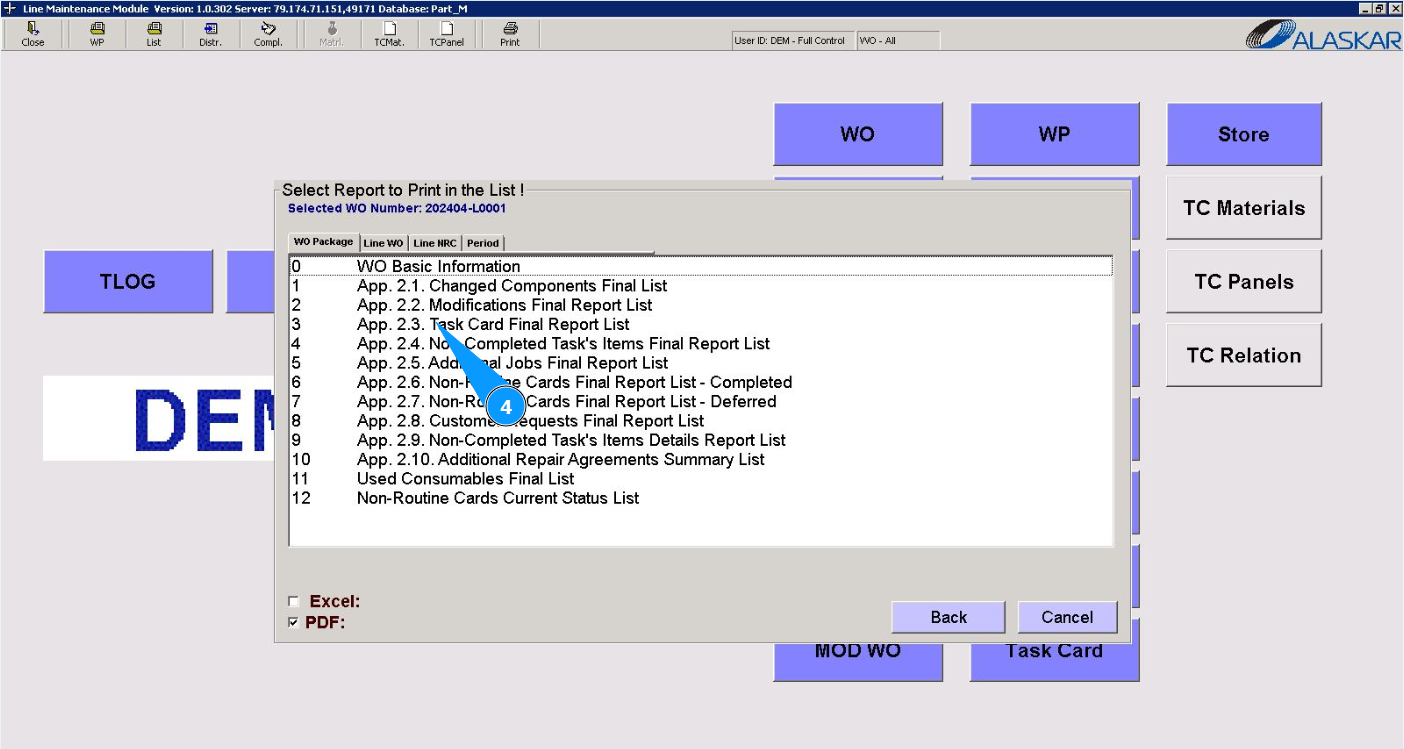
4. Select the required report check it or to print from the provided list in the window "Select Report to Print in the List" and click on the corresponding line.
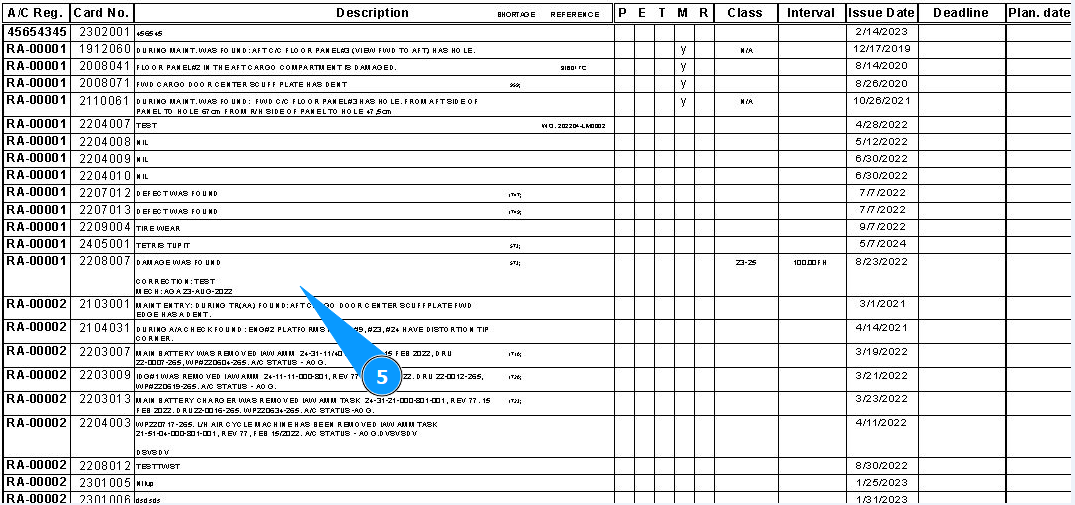
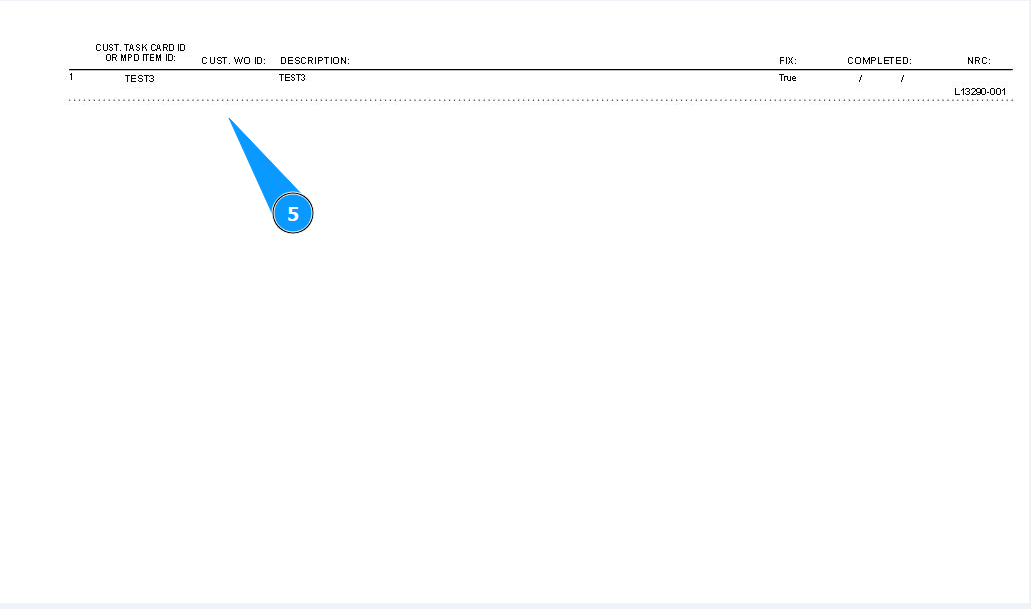
5. Check that the required report is displayed on your screen. If necessary, print out a paper form.
B. Check and print Line WO reports.
1. In order to request or print Line Work Order reports, go to the submodule "Reports".
2. Then go to the tab "Line WO".
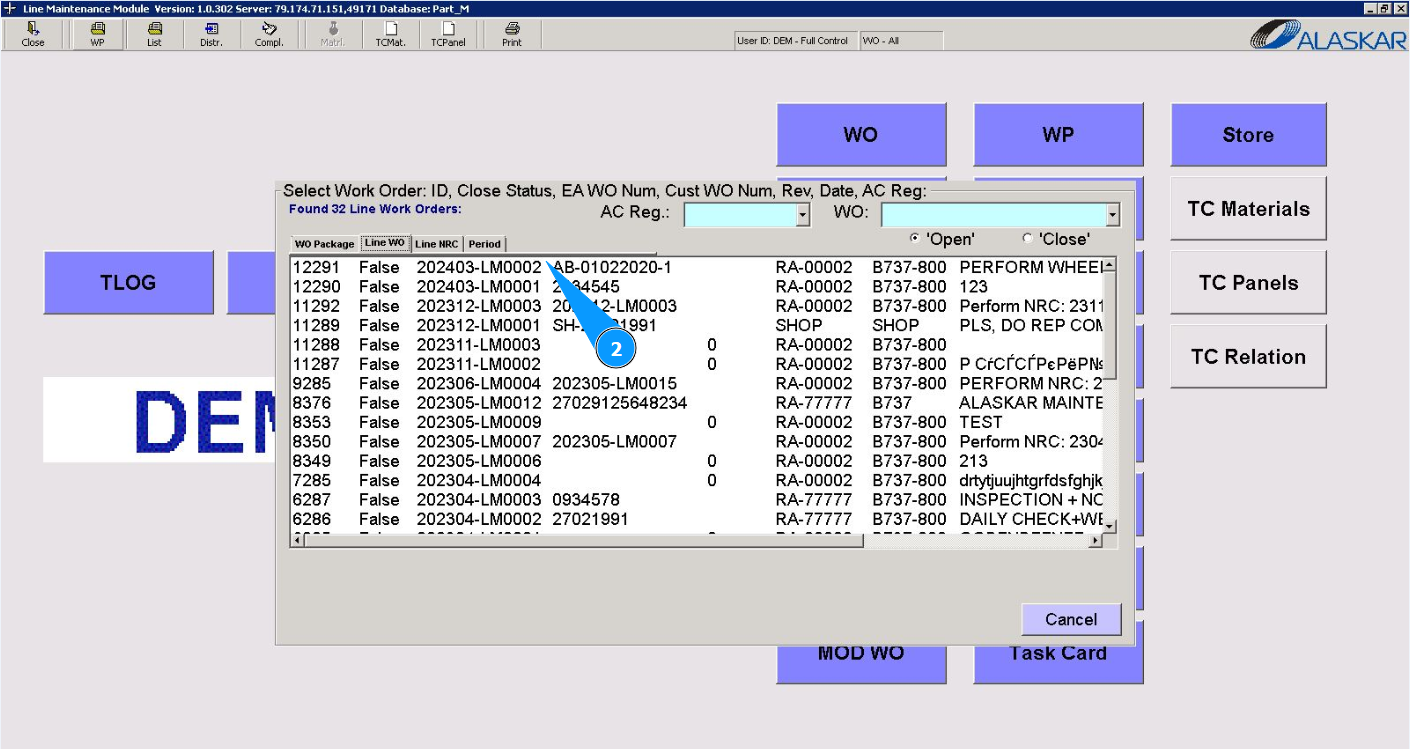
3. Select the required LWO report to check it or print it from the provided list in the window "Select Work Order" and double click on the corresponding line. Note: Check that the filter is set "open" in the field: "Open".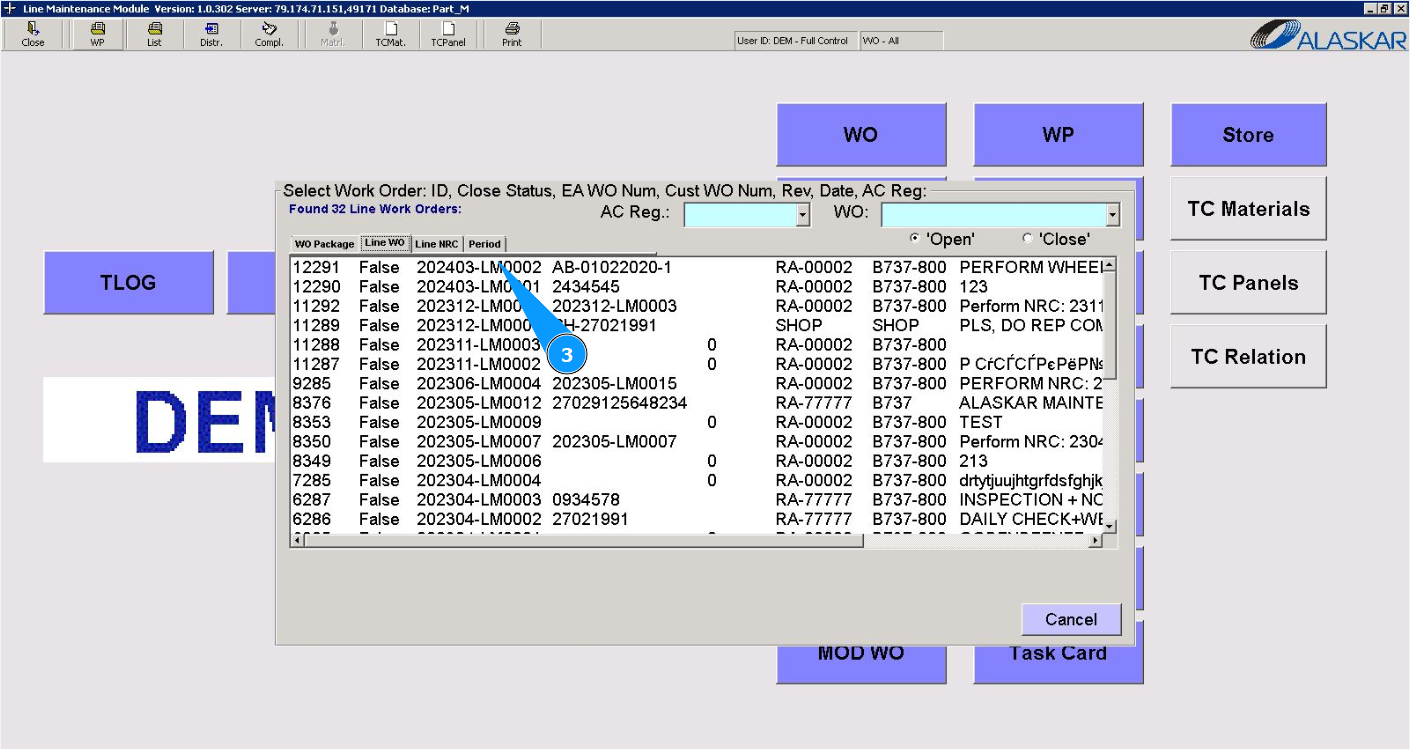
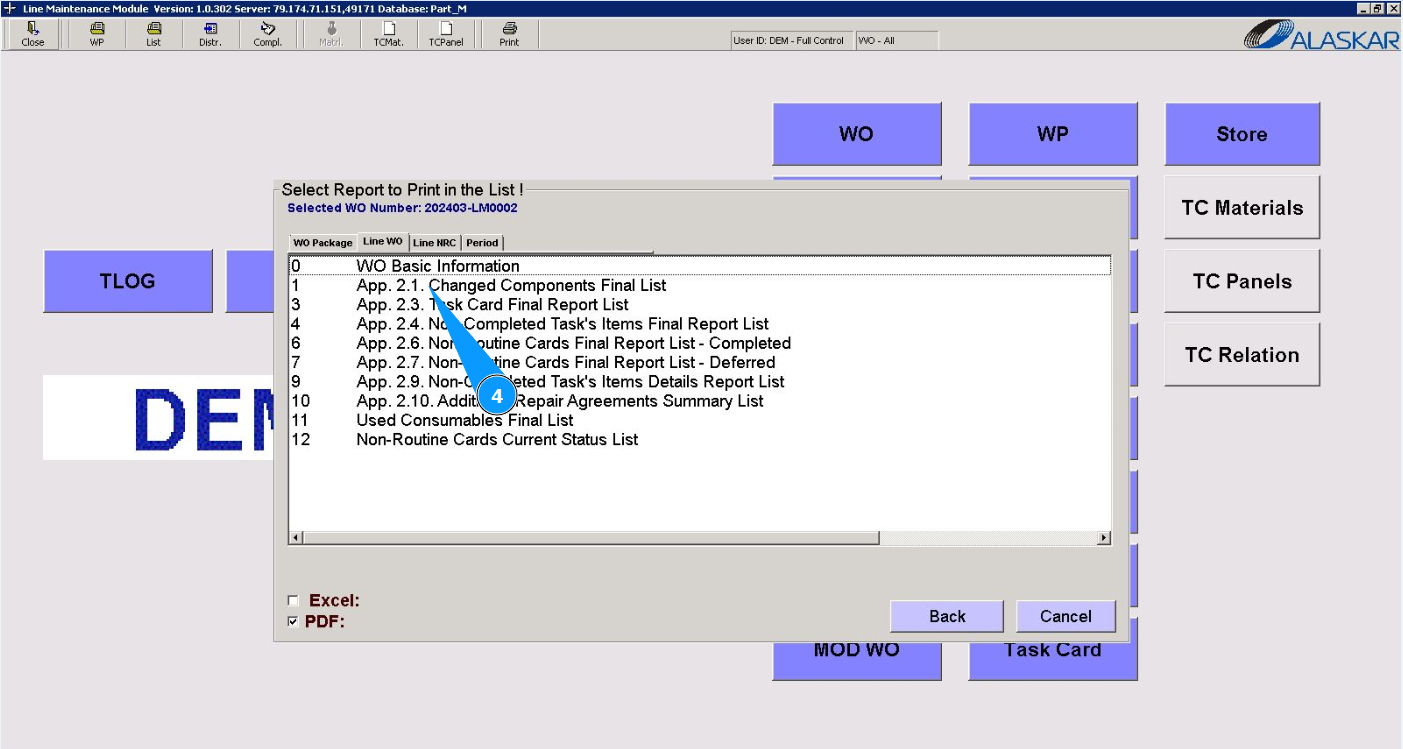
4. Select the required report check it or to print from the provided list in the window "Select Report to Print in the List" and click on the corresponding line.
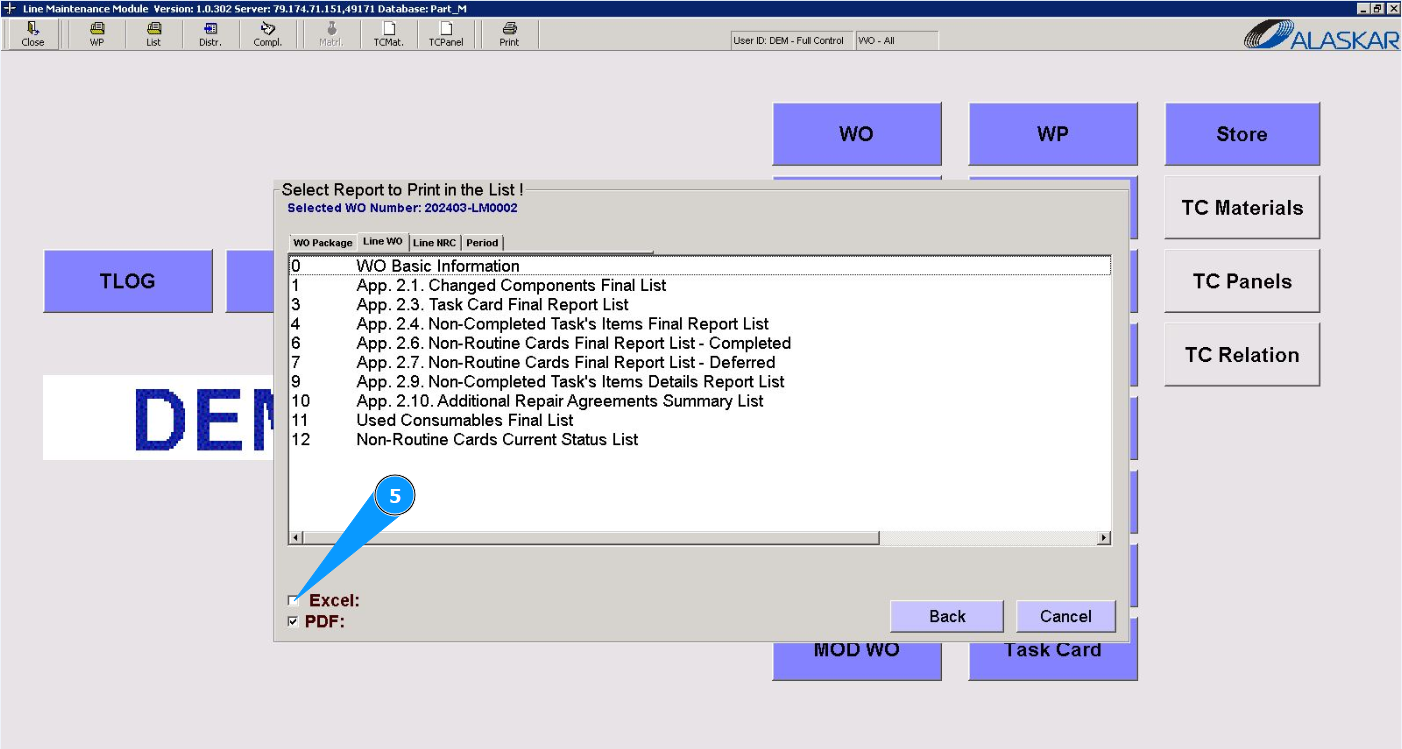
5. By default, reports are generated in PDF format, if you need to download them to Excel, tick the corresponding checkbox in the field "Excel".
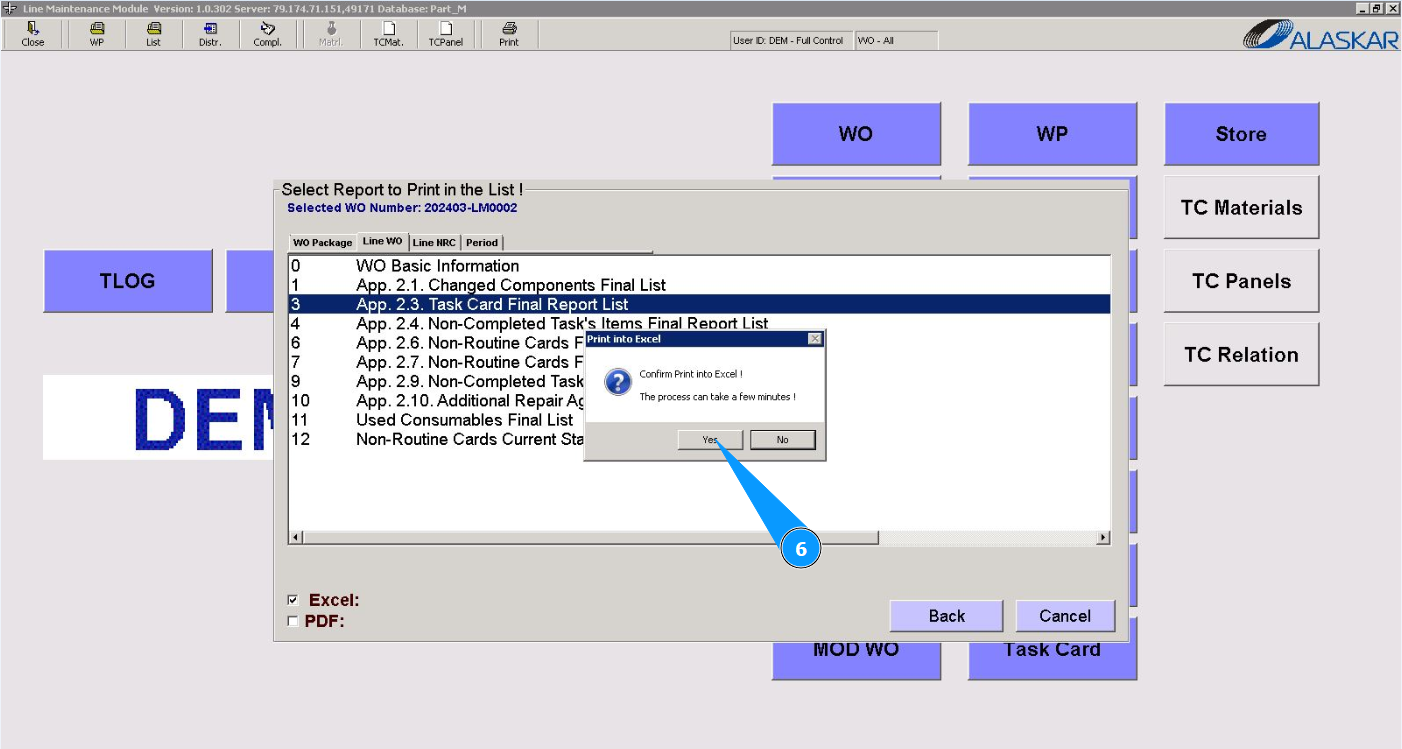
6. If necessary, click on the button "Yes", to confirm the generation of the report.
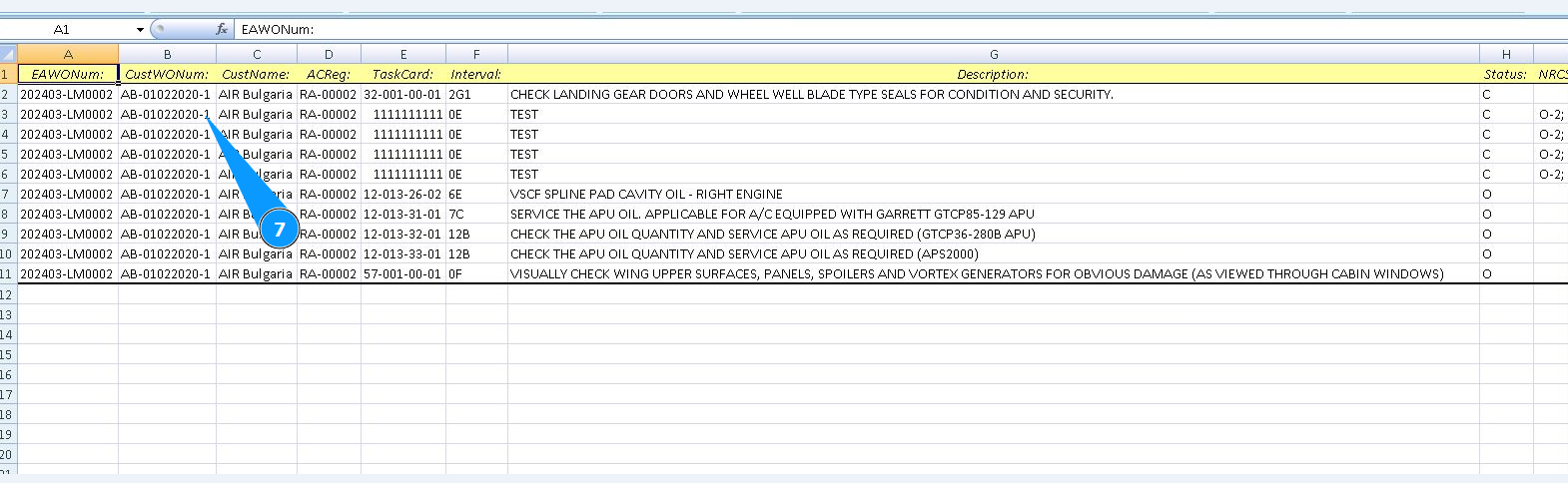
7. Check that the required report is displayed on your screen. If necessary, print out a paper form.
C. Check and print NRC reports.
1. In order to request or print Non Routine Card reports, go to the module "Reports".
2. Then go to the tab "Line NRC".
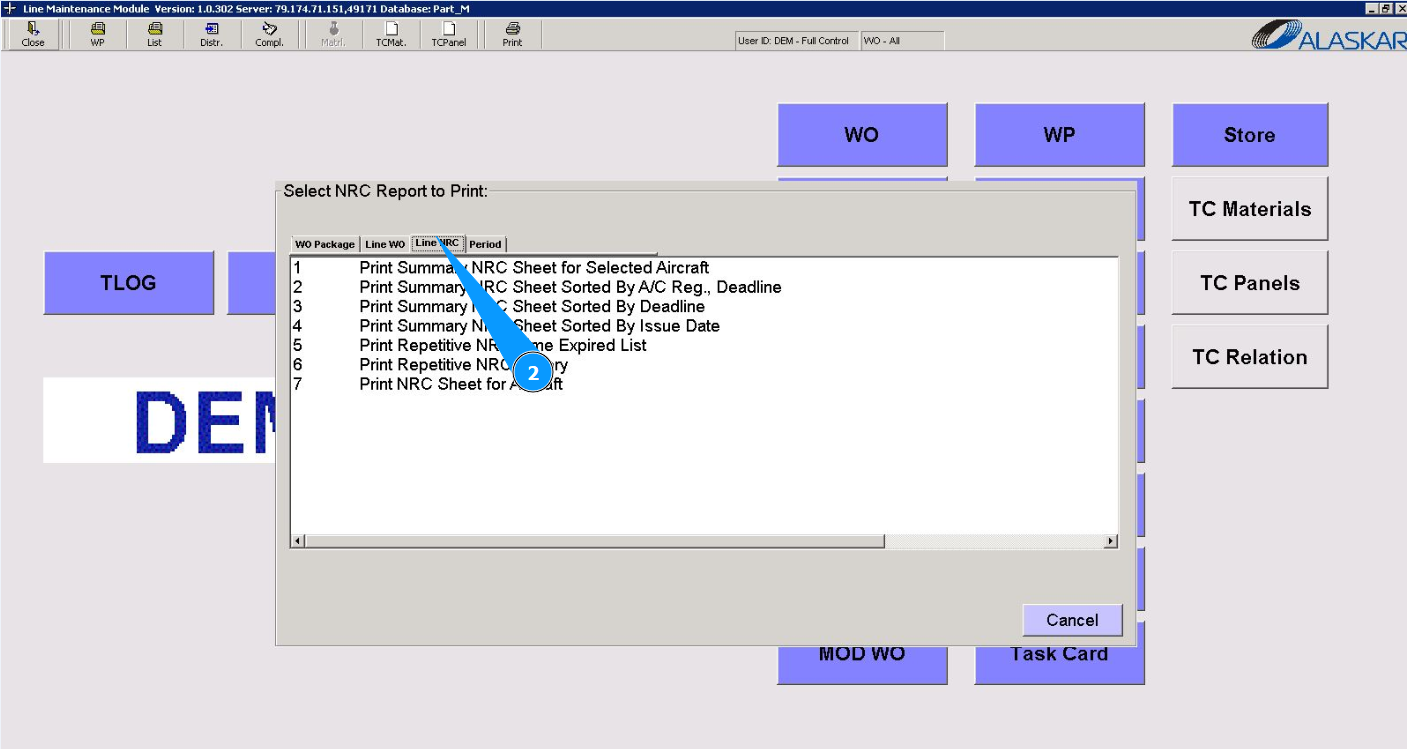
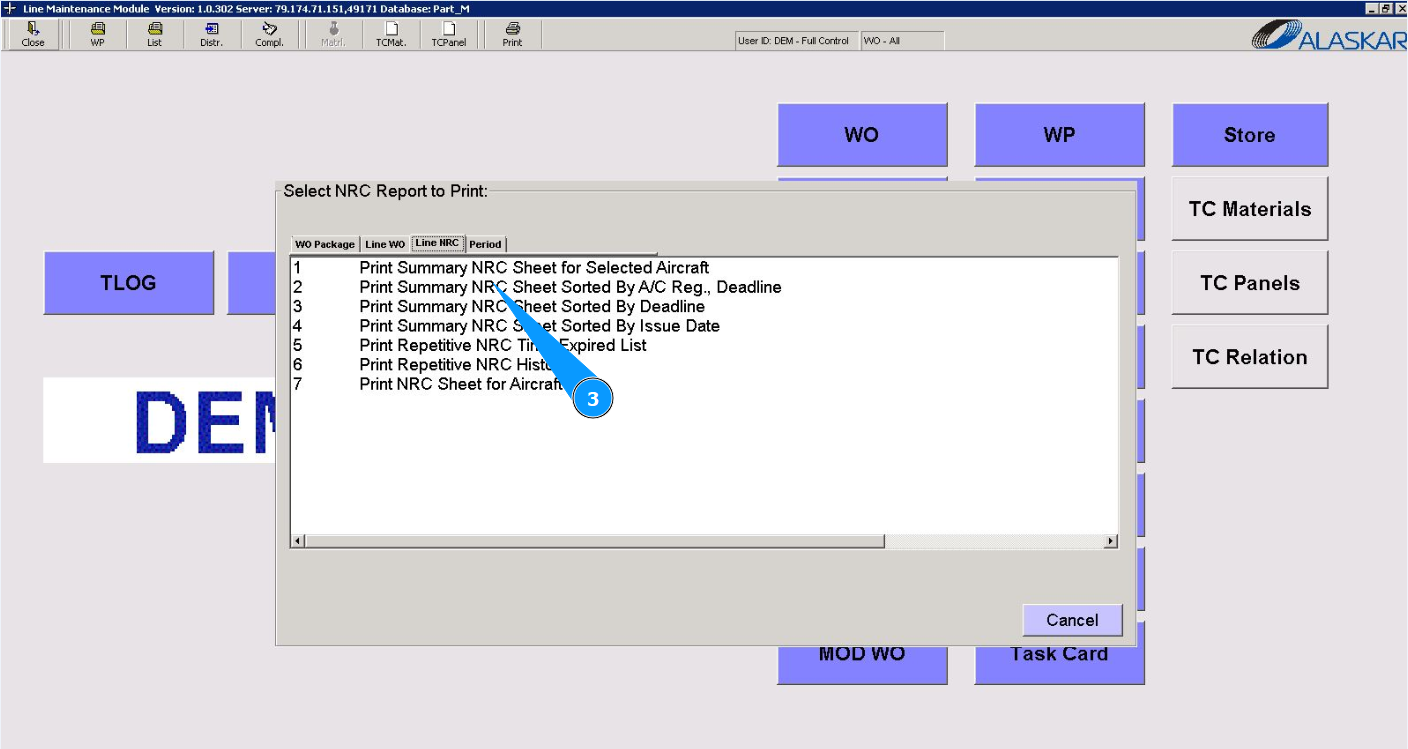
3. Select the required report check it or to print from the provided list in the window "Select NRC Report to Print" and double click on the corresponding line.
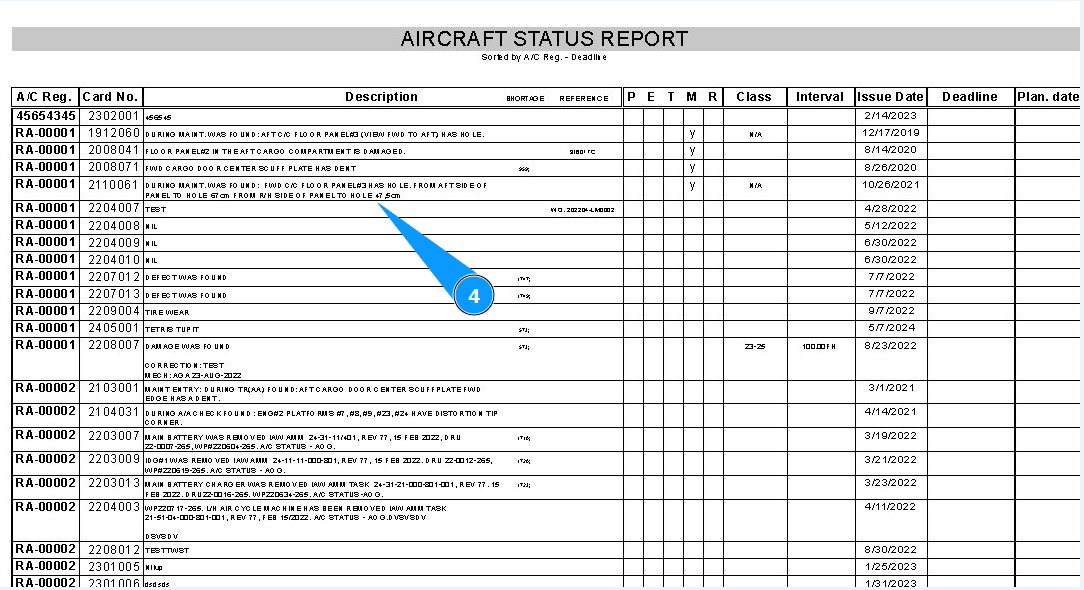
4. Check that the required report is displayed on your screen. If necessary, print out a paper form.
D. Check and print reports for the period.
1. In order to request or print reports for period, go to the module "Reports".
2. Then go to the tab "Period".
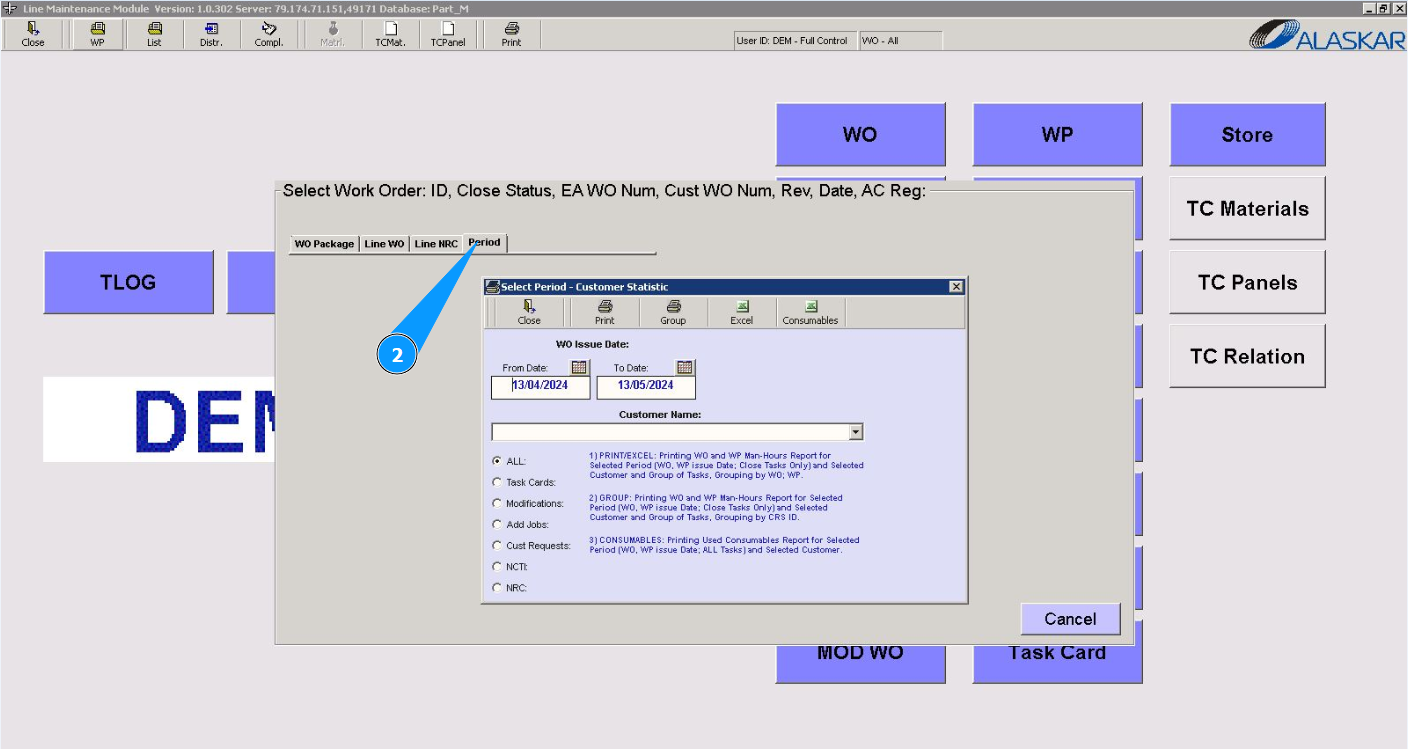
3. Select the required report for period in the window "Work Order Issue Date". Note: If necessary, select additional criteria for displaying a report in the fields of the window: "Select Period-Customer Statistic".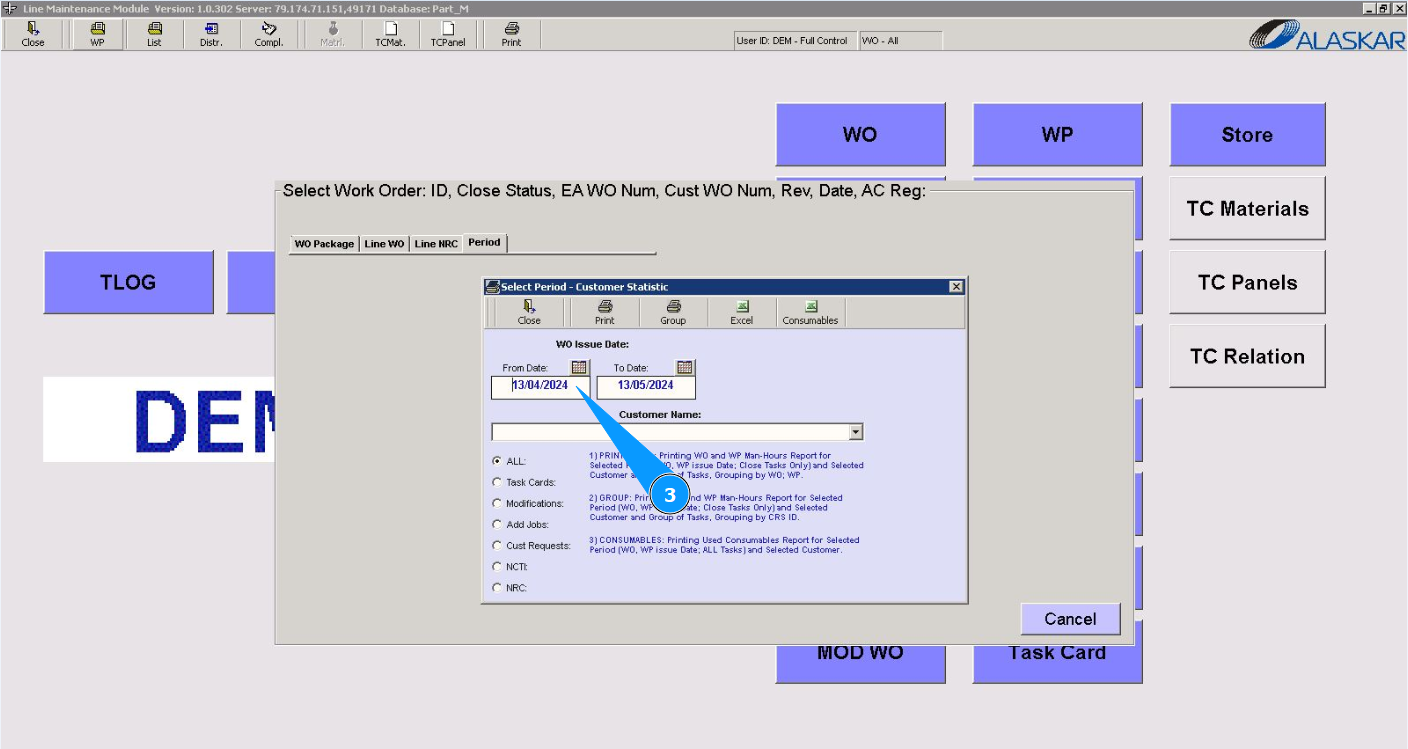
4. Select the required report type from the top panel of the window "Select Period-Customer Statistic" and click on the corresponding line.
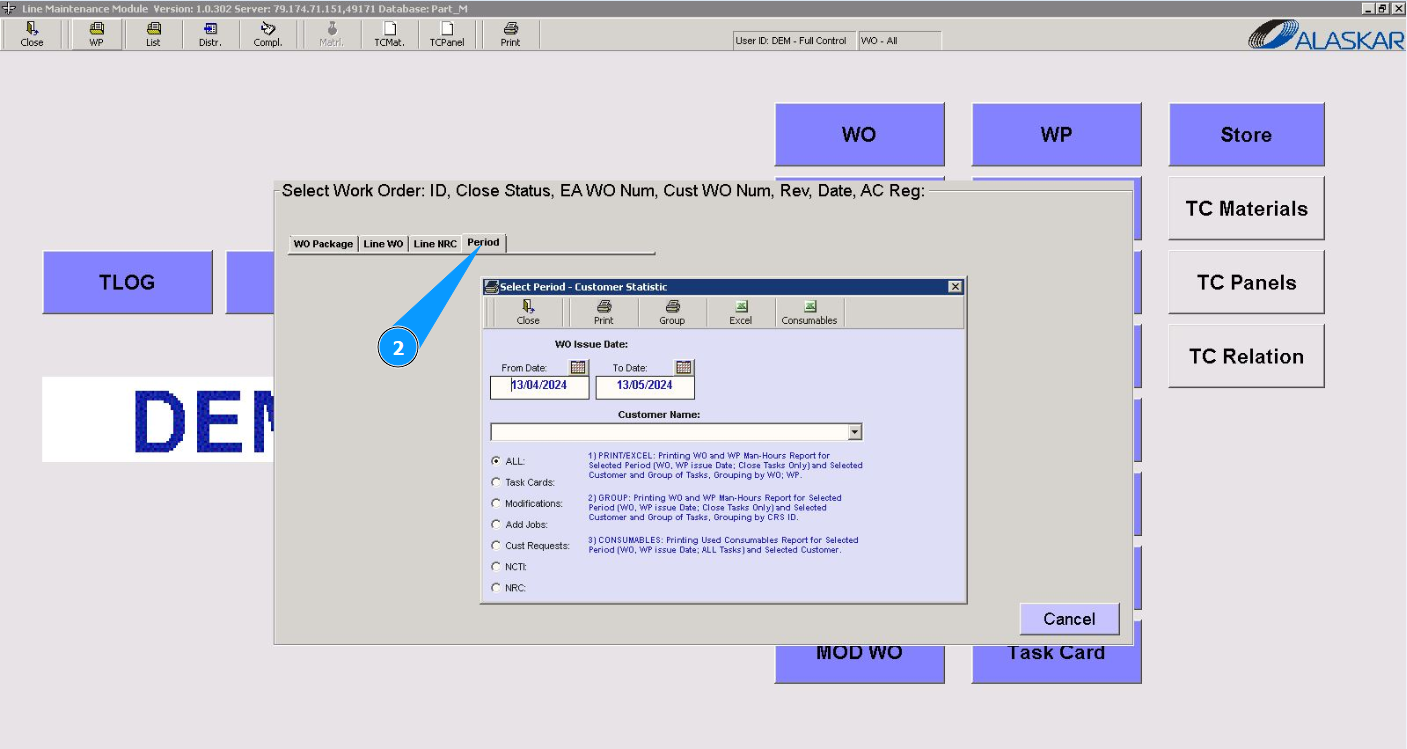
5. Check that the required report is displayed on your screen. If necessary, print out a paper form.