How to check and print materials list
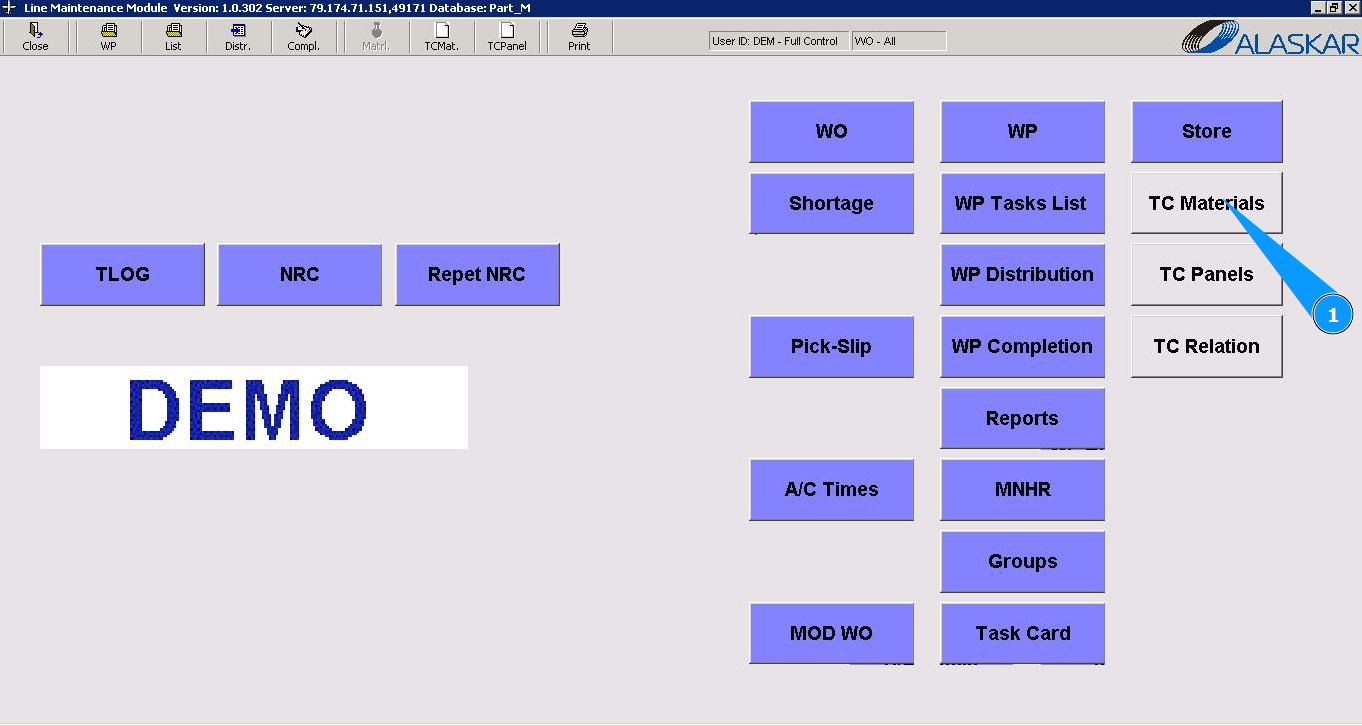
1. In order to check and print the list of materials, go to the submodule "TC Materials".
2. Select the required WO or WP in the list "Select Work Order" and click on the corresponding line. Note: If necessary, use the available filter of WO or WP number.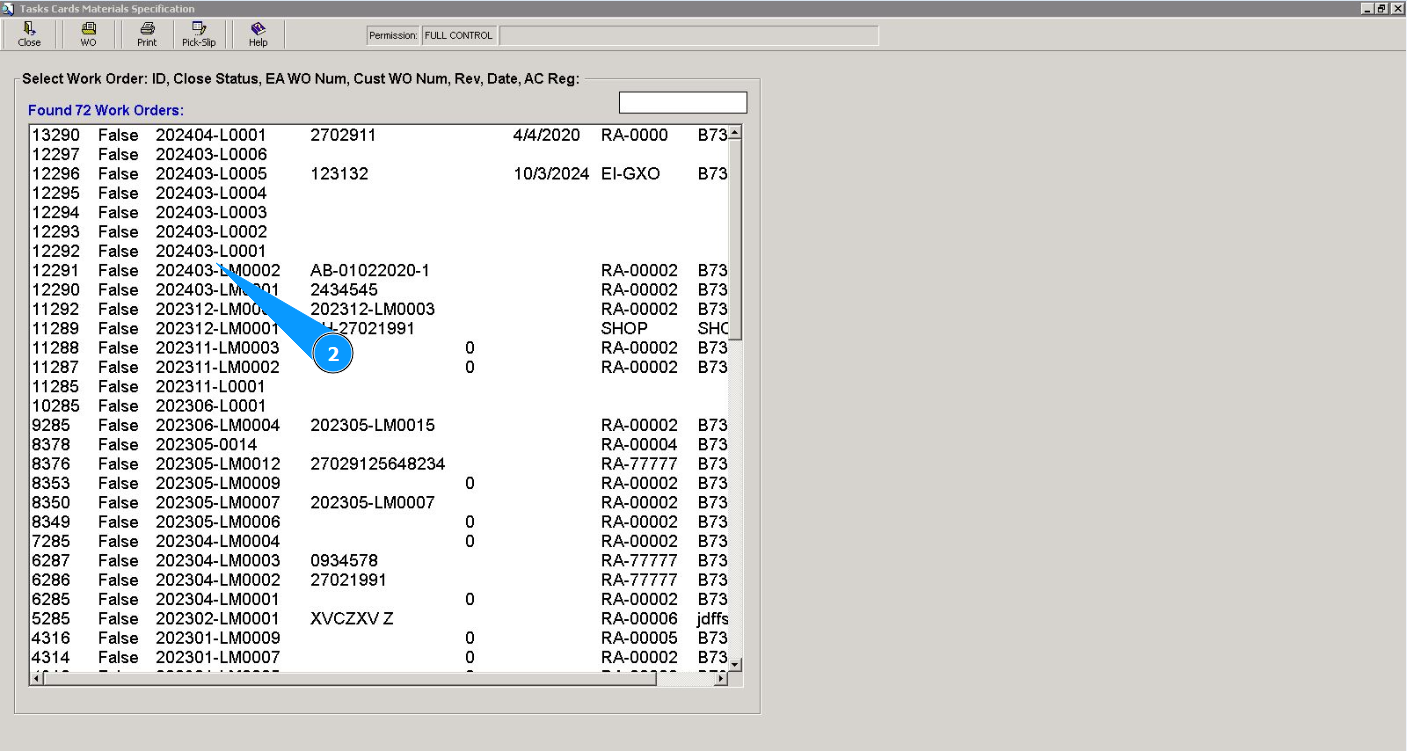
3. Then go to the tab "Task Card". Note: Use the available filters if necessary.
4. Select the required task card in the list "Task Cards" and click on the corresponding line.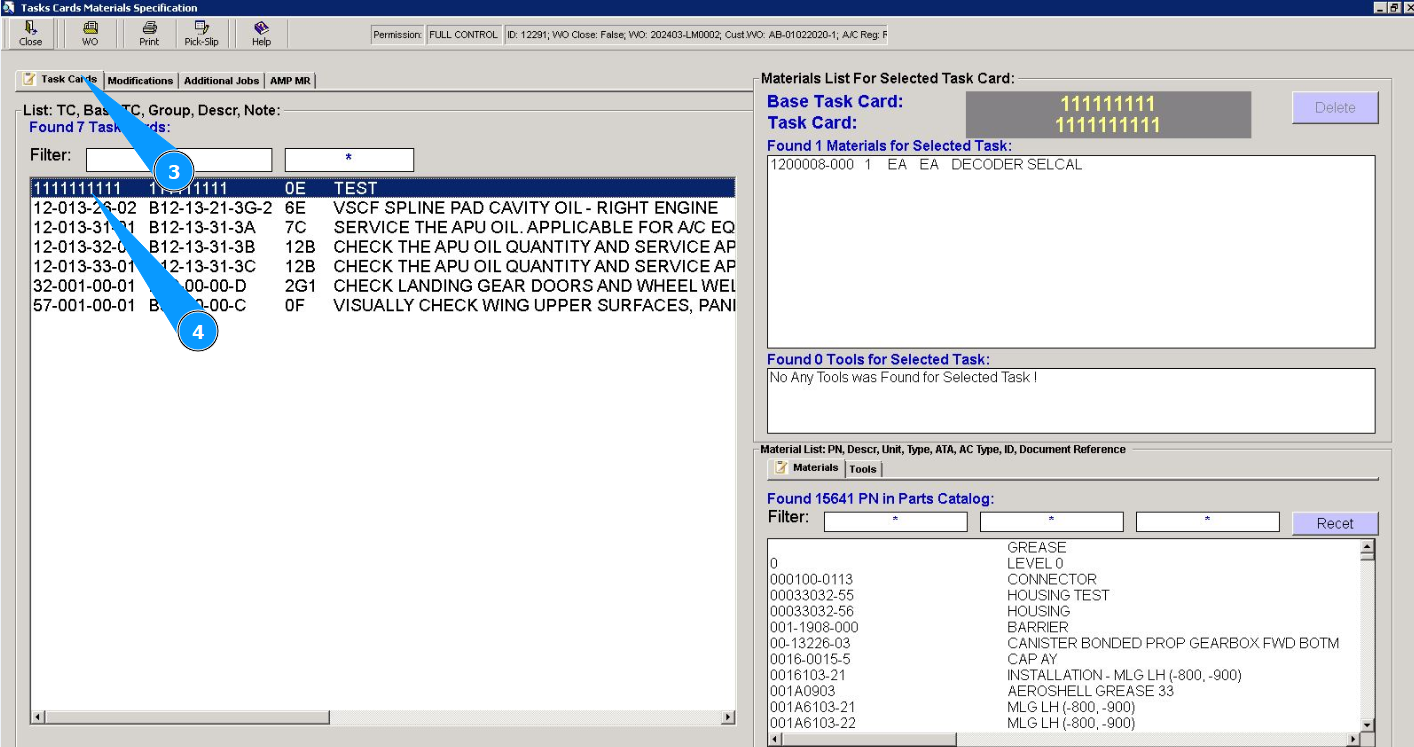
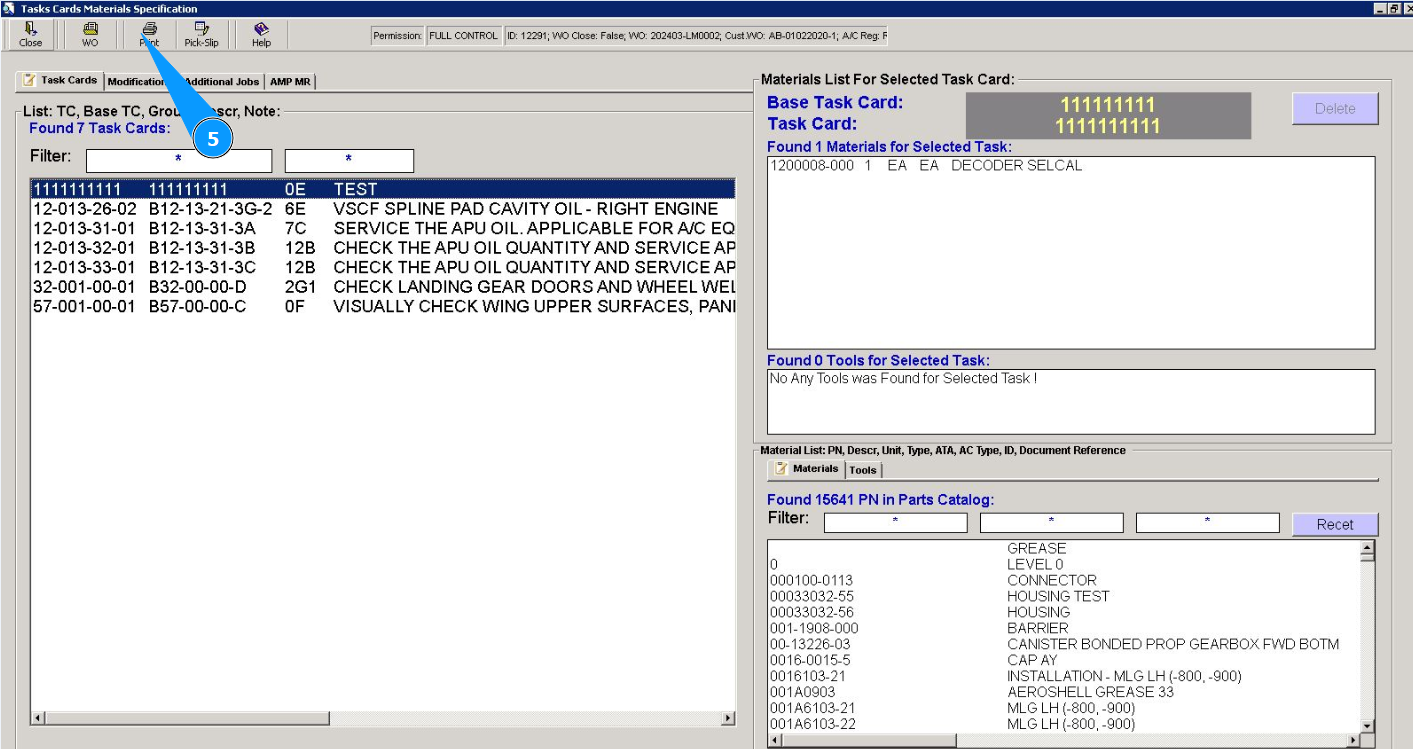
5. Click on the button "Print" to go to the material list print editor.
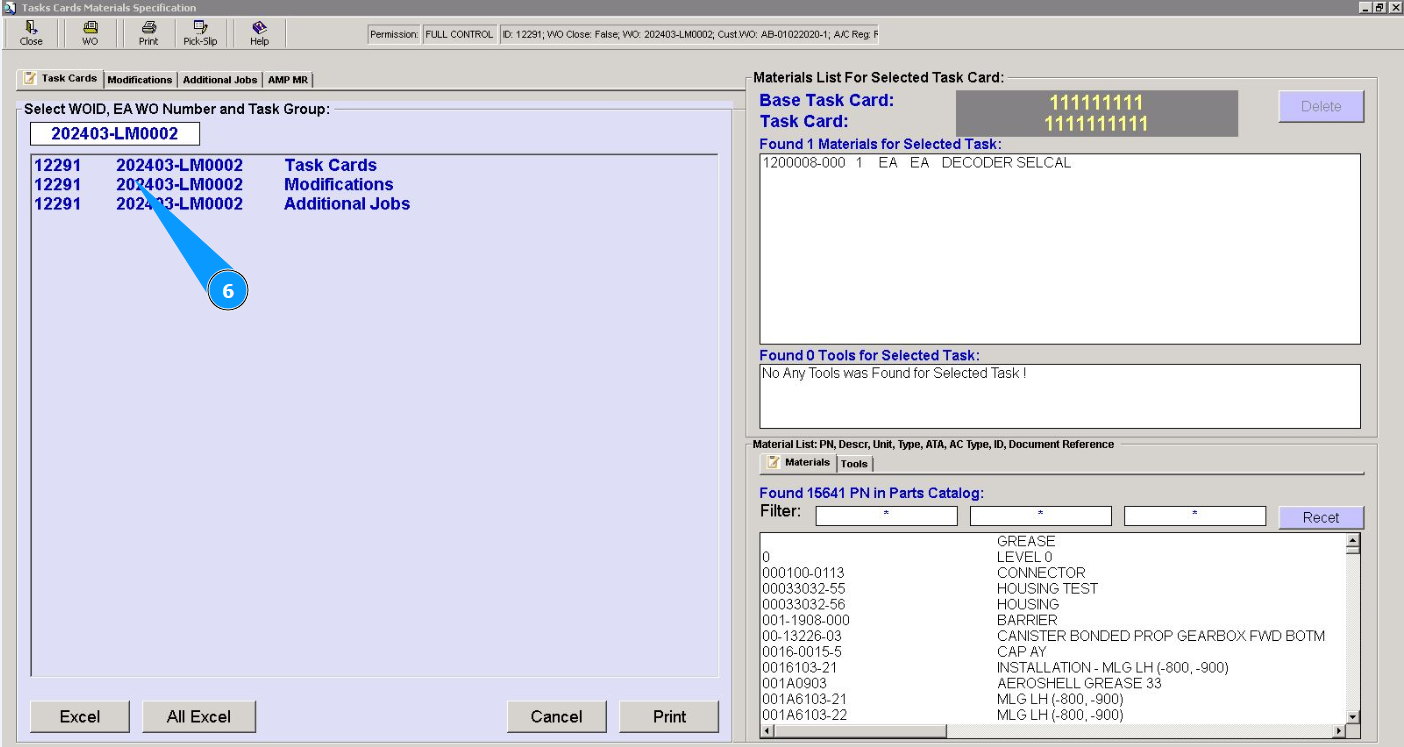
6. Select the type of work to generate a report list of materials.
7. Click on the button "Print" to generate a report in PDF format on your screen. Note: After displaying the report list on your screen, you can print a paper version if necessary.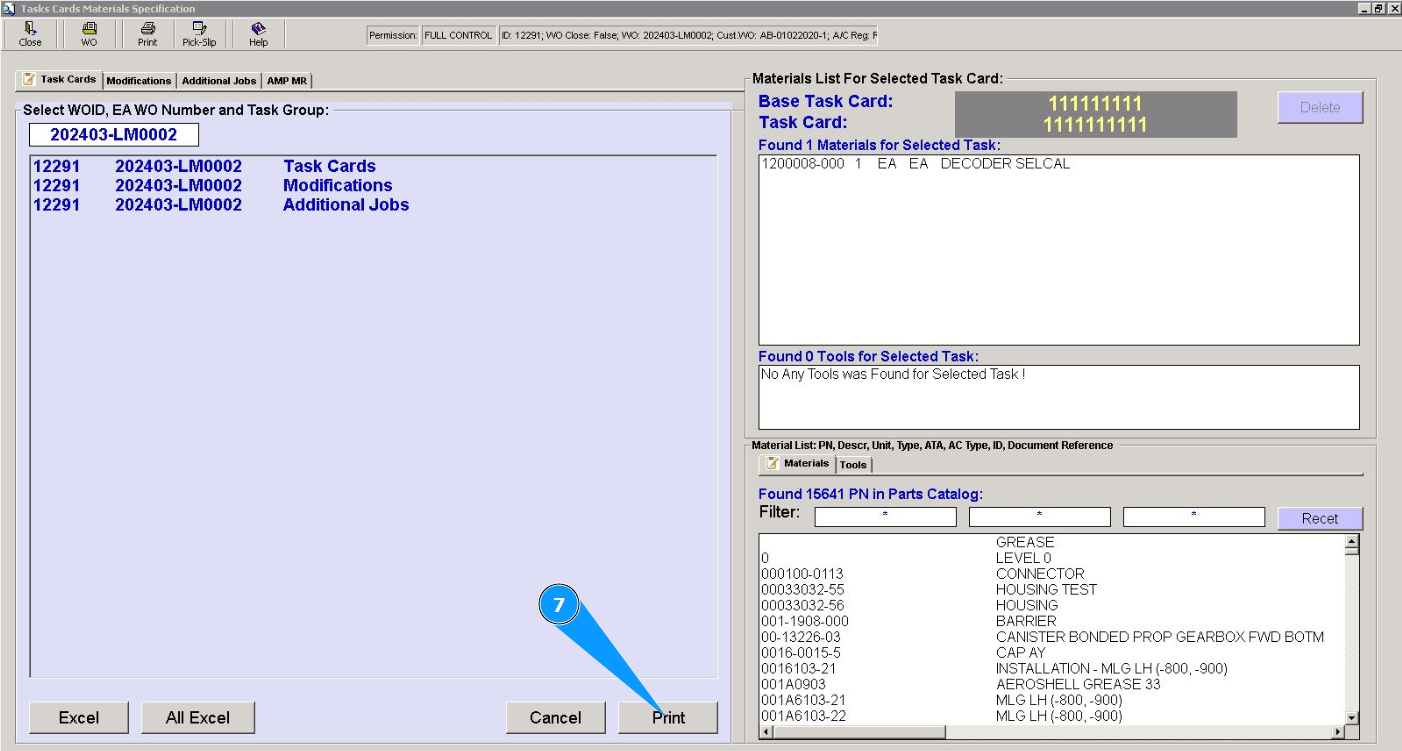
Note: If necessary, use the buttons to display a list of materials in Excel format, there are buttons: "Excel", "All Excel".