How to distribute Task Card for perfomance
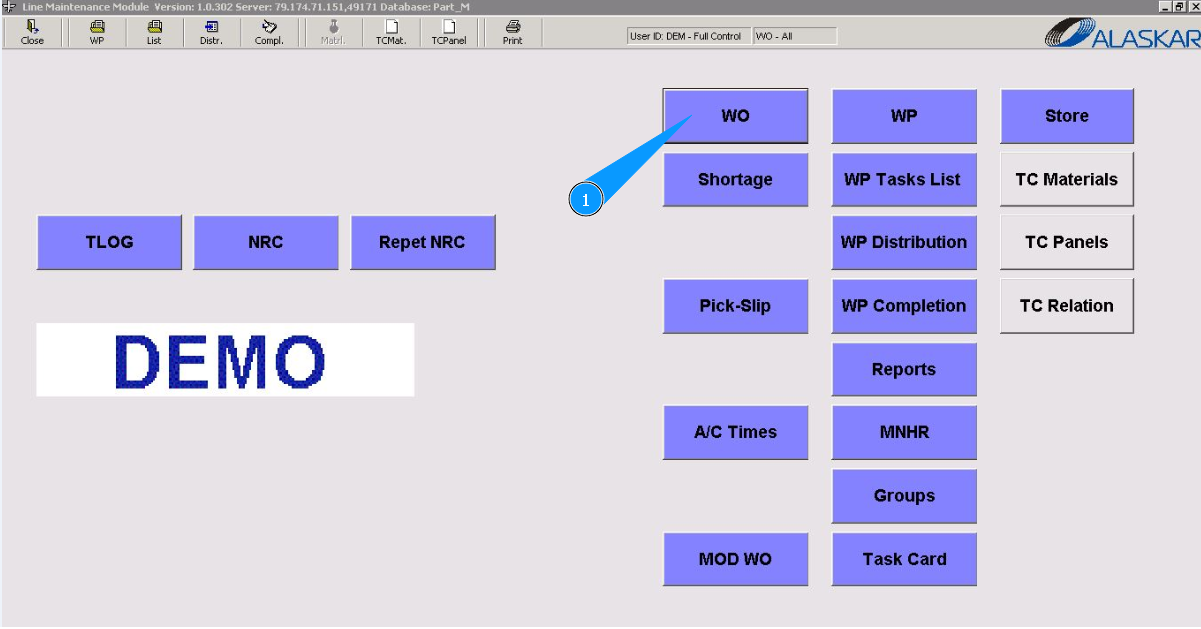
1. To assign a Task Card for performance, go to the submodule "WO".
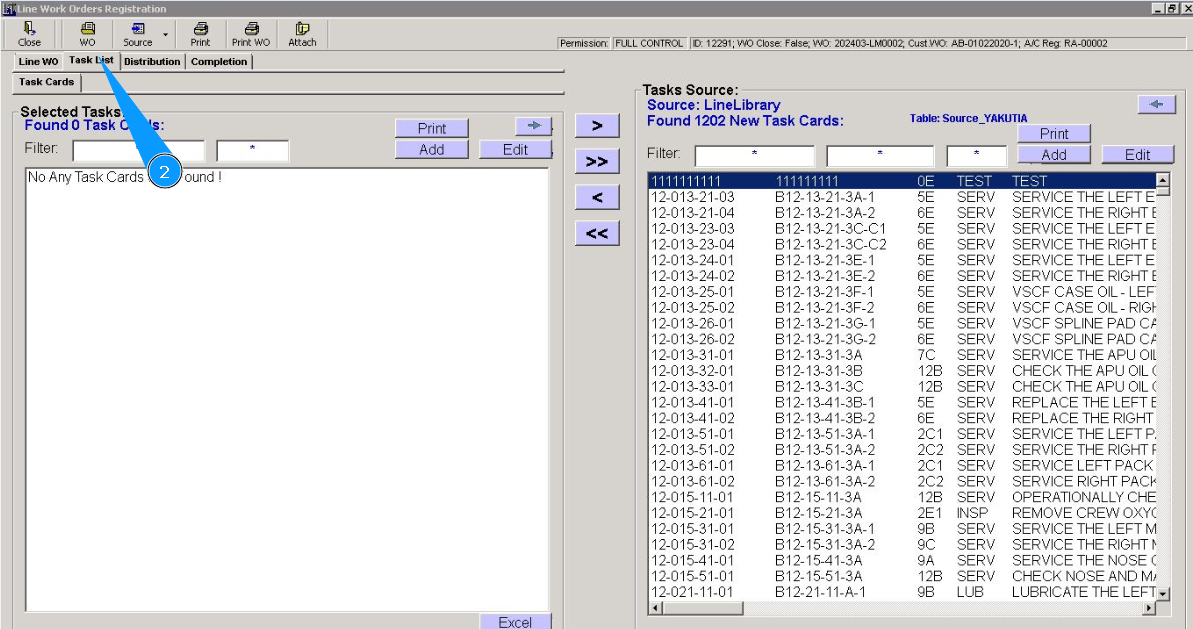
2. Then go to the tab "Task List".
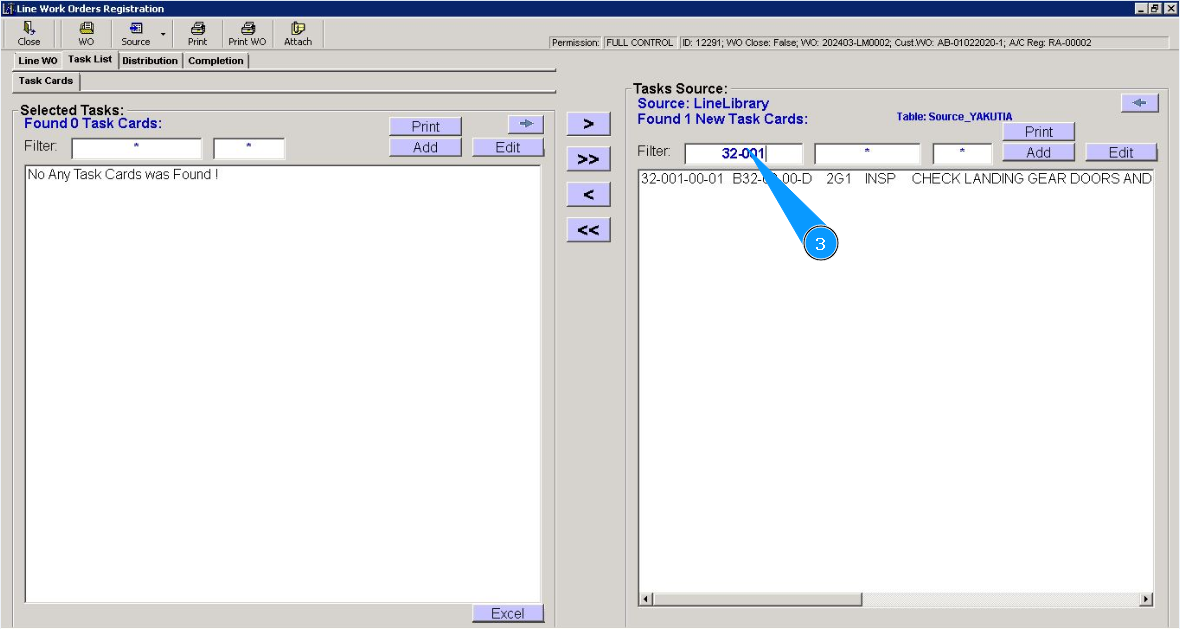
3. Enter the task number in the field "Filter" and click on the button "Enter" on your keyboard.
4. Select the task number you want to assign from the list in the window "Task Source". Click on the line with the task card.
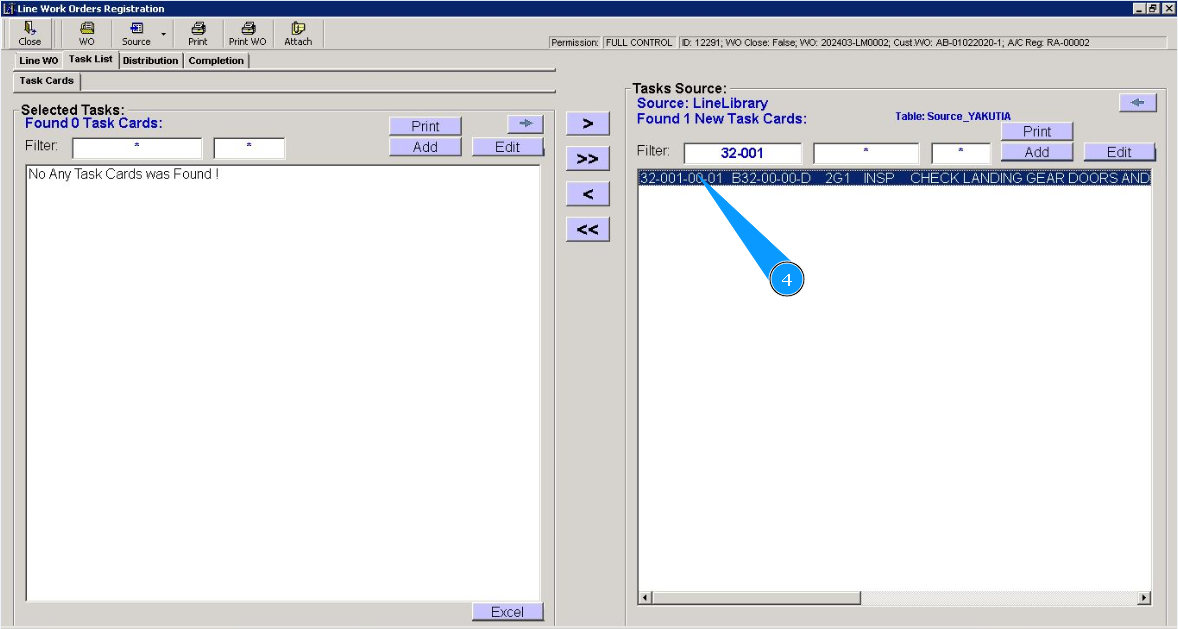
5. Click on the button with "an arrow to the left side" to move the task card to the left-screen window "Selected Tasks".
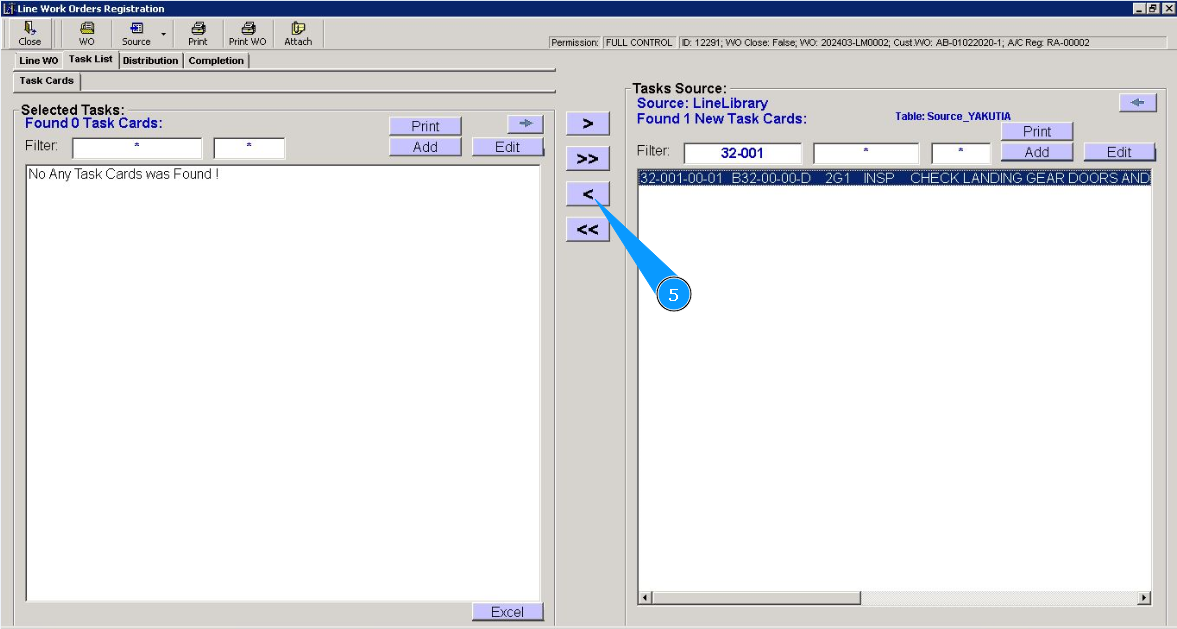
6. Check that the required task is moved to the left window "Selected Tasks".
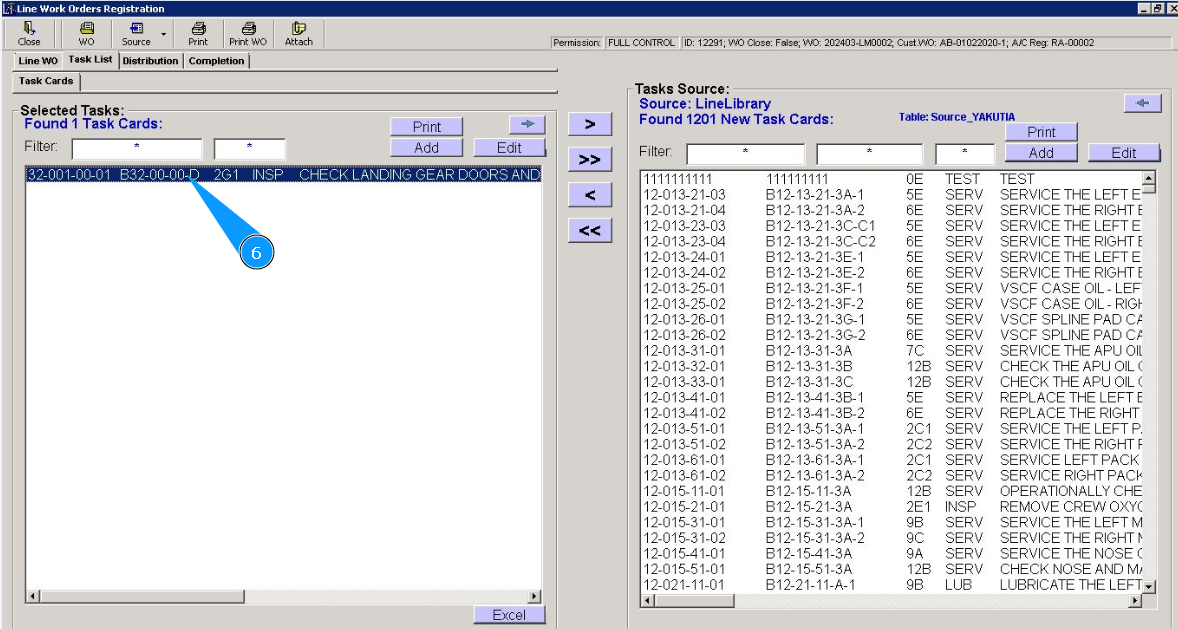
7. Then go to the tab "Distribution".
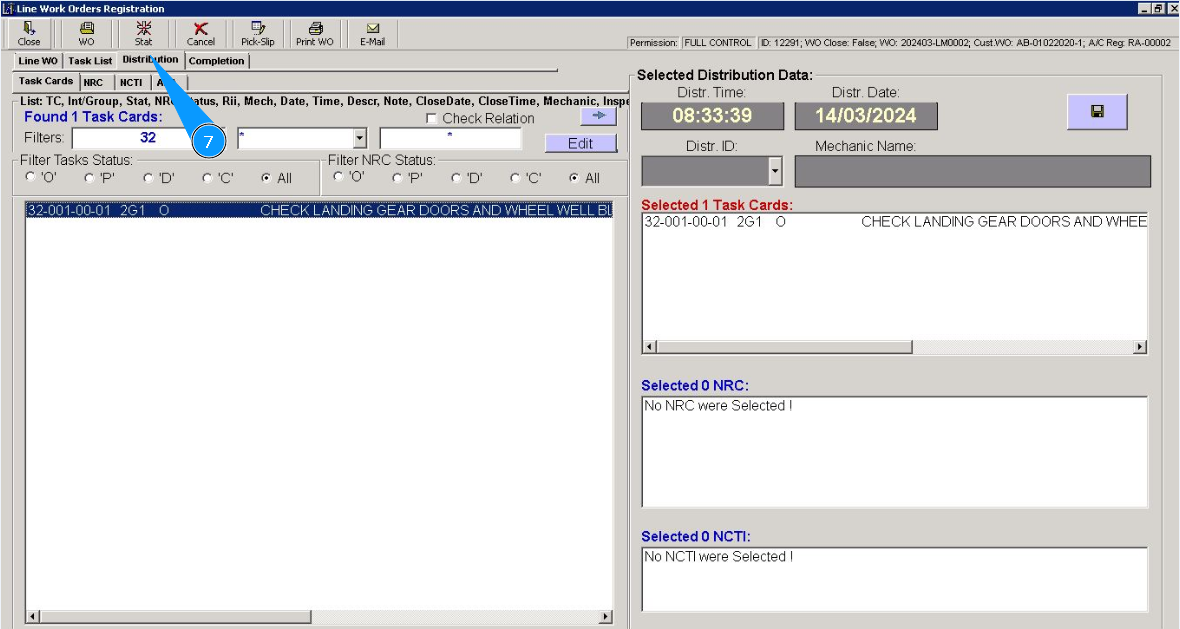
8. Then go to the tab "Task Cards".
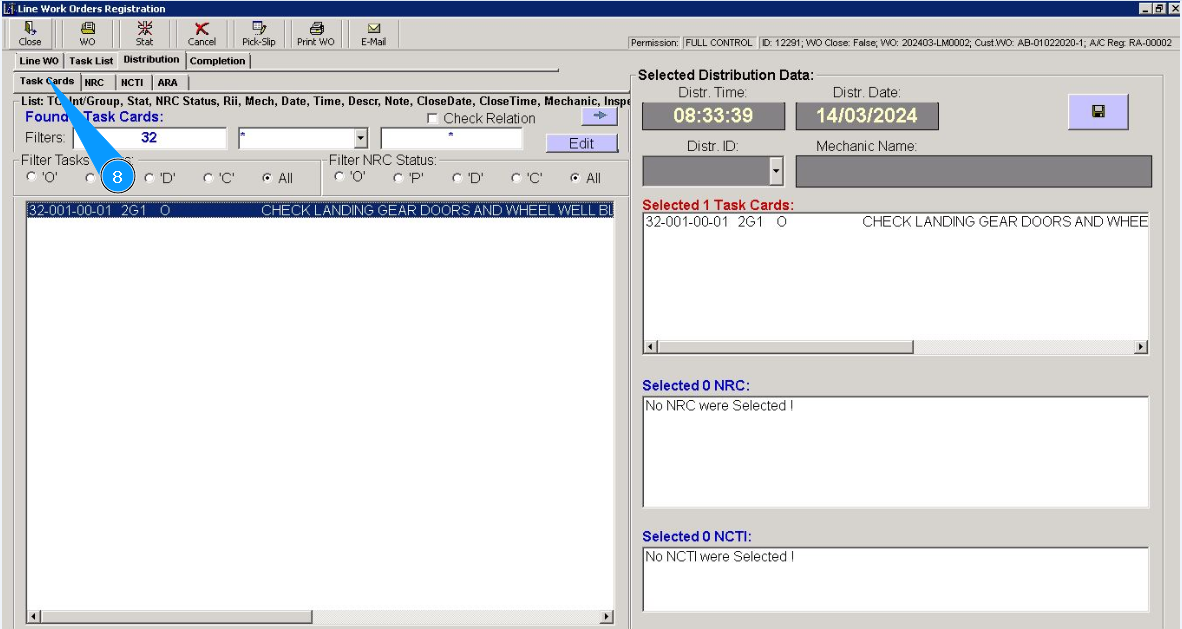
9. Check that the required task is moved to the left window "Task Cards". Click on the line with the task card twice. Note: If necessary, use the search filters, fields: "Filters".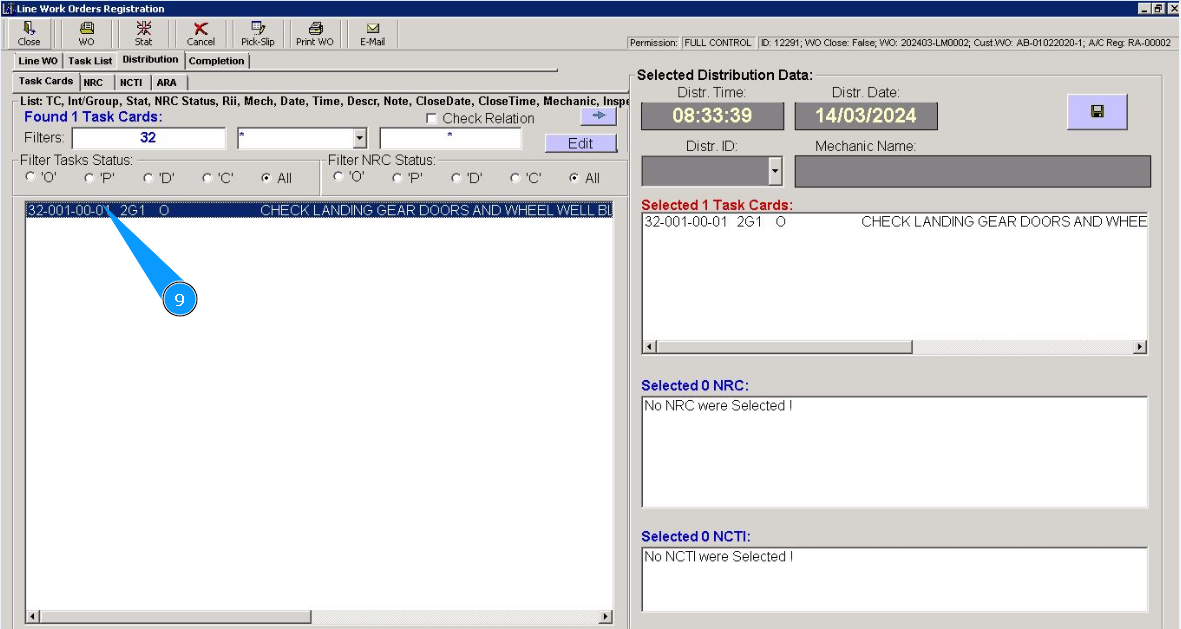
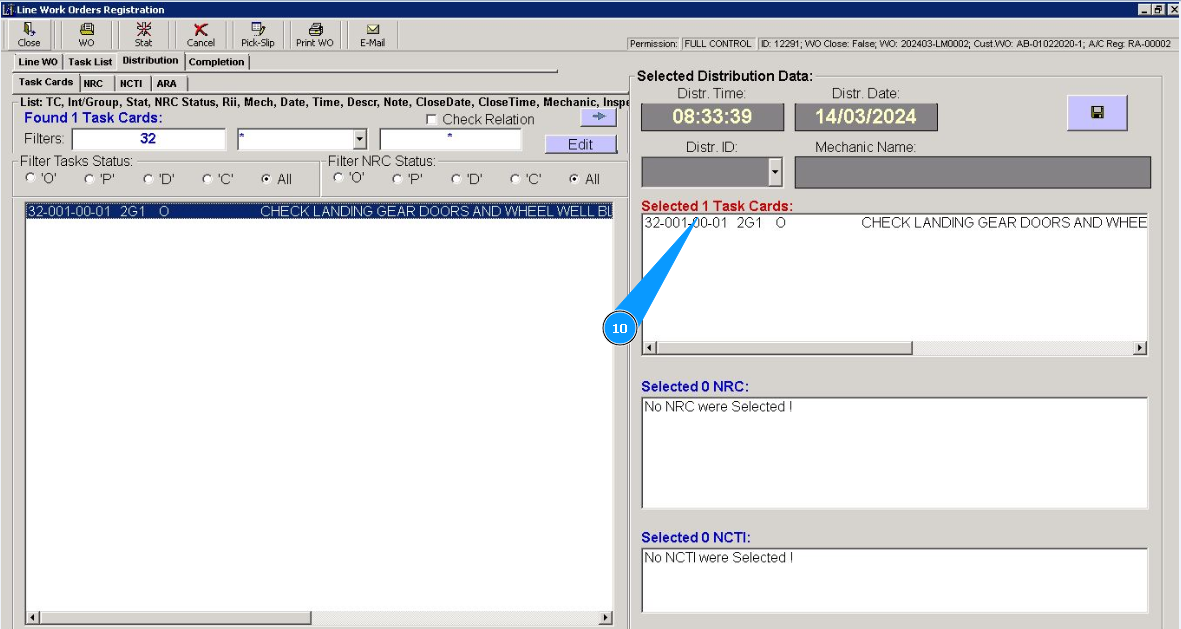
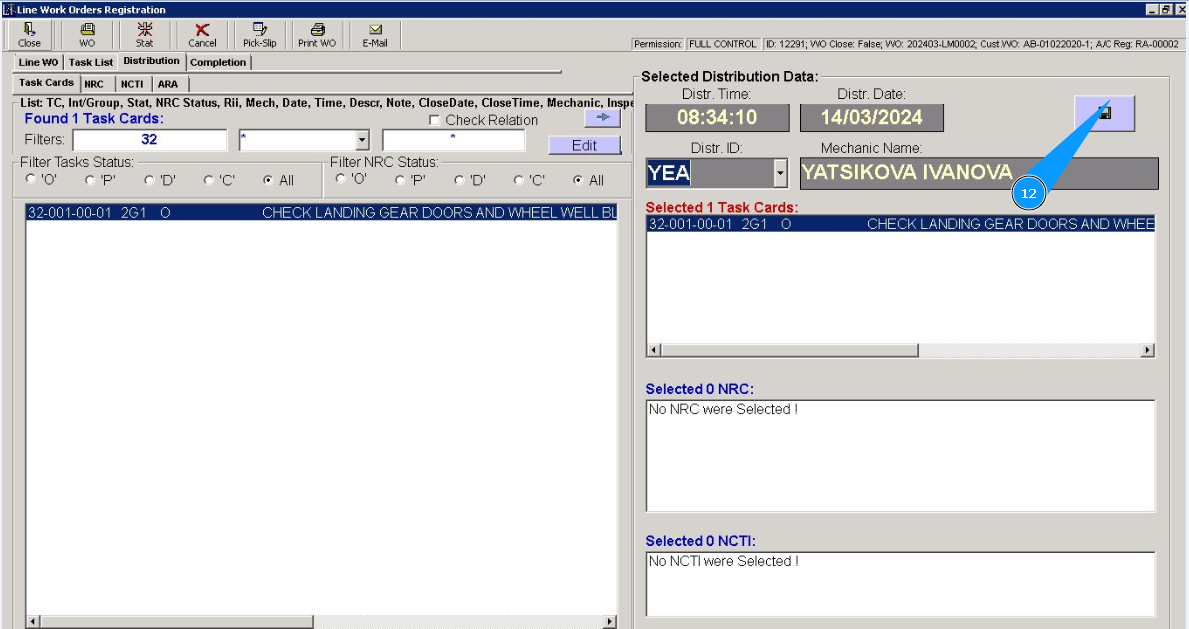
10. Check that the required task is moved to the right window "Selected Distribution Data".
11. Select the ID of staff who will be assigned to perform tasks from dropdown list. Note: The time and date fields are filled automatically there is a current time when you work with the editor.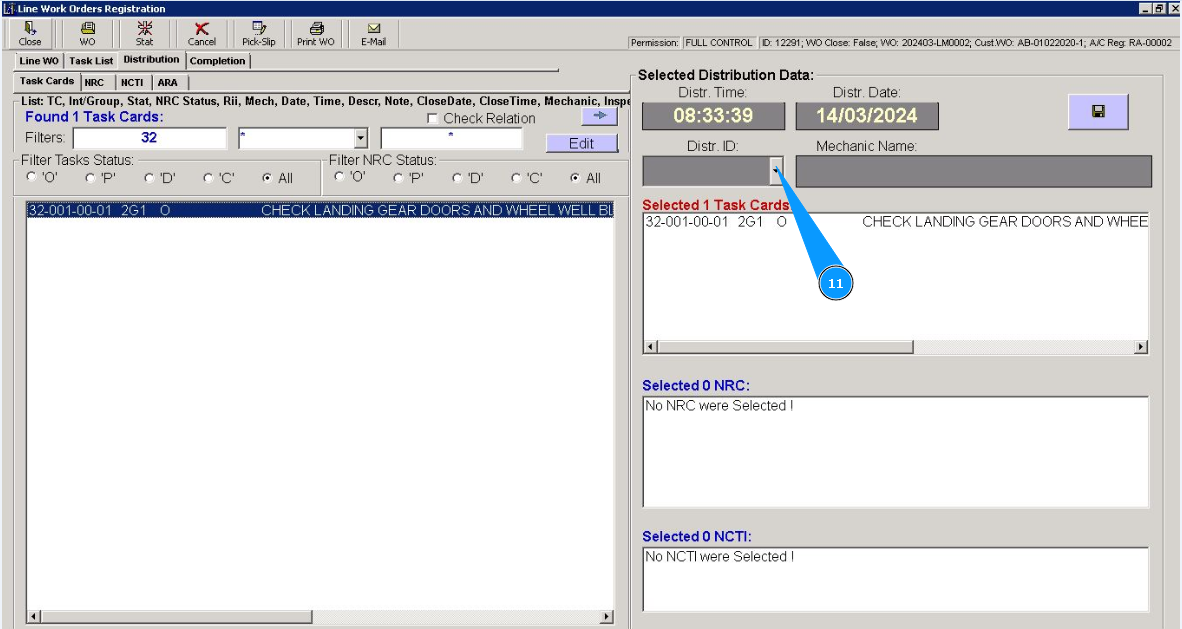
12. Click on the button with a floppy disk symbol to save the execution assignment.
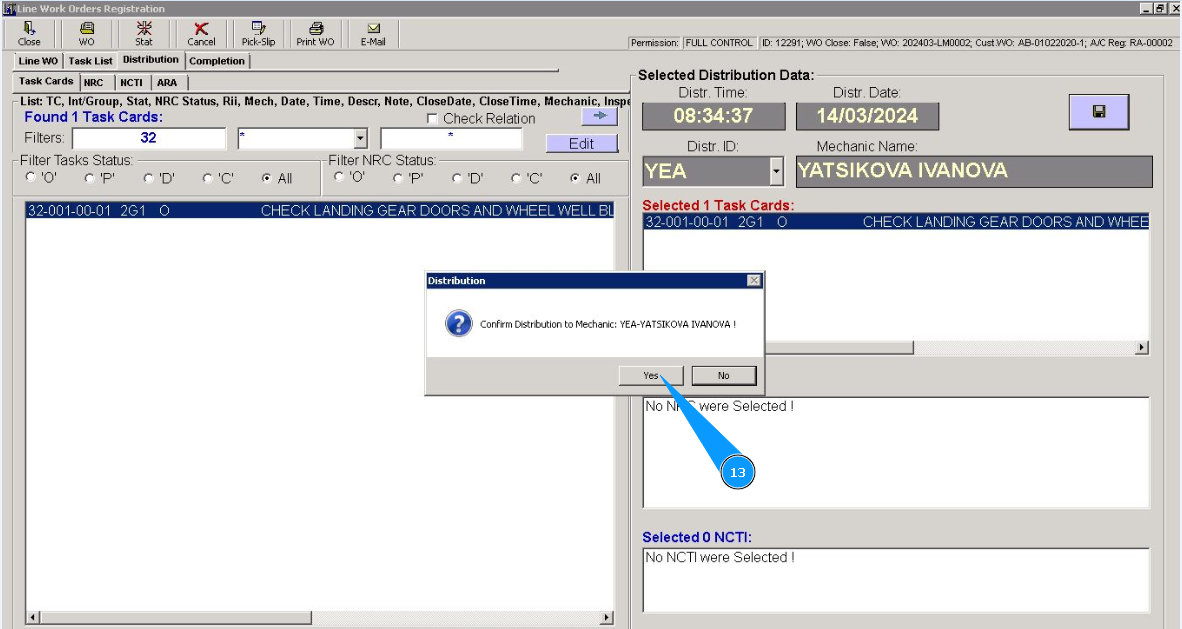
13. Click on the button "Yes", to confirm the assignment and complete this task.
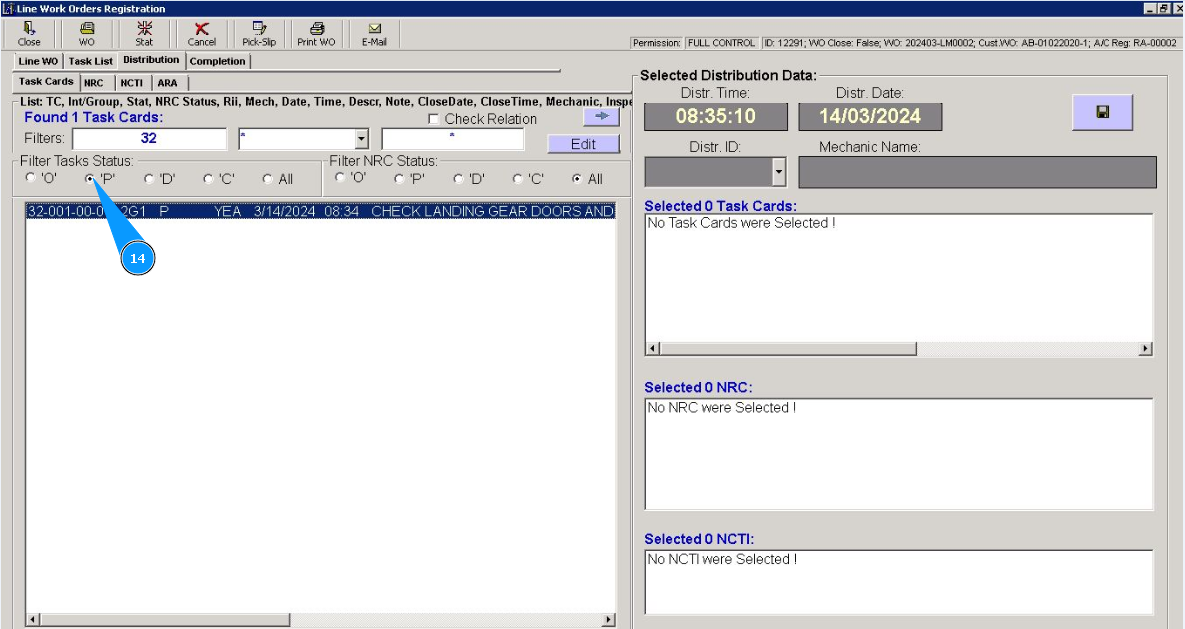
14. Check that the task has moved from the "open" status to the "scheduled" status. For checking, set the filter "P" (P-planned).