How to distribute Non-Completed Task Item for performance
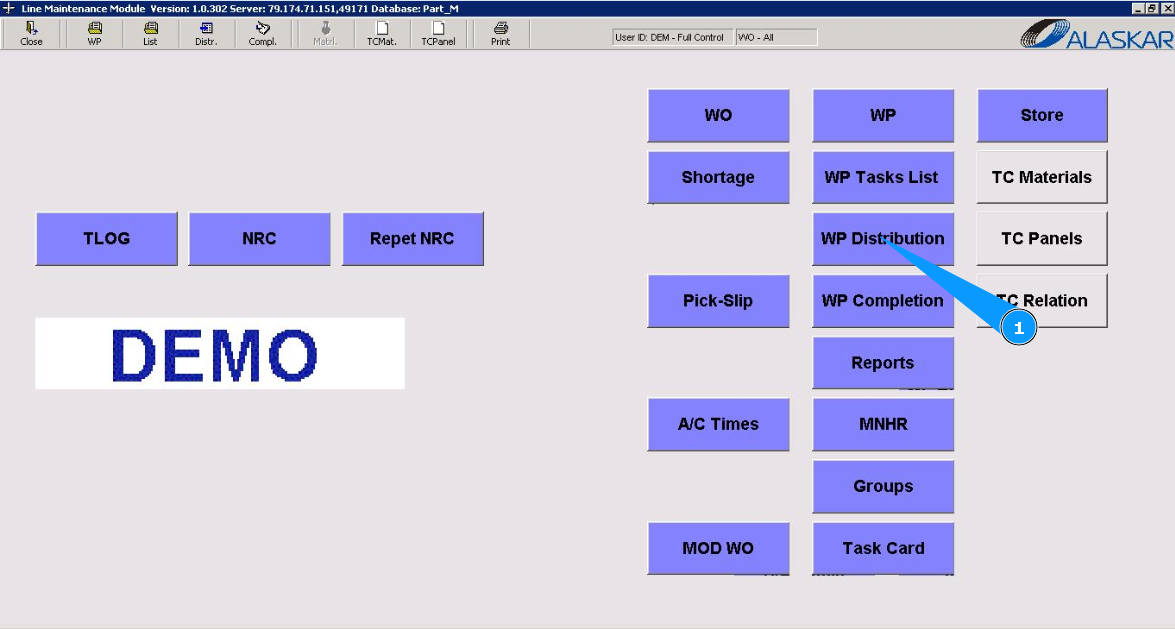
1. To distribute Non-Completed Task Item, go to the submodule "WP Distribution".
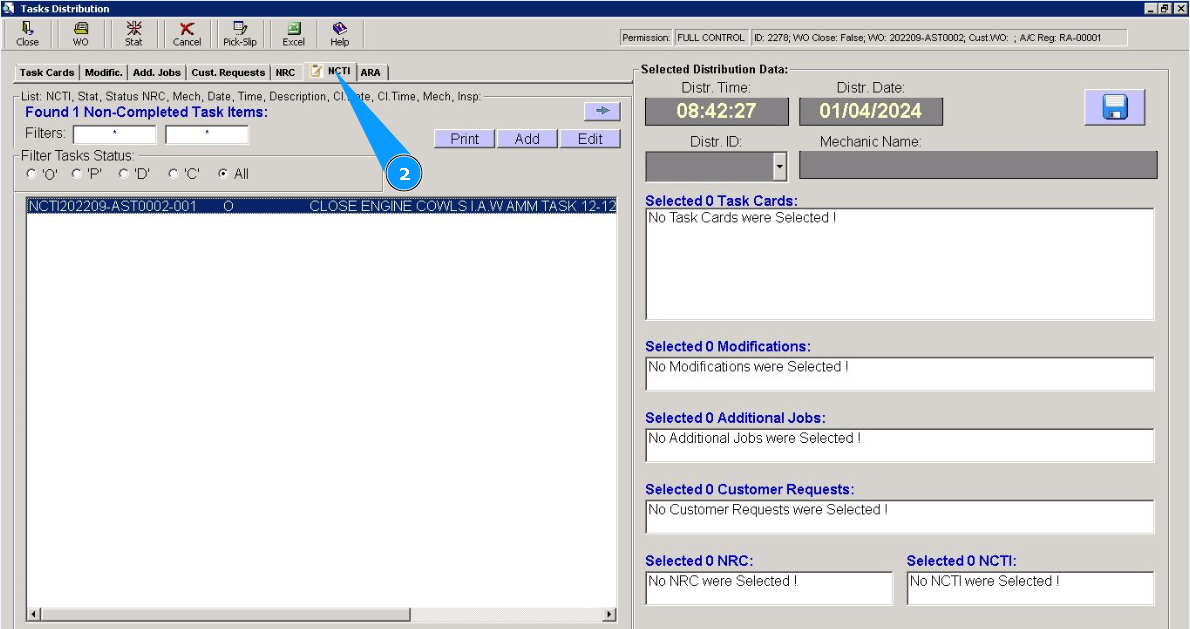
2. Then go to the tab "NCTI".
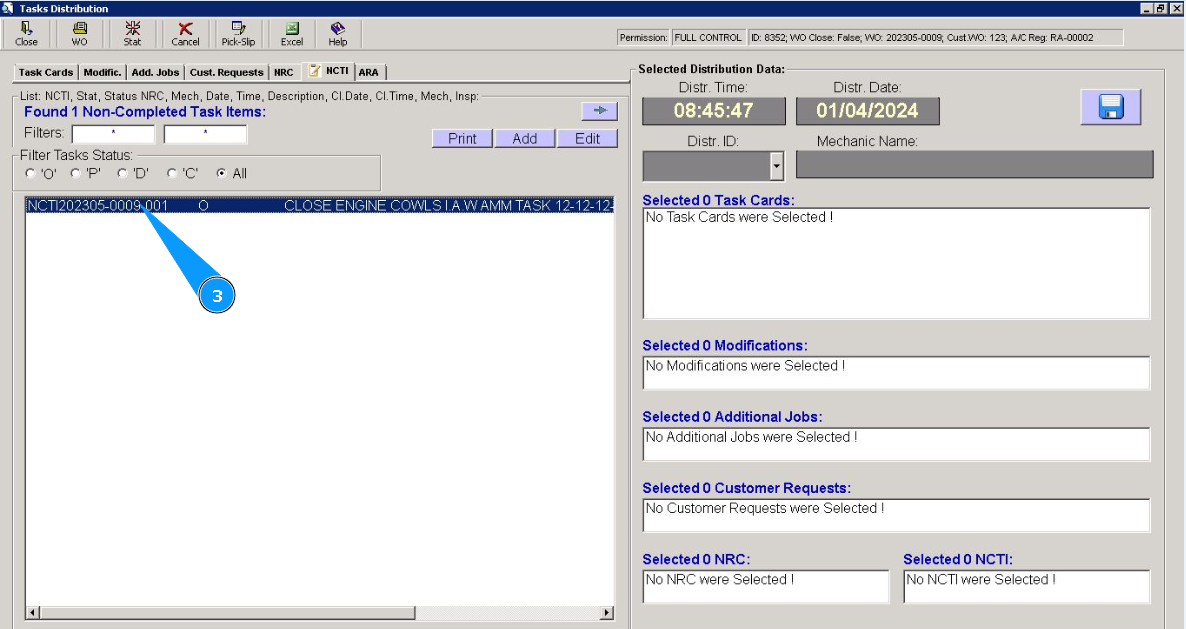
3. Click on the line with the Non-Completed Task Item for the distribution twice.
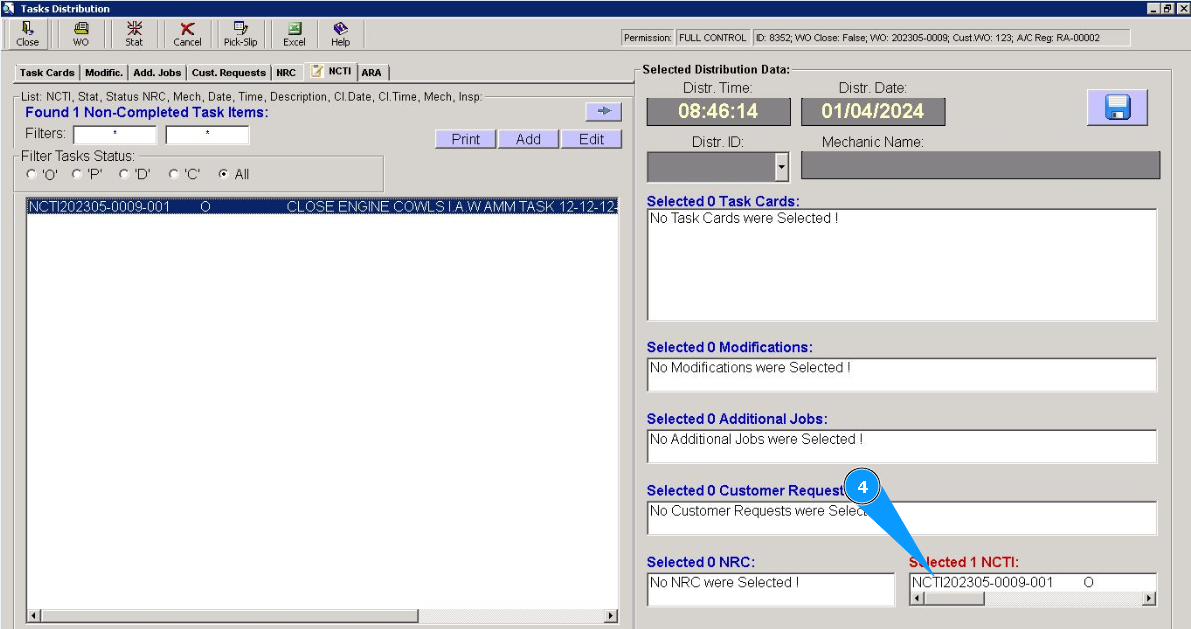
4. Check that the required Non-Completed Task Item is displayed in the right window "Selected NCTI".
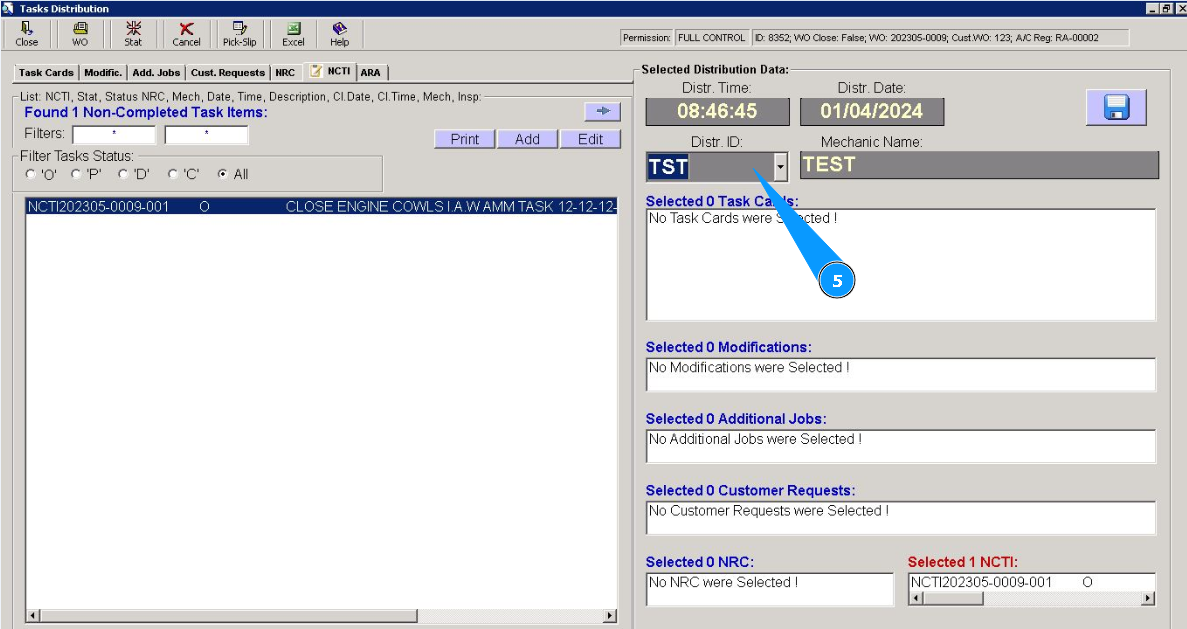
5. Select from dropdown list the ID of the staff who will perform this Non-Completed Task Item.
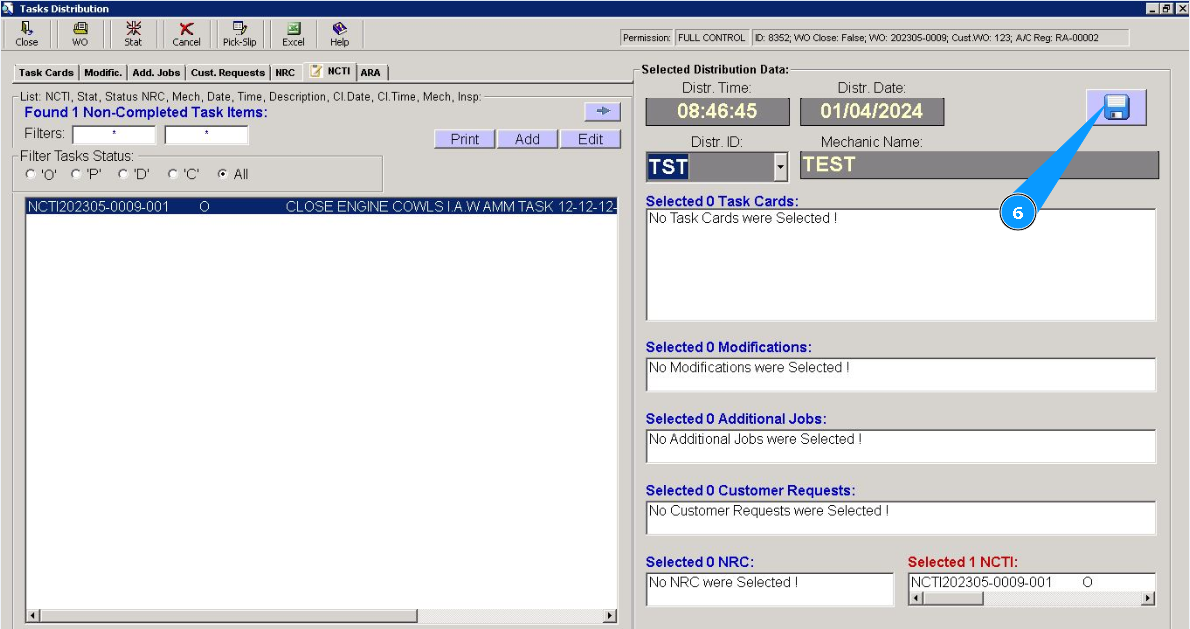
6. Click the diskette symbol button to save the distribution.
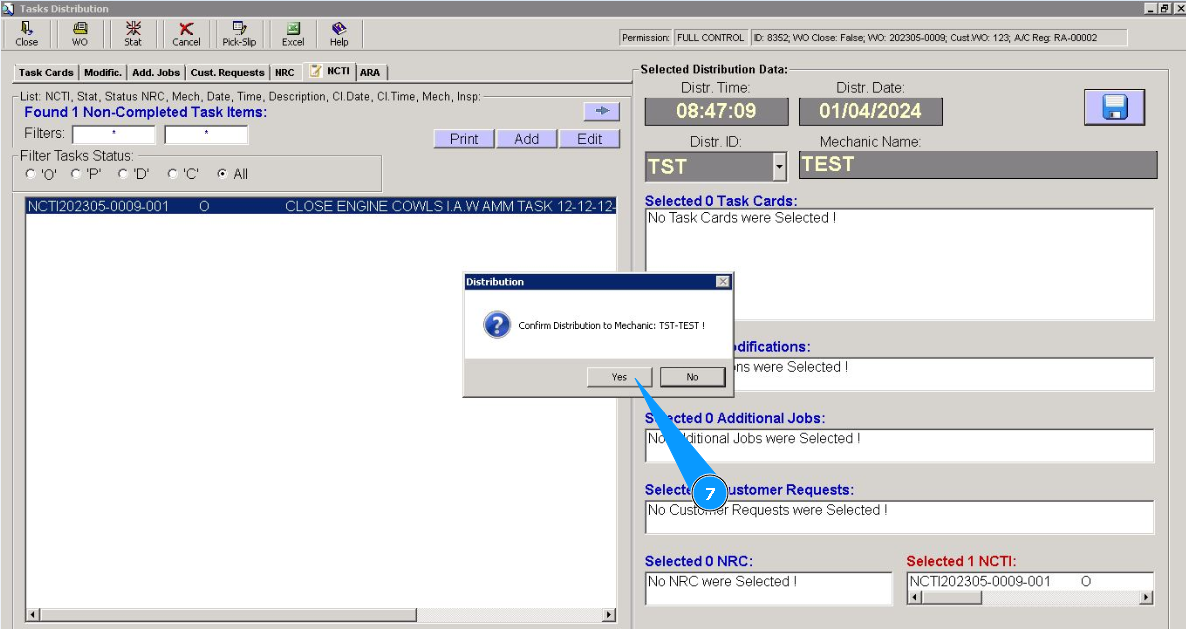
7. Click on the button "Yes", to confirm the distribution of Non-Completed Task Item to perform.
8. Check that the Non-Completed Task Item has moved from the "open" status.
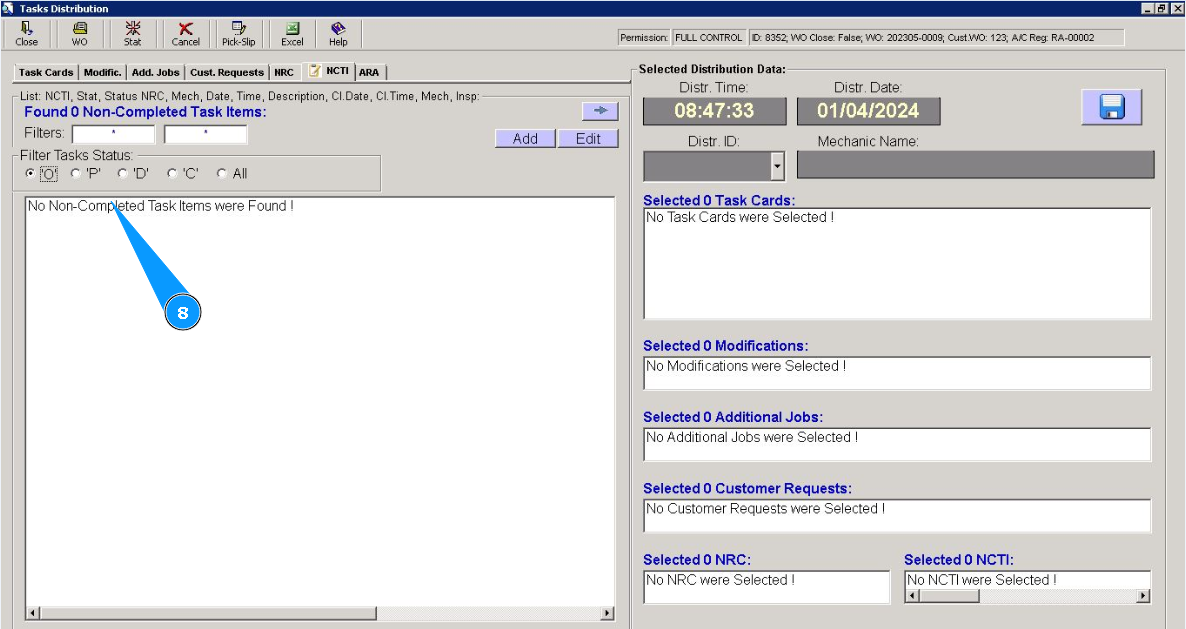
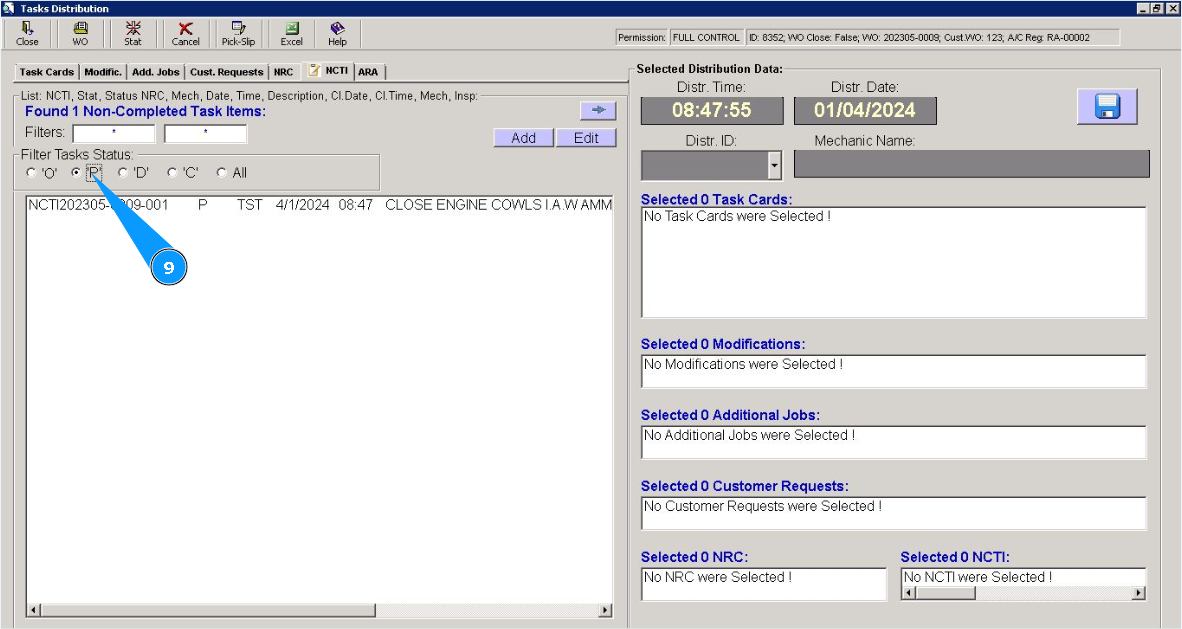
9. Check that the Non-Completed Task Item has moved to the "planned" status. To check it, set the filter "P". Non-Completed Task Item is fully distributed to staff for performance